Customer Ratings & Reviews
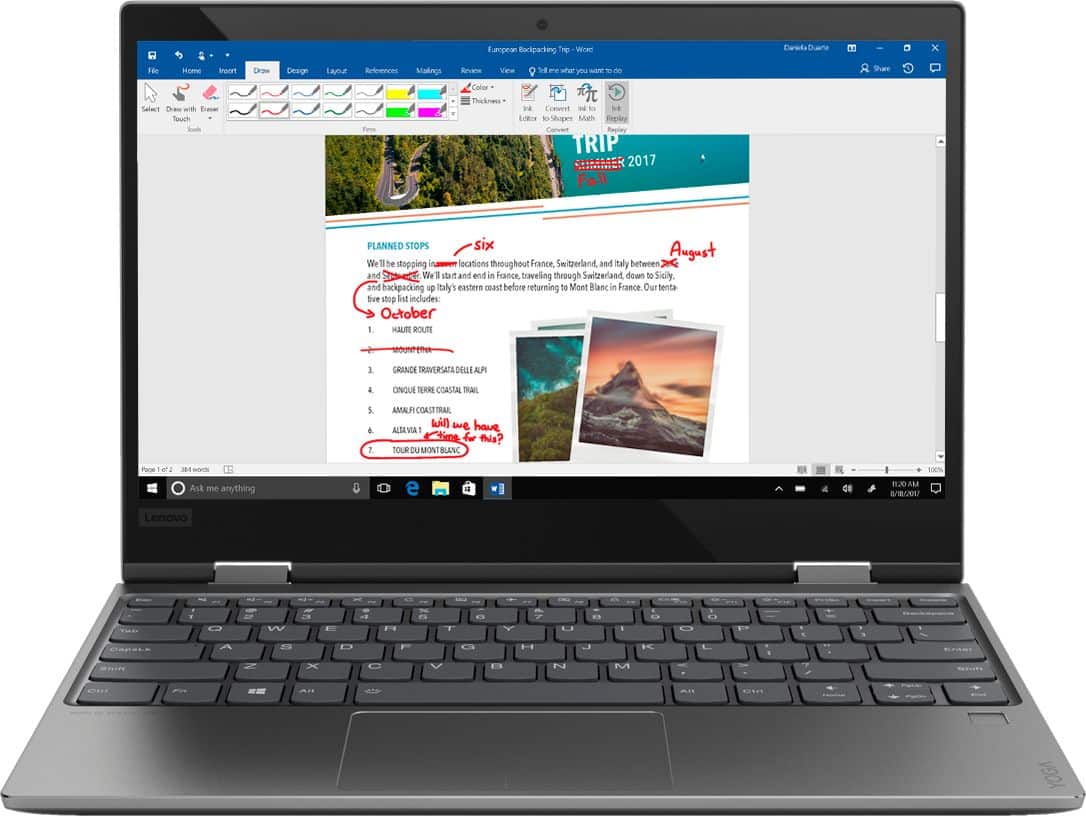

- Model:
- 81B5000KUS
- SKU:
- 6061900
Rating by feature
- Value
Rating 3.6 out of 5 stars
- Quality
Rating 3.7 out of 5 stars
- Ease of Use
Rating 4.1 out of 5 stars
Customers are saying
Customers love the Yoga 720 for its portability, light weight, and fast performance. They appreciate the touch screen and the affordable price point. However, some users have concerns about the fan noise, battery life, limited storage, and overheating issues.
This summary was generated by AI based on customer reviews.
Good laptop for student
||Posted .This reviewer received promo considerations or sweepstakes entry for writing a review.Very good laptop and the store is very Nice to buy
I would recommend this to a friendBrand response from Lenovo Product Expert
Posted .Thank you for choosing the Lenovo Yoga 720-12. We are pleased to hear that the Yoga 720-12 meets your computing needs so well.

User friendly
||Posted .This reviewer received promo considerations or sweepstakes entry for writing a review.Great option if you want a 2 in 1 for personal use.
I would recommend this to a friendBrand response from Lenovo Product Expert
Posted .Thank you for choosing the Lenovo Yoga 720-12. We are pleased to hear that the Yoga 720-12 meets your computing needs so well.
Great little laptop
||Posted .This reviewer received promo considerations or sweepstakes entry for writing a review.Student use, works well for Google docs and similar
I would recommend this to a friendBrand response from Lenovo Product Expert
Posted .Thank you for choosing the Lenovo Yoga 720-12. We are pleased to hear that the Yoga 720-12 is working out so well for you.
Pretty slow
||Posted .This reviewer received promo considerations or sweepstakes entry for writing a review.It has a very nice display and I really like the size it’s nice and compact. It does seem a little slow viewing pictures and videos.
I would recommend this to a friendBrand response from Lenovo Product Expert
Posted .This is a fast system with its Dual-Core/Four-Thread Intel Core i5-7200U processor, 8GB of RAM and a 128GB solid state hard drive. Be sure any software you installed is compatible with Windows 10. There is no need to install Microsoft Office software. The software is already part of the operating system, you just need to activate the software with a purchased product key. If you have installed a copy of Microsoft Office, this is conflicting with the existing copy on the system and this will slow your system down. If you have installed a 3rd party anti-virus program, be sure that Windows Defender is turned off and that the trial version of McAfee Anti-Virus software is uninstalled. There can only be one anti-virus program on the system. You may need to restore your system to original factory default settings if any of the programing errors have occurred. You can do that by typing "restore" in the Cortana search window. Just click on the magnifying glass icon at the bottom left of your Windows 10 Desktop. Click on "Reset This PC" Then click on "Get Started" and follow the on screen directions to restore to factory defaults. If the problem persists, we recommend you contact Lenovo Tech Support at: 877-453-6686.
Failed to charge battery ..poor quality..veryupset
||Posted . Owned for 1 year when reviewed.This reviewer received promo considerations or sweepstakes entry for writing a review.Won't charge with charger plugged in and the charger is fine... Very disappointed that it's only been a little over a year since I purchased it and treated it carefully.. it's no good to me if I can't charge the battery..a Google search suggests this is a common problem which is very disturbing..
No, I would not recommend this to a friendGreat for regular high school student/ home use
||Posted . Owned for 10 months when reviewed.This reviewer received promo considerations or sweepstakes entry for writing a review.This computer has worked well for our needs General home use and home work for a high school student
I would recommend this to a friend- Cons mentioned:Fan noise
Disappointed- Touch Screen Stopped Working
||Posted .This reviewer received promo considerations or sweepstakes entry for writing a review.Spent $900 on this well reviewed laptop/tablet. As noted by others, fan runs loud, which is annoying but tolerable. The worst of it is the touch screen no longer works after 8 months in with only moderate use. Thought Lenovo had better workmanship and quality than that, especially at this price point.
No, I would not recommend this to a friendBrand response from Lenovo Product Expert
Posted .We recommend you call Lenovo Tech Support for help with your specific issue at: 877-453-6686.
Technica difficultoes
||Posted .This reviewer received promo considerations or sweepstakes entry for writing a review.I bought this laptop and within the next day, the touchpad wasn’t working. I brought it back in and when they restarted it, the touchpad worked once again. As soon as I got home, the touchpad once again was obsolete. Turns out, if you restart the computer the touchpad will work for a good 30 minutes.
No, I would not recommend this to a friendBrand response from Lenovo Product Expert
Posted .We are sorry to hear that you are having issues with the touchpad on your Yoga 720-12. There was a recent Windows 10 update that may have effected the driver that controls the touchpad on your device. Follow the link below to look for new driver updates for your specific system. You can also run diagnostics from the Lenovo site as well. As always, be sure to create a restore point on your system before you make any changes. You can do this by just typing "restore point" in the search window within Cortana and follow the link to create a restore point. Here is the link:
https://pcsupport.lenovo.com/us/en/products/laptops-and-netbooks/yoga-series/yoga-720-12ikb/downloads?linkTrack=Caps%3ABody_SearchProduct&searchType=3&keyWordSearch=Yoga%2520720-12IKB%2520Laptop%2520%2528ideapad%2529
Encountered known problems
||Posted .This reviewer received promo considerations or sweepstakes entry for writing a review.I bought the open box satisfactory laptop. After setup, I came to realize that the sound was not working and after going into sleep mode the mouse pointer would disappear and the mouse wouldn't even work. I would have to restart the laptop for it to come back. I thought to just buy a brand new laptop but then I discovered that what I experienced were common complaints as I read several reviews mentioning the same problems. After troubleshooting myself then after having a geek squad member walk me through troubleshooting, he thought that the sound problem was a hardware issue and stated that it was not a software issue. A few days later, all of the sudden I had sound. I took it back for a refund. I considered purchasing the Lenovo 730 but I read alot of reviews that mentioned flickering screen issues. Decided to go back home to Samsung...purchased the Samsung Notebook 7 Spin. I plan to post a review on that soon.
No, I would not recommend this to a friendNot that good
||Posted . Owned for 1 year when reviewed.This reviewer received promo considerations or sweepstakes entry for writing a review.If this gets broke can we exchange it ? Can we use Costco warranty
I would recommend this to a friendGood Small, PC/tablet combo
||Posted .This reviewer received promo considerations or sweepstakes entry for writing a review.I like the computer. There are issues with it switching to the tablet for no reason.
I would recommend this to a friendBrand response from Lenovo Product Expert
Posted .We are sorry to hear that you are having issues with your Lenovo Yoga 720-12. There may be driver updates for your specific system. Follow the link below to look for new driver updates for your specific system. You can also run diagnostics from the Lenovo site as well. As always, be sure to create a restore point on your system before you make any changes. You can do this by just typing "restore point" in the search window within Cortana and follow the link to create a restore point. Here is the link:
https://pcsupport.lenovo.com/us/en/products/laptops-and-netbooks/yoga-series/yoga-720-12ikb/downloads. If the issue persists after updating drivers, we recommend you call Lenovo Tech Support at: 877-453-6686.
Greate cameta
||Posted . Owned for 1 month when reviewed.This reviewer received promo considerations or sweepstakes entry for writing a review.Great camera for beginning but now is the end so I don’t know anymore
I would recommend this to a friendCould do better
||Posted .This reviewer received promo considerations or sweepstakes entry for writing a review.If money is a big deal fine but so much more out there for not much more.
No, I would not recommend this to a friendBrand response from Lenovo Product Expert
Posted .The Lenovo Yoga 720-12 ships with the powerful Dual-Core/Four-Thread Intel Core i5-7200U processor, supported by 8GB DDR4-2133MHz RAM and a 128GB solid state hard drive. The Yoga 720-12 is an ultra portable 2 in 1 configuration, giving you the ability to use this computer as either a laptop or a tablet, all in a device that measures just 11.54 x 8.01 x 0.62 inches and weights just 2.60 lbs. If your computing needs require power yet in an ultra portable, light weight configuration, the Yoga 720-12 is a great choice.

Okay laptop
||Posted .This reviewer received promo considerations or sweepstakes entry for writing a review.Personally didn’t know nothing about Lenovo but it’s an okay laptop for school
No, I would not recommend this to a friendBrand response from Lenovo Product Expert
Posted .Thank you for choosing the Lenovo Yoga 720-12. Here is a link to some information about Lenovo: For 2018, Lenovo retained its place for a second year as the best laptop vendor:
https://www.laptopmag.com/articles/laptop-brand-ratings
- Cons mentioned:Overheating
Bad Experience
||Posted .This reviewer received promo considerations or sweepstakes entry for writing a review.Super bad experience! I bought it and returned it the next day. It was super cheap but not worth it. It froze up and had major problems, it also had issues with the fan not working because it overheated from the minute I turned it on.
No, I would not recommend this to a friendBrand response from Lenovo Product Expert
Posted .We are sorry to hear that you had issues with the initial activation of Windows 10 on your Lenovo Yoga 720-12. You can restore this device back to original factory settings. This system is equipped with OneKey Recovery System. There is a very small pin hole on the right side of the device, right near the power button on the device. You will need a pin to push this reset button. Plug the device in. Let the battery charge for about 15 minutes. Push the reset button. The system should boot to a choice screen where you can choose "Restore To Factory Default". Select this. It will delete everything from the hard drive except the original factory install of the operating system. You will need to reinstall all programs and files after the reset. If you don't have copies of the files, try to make one before you restore by selecting "Boot to desktop" and trying to back up your files. If the problem persists after the factory reset, we recommend you contact Lenovo Tech Support at: 877-453-6686.
Does the Job
||Posted .This reviewer received promo considerations or sweepstakes entry for writing a review.Good laptop fan a little loud but does the job if doing minimal things
I would recommend this to a friendBrand response from Lenovo Product Expert
Posted .Thank you for choosing the Lenovo Yoga 720-12. This is a high performance, ultra portable 2 in 1 system. This system has the Dual-Core/Four-Thread Intel Core i5-7200U processor and 8GB DDR4-2133MHz RAM. The processor has a base speed of 2.5GHz and a Turbo Boost speed of up to 3.1GHz. This system will generate heat whenever it is turned on, even at idle, this is normal. The onboard fan will maintain the proper operating temperature for the device. You will hear the fan whenever it runs, this too is normal. The Yoga 720-12 can handle most of today's demanding software programs.
Had to Exchange
||Posted .This reviewer received promo considerations or sweepstakes entry for writing a review.Already had to exchange it. Already having tech issues on the new one.
No, I would not recommend this to a friendBrand response from Lenovo Product Expert
Posted .We are sorry to hear that you are having issues with your Lenovo Yoga 720-12. We recommend you call Lenovo Tech support for help at: 877-453-6686.
Yoga review
||Posted .This reviewer received promo considerations or sweepstakes entry for writing a review.Just an ok laptop Not the worst but not greatest screen
No, I would not recommend this to a friendBrand response from Lenovo Product Expert
Posted .The Lenovo Yoga 720-12 ships with a IPS LCD w/LED Backlight screen, with a resolution of 1920 x 1080 (FHD) and a brightness level of 300 nits.
Worked great for 13 mos. Touchscreen failed tho
||Posted . Owned for more than 2 years when reviewed.This reviewer received promo considerations or sweepstakes entry for writing a review.Worked great for 13 months. Light, compact, speedy. Unfortunately the touchscreen display stopped working. Looking at support forums, it seems this is a common issue. I have Lenovo Thinkpads (business consumers) for work and they have been great. Lenovo's Ideapad line for consumers is cheap, and not as durable. Now after barely two years, the touchpad (mouse) isn't working. It costs less than Lenovo's business class lineup, but laptops this day and age should not have hardware failures this easily.
No, I would not recommend this to a friendScreen size too small, + only one usb port
||Posted .This reviewer received promo considerations or sweepstakes entry for writing a review.I loved the performance, but realized that the screen was too small, more like an ipad, so I returned it within the 15 days and got a 14" HP 360 laptop instead. It's terrific!, good size screen, 2 usb ports, great sound bar.
No, I would not recommend this to a friend