Customer Ratings & Reviews

- Model:
- 81B5000KUS
- SKU:
- 6061900
Rating by feature
- Value
Rating 3.6 out of 5 stars
- Quality
Rating 3.7 out of 5 stars
- Ease of Use
Rating 4.1 out of 5 stars
Customers are saying
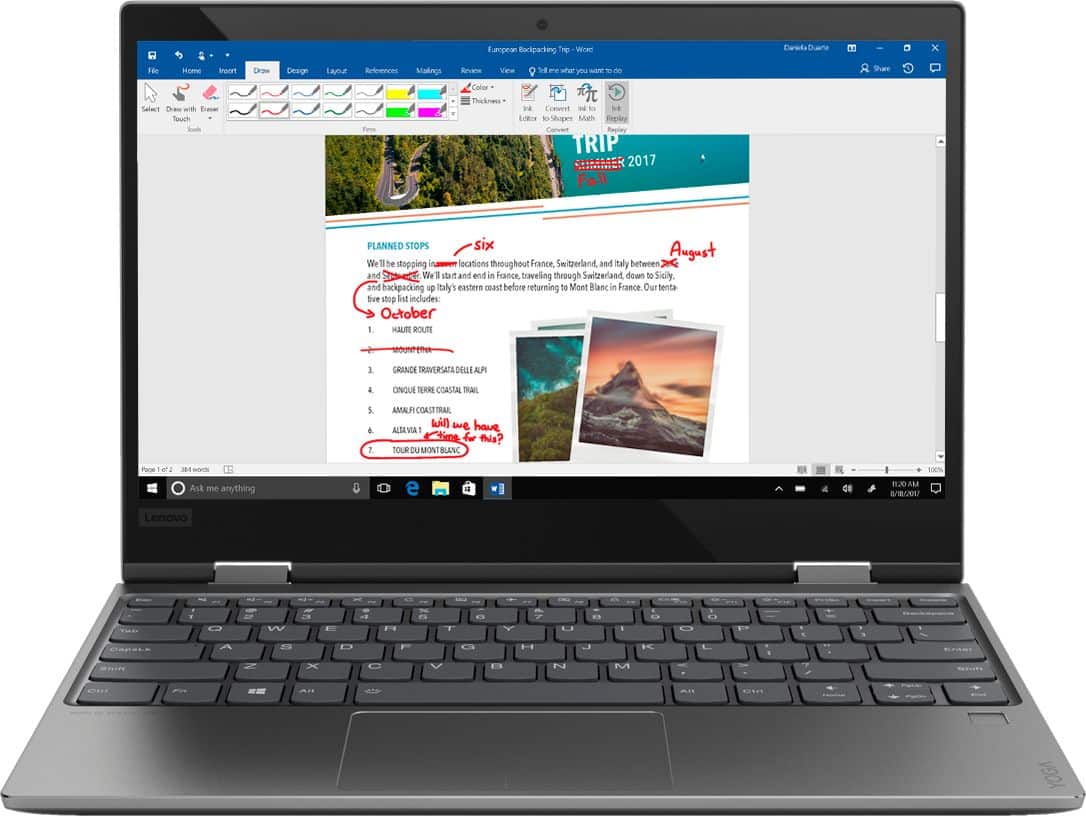
Customers love the Yoga 720 for its portability, light weight, and fast performance. They appreciate the touch screen and the affordable price point. However, some users have concerns about the fan noise, battery life, limited storage, and overheating issues.
This summary was generated by AI based on customer reviews.
didn't like
||Posted . Owned for 1.5 years when reviewed.This reviewer received promo considerations or sweepstakes entry for writing a review.when i got this Lenovo i was excited i never had a small laptop it was nice and clear and could flip to a tablet but the problem was when it converted back to a laptop i couldn't find the cursor i would have to restart the laptop which was irritating for me to have to do that when i have another laptop that does the same thing and it converts perfectly fin. When i tried calling for support I only found there was no phone number for US support which led me to take it back and exchange it for something else because that is unacceptable
No, I would not recommend this to a friendNot that great
||Posted .This reviewer received promo considerations or sweepstakes entry for writing a review.This is the second one I purchased. The first one was good. Gave it to my son in college. The second one I returned. It had issues with failing to recognize commands and mouse. Up in the air about recommending.
No, I would not recommend this to a friendBrand response from Lenovo Product Expert
Posted .We are sorry to hear that you are having issues with your Lenovo Yoga 720-12. There was a recent Windows 10 update that has effected the touchpad functionality on the Yoga 720-12. There is a ne driver update that can fix this issue. Follow the link below to look for new driver updates for your specific system. You can also run diagnostics from the Lenovo site as well. As always, be sure to create a restore point on your system before you make any changes. You can do this by just typing "restore point" in the search window within Cortana and follow the link to create a restore point. Here is the link:
https://pcsupport.lenovo.com/us/en/products/laptops-and-netbooks/yoga-series/yoga-720-12ikb/downloads
Touchpad is defective a second time
||Posted .This reviewer received promo considerations or sweepstakes entry for writing a review.After setting up the first Lenovo, I had to return because the touchpad was defective. I open the laptop- sometimes it works fine and other times, I have to pull out a mode just to navigate. Unacceptable. I’m on number 2nd New Lenovo in 4 weeks. Was facilitating a staff meeting with a client today and the touch pad wouldn’t work. Even worse, the stupid mouse would work either. I’m so disappointed. Besides this I like everything else about the computer. But navigation or lack thereof is critical. I’ll hsbe to take this back and find another brand. What a waste of time.
No, I would not recommend this to a friendBrand response from Lenovo Product Expert
Posted .We are sorry to hear that you are having issues with the touchpad on your Lenovo Yoga 720-12. There is a new driver update for your specific system to correct this touchpad issue. Follow the link below to look for new driver updates for your specific system. You can also run diagnostics from the Lenovo site as well. As always, be sure to create a restore point on your system before you make any changes. You can do this by just typing "restore point" in the search window within Cortana and follow the link to create a restore point. Here is the link:
https://pcsupport.lenovo.com/us/en/products/laptops-and-netbooks/yoga-series/yoga-720-12ikb/downloads
Motherboard stopped working - when warranty ended
||Posted . Owned for 1.5 years when reviewed.This reviewer received promo considerations or sweepstakes entry for writing a review.I am so disappointed in this product! It received excellent reviews.... initially.... but now, a few months after the warranty has ended - the motherboard is inoperative and the laptop won't turn on. Lenovo Tech Support was extremely difficult to work with an unresponsive. I liked the laptop alot - and was so surprised when it had this problem - but when I searched online - there are MANY Lenovo Yoga users with the same bad experience. Stay away from this product!
No, I would not recommend this to a friendIssues
||Posted .This reviewer received promo considerations or sweepstakes entry for writing a review.Had to return. Keep shifting from lower to capitalized without switching. Mouse cursor would vanish and had to keep restarting to pop up again.
No, I would not recommend this to a friendBrand response from Lenovo Product Expert
Posted .We are sorry to hear that you are having issues with your Lenovo Yoga 720-12. We recommend you call Lenovo Tech Support for specific help with your system. The number is: 877-453-6686.
One month, keyboard is broken
||Posted .This reviewer received promo considerations or sweepstakes entry for writing a review.only one month, the "B" is out of keyboard. You have to pay 80 dollars if you want to send it back manufactuer without warranty. Bad.
No, I would not recommend this to a friendBrand response from Lenovo Product Expert
Posted .We are sorry to hear that you are having an issue with the keys on your Yoga 720-12. This device has a 1-year limited manufacturer's warranty. We recommend you call Lenovo Tech Support at: 877-453-6686 for you options.
Not enough memory to do anything or load picturesp
||Posted .This reviewer received promo considerations or sweepstakes entry for writing a review.Move up a step for a better tool to use. Just a thought if you need to load programs or do much work beyond email
No, I would not recommend this to a friendBrand response from Lenovo Product Expert
Posted .This system has a 128GB solid state hard drive for storing programs and files.
Had to return
||Posted . Owned for 1.5 years when reviewed.This reviewer received promo considerations or sweepstakes entry for writing a review.It came defective the mouse didn’t work and some of the buttons too
No, I would not recommend this to a friendWouldn’t reccommend
||Posted .This reviewer received promo considerations or sweepstakes entry for writing a review.The computer is loud running, and the charger was screechy when plugged in. Had to return.
No, I would not recommend this to a friendBrand response from Lenovo Product Expert
Posted .This is a high performance, ultra portable, 2 in 1 system with its Intel Core i5-7200U processor, 8GB of RAM and a 128GB solid state hard drive. It will generate heat whenever it is turned on, even at idle, this is normal. The onboard fan will maintain the proper operating temperature for the device. You will hear the fan whenever it runs, this too is normal. The AC adapter has no ability to make noise. If the problem persists, we recommend you call Lenovo Tech Support at: 877-453-6686 for additional help.
Worst investment ever
||Posted . Owned for 1.5 years when reviewed.This reviewer received promo considerations or sweepstakes entry for writing a review.How about this laptop and it worked great for a couple months then when I had to do an update everything changed. The touchscreen stopped working and have yet to get it to work! I have got it looked at and they have yet to get it figured out I would never recommend buying this laptop !!
No, I would not recommend this to a friendFaulty touchpad
||Posted .This reviewer received promo considerations or sweepstakes entry for writing a review.Touchpad stopped working after a short while, making this laptop almost unusable. I have barely used this computer and now need to purchase another one. Apparently many of these have had the same issue and there is no real fix. Look it up before purchasing.
No, I would not recommend this to a friendNot so great
||Posted . Owned for more than 2 years when reviewed.This reviewer received promo considerations or sweepstakes entry for writing a review.Wish I could have returned this battery died for no reason
No, I would not recommend this to a friendHard drive crashed after a year
||Posted . Owned for 1.5 years when reviewed.This reviewer received promo considerations or sweepstakes entry for writing a review.Not a good product. Hard drive crashed after a year.
No, I would not recommend this to a friendWorst computer
||Posted . Owned for 1.5 years when reviewed.This reviewer received promo considerations or sweepstakes entry for writing a review.I had this computer for 1 year and it stopped working, my warranty was expired at that point and lenovo didn’t help. The screen needed to be replaced but the price for repair was just as much as I paid for it. I do not recommend this computer.
No, I would not recommend this to a friendsmall computer
||Posted .This reviewer received promo considerations or sweepstakes entry for writing a review.Buy a tablet instead way to small to use windows on IMO
No, I would not recommend this to a friendBrand response from Lenovo Product Expert
Posted .This system is a full Windows 10-based laptop that can function as a tablet with its 360-degree hinge. It has the powerful 7th Generation Intel Core I-5-7200U processor. This system also has Windows Ink capabilities so you can use an active/digital pen to take notes on the screen. If you are looking for an extremely portable Windows 10-based laptop that will allow you to use it as a tablet too, the Yoga 720-12 is an excellent choice.
Terrible
||Posted .This reviewer received promo considerations or sweepstakes entry for writing a review.This laptop is absolutely terrible I need to take it to geek squad to be able to do anything on it things that should be simple is not never again will I get a PC like this
No, I would not recommend this to a friendBrand response from Lenovo Product Expert
Posted .We are sorry to hear that you are having issues with your Lenovo Yoga 720-12. Be sure any software you installed is compatible with Windows 10. There is no need to install Microsoft Office software. The software is already part of the operating system, you just need to activate the software with a purchased product key. If you have installed a copy of Microsoft Office, this is conflicting with the existing copy on the system and this will slow your system down. If you have installed a 3rd party anti-virus program, be sure that Windows Defender is turned off and that the trial version of McAfee Anti-Virus software is uninstalled. There can only be one anti-virus program on the system. You may need to restore your system to original factory default settings if any of the programing errors have occurred. You can do that by typing "restore" in the Cortana search window. Just click on the magnifying glass icon at the bottom left of your Windows 10 Desktop. Click on "Reset This PC" Then click on "Get Started" and follow the on screen directions to restore to factory defaults. Additionally, you can easily check and maintain the health of this device and keep the operating system BIOS/Drivers up to date. This system has Lenovo utilities installed to help maintain the health of the device and keep the operating system software up to date. Type "Lenovo Vantage" in the Cortana Search window (if Lenovo Vantage is not installed on your device, you can download the APP and install it now). Select Lenovo Vantage from the list. In the window that opens, click on "Health and Support". In the expanded menu, select "Hardware Scan" In the window that opens, select "Run Quick Tests". This will scan your entire system for errors. Follow any directions that may pop up. If the problem continues after this scan, now click on "System Update". First select Windows update from the menu. Scan your system to be sure you have the latest version of Windows 10. Once that scan is complete, select "Additional Updates". This will scan your device to be sure there are no new BIOS/Driver updates needed. Follow any instructions that may pop up. If the issue still continues after these updates, we recommend you call Lenovo Tech Support at: 877-453-6686 for additional help.
Very disappointed
||Posted .This reviewer received promo considerations or sweepstakes entry for writing a review.Had to buy 2 and both had same problem. Touch pad quit working. Return 2nd one and bought different brand
No, I would not recommend this to a friendBrand response from Lenovo Product Expert
Posted .
motherboard has failed twice in under 2 years
||Posted . Owned for 1.5 years when reviewed.This reviewer received promo considerations or sweepstakes entry for writing a review.terrible computer, nothing but problems. Motherboard has gone out twince and now I am out of warranty and out of luck. Never again on a lenovo.
No, I would not recommend this to a friendlasted all of 2 days before problems
||Posted .This reviewer received promo considerations or sweepstakes entry for writing a review.keyboard acting only intermittently within a day of getting it, within 2 days the keyboard died completely.
No, I would not recommend this to a friendBrand response from Lenovo Product Expert
Posted .We are sorry to hear that you are having issues with your Lenovo Yoga 720-12. This system has Lenovo utilities installed to help maintain the health of the device and keep the operating system software up to date and hardware running properly - Like the keyboard. Type "Lenovo Vantage" in the Cortana Search window (if Lenovo Vantage is not installed on your device, you can download the APP and install it now). Select Lenovo Vantage from the list. In the window that opens, click on "Health and Support". In the expanded menu, select "Hardware Scan" In the window that opens, select "Run Quick Tests". This will scan your entire system for errors. Follow any directions that may pop up. If the problem continues after this scan, now click on "System Update". First select Windows update from the menu. Scan your system to be sure you have the latest version of Windows 10. Once that scan is complete, select "Additional Updates". This will scan your device to be sure there are no new BIOS/Driver updates needed. Follow any instructions that may pop up. If the issue still continues after these updates, we recommend you call Lenovo Tech Support at: 877-453-6686 for additional help.
- Cons mentioned:Fan noise
Reasonably Priced 2-in-1
Posted .This reviewer received promo considerations or sweepstakes entry for writing a review.I had two concerns based on what I'd read about the Lenovo Yoga 720 12", the screen was supposed to be a little dimmer than most 2-in-1's and the battery life is not great. After my first day of use the screen seems perfectly fine to me when set to 60% brightness (six out of ten steps on the brightness control) and it's too early to say for sure about the battery. When set to "Battery Saver" power mode it will last a long time under light use, not sure how it would hold up under continuous heavy usage (not my style of computing) with max performance settings. The one thing that initially confounded me was the loud fan noise. While doing its initial updates and setup there was frequently a period of very annoying fan whine, I could hear it in the next room even. Fortunately I went online and found instructions of accessing the BIOS and enabling "Quiet Mode". I don't know why Lenovo does not set these computers up in that mode by default. There doesn't seem to be much, if any, performance decrease and the Yoga 720 ranges from completely silent 90% of the time to a slight hum when heavily loaded. So I give it 4 stars. If it came in Quiet Mode right out of the box it would be a 5-star product for sure! But if I had no choice but to use in its noisy mode (actually called "Performance Mode" in the BIOS settings) I'd have returned it for my money back and given it 1 star, if that. Compared to other computers I've used (a 2012-vintage laptop at home, a 2015-model laptop at work, an iPad Air 2 that's being replaced by the Yoga) this seems like a pretty high performance piece of kit, given how small and light it is. I really like the design, Lenovo did a good job of squeezing full performance down into about 1/4 or 1/2 pound less weight and maybe 10% less space than most 2-in-1's of this type. And the price is a couple hundred bucks lower than similar-performing Dells or what have you.
I would recommend this to a friendBrand response from Lenovo Product Expert
Posted .Thank you for choosing the lenovo Yoga 720-12. We are pleased to hear that the Yoga 720-12 meets your computing needs. Regarding the sound of the onboard fan, this is a high performance system with its Dual-Core/Four-Thread Intel Core i5-7200U processor, 8GB of RAM and a 128GB solid state hard drive, in a very slim, light weight configuration. It will generate heat whenever it is turned on, even at idle, this is normal. The onboard fan will maintain the proper operating temperature for the device. You will hear the fan whenever it runs, this too is normal. The factory setting is Performance for the system to provide the user with the full capabilities of the Intel Core i5-7200U processor.