Customer Ratings & Reviews


- Model:
- 80X7001SUS
- SKU:
- 5722755
Rating by feature
- Value
Rating 3.9 out of 5 stars
- Quality
Rating 4.0 out of 5 stars
- Ease of Use
Rating 4.3 out of 5 stars
Customers are saying
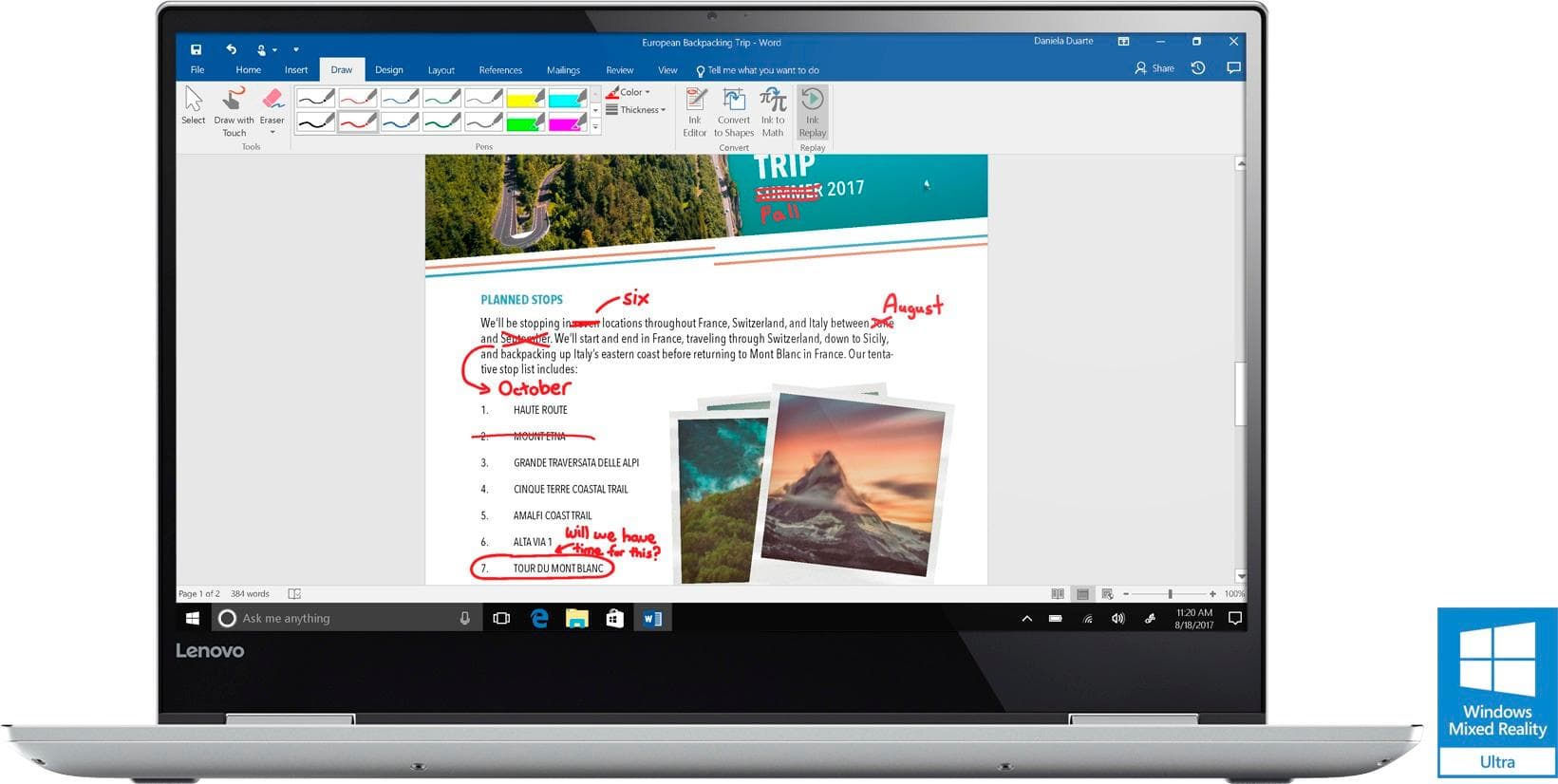
Customers consistently note the Yoga 720's 4K display, touch screen, and graphics as being exceptional. Many users also praise its performance, battery life, and price. On the downside, some users have expressed concerns about its weight, storage capacity, and build quality.
This summary was generated by AI based on customer reviews.
Not as easy to use as an Apple
||Posted .This reviewer received promo considerations or sweepstakes entry for writing a review.Disappointed I did not buy another Apple instead of this.
No, I would not recommend this to a friend- Pros mentioned:Touch screen
Nice laptop, but not perfect
Posted .This reviewer received promo considerations or sweepstakes entry for writing a review.First let me say I purchase and use a lot of hardware, Macs and PC's I purchased this specifically for a .NET development project I am working at the moment so my needs were - Performance - Nice screen - Nice keyboard/trackpad - Complete MS stack compatibility Secondary needs were battery life and weight General observations This is not a Macbook by any means. It does come closer than most PC's I have used, but in the end of the day it is still Windows and a PC with all that entails. However, if you are on a budget and want something nice that is fast or you just need to be in the Microsoft ecosystem, this is a good buy. Cons Not many but I have noticed a couple of quibbles - Fan noise, if you leave the fan setting in the BIOS on its default performance setting the fan kicks in if the CPU's are at 25% utilization or higher and they can be noisy. You can switch to balanced mode which did cut the fan noise down at the cost of performance. When I benchmarked it in Geekbench, switching to balanced knocked about 10-15% off the performance numbers which isn't terrible but if you want maximum performance leave it at its defaults. - The screen resolution is awesome for those apps that support it. I have found though that many Windows apps do not render properly. Some are super tiny and some are a bit fuzzy! 4K still seems to be in transition. - Windows (however, I will say Windows 10 is a big improvement over Windows 8 and I will dare say it is almost enjoyable) Now Pros -Performance is great. Compilatation time is way down, apps are snappy, tested one or two games and the GTX1050 is very fast. This thing is packing a real processor instead of the ultra low power parts that dominate most Windows machines at Best Buy at least. - Keyboard is excellent - Trackpad for Windows laptop is very good, but still nothing compared to a Mac. Apple just has the trackpads nailed. - Screen, very clear, beautiful screen, apps look fantastic that properly scale to handle 4K - Laptop is light, won't break your back - Quality of construction.. seems very well made. No flex in the screen or body, no rough edges or shoddy work - Very nicely packaged ( nice job Lenovo on the packaging) Unknowns - Battery life, just haven't tested it yet, but I think it is going to average 5 or 6 hours which isn't bad - How long will it last.. hard to say with laptops. Again for my Macs, I know I am going to get a solid 4-5 years out them no question, but Windows laptops it is a mixed bag. I have one Windows laptop that is still going after 8 years and now is a decent Linux machine and others that have died in the first year. Summary This is a very nice Windows laptop and for the price it is hard to beat.
I would recommend this to a friend wanted to love it
||Posted .This reviewer received promo considerations or sweepstakes entry for writing a review.has great specs nice to use....but.... Ran light room super slow. everything else seemed ok. Screen also would randomly go crazy. traded it in for a spectre with weaker specs and works better.
No, I would not recommend this to a friendBrand response from Lenovo Product Expert
Posted .This system should be a fast system with its Core I-7 processor and 16GB of RAM and an NVIDIA GeForce GTX 1050 graphics card. Be sure any software you installed is compatible with Windows 10. There is no need to install Microsoft Office software. The software is already part of the operating system, you just need to activate the software with a purchased product key. If you have installed a copy of Microsoft Office, this is conflicting with the existing copy on the system and this will slow your system down. If you have installed a 3rd party anti-virus program, be sure that Windows Defender is turned off and that the trial version of McAfee Anti-Virus software is uninstalled. There can only be one anti-virus program on the system. You may need to restore your system to original factory default settings if any of the programing errors have occurred. You can do that by typing "restore" in the Cortana search window. Just click on the magnifying glass icon at the bottom left of your Windows 10 Desktop. Click on "Reset This PC" Then click on "Get Started" and follow the on screen directions to restore to factory defaults.

garbage quality control
||Posted .This reviewer received promo considerations or sweepstakes entry for writing a review.bought my first unit, and within a week, the dreaded black line was showing up in the top right corner, in addition to more light leakage than should be happening on a laptop this expensive. I returned the unit, and exchanged for the same one hoping it was a fluke, opened the new one out of the box, did the initial set up, only to be greeted by the absolute worst light leaking I've never seen on a laptop screen. I'm taking it back tonight, and won't be buying a Lenovo in the future.
No, I would not recommend this to a friendBrand response from Lenovo Product Expert
Posted .We are sorry to hear that you are having an issue with the screen of your Yoga 720-15. This system has Lenovo utilities installed to help maintain the health of the device and keep the operating system software up to date. Type "Lenovo Vantage" in the Cortana Search window. Select Lenovo Vantage from the list. In the window that opens, click on "Health and Support". In the expanded menu, select "Hardware Scan" In the window that opens, select "Run Quick Tests". This will scan your entire system for errors. Follow any directions that may pop up. If the problem continues after this scan, now click on "System Update". First select Windows update from the menu. Scan your system to be sure you have the latest version of Windows 10. Once that scan is complete, select "Additional Updates". This will scan your device to be sure there are no new BIOS/Driver updates needed. Follow any instructions that may pop up. If the issue still continues after these updates, we recommend you call Lenovo Tech Support at: 877-453-6686 for additional help.
2 is too many times
||Posted .This reviewer received promo considerations or sweepstakes entry for writing a review.I had to exchange when I first bought bc the screen was flickering. Best buy was good and exchanged. Now a few months later, doing same thing again, good laptop, poor screen build on it.
No, I would not recommend this to a friendBrand response from Lenovo Product Expert
Posted .We are sorry to hear that you are having issues with your Lenovo Yoga 720-15 4K model. We recommend you call Lenovo Tech Support for help with your specific issues at: 877-453-6686.

- Pros mentioned:4k display, Battery life, Touch screen
Exactly what I wanted!
Posted .This reviewer received promo considerations or sweepstakes entry for writing a review.I purchased this laptop for general use as a high student interested in computer science. One day of carrying this to school and I'm already absolutely blown off by everything this laptop offers. + Excellent battery life, 4hrs of web browsing and 40% battery left + Great 4K screen, it's just like Apple's retina screen on the top end $2000 models, and with this laptop you too can afford it + Works as a 2-in-1 as you would expect, especially valuable in such cramped spaces as a school bus + From what I read online, the thunderbolt 3 port supports charging and you can plug in an external GPU or docking station + Top notch performance, the 7700HQ runs everything smoothly just like my desktop PC + Amazing keyboard, I would even prefer this over my mechanical keyboard. Comes with backlighting too Some drawbacks if you're a particularly tech savvy user: - Only 1 drive slot, so no putting in hard drives - BIOS requires sticking a paper clip into some hole to the left of the computer to activate - Can't overclock the display at all, even 65hz 1080p won't work
I would recommend this to a friendBrand response from Lenovo Product Expert
Posted .Thank you for choosing the Lenovo Yoga 720-15. We are pleased to hear that the features and performance of the Yoga 20-15 meets your computing needs so well.
Fine. Gets the job done. Busted keyboard.
||Posted .This reviewer received promo considerations or sweepstakes entry for writing a review.This was a great laptop. Affordable, great quality, got the job done. Then the G key stopped working. And the rest of the left side of the keyboard started to become unresponsive. Returned it.
No, I would not recommend this to a friendBrand response from Lenovo Product Expert
Posted .We are sorry to hear that you are having issues with the keyboard on your Yoga 720-15. You can check the health of the entire system and look for software fixes/updates to correct issues within this device. Type "Lenovo Vantage" in the Cortana Search window. Select Lenovo Vantage from the list. In the window that opens, click on "Health and Support". In the expanded menu, select "Hardware Scan" In the window that opens, select "Run Quick Tests". This will scan your entire system for errors. Follow any directions that may pop up. If the problem continues after this scan, now click on "System Update". First select Windows update from the menu. Scan your system to be sure you have the latest version of Windows 10. Once that scan is complete, select "Additional Updates". This will scan your device to be sure there are no new BIOS/Driver updates needed. Follow any instructions that may pop up. If the issue still continues after these updates, we recommend you call Lenovo Tech Support at: 877-453-6686 for additional help.
Terrible!
||Posted .This reviewer received promo considerations or sweepstakes entry for writing a review.Went through 3 of these in 3 weeks because they were defective. The first one crashed on me after loading office, upgrading to windows pro, and then updating the drivers - and then the recovery would not work either. The second was found by geek squad because I paid them to set it up this time. They said the tests they ran on it told them it was bad. So, they swapped it out with again the same model, and it unrecoverable crashed on me in a week. I finally went with the HP. ("The definition of insanity...". I was not about to try this model a fourth time!)
No, I would not recommend this to a friendBrand response from Lenovo Product Expert
Posted .There is a 30-day trial of Microsoft Office 365 included as part of the Windows 10 operating system. In order to keep the program active after the trial period, you will need to purchase a product key. You will not need to download any additional software. If you loaded another copy of the Microsoft Office program on top of the pre-installed software, this will cause a conflict like you describe.
Powerful but limited
||Posted .This reviewer received promo considerations or sweepstakes entry for writing a review.Nice style, very good power in a thin, lightweight laptop. The body of the Yoga 720 is thin and susceptible to damage far too easily. Lenovo makes is as close to impossible to change operating systems. Needing to start fresh with the Enterprise version of Windows 10, this has been a frustration. That and using Windows 10 has led me to desire to go to a previous version of Windows, since 10 doesn't even work with too many Microsoft programs.
No, I would not recommend this to a friendGreat Laptop...Touchscreen Stopped Working Though
||Posted .This reviewer received promo considerations or sweepstakes entry for writing a review.Great Laptop - Touchscreen Stopped Working Though. And there doesn't seem to be a fix now that Lenovo has moved on to other models.
No, I would not recommend this to a friendSent a used computer
||Posted .This reviewer received promo considerations or sweepstakes entry for writing a review.I was excited to finally get my new 2 in 1 laptop but when I went to set everything up, I found out that someone else had already set the computer up in their name. I was not very happy receiving a used computer, so I called Best Buy and they told me to take it back to my nearest Best Buy to exchange it. I want to exchange it at a store Best Buy told me had one in stock but when I got there they didn't have it. I am disappointed with Best Buy because I really wanted the Lenovo laptop.
No, I would not recommend this to a friendTo slow for photo editing.
||Posted .This reviewer received promo considerations or sweepstakes entry for writing a review.I do a lot of Photo editing and my older computer renders the photos at least twice as fast as this one and this 1 gets locked up a lot. I brought it back to Best Buy they swapped it out 1 time thinking it was a motherboard issue and the new 1 is having the same problems. I would not recommend this product To someone who is looking to do photo editing. And also did not have a direct card reader I need to use A USB card reader to upload videos.
No, I would not recommend this to a friendjust okay
||Posted . Owned for 1 year when reviewed.This reviewer received promo considerations or sweepstakes entry for writing a review.when it’s not freezing up it’s great . I believe the problem is with windows but I can’t seem to get this to stop freezing intermittently.
No, I would not recommend this to a friend- Pros mentioned:Graphics
Unbeatable Laptop At This Price
Posted .This reviewer received promo considerations or sweepstakes entry for writing a review.I was going to need a computer for some consulting work and decided to look for powerful enough for my needs. When it comes to laptops, everything is a trade-off. You can have small and lightweight with a less powerful processor or get something beefier and sacrifice those things along with battery power. However, this laptop strikes an excellent balance. As far as know, it's the only 2 in 1 on the market with a quad core i7 and a GTX 1050 graphics card. I didn't know how much I would make use of tablet mode, but it is quite handy for watching Netflix in bed or browsing the web sitting on the couch. While it is huge for a tablet, it actually works fine in that role if sitting down with it. My complaints about tablet mode are on the Windows side, MS still has yet to build in critical functionality needed to support 2 in 1s well. I have only done limited gaming on it, but it's great so far. I've played Bioshock Infinite at max 1080p settings and it plays almost flawlessly. It's impressive to see this kind of game performance in a more professional, thin profile laptop. It would have been unheard of only a couple of years ago. Thunderbolt 3 is two lanes only, but that's enough to support eGPUs in the future if connecting to an external display. The cases are ridiculously overpriced now, but consider that in < 2 yrs you will likely be able to get an eGPU case with a GTX 1060 or 1070 for < $200. However, if you're a casual gamer and care more about being able to play fun games than having the max possible graphics, the 1050 is already a solid performer. The SSD performance has been blazing fast and CPU is great. Note that you should install throttlestop. Turbo boost is turned off by default, but you can manually turn it on and undervolt the cpu when not gaming for more performance. See youtube for more info. Lenovo turns off turbo boost because performance drops way off with the heat produced by that in combo with the graphics card on. It's a thermal trade off that you can manually control. As far as I can tell closest competitors to this system are the hp Spectre x360 15" and the Dell XPS 15". The spectre is a fantastic form factor, but is only a dual core CPU with a much weaker graphics card. The XPS 15 is a great machine, but there are wide reports of QC issues and a similarly equipped model is $1800 right now. It's also not a 2 in 1 and doesn't support a digital pen and importantly, has an inferior keyboard. I got the Yoga for $1250 and it's very close in build quality to the XPS 15, making it an easy decision. You can't go wrong with this laptop at this price point.
I would recommend this to a friendBrand response from Lenovo Product Expert
Posted .Thank you for choosing the Lenovo Yoga 720-15. We are pleased to hear that the value, features and performance of the Yoga 720-15 meets your computing needs so well.
Bad battery life
||Posted .This reviewer received promo considerations or sweepstakes entry for writing a review.This laptop is extremely heavy without annoying battery life. You have to frequently connect it to the charger
No, I would not recommend this to a friend- Pros mentioned:Graphics, Touch screen
Great all-in-one laptop
Posted .This reviewer received promo considerations or sweepstakes entry for writing a review.I was looking for a laptop with good configuration: i7 processor, minimum of 12GB RAM, NVIDIA Graphics, 4K UHD touch screen,.... ; and this was the only one out there with all those features loaded in it. Keeping aside the high capacity crusial hardware (like the i7-7700 processor, 16GM RAM, NVIDIA GTX 1050 2GM Graphic Card, and 512GB SSD), the design is very classy and slim. The keypad is very sturdy, as opposed to the ones on Ideapad models. It also boasts a fingerprint reader which is pretty cool. The HD 720p camera is just fine. Unfortunately, 'Silver' is the only color option Lenovo has in this model. The touch screen is okay, but I observed a little bit of hang and response lag a couple of times. Although the audio is fine, the speakers' location is a bit creepy. They are located right below the laptop, a bit close to the edges. As a result, it won't give you the sound output completely. I thought I'd get the Lenovo stylus along with the laptop. But to my surprise, when I unboxed the product, there wasn't any stylus in the stylus pack (it was empty). I don't know why there isn't any stylus, even though there is an assigned stylus pack in the box. Pros: * Design * Value for money * 4K UHD screen * NVIDIA GeForce GTX 1050 2GB Graphics Cons: * Speakers * No color options * No stylus in the box * A bit expensive (but reasonable for the features)
I would recommend this to a friendBrand response from Lenovo Product Expert
Posted .Thank you for choosing the Lenovo Yoga 720-15. We are pleased to hear that the Yoga 720-15. We are pleased to hear that the value, features and performance of the Yoga 720-15 meets the majority of your computing needs so well.
Poor Laptop
||Posted .This reviewer received promo considerations or sweepstakes entry for writing a review.This laptop Doesn’t have the high quality features I thought it may have .this is why I returned it .
No, I would not recommend this to a friendBattery life
||Posted . Owned for 1.5 years when reviewed.This reviewer received promo considerations or sweepstakes entry for writing a review.We purchased this computer to get our daughter through her last couple years of college, we have had it 1.5 years and now the battery is junk and we are unable to get a replacement. Thee battery is apparently not made anymore.I am not happy that I spent a large amount of money on a computer that has not lasted even two years.
No, I would not recommend this to a friendDidn't work for me
||Posted .This reviewer received promo considerations or sweepstakes entry for writing a review.I only had this product for 3 weeks. It seemed great but by the third week the screen about 2 inches from the bottom started getting fuzzy at times. Not the whole time, but enough it made me worry. Paying $1600 and to have that happen, I took it back. They said they hadn't had any returns and did I want another one. I said absolutely not. I exchanged it for a Dell.
No, I would not recommend this to a friendBrand response from Lenovo Product Expert
Posted .This sounds like a video driver update. Follow the link below to look for new driver updates for your specific system. You can also run diagnostics from the Lenovo site as well. As always, be sure to create a restore point on your system before you make any changes. You can do this by just typing "restore point" in the search window within Cortana and follow the link to create a restore point. Here is the link:
http://pcsupport.lenovo.com/us/en/products/laptops-and-netbooks/yoga-series/yoga-720-15ikb/80x7/80x7001sus/downloads
steer away from this model!!
||Posted .This reviewer received promo considerations or sweepstakes entry for writing a review.Just had to returned Geek certified open box because of the Black Bar across right upper corner of the screen. I'm surprised they did not notice it because it was so obvious. This is the second one I had to return because of this same screen problem. I thought it was resolved by Lenovo last year because of all the online complaints but it still persist!
No, I would not recommend this to a friend