Customer Ratings & Reviews


- Model:
- 80X7001SUS
- SKU:
- 5722755
Rating by feature
- Value
Rating 3.9 out of 5 stars
- Quality
Rating 4.0 out of 5 stars
- Ease of Use
Rating 4.3 out of 5 stars
Customers are saying
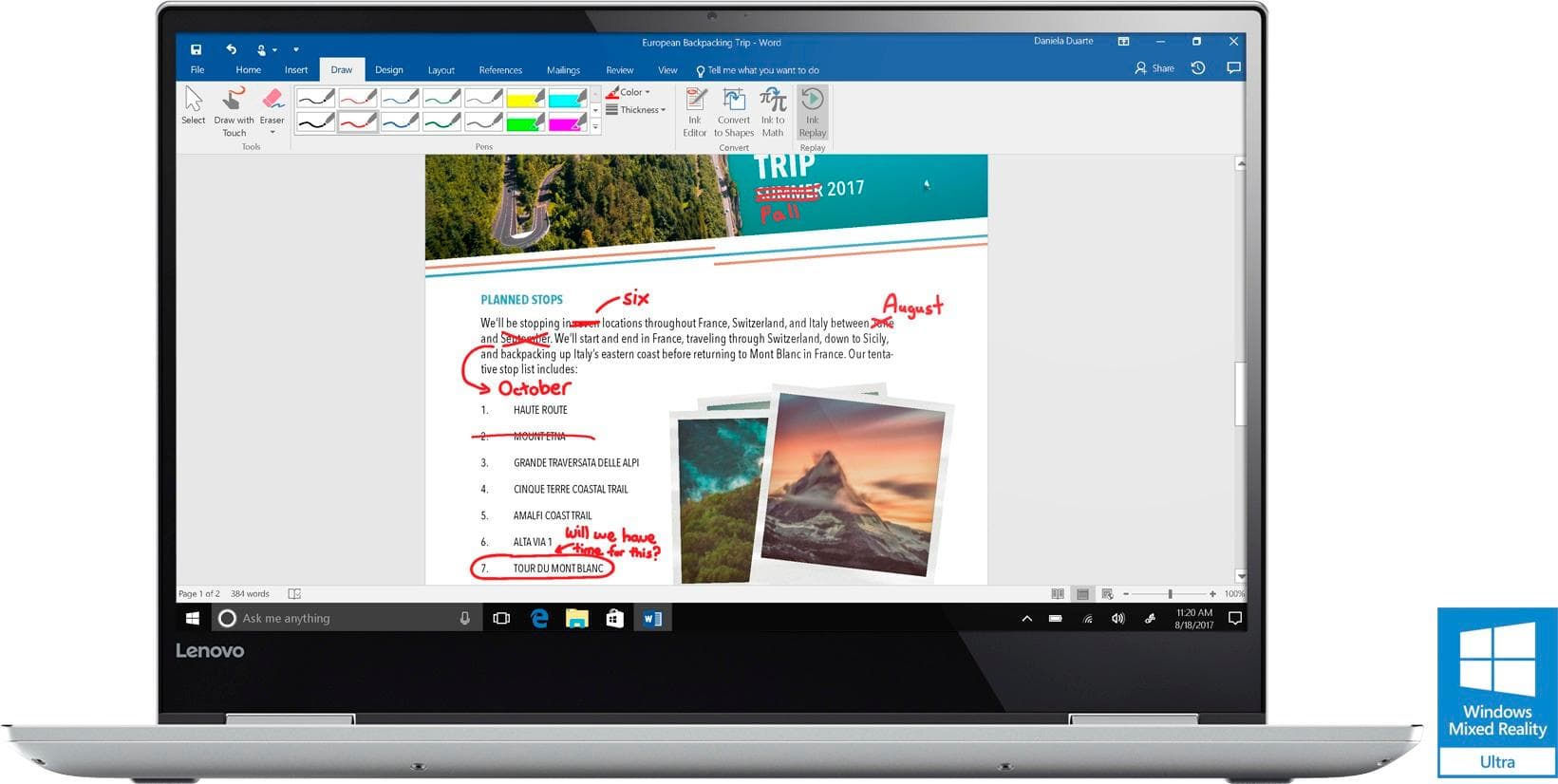
Customers consistently note the Yoga 720's 4K display, touch screen, and graphics as being exceptional. Many users also praise its performance, battery life, and price. On the downside, some users have expressed concerns about its weight, storage capacity, and build quality.
This summary was generated by AI based on customer reviews.
- Pros mentioned:4k display, Touch screenCons mentioned:Customer service
Was the Best Laptop for 4 months, then BLACK BAR
Posted .This reviewer received promo considerations or sweepstakes entry for writing a review.This was the best laptop I've ever had. Great balance of work-capable (primary use) and occasional gaming (Nvidia 1050). The keyboard has a great feel and responsiveness and then there's the incredibly clear, vibrant 4K screen. Now the bad. After 4 months of use, the screen has developed a horizontal black bar at the top right. I checked the Lenovo community and found 60 pages of this problem. I called Lenovo support for service and the rep didn't (or couldn't/wouldn't) acknowledge that this was a known problem with a proper fix. I have to bring it to Best Buy where they will repair or replace. Based on the 60 pages of this problem, the repair and replace don't fix it. Within a few months the problem arises on about 90% of those who either had the unit repaired or replaced with same. It is not a hardware issue and does not project to a second monitor. I don't know whether to be more upset about the issue or the failure of Lenovo to acknowledge this quality control, design or production issue. If the evidence showed that repair worked or the newer production runs did not have this problem then I would rate it higher. Very frustrating.
No, I would not recommend this to a friend Stay away
||Posted . Owned for 1.5 years when reviewed.This reviewer received promo considerations or sweepstakes entry for writing a review.Purchased 2 of these at once related to sale back in 2018. One of them, the screen is 'fried'. Took it in for an evaluation, verdict is the screens are junk and cost as much as a new computer to replace. I am very disappointed with my purchase, probably won't ever buy a LENOVO product again.
No, I would not recommend this to a friend- Pros mentioned:4k display, Battery life
Spetacular 2 in 1 laptop
Posted .This reviewer received promo considerations or sweepstakes entry for writing a review.I am very picky when it comes to laptops because I want to make sure that I get the best value possible when it comes to money. I have only purchased this laptop a few days ago and so far it is awesome, but with a few drawbacks. The fan can be a little loud at times with the bottom feeling a little warm, but what can you expect from having a type of gamer laptop? The fan sound isn't ongoing, where it is on for a few minutes then it goes away to being perfectly silent. The windows ink feature is amazing, but it can get a little annoying where it can't recognize my handwriting when it is almost perfectly neat; especially for the math feature within the windows notepad app. However, that doesn't stop me from seeing how powerful this machine is, the battery life is pretty good where it can last me maybe 5-6 hours, I haven't done a timer to give how long it actually is, but that is an estimate. Furthermore, it is fairly light for a 15.6 inch laptop, which is what I was exactly looking for since I will be a game programming student next fall. The 4K display is amazing, I have never had a laptop as clear as this one. The boot up time is also fairly quick where it is just a few seconds. There are so many features within this laptop that I have yet to discover. However, the other downfall is by how expensive this laptop is, but I am sure that I will find good use for this. I also had this laptop shipped to my house and I got it a day earlier than expected which is awesome!
I would recommend this to a friendBrand response from Lenovo Product Expert
Posted .Thank you for choosing the Lenovo Yoga 720-15. We are pleased to hear that the value, features and performance of the Yoga 720-15 meets your computing needs so well. Keep in mind regarding fan noise, this is a high powered system. The running fan is necessary to keep the system within optimum operating temperatures.

The Best Ultrabook Under $1,500!!!
Posted .This reviewer received promo considerations or sweepstakes entry for writing a review.I bought this computer from Lenovo's website directly about 4 weeks ago. As soon as Lenovo announced this laptop at MWC and i saw the specs and the price point, then I knew it was going to be worth the wait until it was released in April. Overall I was right, now that i have had this lap top a few weeks I absolutely love it! I will go over each category so everyone looking at this laptop can get an idea of how amazing this laptop is for the price. Build Quality: 10/10 The entire laptop structure is all aluminium. The back of the lid, the bottom, and the inside. The only thing not aluminium are the keys, but the keys still look and feel very premium. The aluminium is also pretty thick, when pressing on the keyboard area or the lid, then there is barely any flexing. Only thing I would change is wish there was no gap or less gap between the lid and base when it is folded back in tablet mode. But that is a very minor thing. So overall build quality is very premium! Performance: 10/10 First let me make sure you all understand a couple things. This is the FIRST 2 in 1 laptop ever with a quad core processor. This is also the FIRST 2 in 1 laptop ever with a 10 series (1050) Nvidia GPU. So this is a ground breaking laptop for the market like no other laptop. With that out of the way, with the combination of the new quad core i7700hq, 16GB of DDR4 RAM, 512GB PCIe SSD, and a Nvidia 1050 GPU, this thing flies!!! I have had multiple chrome tabs open, and multiple applications open, and while playing a video at 4K, and I never saw any frame drops or freezing or stuttering. This machine is very powerful! The fans will of course kick on under moderate or heavy loads, but I have not found the fans to be loud at all. Just a very light swish noise. Barely noticeable at all. Graphics: 8/10 This is the 1 area I have not really tested. I have not tested any games but it definitely plays 4K videos very smooth. I am not really a gamer on computers, I got this with the graphics so I can edit 4K video in the near future. If you would like to know how the graphics perform on this then just watch any graphics review of the Dell XPS 15 because it has the same processor and same graphics card. So the gaming and graphics performance of this Yoga 720 should be nearly identical to the XPS 15. My only critque of the graphics would be I wish it had 4GB of RAM for the 1050 graphics card (like the Dell XPS 15 has) instead of 2GB RAM. Thats why I knocked ot down to 8/10. BUT that shouldn't affect editing 4K video. This should still be very smooth if you do video editing or 3D rendering. I suspect the only thing that it should effect is very high graphics games (tomb raider, witcher 3, ect), they will maybe be just 2-4 FPS less than the Dell XPS 15 when gaming. So not a huge deal if you aren't a frequent computer gamer. Display: 9/10 This is a 3840 x 2160 (4K) display. The colors are very accurate. Nothing looks washed out and nothing looks over saturated. The display is very colorful. So it is great for watching 4K videos/movies, and really good for photo editing, and really good for 4K video editing. I wish it was a bit more saturated with color, but that is more of a personal preference. Keyboard/Track Pad: 9/10 The keyboard is very good! The keys have a shallow travel but not too shallow. Right in that sweet spot I think. There is pretty good tactile feedback with just very light sounding clicks. It is a joy to type on. Some people reported issues with the trackpad having issues. Like it just stops responding until you lift your finger and touch it again. But I have not experienced that on mine. So either that was just a few affected or it was fixed with driver updates earlier. I did experience click and drag not work correctly a couple times, but since this is a Microsoft Precision trackpad driver I am sure any remaining kinks will get worked out very soon. Also this has a finger print sensor to log into Windows with. It has worked flawless every single time! Battery 8/10 It contains a 72whr battery. So a pretty good size! However since it is a quad core, with discrete graphics, and with a 4K display, then battery times can vary widely if you're doing gaming, rendering, or video editing. According to Windows battery report I have been averaging 5 hours and 36 minutes of screen time which was done with browsing, and media consumption. But when youre doing anything with graphics expect about half that. Overall 5 hours 35 minutes for a 4K display is pretty good! Input/Output: 8/10 This has 1 USB 3.1 Type C port which also has Thunderbolt 3 support! However I been informed by Lenovo tech support it only has 2 lanes. So only 20GB per second total. The biggest impact that will have means you will only be able to run one 4K external monitor off it, instead of two. That was dsiappointing and I am not sure why Lenovo did that when this has a quad core processor could have handled 4 lanes. Anyways this also has 2 USB type A ports that are 3.0. So that is nice they don't waste space with any old 2.0 ports. Also good because you won't need to use any dongles/adapaters during the market transition to all USB Type c eventually. Having both Type A and C ports, the best of borth worlds! There is no HDMI or Display port, but to me this is okay because the Thunderbolt 3 port can be used as a display port, so no big deal. Also a little dissapointing there is no SD Card slot. Speakers: 8/10 These are really great speakers that also have Dolby Atmos too. So the speakers are very clear, crisp, and loud! I never noticed any distorition. The only issue I have with them is they are downward facing in laptop mode. They also could use a bit more bass. Still overall they are way better than most laptop speakers. SUMMARY: So there is only 3 cons about this laptop, the speakers are downward facing instead of upward, the GPU has 2GB instead of 4GB, and the Thunderbolt 3 port has 2 lanes instead of 4. So overall this laptop is really good in every category. There is not 1 aspect of this laptop that sucks or is just okay. So that makes this laptop excellent considering every aspect is really good. If you compare this Lenovo Yoga 720 to the Dell XPS 15, the specs are nearly identical. Both have a premium build (Lenovo more premium because more aluminium), both have same processor, both have same amount of DDR4 RAM, both have same size PCIe SSD, both have same GPU, and both have 4K resolution displays. The only 3 things the Dell XPS 15 has better is the display has slightly more color range, the battery life is about 20% better, and it has 2GB more of RAM for the GPU. But on the other hand the Lenovo Yoga 720 has a way better webcam cause its better quality and the Lenovo actually has its webcam at the top of the display... instead of at the bottom of the display looking up your nose like the XPS 15 webcam. Also the Lenovo has a little better speakers as well. So considing the Lenovo Yoga 720 and Dell XPS 15 have nearly identical specs with only a couple minor differences, then clearly the Lenovo Yoga 720 is a wayyyy better deal because it is only $1,399 and the XPS 15 with the same specs is $1,999. So almost the same thing for $600 LESS. So if youre comparing the XPS 15 and Lenovo Yoga 720, and you want the best deal, then this is by far the better deal for a powerful and beautiful laptop! Also even if money isn't an option and you use your webcam regularly, then I recommend this Yoga 720 over the XPS 15 too.
I would recommend this to a friendBrand response from Lenovo Product Expert
Posted .Thank you for choosing the Lenovo Yoga 720-15. We are pleased to hear that the value, features and performance of the Yoga 720-15 meet both your expectations and computing needs so well.
Black line of dead pixels across the screen
||Posted .This reviewer received promo considerations or sweepstakes entry for writing a review.This was the perfect machine until I turn it on, I saw a black line of dead pixels (a common problem with the 4k screen which I do not know why). returned next day.
No, I would not recommend this to a friendGot the black line
||Posted .This reviewer received promo considerations or sweepstakes entry for writing a review.Bought this lap top a year ago. Finally got the black line across my screen. Do not buy this laptop.
No, I would not recommend this to a friendBrand response from Lenovo Product Expert
Posted .We are sorry to hear that you are having issues with your Lenovo Yoga 720-15. We recommend you call Lenovo Tech Support for your options at: 877-453-6686.
Bent
||Posted .This reviewer received promo considerations or sweepstakes entry for writing a review.Took computer out of bag and bent in half. Do not recommend and the Lenovo customer service does not answer and is not helpful.
No, I would not recommend this to a friendBrand response from Lenovo Product Expert
Posted .This is a 2 in 1 format laptop. The screen has 360-degree hinges, it is supposed to be able to rotate a full 360-degrees.
- Pros mentioned:4k displayCons mentioned:Ports
Great computer for video editors + photographers!
Posted .This reviewer received promo considerations or sweepstakes entry for writing a review.Love the 4k display and the ability to play games like Overwatch and Grand Theft Auto V smoothly. It is a great 2 in 1 computer for the price I got it on sale when it was around 1,200. The only issue I have is sometimes the screen adjusts the brightness even when I have auto brightness off it gets quite annoying and I don't know how to fix it. Wish there were more usb ports and a SD card reader it's really important. I also wish the charger was longer. Other than that is is a great quality computer.
I would recommend this to a friendBrand response from Lenovo Product Expert
Posted .Thank you for choosing the Lenovo Yoga 720-15. With regard to the screen brightness, this may indicate the need for a video driver update. Follow the link below to look for new driver updates for your specific system. You can also run diagnostics from the Lenovo site as well. As always, be sure to create a restore point on your system before you make any changes. You can do this by just typing "restore point" in the search window within Cortana and follow the link to create a restore point. Here is the link: http://pcsupport.lenovo.com/us/en/products/laptops-and-netbooks/yoga-series/yoga-720-15ikb/80x7/80x7001sus/downloads. If you need more USB ports for the device, you may consider using a USB hub with this device. This will also allow you to use an external SD card reader. With regard to a longer cord for the AC charger, try adding an extension cord the included AC adapter cord.
the worst
||Posted .This reviewer received promo considerations or sweepstakes entry for writing a review.constantly locks up- constantly stops working - constantly constantly.. not worth the hassle certainly not worth the price.
No, I would not recommend this to a friendBrand response from Lenovo Product Expert
Posted .We are sorry to hear that you are having issues with your Lenovo Yoga 720-15. Be sure any software you installed is compatible with Windows 10. There is no need to install Microsoft Office software. The software is already part of the operating system, you just need to activate the software with a purchased product key. If you have installed a copy of Microsoft Office, this is conflicting with the existing copy on the system and this will slow your system down. If you have installed a 3rd party anti-virus program, be sure that Windows Defender is turned off and that the trial version of McAfee Anti-Virus software is uninstalled. There can only be one anti-virus program on the system. You may need to restore your system to original factory default settings if any of the programing errors have occurred. You can do that by typing "restore" in the Cortana search window. Just click on the magnifying glass icon at the bottom left of your Windows 10 Desktop. Click on "Reset This PC" Then click on "Get Started" and follow the on screen directions to restore to factory defaults. If the problem persists, we recommend you contact Lenovo Tech Support at: 877-453-6686.
- Pros mentioned:4k display, Battery life
Has a battery that lasts as long as a MacBook Pro!
Posted .This reviewer received promo considerations or sweepstakes entry for writing a review.So i purchased this for my wife who needs raw horsepower and high i/o for dealing with large data sets, Tableau, Excel, SQL, etc. I was leaning towards a new Y series, but the model i wanted would not be available for several more months. The main requirement was a 4K screen for more real estate, powerful but efficient quadcore CPU and PCIX4 NV-SSD. Great battery life would be a bonus, but who am i kidding? Once you remove most of the bloatware, including the Dolby Atmos and Lenovo Settings app, which places the laptop on auto brightness and making it impossible to enjoy this beautiful screen, you will find that it's a pretty nice laptop. The battery last just as long as my 2015 MacBook Pro. I was on 7hrs, 21 mins with 22% still showing on the battery meter. My 2016 Y700 is a pig when it comes to battery life and can barely muster 3.5 hrs!SO big props to Lenovo on this one! I added a StarTech USB 3.0 dock which provides support for an additional 4K monitor ( I ordered a LG 34UC98-W 34" Monitor) , 2 1080p monitors, 5 USB 3.0 ports, a headset jack, separate 3.5mm audio and microphone ports, as well as an RJ45 Gigabit Ethernet port. It requires no driver and plugs into the USB 3.0 on the right side. I added a usb-c to 3.0 dongle so i can leave a wireless mouse radio installed perm on the USB 3.0 port on the right. My only real gripe this only has a single memory slot. I have to wait until a 32gb SODIMM module is available to increase from 16gb to 32gb. I still haven't opened her up yet to see if i can add an additional drive like my Y series has, so sorry i cannot confirm it. All in all i think when looking at the playing field, this provides a lot great value and future proofing.
I would recommend this to a friendBrand response from Lenovo Product Expert
Posted .Thank you for choosing the Lenovo Yoga 910-14. The Yoga 910-14 comes with a Signature Edition of Windows 10 Home 64-bit operating system. There is no adware on this system. Dolby Atmos is a sound enhancement software and Lenovo Settings/Companion helps keep the system running at its optimum.
- Pros mentioned:Graphics
Hidden jewel, missing Wacom pen.
Posted .This reviewer received promo considerations or sweepstakes entry for writing a review.This one isn't even on display because they want to sell more of the older inventory first. Newer graphics. High power processor instead of those U type. It's better than the top end surface book in many ways but it's 60% cheaper. Would have given it 5 stars if the pen would have been in the box.
I would recommend this to a friend - Pros mentioned:Speed, Touch screenCons mentioned:Ports
Incredible Laptop
Posted .This reviewer received promo considerations or sweepstakes entry for writing a review.This is the fastest laptop I have ever used. The SSD, Ram, and Processor make it really fast. The screen is clean and crisp. The keyboard is sufficient, although it would be improved if it had multimedia shortcut keys (play, pause, skip). The volume keys there are helpful. It contains two 3.0 USB ports, one USB-C port, and no SD or HDMI ports. No CD/optical. Very minimal. The speakers are below the laptop where your hands would rest on each end. They play well. The fingerprint login is convenient and the ability to turn the laptop into a tablet is very nice. IMPORTANT NOTE: there is a panic button of sorts on the left side next to the audio jack. Press that and it will factory reset the laptop via Lenovo's system. It will keep all of the drivers.
I would recommend this to a friendBrand response from Lenovo Product Expert
Posted .Thank you for choosing the Lenovo Yoga 720-15. This system has a Thunderbolt 3.1 port that carries a video signal. If you need to connect this device to an external HDMI device, you can use a Thunderbolt to HDMI adapter. We are pleased to hear that the features and performance of the Yoga 720-15 meets your computing needs so well.
- Pros mentioned:4k display
Does Everything
Posted .This reviewer received promo considerations or sweepstakes entry for writing a review.This laptop does everything from gaming to note taking in school. It handles games like League of Legends easily on ultra, the Witcher III on a mix of medium and high settings, and a modded out Cities Skylines with only a few periodic FPS drops. The pen and input works spectacularly, it is my first digitizer screen and it has me sold. The 4k screen is lovely, and the build is a solid premium feeling metal. The only drawback is I wish it wasn't silver. The hinges feel solid and there isn't any give on the keyboard, which makes typing essays and reports feel cleaner. The lack of ports hasn't been an issue for me, as it can pair with a Google Cast easily, and my mouse takes one USB. leaving the other USB for memory sticks and the like. I haven't purchased a thunderbolt switch yet because most of them are really overpriced. The audio is more than good enough for basic things, but as a gamer you're probably going to pair a bluetooth headset anyways. Overall a fantastic computer and I am glad I paid extra to get the Nvidia model.
I would recommend this to a friendBrand response from Lenovo Product Expert
Posted .Thank you for choosing the Lenovo Yoga 720-15. We are pleased to hear that the features and performance of the Yoga 720-15 meets your computing needs so well.
Computer freezes; "Not Responding"
||Posted .This reviewer received promo considerations or sweepstakes entry for writing a review.MS Word 10 crashes when saves; backing up takes days.
No, I would not recommend this to a friendBrand response from Lenovo Product Expert
Posted .We are sorry to hear you are having issues with your Yoga 720-15. This system has a 30-day trail of Microsoft Office 365 installed as part of the Windows 10 operating system. If you have installed another version of Microsoft Word on top of this preinstalled Microsoft Office software, this is the reason for your problem. You need to uninstall the Word software you installed. Once the 30-day trial period is over for the installed version of Microsoft Office 365, you just need to activate the software with a 25-digit product key. Try using the product key that came with the software you purchased to activate the installed software. This system has Lenovo utilities installed to help maintain the health of the device and keep the operating system software up to date. Type "Lenovo Vantage" in the Cortana Search window. Select Lenovo Vantage from the list. In the window that opens, click on "Health and Support". In the expanded menu, select "Hardware Scan" In the window that opens, select "Run Quick Tests". This will scan your entire system for errors. Follow any directions that may pop up. If the problem continues after this scan, now click on "System Update". First select Windows update from the menu. Scan your system to be sure you have the latest version of Windows 10. Once that scan is complete, select "Additional Updates". This will scan your device to be sure there are no new BIOS/Driver updates needed. Follow any instructions that may pop up. If the issue still continues after these updates, we recommend you call Lenovo Tech Support at: 877-453-6686 for additional help.
- Pros mentioned:Touch screen
Brilliant, Lightweight, great student price
Posted .This reviewer received promo considerations or sweepstakes entry for writing a review.What I love:- Powerful I7 Kaby Lake quad core processor Decent GPU Beautiful crispy screen Good battery life under normal load (Upto 6 hrs) Unbeatable price - 1100$ after an additional 125$ student discount I have been using this laptop for projects with multiple VM's running and for playing a few games as well, and it has handled all of it with ease. Cons- The fans come on under medium load- not too loud but noticeable Some apps still struggle adopting to a 4k resolutionn and the fonts are too small. (Probably more an app based/Windows optimization prob)
I would recommend this to a friendBrand response from Lenovo Product Expert
Posted .Thank you for choosing the Lenovo Yoga 720. With regard to the fan coming on, this is a high performance system, the fan is necessary to maintain the normal operating temperature of the device when it is turned on, of approximately 150-degress Fahrenheit. The fan running while the computer is turned on is normal.
- Pros mentioned:4k display, Touch screen
I like it!
Posted .This reviewer received promo considerations or sweepstakes entry for writing a review.Things I LOVE about this laptop: 4k display, touch screen, graphics card makes my graphic-intense programs run fast and smooth, it is relatively light, plenty of memory. Things I don't like: Battery life is really bad--about 5 hours per charge--but it also charges quickly. I would like to get at least a full work day out of the battery without a charging cord. General Observations: I've had this machine for about 1 month and so far really like it. I've never had a 2-in-1 laptop or a touch screen device before. I bought this with a Bamboo Pen and I really love the functionality having a really high resolution monitor with the capability to use touch or the pen. The 15.6" monitor feels a little bit large as a tablet--not really light and easy to maneuver--but I use the pen to markup drawings and PDFs so I like as much screen as possible. I'm not an artist and I don't think this has the same feel as a iPad Pro, but as a work machine it has been really great for me. Fingerprint scanner is new to me as well, but I like it--very convenient.
I would recommend this to a friendBrand response from Lenovo Product Expert
Posted .Thank you for choosing the Lenovo Yoga 720-15 laptop. This system has a battery life of up to 8 hours, depending on the work that the device is performing. Be sure there are no unwanted programs running in the background, draining the battery. Here is a link to some tips for finding out what is draining your battery:
https://www.laptopmag.com/articles/battery-saver-windows-10. If there are no unwanted programs running in the background, to maximize battery life, try changing your power management setting to a more conservative one. You can do this in the control panel, in the power management category on your system. Select a more conservative power management setting to extend battery life.
- Pros mentioned:Battery life, Touch screen
Excellent laptop for specs, no pen included.
Posted .This reviewer received promo considerations or sweepstakes entry for writing a review.Everything great! Touchpad is smooth, and supported with Precision touchpad with all the gestures, gorgeous 4K screen but not bright enough when outside, keyboard is top notch with blacklit lighting. Fingerprint is very responsive. Not to mention, this laptop is 2 in 1, acting like regular laptop or a tablet as you desire. I felt weird that the box included a small pen box, but there was no pen inside?! I kind of disappointed about it. The CPU is quad code and 8 threads, better than 2 cores U series out there. However, for some reason, I noticed this chip doesn't support Turbo Boost, so the CPU stays max at 2.8 Ghz, It is kind of letdown to me. But it makes battery last longer though. Fan runs quite after adjusting fan setting in BIOS to balanced.
I would recommend this to a friendBrand response from Lenovo Product Expert
Posted .Thank you for choosing the Lenovo Yoga 720-15. With regard to Turbo Boost speed within the Intel Core I-7-7700HQ processor, this processor does have Turbo-Boost support. This processor has Cores 4 and with Hyper-Threading creates Threads 8. The processor base speed is 2.80 GHz and the Max Turbo Boost speed is 3.80 GHz..
- Pros mentioned:Touch screenCons mentioned:Build quality
Great idea, poor implementation. Unreliable.
Posted .This reviewer received promo considerations or sweepstakes entry for writing a review.I really wish I could recommend this laptop as I am bummed out about having to return it after investing a great deal of time researching which to get, but this model didn't have many reviews at the time for me to rely on. The 4k screen is beautiful (although it could be a bit brighter) and the 2 in 1 touchscreen feature is fun and cool, but neither matter when the hardware was thoughtlessly placed. The first issue for me was the laptop froze while watching youtube. No big deal, I restarted. It happened again a few days later, and I'm not sure why since a quad core 16gb processor with a dedicated graphics card should be able to handle YouTube. For video editing and gaming experience, I didn't have issues aside from how hot the laptop got, I was a little concerned but dealt with it. The fans kick in loudly as expected with tasks requiring power, and it stays idle with an occassional boost otherwise. I would have endured these issues had it not been for the screen defect randomly appearing on my 9th day of having the laptop. A slight black bar showed up in the top right corner and after looking it up on online forums, it seemed to have happened with other users too and even their exchanged models after a few weeks of use. So, even though this laptop is relatively beautiful and sleek and fun to use, it was glitchy and the build had minor imperfections(hinges uneven, bottom and one corner were not seamlessly joined, protruding lip when closed) that made it clear this wasn't a macbook, which is fine as that alternstive would cost more, but it still should not have at this price point. I am disappointed and frustrated by this experience of a laptop that *could* be great. Overall, I would recommend waiting for the next version of this laptop so all the kinks are worked out, keeping an eye out on other reviews and getting another laptop, or buying the lower priced version of the 720 if you don't need 4k and the power. I really really wanted this laptop to last me a few years and am disappointed in having to return it and had so many issues at this price point that can only be blamed on poor quality control/design implementation. Oh and no pen was included, just an empty pen box.
No, I would not recommend this to a friendBrand response from Lenovo Product Expert
Posted .With regard to the video issues you mention with your device, there may be video driver updates for your specific system. Follow the link below to look for new driver updates for your specific system. You can also run diagnostics from the Lenovo site as well. As always, be sure to create a restore point on your system before you make any changes. You can do this by just typing "restore point" in the search window within Cortana and follow the link to create a restore point. Here is the link:
http://pcsupport.lenovo.com/us/en/products/laptops-and-netbooks/yoga-series/yoga-720-15ikb/80x7/80x7001sus/downloads
- Cons mentioned:Weight
Don't be fooled by good looks
Posted .This reviewer received promo considerations or sweepstakes entry for writing a review.This is a really pretty computer. It looks sleek and beautiful, and the 4K display will knock you out when you're looking at it in the store. It has a really nice-looking backlit keyboard with a pleasant touch; even the box it comes in is really, really pretty. But don't be swayed by its looks. There's some kind of incompatibility between the 4K display and the NVidia GeForce that makes the whole screen flash to black in certain applications (like every. single. web. browser--mostly Opera and Firefox, but it also does it in Chrome and Edge). Sometimes the flashing is so bad I have to quit using it and just go do something else, which isn't very conducive to getting stuff done. Older software might not work with the 4K display, btw; it shows up as a tiny, unreadable rectangle in the corner of the screen. (I will say that these could both be related to Windows 10; I haven't noticed either of them when running Ubuntu in VirtualBox, but I don't do that very often.) Forget using it with an external display. There's no HDMI output (which most modern external displays want), so you're looking at an adapter at minimum; I haven't found either a USB-to-HDMI or a USB-to-DVI for under $50 that will work, and personally, I consider spending that much on an adapter throwing good money after bad. You can get a cheaper USB-C to HDMI adapter, but since it only has the one USB-C port--and that's the one you use to charge it--you can't use it plugged in with an external monitor. In trying to figure out how to solve this, I found a comment on a forum from a Lenovo tech that indicates that you just can't use it with an external monitor. AWESOME. It's heavy, but also slick, so it's hard to tote around without fear of dropping it. It runs really hot (weird, since it has an SSD) and is just not comfortable to use. I wish I had returned it and eaten whatever processing fee Best Buy charges. I pretty much hate everything about it except the pretty silver Yoga logo. It's not bad in tablet mode, however, and the hinges are nice and tight so it works well that way. That's the only reason I'm giving it two stars instead of one.
No, I would not recommend this to a friendBrand response from Lenovo Product Expert
Posted .The incompatibility you describe that is causing the flashing with your browsers sounds like a software compatibility issue. Be sure any programs you have installed are Windows 10 compatible. There may be driver updates for your specific system. Follow the link below to look for new driver updates for your specific system. You can also run diagnostics from the Lenovo site as well. As always, be sure to create a restore point on your system before you make any changes. You can do this by just typing "restore point" in the search window within Cortana and follow the link to create a restore point. Here is the link: https://pcsupport.lenovo.com/us/en/products/laptops-and-netbooks/yoga-series/yoga-720-15ikb/80x7/80x7001sus/downloads?linkTrack=Caps%3ABody_SearchProduct&searchType=5&keyWordSearch=80X7001SUS
This device has the latest in Video transfer connectivity with its Thunderbolt port. If you need to connect to an HDMI external device, you can use a Thunderbolt to HDMI adapter. This 15.6" 2 in 1 laptop weighs just 4.41 lbs. The normal operating temperature of this device is 100 to 150-degrees Fahrenheit.
- Pros mentioned:Battery life
Superior to MacBook Pro Specs
Posted .This reviewer received promo considerations or sweepstakes entry for writing a review.PROS: Surprisingly long battery life for the power it can crank up to, during general use. Standard voltage Kaby Lake 4 core. Its got all the latest and greatest Intel and Lenovo bells and whistles. CONS: Completely UEFI machine, PCIe SSD only. 1 USB 3.1 and 2 USB 3. No video, or card support. Keyboard is a little stylized and doesn't have that pro keyboard feel.
I would recommend this to a friendBrand response from Lenovo Product Expert
Posted .Thank you for choosing the Lenovo Yoga 720-15. The Thunderbolt port on this device carries a video signal for use with an external monitor. If an HDMI connection is needed, adapters are available. There is the NVIDIA GeForce GTX 1050 GPU, to provide quality video processing.