Customer Ratings & Reviews
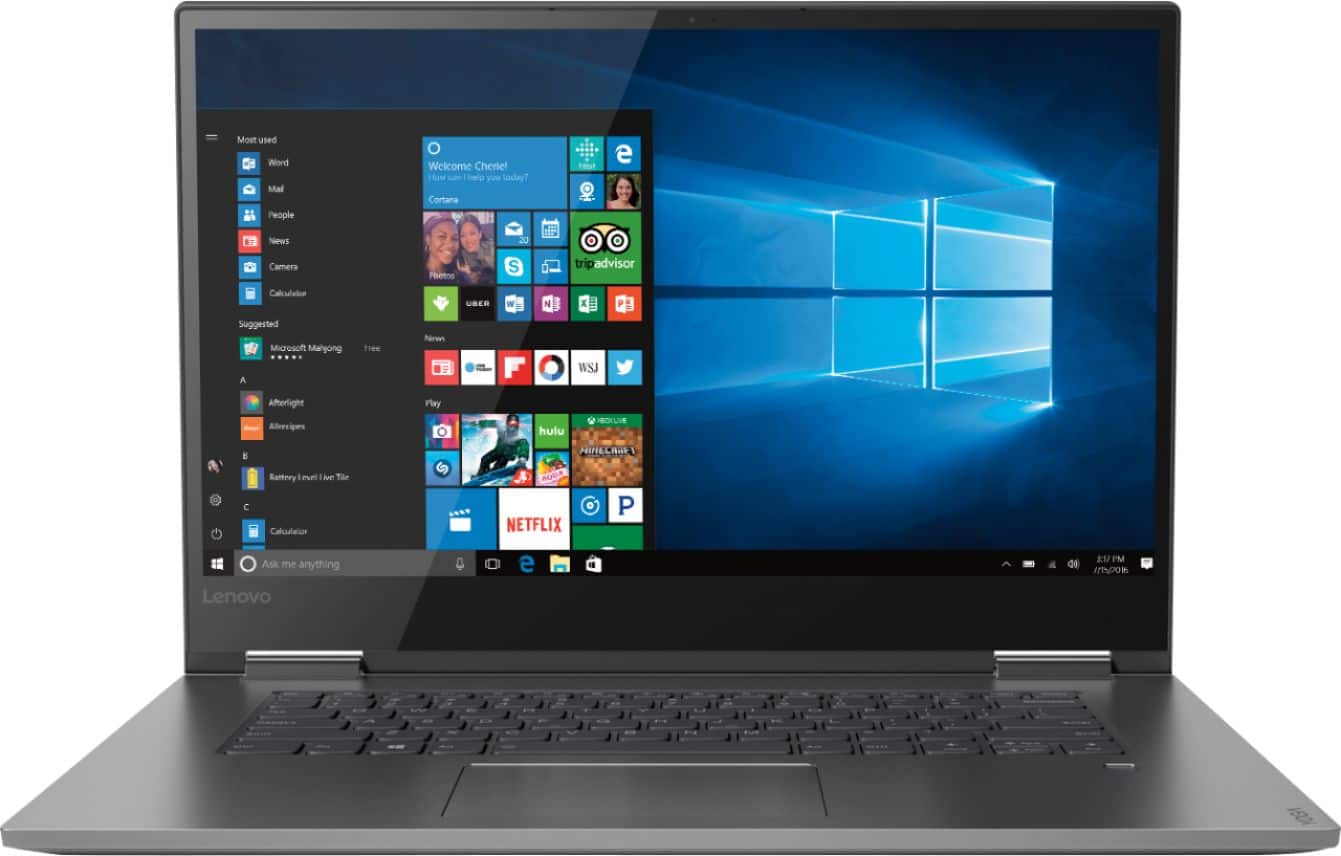
- Model:
- 81CU000BUS
- SKU:
- 6201040
Rating by feature
- Battery Life
Rating 4.7 out of 5 stars
- Speed
Rating 4.6 out of 5 stars
- Display
Rating 4.7 out of 5 stars
Customers are saying
Customers are enthusiastic about the Yoga 730's fast performance, lightweight design, and affordable price. Many users appreciate the convenience of the touch screen and the long battery life. However, some users have experienced issues with the Wi-Fi connectivity and the fingerprint reader, and a few find the laptop to be a bit heavy.
This summary was generated by AI based on customer reviews.
- Pros mentioned:Touch screen
My Wife loves it
||Posted . Owned for 7 months when reviewed.This reviewer received promo considerations or sweepstakes entry for writing a review.Bought this for my wife and she added the Lenovo stylus. It’s a great PC with a fingerprint reader and touchscreen.
I would recommend this to a friend Great laptop
||Posted .This reviewer received promo considerations or sweepstakes entry for writing a review.After researching several brands I decided on this and I am very happy with it. One of the reasons I went with this is because of the hdmi and usb ports. It is light enough to carry around without noticing. I use it for work and personal. I do alot of excel sheets etc. The only con I would say is the keyboard the buttons are recessed which took me a little bit of getting used to. Definitely not a deal breaker ,I could buy a usb keyboard but dont feel that strongly about it. Nice again usb ports haha.
I would recommend this to a friendBrand response from Lenovo Product Expert
Posted .Thank you for choosing the Lenovo Yoga 730-15. We are pleased to hear that the performance of the Yoga 730-15 meets your computing needs so well.

- Cons mentioned:Fingerprint reader
Good for the money
||Posted .This reviewer received promo considerations or sweepstakes entry for writing a review.Pretty good laptop for the money. The fingerprint reader is temperamental, but overall the computer is good.
I would recommend this to a friendBrand response from Lenovo Product Expert
Posted .Thank you for choosing the Lenovo Yoga 730-15. With regard to the fingerprint reader on this device, be sure you have setup the fingerprint reader correctly. Here is a link to instructions for setting up a fingerprint reader within Windows 10: https://www.laptopmag.com/articles/set-windows-hello-fingerprint-login

- Cons mentioned:Weight
Nice but heavy
||Posted .This reviewer received promo considerations or sweepstakes entry for writing a review.First Lenovo laptop purchased at the recommendation of Best Buy associate. Only been about 2 weeks. Its heavier than I thought it would be. When using in tablet mode, awkward to carry/hold and use due to weight. Keyboard slick and flat, not as tactile as I'd like. Had Windows 7, so getting used to Windows 10. I hope it lasts as long as my 8 year old Toshiba.
I would recommend this to a friendBrand response from Lenovo Product Expert
Posted .The Lenovo Yoga 730-15 ships with a full size 15.6" (screen size measured diagonally) screen but still only weighs 4.17 lbs. The keyboard is a standard QWERTY keyboard, without 10-key pad. The latest 8th generation, Quad-Core/Eight-Thread Intel Core i5 processor gives the Yoga 730-15 up to a 40 percent performance boost with unprecedented touchscreen and pen responsiveness (active pen sold separately), faster bootups, and seamless multitasking. All of this speed and power to amplify your productivity and help you be ready at a moments notice, in an ultra portable device that weighs just 4.17 lbs. For 2018, Lenovo retained its place for a second year as the best laptop vendor:
https://www.laptopmag.com/articles/laptop-brand-ratings
- Pros mentioned:Lightweight
Love it after I made a couple of upgrades
||Posted . Owned for 4 months when reviewed.This reviewer received promo considerations or sweepstakes entry for writing a review.I like this computer and it's versatility. I had geek squad upgrade the ram and SSD. Now I love it!
I would recommend this to a friendBrand response from Lenovo Product Expert
Posted .Thank you for choosing the Lenovo Yoga 730-15. This model is not user upgradable. A certified technician, like the Best Buy Geek Squad, must do all of the work, so as to not void the warranty. For 2018, Lenovo retained its place for a second year as the best laptop vendor:
https://www.laptopmag.com/articles/laptop-brand-ratings
- Pros mentioned:Touch screen
Love the touchscreen and user friendliness
||Posted . Owned for 3 weeks when reviewed.This reviewer received promo considerations or sweepstakes entry for writing a review.I use this laptop every day for everything. I love the touch screen, the bright display and all the built in features
I would recommend this to a friendBrand response from Lenovo Product Expert
Posted .Thank you for choosing the Lenovo Yoga 730-15. We are pleased to hear that the features and performance of the Yoga 730-15 meets your computing needs so well.
- Pros mentioned:Touch screen
Nice Yoga Lenovo
||Posted .This reviewer received promo considerations or sweepstakes entry for writing a review.I really like this but am still learning. I love the touch side. Other seems slower than what I expected.
I would recommend this to a friendBrand response from Lenovo Product Expert
Posted .Thank you for choosing the Lenovo Yoga 730-15. This is a fast system with its Quad-Core/Eight-Thread Intel Core i5-8250U processor, 8GB of RAM and 256GB solid state hard drive. Be sure any software you installed is compatible with Windows 10. There is no need to install Microsoft Office software. The software is already part of the operating system, you just need to activate the software with a purchased product key. If you have installed a copy of Microsoft Office, this is conflicting with the existing copy on the system and this will slow your system down. If you have installed a 3rd party anti-virus program, be sure that Windows Defender is turned off and that the trial version of McAfee Anti-Virus software is uninstalled. There can only be one anti-virus program on the system. You may need to restore your system to original factory default settings if any of the programing errors have occurred. You can do that by typing "restore" in the Cortana search window. Just click on the magnifying glass icon at the bottom left of your Windows 10 Desktop. Click on "Reset This PC" Then click on "Get Started" and follow the on screen directions to restore to factory defaults. If the problem persists, we recommend you contact Lenovo Tech Support at: 877-453-6686.
- Pros mentioned:Fast
Great laptop/tablet!
||Posted .This reviewer received promo considerations or sweepstakes entry for writing a review.The Yoga is very fast & works great! However, it does need at least 1 more USB port and a CD drive.
I would recommend this to a friendBrand response from Lenovo Product Expert
Posted .Thank you for choosing the Lenovo Yoga 730-15. The Yoga 730-15 ships with two standard USB ports and one Thunderbolt port. This is an ultra portable configuration, which limits the amount of space available for ports. There is no optical drive within this ultra portable configuration. If you need more USB ports for this device, you may want to consider using a USB Hub with this device. You can also connect an external CD/DVD drive to this device via a USB port. For 2018, Lenovo retained its place for a second year as the best laptop vendor:
https://www.laptopmag.com/articles/laptop-brand-ratings
- Pros mentioned:Lightweight
Great laptop.
||Posted .This reviewer received promo considerations or sweepstakes entry for writing a review.I love the versatility of this product. I’ve been using a Surface Pro for the past couple years. This is a major upgrade.
I would recommend this to a friendBrand response from Lenovo Product Expert
Posted .Thank you for choosing the Lenovo Yoga 730-15. We are pleased to hear that the features and performance of the Yoga 730-15 meets your computing needs so well.
Good value in a 2-in-1 Laptop
||Posted .This reviewer received promo considerations or sweepstakes entry for writing a review.I was looking to upgrade my aging Dell laptop (6+ years old) and decided that a 2-in-1 laptop would be appropriate. I wanted a Full-HD display, lighter weight and better performance. I believe that I have achieved all three with this laptop. This laptop, in a sleeve, fits in the same places the old laptop did by itself. Given it's slimmer profile and lighter weight, it is almost as easy as carrying a larger tablet. It has worked out quite well so far. Battery life so far has been good too.
I would recommend this to a friendBrand response from Lenovo Product Expert
Posted .Thank you for choosing the Lenovo Yoga 730-15. We are pleased to hear that that features and performance of the Yoga 730-15 meets your computing needs so well.
- Pros mentioned:Price
Light weight, great battery
||Posted . Owned for 1.5 years when reviewed.This reviewer received promo considerations or sweepstakes entry for writing a review.Really like the screen size and durability. It is priced right and the features meet our every need.
I would recommend this to a friend Lenova Yoga Laptop
||Posted .This reviewer received promo considerations or sweepstakes entry for writing a review.New laptop is working well although I have only had it a few weeks. After trying to get used to using the touch pad, I have since purchased a mouse which for me makes the laptop much easier to use. Only have 2 slight negatives - the battery life doesn't seem to last as long as advertised and being a former accountant I do miss that the keyboard does not have number pad like on a calculator. Otherwise the laptop is working out well.
I would recommend this to a friendBrand response from Lenovo Product Expert
Posted .Thank you for choosing the Lenovo Yoga 730-15. With regard to the touchpad, you can make adjustments to the touchpad in your system settings. You can get there by clicking on the magnifying glass at the bottom left of your Windows 10 screen. Type "touchpad" in the search window. Select "Mouse & touchpad settings" from the list of choices. You can make general adjustments to the touchpad there. You can also select "Additional mouse options" for more detailed adjustments to the touchpad sensitivity by increasing the delay of the touchpad. The Yoga 730-15 ships with a 3CELL 51.5WH, Lithium Polymer battery, with a battery life of up to 9 hours, depending on the work that the device is performing. To maximize battery life, be sure there are no unwanted programs running in the background, draining the battery. Here is a link to some tips for finding out what is draining your battery:
https://www.laptopmag.com/articles/battery-saver-windows-10. Also, to maximize battery life, try changing your power management setting to a more conservative one. You can do this in the control panel, in the power management category on your system. Select a more conservative power management setting to extend battery life. Finally, if the battery life does not improve, a battery reset may help. Here is a link to instructions for resetting a non-removable battery. If you need further assistance, we recommend you call Lenovo Tech Support at: 877-453-6686. Here is the link: https://www.techwalla.com/articles/how-to-reset-a-laptop-battery
- Pros mentioned:Lightweight
satisfied. Laptop
||Posted . Owned for 1.5 years when reviewed.This reviewer received promo considerations or sweepstakes entry for writing a review.It's a nice lightweight laptop. Itd a pretty good laptop for its price. I like the quality of this.
I would recommend this to a friend - Pros mentioned:Fast
Yoooooo
||Posted . Owned for 8 months when reviewed.This reviewer received promo considerations or sweepstakes entry for writing a review.Got it for wifey for her office work, really nice machine, light, fast and super sick.
I would recommend this to a friend - Pros mentioned:Lightweight
computer
||Posted . Owned for 1 year when reviewed.This reviewer received promo considerations or sweepstakes entry for writing a review.love the portability and functionality of this computer
I would recommend this to a friend - Pros mentioned:Touch screen
Awesome computer
||Posted .This reviewer received promo considerations or sweepstakes entry for writing a review.Very happy with the computer. Love the touch screen, had a problem with it and the store took care of it no problem
I would recommend this to a friendBrand response from Lenovo Product Expert
Posted .Thank you for choosing the Lenovo Yoga 730-15. You can keep your computer running at its best, by scanning the computer regularly with the Lenovo Utility software installed on the computer. This system has Lenovo utilities installed to help maintain the health of the device and keep the operating system software up to date. Type "Lenovo Vantage" in the Cortana Search window (if Lenovo Vantage is not installed on your device, you can download the APP and install it now). Select Lenovo Vantage from the list. In the window that opens, click on "Health and Support". In the expanded menu, select "Hardware Scan" In the window that opens, select "Run Quick Tests". This will scan your entire system for errors. Follow any directions that may pop up. If the problem continues after this scan, now click on "System Update". First select Windows update from the menu. Scan your system to be sure you have the latest version of Windows 10. Once that scan is complete, select "Additional Updates". This will scan your device to be sure there are no new BIOS/Driver updates needed. Follow any instructions that may pop up. If the issue still continues after these updates, we recommend you call Lenovo Tech Support at: 877-453-6686 for additional help.
- Pros mentioned:Lightweight
Great laptop for students
||Posted .This reviewer received promo considerations or sweepstakes entry for writing a review.This laptop is great for different styles of use, being able to use like a computer or tablet. Anyone can enjoy it.
I would recommend this to a friendBrand response from Lenovo Product Expert
Posted .Thank you for choosing the lenovo Yoga 730-15. We are pleased to hear that the features and performance of the Yoga 730-15 meets your computing needs so well.
- Pros mentioned:Lightweight
No nonsense!
||Posted .This reviewer received promo considerations or sweepstakes entry for writing a review.Very pleased with this laptop. Love the versatility. Great for home business and personal use. Big keys on keyboard.
I would recommend this to a friendBrand response from Lenovo Product Expert
Posted .Thank you for choosing the Lenovo Yoga 730-15. We are pleased to hear that the features and performance of the Yoga 730-15 meets your computing needs so well.
- Pros mentioned:Lightweight
Lenovo Yoga 15.6” i5
||Posted .This reviewer received promo considerations or sweepstakes entry for writing a review.Great laptop and great sale price, a 15” laptop in a 14” laptop body. Light weight and versatile.
I would recommend this to a friendBrand response from Lenovo Product Expert
Posted .Thank you for choosing the Lenovo Yoga 730-15. We are pleased to hear that the features and performance of the Yoga 730-15 meets your computing needs so well.
- Pros mentioned:Fast
Great laptop
||Posted .This reviewer received promo considerations or sweepstakes entry for writing a review.I wish it had more USB slots. Other than that, it's fast and reliable. Love the size and weight
I would recommend this to a friendBrand response from Lenovo Product Expert
Posted .Thank you for choosing the Lenovo Yoga 730-15. The Yoga 730-15 ships with two standard USB ports. If you need more USB ports with this device, you may want to consider using a USB Hub with this model. For 2018, Lenovo retained its place for a second year as the best laptop vendor:
https://www.laptopmag.com/articles/laptop-brand-ratings