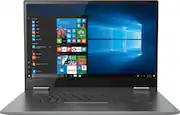
Rating 4.4 out of 5 stars with 1148 reviews
4.4- Fast (132)
- Touch screen (121)
- Lightweight (96)
- Price (45)
- Performance (33)
- Wifi connectivity (17)
- Fingerprint reader (13)
- Weight (8)
- Customer service (4)
Customer Images
The vast majority of our reviews come from verified purchases. Reviews from customers may include My Best Buy members, employees, and Tech Insider Network members (as tagged). Select reviewers may receive discounted products, promotional considerations or entries into drawings for honest, helpful reviews.
- Rated 5 out of 5 stars
Perfect for School/College
I originally bought a Microsoft Surface Laptop 2, but it ended up messing up within the first day I used it, only a few hours after I bought it. So I took it back, exchanged it for another, and that one worked for about a day. Then I started having problems the next day, similar to the problems I had with the first one. Took it back and decided to switch brands. I had help from a store employee and that’s how I came to own this piece of treasure. It is the best laptop I've used in in years. It has a super fast start up and shut down thanks to Windows 10 OS. The processer makes the computer pretty fast overall while running multiple programs. I use it for school work mostly, but I’ll occasionally play games and watch movies/tv shows on it, too (sometimes while I am using it for homework). The battery life lasts pretty long, gets used up faster while playing games but it lasts for hours while I’m doing homework. Its tablet mode is pretty cool, though I haven’t played with that feature much yet. This laptop still has a lot for me to discover on it, but all in all, it is THE BEST laptop I have purchased in 5 years. If I had to change anything on it, it would just be the sound. I'd like for the volume to reach louder levels, but its good loud enough to hear in general. I would definitely recommend this laptop for multitasking, school use, movie/tv/music streaming, and light gaming (since I haven’t done any hardcore gaming on it…yet).
Posted by crystal
- Rated 4 out of 5 stars
Great laptop for college students!
I love this laptop! I’m glad I listened to what the Best Buy employee recommened. I’m a college student, so the i5 helps me search the internet quickly for whatever I need. I like that it can flip around to a touchscreen tablet so I can read my notes on Word or an article from the web. Great product!! My only negative comment is that there is a tiny piece that popped off the laptop a few weeks after I got it. It’s not cheaply made, but it just popped off, and I need to figure out how to put it back on.
Posted by Heather
- Rated 5 out of 5 stars
Great work tool
This machine is so fast and easy to work with that is actually a joy to use. Battery life is over 4 hrs per charge. Have not used the tablet version yet. Really a good buy
Posted by Alan
- Rated 5 out of 5 stars
Love my laptop!
This laptop is very easy to use and the speed on it is quite fast.
Posted by Devin
- Rated 5 out of 5 stars
Outstanding product so far.
Bought this laptop because my wife is going back to college to get her master's degree. She absolutely loves it. Makes everything easier with three options for the screen. She uses a pen, mouse, and her finger. All in all i would recommend this product.
Posted by Doug