Customer Ratings & Reviews
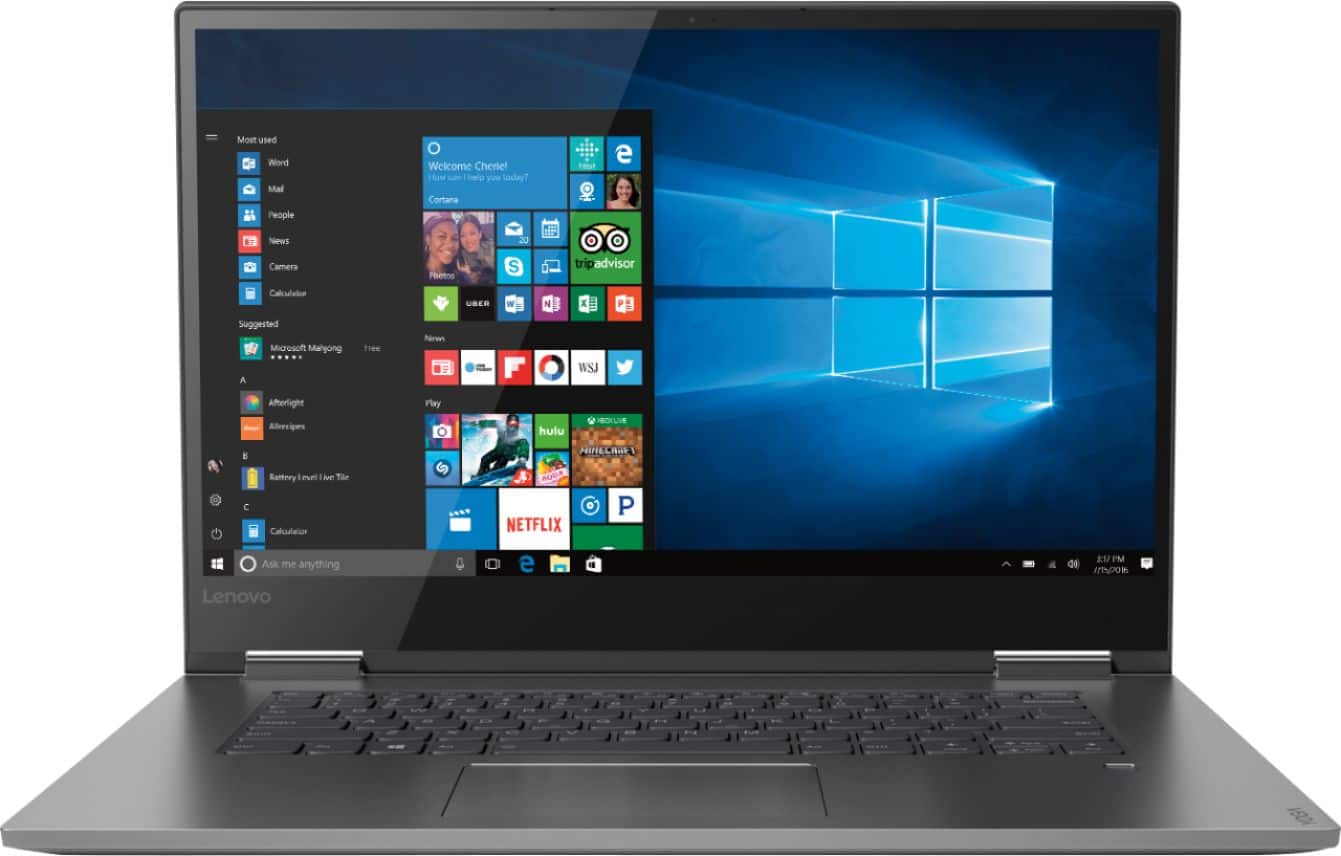
- Model:
- 81CU000BUS
- SKU:
- 6201040
Rating by feature
- Battery Life
Rating 4.7 out of 5 stars
- Speed
Rating 4.6 out of 5 stars
- Display
Rating 4.7 out of 5 stars
Customers are saying
Customers are enthusiastic about the Yoga 730's fast performance, lightweight design, and affordable price. Many users appreciate the convenience of the touch screen and the long battery life. However, some users have experienced issues with the Wi-Fi connectivity and the fingerprint reader, and a few find the laptop to be a bit heavy.
This summary was generated by AI based on customer reviews.
Awesome
||Posted . Owned for 9 months when reviewed.This reviewer received promo considerations or sweepstakes entry for writing a review.I was looking for a laptop for PC games and was recommended this model. I love the clarity of the screen and the quick startup. The color is supreme and the graphics are sharp. I'm very please with my purchase and would highly recommend anyone purchasing this device.
I would recommend this to a friendBrand response from Lenovo Product Expert
Posted .Thank you for choosing the Lenovo Yoga 730-15. We are pleased to hear that the features and performance of the Yoga 730-15 meets your computing needs so well. You can transition from tablet model to laptop mode and back with the new Yoga 730-15. Weighing in at 4.2 lbs and polished in premium aluminum, the Yoga 730-15 will complement your style no matter where the day takes you. The latest 8th generation Intel Core i5 processor gives the Yoga 730-15 up to a 40 percent performance boost with unprecedented touchscreen and pen responsiveness (active pen sold separately), faster bootups, and seamless multitasking. All of this speed and power to amplify your productivity and help you be ready at a moments notice. Experience truly immersive sound with Dolby Atmos, which creates a three-dimensional audio space. Sound comes alive with fullness and depth when you listen through headphones.

Lenovo 15.6 2N1 laptop excellence
||Posted .This reviewer received promo considerations or sweepstakes entry for writing a review.Very pleased with my new Lenovo 15.6 2N1 256GB laptop is super quick and light weight. The battery last a lot longer than I expected and charges quickly. The display and connective are outstanding enjoy using this new laptop.
I would recommend this to a friendBrand response from Lenovo Product Expert
Posted .Thank you for choosing the Lenovo Yoga 730-15. We are pleased to hear that the features and performance of the Yoga 730-15 meets your computing needs so well.

Monitor Issues
||Posted .This reviewer received promo considerations or sweepstakes entry for writing a review.I love this computer. I would love it even more if the monitor did not flash and flicker horrifically every time I used it. It is about to be sent to Lenovo for repairs. Thankfully their customer service is top notch and they are taking care of it.
I would recommend this to a friendOpen box w/o a scratch!
||Posted . Owned for 3 weeks when reviewed.This reviewer received promo considerations or sweepstakes entry for writing a review.It's a beautiful computer! I bought it open box and did not touch it for 10 days and then it would not connect. Uh oh! Geek Squad to the rescue!! They re-installed Windows and it appears perfect! So far, it continues to work well.
I would recommend this to a friendBrand response from Lenovo Product Expert
Posted .Thank you for choosing the Lenovo Yoga 730-15. You can keep your Yoga 730-15 running at its best by always having the latest version of Windows 10 on the computer and updating the supporting BIOS files and drivers as well. This is easily accomplished by scanning the computer with the Lenovo Utility software installed on the computer. This system has Lenovo utilities installed to help maintain the health of the device and keep the operating system software up to date. Type "Lenovo Vantage" in the Cortana Search window (if Lenovo Vantage is not installed on your device, you can download the APP and install it now). Select Lenovo Vantage from the list. In the window that opens, click on "Health and Support". In the expanded menu, select "Hardware Scan" In the window that opens, select "Run Quick Tests". This will scan your entire system for errors. Follow any directions that may pop up. If the problem continues after this scan, now click on "System Update". First select Windows update from the menu. Scan your system to be sure you have the latest version of Windows 10. Once that scan is complete, select "Additional Updates". This will scan your device to be sure there are no new BIOS/Driver updates needed. Follow any instructions that may pop up. If the issue still continues after these updates, we recommend you call Lenovo Tech Support at: 877-453-6686 for additional help.
Highly recommended laptop.
||Posted .This reviewer received promo considerations or sweepstakes entry for writing a review.I’m excited to get going with the purchase of my new Lenovo Yoga. Best Buy in Peachtree City made the purchase exceptionally easy. Niki was my salesperson. She’s a real pro. Tyler from Geek Squad have me a tutorial and answered all my questions. Great shopping experience.
I would recommend this to a friendBrand response from Lenovo Product Expert
Posted .Thank you for choosing the Lenovo Yoga 730-15. We are pleased to hear that the Yoga 730-15 is working out so well for you.
Solid Laptop
||Posted . Owned for 3 months when reviewed.This reviewer received promo considerations or sweepstakes entry for writing a review.This is a beast. Takes it like 5 seconds to boot, specs on this are excellent, the build quality is top notch and the screen is gorgeous. Only thing I don't like is the lack of a numerical keypad. Overall, an excellent machine. Totally worth it and recommended.
I would recommend this to a friendBrand response from Lenovo Product Expert
Posted .Thank you for choosing the Lenovo Yoga 730-15. This is an ultra portable, 2 in 1 format computing device. It provides the user with a full size 15.6-inch screen (screen size measured diagonally), but the overall dimensions of the device are just: 14.17 x 9.80 x 0.68 inches. The Yoga 730-15 ships with a full size QWERTY keyboard for the best typing experience. We left out the optional 10-key numeric pad to maintain the size of the QWERTY keyboard. For 2018, Lenovo retained its place for a second year as the best laptop vendor:
https://www.laptopmag.com/articles/laptop-brand-ratings
Easy to navigate for light use!
||Posted .This reviewer received promo considerations or sweepstakes entry for writing a review.Absolutely stunning screen, touch makes a lot of things so easy. Very light, good for travel or school. Only complaint is some intermittent issues with sound coming out of speakers vs. headphones and getting the screen brightness to turn up.
I would recommend this to a friendBrand response from Lenovo Product Expert
Posted .Thank you for choosing the lenovo Yoga 730-15. Regarding the issues you describe with the system audio, this may be fixed by updating the BIOS and audio drivers on the system. There is Lenovo Utility software installed on the computer to help you keep the operating software up to date, including the BIOS and drivers. Concerning the screen brightness, the Yoga 730-15 ships with a screen that has a brightness level of 300 nits. Here is a link to instructions for turning off auto-brightness within Windows 10: https://www.itsupportguides.com/knowledge-base/windows-10/windows-10-how-to-disable-automatic-brightness-adjustments/. Regarding updating the BIOS and audio drivers, this system has Lenovo utilities installed to help maintain the health of the device and keep the operating system software up to date. Type "Lenovo Vantage" in the Cortana Search window (if Lenovo Vantage is not installed on your device, you can download the APP and install it now). Select Lenovo Vantage from the list. In the window that opens, click on "Health and Support". In the expanded menu, select "Hardware Scan" In the window that opens, select "Run Quick Tests". This will scan your entire system for errors. Follow any directions that may pop up. If the problem continues after this scan, now click on "System Update". First select Windows update from the menu. Scan your system to be sure you have the latest version of Windows 10. Once that scan is complete, select "Additional Updates". This will scan your device to be sure there are no new BIOS/Driver updates needed. Follow any instructions that may pop up. If the issue still continues after these updates, we recommend you call Lenovo Tech Support at: 877-453-6686 for additional help.
great for school
||Posted . Owned for 8 months when reviewed.This reviewer received promo considerations or sweepstakes entry for writing a review.I need a laptop which performs better and where I could work for my school projects and lab. I installed quickbooks pro and other software, this laptop performance is so good and the quality of the screen, can be used as tablet..awesome purchase from best buy.
I would recommend this to a friendBrand response from Lenovo Product Expert
Posted .Thank you for choosing the Lenovo Yoga 730-15. We are pleased to hear that the features and performance of the Yoga 730-15 meets your computing needs so well. The latest 8th generation Intel Core i5 processor gives the Yoga 730-15 up to a 40 percent performance boost with unprecedented touchscreen and pen responsiveness (active pen sold separately), faster bootups, and seamless multitasking. All of this speed and power to amplify your productivity and help you be ready at a moments notice. For 2018, Lenovo retained its place for a second year as the best laptop vendor:
https://www.laptopmag.com/articles/laptop-brand-ratings
- Pros mentioned:Lightweight
easy to use
||Posted .This reviewer received promo considerations or sweepstakes entry for writing a review.Conversion of files from previous laptop was easy, the finger print recognition is junk, it only worked once and it quickly times out but overall it is very portable, light and easy to use
I would recommend this to a friendBrand response from Lenovo Product Expert
Posted .Be sure you are setting up the fingerprint properly. Here is a link to instructions for setting up fingerprint reader within Windows 10 Hello: https://www.laptopmag.com/articles/set-windows-hello-fingerprint-login
A great Lap Top with a lot of features.
||Posted . Owned for 1 month when reviewed.This reviewer received promo considerations or sweepstakes entry for writing a review.Purchased this lap top for my daughter. It is excellent quality and it happened to be on sale. The sales rep advised us that there was an open box return which allowed me to save on top of sale price. My daughter loves the lap top and I loved the price.
I would recommend this to a friendBrand response from Lenovo Product Expert
Posted .Thank you for choosing the Lenovo Yoga 730-15 for your daughter. We are pleased to hear that the value and performance of the Yoga 730-15 meets your daughter's computing needs. You can transition from tablet model to laptop mode and back with the new Yoga 730-15. Weighing in at 4.2 lbs and polished in premium aluminum, the Yoga 730-15 will complement your style no matter where the day takes you. The latest 8th generation Intel Core i5 processor gives the Yoga 730-15 up to a 40 percent performance boost with unprecedented touchscreen and pen responsiveness (active pen sold separately), faster bootups, and seamless multitasking. All of this speed and power to amplify your productivity and help you be ready at a moments notice. Experience truly immersive sound with Dolby Atmos, which creates a three-dimensional audio space. Sound comes alive with fullness and depth when you listen through headphones.
Great Laptop!
||Posted .This reviewer received promo considerations or sweepstakes entry for writing a review.Over the road trucker and have been replacing cheap laptops every 10-12 months for 3 years now...went to solid state hard drive, other components failed. Finally spent 900 bucks and got a titanium monster.....riding in the truck cross country should no longer be a problem!
I would recommend this to a friendExcellent laptop
||Posted .This reviewer received promo considerations or sweepstakes entry for writing a review.After several years using a HP laptop I decided to switch to a Lenova Yoga based on the reviews. I'm glad that I did! I've owned the laptop for a couple of months now and love the functionality of it even though I haven't yet tapped into everything it can do.
I would recommend this to a friendBrand response from Lenovo Product Expert
Posted .Thank you for choosing the Lenovo Yoga 730-15. We are pleased to hear that the Yoga 730-15 is working out so well for you. For 2018, Lenovo retained its place for a second year as the best laptop vendor:
https://www.laptopmag.com/articles/laptop-brand-ratings
Great for Students
||Posted .This reviewer received promo considerations or sweepstakes entry for writing a review.I was looking to buy a decent laptop AND a tablet to make it through school and ended up buying this 2-in-1 instead since it was on sale already. Best purchase ever! Bought the Lenovo pen as well for like $40 and the combo makes note taking and HW a breeze.
I would recommend this to a friendBrand response from Lenovo Product Expert
Posted .Thank you for choosing the Lenovo Yoga 730-15. We are pleased to hear that the value, features and performance of the Yoga 730-15 meets your computing needs so well.
Good laptop with bit flaws
||Posted .This reviewer received promo considerations or sweepstakes entry for writing a review.You know the specs, you know the dimensions, configuration , weight etc. Laptop has battery draining and WiFi issues, after replacing the WiFi card it’s still not 100% fixed. Other than that for a budget it’s a good one
I would recommend this to a friendBrand response from Lenovo Product Expert
Posted .To correct WiFi issues, be sure you have the latest version of Windows 10 installed on the computer and that all the BIOS files and drivers are up to date, new drivers are now available. This system has Lenovo utilities installed to help maintain the health of the device and keep the operating system software up to date. Type "Lenovo Vantage" in the Cortana Search window (if Lenovo Vantage is not installed on your device, you can download the APP and install it now). Select Lenovo Vantage from the list. In the window that opens, click on "Health and Support". In the expanded menu, select "Hardware Scan" In the window that opens, select "Run Quick Tests". This will scan your entire system for errors. Follow any directions that may pop up. If the problem continues after this scan, now click on "System Update". First select Windows update from the menu. Scan your system to be sure you have the latest version of Windows 10. Once that scan is complete, select "Additional Updates". This will scan your device to be sure there are no new BIOS/Driver updates needed. Follow any instructions that may pop up. If the issue still continues after these updates, we recommend you call Lenovo Tech Support at: 877-453-6686 for additional help. For 2018, Lenovo retained its place for a second year as the best laptop vendor:
https://www.laptopmag.com/articles/laptop-brand-ratings
Nice big screen PC
||Posted .This reviewer received promo considerations or sweepstakes entry for writing a review.Runs good and quiet. Has a large screen and the fingerprint reader works really well. Tablet mode works nice and the Lenovo Pen (sold separately) works well. I have no complaints about this PC, especially if you are wanting something bigger than a 13” display.
I would recommend this to a friendBrand response from Lenovo Product Expert
Posted .Thank you for choosing the lenovo Yoga 730-13. We are pleased to hear that the features and performance of the Yoga 730-13 meets your computing needs so well.
- Cons mentioned:Wifi connectivity
Internet conneaction problem
||Posted .This reviewer received promo considerations or sweepstakes entry for writing a review.Have two other laptops in the house and internet connectivity is no problem. With this new one, it's always on and off although it has more functionality than the other two.
No, I would not recommend this to a friendBrand response from Lenovo Product Expert
Posted .We are sorry to hear that you are having WiFi connectivity issues with your lenovo Yoga 730-15. There is a new RealTek WiFi Card Driver update version currently available. This will correct the WiFi connectivity issue that is currently being found within Lenovo models with the RealTek 8822BE WiFi Card.
Install the new driver version on the computer with the WiFi connectivity issue, RealTek Wireless Driver for Windows 10 (64-bit) Lenovo –
https://download.lenovo.com/pccbbs/mobiles/r0prw12w.exe
If the WiFi signal continues to drop after restarting the computer, manually change the Bandwidth setting under the "Advanced Driver Properties" within the Device Manager, from
80Mhz_40Mhz_20Mhz to 40Mhz_20Mhz. If you need additional help or the issue continues, we recommend you call Lenovo Tech Support at: 877-453-6686. For 2018, Lenovo retained its place for a second year as the best laptop vendor:
https://www.laptopmag.com/articles/laptop-brand-ratings
lenovo yoga 730
||Posted .This reviewer received promo considerations or sweepstakes entry for writing a review.this is truly an amazing machine. The device starts up in only a few seconds. the i5 processor is very fast and l love the fact that this can also be used as a tablet. very nice computer for the price.
I would recommend this to a friendBrand response from Lenovo Product Expert
Posted .Thank you for choosing the Lenovo Yoga 730-15. We are pleased to hear that the features and performance of the Yoga 730-15 meets your computing needs so well.
Very Nice Laptop
||Posted .This reviewer received promo considerations or sweepstakes entry for writing a review.Took me forever to pick out a laptop. This one Is fast and works great. Speakers sound good. Only thing I can complain about is fingerprints and smudges on the case. Other thing is the touch screen bounces a lot when touching.
I would recommend this to a friendBrand response from Lenovo Product Expert
Posted .Thank you for choosing the Lenovo Yoga 730-15. With regard to the screen bounce you mention, we will look into this for future improvements.
Best Laptop ever!
||Posted .This reviewer received promo considerations or sweepstakes entry for writing a review.Had a Lenovo Laptop with an employer and loved it. Had to get one for personal use and found the Yoga 730 to be a perfect fit for my use. Easy to use, keeps a great charge and I take it to school, traveling and out on the patio.
I would recommend this to a friendBrand response from Lenovo Product Expert
Posted .Thank you for choosing the Lenovo Yoga 730-15. We are pleased to hear that the Yoga 730-15 meets your computing needs so well.
Overall good laptop
||Posted .This reviewer received promo considerations or sweepstakes entry for writing a review.This laptop is convenient due to the price/special when I bought it. Unfortunately, it actually turned off during a exam and wasn't feeling comfortable using it for exams. Other than that, the computer works like a champ.
I would recommend this to a friendBrand response from Lenovo Product Expert
Posted .We are sorry to hear that you had issues with your Lenovo Yoga 730-15 "turning off" on its own. First be sure the battery is fully charges. Second, be sure any software you installed is compatible with Windows 10. There is no need to install Microsoft Office software. The software is already part of the operating system, you just need to activate the software with a purchased product key. If you have installed a copy of Microsoft Office, this is conflicting with the existing copy on the system and this will slow your system down. If you have installed a 3rd party anti-virus program, be sure that Windows Defender is turned off and that the trial version of McAfee Anti-Virus software is uninstalled. There can only be one anti-virus program on the system. You may need to restore your system to original factory default settings if any of the programing errors have occurred. You can do that by typing "restore" in the Cortana search window. Just click on the magnifying glass icon at the bottom left of your Windows 10 Desktop. Click on "Reset This PC" Then click on "Get Started" and follow the on screen directions to restore to factory defaults. If the problem persists, we recommend you contact Lenovo Tech Support at: 877-453-6686.