Customer Ratings & Reviews
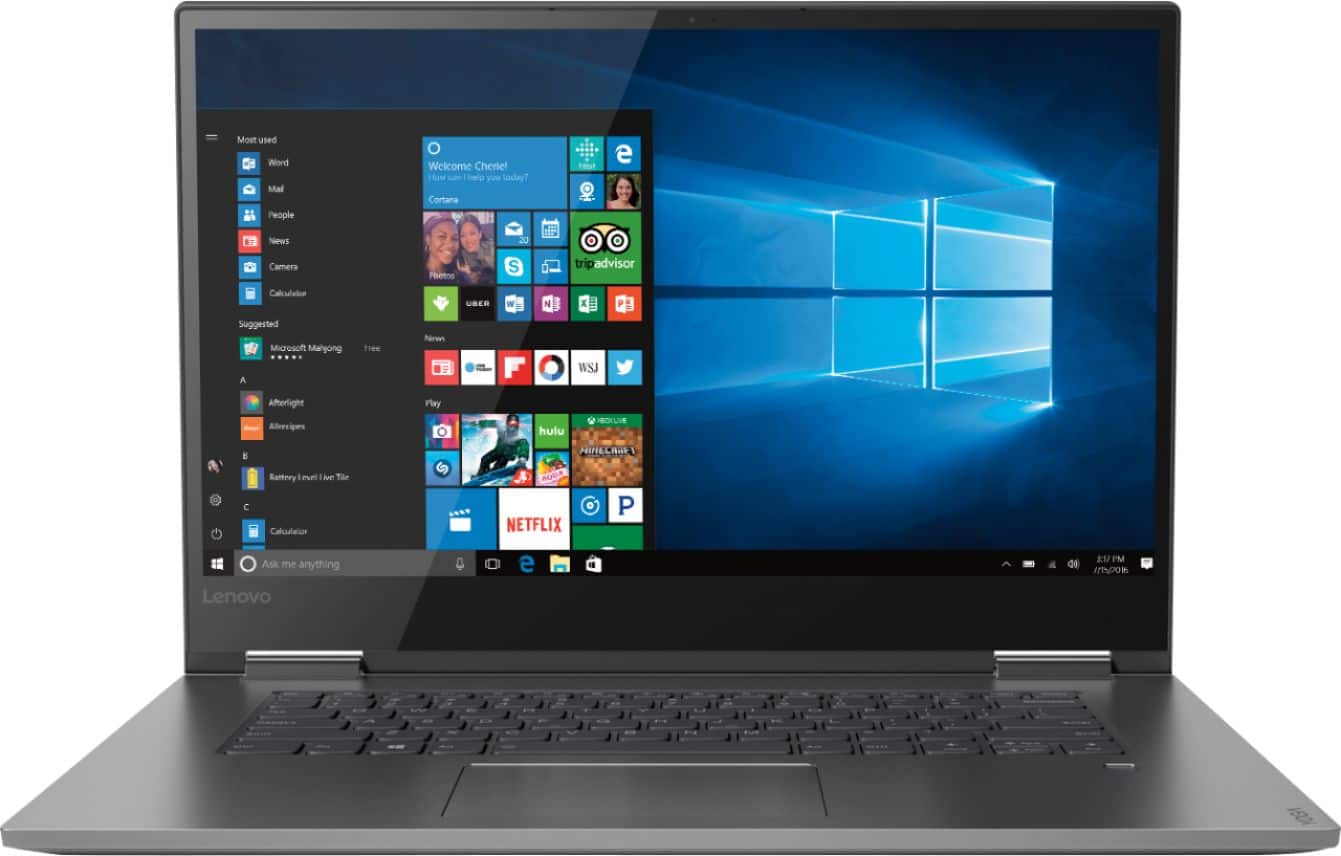
- Model:
- 81CU000BUS
- SKU:
- 6201040
Rating by feature
- Battery Life
Rating 4.7 out of 5 stars
- Speed
Rating 4.6 out of 5 stars
- Display
Rating 4.7 out of 5 stars
Customers are saying
Customers are enthusiastic about the Yoga 730's fast performance, lightweight design, and affordable price. Many users appreciate the convenience of the touch screen and the long battery life. However, some users have experienced issues with the Wi-Fi connectivity and the fingerprint reader, and a few find the laptop to be a bit heavy.
This summary was generated by AI based on customer reviews.
Great computer
||Posted . Owned for 1 month when reviewed.This reviewer received promo considerations or sweepstakes entry for writing a review.I realized recently that I need a new computer. It works well so far.
I would recommend this to a friendBrand response from Lenovo Product Expert
Posted .Thank you for choosing the Lenovo Yoga 730-15. You can transition from tablet model to laptop mode and back with the new Yoga 730-15. Weighing in at 4.2 lbs and polished in premium aluminum, the Yoga 730-15 will complement your style no matter where the day takes you. The latest 8th generation Intel Core i5 processor gives the Yoga 730-15 up to a 40 percent performance boost with unprecedented touchscreen and pen responsiveness, faster bootups, and seamless multitasking. All of this speed and power to amplify your productivity and help you be ready at a moments notice.

Great Laptop for School
||Posted .This reviewer received promo considerations or sweepstakes entry for writing a review.This laptop works great for any field in college and so far it's very durable
I would recommend this to a friendBrand response from Lenovo Product Expert
Posted .Thank you for choosing the lenovo Yoga 730-15. We are pleased to hear that the performance of the Yoga 730-15 meets your computing needs so well.

Lots of great upgrades
||Posted .This reviewer received promo considerations or sweepstakes entry for writing a review.Lots of great options and size of the monitor is wonderful
I would recommend this to a friendBrand response from Lenovo Product Expert
Posted .Thank you for choosing the Lenovo Yoga 730-15. We are pleased to hear that the features and performance of the Yoga 730-15 meets your computing needs so well.
great laptop
||Posted .This reviewer received promo considerations or sweepstakes entry for writing a review.The Laptop is awesome plenty of power and love the solid-state hard drive.
I would recommend this to a friendBrand response from Lenovo Product Expert
Posted .Thank you for choosing the Lenovo Yoga 730-15. We are pleased to hear that the features and performance of the Yoga 730-15 meets your computing needs so well.
Great laptop for college
||Posted .This reviewer received promo considerations or sweepstakes entry for writing a review.Great colors and smooth but had a hard time installing Webroot
I would recommend this to a friendBrand response from Lenovo Product Expert
Posted .Thank you for choosing the Lenovo Yoga 730-15. There is a 30-day trial of McAfee Virus Protection on this device that must be completely uninstalled before installing Webroot. Here is a link to instructions for uninstalling McAfee: https://www.thewindowsclub.com/uninstall-mcafee-internet-security-windows
Software Troubles
||Posted .This reviewer received promo considerations or sweepstakes entry for writing a review.Great computer except troubles with windows. Would reccomend
I would recommend this to a friendBrand response from Lenovo Product Expert
Posted .We are sorry to hear you are having issues with Windows 10. You can update software and maintain optimum performance of your computer by using the Lenovo Utility software installed on this device. This system has Lenovo utilities installed to help maintain the health of the device and keep the operating software up to date. Type Lenovo Vantage in the Cortana Search window (if Lenovo Vantage is not currently installed on your device, you can download the APP now and install it). Select Lenovo Vantage from the list. In the window that opens, click on Health and Support. In the expanded menu, select Hardware Scan In the window that opens select Run Quick Tests. This will scan your entire system for errors. Follow any directions that may pop up. If the problem continues after this scan now click on System Update. First select Windows update from the menu. Scan your system to be sure you have the latest version of Windows 10. Once that scan is complete, select Additional Updates. This will scan your device to be sure there are no new BIOS-Driver updates needed. Follow any instructions that may pop up. If the issue still continues after these updates, we recommend you call Lenovo Tech Support at: 877-453-6686 for additional help.
Nice and easy to follow instructions.
||Posted .This reviewer received promo considerations or sweepstakes entry for writing a review.I love the slimness of the body very chic looking. Love the resolution.
I would recommend this to a friendBrand response from Lenovo Product Expert
Posted .Thank you for choosing the Lenovo Yoga 730-15. We are pleased to hear that the ease of use, features and performance of the Yoga 730-15 meets your computing needs so well. For 2018, Lenovo retained its place for a second year as the best laptop vendor:
https://www.laptopmag.com/articles/laptop-brand-ratings
very good combo
||Posted .This reviewer received promo considerations or sweepstakes entry for writing a review.the lenova is built well and has very good graphics and memory
I would recommend this to a friendBrand response from Lenovo Product Expert
Posted .Thank you for choosing the Lenovo Yoga 730-15. We are pleased to hear that the Yoga 730-15 is working out so well for you.
It's a good brand
||Posted .This reviewer received promo considerations or sweepstakes entry for writing a review.Love it , it has helped me with homework, very convent for me paying bills.
I would recommend this to a friendBrand response from Lenovo Product Expert
Posted .Thank you for choosing the Lenovo Yoga 730-15. We are pleased to hear that the performance of the Yoga 730-15 meets your computing needs so well.
Great computer
||Posted .This reviewer received promo considerations or sweepstakes entry for writing a review.Easy to use and has all the programs we need my daughter love drawing on it
I would recommend this to a friendBrand response from Lenovo Product Expert
Posted .Thank you for choosing the lenovo Yoga 730-15 for your daughter. We are pleased to hear that the features and performance of the Yoga 730-15 meets your computing needs so well.
great labtop
||Posted .This reviewer received promo considerations or sweepstakes entry for writing a review.the lenovo yoga 2 in 1 is a great labtop for work and play.
I would recommend this to a friendBrand response from Lenovo Product Expert
Posted .Thank you for choosing the Lenovo Yoga 730-15. We are pleased to hear that the Yoga 730-15 is working out so well for you.
Good laptop
||Posted . Owned for 4 months when reviewed.This reviewer received promo considerations or sweepstakes entry for writing a review.Nice laptop for the price. Nice keyboard and screen
I would recommend this to a friendExchanged for larger screen and faster CPU
||Posted .This reviewer received promo considerations or sweepstakes entry for writing a review.Fine machine, but exchanged for Core i7 and 17" screen
I would recommend this to a friendBrand response from Lenovo Product Expert
Posted .For 2018, Lenovo retained its place for a second year as the best laptop vendor:
https://www.laptopmag.com/articles/laptop-brand-ratings
Very happy
||Posted . Owned for 1 month when reviewed.This reviewer received promo considerations or sweepstakes entry for writing a review.I like the computer. Its very fun and functional.
I would recommend this to a friendBrand response from Lenovo Product Expert
Posted .Thank you for choosing the Lenovo Yoga 730-15. You can transition from tablet model to laptop mode and back with the new Yoga 730-15. Weighing in at 4.2 lbs and polished in premium aluminum, the Yoga 730-15 will complement your style no matter where the day takes you. The latest 8th generation Intel Core i5 processor gives the Yoga 730-15 up to a 40 percent performance boost with unprecedented touchscreen and pen responsiveness (active pen sold separately), faster bootups, and seamless multitasking. All of this speed and power to amplify your productivity and help you be ready at a moments notice. Experience truly immersive sound with Dolby Atmos, which creates a three-dimensional audio space. Sound comes alive with fullness and depth when you listen through headphones.
Computer does everything I need it to and more.
||Posted .This reviewer received promo considerations or sweepstakes entry for writing a review.I am not very computer savvy but I have found this one very easy to use.
I would recommend this to a friendBrand response from Lenovo Product Expert
Posted .Thank you for choosing the Lenovo Yoga 730-15. We are pleased to hear that the ease of use and performance of the Yoga 730-15 meets your computing needs so well.
slim, light
||Posted .This reviewer received promo considerations or sweepstakes entry for writing a review.very quick and beautiful screen. Not sure about Edge but figuring it out
I would recommend this to a friendBrand response from Lenovo Product Expert
Posted .Thank you for choosing the Lenovo Yoga 730-15. With regard to learning your way around Windows 10, you may want to try YouTube.com (just type that address in your browser address window). There are hundreds for free instructional videos there about Windows 10. Just type Windows 10 Introduction in to the YouTube search window. You can watch free videos there that will show you the basics all the way up to tips and tricks videos and they're all free.
Great Laptop
||Posted .This reviewer received promo considerations or sweepstakes entry for writing a review.Bought the Lenovo Yoga and was very please with the product and the price.
I would recommend this to a friendBrand response from Lenovo Product Expert
Posted .Thank you for choosing the Lenovo Yoga 730-15. We are pleased to hear that the value and performance of the Yoga 730-15 meets your computing needs so well.
I love this 2-in-1
||Posted .This reviewer received promo considerations or sweepstakes entry for writing a review.Great graphics and a fast solid state hard drive, this 2-in-1 is awsome.
I would recommend this to a friendBrand response from Lenovo Product Expert
Posted .Thank you for choosing the lenovo Yoga 730-15. We are pleased to hear that the features and performance of the Yoga 730-15 meets your computing needs so well.
I really like this laptop. I do wish the keyboard
||Posted .This reviewer received promo considerations or sweepstakes entry for writing a review.So far, so good. Still adjusting to Microsoft upgrades.
I would recommend this to a friendBrand response from Lenovo Product Expert
Posted .Thank you for choosing the Lenovo Yoga 730-15. The heart of the Yoga 730-15 is Windows 10. With regard to learning your way around Windows 10, you may want to try YouTube.com (just type that address in your browser address window). There are hundreds for free instructional videos there about Windows 10. Just type Windows 10 Introduction in to the YouTube search window. You can watch free videos there that will show you the basics all the way up to tips and tricks videos and they're all free.
Great laptop
||Posted .This reviewer received promo considerations or sweepstakes entry for writing a review.Very easy set up and nice sleek laptop. Just not a fan of the Cortana.
I would recommend this to a friendBrand response from Lenovo Product Expert
Posted .Thank you for choosing the lenovo Yoga 730-15. Here is a link to information on turning off Cortana in Windows 10: https://www.howtogeek.com/265027/how-to-disable-cortana-in-windows-10/