Customer Ratings & Reviews
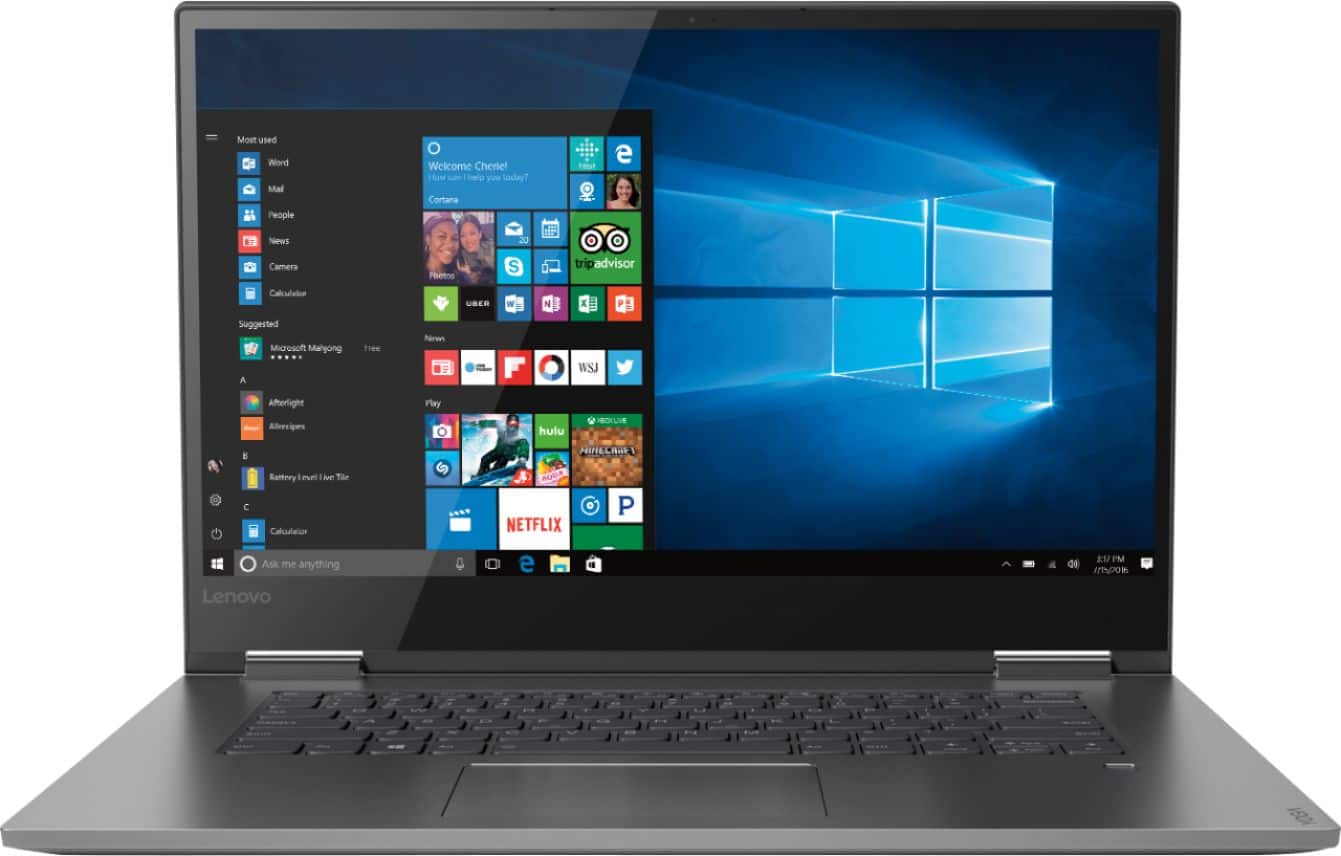
- Model:
- 81CU000BUS
- SKU:
- 6201040
Rating by feature
- Battery Life
Rating 4.7 out of 5 stars
- Speed
Rating 4.6 out of 5 stars
- Display
Rating 4.7 out of 5 stars
Customers are saying
Customers are enthusiastic about the Yoga 730's fast performance, lightweight design, and affordable price. Many users appreciate the convenience of the touch screen and the long battery life. However, some users have experienced issues with the Wi-Fi connectivity and the fingerprint reader, and a few find the laptop to be a bit heavy.
This summary was generated by AI based on customer reviews.
Great computer,..many options
||Posted .This reviewer received promo considerations or sweepstakes entry for writing a review.This was exactly the computer we were looking for.
I would recommend this to a friendBrand response from Lenovo Product Expert
Posted .Thank you for choosing the Lenovo Yoga 730-15. We are pleased to hear that the Yoga 730-15 meets your computing needs so well.

Fantastic
||Posted .This reviewer received promo considerations or sweepstakes entry for writing a review.Worth every penny! 100% satisfied! Would reccomend
I would recommend this to a friendBrand response from Lenovo Product Expert
Posted .Thank you for choosing the Lenovo Yoga 730-15. We are pleased to hear that the value and performance of the Yoga 730-15 meets your computing needs so well.
Ok laptop
||Posted .This reviewer received promo considerations or sweepstakes entry for writing a review.The laptop is a laptop. I’m not a big computer user to begin with. The paper work that comes with the equipment leaves a lot to be desired. I couldn’t figure out how to turn on the thing and geek squad had trouble as well !
I would recommend this to a friendBrand response from Lenovo Product Expert
Posted .We are sorry to hear that you had issues with your Yoga 730-15. All documentation for this device is available online. Here is a link: https://download.lenovo.com/consumer/mobiles_pub/yoga730-15ikb_hmm_201802.pdf.
Broken since I got it.
||Posted .This reviewer received promo considerations or sweepstakes entry for writing a review.Bought 3 laptops and only 1 worked. Was waiting for my IT guys to install software but noticed that the 2 constantly dropped the internet and rebooted. Turns out the chip inside of the 2 dropping out were of Realtek brand whereas the working one had Intel chip. I’m sorry. But what normal consumer would know this. And during my wait for my IT guy to install the software it passed the 2 week mark of returning and therefore now have to replace the chip inside the computer. Besides that. I really like everything about the computers. Hence why we chose those ones to buy originally.
No, I would not recommend this to a friendBrand response from Lenovo Product Expert
Posted .We are sorry to hear that you are having WiFi connectivity issues with your Lenovo Yoga 730-15 models. There is a new RealTek WiFi Card Driver update version currently available. This will correct the WiFi connectivity issue that is currently being found within Lenovo models with the RealTek 8822BE WiFi Card.
Install the new driver version on the computer with the WiFi connectivity issue, RealTek Wireless Driver for Windows 10 (64-bit) Lenovo –
https://download.lenovo.com/pccbbs/mobiles/r0prw12w.exe
If the WiFi signal continues to drop after restarting the computer, manually change the Bandwidth setting under the "Advanced Driver Properties" within the Device Manager, from
80Mhz_40Mhz_20Mhz to 40Mhz_20Mhz. If the issue continues, we recommend you contact Lenovo Tech Support at: 877-453-6686. For 2018, Lenovo retained its place for a second year as the best laptop vendor:
https://www.laptopmag.com/articles/laptop-brand-ratings
Would be great if played DVD's
||Posted .This reviewer received promo considerations or sweepstakes entry for writing a review.I bought this device and explained what I needed it for. When I went to teach a class, it wouldn't play the DVD! Apparently, this is a well known problem with windows 10 but has no fix. Infuriating!!
No, I would not recommend this to a friendBrand response from Lenovo Product Expert
Posted .Model number 81CU000BUS, the Lenovo Yoga 730-15 has no built in CD/DVD drive. If you are using an external CD/DVD drive connected to the computer via USB port and you are trying to play a commercial DVD, you need Media Player software that will read the commercial content on the DVD. Windows 10 Home, the operating system on this device does not have Media Player software installed. You can add any third party Media Player software that is compatible with Windows 10 and the DVD format you plan on using.
touchy
||Posted .This reviewer received promo considerations or sweepstakes entry for writing a review.spark flew out of back...dont know what that was about, but it was unsettling. computer is still working. fingertip id doesnt always work. I'll have to see how I like it....too soon to tell....
No, I would not recommend this to a friendBrand response from Lenovo Product Expert
Posted .There should never be a spark visible from this device. We recommend you unplug and turn off the computer immediately and have the Best Buy Geek Squad examine and evaluate the device at once.
- Cons mentioned:Wifi connectivity
Wifi Drops Like Crazy!!!!!
||Posted .This reviewer received promo considerations or sweepstakes entry for writing a review.I bought the first one but had to return it because the wifi kept dropping on me so I couldn't get any work done, It was really annoying because I would be in the middle of something important and it would just drop on me. I thought it might be a defective laptop so I exchange it for the same exact model and the wifi kept dropping too! At this point I was really annoyed! I completely switched it out for HP Envy x360 and I am loving my HP.
No, I would not recommend this to a friendBrand response from Lenovo Product Expert
Posted .The Lenovo Yoga 730-15 ships with the latest 5G 802.11AC frequency WiFi. If you are using an older b/g/n frequency router, 802.11AC is backward compatible to these older frequencies, but be sure the router has the latest firmware updates offered by the router manufacturer's web site. You can also be sure you have the latest version of Windows 10 and the BIOS files and drivers supporting the operating system on the computer. Just scan the computer with the Lenovo Utility software installed on the computer. This system has Lenovo utilities installed to help maintain the health of the device and keep the operating system software up to date. Type "Lenovo Vantage" in the Cortana Search window (if Lenovo Vantage is not installed on your device, you can download the APP and install it now). Select Lenovo Vantage from the list. In the window that opens, click on "Health and Support". In the expanded menu, select "Hardware Scan" In the window that opens, select "Run Quick Tests". This will scan your entire system for errors. Follow any directions that may pop up. If the problem continues after this scan, now click on "System Update". First select Windows update from the menu. Scan your system to be sure you have the latest version of Windows 10. Once that scan is complete, select "Additional Updates". This will scan your device to be sure there are no new BIOS/Driver updates needed. Follow any instructions that may pop up. If the issue still continues after these updates, we recommend you call Lenovo Tech Support at: 877-453-6686 for additional help. For 2018, Lenovo retained its place for a second year as the best laptop vendor:
https://www.laptopmag.com/articles/laptop-brand-ratings
- Pros mentioned:Touch screen
Laptop won't turn on
||Posted . Owned for 1 month when reviewed.This reviewer received promo considerations or sweepstakes entry for writing a review.Honestly, I was sooo excited for this laptop, it had everything I wanted at a good price. I love how it folds all the way back, the tablet function is so convenient. I bought it a month ago, it worked great. Last week the dang thing just would not turn on. Tried rebooting it, and it froze on the start up screen. I'm pretty heartbroken, but will call Lenovo once I have a chance. If they fix it, will change the review.
No, I would not recommend this to a friendBrand response from Lenovo Product Expert
Posted .We are sorry to hear that you are having issues with your Lenovo Yoga 730-15. It is possible that resetting the computer back to original factory settings may correct the problem you describe. Since you can no longer boot the computer, this system is equipped with OneKey Recovery System. There is a very small pin hole on the left side of the device, right near the headphone jack on the device. You will need a pin to push this reset button. Plug the device in. Let the battery charge for about 15 minutes. Push the reset button. The system should boot to a choice screen where you can choose "Restore To Factory Default". Select this. It will delete everything from the hard drive except the original factory install of the operating system. You will need to reinstall all programs and files after the reset. If you don't have copies of the files, try to make one before you restore by selecting "Boot to desktop" and trying to back up your files. Once you have restored the computer back to original settings, be sure any software you installed is compatible with Windows 10. There is no need to install Microsoft Office software. The software is already part of the operating system, you just need to activate the software with a purchased product key. If you have installed a copy of Microsoft Office, this is conflicting with the existing copy on the system and this will slow your system down. If you have installed a 3rd party anti-virus program, be sure that Windows Defender is turned off and that the trial version of McAfee Anti-Virus software is uninstalled. There can only be one anti-virus program on the system. You may need to restore your system to original factory default settings if any of the programing errors have occurred. You can do that by typing "restore" in the Cortana search window. Just click on the magnifying glass icon at the bottom left of your Windows 10 Desktop. Click on "Reset This PC" Then click on "Get Started" and follow the on screen directions to restore to factory defaults. If the problem persists, we recommend you contact Lenovo Tech Support at: 877-453-6686.
only 256 gig memory
||Posted . Owned for 1 month when reviewed.This reviewer received promo considerations or sweepstakes entry for writing a review.Had to purchase more chip memory, 500 gig, Hard to see outdoors and run brightness to 90% of full. Glossy screen. Indoors, fine and fast enough for what I do, not gaming.
I would recommend this to a friendBrand response from Lenovo Product Expert
Posted .The Lenovo Yoga 730-15 ships with a 256GB solid state hard drive for fast bootup and quick recall of programs and files. The Yoga 730-15 model number 81CU000BUS, ships with a IPS LCD w/LED Backlight screen, with a resolution of 1920 x 1080 (FHD) and a brightness level of 300 nits. The latest 8th generation Intel Core i5 processor gives the Yoga 730-15 up to a 40 percent performance boost with unprecedented touchscreen and pen responsiveness (active pen sold separately), faster bootups, and seamless multitasking. All of this speed and power to amplify your productivity and help you be ready at a moments notice.
Screen & Touchpad
||Posted .This reviewer received promo considerations or sweepstakes entry for writing a review.Screen typically splits on its own. Touch pad is very sensitive as well. Minor glitches with video and regular use. I had this laptop for about 13 days.
No, I would not recommend this to a friendBrand response from Lenovo Product Expert
Posted .We are sorry to hear that you are having issues with your Lenovo Yoga 730-15. You can scan the device and look for issues and fixes by using the Lenovo Utility software installed on this computer. This system has Lenovo utilities installed to help maintain the health of the device and keep the operating system software up to date. Type "Lenovo Vantage" in the Cortana Search window (if Lenovo Vantage is not installed on your device, you can download the APP and install it now). Select Lenovo Vantage from the list. In the window that opens, click on "Health and Support". In the expanded menu, select "Hardware Scan" In the window that opens, select "Run Quick Tests". This will scan your entire system for errors. Follow any directions that may pop up. If the problem continues after this scan, now click on "System Update". First select Windows update from the menu. Scan your system to be sure you have the latest version of Windows 10. Once that scan is complete, select "Additional Updates". This will scan your device to be sure there are no new BIOS/Driver updates needed. Follow any instructions that may pop up. If the issue still continues after these updates, we recommend you call Lenovo Tech Support at: 877-453-6686 for additional help.
- Cons mentioned:Wifi connectivity
wifi problems
||Posted .This reviewer received promo considerations or sweepstakes entry for writing a review.I wanted to love it, but there were problems connecting to wifi from startup. Tried troubleshooting with Lenovo rep but could not resolve. Returned computer to Best Buy - no hassles. Purchased different Lenovo model, which is working fine.
No, I would not recommend this to a friendBrand response from Lenovo Product Expert
Posted .We are sorry to hear that you had issues with the WiFi on your Yoga 730-15. The Yoga 730-15 uses 5G WiFi, 802.11AC, the latest and fastest frequency WiFi available. Although 802.11AC is backward compatible to older b/g/n frequencies, be sure your router firmware is the latest version. You can keep the computer operating software and drivers update date as well. This system has Lenovo utilities installed to help maintain the health of the device and keep the operating system software up to date. Type "Lenovo Vantage" in the Cortana Search window (if Lenovo Vantage is not installed on your device, you can download the APP and install it now). Select Lenovo Vantage from the list. In the window that opens, click on "Health and Support". In the expanded menu, select "Hardware Scan" In the window that opens, select "Run Quick Tests". This will scan your entire system for errors. Follow any directions that may pop up. If the problem continues after this scan, now click on "System Update". First select Windows update from the menu. Scan your system to be sure you have the latest version of Windows 10. Once that scan is complete, select "Additional Updates". This will scan your device to be sure there are no new BIOS/Driver updates needed. Follow any instructions that may pop up. If the issue still continues after these updates, we recommend you call Lenovo Tech Support at: 877-453-6686 for additional help.
Grate for a beginner computer
||Posted .This reviewer received promo considerations or sweepstakes entry for writing a review.This is really hard for me to say about this computer because it is great for the price of if I was you I would look for something else.
No, I would not recommend this to a friendBrand response from Lenovo Product Expert
Posted .For 2018, Lenovo retained its place for a second year as the best laptop vendor:
https://www.laptopmag.com/articles/laptop-brand-ratings
hard to set up email with bellsouth
||Posted .This reviewer received promo considerations or sweepstakes entry for writing a review.Was hard to set up email. Doesn't work with bellsouth. Had to troubleshot with two tec's. Second tec had to make an appointment with took days.
I would recommend this to a friendBrand response from Lenovo Product Expert
Posted .We are sorry to hear you are having issues setting up your email. If it is internet based email, Windows 10 is compatible with it. We recommend you contact your internet provider for assistance.
Computer works fine....I am slow
||Posted .This reviewer received promo considerations or sweepstakes entry for writing a review.The computer has windows 10 and I am not familiar with it, but my friends seem to be able to make it work just fine so I will learn
I would recommend this to a friendBrand response from Lenovo Product Expert
Posted .Thank you for choosing the Lenovo Yoga 730-15. The heart of the Yoga 730-15 is the Windows 10 Operating System. With regard to learning your way around Windows 10, you may want to try YouTube.com (just type that address in your browser address window). There are hundreds for free instructional videos there about Windows 10. Just type Windows 10 Introduction in to the YouTube search window. You can watch free videos there that will show you the basics all the way up to tips and tricks videos and they're all free. For 2018, Lenovo retained its place for a second year as the best laptop vendor:
https://www.laptopmag.com/articles/laptop-brand-ratings
Be wary of the touch screen!
||Posted . Owned for 1 year when reviewed.This reviewer received promo considerations or sweepstakes entry for writing a review.I brought this lenovo yoga 730 last September for anniversary gift and the touch screen as completely stopped functioning as of October. It is just out of warranty so I have no resolution but to get it replaced out of pocket. The screen has been glitchy for a while I should have read other reviews before hand, great specs nice looking but to screen is horrible.
No, I would not recommend this to a friendits not wow
||Posted .This reviewer received promo considerations or sweepstakes entry for writing a review.got my laptop one month back...the most unsatisfying thing is camera and the second is battery life..rest of features are good .
No, I would not recommend this to a friendBrand response from Lenovo Product Expert
Posted .The Lenovo Yoga 730-15 ships with a 720p (HD) web cam. This model has a 3CELL 51.5WH, Lithium Polymer battery installed, with a battery life of up to 9 hours, depending on the work that the device is performing.
ok laptop
||Posted .This reviewer received promo considerations or sweepstakes entry for writing a review.im not sure if i would ever buy this brand laptop again, i was at work and the lap top reset to like i just bought it, not happy
No, I would not recommend this to a friendBrand response from Lenovo Product Expert
Posted .We are sorry to hear that you are having issues with your Lenovo Yoga 730-15. Windows 10 should not reset itself automatically. We recommend you call Lenovo Tech Support for help with your specific issue at: 877-453-6686.
Responsive
||Posted .This reviewer received promo considerations or sweepstakes entry for writing a review.The laptop responsiveness and specs make it a great buy. Only issue is the mousepad which has already become near useless.
I would recommend this to a friendBrand response from Lenovo Product Expert
Posted .With regard to the touchpad, you can make adjustments to the touchpad in your system settings. You can get there by clicking on the magnifying glass at the bottom left of your Windows 10 screen. Type "touchpad" in the search window. Select "Mouse & touchpad settings" from the list of choices. You can make general adjustments to the touchpad there. You can also select "Additional mouse options" for more detailed adjustments to the touchpad sensitivity by increasing the delay of the touchpad. If your issues with the touchpad continue, we recommend you call Lenovo Tech Support for help with your specific issue at: 877-453-6686.
Wouldn’t connect to internet
||Posted .This reviewer received promo considerations or sweepstakes entry for writing a review.So far problems connecting to internet. Contacted support still won’t. Took it back to store. Still won’t connect
No, I would not recommend this to a friendBrand response from Lenovo Product Expert
Posted .We are sorry to hear that you are having issues connecting your Lenovo Yoga 730-15 laptop to WiFi. We recommend you call Lenovo Tech Support for help with your specific issue at: 877-453-6686. For 2018, Lenovo retained its place for a second year as the best laptop vendor:
https://www.laptopmag.com/articles/laptop-brand-ratings
Already Broken
||Posted . Owned for 1 year when reviewed.This reviewer received promo considerations or sweepstakes entry for writing a review.I bought this laptop as an open box purchase that was in excellent condition for about $700.00. I barely use the laptop and have a case for it. It's never been dropped. Juts from opening the laptop a piece from the hinge popped off and now my screen is not stable anymore exposing the inside of display. All stores are closed in my area because of COVID-19, and apparently there is a 3 hour wait time on the phone to speak to any one. I tried the call back service and no one has called me back. My 1 year warranty look like it expires on 5/11/2020 so I am scared they won't repair it. I don't really purchase open boxes but this has been a bad experience. I like the computer but there is a problem with the folding mechanism on it. I just hope since it was open box this didn't happen to previous customer and they decided to glue it back. Still $700 is a lot to gamble for an open box. Let's see if best buy will fix the situation.
No, I would not recommend this to a friend