Customer Ratings & Reviews
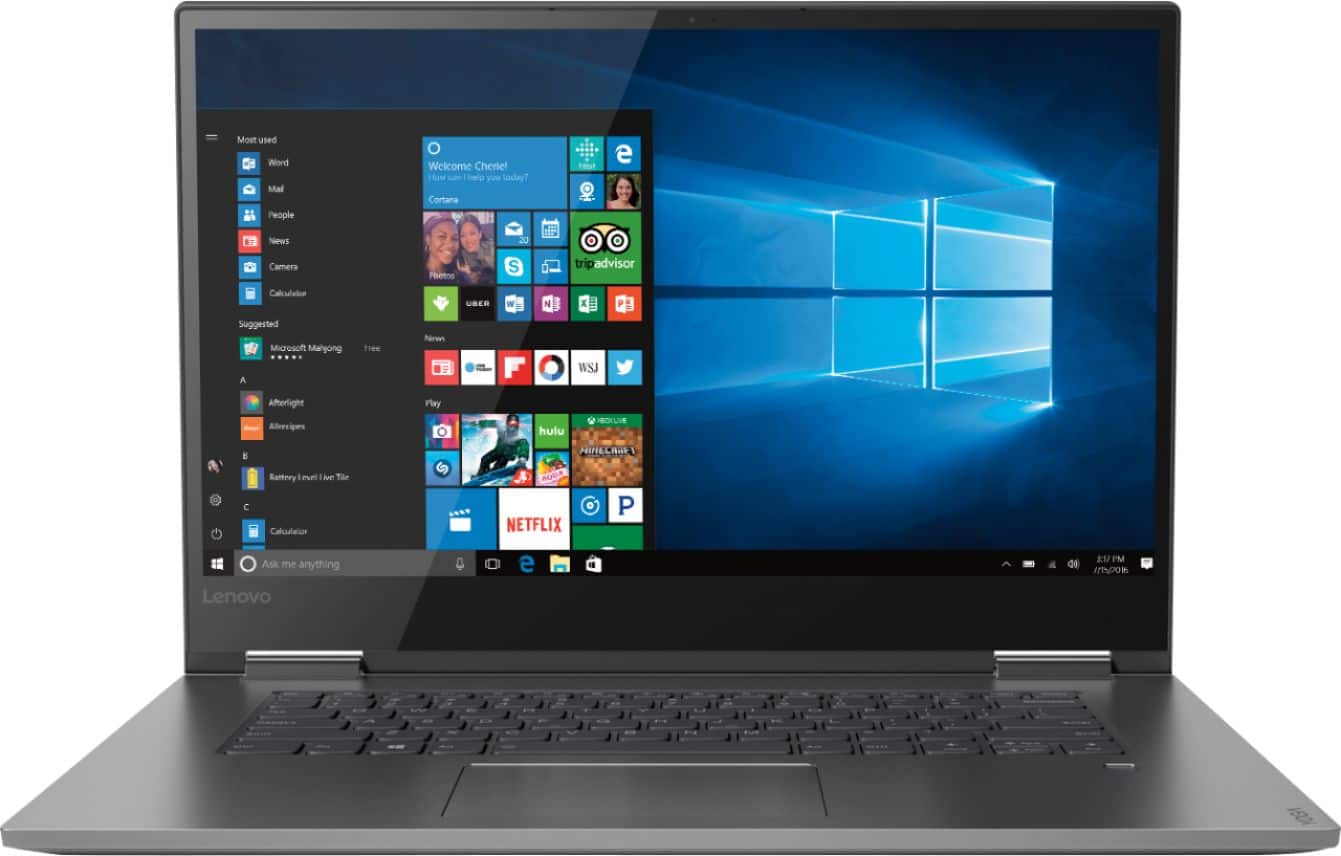
- Model:
- 81CU000BUS
- SKU:
- 6201040
Rating by feature
- Battery Life
Rating 4.7 out of 5 stars
- Speed
Rating 4.6 out of 5 stars
- Display
Rating 4.7 out of 5 stars
Customers are saying
Customers are enthusiastic about the Yoga 730's fast performance, lightweight design, and affordable price. Many users appreciate the convenience of the touch screen and the long battery life. However, some users have experienced issues with the Wi-Fi connectivity and the fingerprint reader, and a few find the laptop to be a bit heavy.
This summary was generated by AI based on customer reviews.
Wish I'd have known...
||Posted .This reviewer received promo considerations or sweepstakes entry for writing a review.Screen flickered after a month. I read an endless number of reviews about this, and it seemed like It was going to be a hopeless situation. I'm in grad school and can't really afford to buy another new laptop anytime soon. So last week, some BIOS update came across so I downloaded it and haven't had any issues since then. Time will tell if this sticks.
No, I would not recommend this to a friendBrand response from Lenovo Product Expert
Posted .We are sorry to hear that you are having issues with your Lenovo Yoga 730-15. You can easily keep the operating system software up to date on this computer, including the BIOS and Drivers, by scanning the computer regularly with the Lenovo Utility software installed on this computer. This system has Lenovo utilities installed to help maintain the health of the device and keep the operating system software up to date. Type "Lenovo Vantage" in the Cortana Search window (if Lenovo Vantage is not installed on your device, you can download the APP and install it now). Select Lenovo Vantage from the list. In the window that opens, click on "Health and Support". In the expanded menu, select "Hardware Scan" In the window that opens, select "Run Quick Tests". This will scan your entire system for errors. Follow any directions that may pop up. If the problem continues after this scan, now click on "System Update". First select Windows update from the menu. Scan your system to be sure you have the latest version of Windows 10. Once that scan is complete, select "Additional Updates". This will scan your device to be sure there are no new BIOS/Driver updates needed. Follow any instructions that may pop up. If the issue still continues after these updates, we recommend you call Lenovo Tech Support at: 877-453-6686 for additional help.

Not great
||Posted .This reviewer received promo considerations or sweepstakes entry for writing a review.After two months screen went black. Waiting to see what can be done. Geek squad a little perplexed.
No, I would not recommend this to a friendBrand response from Lenovo Product Expert
Posted .We are sorry to hear that you are having issues with your Lenovo Yoga 730-15 booting up. This system is equipped with OneKey Recovery System. There is a very small pin hole on the left side of the device, right near the headphone jack on the device. You will need a pin to push this reset button. Plug the device in. Let the battery charge for about 15 minutes. Push the reset button. The system should boot to a choice screen where you can choose "Restore To Factory Default". Select this. It will delete everything from the hard drive except the original factory install of the operating system. You will need to reinstall all programs and files after the reset. If you don't have copies of the files, try to make one before you restore by selecting "Boot to desktop" and trying to back up your files. If the problem persists after the factory reset, we recommend you contact Lenovo Tech Support at: 877-453-6686.

Disappointed
||Posted .This reviewer received promo considerations or sweepstakes entry for writing a review.I had high expectations when purchasing this laptop. I researched thoroughly and had my heart set on a Lenovo when I chose this one. I did read the negative reviews and thought that the great reviews outweighed them. Unfortunately, the laptop is have a screen brightness flickering issue that other users have reported. I have completely followed the instructions that Lenovo has left on other responses, but the issue has not resolved. I'm highly disappointed that I have not owned this laptop for 48 hours and I'm already having problems with it.
No, I would not recommend this to a friendBrand response from Lenovo Product Expert
Posted .We are sorry to hear that you are having screen flicker issues with your Lenovo Yoga 730-15. If you have used Lenovo Vantage to update the BIOS and video drivers on your Yoga 730-15 and the problem is not resolved, we recommend you call Lenovo Tech Support for more specific help with your issue at: 877-453-6686.
Not for me!
||Posted .This reviewer received promo considerations or sweepstakes entry for writing a review.I returned this laptop for a MacBook Pro Air. For me, the MacBook is much easier to navigate.
No, I would not recommend this to a friendBrand response from Lenovo Product Expert
Posted .Thanks for giving the Lenovo Yoga 730-15 and Windows 10 Home a try.
Laptop
||Posted .This reviewer received promo considerations or sweepstakes entry for writing a review.Had to return this,was not at all what I thought. Would not respond as it was in review
No, I would not recommend this to a friendBrand response from Lenovo Product Expert
Posted .The Lenovo Yoga 730-15 is a Windows 10-based, ultra portable, 2 in 1 computing system. This model ships with the powerful, Quad-Core/Eight-Thread Intel Core i5-8250U processor, supported by 8GB DDR4-2400MHz and a 256GB solid state hard drive. All this computing power delivered in an ultra portable, 2 in 1 configuration. You can use this device as a traditional laptop or as a tablet with the 360-degree hinge on the screen. The touchscreen, IPS LCD w/LED Backlight screen, with a resolution of 1920 x 1080 (FHD) and a brightness of 300 nits. This 2 in 1 device has a full size 15.6" (screen size measured diagonally) screen but measures only 14.17 x 9.80 x 0.68 inches and weighs just 4.17 lbs. If you are looking computing power in an ultra portable, 2 in 1 configuration, the Lenovo Yoga 730-15 is a great choice.
Good Starter Computer
||Posted .This reviewer received promo considerations or sweepstakes entry for writing a review.I got this computer as a starter for my wife and she learned it without too much trouble
I would recommend this to a friendBrand response from Lenovo Product Expert
Posted .The Lenovo Yoga 730-15 is a powerful, ultra portable 2 in 1 computing system, with its powerful Quad-Core/Eight-Thread Intel Core i5-8250U processor, supported by 8GB of DDR4-2400MHz RAM and a 256GB solid state hard drive. All this power in a 2 in 1 format, that measures just 14.17 x 9.80 x 0.68 in overall size with a weight of just 4.17 lbs, but still gives you a full-size 15.6" IPS LCD w/LED Backlight screen, with a resolution of 1920 x 1080 (FHD) and a brightness level of 300 nits. This configuration can handle many of today's most depending software, but delivers that computing power in a package that is so small and portable.
Great laptop
||Posted .This reviewer received promo considerations or sweepstakes entry for writing a review.Awesome experience by using this laptop I have gifted this laptop to one of my brothers.
I would recommend this to a friendBrand response from Lenovo Product Expert
Posted .The Lenovo Yoga 730-15 ships with a powerful Quad-Core/Eight-Thread Intel Core i5-8250U processor, 8GB of DDR4-2400MHz RAM and a 256GB solid state hard drive. This configuration has a 15.6" (measured diagonally) Touchscreen, IPS LCD w/LED Backlight screen, with a resolution of 1920 x 1080 (FHD) and a brightness level of 300 nits. The Yoga 730-15 is a 2 in 1 device. You can use this device as a traditional laptop or rotate the screen 360-degrees and use it as a tablet. This configuration can handle many of today's most demanding programs and is good with multi-tasking. If this describes the kind of computing you do, the Lenovo Yoga 730-15 will be a great choice for you.
Lenova laptop
||Posted .This reviewer received promo considerations or sweepstakes entry for writing a review.Very good laptop. It is easy to use and has all the feature I would need for home use.
I would recommend this to a friendBrand response from Lenovo Product Expert
Posted .The Lenovo Yoga 730-15 ships with the powerful Quad-Core/Eight-Thread Intel Core i5-8250U processor, supported by 8GB DDR4-2400MHz and a 256GB solid state hard drive. This powerful configuration is 2 in 1 architecture - You can use it as a traditional tablet or fold the screen back with its 360-degree hinge and use the device as a tablet. The screen is a full size 15.6" (screen size measured diagonally) screen, but the entire device only measures just 14.17 x 9.80 x 0.68 inches and weighs just 4.17 lbs. If you are looking for a 2 in 1 ultra portable computing device, the Lenovo Yoga 730-15 is a great choice.
Screen problems since the beginning
||Posted .This reviewer received promo considerations or sweepstakes entry for writing a review.The lesson has been learned. Just because it is reviewed well as a laptop as a whole doesn't mean it is good. Unfortunately, a common problem of this laptop plagued me as well after just a few months of use. I started getting constant vertical black and white lines across the screen rendering it unusable. I sent it off once to be fixed, didn't have it for a couple of weeks, then within 2 weeks of having it back, the screen now has a permanent gray bar across the bottom 2 inches of the screen. It's been two weeks so far working with Lenovo warranty and it still hasn't been fixed. Don't buy this laptop
No, I would not recommend this to a friendBrand response from Lenovo Product Expert
Posted .We are sorry to hear that you are having issues with the screen on your Lenovo Yoga 730-15. We recommend you call Lenovo Tech Support for help with your specific issue at: 877-453-6686.
- Cons mentioned:Wifi connectivity
Lenovo yoga 730 laptop
||Posted .This reviewer received promo considerations or sweepstakes entry for writing a review.Had dropped WiFi connections right out of the box and I’m pretty sure lenovo is aware of the issue, judging from how frequently it’s discussed on their support forum. Too bad they couldn’t fix the issue with the unsold inventory, before selling the product.
No, I would not recommend this to a friendBrand response from Lenovo Product Expert
Posted .We are sorry to hear that you are having an issue with WiFi on your Lenovo Yoga 730-15. There is a new RealTek WiFi Card Driver update version currently available. This will correct the WiFi connectivity issue that is currently being found within Lenovo models with the RealTek 8822BE WiFi Card.
Install the new driver version on the computer with the WiFi connectivity issue, RealTek Wireless Driver for Windows 10 (64-bit) Lenovo –
https://download.lenovo.com/pccbbs/mobiles/r0prw12w.exe
If the WiFi signal continues to drop after restarting the computer, manually change the Bandwidth setting under the "Advanced Driver Properties" within the Device Manager, from
80Mhz_40Mhz_20Mhz to 40Mhz_20Mhz. If you need additional help or the issue continues, we recommend you call Lenovo Tech Support at: 877-453-6686. For 2018, Lenovo retained its place for a second year as the best laptop vendor:
https://www.laptopmag.com/articles/laptop-brand-ratings
Nice and sleek
||Posted .This reviewer received promo considerations or sweepstakes entry for writing a review.As a novice I think it is fabulous easy to maneuver everything is pretty much preloaded
I would recommend this to a friendBrand response from Lenovo Product Expert
Posted .The Lenovo Yoga 730-15 ships with a powerful Quad-Core/Eight-Thread Intel Core i5-8250U processor, 8GB of DDR4-2133MHz RAM and a 256GB solid state hard drive. This configuration has a 15.6" (measured diagonally) IPS 1920 x 1080 (FHD) resolution screen, with a brightness level of 300 nits. This configuration can handle many of today's most demanding programs and is good with multi-tasking. If this describes the kind of computing you do, the Lenovo Yoga 730-15 will be a great choice for you.
lenova
||Posted .This reviewer received promo considerations or sweepstakes entry for writing a review.it was OK but i returned it and bought mac book, which i like more.
No, I would not recommend this to a friendterrible battery life
||Posted .This reviewer received promo considerations or sweepstakes entry for writing a review.pros light weight, fast, excellent tablet mode, very reasonable cost, very nice overall, nice screen cons: backward tablet mode hinge is nice...but firward hinge is loose & terrible edges are sharp & can cause cuts terrible, terrible battery life...hardly last 3 hours...do not, do not, do not trust reviews or comments which says this hax good battery life or recommendation for fixes...i only use a browser in tablet mode & battery drains of in 3hrs...infact battery even drains whkle laptop in sleep mode...havd to constantly keep this garbage laptop attached to a power soyrce...stay away absolutely from yoga series...lenovo people are putting false comments for battery fixes... i lost..but, u should avoid...stay away from yoga 730/720 series..read lenovo forums...plenty people have mentioned of this huge battery drainage...& lenovo not fixing it
No, I would not recommend this to a friendBrand response from Lenovo Product Expert
Posted .We are sorry to hear that you are having issues with maintaining battery life with your Lenovo Yoga 730-15. Be sure there are no unwanted programs running in the background, draining the battery. Here is a link to some tips for finding out what is draining your battery:
https://www.laptopmag.com/articles/battery-saver-windows-10. If there are no unwanted programs running in the background, perform a reset of the battery. Here is a link to instructions for resetting a non-removable battery. If you need further assistance, we recommend you call Lenovo Tech Support at: 877-453-6686. Here is the link: https://www.techwalla.com/articles/how-to-reset-a-laptop-battery
Good for the money
||Posted . Owned for 1 year when reviewed.This reviewer received promo considerations or sweepstakes entry for writing a review.I had a Mac and it was an adjustment but it does the job
No, I would not recommend this to a friendSlow but expensive
||Posted .This reviewer received promo considerations or sweepstakes entry for writing a review.It’s not only slow but very expensive for that level of performance.
No, I would not recommend this to a friendBrand response from Lenovo Product Expert
Posted .The Lenovo Yoga 730-15 a fast system with its Quad-Core/Eight-Thread Intel Core i5-8250U processor, supported by 8GB of DDR4-2400MHz RAM and a 256GB solid state hard drive. Be sure any software you installed is compatible with Windows 10. There is no need to install Microsoft Office software. The software is already part of the operating system, you just need to activate the software with a purchased product key. If you have installed a copy of Microsoft Office, this is conflicting with the existing copy on the system and this will slow your system down. If you have installed a 3rd party anti-virus program, be sure that Windows Defender is turned off and that the trial version of McAfee Anti-Virus software is uninstalled. There can only be one anti-virus program on the system. You may need to restore your system to original factory default settings if any of the programing errors have occurred. You can do that by typing "restore" in the Cortana search window. Just click on the magnifying glass icon at the bottom left of your Windows 10 Desktop. Click on "Reset This PC" Then click on "Get Started" and follow the on screen directions to restore to factory defaults. If the problem persists, we recommend you contact Lenovo Tech Support at: 877-453-6686.
Lenovo laptop
||Posted .This reviewer received promo considerations or sweepstakes entry for writing a review.Would be perfect for my uses, but was slower than expected.
No, I would not recommend this to a friendBrand response from Lenovo Product Expert
Posted .The Lenovo Yoga 730-15 ships with the powerful, Quad-Core/Eight-Thread Intel Core i5-8250U processor, supported by 8GB DDR4-2400MHz RAM. If you are experiencing slower than expected performance, be sure any software you installed is compatible with Windows 10. There is no need to install Microsoft Office software. The software is already part of the operating system, you just need to activate the software with a purchased product key. If you have installed a copy of Microsoft Office, this is conflicting with the existing copy on the system and this will slow your system down. If you have installed a 3rd party anti-virus program, be sure that Windows Defender is turned off and that the trial version of McAfee Anti-Virus software is uninstalled. There can only be one anti-virus program on the system. You may need to restore your system to original factory default settings if any of the programing errors have occurred. You can do that by typing "restore" in the Cortana search window. Just click on the magnifying glass icon at the bottom left of your Windows 10 Desktop. Click on "Reset This PC" Then click on "Get Started" and follow the on screen directions to restore to factory defaults. If the problem persists, we recommend you contact Lenovo Tech Support at: 877-453-6686.
Lenovo - Yoga 730 2-in-1 15.6" Touch-Screen Laptop
||Posted . Owned for 1 month when reviewed.This reviewer received promo considerations or sweepstakes entry for writing a review.Had issues with the wifi everything else was fine>
No, I would not recommend this to a friendBrand response from Lenovo Product Expert
Posted .We are sorry to hear that you had issues with WiFi connectivity within your Lenovo Yoga 730-15. Be sure you have the latest version of Windows 10 on the computer. Then update all of the BIOS files and drivers up to that latest version of Windows 10. You can easily accomplish this by scanning the computer with the Lenovo Utility software installed on the computer. This system has Lenovo utilities installed to help maintain the health of the device and keep the operating system software up to date. Type "Lenovo Vantage" in the Cortana Search window (if Lenovo Vantage is not installed on your device, you can download the APP and install it now). Select Lenovo Vantage from the list. In the window that opens, click on "Health and Support". In the expanded menu, select "Hardware Scan" In the window that opens, select "Run Quick Tests". This will scan your entire system for errors. Follow any directions that may pop up. If the problem continues after this scan, now click on "System Update". First select Windows update from the menu. Scan your system to be sure you have the latest version of Windows 10. Once that scan is complete, select "Additional Updates". This will scan your device to be sure there are no new BIOS/Driver updates needed. Follow any instructions that may pop up. If the issue still continues after these updates, we recommend you call Lenovo Tech Support at: 877-453-6686 for additional help.
Low screen brightness
||Posted .This reviewer received promo considerations or sweepstakes entry for writing a review.I am not happy with screen brightness. I returned it.
No, I would not recommend this to a friendBrand response from Lenovo Product Expert
Posted .The Lenovo Yoga 730-15 ships with a IPS LCD w/LED Backlight, 1920 x 1080 (FHD) resolution screen, with a brightness level of 300 nits. If you are having issues with the brightness of the screen, be sure auto brightness is turned off and you have the brightness level set to 100%. Here is a link to instructions for turning off auto-brightness within Windows 10: https://www.itsupportguides.com/knowledge-base/windows-10/windows-10-how-to-disable-automatic-brightness-adjustments/
It gave me a lot of trouble.
||Posted .This reviewer received promo considerations or sweepstakes entry for writing a review.This was a lousy computer. It ran slow from the start. It quite often said that it could not connect to the internet. But, I was connected to the internet. After I would refresh one or 2 times then I would be connected. Very frustrating. After a week I had the Geek Squad to a remote clean up of the computer. For a day or less it seemed better. But, it rapidly got worse again. I bought the computer because I brought in my old one and was told in writing that it could not be fixed and that I needed a new computer. Then after 2 weeks a friend of mine was able to fix my old computer and I returned the Lenovo. what a relief. The Geek Squad caused me a lot of time, trouble and aggravation and I am not happy about all that happened.
No, I would not recommend this to a friendBrand response from Lenovo Product Expert
Posted .We are sorry to hear you had issues with your Lenovo Yoga 730-15. The issues you describe sound like they might have been repaired with operating system software updates. This would have been easily accomplished using the Lenovo Utility software installed on this device. This system has Lenovo utilities installed to help maintain the health of the device and keep the operating system software up to date. Type "Lenovo Vantage" in the Cortana Search window (if Lenovo Vantage is not installed on your device, you can download the APP and install it now). Select Lenovo Vantage from the list. In the window that opens, click on "Health and Support". In the expanded menu, select "Hardware Scan" In the window that opens, select "Run Quick Tests". This will scan your entire system for errors. Follow any directions that may pop up. If the problem continues after this scan, now click on "System Update". First select Windows update from the menu. Scan your system to be sure you have the latest version of Windows 10. Once that scan is complete, select "Additional Updates". This will scan your device to be sure there are no new BIOS/Driver updates needed. Follow any instructions that may pop up. If the issue still continues after these updates, we recommend you call Lenovo Tech Support at: 877-453-6686 for additional help.
Would not maintain wi-fi connection
||Posted .This reviewer received promo considerations or sweepstakes entry for writing a review.Just after purchasing this laptop I traveled out of state and stayed with the a friend for a couple of weeks. during this time I was constantly having trouble with the internet connection, and at the time I though it was because of a poor router or service at this location. After I did some research online, which I should've did a better job of in the first place, I found that this model was know to have faulty wi-fi issues. Two other items that I didn't care for was that the surface finish is not easy to keep clean looking, as it shows every little smug and finger print unlike other laptops I've owned. And the last item is the power cord is too short.
No, I would not recommend this to a friendBrand response from Lenovo Product Expert
Posted .We are sorry to hear that you are having issues with WiFi connectivity within your Lenovo Yoga 730-15. There is a new RealTek WiFi Card Driver update version currently available. This will correct the WiFi connectivity issue that is currently being found within Lenovo models with the RealTek 8822BE WiFi Card.
Install the new driver version on the computer with the WiFi connectivity issue, RealTek Wireless Driver for Windows 10 (64-bit) Lenovo –
https://download.lenovo.com/pccbbs/mobiles/r0prw12w.exe
If the WiFi signal continues to drop after restarting the computer, manually change the Bandwidth setting under the "Advanced Driver Properties" within the Device Manager, from
80Mhz_40Mhz_20Mhz to 40Mhz_20Mhz. For 2018, Lenovo retained its place for a second year as the best laptop vendor:
https://www.laptopmag.com/articles/laptop-brand-ratings