Customer Ratings & Reviews
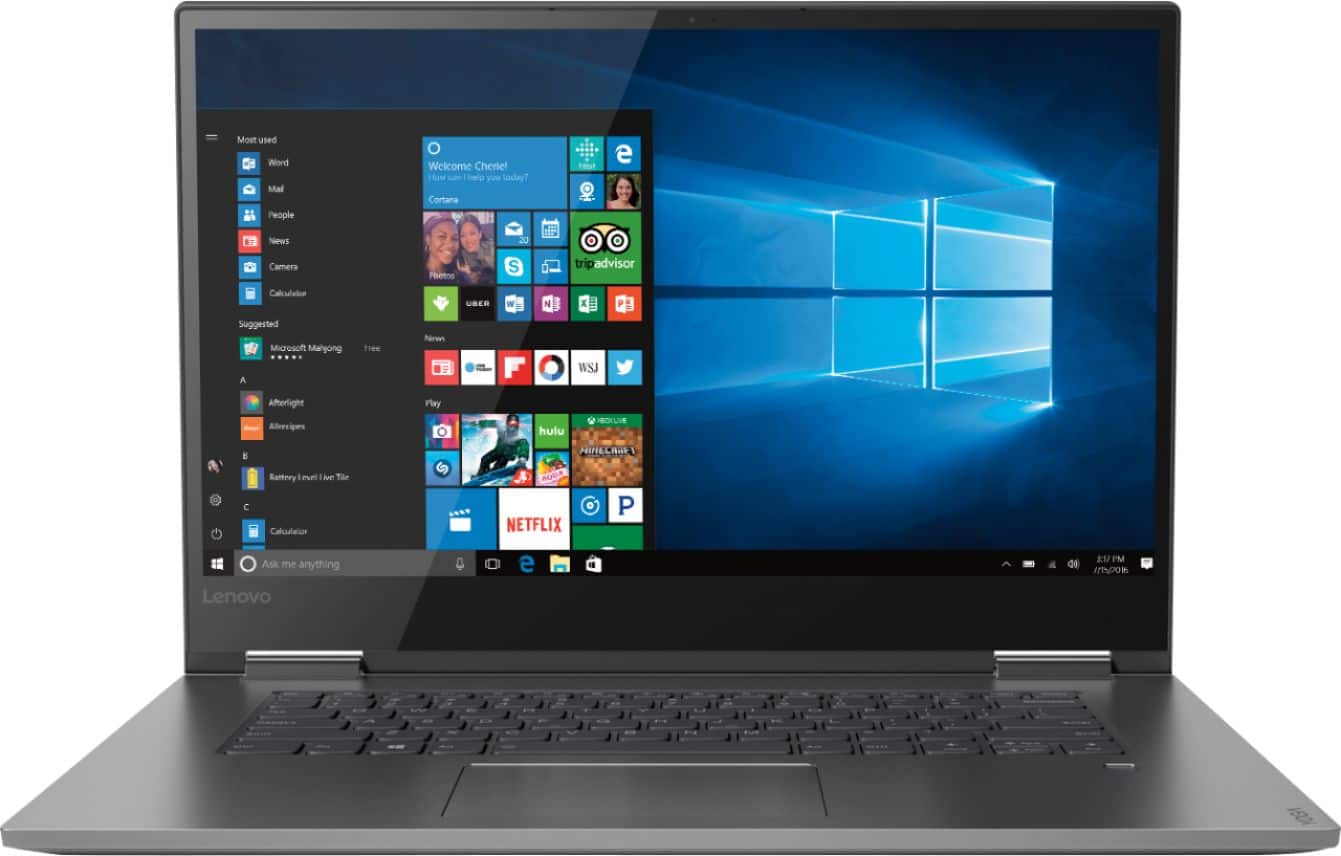
- Model:
- 81CU000BUS
- SKU:
- 6201040
Rating by feature
- Battery Life
Rating 4.7 out of 5 stars
- Speed
Rating 4.6 out of 5 stars
- Display
Rating 4.7 out of 5 stars
Customers are saying
Customers are enthusiastic about the Yoga 730's fast performance, lightweight design, and affordable price. Many users appreciate the convenience of the touch screen and the long battery life. However, some users have experienced issues with the Wi-Fi connectivity and the fingerprint reader, and a few find the laptop to be a bit heavy.
This summary was generated by AI based on customer reviews.
- Pros mentioned:Performance
All is well
||Posted .This reviewer received promo considerations or sweepstakes entry for writing a review.The new Lenovo is much more efficient band seedy. It does everything and more than what I expect. Am learning new things every day. I hoperit will keep on performing wel
I would recommend this to a friendBrand response from Lenovo Product Expert
Posted .The Lenovo Yoga 730-15 is a high performance, ultra portable 2 in 1 device. The Yoga 730-15 ships with a Quad-Core/Eight-Thread Intel Core i5-8250U processor, supported by 8GB DDR4-2400MHz RAM and a 256GB solid state hard drive. This configuration can support many of today's most demanding programs, browse the internet well and provide you with a device that can function as either a laptop or a tablet. If this sounds like a device that would meets your computing needs, the Yoga 730-15 2 in 1 device would be a great choice.

USB C PORT does not work
||Posted .This reviewer received promo considerations or sweepstakes entry for writing a review.It has a fast processor but the USB-C-port does not work when you connect your phone and that bamboo pen, I had difficulty connecting and using it, also it would not charge back up in cold weather......
No, I would not recommend this to a friendBrand response from Lenovo Product Expert
Posted .We are sorry to hear that you are having issues with your Lenovo Yoga 730-15. With regard to the USB-c port on the Yoga 730-15, try connecting another compatible device to the computer. It is possible that your phone is not compatible with Windows 10. Cold temperatures will slow the charging process of the battery. Regarding the Bamboo pen you may want to consult the Bamboo manufacturer's web site for additional help. Finally, if you have more questions about the Yoga 730-15, we recommend you contact Lenovo Tech Support at: 877-453-6686.
- Cons mentioned:Wifi connectivity
Lenovo Laptop
||Posted .This reviewer received promo considerations or sweepstakes entry for writing a review.The laptop was terrible as it kept locking me out of WIFI due to problems with the drivers. I returned this laptop due to its problems.
No, I would not recommend this to a friendBrand response from Lenovo Product Expert
Posted .There is a new RealTek WiFi Card Driver update version currently available. This will correct the WiFi connectivity issue that is currently being found within Lenovo models with the RealTek 8822BE WiFi Card.
Install the new driver version on the computer with the WiFi connectivity issue, RealTek Wireless Driver for Windows 10 (64-bit) Lenovo –
https://download.lenovo.com/pccbbs/mobiles/r0prw12w.exe
If the WiFi signal continues to drop after restarting the computer, manually change the Bandwidth setting under the "Advanced Driver Properties" within the Device Manager, from
80Mhz_40Mhz_20Mhz to 40Mhz_20Mhz. For 2018, Lenovo retained its place for a second year as the best laptop vendor:
https://www.laptopmag.com/articles/laptop-brand-ratings
Nice computer, broken keyboard
||Posted .This reviewer received promo considerations or sweepstakes entry for writing a review.Computer worked great for the first 6 months I owned it until the keyboard broke. Other than that it does what I need it to.
No, I would not recommend this to a friendUser unfriendly
||Posted .This reviewer received promo considerations or sweepstakes entry for writing a review.I’m used to a Mac and found this laptop very unfriendly to use. Very glichy when switching between laptop and tablet modes. Returned if
No, I would not recommend this to a friendBrand response from Lenovo Product Expert
Posted .The heart of the Lenovo Yoga 730-15 is the Windows 10 Operating System. You may want to try YouTube.com (just type that address in your browser address window). There are hundreds for free instructional videos there about Windows 10. Just type Windows 10 Introduction in to the YouTube search window. You can watch free videos there that will show you the basics all the way up to tips and tricks videos and they're all free.
It’s okay
||Posted .This reviewer received promo considerations or sweepstakes entry for writing a review.I got this about a year ago and it works okay but if you mess with the screen it flickers and has done that after a month of use
No, I would not recommend this to a friendBrand response from Lenovo Product Expert
Posted .We are sorry to hear that you are having issues with your Lenovo Yoga 730-15. Since you note that the screen flicker started a month of use, the issue may be software based. Be sure you have the latest version of Windows 10 on the computer and that all the BIOS files and drivers are up to date. You can easily accomplish this by scanning the computer with the Lenovo Utility software on the device. This system has Lenovo utilities installed to help maintain the health of the device and keep the operating system software up to date. Type "Lenovo Vantage" in the Cortana Search window (if Lenovo Vantage is not installed on your device, you can download the APP and install it now). Select Lenovo Vantage from the list. In the window that opens, click on "Health and Support". In the expanded menu, select "Hardware Scan" In the window that opens, select "Run Quick Tests". This will scan your entire system for errors. Follow any directions that may pop up. If the problem continues after this scan, now click on "System Update". First select Windows update from the menu. Scan your system to be sure you have the latest version of Windows 10. Once that scan is complete, select "Additional Updates". This will scan your device to be sure there are no new BIOS/Driver updates needed. Follow any instructions that may pop up. If the issue still continues after these updates, we recommend you call Lenovo Tech Support at: 877-453-6686 for additional help. For 2018, Lenovo retained its place for a second year as the best laptop vendor:
https://www.laptopmag.com/articles/laptop-brand-ratings
Problems Galore
||Posted .This reviewer received promo considerations or sweepstakes entry for writing a review.Seldom responds to touch screen or keyboard commands. Turns off my email without warning and resets it to where it started before I completed a number of tasks,I have zero confidence in using it. Unfortunately, computers are not on Best Buys returnable list.
No, I would not recommend this to a friendBrand response from Lenovo Product Expert
Posted .We are sorry to hear that you are having issues with your Lenovo Yoga 730-15. Be sure any software you installed is compatible with Windows 10. There is no need to install Microsoft Office software. The software is already part of the operating system, you just need to activate the software with a purchased product key. If you have installed a copy of Microsoft Office, this is conflicting with the existing copy on the system and this will slow your system down. If you have installed a 3rd party anti-virus program, be sure that Windows Defender is turned off and that the trial version of McAfee Anti-Virus software is uninstalled. There can only be one anti-virus program on the system. You may need to restore your system to original factory default settings if any of the programing errors have occurred. You can do that by typing "restore" in the Cortana search window. Just click on the magnifying glass icon at the bottom left of your Windows 10 Desktop. Click on "Reset This PC" Then click on "Get Started" and follow the on screen directions to restore to factory defaults. If the problem persists, we recommend you contact Lenovo Tech Support at: 877-453-6686.
Laptop
||Posted . Owned for 1 year when reviewed.This reviewer received promo considerations or sweepstakes entry for writing a review.Keyboard doesn't work. Bad investment on my part. Never this brand again.
No, I would not recommend this to a friendKeyboard stopped working after a year
||Posted . Owned for 1.5 years when reviewed.This reviewer received promo considerations or sweepstakes entry for writing a review.Out of the blue the keys "8,i,k,," stopped working. After researching the problem, a whole lot of folks were having the same issue although with different keys at times. Not an easy or cheap fix if out of warranty. https://forums.lenovo.com/t5/Lenovo-Yoga-Series-Notebooks/Yoga-730-15-some-keyboard-keys-not-working-properly/td-p/4413930 Do you research....
No, I would not recommend this to a friendOk laptop
||Posted .This reviewer received promo considerations or sweepstakes entry for writing a review.Returned it as soon as I opened it t the screen was acting funny ssf suppose to be a common problem
No, I would not recommend this to a friendBrand response from Lenovo Product Expert
Posted .We are sorry to hear that you had issues with the initial activation of Windows 10 on your Lenovo Yoga 730-15. Since the issue you describe occurred during the initial setup of Windows 10, restoring the device back to original factory settings, then letting Windows 10 update to the latest version, may correct the issues you are experiencing. This system is equipped with OneKey Recovery System. There is a very small pin hole on the left side of the device, right near the headphone jack on the device. You will need a pin to push this reset button. Plug the device in. Let the battery charge for about 15 minutes. Push the reset button. The system should boot to a choice screen where you can choose "Restore To Factory Default". Select this. It will delete everything from the hard drive except the original factory install of the operating system. You will need to reinstall all programs and files after the reset. If you don't have copies of the files, try to make one before you restore by selecting "Boot to desktop" and trying to back up your files. If the problem persists after the factory reset, we recommend you contact Lenovo Tech Support at: 877-453-6686. For 2018, Lenovo retained its place for a second year as the best laptop vendor:
https://www.laptopmag.com/articles/laptop-brand-ratings
cheal computer
||Posted . Owned for 1.5 years when reviewed.This reviewer received promo considerations or sweepstakes entry for writing a review.not much storage space and not as good maybe because of the price.
No, I would not recommend this to a friendopen box
||Posted .This reviewer received promo considerations or sweepstakes entry for writing a review.This computer is nice but I bought an open box because I thought it was in good shape no dents scratches but I had issues with the wifi conncetion kicking in and out. I called lenevo they said I needed to send it to get a wifi card and attena so I returned it
No, I would not recommend this to a friendWill be returning
||Posted .This reviewer received promo considerations or sweepstakes entry for writing a review.Like many others the screen is bad, same with charge
No, I would not recommend this to a friendBrand response from Lenovo Product Expert
Posted .We are sorry to hear that you are having issues with the screen of your Lenovo Yoga 730-15. We recommend you call Lenovo Tech Support for help with your specific issue at: 877-453-6686.

Eh
||Posted .This reviewer received promo considerations or sweepstakes entry for writing a review.Not found to be faster than my old hard drive- and I like storage space
No, I would not recommend this to a friendBrand response from Lenovo Product Expert
Posted .The Lenovo Yoga 730-15 ships with the powerful Quad-Core/Eight-Thread Intel Core i5-8250U processor, supported by 8GB DDR4-2400MHz and a 256GB solid state hard drive. The Yoga 730-15 is an ultra portable 2 in 1 configuration that allows the device to be used as either a traditional laptop or a tablet. This ultra portable device can handle many of today's most demanding software, but still do in in a device that measures just 14.17 x 9.80 x 0.68 inches and weighs only 4.17 lbs. If you are looking for an ultra portable device with the computing power to handle demanding programs, the Yoga 730-15 is the right choice.
Disappointment to say the least
||Posted .This reviewer received promo considerations or sweepstakes entry for writing a review.After 6 weeks of purchase, still have problem login. Best Buy try to sell quick squat and Lenovo 24/7 tech support is bogus. I am totally unhappy with the Lenovo Yoga 730 laptop purchase. Just wasted $800 in the drain.
No, I would not recommend this to a friendBrand response from Lenovo Product Expert
Posted .We are sorry to hear that you are having issues with your Lenovo Yoga 730-15. We recommend you contact Lenovo Tech Support for help with your specific issues at: 877-453-6686.
Flickering screen within 18 months of purchase
||Posted . Owned for 1 year when reviewed.This reviewer received promo considerations or sweepstakes entry for writing a review.Do not buy the Lenovo Yoga 730. The screen began to flicker and have black bars across it when it was only 18 months old. When checking online I discovered that this is common occurrence. Lenovo needs to place a recall on this product.
No, I would not recommend this to a friendBrand response from Lenovo Product Expert
Posted .We are sorry to hear that you are having issues with your Lenovo Yoga 730-15. We recommend you call Lenovo Tech Support for help with your screen flicker issue at: 877-453-6686.
Not worth price
||Posted . Owned for 1 year when reviewed.This reviewer received promo considerations or sweepstakes entry for writing a review.Touch screen stopped working after about 6 months , loads in pretty slow now too I’ve only used it for schooling too and we’re half online half paper so it wasn’t even taking a full load
No, I would not recommend this to a friendBad
||Posted . Owned for 1.5 years when reviewed.This reviewer received promo considerations or sweepstakes entry for writing a review.So I'm 50/50 with this, it's a decent laptop but the build quality is pretty poor it bends pretty easily and there's not much support for the screen which caused my screen to actually lift up
No, I would not recommend this to a friendWas a great laptop while it lasted
||Posted .This reviewer received promo considerations or sweepstakes entry for writing a review.It's been 3 months since I bought this laptop. It was a good machine that my daughter used for school homework and reading books. Then it suddenly refused to boot. Probably had 200 hours of usage or less. Very disappointed.
No, I would not recommend this to a friendBrand response from Lenovo Product Expert
Posted .We are sorry to hear that you are having issues with your daughter's Lenovo Yoga 730-15. Be sure any software you installed is compatible with Windows 10. There is no need to install Microsoft Office software. The software is already part of the operating system, you just need to activate the software with a purchased product key. If you have installed a copy of Microsoft Office, this is conflicting with the existing copy on the system and this will slow your system down. If you have installed a 3rd party anti-virus program, be sure that Windows Defender is turned off and that the trial version of McAfee Anti-Virus software is uninstalled. There can only be one anti-virus program on the system. You may need to restore your system to original factory default settings if any of the programing errors have occurred. If the Yoga 730-15 no longer will boot, this system is equipped with OneKey Recovery System. There is a very small pin hole on the left side of the device, right near the headphone jack on the device. You will need a pin to push this reset button. Plug the device in. Let the battery charge for about 15 minutes. Push the reset button. The system should boot to a choice screen where you can choose "Restore To Factory Default". Select this. It will delete everything from the hard drive except the original factory install of the operating system. You will need to reinstall all programs and files after the reset. If you don't have copies of the files, try to make one before you restore by selecting "Boot to desktop" and trying to back up your files. If the problem persists after the factory reset, we recommend you contact Lenovo Tech Support at: 877-453-6686.
Don't buy without warranty
||Posted . Owned for more than 2 years when reviewed.This reviewer received promo considerations or sweepstakes entry for writing a review.It worked great for 2 years. The screen stopped working so I read some Lenovo forums and its a common problem in these computers. Wouldn't recommend buying it without warranty.
I would recommend this to a friend