Customer Ratings & Reviews
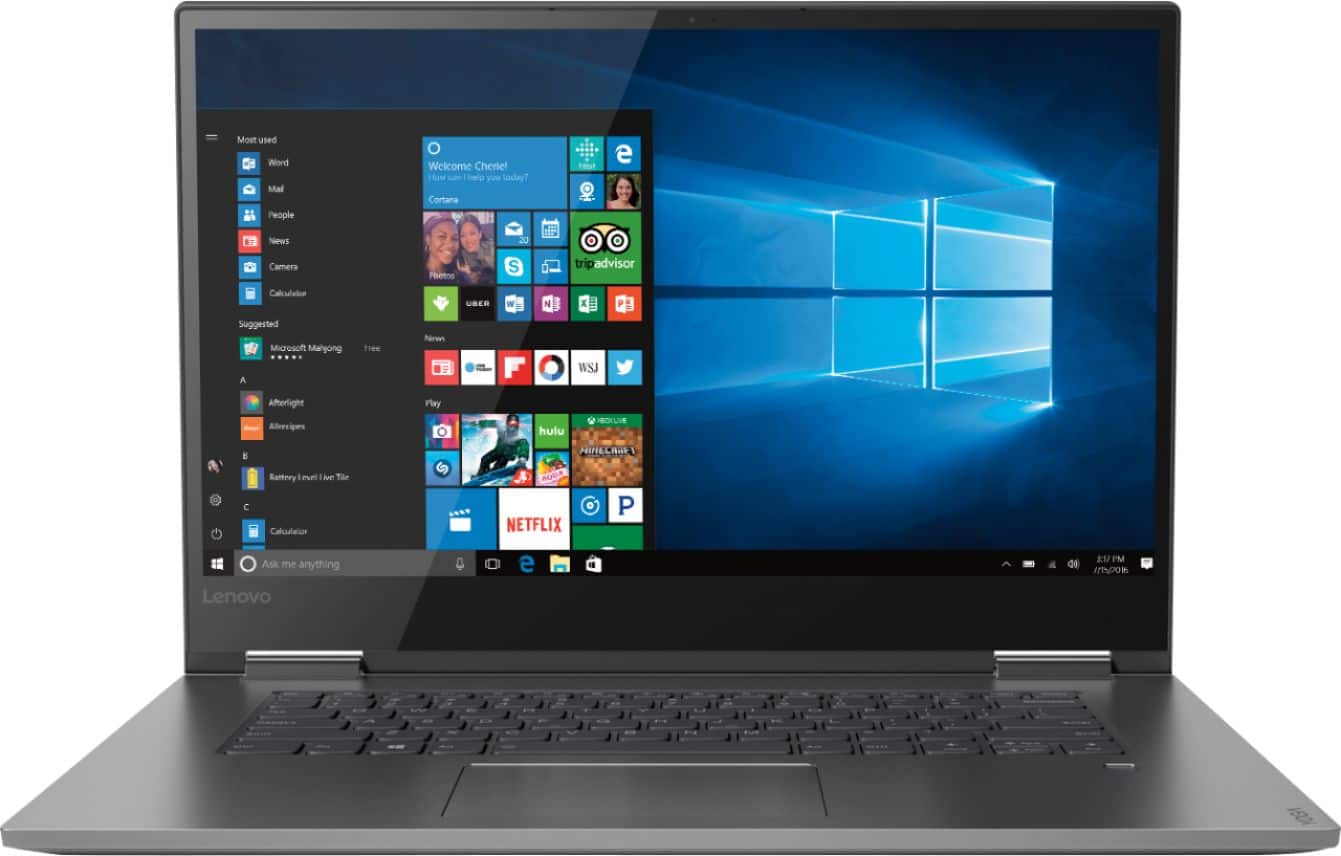
- Model:
- 81CU000BUS
- SKU:
- 6201040
Rating by feature
- Battery Life
Rating 4.7 out of 5 stars
- Speed
Rating 4.6 out of 5 stars
- Display
Rating 4.7 out of 5 stars
Customers are saying
Customers are enthusiastic about the Yoga 730's fast performance, lightweight design, and affordable price. Many users appreciate the convenience of the touch screen and the long battery life. However, some users have experienced issues with the Wi-Fi connectivity and the fingerprint reader, and a few find the laptop to be a bit heavy.
This summary was generated by AI based on customer reviews.
Screen Flickers
||Posted .This reviewer received promo considerations or sweepstakes entry for writing a review.I purchased this laptop because of the good features and price. Less than three weeks old, I must’ve used it about 10 times and then the screen started flickering. Returned for a full refund.
No, I would not recommend this to a friendBrand response from Lenovo Product Expert
Posted .We are sorry to hear that you had issues with your Lenovo Yoga 730-15. We recommend you call Lenovo Tech Support for the latest fix for this issue at: 877-453-6686. For 2018, Lenovo retained its place for a second year as the best laptop vendor:
https://www.laptopmag.com/articles/laptop-brand-ratings
The computer screen keeps blacking out
||Posted .This reviewer received promo considerations or sweepstakes entry for writing a review.I bought this computer brand new and I am already having issue with it after only two weeks. The computer screen keeps going black and then coming back on. I am taking it back to Best Buy.
No, I would not recommend this to a friendBrand response from Lenovo Product Expert
Posted .We are sorry to hear that you are having issues with your Lenovo Yoga 730-15. The issue you describe with the screen image may be due to a recent Windows 10 update that also requires a separate update of the BIOS and video drivers on your computer. It is easy to do this update. This system has Lenovo utilities installed to help maintain the health of the device and keep the operating system software up to date. Type "Lenovo Vantage" in the Cortana Search window (if Lenovo Vantage is not installed on your device, you can download the APP and install it now). Select Lenovo Vantage from the list. In the window that opens, click on "Health and Support". In the expanded menu, select "Hardware Scan" In the window that opens, select "Run Quick Tests". This will scan your entire system for errors. Follow any directions that may pop up. If the problem continues after this scan, now click on "System Update". First select Windows update from the menu. Scan your system to be sure you have the latest version of Windows 10. Once that scan is complete, select "Additional Updates". This will scan your device to be sure there are no new BIOS/Driver updates needed. Follow any instructions that may pop up. If the issue still continues after these updates, we recommend you call Lenovo Tech Support at: 877-453-6686 for additional help.

Hard drive went bad in 5 weeks
||Posted .This reviewer received promo considerations or sweepstakes entry for writing a review.Literally used it 4 times. Would not connect to internet and other things. Called geek squad and they said it sounded like hardribe. We took it back and got an Apple!
No, I would not recommend this to a friendBrand response from Lenovo Product Expert
Posted .We are sorry to hear that you are having issues with your Lenovo Yoga 730-15. This model uses a solid state 256GB hard drive. We recommend you call Lenovo Tech Support at: 877-453-6686. For 2018, Lenovo retained its place for a second year as the best laptop vendor:
https://www.laptopmag.com/articles/laptop-brand-ratings
Hate it!
||Posted . Owned for 1.5 years when reviewed.This reviewer received promo considerations or sweepstakes entry for writing a review.This computer has constantly had problems since I got it. I’ve brought it in multiple times and not much help is given.
No, I would not recommend this to a friendspent $1000 for junk
||Posted .This reviewer received promo considerations or sweepstakes entry for writing a review.I spent $1000 on this laptop and the only thing it was good at was dropping the Wi-Fi . I brought it back the next day
No, I would not recommend this to a friendBrand response from Lenovo Product Expert
Posted .The Lenovo Yoga 730-15 ships with the latest 5G 802.11AC frequency WiFi. Be sure the router you are using has the latest firmware updates available at the router manufacturer's web site. You can update the computer BIOS and Drivers as well. This system has Lenovo utilities installed to help maintain the health of the device and keep the operating system software up to date. Type "Lenovo Vantage" in the Cortana Search window (if Lenovo Vantage is not installed on your device, you can download the APP and install it now). Select Lenovo Vantage from the list. In the window that opens, click on "Health and Support". In the expanded menu, select "Hardware Scan" In the window that opens, select "Run Quick Tests". This will scan your entire system for errors. Follow any directions that may pop up. If the problem continues after this scan, now click on "System Update". First select Windows update from the menu. Scan your system to be sure you have the latest version of Windows 10. Once that scan is complete, select "Additional Updates". This will scan your device to be sure there are no new BIOS/Driver updates needed. Follow any instructions that may pop up. If the issue still continues after these updates, we recommend you call Lenovo Tech Support at: 877-453-6686 for additional help.
Bad Choice
||Posted . Owned for 5 months when reviewed.This reviewer received promo considerations or sweepstakes entry for writing a review.Iam disappointed for purchase this laptop, the screen flickering just after 4 months of use.
No, I would not recommend this to a friendDidn't last
||Posted .This reviewer received promo considerations or sweepstakes entry for writing a review.poor quality. Screen / hinge failure. Also slow to connect.
No, I would not recommend this to a friendbad company equals best buy
||Posted . Owned for 1.5 years when reviewed.This reviewer received promo considerations or sweepstakes entry for writing a review.horrible company all they care about is screwing over the customers
No, I would not recommend this to a friendWorst laptop ever
||Posted . Owned for 1.5 years when reviewed.This reviewer received promo considerations or sweepstakes entry for writing a review.A headache to have for 2 years, will never buy another Lenovo.
No, I would not recommend this to a friendScreen Flickering
||Posted .This reviewer received promo considerations or sweepstakes entry for writing a review.Would be an excellent laptop, except for the CONSTANT screen flickering
No, I would not recommend this to a friendBrand response from Lenovo Product Expert
Posted .We are sorry to hear that you are having issues with screen flicker. This may be due to out of date BIOS and video drivers on the computer. You can easily confirm you have the latest BIOS and video drivers on the computer by scanning the device with the Lenovo Utility software on the device. This system has Lenovo utilities installed to help maintain the health of the device and keep the operating system software up to date. Type "Lenovo Vantage" in the Cortana Search window (if Lenovo Vantage is not installed on your device, you can download the APP and install it now). Select Lenovo Vantage from the list. In the window that opens, click on "Health and Support". In the expanded menu, select "Hardware Scan" In the window that opens, select "Run Quick Tests". This will scan your entire system for errors. Follow any directions that may pop up. If the problem continues after this scan, now click on "System Update". First select Windows update from the menu. Scan your system to be sure you have the latest version of Windows 10. Once that scan is complete, select "Additional Updates". This will scan your device to be sure there are no new BIOS/Driver updates needed. Follow any instructions that may pop up. If the issue still continues after these updates, we recommend you call Lenovo Tech Support at: 877-453-6686 for additional help.
New laptop
||Posted .This reviewer received promo considerations or sweepstakes entry for writing a review.Screen flickers, some sort of screen short Not satisfied at all
No, I would not recommend this to a friendBrand response from Lenovo Product Expert
Posted .The screen flicker you describe may be a software issue. You can easily check the health of this device and keep the operating system software up to date, including BIOS/Drivers. This system has Lenovo utilities installed to help maintain the health of the device and keep the operating system software up to date. Type "Lenovo Vantage" in the Cortana Search window (if Lenovo Vantage is not installed on your device, you can download the APP and install it now). Select Lenovo Vantage from the list. In the window that opens, click on "Health and Support". In the expanded menu, select "Hardware Scan" In the window that opens, select "Run Quick Tests". This will scan your entire system for errors. Follow any directions that may pop up. If the problem continues after this scan, now click on "System Update". First select Windows update from the menu. Scan your system to be sure you have the latest version of Windows 10. Once that scan is complete, select "Additional Updates". This will scan your device to be sure there are no new BIOS/Driver updates needed. Follow any instructions that may pop up. If the issue still continues after these updates, we recommend you call Lenovo Tech Support at: 877-453-6686 for additional help.
Don't buy
||Posted .This reviewer received promo considerations or sweepstakes entry for writing a review.Bad very bad, super slow, the hard drive sound not good
No, I would not recommend this to a friendBrand response from Lenovo Product Expert
Posted .The Lenovo Yoga 730-15 ships with the powerful Quad-Core/Eight-Thread Intel Core i5-8250U processor, supported by8GB DDR4-2400MHz RAM and a 256GB PCIe solid state hard drive. There are no moving parts within this solid state hard drive. We recommend you call Lenovo Tech Support for help with your specific issues at: 877-453-6686. For 2018, Lenovo retained its place for a second year as the best laptop vendor:
https://www.laptopmag.com/articles/laptop-brand-ratings
- Cons mentioned:Fingerprint reader
Lot to like but flaws keep from recommending
Posted .This reviewer received promo considerations or sweepstakes entry for writing a review.I purchased this laptop based on a good experience with a Yoga 710. What I was looking for in this laptop was a thin form factor, touch, and battery life. It has some plusses. The performance is great. The i5 really keeps this machine going and the 8gb of RAM is more than enough. The touch is responsive and 256 GB of storage is plenty for most people. Wifi performance is also decent. Backlight has a dim and bright setting that I cant really tell the difference, but regardless it looks nice when it's on. Form factor of the machine is alright and the weight is good too, no problem using it for a while. Thats about where the positives end. The battery claims to provide 11.5 hours of use. I could not get anywhere close to that. Even on a very conservative power plan with all the sliders turned from performance to longevity, all I could muster was slightly less than 6 hours. To even get close to 6 hours I had to keep the brightness fairly low. 50% brightness is this machine is very dim and the screen feels colorless. Cant really enjoy it below 70% brightness and frankly 80 or 90% percent would be better but that is going to further kill your batter life. The finger print reader is also spotty. Half the time it wouldnt recognize and unlock. If it fails to scan three times you are back to having to input your password. Would not recommend buying unless you are willing to swallow some flaws on what should have been a great laptop
No, I would not recommend this to a friendBrand response from Lenovo Product Expert
Posted .Thank you for choosing the Lenovo Yoga 730-15. This system has a battery life of up to 9 hours, depending on the work that the device is performing. For better battery life, be sure there are no unwanted programs running in the background, draining the battery. Here is a link to some tips for finding out what is draining your battery:
https://www.laptopmag.com/articles/battery-saver-windows-10. With regard to your fingerprint reader, be sure you have set it up properly, here is a link to instruction for setting up a fingerprint reader within Windows 10: https://www.laptopmag.com/articles/set-windows-hello-fingerprint-login
- Cons mentioned:Fingerprint reader, Weight
Not as awesome as expected or as other reviews
Posted .This reviewer received promo considerations or sweepstakes entry for writing a review.I purchased it through a friend in US. Hence, it can't be a verified purchase. I wrote this review to counter the awesome reviews that were posted. I bought it just a fortnight ago for 879$, thinking it was a good deal with the sale. After using it, I feel it was not worth it.(I'm comparing it to a 4 year old acer nitro bought at 800$) 1) Fingerprint unlock doesn't work most of the time, though I've set up the finger print several times. Very very annoying 2) Camera takes a dull video, while a 4 year old acer laptop produces a brighter image during video chat. 3)The 15" could have hosted a full keyboard unlike the 13" model 4)Online reviews of Yoga 730 on youtube showed Alexa included but couldn't find it in my model 5)A dedicated graphic card should have been included at this cost. Integrated intel graphic card is a let down. 6)As heavy as my old acer which is not using SSD and has a DVD drive and a 4 cell battery. Why the weight ??? 7) Edges are sharp, not very comfortable holding it. Should have been rounded edges 8)A 3 cell battery at this weight. Not enough. 9) The keyboard doesn't have a backlight. Could have really helped. The pros 1) Doesn't heat much 2) Less noise 3) Screen is bright and touch screen is fine 4) Touch is responsive. I hope Microsoft learns better OS optimization for touch. Would be great if Lenovo tells me why the fingerprint scanner doesn't unlock. It always says my finger print is not authenticated. A 100$ phone does a better job.
No, I would not recommend this to a friendBrand response from Lenovo Product Expert
Posted .We are sorry to hear that your Lenovo Yoga 730-15 does not meet your expectations. With regard to setup of the fingerprint reader, here is a link to the steps for proper setup of the fingerprint reader within Windows 10: https://www.laptopmag.com/articles/set-windows-hello-fingerprint-login. The Yoga 730-15 has a 720p web cam. Concerning Alexa, the software is installed and there are Omni directional microphones to pick up your commands built in to the Yoga 730-13, but you need to establish an Alexa Google Account for Alexa to hear you and react. Also be sure the microphone is turned on. You are correct, this configuration has integrated graphics, it is the Intel UHD Graphics 620 version. Concerning weight, this 15.6" 2 in 1 system weighs just 4.17 lbs. The Yoga 730-15 has a 3CELL 51.5WH, Lithium Polymer battery, with a battery life of up to 9 hours, depending on the work that the device is performing. Regarding a backlit keyboard, this model does have a backlit keyboard. Try holding down the "Fn" key and tapping the spacebar to toggle the keyboard lighting. If you continue to have issues configuring your fingerprint reader after using the mentioned instructions above, we recommend you call Lenovo Tech Support for further help. The US Lenovo Tech Support number is: 877-453-6686. You mention you are out of the US, in that case, we recommend you go to the Lenovo.com page for your Country and check for the "Contact Us" information for your Country.
- Cons mentioned:Fingerprint reader
Decent, but there are better options.
Posted .This reviewer received promo considerations or sweepstakes entry for writing a review.The Lenovo yoga 730 15inch model a good computer for college students like myself, but I believe there are better options. I use this computer nearly every day and the startup times are like nothing I've ever seen. I have only had cheaper priced computers with Intel Celeron and i3 processors with mechanical hard drives so this is a vast upgrade...but so is the price. for the price, one could find other options that work better for the money. My main grievances are as follows: The fingerprint reader works about 40% of the time. The screen doesn't stay locked in position so while using it, it will slope back until its 180 degrees flat while you're trying to use it as a laptop. The active pen support is terrible, it works smooth just writing notes and other things but little things like a way to determine the battery of your pen are extremely difficult to figure out and overall the pen is good for drawing or taking notes. The downside is that research proves that we remember things better by physically writing with pen and paper so virtually the pen is only good for drawing. The battery life is TERRIBLE. figuring this is an ultrabook to some degree I thought it would last me the duration of the day. Overall, they have it set where you can reduce the performance of the laptop to opt for better battery life. forget running the computer on high performance unless you only want the battery for 2-4 hours. Most of the time it lasts me through classes but normally by mid-evening I have to charge up to do homework, and it just annoying because of how misleading the product is. Lastly, there is no SD card slot so I have to purchase a dongle for this laptop in order to get any picture or videos I take. Overall, avoid this product because there are better options that don't have these annoying issues.
No, I would not recommend this to a friendBrand response from Lenovo Product Expert
Posted .We are sorry to hear that you are unhappy with the performance of your Yoga 730-15. You can scan the hardware and operating software of this device to maintain optimum operating performance by using the Lenovo Utility software installed on the device. This system has Lenovo utilities installed to help maintain the health of the device and keep the operating system software up to date. Type "Lenovo Vantage" in the Cortana Search window (if Lenovo Vantage is not installed on your device, you can download the APP and install it now). Select Lenovo Vantage from the list. In the window that opens, click on "Health and Support". In the expanded menu, select "Hardware Scan" In the window that opens, select "Run Quick Tests". This will scan your entire system for errors. Follow any directions that may pop up. If the problem continues after this scan, now click on "System Update". First select Windows update from the menu. Scan your system to be sure you have the latest version of Windows 10. Once that scan is complete, select "Additional Updates". This will scan your device to be sure there are no new BIOS/Driver updates needed. Follow any instructions that may pop up. Concerning battery life, this model ships with a 3CELL 51.5WH, Lithium Polymer battery, with a battery life of up to 9 hours, depending on the work the device is performing. Be sure there are no unwanted programs running in the background, draining the battery. Here is a link to some tips for finding out what is draining your battery:
https://www.laptopmag.com/articles/battery-saver-windows-10. Additionally, to maximize battery life, try changing your power management setting to a more conservative one. You can do this in the control panel, in the power management category on your system. Select a more conservative power management setting to extend battery life. If the problems persist, we recommend you call Lenovo Tech Support for additional help with your specific issues at: 877-453-6686.
- Pros mentioned:Fast
Great computer
Posted .This reviewer received promo considerations or sweepstakes entry for writing a review.I bought this laptop few days ago and I was impressed by its design and display. It is super fast and looks slick and feels sturdy. The price was outstanding since I was able to get a bestbuy discount which I appreciate and a student deal coupon applied. I think it is worth every dime. I may have to say that the battery life could be better but with the battery saver, it lasts for up to 8 hrs which is all I need particularly that it can recharge fast 15min = 2 hrs of charge. Not bad!!! As for the keyboard, I was not initially a big fan of it as I like to type fast and I find it to be less sensitive, but my wife liked it a lot... I adjusted the sensitivity settings on the keyboard and it feels better now. All in all, I found many of the reviews helpful prior to purchasing the laptop and most cons are minor and easy to fix honestly. Glad I bought this laptop!
I would recommend this to a friendBrand response from Lenovo Product Expert
Posted .Thank you for choosing the Lenovo Yoga 730-15. This system has a battery life of up to 9 hours depending on the work that the device is performing. If you are getting substantially less battery life, be sure there are no unwanted programs running in the background, draining the battery. Here is a link to some tips for finding out what is draining your battery:
https://www.laptopmag.com/articles/battery-saver-windows-10. Additionally, to maximize battery life, try changing your power management setting to a more conservative one. You can do this in the control panel, in the power management category on your system. Select a more conservative power management setting to extend battery life.
- Pros mentioned:Touch screen
Great laptop for midrange use.
Posted .This reviewer received promo considerations or sweepstakes entry for writing a review.I bought this laptop to use for my driver for work. I read so many negatives about it and cant imagine why people think that at this price point your getting a porche when your actually getting a work horse F150. Look it has great start times it had great features for its pricepoint and it has ports that are relevant to todays dongles ect. I have owned several laotops and this unit does what it claims to do. Great for collage great for work and great for viewing web content. IF your looking for something more spend more you will get more thats plain and simple. The Yoga 730 does what it says it does. HP have several options too but HP screens cant compare their panels are not as clear and clean as the Lenovo. IF you think 256 SSD isnt enough either spend more for storage or buy an external. This laptop does exactly what it claims to do. Dont expect mid range to be a $3000 laptop experience. For the money you get a good all around laptop with good screen size and touch screen. Lenovo are better laptops then most out there. I would def buy Lenovo again
I would recommend this to a friendBrand response from Lenovo Product Expert
Posted .Thank you for choosing the Lenovo Yoga 730-15. The Lenovo Yoga 730-15 ships with a powerful Quad-Core/Eight-Thread Intel Core i5-8250U processor, 8GB of DDR4-2400MHz RAM and a 256GB solid state hard drive. This configuration has a 15.6" (measured diagonally) IPS LCD w/LED Backlight screen with 1920 x 1080 (FHD) resolution, with a brightness level of 250 nits. This configuration can handle many of today's most demanding programs and is good with multi-tasking. If this describes the kind of computing you do, the Lenovo Yoga 730-15 will be a great choice for you.
- Cons mentioned:Customer service
Worst customer service EVER
Posted .This reviewer received promo considerations or sweepstakes entry for writing a review.To preface, this review has nothing to do with the laptop and everything to do with customer service. I strongly recommend NOT purchasing anything from Lenovo until they fix their in-house problems. My story begins back in October, a naive college student with a broken laptop. At this point in my life, I was very fond of Lenovo; they had provided me with an excellent laptop from which I had little to no complaints. Unfortunately, my keyboard began to have problems. But was I worried? No! I had purchased an additional on-site warranty when I first bought the laptop 2 summers ago. I called the Lenovo support team and began to explain my situation. Not only was my keyboard malfunctioning, but I had also cracked my screen earlier that year. I thought I might as well get that repaired at the same time as the keyboard. However, to my dismay, the support agent told me that I would have to send my laptop in for repair even though I shelled out the extra cash for on-site repair service. "Oh well", I thought. They quoted me a 9-day turnaround, so I wasn't too disappointed. I'd have my computer back in no time, right? Nope. After an initial misunderstanding of what needed to be repaired, I received an invoice charging me for the incorrect part. I then embarked on an email chain of idiocy trying to explain to the repair agent what needed to be fixed on my laptop and what I should be charged for. The individual was convinced that my screen was, in fact, not cracked. Well, it certainly was, quite blatantly in fact. After a couple weeks, I finally got the confusion sorted out and was correctly charged for a new screen and Lenovo was going to cover the defective keyboard replacement. Finally! I was in the clear....so I thought. Another couple weeks passed with no news from Lenovo, so I called in again. Supposedly, they were waiting on parts. Come mid-December, my laptop was still not being fixed so I began calling in with increased frequency. "We're still waiting on a part" they would say. I have a hard time believing they can't get a part in 2 months. If I knew it would take this long, I would have ordered the parts from eBay, received them in 2 days, and taken them to a local repair shop. If I had done that, I am positive I could have my laptop repaired inside 2 weeks. Anyway, we get to the end of December and I convince an agent to escalate my case. "Finally," I thought. "I'm in the clear now." I received a call from a manager shortly after and he assured me he was on my side and would give me a call the next day after checking on the part's status. Damone Edmonson is his name if anyone reading this can help me out. However, the next day came and passed, and so did the week with no returned call. I have called and called with no response. I have sent emails with no response. I call the support line frequently. They consistently tell me that my case has been escalated, they will send a follow-up request, and I should receive a call within 24 hours. I've been told that probably 10 times. Not once have a received a callback from a manager. I am appalled by how horrible the customer service is at such a notable company. Until my problems are solved, I continue to tell people about my horrendous experience and strongly recommend that they NEVER purchase a Lenovo product. It's quite rare that I would care so much about customer service to adamantly dissuade people from purchasing a company's products even when their products are quite good. However, this has truly been the worst experience I have ever had by many multiples. Nearly 3 months later with countless hours wasted, I now find myself in a situation where I will likely be purchasing a new laptop. At this moment, I am a potential life long customer LOST.
No, I would not recommend this to a friendBrand response from Lenovo Product Expert
Posted .We are sorry to hear that you are having issues with Lenovo Customer Service. We recommend you call Lenovo Tech Support at: 877-453-6686.
Best laptop ever!
Posted .This reviewer received promo considerations or sweepstakes entry for writing a review.Amazing laptop! It last for 5 years and has worked well. I would recommend this to anyone!
I would recommend this to a friendLenovo Yoga 730 Lap Top
Posted .This reviewer received promo considerations or sweepstakes entry for writing a review.It has been my favorited Lap top, it is working just fine would highly recommend this lap-top to others.
I would recommend this to a friend