Customer Ratings & Reviews
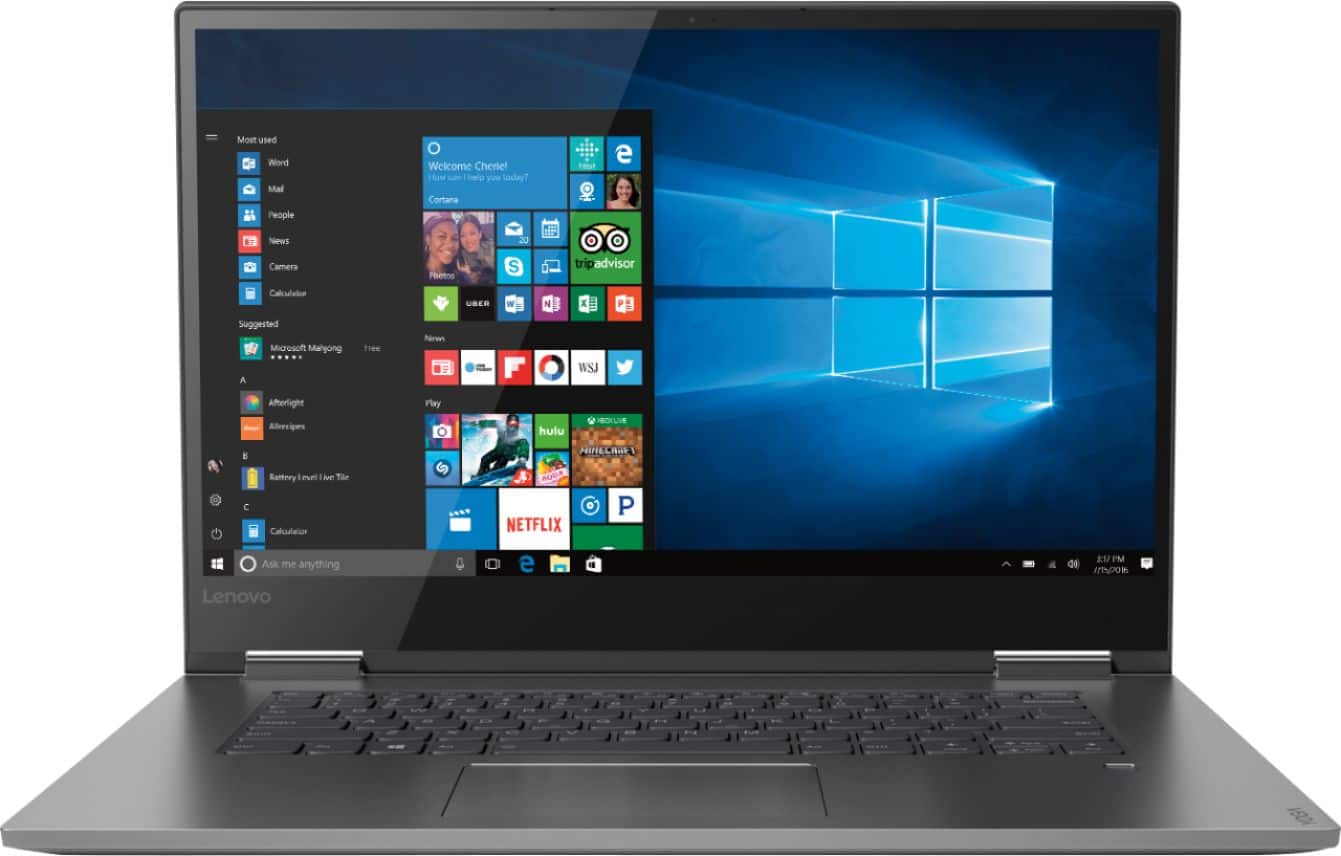
- Model:
- 81CU000BUS
- SKU:
- 6201040
Rating by feature
- Battery Life
Rating 4.7 out of 5 stars
- Speed
Rating 4.6 out of 5 stars
- Display
Rating 4.7 out of 5 stars
Customers are saying
Customers are enthusiastic about the Yoga 730's fast performance, lightweight design, and affordable price. Many users appreciate the convenience of the touch screen and the long battery life. However, some users have experienced issues with the Wi-Fi connectivity and the fingerprint reader, and a few find the laptop to be a bit heavy.
This summary was generated by AI based on customer reviews.
Lenovo Laptop
Posted .This reviewer received promo considerations or sweepstakes entry for writing a review.Got it open boxed, was a great deal. Added Ram and storage very easily.
I would recommend this to a friend- Cons mentioned:Fingerprint reader
I love my computer but...
Posted .This reviewer received promo considerations or sweepstakes entry for writing a review.I bought my Yoga when I started grad school early in 2018. It worked pretty much flawlessly (yes, you have to redo your fingerprint every once in a while) until about two months ago. I have lost my camera, my fingerprint scanner, and my calculator (weird). Gone. I’ve tried to reinstall drivers, as recommended. My IT department at work looked at it. Not sure if it’s the windows update or failing laptop but it makes me quite sad that this all happened right after my warranty expired.
I would recommend this to a friendBrand response from Lenovo Product Expert
Posted .We are sorry to hear that you are having issues with your Lenovo Yoga 730-15. First, be sure you have the latest version of Windows 10 on the computer. Then update all of the BIOS files and the drivers that support Windows 10 as well. You can easily accomplish this by scanning the computer with the Lenovo Utility Software installed on the computer. This system has Lenovo utilities installed to help maintain the health of the device and keep the operating system software up to date. Type "Lenovo Vantage" in the Cortana Search window (if Lenovo Vantage is not installed on your device, you can download the APP and install it now). Select Lenovo Vantage from the list. In the window that opens, click on "Health and Support". In the expanded menu, select "Hardware Scan" In the window that opens, select "Run Quick Tests". This will scan your entire system for errors. Follow any directions that may pop up. If the problem continues after this scan, now click on "System Update". First select Windows update from the menu. Scan your system to be sure you have the latest version of Windows 10. Once that scan is complete, select "Additional Updates". This will scan your device to be sure there are no new BIOS/Driver updates needed. Follow any instructions that may pop up. If the issue still continues after these updates, we recommend you call Lenovo Tech Support at: 877-453-6686 for additional help.

- Pros mentioned:Lightweight
Great laptop/tablet
Posted .This reviewer received promo considerations or sweepstakes entry for writing a review.Many yeas later and it's still running like a champ and outside of needing to replace the keyboard (I did it myself) which was a user error there hasn't been any issues
I would recommend this to a friend - Pros mentioned:Fast
The best
Posted .This reviewer received promo considerations or sweepstakes entry for writing a review.The best ever! Was looking for a very long time and finally found a laptop that I love. Sleek thin and light. Super fast
I would recommend this to a friendBrand response from Lenovo Product Expert
Posted .Thank you for choosing the lenovo Yoga 730-15. We are pleased to hear that the features and performance of the Yoga 730-15 meets your computing needs so well.
Stay Away From Lenovo Yoga laptops
Posted .This reviewer received promo considerations or sweepstakes entry for writing a review.TLDR: Trackpad and WiFi have stopped functioning properly within 5 months of use. This is after replacing one laptop after flickering screen. Minor keypad issue happened as well which was sorted. Before I get started, I should clarify that I was a big fan of Lenovo before buying this laptop. I used to own a Thinkpad from work, and it was a beast. Even though I had seen many friends with Lenovo laptops struggle with myriad problems, I assumed there must be something different with the premium line of laptops like the Yoga series. Boy, was I wrong. Before buying this laptop, I saw a lot of negative comments on BestBuy and thought it is probably a tiny fraction of people suffering from such issues, and being tech-savvy myself, I can probably sort most of the things out. But it seems Lenovo proved me wrong, in the course of 5 months. I bought my first laptop in August, which seemed perfect at first but the screen started to flicker within a few days. Thankfully, I got it replaced at Best Buy. Then after getting the replacement, everything went well until a month, and suddenly a key wasn't tactile enough. While pressing 4-5 times continuously to try getting it back to normal, the key broke off. Now, I called Lenovo and somehow they arranged an on-site technician to visit, which they later went back and forth on for a min of 4 times, but finally budged, as they had mistakenly promised me the first time. It was pretty stable for the next 3 months, until December when I started encountering my first major issue with the trackpad. My trackpad stops working randomly. Thankfully the touchscreen works and gets the work done most of the times. You can connect an external mouse and the cursor would start moving again. Earlier, I could get it back to work by restarting the system everytime the trackpad stopped working, but now even this doesn't work. No amount of updating of drivers actually works. I have tried updating the Bios, updating the drivers, but it doesn't help. I have installed all possible updates on Lenovo Vantage as well as ran hardware scans, but it simply doesn't work. As if this problem wasn't enough, now my WiFi started acting funny, disconnecting every 5-10 minutes. I thought this was a router specific problem, but my friend's MacBook was working fine while I was getting disconnected. The same problem persisted with my University internet as well. Again I tried updating drivers, but without any help. I finally thought of restoring the laptop to factory settings, keeping all my files. Even that didn't work. The bad part is these events are extremely common with Lenovo Yoga models and such issues are across all online Lenovo forums(without any concrete solution to these problems). Even worse, Lenovo doesn't even have experts answering them. Why spend money when other people will do the work for free. While I understand it's difficult for Lenovo to achieve Apple's standards of hardware, but producing a basic functional laptop with bug-free drivers shouldn't be that difficult. And considering the sheer volume of complaints on the internet, I seriously doubt their quality control process. I have given 1 star because of the nice design, beautiful screen, fast boot, and good battery life. However, these are not good enough to keep me hooked up with this brand. I will strongly recommend staying away from this brand while buying laptops. <Should have listened to the BestBuy sales rep who asked me to not get this laptop and get an Apple MacBook instead citing I would save a lot in the long run. Sigh!>
No, I would not recommend this to a friendBrand response from Lenovo Product Expert
Posted .We are sorry to hear that you are having issues with The WiFi and Touchpad on your Lenovo Yoga 730-15. We recommend you call Lenovo Tech Support for help with your specific issues at: 877-453-6686. For 2018, Lenovo retained its place for a second year as the best laptop vendor:
https://www.laptopmag.com/articles/laptop-brand-ratings
Mid to upper lvl perfromance
Posted .This reviewer received promo considerations or sweepstakes entry for writing a review.CPU is very smooth. Only one complaint. We can't upgrade the ram. Why on God's green earth is the ram sawdered to the board? Other than that the reviews are spot on. This is a very good purchase!
I would recommend this to a friendBrand response from Lenovo Product Expert
Posted .Thank you for choosing the Lenovo Yoga 730-15. There is 8GB of RAM soldered to the motherboard, but there is also one memory slot within this configuration capable of handling another 8GB of RAM. So while this model is not user upgradable. A certified technician must do all of the work, so as to not void the warranty. So your certified technician can add an additional 8GB of RAM to this configuration, for a system total of 16GB of RAM.

great value
Posted .This reviewer received promo considerations or sweepstakes entry for writing a review.My only complaint is the wifi card in this pc. It is complete garbage. Luckily, I had a donor wifi card on hand and swapped it out. Now I never lose my connection. If you can catch this machine on sale, it's worth it. Make sure to replace the wifi card!
I would recommend this to a friendBrand response from Lenovo Product Expert
Posted .The Lenovo Yoga 730-15 ships with the latest 5G 802.11AC frequency WiFi capability. For the best performance, be sure the router you are using has the latest firmware updates available at the router manufacturer's web site.
Perfect Multipurpose Laptop
Posted .This reviewer received promo considerations or sweepstakes entry for writing a review.If you are a student as well as a gamer, this would be the right choice for you. With Core-i5 and 8GB RAM, you should be able to play games with moderate graphic settings. Try to get this during a sale because you might just save yourself $100.
I would recommend this to a friendBrand response from Lenovo Product Expert
Posted .Thank you for choosing the Lenovo Yoga 730-15. We are pleased to hear that the value, features and performance of the Yoga 730-15 meets your computing needs so well.
A great Laptop
Posted .This reviewer received promo considerations or sweepstakes entry for writing a review.I love this Laptop. Lenovo Yoga is an excellent laptop. Four years and it still works like new. I especially like the solid metal hard outer shell - feels very strong!
I would recommend this to a friendGood Performance Laptop
Posted .This reviewer received promo considerations or sweepstakes entry for writing a review.I have been using Lenovo 730 Yoga Laptop for quite some time now and I can say that its performance is very good. Its metallic body and sleek design look really nice.
I would recommend this to a friendGreat- Except for the Battery
Posted .This reviewer received promo considerations or sweepstakes entry for writing a review.Love everything about it except the battery life. It is supposed to last something like 8 hours but I have to plug it in after about 4 hours of light use. By light I mean only using MS Word. Otherwise it is awesome.
I would recommend this to a friendBrand response from Lenovo Product Expert
Posted .The Yoga 730-15 ships with a 3CELL 51.5WH, Lithium Polymer battery, with a battery life of up to 9 hours depending on the work that the device is performing. If you are getting substantially less battery life, Be sure there are no unwanted programs running in the background, draining the battery. Here is a link to some tips for finding out what is draining your battery:
https://www.laptopmag.com/articles/battery-saver-windows-10. Additionally, to maximize battery life, try changing your power management setting to a more conservative one. You can do this in the control panel, in the power management category on your system. Select a more conservative power management setting to extend battery life.
- Cons mentioned:Customer service
Disappointed
Posted .This reviewer received promo considerations or sweepstakes entry for writing a review.I thought I was buying a superior laptop but it broke after only 5 months. My old Toshiba lasted far longer without a problem. One day it turned on and the next the screen was black. What little I was told was that it was the motherboard. Best Buy had to send my computer back and I was without a computer for over 3 weeks with nothing said by Best Buy or Lenovo.
No, I would not recommend this to a friendBrand response from Lenovo Product Expert
Posted .We are sorry to hear that you had issues with your Lenovo Yoga 730-15. The issue you describe sounds like a restoration of the Windows 10 operating system back to original factory setting might solve the problem. Since you can not load Windows 10 with the power button, this system is equipped with OneKey Recovery System. There is a very small pin hole on the left side of the device, right near the headphone jack on the device. You will need a pin to push this reset button. Plug the device in. Let the battery charge for about 15 minutes. Push the reset button. The system should boot to a choice screen where you can choose "Restore To Factory Default". Select this. It will delete everything from the hard drive except the original factory install of the operating system. You will need to reinstall all programs and files after the reset. If you don't have copies of the files, try to make one before you restore by selecting "Boot to desktop" and trying to back up your files. If the problem persists after the factory reset, we recommend you contact Lenovo Tech Support at: 877-453-6686.
Easy to use
Posted .This reviewer received promo considerations or sweepstakes entry for writing a review.Love the 2 n 1 feature. It’s feels like a large tablet instead of a computer.
I would recommend this to a friendBrand response from Lenovo Product Expert
Posted .Thank you for choosing the lenovo Yoga 730-15. We are pleased to hear that the features and performance of the Yoga 730-15 meets your computing needs so well. For 2018, Lenovo retained its place for a second year as the best laptop vendor:
https://www.laptopmag.com/articles/laptop-brand-ratings
- Cons mentioned:Wifi connectivity
Wifi won't stay connected
Posted .This reviewer received promo considerations or sweepstakes entry for writing a review.I bought this computer because it seemed to be a solid little device at a great price. I work remotely and use a web based application to complete timed tasks for a client. The Wifi on this computer is horrible. It'll be fine for a while and then go out every 2 minutes until I manually disconnect and reconnect. It's not my router because other devices are not having this issue. It's caused me to run over hours for work and waste my time trying to fix this. I will likely be returning.
No, I would not recommend this to a friendBrand response from Lenovo Product Expert
Posted .The Lenovo Yoga 730-15 ships with the latest 5G 802.11AC frequency WiFi. If you are using an older b/g/n router, 802.11AC is backward compatible, but be sure your router has the latest firmware updates available from the router manufacturer's web site. Second, be sure you have the latest version of Windows 10 on the computer and all of the BIOS files and drivers for your specific model are updated as well. This is easily accomplished by scanning the computer with the Lenovo Utility software installed on the computer. This system has Lenovo utilities installed to help maintain the health of the device and keep the operating system software up to date. Type "Lenovo Vantage" in the Cortana Search window (if Lenovo Vantage is not installed on your device, you can download the APP and install it now). Select Lenovo Vantage from the list. In the window that opens, click on "Health and Support". In the expanded menu, select "Hardware Scan" In the window that opens, select "Run Quick Tests". This will scan your entire system for errors. Follow any directions that may pop up. If the problem continues after this scan, now click on "System Update". First select Windows update from the menu. Scan your system to be sure you have the latest version of Windows 10. Once that scan is complete, select "Additional Updates". This will scan your device to be sure there are no new BIOS/Driver updates needed. Follow any instructions that may pop up. If the issue still continues after these updates, we recommend you call Lenovo Tech Support at: 877-453-6686 for additional help. For 2018, Lenovo retained its place for a second year as the best laptop vendor:
https://www.laptopmag.com/articles/laptop-brand-ratings
Don't usually review but...BUYER BEWARE
Posted .This reviewer received promo considerations or sweepstakes entry for writing a review.I purchased a Lenovo Yoga 720 with Windows 10 and an i5 processor in Dec 2018 from Best Buy. It will be my last Lenovo purchase. The model I purchased is quite similar to the Lenovo 730 here, the difference being mainly a 12.5 inch screen. I LOVE the form factor and material build quality of the Yoga machines. It is loud however. But what really irks me, to the point where I'm writing a review of the product (for other potential buyers) is that within three months of purchase the touch screen stopped working. It started working again after about a month of non-functionality, and now again, the touch screen is completely non responsive. Whether this is some glitch with Windows 10 and/or how Lenovo's system integrates with Windows I don't know, but it's unacceptable. Now that I've had the issue, I've had to google "Lenovo Yoga and touchscreen problems" and what do you know...seeems there's a bunch of them and apparantly Lenovo has done nothing about it. I tried all sorts of fixes, drivers, Windows updates, reboots etc...nothing has resolved the issue. I'd say if you want a nice computer with a good build and a good screen but don't mind reinstalling Windows every 3 months or don't mind using your 2-in-1 tablet computer without a functional touchscreen...go for it. If you don't like having to reinstalling Windows (or waiting on the phone for hours with customer service, or shipping your computer back to Lenovo) every three months...it might not be your best bet. Pros: Good screen, keyboard, form factor, material build, portability, fast for most everyday uses - office suite, viewing photos, web surfing etc Cons: Frequent LOUD fan noise, faulty NON-RESPONSIVE touch screen issues within 3 mos of purchase, battery life is so so
No, I would not recommend this to a friendBrand response from Lenovo Product Expert
Posted .We are sorry to hear that you are having issues with your Lenovo Yoga 720 model. We recommend you call Lenovo Tech Support with help with your specific model at: 877-453-6686. For 2018, Lenovo retained its place for a second year as the best laptop vendor:
https://www.laptopmag.com/articles/laptop-brand-ratings
Buyer Beware: You May Get A Lemon!
Posted .This reviewer received promo considerations or sweepstakes entry for writing a review.There are apparently some quality control issues with the laptop display and you may get a flickering screen that could become unusable in time. Lenovo, of course, denies this problem and will claim that it is a software update issue until you prove that it is not, after which you will be sending the laptop into Lenovo for a screen repair if it is still under warranty. For this reason you have no choice but to get an extended warranty to protect yourself down the line. It is sad, but that is the reality. If you buy this then good luck! I suggest flipping a coin first to decide.
No, I would not recommend this to a friendBrand response from Lenovo Product Expert
Posted .We are sorry to hear that you are having issues with screen flicker on your Lenovo Yoga 730-15. This issue may be due to a recent Windows 10 update, requiring a separate update of the BIOS/Drivers controlling video on the device. This can be easily done. This system has Lenovo utilities installed to help maintain the health of the device and keep the operating system software up to date. Type "Lenovo Vantage" in the Cortana Search window (if Lenovo Vantage is not installed on your device, you can download the APP and install it now). Select Lenovo Vantage from the list. In the window that opens, click on "Health and Support". In the expanded menu, select "Hardware Scan" In the window that opens, select "Run Quick Tests". This will scan your entire system for errors. Follow any directions that may pop up. If the problem continues after this scan, now click on "System Update". First select Windows update from the menu. Scan your system to be sure you have the latest version of Windows 10. Once that scan is complete, select "Additional Updates". This will scan your device to be sure there are no new BIOS/Driver updates needed. Follow any instructions that may pop up. If the issue still continues after these updates, we recommend you call Lenovo Tech Support at: 877-453-6686 for additional help.
Runs nice but cheap build
Posted .This reviewer received promo considerations or sweepstakes entry for writing a review.The hinges on the right broke shortly after my 12 months of ownership. The hinge is metal on plastic so after repeat folding into the mobile, it broke. Ultimately turning the 2 in 1 product into a basic laptop. Just get a different laptop it's not worth the customer service issues.
No, I would not recommend this to a friendBrand response from Lenovo Product Expert
Posted .The Lenovo Yoga 730-15, model number 81CU000BUS, was first available for sale in September of 2018. This model number 81CU000BUS, uses aluminum on aluminum hinges that have been bench tested through 25,000 cycles (8 to 10 years of normal use) without a failure. We are sorry to hear that you have experienced a failure with the hinge on your model. We recommend you call Lenovo Tech Support for help with your specific issue at: 877-453-6686. For 2018, Lenovo retained its place for a second year as the best laptop vendor:
https://www.laptopmag.com/articles/laptop-brand-ratings
Auto rotates 180 degrees but not 90 (portrait)
Posted .This reviewer received promo considerations or sweepstakes entry for writing a review.Bought this yesterday. Would not auto-rotate. After spending a long time learning how to fix greyed-out auto-rotate, which seems to be a Lenovo problem, this laptop now will only auto-rotate from landscape to flipped landscape (180 degrees) but WILL NOT auto-rotate 90 degrees to portrait or flipped-portrait. This laptop was purchased primarily for use as a tablet in portrait mode. We have 7 other 2-in-1 laptops by Dell and HP, and none of these had any problems auto-rotating from the get-go. Instead of spending any more time on this frustrating issue, I'm returning this to Best Buy and going back to Dell or HP.
No, I would not recommend this to a friendBrand response from Lenovo Product Expert
Posted .We are sorry to hear that you are having issues getting your Yoga 730-15 to auto rotate properly. Be sure all of your operating software on the Yoga 730-15 are up to date. You can easily check this by using Lenovo Utility software installed on the device. This system has Lenovo utilities installed to help maintain the health of the device and keep the operating system software up to date. Type "Lenovo Vantage" in the Cortana Search window (if Lenovo Vantage is not installed on your device, you can download the APP and install it now). Select Lenovo Vantage from the list. In the window that opens, click on "Health and Support". In the expanded menu, select "Hardware Scan" In the window that opens, select "Run Quick Tests". This will scan your entire system for errors. Follow any directions that may pop up. If the problem continues after this scan, now click on "System Update". First select Windows update from the menu. Scan your system to be sure you have the latest version of Windows 10. Once that scan is complete, select "Additional Updates". This will scan your device to be sure there are no new BIOS/Driver updates needed. Follow any instructions that may pop up. Once you are sure you have the latest operating software on the Yoga 730-15, here is a link to steps for getting the auto rotate feature to work properly within Windows 10: https://windowsreport.com/tablet-auto-rotate-windows-10-not-working/
It lasted 2 months
Posted .This reviewer received promo considerations or sweepstakes entry for writing a review.Bought this computer at Best Buy on Dec. 23 to replace my 10 year old laptop. After investing hundreds of dollars in programs for this computer that I had to download since there is no more CD/DVD drive, it died. A brand new 8 week old laptop that was lightly used, has a malfunctioning motherboard and is now an expensive piece of radioactive waste that will be sitting in a landfill for the next 1000 years. NEVER BUY A LENOVO.
No, I would not recommend this to a friendBrand response from Lenovo Product Expert
Posted .We are sorry to hear that you are having issues with your Lenovo Yoga 730-13 laptop. The issue you describe may be a software-based issue. Since you can no longer boot the computer, this system is equipped with OneKey Recovery System. There is a very small pin hole on the left side of the device, right near the headphone jack on the device. You will need a pin to push this reset button. Plug the device in. Let the battery charge for about 15 minutes. Push the reset button. The system should boot to a choice screen where you can choose "Restore To Factory Default". Select this. It will delete everything from the hard drive except the original factory install of the operating system. You will need to reinstall all programs and files after the reset. If you don't have copies of the files, try to make one before you restore by selecting "Boot to desktop" and trying to back up your files. If the problem persists after the factory reset, we recommend you contact Lenovo Tech Support at: 877-453-6686.
Screen flickering issue
Posted .This reviewer received promo considerations or sweepstakes entry for writing a review.Son in college complained about screen flickering within a few days of use. Missed the cutoff to return to Bestbuy. So no longer their problem. Lenovo customer service has said the parts are not in stock. Once in stock takes approximately 2 weeks to repair. Appears to be an issue with this laptop. Wished I had not purchased. Should be zero stars. Have escalated the problem with Lenovo for repair options.
No, I would not recommend this to a friendBrand response from Lenovo Product Expert
Posted .We are sorry to hear that your son is having issues with his Lenovo Yoga 730-15. This issue may be caused by a recent Windows 10 update that requires updating the BIOS and video driver software as well. This is easily accomplished by using Lenovo Utility software on the device. This system has Lenovo utilities installed to help maintain the health of the device and keep the operating system software up to date. Type "Lenovo Vantage" in the Cortana Search window (if Lenovo Vantage is not installed on your device, you can download the APP and install it now). Select Lenovo Vantage from the list. In the window that opens, click on "Health and Support". In the expanded menu, select "Hardware Scan" In the window that opens, select "Run Quick Tests". This will scan your entire system for errors. Follow any directions that may pop up. If the problem continues after this scan, now click on "System Update". First select Windows update from the menu. Scan your system to be sure you have the latest version of Windows 10. Once that scan is complete, select "Additional Updates". This will scan your device to be sure there are no new BIOS/Driver updates needed. Follow any instructions that may pop up. If the issue still continues after these updates, we recommend you call Lenovo Tech Support at: 877-453-6686 for additional help.