Customer Ratings & Reviews
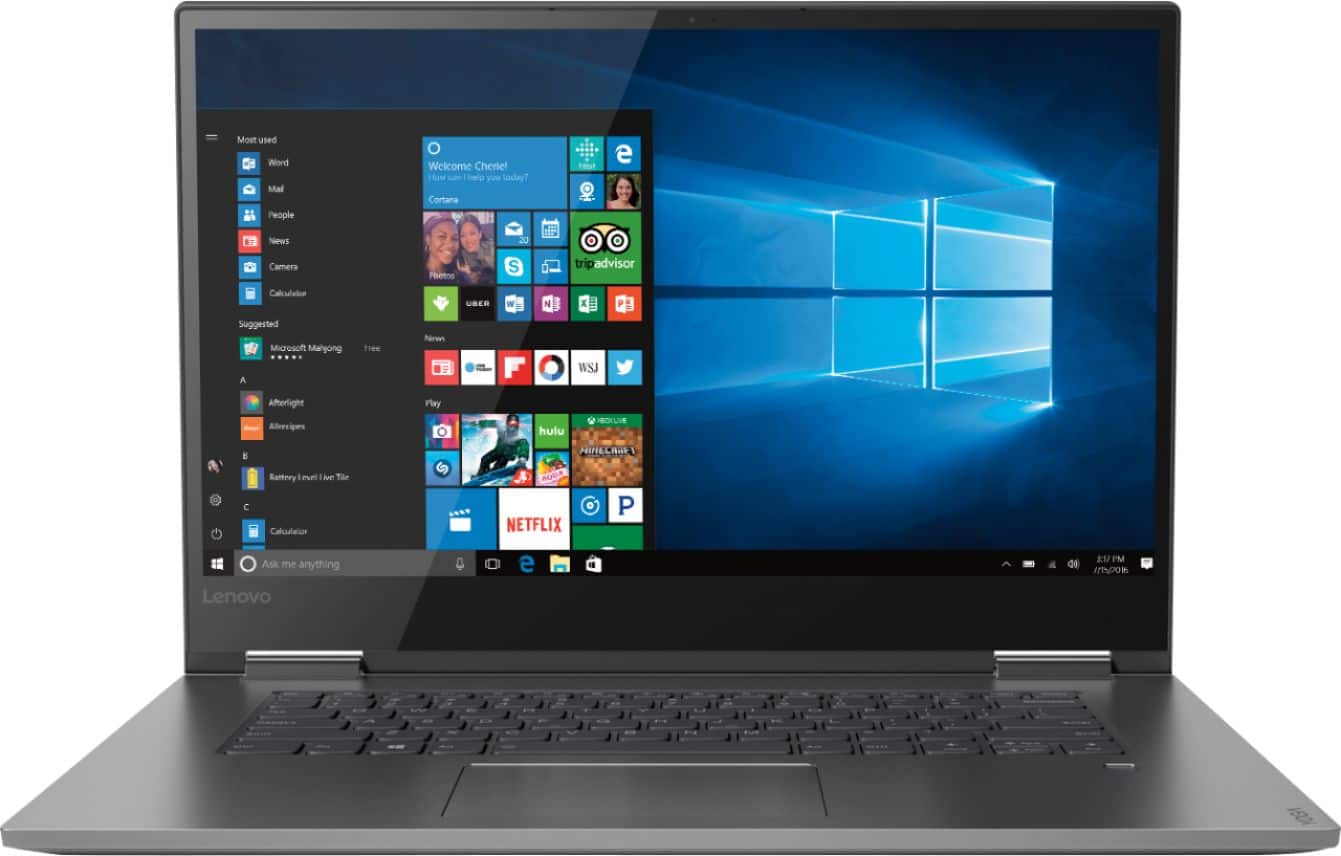
- Model:
- 81CU000BUS
- SKU:
- 6201040
Rating by feature
- Battery Life
Rating 4.7 out of 5 stars
- Speed
Rating 4.6 out of 5 stars
- Display
Rating 4.7 out of 5 stars
Customers are saying
Customers are enthusiastic about the Yoga 730's fast performance, lightweight design, and affordable price. Many users appreciate the convenience of the touch screen and the long battery life. However, some users have experienced issues with the Wi-Fi connectivity and the fingerprint reader, and a few find the laptop to be a bit heavy.
This summary was generated by AI based on customer reviews.
HeDon’t Buy
Posted .This reviewer received promo considerations or sweepstakes entry for writing a review.I bought the first unit in January, and it was dead out of the box. Returned it for another unit. It worked great until June. Used it one night, plugged it in to charge. When I I tried to use it the next day the laptop was dead. The charge light wouldn’t light up. Returned it to Best Buy since it’s under warranty. They attempted to open the unit and back it up. The solid state drive is proprietary and only Lenovo has adaptors to connect to the drive. Best Buy has shipped it back to Lenovo for repair. No way would I risk another Lenovo product.
No, I would not recommend this to a friendBrand response from Lenovo Product Expert
Posted .We are sorry to hear that you are having issues with your Lenovo Yoga 730-15. This model number, 81CU000BUS, ships with a standard PCIe solid state hard drive that can be easily removed by a certified technician, the copied for backup purposes. We recommend you consult your certified technician for your options.

Will never buy anything from Lenovo again
Posted .This reviewer received promo considerations or sweepstakes entry for writing a review.I bought in September of 2018. After using it for 2 to 3 weeks the screen has started to flicker so badly that you see nothing on the screen. Best Buy did replace our product and Lenovo has not fixed the problem as of January 2019 despite the manufacturer warranty.
No, I would not recommend this to a friendBrand response from Lenovo Product Expert
Posted .We are pleased to hear that your issue has been resolved.
nice build crap wifi card
Posted .This reviewer received promo considerations or sweepstakes entry for writing a review.was beautiful laptop but after 1 day wifi started messing up googled is a known problem shame on you lenovo
No, I would not recommend this to a friendBrand response from Lenovo Product Expert
Posted .We are sorry to hear you are having issues with WiFi connectivity with your Lenovo Yoga 730-15. There is a new RealTek WiFi Card Driver update version currently available. This will correct the WiFi connectivity issue that is currently being found within Lenovo models with the RealTek 8822BE WiFi Card.
Install the new driver version on the computer with the WiFi connectivity issue, RealTek Wireless Driver for Windows 10 (64-bit) Lenovo –
https://download.lenovo.com/pccbbs/mobiles/r0prw12w.exe
If the WiFi signal continues to drop after restarting the computer, manually change the Bandwidth setting under the "Advanced Driver Properties" within the Device Manager, from
80Mhz_40Mhz_20Mhz to 40Mhz_20Mhz. For 2018, Lenovo retained its place for a second year as the best laptop vendor:
https://www.laptopmag.com/articles/laptop-brand-ratings
WiFi card does not work
Posted .This reviewer received promo considerations or sweepstakes entry for writing a review.I had to get two of these computers just to find out that the wireless cards do not work at all. I waited so long to buy myself a laptop and I have gone through two of these and neither has worked. They need to fix the problems with the wireless card else it would be a great laptop
No, I would not recommend this to a friendBrand response from Lenovo Product Expert
Posted .The Lenovo Yoga 730-15 laptop ships with the latest 5G 802.11AC frequency WiFi capability. Be sure the firmware on the router you are using is updated to the latest version offered at the router manufacturer's web site. You can be sure you have the latest BIOS and communications drivers on the computer, by scanning the device with the Lenovo Utility software installed on the computer. This system has Lenovo utilities installed to help maintain the health of the device and keep the operating system software up to date. Type "Lenovo Vantage" in the Cortana Search window (if Lenovo Vantage is not installed on your device, you can download the APP and install it now). Select Lenovo Vantage from the list. In the window that opens, click on "Health and Support". In the expanded menu, select "Hardware Scan" In the window that opens, select "Run Quick Tests". This will scan your entire system for errors. Follow any directions that may pop up. If the problem continues after this scan, now click on "System Update". First select Windows update from the menu. Scan your system to be sure you have the latest version of Windows 10. Once that scan is complete, select "Additional Updates". This will scan your device to be sure there are no new BIOS/Driver updates needed. Follow any instructions that may pop up. If the issue still continues after these updates, we recommend you call Lenovo Tech Support at: 877-453-6686 for additional help.
Worst laptop model ever bought
Posted .This reviewer received promo considerations or sweepstakes entry for writing a review.This is the worst laptop I ever had. Every time windows gets updated the drivers are missing, I always have issues with touchpad, right and left click are not working, display bright problems, keyboard not working, and now, ni wifi adapter at all. Since the rj45 port, I could only connect using wifi, now I can't. Please do not buy it.
No, I would not recommend this to a friendBrand response from Lenovo Product Expert
Posted .We are sorry to hear that you are having issues with Windows 10 updates. You can easily update the supporting BIOS files and drivers that support Windows 10 by using the Lenovo Utility software installed on this computer. This system has Lenovo utilities installed to help maintain the health of the device and keep the operating system software up to date. Type "Lenovo Vantage" in the Cortana Search window (if Lenovo Vantage is not installed on your device, you can download the APP and install it now). Select Lenovo Vantage from the list. In the window that opens, click on "Health and Support". In the expanded menu, select "Hardware Scan" In the window that opens, select "Run Quick Tests". This will scan your entire system for errors. Follow any directions that may pop up. If the problem continues after this scan, now click on "System Update". First select Windows update from the menu. Scan your system to be sure you have the latest version of Windows 10. Once that scan is complete, select "Additional Updates". This will scan your device to be sure there are no new BIOS/Driver updates needed. Follow any instructions that may pop up. If the issue still continues after these updates, we recommend you call Lenovo Tech Support at: 877-453-6686 for additional help. For 2018, Lenovo retained its place for a second year as the best laptop vendor:
https://www.laptopmag.com/articles/laptop-brand-ratings
It's falling apart
Posted .This reviewer received promo considerations or sweepstakes entry for writing a review.I've had the pc for less than two years. My wife bought it for me for Christmas. It never leaves my bedroom, so no wear and tear. The power button no longer works. The power cord needs to held at a certain angle for it to charge and the hard drive makes a clicking noise. It's been very dissapointing.
No, I would not recommend this to a friendBrand response from Lenovo Product Expert
Posted .Your review is attached to the Lenovo Yoga 730-15 model. This model was first introduced in March, 2018. We are sorry to hear that you are having issues with your Lenovo laptop. We recommend you call Lenovo Tech Support for help with your specific Lenovo model at: 877-453-6686.

freezes up
Posted .This reviewer received promo considerations or sweepstakes entry for writing a review.Just bought this for my son and it unusable because it keeps freezing up. Have tried to reset back to factory settings, restart, etc. and it just freezes up after start up. Returning it to Best Buy. Disappointing since it has such good reviews.
No, I would not recommend this to a friendBrand response from Lenovo Product Expert
Posted .We are sorry to hear that you are having issues with your son's Yoga 730-15. From the description of the issues you provide, it sounds as though there may be incompatible software installed. Be sure any software you installed is compatible with Windows 10. There is no need to install Microsoft Office software. The software is already part of the operating system, you just need to activate the software with a purchased product key. If you have installed a copy of Microsoft Office, this is conflicting with the existing copy on the system and this will slow your system down. If you have installed a 3rd party anti-virus program, be sure that Windows Defender is turned off and that the trial version of McAfee Anti-Virus software is uninstalled. There can only be one anti-virus program on the system. You may need to restore your system to original factory default settings if any of the programing errors have occurred. You can do that by typing "restore" in the Cortana search window. Just click on the magnifying glass icon at the bottom left of your Windows 10 Desktop. Click on "Reset This PC" Then click on "Get Started" and follow the on screen directions to restore to factory defaults. If the problem persists, we recommend you contact Lenovo Tech Support at: 877-453-6686
Wireless network adapter driver issue!
Posted .This reviewer received promo considerations or sweepstakes entry for writing a review.Should have just bought a Macbook Pro. The network adapter resets constantly. I've updated the driver to the latest software available and still same problem. Unfortunately, I'm over the two weeks return period so I'm stuck with this piece of cr*p.
No, I would not recommend this to a friendBrand response from Lenovo Product Expert
Posted .The Lenovo Yoga 730-15 ships with the latest 5G 802.11AC WiFi. Be sure the BIOS files are also updated on the computer. Scan the computer with the Lenovo Utility software on the computer. Also, if you are using an older b/g/n router, 802.11AC is backward compatible to the older frequencies, but be sure your router has the latest firmware available at the router manufacturer's web site. This system has Lenovo utilities installed to help maintain the health of the device and keep the operating system software up to date. Type "Lenovo Vantage" in the Cortana Search window (if Lenovo Vantage is not installed on your device, you can download the APP and install it now). Select Lenovo Vantage from the list. In the window that opens, click on "Health and Support". In the expanded menu, select "Hardware Scan" In the window that opens, select "Run Quick Tests". This will scan your entire system for errors. Follow any directions that may pop up. If the problem continues after this scan, now click on "System Update". First select Windows update from the menu. Scan your system to be sure you have the latest version of Windows 10. Once that scan is complete, select "Additional Updates". This will scan your device to be sure there are no new BIOS/Driver updates needed. Follow any instructions that may pop up. If the issue still continues after these updates, we recommend you call Lenovo Tech Support at: 877-453-6686 for additional help. For 2018, Lenovo retained its place for a second year as the best laptop vendor:
https://www.laptopmag.com/articles/laptop-brand-ratings