Customer Ratings & Reviews
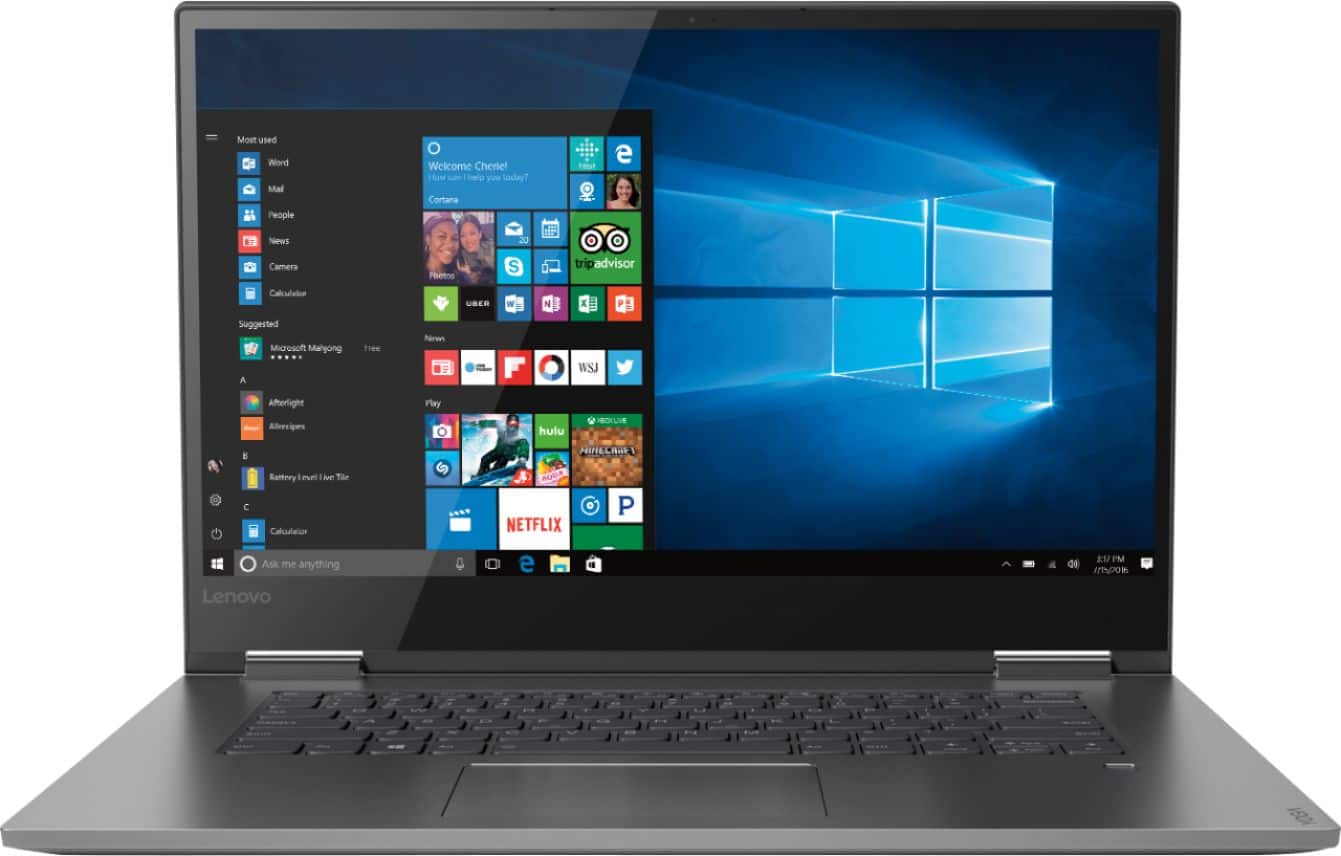
- Model:
- 81CU000BUS
- SKU:
- 6201040
Rating by feature
- Battery Life
Rating 4.7 out of 5 stars
- Speed
Rating 4.6 out of 5 stars
- Display
Rating 4.7 out of 5 stars
Customers are saying
Customers are enthusiastic about the Yoga 730's fast performance, lightweight design, and affordable price. Many users appreciate the convenience of the touch screen and the long battery life. However, some users have experienced issues with the Wi-Fi connectivity and the fingerprint reader, and a few find the laptop to be a bit heavy.
This summary was generated by AI based on customer reviews.
- Pros mentioned:Lightweight
Nice laptop Satisfied
||Posted . Owned for 3 weeks when reviewed.This reviewer received promo considerations or sweepstakes entry for writing a review.Nice Laptop, Satisfied with the performance. If it had more memory in HDD it would be more helpful to store some files (which increases in size and weight), right now using a 256GB flash drive for storing files. It's lightweight and simple to carry.
I would recommend this to a friendBrand response from Lenovo Product Expert
Posted .Thank you for choosing the Lenovo Yoga 730-15. This configuration ships with a 256GB solid state hard drive. You can transition from tablet model to laptop mode and back with the new Yoga 730-15. Weighing in at 4.2 lbs and polished in premium aluminum, the Yoga 730-15 will complement your style no matter where the day takes you. The latest 8th generation Intel Core i5 processor gives the Yoga 730-15 up to a 40 percent performance boost with unprecedented touchscreen and pen responsiveness (active pen sold separately), faster bootups, and seamless multitasking. All of this speed and power to amplify your productivity and help you be ready at a moments notice. Experience truly immersive sound with Dolby Atmos, which creates a three-dimensional audio space. Sound comes alive with fullness and depth when you listen through headphones.

- Pros mentioned:Touch screen
Great laptop
||Posted .This reviewer received promo considerations or sweepstakes entry for writing a review.I purchased this laptop to do some graphic design work and it hasn’t disappointed. It’s lightweight, multi functional due to the touch screen and tablet mode. The fingerprint scan keeps my work protected. The only con is the annoying Mcafee alerts trying to eat me to purchase things.
I would recommend this to a friendBrand response from Lenovo Product Expert
Posted .Thank you for choosing the Lenovo Yoga 730-15. Regarding the McAfee popups, there is a 30-day trial that is factory installed. The Popups you are receiving is an alert that the trial is over and your device is unprotected. You do not need to use McAfee, you can install any 3rd party virus protection you choose or turn on Windows Defender. You need to uninstall McAfee though if you do not want to use it as there can only be one anti-virus software on any computer. Here is a link to instructions for uninstalling McAfee from Windows 10: https://service.mcafee.com/webcenter/portal/oracle/webcenter/page/scopedMD/s55728c97_466d_4ddb_952d_05484ea932c6/Page29.jspx?wc.contextURL=%2Fspaces%2Fcp&articleId=TS101331&_afrLoop=470465745130598&leftWidth=0%25&showFooter=false&showHeader=false&rightWidth=0%25¢erWidth=100%25#!%40%40%3FshowFooter%3Dfalse%26_afrLoop%3D470465745130598%26articleId%3DTS101331%26leftWidth%3D0%2525%26showHeader%3Dfalse%26wc.contextURL%3D%252Fspaces%252Fcp%26rightWidth%3D0%2525%26centerWidth%3D100%2525%26_adf.ctrl-state%3Dgv27savei_9
- Pros mentioned:Price
Little Engine that DOES!
||Posted .This reviewer received promo considerations or sweepstakes entry for writing a review.This little guy is a powerhouse for the price. I bought her as a replacement for my hot gaming laptop rig and I am not dissapointed. I use this for work-from-home and it stays cool all day long and never lags. I can't tell you how much I DON'T MISS my bulky cooling dock! Thank you Lenovo.
I would recommend this to a friendBrand response from Lenovo Product Expert
Posted .Thank you for choosing the Lenovo Yoga 730-15. We are pleased to hear that the features and performance of the Yoga 730-15 meets your computing needs so well.
- Pros mentioned:Price
Great computer for school and work
||Posted .This reviewer received promo considerations or sweepstakes entry for writing a review.We were looking for a computer that my wife can use for school. This was recommended by one of the store sales person and he provided enough information to encourage me buy this computer. It’s worth our money and It works for my wife’s school and for my work.
I would recommend this to a friendBrand response from Lenovo Product Expert
Posted .Thank you for choosing the Lenovo Yoga 730-15 for your wife. We are pleased to hear that the value and performance of the Yoga 730-15 meets your wife's computing needs so well.

- Pros mentioned:Lightweight
A Workhorse Desktop Replacement
||Posted .This reviewer received promo considerations or sweepstakes entry for writing a review.Lenovo builds laptops to last. Good specs, great materials and components. Heavy...screen too reflective, but it offers sharp, decent sound. Hard to find old fashioned production values but this one succeeds..at a price that reminds me of the 1990's.
I would recommend this to a friendBrand response from Lenovo Product Expert
Posted .The Lenovo Yoga 730-15 has a full size 15.6" screen (viewable screen size, measured diagonally), but the computer only measures 14.17 x 9.80 x 0.68 inches and weighs just 4.17 lbs. The Yoga 730-15 is an ultra portable, 2 in 1 computer. Use it as a traditional laptop or a tablet. This model ships with the powerful, 8th. Generation, Quad-Core/Eight-Thread Intel Core i5-8250U processor supported by 8GB of DDR4-2400MHz RAM and a 256GB solid state hard drive. The touchscreen is an IPS LCD w/LED Backlight screen, with a resolution of 1920 x 1080 (FHD) and a brightness level of 300 nits. If you are looking for the latest tech and want a powerful but ultra portable computing device, the Yoga 730-15 is a great choice.
- Pros mentioned:Touch screen
Mind Blowing
||Posted .This reviewer received promo considerations or sweepstakes entry for writing a review.I have had a dell laptop for roughly 7 years and I guess you can say I was not prepared for what the new laptops offer users. This laptop folds completely backwards to use as a tablet, is touch screen, chargers AMAZINGLY fast, and is super reliable. I have no complaints about it at all.
I would recommend this to a friendBrand response from Lenovo Product Expert
Posted .Thank you for choosing the Lenovo Yoga 730-15. We are pleased to hear that the features and performance of the Yoga 730-15 meets your computing needs so well.
Great Computer
||Posted .This reviewer received promo considerations or sweepstakes entry for writing a review.A great computer. Would recommend it to others. Love the lighted keyboard. Thought the price was a little high at first, and even though we were 1 day after the sale on this model ended, the Best Buy associate said they couldn't give us the sale price (hence the reason for 4 stars instead of 5). Never mind--Lenovo put the unit on sale a few weeks later and Best Buy honored that price, giving us a $180 refund. My only problem is that it seems to lose the wireless Internet connection from time to time, causing me to reboot. But works great other than that.
I would recommend this to a friendBrand response from Lenovo Product Expert
Posted .Thank you for choosing the Lenovo Yoga 730-15. With regard to the issues you are having with WiFi connectivity, be sure you have the latest version of Windows 10 on the computer and that there are no pending updates waiting to be installed. Also, be sure all the BIOS files and drivers are up to date. You can easily accomplish this by scanning the computer with the Lenovo Utility software installed on the computer. This system has Lenovo utilities installed to help maintain the health of the device and keep the operating system software up to date. Type "Lenovo Vantage" in the Cortana Search window (if Lenovo Vantage is not installed on your device, you can download the APP and install it now). Select Lenovo Vantage from the list. In the window that opens, click on "Health and Support". In the expanded menu, select "Hardware Scan" In the window that opens, select "Run Quick Tests". This will scan your entire system for errors. Follow any directions that may pop up. If the problem continues after this scan, now click on "System Update". First select Windows update from the menu. Scan your system to be sure you have the latest version of Windows 10. Once that scan is complete, select "Additional Updates". This will scan your device to be sure there are no new BIOS/Driver updates needed. Follow any instructions that may pop up. If the issue still continues after these updates, we recommend you call Lenovo Tech Support at: 877-453-6686 for additional help. For 2018, Lenovo retained its place for a second year as the best laptop vendor:
https://www.laptopmag.com/articles/laptop-brand-ratings
- Pros mentioned:Performance
Great laptop
||Posted .This reviewer received promo considerations or sweepstakes entry for writing a review.We bought this laptop because our old ones and many others previously just weren’t lasting long. Always had to be plugged in and were VERY slow. This new one has already exceeded expectations and was well worth the price.
I would recommend this to a friendBrand response from Lenovo Product Expert
Posted .Thank you for choosing the Lenovo Yoga 730-15. We are pleased to hear that the performance of the Yoga 730-15 meets your computing needs so well.
Excellent so far. Great battery life!
||Posted .This reviewer received promo considerations or sweepstakes entry for writing a review.My old HP Envy bit the dust, and I already like a few things better with the Lenovo Yoga. The battery life is great, and it was easy to set up. Also, the design is a little more squared at the corners, so the whole machine feels a little stronger and sturdier. So far, so good!
I would recommend this to a friendBrand response from Lenovo Product Expert
Posted .Thank you for choosing the Lenovo Yoga 730-15. We are pleased to hear that the features and performance of the Yoga 730-15 meets your computing needs so well.
- Cons mentioned:Fingerprint reader
Good laptop for students
||Posted .This reviewer received promo considerations or sweepstakes entry for writing a review.Generally good in terms of weight, features and display for students to use at school, with the only exception being the fingerprint reader, which doesn't always work. Fortunately, there are other ways to log into the computer, so it is no big deal.
I would recommend this to a friendBrand response from Lenovo Product Expert
Posted .Thank you for choosing the Lenovo Yoga 730-15. Regarding the fingerprint reader, be sure you have set it up correctly. Here is a link to instructions for setting up the fingerprint reader within Windows 10: https://www.laptopmag.com/articles/set-windows-hello-fingerprint-login
- Pros mentioned:Lightweight
Amazing laptop for college
||Posted .This reviewer received promo considerations or sweepstakes entry for writing a review.This laptop is perfect for the college setting it’s light and easy to carry around in my backpack and has all the features I need as a cs student. The battery doesn’t last as long as I hoped it would but it’s enough to get me through my classes
I would recommend this to a friendBrand response from Lenovo Product Expert
Posted .Thank you for choosing the Lenovo Yoga 730-15. This model ships with a 3CELL 51.5WH, Lithium Polymer battery, with a battery life of up to 9 hours, depending on the work that the device is performing. To maximize battery life, be sure there are no unwanted programs running in the background, draining the battery. Here is a link to some tips for finding out what is draining your battery:
https://www.laptopmag.com/articles/battery-saver-windows-10. Also, to maximize battery life, try changing your power management setting to a more conservative one. You can do this in the control panel, in the power management category on your system. Select a more conservative power management setting to extend battery life. Finally, if the battery life does not improve, a battery reset may help. Here is a link to instructions for resetting a non-removable battery. If you need further assistance, we recommend you call Lenovo Tech Support at: 877-453-6686. Here is the link: https://www.techwalla.com/articles/how-to-reset-a-laptop-battery
- Pros mentioned:Fast
Great laptop under $1000
||Posted .This reviewer received promo considerations or sweepstakes entry for writing a review.This laptop is great with the 2-in-1 feature, is very fast, boots up quickly. It has a large screen and is quite nice. I wish it came with an active pen already, but other than that, no complaints. Great battery life.
I would recommend this to a friendBrand response from Lenovo Product Expert
Posted .Thank you for choosing the Lenovo Yoga 730-15. We are pleased to hear that the features and performance of the Yoga 730-15 meets your computing needs so well. The Active Pen is sold separately.
- Pros mentioned:Touch screen
Great laptop
||Posted .This reviewer received promo considerations or sweepstakes entry for writing a review.My wife's old Acer was limping along so we went down to Best Buy and bought this Lenovo 15.6" laptop computer with a good size solid state hard drive. Relatively light for a larger laptop. Good optics with backlit keyboard and touch screen. Quite fast. Really solid.
I would recommend this to a friendBrand response from Lenovo Product Expert
Posted .Thank you for choosing the Lenovo Yoga 730-15 for your wife. We are pleased to hear that the features and performance of the Yoga 730-15 meets your wife's computing needs so well. For 2018, Lenovo retained its place for a second year as the best laptop vendor:
https://www.laptopmag.com/articles/laptop-brand-ratings
- Pros mentioned:Performance
Great for Students
||Posted .This reviewer received promo considerations or sweepstakes entry for writing a review.I had the Lenovo yoga 710 15” before getting this one and I’ve loved the quality of the machine itself. Everything runs smooth applications and graphics wise. I would recommend this to any college student who needs basic applications to run for online experiments and modules.
I would recommend this to a friendBrand response from Lenovo Product Expert
Posted .Thank you for choosing the lenovo Yoga 730-15. We are pleased to hear that the Yoga 730-15 is working out so well for you. We appreciate your loyalty to Yoga and the Lenovo Brand.
- Cons mentioned:Fingerprint reader
Love it
||Posted .This reviewer received promo considerations or sweepstakes entry for writing a review.I have had this computer for about 2months and I love it the fingerprint reader is not the greatest as I am constantly having to reset it but that could be my fault for not remembering EXACTLY how I rested my finger when setting it up
I would recommend this to a friendBrand response from Lenovo Product Expert
Posted .We are sorry to hear that you are having issues with your fingerprint reader on your Lenovo Yoga 730-15. Be sure you have the latest version of Windows 10 on the computer and that all of the BIOS files and drivers are also up to date. This is easily accomplished by scanning the computer with the Lenovo Utility software on the device. This system has Lenovo utilities installed to help maintain the health of the device and keep the operating system software up to date. Type "Lenovo Vantage" in the Cortana Search window (if Lenovo Vantage is not installed on your device, you can download the APP and install it now). Select Lenovo Vantage from the list. In the window that opens, click on "Health and Support". In the expanded menu, select "Hardware Scan" In the window that opens, select "Run Quick Tests". This will scan your entire system for errors. Follow any directions that may pop up. If the problem continues after this scan, now click on "System Update". First select Windows update from the menu. Scan your system to be sure you have the latest version of Windows 10. Once that scan is complete, select "Additional Updates". This will scan your device to be sure there are no new BIOS/Driver updates needed. Follow any instructions that may pop up. Once you are sure all operating system software is up to date, here is a link to instructions for setting up your fingerprint reader within Windows 10: https://www.laptopmag.com/articles/set-windows-hello-fingerprint-login. If the issue still continues after these updates, we recommend you call Lenovo Tech Support at: 877-453-6686 for additional help. For 2018, Lenovo retained its place for a second year as the best laptop vendor:
https://www.laptopmag.com/articles/laptop-brand-ratings
- Pros mentioned:Lightweight
Great computer for basic computer needs
||Posted . Owned for 1 month when reviewed.This reviewer received promo considerations or sweepstakes entry for writing a review.Great for basic computer needs such as checking/sending emails, creating documents, PowerPoint presentations, web searches, games etc... Very easy to travel with and light weight. Love the tablet feature. So far perfect for my needs
I would recommend this to a friendBrand response from Lenovo Product Expert
Posted .Thank you for choosing the Lenovo Yoga 730-15. We are pleased to hear that the performance of the Yoga 730-15 meets your computing needs so well.
- Pros mentioned:Fast
What a Powerhouse
||Posted .This reviewer received promo considerations or sweepstakes entry for writing a review.This computer is must have for anyone in market for a new computer. Thanks to a SSD drive this computer works in a blazing speed. If you ever had a hard drive you'll never go back. 256 gb, backlight keyboard, touch screen, beautiful display makes this a must have.
I would recommend this to a friendBrand response from Lenovo Product Expert
Posted .Thank you for choosing the lenovo Yoga 730-15. We are pleased to hear that the features and performance of the Yoga 730-15 meets your computing needs so well.
- Pros mentioned:Price
Smooth, quick and comfortable
||Posted .This reviewer received promo considerations or sweepstakes entry for writing a review.I purchased this as a back up computer to my yoga 930 with an i7 chip. However this i5 configuration with less memory is smoother, faster, more stable, has a more comfortable keyboard and better sound quality. And 1/2 the price of the 930. I highly recommend it.
I would recommend this to a friend - Pros mentioned:Touch screen
Great upgrade
||Posted .This reviewer received promo considerations or sweepstakes entry for writing a review.I brought this laptop to replace my failing 12 year old Lenovo. This upgrade has a touchscreen and a camera plus the processor is light years beyond what was installed in my old laptop. My hopes are that this laptop will last me just as long without any issues.
I would recommend this to a friendBrand response from Lenovo Product Expert
Posted .Thank you for choosing the Lenovo Yoga 730-15. We appreciate your loyalty to the Lenovo Brand.
Very Good Large Laptop converts to tablet
||Posted .This reviewer received promo considerations or sweepstakes entry for writing a review.This is well-built and runs beautifully. I love the large screen and full keyboard but it does make it heavy and bulky for travel. I find it hard to balance it on my lap when sitting without a desk or table, but I don't need to do that much. I love the 2-in-1 feature but it does take a minute to switch to tablet mode when you fold it all the way over. My main complaint is that the fingerprint recognition is weak. It keeps forgetting my fingerprint, so I have to have several fingers ready to be recognized. Even then, I now have to just use my password instead of fingerprint about half the time. The keyboard is pretty easy to use but I do make some typos because of the spacing it has that is slightly different from a desktop computer with a separate keyboard. Overall, I am very satisfied.
I would recommend this to a friendBrand response from Lenovo Product Expert
Posted .The Lenovo Yoga 730-15 is an ultra portable, 2 in 1 computer that has a full size 15.6" (screen size measured diagonally) screen. The Yoga 730-15 measures just 14.17 x 9.80 x 0.68 inches and weigh just 4.17 lbs. This 2 in 1 device switches instantly to tablet mode when the screen is rotated back to tablet mode. If you are experiencing a delay in the screen conversion to tablet mode, be sure you have selected the automatic switching mode on your Windows 10 screen when you rotate the screen. here is a link to more information about tablet mode within Windows 10: https://blog.nhlearningsolutions.com/blog/tabid/145/artmid/16483/articleid/2060/how-to-enable-or-disable-tablet-mode-in-windows-10. Concerning the issues you are experiencing with your fingerprint reader, here is a link to fixes for Windows 10 fingerprint readers: https://windowsreport.com/fingerprint-doesnt-work-windows-10/. The Yoga 730-15 ships with a standard QWERTY keyboard, without a 10-key numeric pad. For 2018, Lenovo retained its place for a second year as the best laptop vendor:
https://www.laptopmag.com/articles/laptop-brand-ratings