Customer Ratings & Reviews
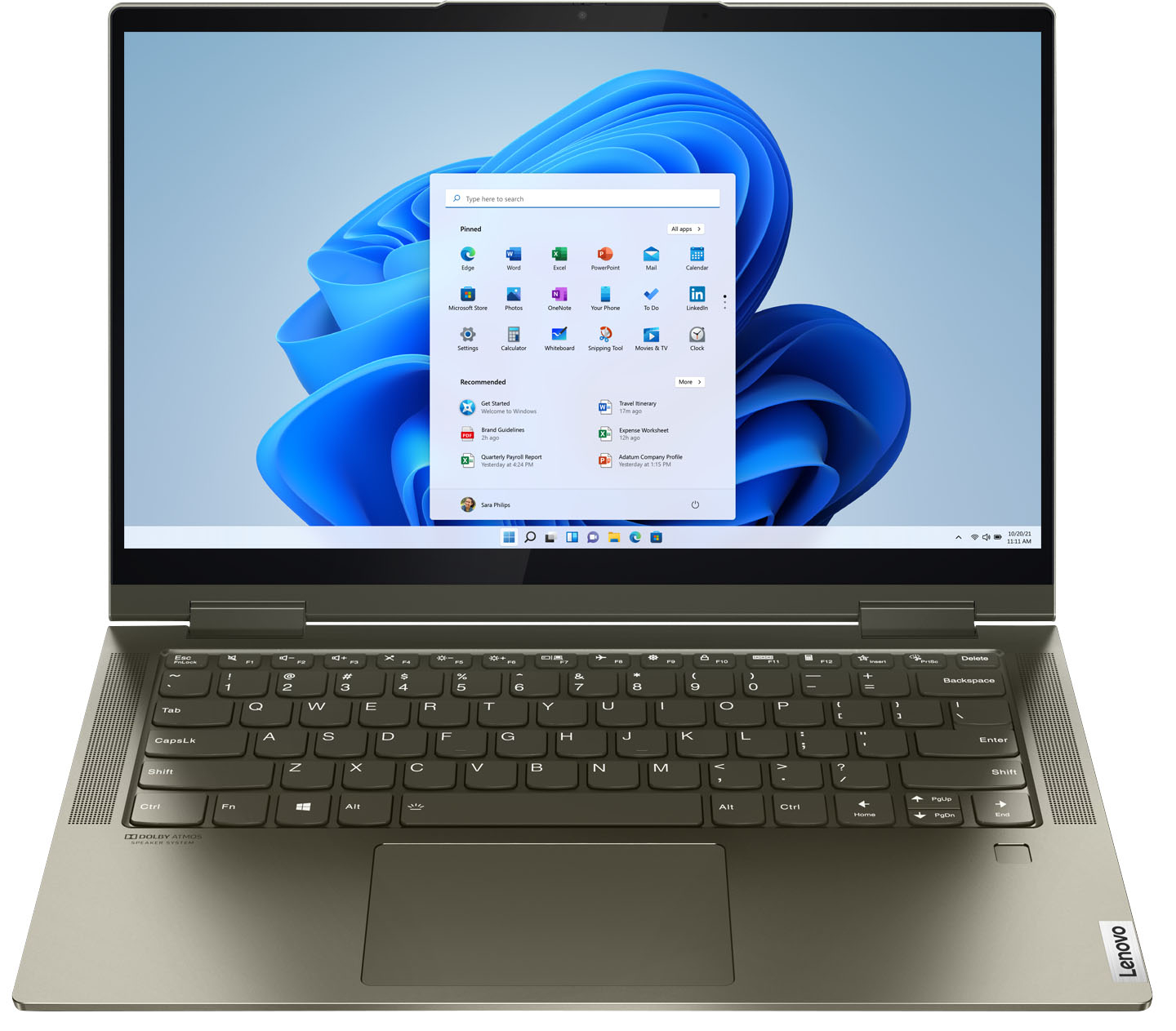



- Model:
- 82BH00DQUS/82BH0006US
- SKU:
- 6426710
Rating by feature
- Battery Life
Rating 4.5 out of 5 stars
- Speed
Rating 4.6 out of 5 stars
- Display
Rating 4.5 out of 5 stars
Customers are saying
Customers are delighted by the Yoga 7i 2-in-1 laptop's fast performance, lightweight design, and long battery life. They appreciate the touch screen's sensitivity and the overall price of the laptop. However, some customers have concerns about the limited number of USB ports, the durability of the hinge, and the warranty coverage.
This summary was generated by AI based on customer reviews.
- Pros mentioned:Weight
Great Product
||Posted . Owned for 3 weeks when reviewed.This reviewer received promo considerations or sweepstakes entry for writing a review.Was looking for an all in 1 laptop and this was it! I don’t regret buying and love that it’s the yoga version. Light weight and easy to maneuver around when I’m on the go. I was even thinking about getting my spouse one also.
I would recommend this to a friendBrand response from Lenovo Product Expert
Posted .Thank you for choosing the Intel Evo-Certified, Lenovo Yoga 7i 14. We are pleased to hear that the features and performance of the Yoga 7i 14 meets your computing needs so well.

- Pros mentioned:Touch screen
Nice Laptop - Huge Wireless Issue
||Posted . Owned for 3 weeks when reviewed.This reviewer received promo considerations or sweepstakes entry for writing a review.This laptop was a very nice laptop and I would recommend this device if they could fix the wireless problem. My wireless problem was every time that I closed the lid or put the laptop to sleep, The wireless would never reconnect. I had to reboot the device or go down in the bottom corner and disconnect / reconnect. All my other devices in the house have no problem connecting. I even tested it at a friend's house with the same problem. I ended up returning the device. Loved the touchscreen and really wish my new LG laptop had a touchscreen. I really do miss it.
No, I would not recommend this to a friendBrand response from Lenovo Product Expert
Posted .We are sorry to hear that you are having WiFi connectivity issues with your Intel Evo-Certified, Lenovo Yoga 7i 14 model number 82BH0006US. This model ships with the latest, Intel WiFi-6 2x2 802.11ax WiFi capability, which is also backward compatible to older, a/b/g/n/ac frequency WiFi for the widest range, highest transfer speeds available, when used with a compatible 802.11ax router. If you are getting less than expected WiFi connectivity, first restart your router with the computer turned on and searching for available WiFi signals. Once the computer reconnects try putting your computer into Sleep Mode to see if the connection problem continues. If it does, now check to be sure you have the latest version of Windows 10 on the computer. Then update all BIOS files and drivers up to that latest version of Windows 10. You can easily accomplish this by scanning the computer with the Lenovo Utility software available on this computer. This system has Lenovo utilities installed to help maintain the health of the device and keep the operating system software up to date. Type "Lenovo Vantage" in the Cortana Search window (if Lenovo Vantage is not installed on your device, you can download the APP and install it now). Select Lenovo Vantage from the list. In the window that opens, click on "Health and Support". In the expanded menu, select "Hardware Scan" In the window that opens, select "Run Quick Tests". This will scan your entire system for errors. Follow any directions that may pop up. If the problem continues after this scan, now click on "System Update". First select Windows update from the menu. Scan your system to be sure you have the latest version of Windows 10. Once that scan is complete, select "Additional Updates". This will scan your device to be sure there are no new BIOS/Driver updates needed. Follow any instructions that may pop up. If the issue still continues after these updates, we recommend you call Lenovo Tech Support at: 877-453-6686 for additional help.
- Pros mentioned:Touch screen
Satisfied
||Posted . Owned for 1 month when reviewed.This reviewer received promo considerations or sweepstakes entry for writing a review.Went into store planning to purchase a HP laptop but was directed toward the Lenovo by a very helpful and seemingly knowledgeable employee. So far I am very happy with this purchase. Love the touch screen. Had no idea I would use it like I do.
I would recommend this to a friendBrand response from Lenovo Product Expert
Posted .Thank you for choosing the Intel Evo-Certified, Lenovo Yoga 7i 14. We are pleased to hear that the Yoga 7i 14 meets your computing needs so well.
- Pros mentioned:Weight
Great!
||Posted . Owned for 1 month when reviewed.This reviewer received promo considerations or sweepstakes entry for writing a review.Great laptop. Light, slim, fast loading, thunderbolt ports. Updated to windows 11 before the first start. Only issue was with the fingerprint reader that stopped working. But after removing the driver and installing it back it came back to normal.
I would recommend this to a friendBrand response from Lenovo Product Expert
Posted .Thank you for choosing the Lenovo Yoga 7i 2-in-1 14 Touch Screen Laptop with Intel Evo Certification. We are pleased to hear that the specifications and features of the Lenovo Yoga 7i 2-in-1 14 Touch Screen Laptop with Intel Evo Certification meet your computing needs so well. To keep up-to-date with all the software on your system, be sure to access the Lenovo Vantage app that will allow you to scan for any required BIOs/drivers update.
- Pros mentioned:Touch screen
Happy with purchase
||Posted . Owned for 1 month when reviewed.This reviewer received promo considerations or sweepstakes entry for writing a review.As discussed with store rep pc works well and performs as needed for family work and entertainment. The touchscreen was a great decision makes work and entertainment easy to interact beyond keyboard and mouse.
I would recommend this to a friendBrand response from Lenovo Product Expert
Posted .Thank you for choosing the Intel Evo-Certified, Lenovo Yoga 7i-14 for your family. We are pleased to hear that the features and performance of the Yoga 7i-14 meets the computing needs of your family so well.
Lenovo Yoga
||Posted . Owned for 1 month when reviewed.This reviewer received promo considerations or sweepstakes entry for writing a review.No issues with this laptop. Bought as a Christmas present for my college age daughter. She really likes it, and it does everything she wants and needs it to do.
I would recommend this to a friendBrand response from Lenovo Product Expert
Posted .Thank you for choosing the Intel Evo-Certified, Lenovo Yoga 7i-14 for your daughter. We are pleased to hear that the Yoga 7i-14 meets your daughter's computing needs so well.
VERY GOOD MACHINE
||Posted . Owned for 1 year when reviewed.This reviewer received promo considerations or sweepstakes entry for writing a review.I've had this computer for over one year and it has performed great. The storage is sufficient and performance is snappy. The screen is a little dim, but other than that it's a winner!
I would recommend this to a friendBrand response from Lenovo Product Expert
Posted .Thank you for choosing the Intel Evo-Certified, Lenovo Yoga 7i 14, model number 82BH00DQUS. This model configuration ships with a 14 inch (screen size measured diagonally) IPS - FHD (1920x1080) 10-point Multi-touch screen, with a brightness level of 300 nits, has a Glossy finish. This screen provides 100 Percent of the sRGB (72 Percent NTSC) color gamut for excellent color accuracy. This screen is made with AGC Dragontrail Glass for added durability and excellent visuals. If you are getting less than expected screen brightness, be sure auto brightness is turned off, then adjust the screen brightness manually to your personal preference. Here is a link to instructions for managing auto brightness within Windows 11: https://www.groovypost.com/howto/turn-off-or-manage-auto-brightness-on-windows-11/. If you continue to have issues, we recommend you contact Lenovo Premium Care for additional help at: 888-278-9707.
- Cons mentioned:Hinge
Lenovo
||Posted . Owned for 3 weeks when reviewed.This reviewer received promo considerations or sweepstakes entry for writing a review.So far the laptop is functioning very well. Waiting for the hinge to malfunction if it doesn’t then it’s rated a 5 Star. If it does, the. That rating goes to 3-4 Star.
I would recommend this to a friend - Pros mentioned:Speed
Good for gaming
||Posted . Owned for 2 weeks when reviewed.This reviewer received promo considerations or sweepstakes entry for writing a review.Bought this for my 13 year old to play games on. Loves it and handles games on Steam, etc really well. Also folds into a tablet which is cool for doing art. Fast, and can handle school work and everything else.
I would recommend this to a friendBrand response from Lenovo Product Expert
Posted .Hello, thank you for choosing the Lenovo Yoga 7i. We are so happy to hear the performance, features, and sleek modern design of the Lenovo Yoga 7i is meeting your computing needs so well.
- Cons mentioned:Hinge
Good computer for the cost
||Posted . Owned for 1 month when reviewed.This reviewer received promo considerations or sweepstakes entry for writing a review.I bought this one which is identical to the one whose hinge broke. Hopefully, this one's hinge will last longer. Otherwise, I like the laptop a great deal.
I would recommend this to a friendBrand response from Lenovo Product Expert
Posted .This Intel Evo-Certified, Lenovo Yoga 7i 14, model number 82BH00DQUS, ships with two 360-degree hinges on the screen/keyboard area that allow the screen to be positioned in traditional Laptop Mode or flip the screen over into Tablet Mode - or any position in between, for media consumption. These 360-degree hinges have been bench-tested through 25,000 cycles (8 to 10 years of normal use), without a failure.
- Pros mentioned:Speed
Love this Laptop!
||Posted . Owned for 1 month when reviewed.This reviewer received promo considerations or sweepstakes entry for writing a review.I got this to replace my old All-in-One PC that has had issues for years. The processing is fast and allows me to go from one task to another quickly. Which is crucial when I have a mountain of work to do! And I love that I can take my work on the go with me too!
I would recommend this to a friendBrand response from Lenovo Product Expert
Posted .Thank you for choosing the Intel Evo-Certified, Lenovo Yoga 7i-14. We are pleased to hear that the features and performance of the Yoga 7i-14 meets your computing needs so well.
- Pros mentioned:Weight
Great value for the money
||Posted . Owned for 3 weeks when reviewed.This reviewer received promo considerations or sweepstakes entry for writing a review.I'm an IT guy. I find good deals because I know what I'm looking for. And this computer delivers. Great for productivity, but probably not for gaming, but I'm not a gamer. Light, solid, and very responsive. Just make sure you get it on sale
I would recommend this to a friendBrand response from Lenovo Product Expert
Posted .Thank you for choosing the Intel Evo-Certified, Lenovo Yoga 7i 14. We are pleased to hear that the Yoga 7i 14 meets your computing needs so well.
- Pros mentioned:Touch screen
Very versatile laptop
||Posted . Owned for 3 months when reviewed.This reviewer received promo considerations or sweepstakes entry for writing a review.Love my laptop. Love the touchscreen feature. It also turns into a tablet but I’m still trying to figure out the screen rotation feature to use this as a tablet. Overall very satisfied with my purchase
I would recommend this to a friendBrand response from Lenovo Product Expert
Posted .Thank you for choosing the Intel Evo-Certified, Lenovo Yoga 7i-14. Here is a link to instructions for setting the screen on your Yoga 7i-14 for auto-rotation for using the device in tablet mode: https://www.itechtics.com/rotate-screen-windows-10/
Nice laptop
||Posted .This reviewer received promo considerations or sweepstakes entry for writing a review.Pretty good laptop so far but only had it for a month so we shall see. I wanted to get my daughter a laptop for school, I did some research and found this one with good rating and went to Best Buy to buy it. Best Buy had to lowest price so it was a good deal.
I would recommend this to a friendBrand response from Lenovo Product Expert
Posted .Thank you for choosing the Intel Evo-Certified, Lenovo Yoga 7i-14 for your daughter. We are pleased to hear that the value and performance of the Yoga 7i-14 meets your daughter's computing needs so well.
Good all around 2-in-1 laptop at a great value.
||Posted . Owned for 1 week when reviewed.This reviewer received promo considerations or sweepstakes entry for writing a review.For the price ($750) this was a great deal! I was surprised this computer could handle games pretty well (medium or low settings), but was not my main reason for buying at all. This computer can handle a variety of tasks at once and is great for productivity as well as creative tasks. I specifically bought this laptop for the keyboard as I write a lot and find it be very comfortable and responsive compared to many other laptops on display at Best Buy. Would recommend to any student who needs a good all around computer and tablet in one. My only con would be that the screen could be a bit brighter. I generally find that the max brightness is totally fine, but would be nice to have the option to go brighter if desired.
I would recommend this to a friendBrand response from Lenovo Product Expert
Posted .Hello, thank you for choosing the Lenovo Yoga 7i. We are so happy to hear the performance, features, and sleek modern design of the Lenovo Yoga 7i is meeting your computing needs so well. We appreciate your feedback as we are always looking for ways to improve our laptops.
- Pros mentioned:Weight
Laptop review.
||Posted . Owned for 1 month when reviewed.This reviewer received promo considerations or sweepstakes entry for writing a review.Light weight. Easy to take place to place. I use this for school and the only problem I have had is the programs I use for school, not everthing fits in the screen. So a lot more scrolling to the side.
I would recommend this to a friend - Pros mentioned:Battery life
Excellent laptop at it's level
||Posted . Owned for 1 month when reviewed.This reviewer received promo considerations or sweepstakes entry for writing a review.Excelent laptop. Fast. Impressive looking. Nice as a tablet also. Nice retro iluminated keyboard. Reasonably battery life at it's price level. (I paid $699 plus tax)
I would recommend this to a friendBrand response from Lenovo Product Expert
Posted .Thank you for choosing the Intel Evo-Certified, Lenovo Yoga 7i 14, model number 82BH00DQUS. We are pleased to hear that the features and performance of the Yoga 7i 14 meets your computing needs so well.
- Pros mentioned:Touch screen
Surface Pro replacement
||Posted . Owned for 3 months when reviewed.This reviewer received promo considerations or sweepstakes entry for writing a review.My wife's surface pro died after being dropped. She really like the touch screen, so we got her the Yoga which is similar to my Yoga Thinkpad. It has served her well and if last like mine it has a number of years of useful service ahead of it.
I would recommend this to a friendBrand response from Lenovo Product Expert
Posted .Thank you for choosing the Intel Evo-Certified, Lenovo Yoga 7i 14 for your wife. We appreciate your loyalty to the Lenovo Brand and we are pleased to hear that the Yoga 7i 14 meets your wife's computing needs so well.
- Pros mentioned:Weight
Good all purpose laptop
||Posted . Owned for 3 weeks when reviewed.This reviewer received promo considerations or sweepstakes entry for writing a review.This is a great laptop for home and work. It is fast enough for all home activities. Battery is not ideal for traveling but it is light weight and easy to use
I would recommend this to a friendBrand response from Lenovo Product Expert
Posted .Thank you for choosing the Intel Evo-Certified, Lenovo Yoga 7i 14, model number 82BH00DQUS. This model ships with an Intel Evo-Certified, all-day battery life, thanks to the Integrated 71Wh, Lithium-Polymer Battery, which within this model configuration, has a battery life of up to 16 hours, depending on the work the device is performing. If you are getting substantially less battery life, first, set your screen brightness at less than 100-percent - try 80-percent to start with. Then, be sure Battery Charge Threshold is turned off. This power management setting should only be used when the laptop is plugged in all the time. It will prolong overall battery life by only charging the battery to 60-percent of capacity. You can turn off Battery Charge Threshold within the Lenovo Vantage APP installed on this computer. In Vantage select Battery Settings and turn off Battery Charge Threshold, if turned on. Also check what programs are running in the background on the computer. Be sure only the programs you want running in the background are. These programs will drain the battery. Here is a link to information about how to find out what programs are running in the background on your Windows 11 computer and how to manage them for better system performance: https://websiteforstudents.com/how-to-find-what-is-running-in-windows-11/. Then, finally, be sure any software you installed is compatible with Windows 11. Incompatible software will drain the battery at a faster rate. There is no need to install Microsoft Office software. The software is already part of the operating system, you just need to activate the software with a purchased product key. If you have installed a copy of Microsoft Office, this is conflicting with the existing copy on the system and this will slow your system down. If you have installed a 3rd party anti-virus program, be sure that Windows Defender is turned off and that the trial version of McAfee Anti-Virus software is uninstalled. There can only be one anti-virus program on the system. You may need to restore your system to original factory default settings if any of the programming errors have occurred. You can do that by typing "restore" in the Cortana search window. Just click on the magnifying glass icon at the bottom of your Windows 11 Desktop. Click on "Reset This PC" Then click on "Get Started" and follow the on screen directions to restore to factory defaults. If the problem persists, we recommend you contact Lenovo Tech Support at: 877-453-6686.
- Pros mentioned:Battery life
Recommend.
||Posted . Owned for 1 month when reviewed.This reviewer received promo considerations or sweepstakes entry for writing a review.Great all around..used mostly for word/excel and scanning, as well as for zoom/video conferencing. No issues, video and sound quality are crisp and clear and the battery seems strong. Recommend.
I would recommend this to a friendBrand response from Lenovo Product Expert
Posted .Hello, thank you for choosing the Lenovo Yoga 7i. We are so happy to hear the performance, features, and sleek modern design of the Lenovo Yoga 7i is meeting your computing needs so well. We appreciate your recommendation.