Customer Ratings & Reviews
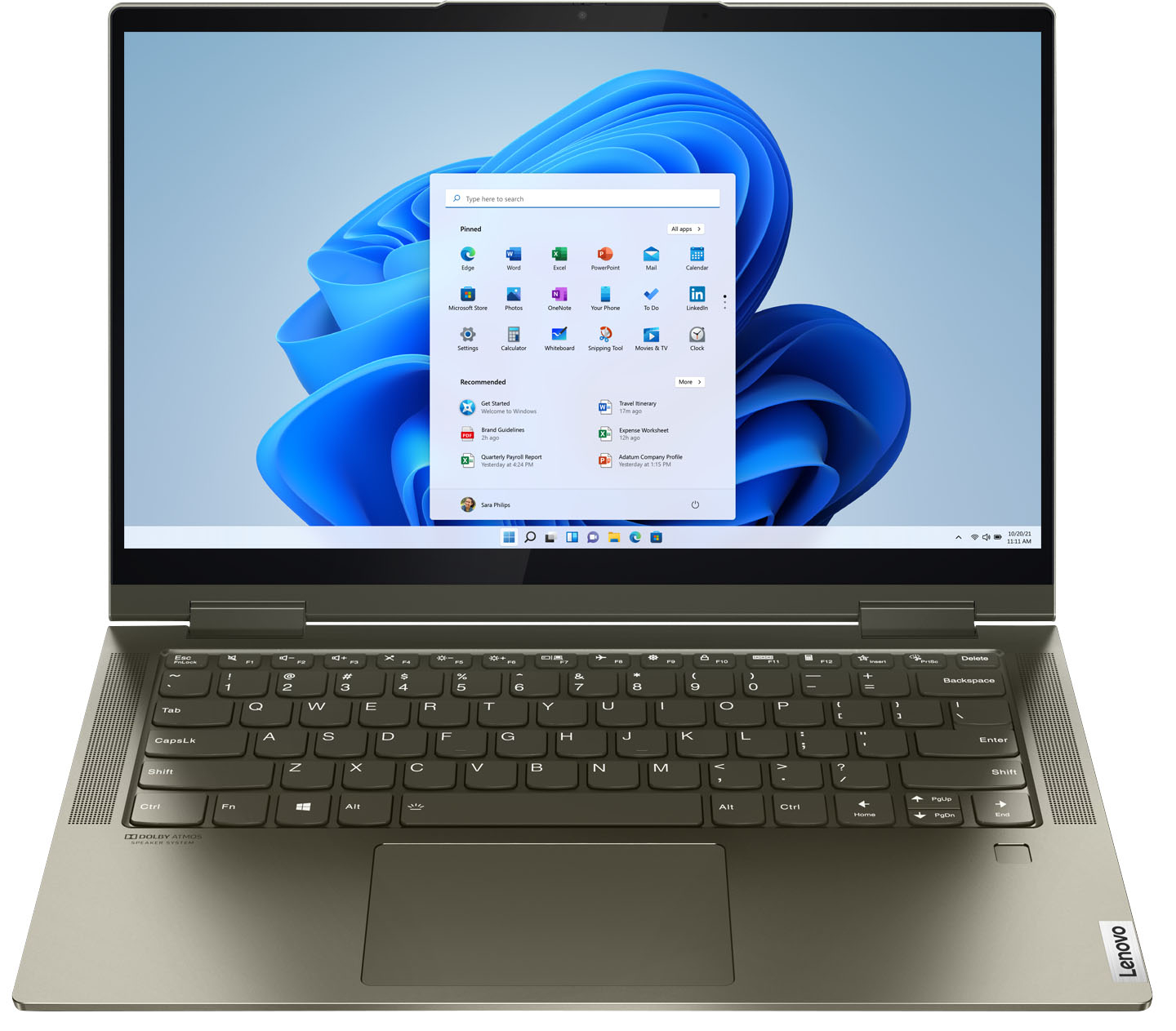



- Model:
- 82BH00DQUS/82BH0006US
- SKU:
- 6426710
Rating by feature
- Battery Life
Rating 4.5 out of 5 stars
- Speed
Rating 4.6 out of 5 stars
- Display
Rating 4.5 out of 5 stars
Customers are saying
Customers are delighted by the Yoga 7i 2-in-1 laptop's fast performance, lightweight design, and long battery life. They appreciate the touch screen's sensitivity and the overall price of the laptop. However, some customers have concerns about the limited number of USB ports, the durability of the hinge, and the warranty coverage.
This summary was generated by AI based on customer reviews.
Great deal for the price
||Posted . Owned for 3 months when reviewed.This reviewer received promo considerations or sweepstakes entry for writing a review.The touchpad is super sensitive and i always bump it while typing. Quick fix, use my mouse. Not use to the new version of windows yet but thats not lenovos fault
I would recommend this to a friendBest Laptop I’ve yet owned
||Posted . Owned for 3 months when reviewed.This reviewer received promo considerations or sweepstakes entry for writing a review.Got it on sale for $700. This thing is no joke. I have yet to throw something at it that it can’t handle. The new Iris on board gpu is actually pretty good. Got it mostly for the thunderbolt 4 so I can use an egpu enclosure. Will update later. Definitely a beast
I would recommend this to a friendBrand response from Lenovo Product Expert
Posted .Thank you for choosing the Intel Evo-Certified, lenovo Yoga 7i-14. We are pleased to hear that the features and performance of the Yoga 7i-14 meets your computing needs so well.

Review
||Posted .This reviewer received promo considerations or sweepstakes entry for writing a review.Works well, it overheats when using for long periods of time, and sometimes the audio completely disappears, but once you turn it on and off it works again. Overall a good product. The display is amazing!!
I would recommend this to a friendBrand response from Lenovo Product Expert
Posted .We are sorry to hear that you are having issues with your Intel Evo-Certified, Lenovo Yoga 7i 14. The Yoga 7i 14 will feel warm to the touch when working under heavy workloads, but this system should not overheat to the point of software failure. First, be sure any software you installed is compatible with Windows 10. There is no need to install Microsoft Office software. The software is already part of the operating system, you just need to activate the software with a purchased product key. If you have installed a copy of Microsoft Office, this is conflicting with the existing copy on the system and this will slow your system down. If you have installed a 3rd party anti-virus program, be sure that Windows Defender is turned off and that the trial version of McAfee Anti-Virus software is uninstalled. There can only be one anti-virus program on the system. You may need to restore your system to original factory default settings if any of the programming errors have occurred. You can do that by typing "restore" in the Cortana search window. Just click on the magnifying glass icon at the bottom left of your Windows 10 Desktop. Click on "Reset This PC" Then click on "Get Started" and follow the on screen directions to restore to factory defaults. If there is no incompatible software installed but the issues persist, check to be sure you have the latest version of Windows 10 on the computer. Then update all BIOS files and drivers up to that latest version of Windows 10. You can easily accomplish this by scanning the computer with the Lenovo Utility software available on this computer. This system has Lenovo utilities installed to help maintain the health of the device and keep the operating system software up to date. Type "Lenovo Vantage" in the Cortana Search window (if Lenovo Vantage is not installed on your device, you can download the APP and install it now). Select Lenovo Vantage from the list. In the window that opens, click on "Health and Support". In the expanded menu, select "Hardware Scan" In the window that opens, select "Run Quick Tests". This will scan your entire system for errors. Follow any directions that may pop up. If the problem continues after this scan, now click on "System Update". First select Windows update from the menu. Scan your system to be sure you have the latest version of Windows 10. Once that scan is complete, select "Additional Updates". This will scan your device to be sure there are no new BIOS/Driver updates needed. Follow any instructions that may pop up. If the issue still continues after these updates, we recommend you call Lenovo Tech Support at: 877-453-6686 for additional help.
Lenovo
||Posted . Owned for 1 month when reviewed.This reviewer received promo considerations or sweepstakes entry for writing a review.My last computer was a Lenovo and i stayed with it this time too. Its really a great laptop. I went larger memory.That should work well. I always get Geek Squad for my accidents. Its why I love Best Buy. Theyhonor it no questions asked.
I would recommend this to a friendBrand response from Lenovo Product Expert
Posted .Thank you for choosing the Lenovo Yoga 7i 2-in-1 14in. Touch Screen Laptop with Intel Evo Core i5. We are very pleased to hear that the specifications, features, and performance of the Lenovo Yoga 7i 2-in-1 14in. Laptop with Intel Evo Core i5 meet your computing needs so well.
Owner of something I like.
||Posted . Owned for 3 weeks when reviewed.This reviewer received promo considerations or sweepstakes entry for writing a review.Good salesman he was smart and new what I was looking for. Explained things with details a person could relate to. It was like he chose it for him self what he would buy. Good work!!
I would recommend this to a friendBrand response from Lenovo Product Expert
Posted .Thank you for choosing the Intel Evo-Certified, lenovo Yoga 7i 14. We are pleased to hear that the Yoga 7i 14 meets your computing needs so well.
Computer great. Lenovo Support, NOT
||Posted . Owned for less than 1 week when reviewed.This reviewer received promo considerations or sweepstakes entry for writing a review.I love this laptop, but when I ran into a software issue, I found out that Lenovo charges a fee for software support. Apple computers may come at a premium, but at least those services are free.
I would recommend this to a friendGood
||Posted .This reviewer received promo considerations or sweepstakes entry for writing a review.The gentleman that helped me was able to answer all my questions. He listened to what I wanted and why. Was very patient while my indecisive self kept going in between certain laptops. I feel that he went out of his way to ensure I got what I was looking for
I would recommend this to a friendBrand response from Lenovo Product Expert
Posted .Thank you for choosing the Intel Evo-Certified, Lenovo Yoga 7i-14. We are pleased to hear that the Yoga 7i-14 meets your computing needs so well.
Lenovo - Huge issues in under 6 days
||Posted . Owned for less than 1 week when reviewed.This reviewer received promo considerations or sweepstakes entry for writing a review.Bought one because it fit the bill of what I needed. Majority would be personal use for streaming and web surfing with the potential to expand to light image editing. Admittedly, I was a little skeptical because it is Lenovo and have had some unrealistic issues with my work laptops which are Lenovo. (Unrealistic meaning like - webcam completely died in less than 6 months of light use) Well, my skepticism was right. The computer stopped charging in less than 6 days, and does not recognize when the charger is plugged in. Look online and you will see this has been a very common problem for at least 3 years. It could be the battery drivers, bios updates, or windows conflict that causes it. If you buy one, take it home, make sure to do ALL of the updates and double check to make sure all updates have been done, because by the time you realize that you have this issue, it will be too late to do anything useful. WARNING - YOU CANNOT UPDATE THE BIOS ON BATTERY POWER SO THE COMPUTER HAS TO BE ON THE CHARGING CABLE AND IT HAS TO KNOW IT IS ON THE CHARGING CABLE Aside from this glaring issue, I really did like the Yoga. Nice key stroke feel, loved the color, great sound, pretty good display...battery life was a little disappointing, (around 13 hours on 65ish% brightness) Display was incredibly reflective (probably coating for the touch screen) and a little heavier than I was thinking was needed, but with what i think was a metal chassis, it made sense. I returned mine because come on, 6 days and a major issues appears? but, if you get one, do your due diligence and make sure all of the updates are done and hopefully you don't have this same issue or others.
No, I would not recommend this to a friendBrand response from Lenovo Product Expert
Posted .We are sorry to hear that you had issues with your Intel Evo-Certified, Lenovo Yoga 7i 14, model number 82BH00DQUS. Regarding charging this model, be sure you are using the correct, dedicated charging port with the included AC adapter/charger. There is only one dedicated port on the left side of this computer that can be used to charge the computer. It has an electric plug icon next to it. Use this port to charge the computer, only. If you continue to have issues charging your Yoga 7i 14, we recommend you contact lenovo Tech Support for additional help at: 877-453-6686.
GOOD LAPTOP, SCREEN size OK, quality fine.
||Posted . Owned for 1 month when reviewed.This reviewer received promo considerations or sweepstakes entry for writing a review.WORK FINE AND FAST. Screen size is OK-- some sites will not fit automatically, and you have to manually shrink them a bit. But i wanted a small size laptop for portability.
I would recommend this to a friendBrand response from Lenovo Product Expert
Posted .Thank you for choosing the Intel Evo-Certified, Lenovo Yoga 7i 14. Some sites may not be designed to adjust for variable screen sizes, causing the elements of such websites to look extremely small on devices with smaller screens. We are pleased to hear that the performance of the Yoga 7i 14 meets your computing needs.
Good purchase
||Posted . Owned for 1 month when reviewed.This reviewer received promo considerations or sweepstakes entry for writing a review.The screen would turn black when I would use it. I restarted it but I’m afraid that it will happen again. Other than that it’s pretty good for what I paid.
I would recommend this to a friendBrand response from Lenovo Product Expert
Posted .We are sorry to hear that you are having issues with your Intel Evo-Certified, lenovo Yoga 7i 14, model number 82BH00DQUS. Updating the BIOS files and drivers may fix the issue you where having with the screen image turning black. First, check to be sure you have the latest version of Windows 11 on the computer. Then update all BIOS files and drivers up to that latest version of Windows 11. You can easily accomplish this by scanning the computer with the Lenovo Utility software available on this computer. This system has Lenovo utilities installed to help maintain the health of the device and keep the operating system software up to date. Type "Lenovo Vantage" in the Cortana Search window (if Lenovo Vantage is not installed on your device, you can download the APP and install it now). Select Lenovo Vantage from the list. In the window that opens, click on "Health and Support". In the expanded menu, select "Hardware Scan" In the window that opens, select "Run Quick Tests". This will scan your entire system for errors. Follow any directions that may pop up. If the problem continues after this scan, now click on "System Update". First select Windows update from the menu. Scan your system to be sure you have the latest version of Windows 11. Once that scan is complete, select "Additional Updates". This will scan your device to be sure there are no new BIOS/Driver updates needed. Follow any instructions that may pop up. If the issue continues after these updates, we recommend you call Lenovo Premium Care for additional help at: 888-278-9707.
Like new pc
||Posted . Owned for 3 weeks when reviewed.This reviewer received promo considerations or sweepstakes entry for writing a review.Good condition like new. No blemishes and everything works like intended. As described, couldn't be more happy with my purchase. Condition was like new and I was surprised how new the PC looked.
I would recommend this to a friendBrand response from Lenovo Product Expert
Posted .Thank you for choosing the Intel Evo-Certified, Lenovo Yoga 7i-14. We are pleased to hear that the Yoga 7i-14 is working out so well for you.
My Yoga
||Posted . Owned for 3 weeks when reviewed.This reviewer received promo considerations or sweepstakes entry for writing a review.Love my new yoga but it definitely has some quirks. I am working and all of sudden it freezes and I can't unfreeze it. 4 or 5 hours it comes to life.
I would recommend this to a friendGreat laptop!
||Posted . Owned for 1 month when reviewed.This reviewer received promo considerations or sweepstakes entry for writing a review.Very good computer for school and gaming ;) but the touchpad feels a bit stiff and is hard to keep up with when you’re busy. Overall great recreational computer and even better work computer!
I would recommend this to a friendBrand response from Lenovo Product Expert
Posted .Thank you for choosing the Intel Evo-Certified, Lenovo Yoga 7i-14. With regard to the touchpad, you can make adjustments to the touchpad in your system settings. You can get there by clicking on the magnifying glass at the bottom left of your Windows 10 screen. Type "touchpad" in the search window. Select "Mouse & touchpad settings" from the list of choices. You can make general adjustments to the touchpad there. You can also select "Additional mouse options" for more detailed adjustments to the touchpad sensitivity by increasing the delay of the touchpad.
Super Laptop at a really affordable price
||Posted . Owned for 1 month when reviewed.This reviewer received promo considerations or sweepstakes entry for writing a review.I bought 2 laptops for my kids and this one is superb but I prefer the Samsung Galaxy Alpha Flex 2 which is almost the same price. It has same advantages such as the fingerprint and thunderbolt (this last figure is missing for the Flex 2)
I would recommend this to a friendLove this laptop
||Posted . Owned for 3 weeks when reviewed.This reviewer received promo considerations or sweepstakes entry for writing a review.This is an excellent laptop for me. It has enough space as well. It gets slightly hotter than my Acer I had for 5 years, but not too hot. That is the only difference. It is a high quality Dell.
I would recommend this to a friendBrand response from Lenovo Product Expert
Posted .Thank you for choosing the Intel Evo-Certified, Lenovo Yoga 7i-14. We are pleased to hear that the Yoga 7i-14 is working out so well for you. You can use Lenovo Q-Control to manually control fan and system performance: ( Fn + Q ) option to change the fan by undervolting the processor.
pleased!
||Posted . Owned for 1 month when reviewed.This reviewer received promo considerations or sweepstakes entry for writing a review.I love this laptop! It is a perfect size with beautiful clarity and sound. The keys are a bit larger than previous hp laptops and I like that. Works well with my hp printer. Good purchase for me!
I would recommend this to a friendBrand response from Lenovo Product Expert
Posted .Thank you for choosing the Intel Evo-Certified, Lenovo Yoga 7i-14. We are pleased to hear that the features and performance of the Yoga 7i-14 meets your computing needs so well.
Great product
||Posted . Owned for 10 months when reviewed.This reviewer received promo considerations or sweepstakes entry for writing a review.Really great value and feels premium. Only complaint is the screen brightness and would recommend considering a different more expensive model if you plan on using it outdoors.
I would recommend this to a friendBrand response from Lenovo Product Expert
Posted .This Intel Evo-Certified, Lenovo Yoga 7i 14, model number 82BH0006US, ships with a 14 inch (screen size measured diagonally) IPS - FHD (1920x1080) 10-point Multi-touch screen, with a brightness level of 300 nits, has a Glossy finish. This screen provides 100 Percent of the sRGB (72 Percent NTSC) color gamut for excellent color accuracy. The screen is made with AGC Dragontrail Glass for additional durability.
- Pros mentioned:Touch screen
It’s ok
||Posted . Owned for 3 weeks when reviewed.This reviewer received promo considerations or sweepstakes entry for writing a review.It’s ok. I like that it has a board for drawing and things. You can connect a stylus pen. It flip 360* Mande to like like a tablet. It does not detach
I would recommend this to a friendBrand response from Lenovo Product Expert
Posted .Hello, thank you for choosing the Lenovo Yoga 7i. We are so happy to hear the performance, features, and sleek modern design of the Lenovo Yoga 7i is meeting your computing needs so well.
Good job
||Posted . Owned for 3 weeks when reviewed.This reviewer received promo considerations or sweepstakes entry for writing a review.Well worth the money spent for the Geek Squad setup. I had been getting cheap computers and after I told the Sales Associate what I wanted he pointed me to the right machine. It was more than I wanted to spend but it has been the perfect Laptop.
I would recommend this to a friendBrand response from Lenovo Product Expert
Posted .Thank you for choosing the Intel Evo-Certified, Lenovo Yoga 7i 14. We are pleased to hear that the Yoga 7i 14 meets your computing needs so well.
Good but loud
||Posted . Owned for 3 weeks when reviewed.This reviewer received promo considerations or sweepstakes entry for writing a review.It does everything it should. The only problem is that the fan is extremely loud most of the time and it can be distracting.
I would recommend this to a friendBrand response from Lenovo Product Expert
Posted .Thank you for choosing the Intel Evo-Certified, Lenovo Yoga 7i 14. You can use Lenovo Q-Control to manually control fan and system performance: ( Fn + Q ) option to change the fan by undervolting the processor. If the issue continues, we recommend you call Lenovo Premium Care at: 888-278-9707.