Customer Ratings & Reviews



- Model:
- 82BH00DQUS/82BH0006US
- SKU:
- 6426710
Rating by feature
- Battery Life
Rating 4.5 out of 5 stars
- Speed
Rating 4.6 out of 5 stars
- Display
Rating 4.5 out of 5 stars
Customers are saying
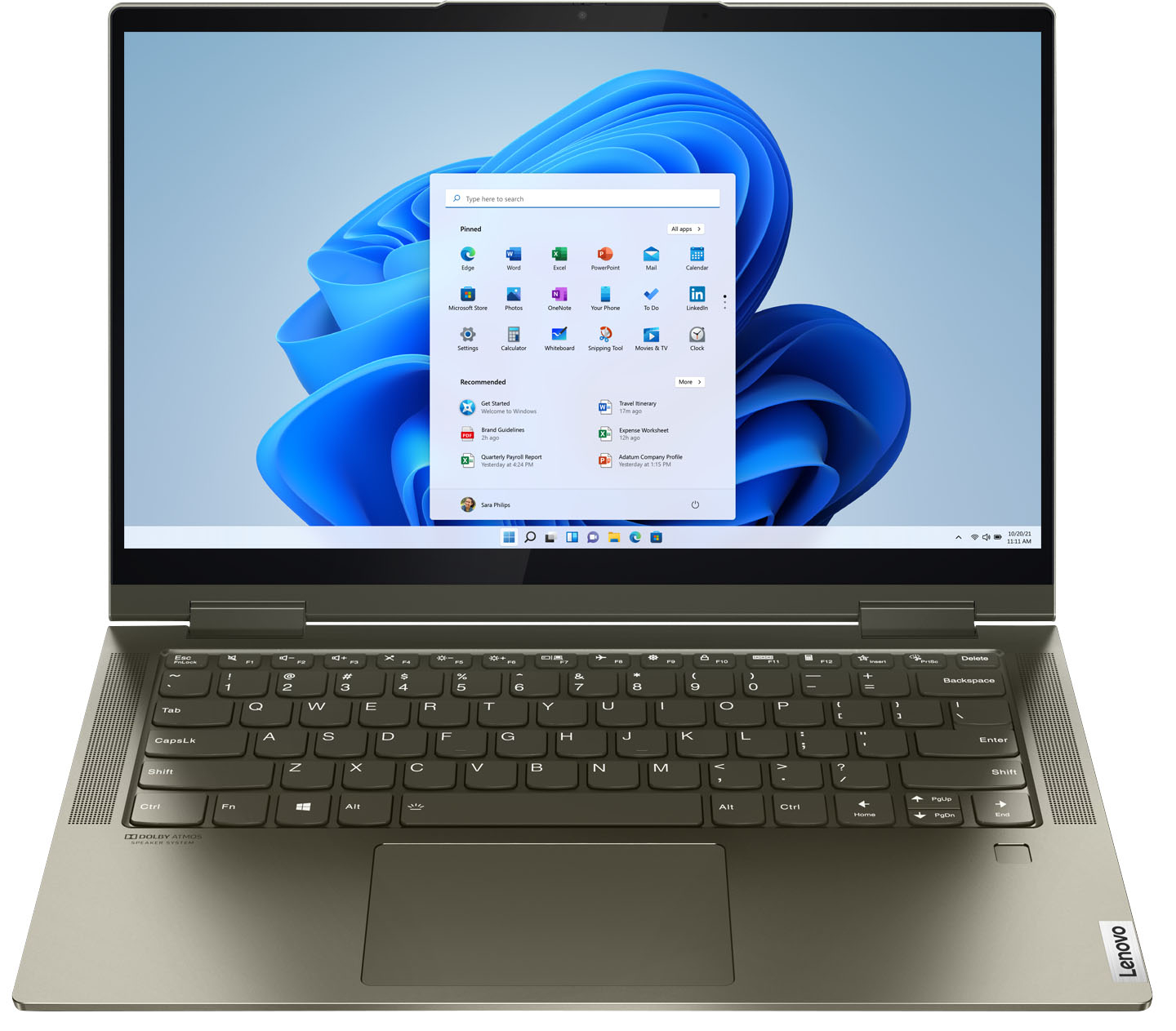
Customers are delighted by the Yoga 7i 2-in-1 laptop's fast performance, lightweight design, and long battery life. They appreciate the touch screen's sensitivity and the overall price of the laptop. However, some customers have concerns about the limited number of USB ports, the durability of the hinge, and the warranty coverage.
This summary was generated by AI based on customer reviews.
Early Christmas
||Posted . Owned for 1 month when reviewed.This reviewer received promo considerations or sweepstakes entry for writing a review.We're loving our new laptop and printer in our winter home. Had such great service from Best Buy salesman, geek squad with downloads & continuing advice. We compared prices before purchase and found our best at Best Buy.
I would recommend this to a friendGreat people at best Buy of mayfield
||Posted . Owned for 1 month when reviewed.This reviewer received promo considerations or sweepstakes entry for writing a review.Everyone at Best Buy in Mayfield are so helpful, nice and have great personalities. My sister inlaw even stopped in with me when I purchased my lap top and she ended up purchasing a pad and pad protector. Keep up the awesome work everyone
I would recommend this to a friendBrand response from Lenovo Product Expert
Posted .Thank you for choosing the Intel Evo-Certified, Lenovo Yoga 7i-14. We are pleased to hear that the Yoga 7i-14 meets your computing needs so well.

Too obsolete - ME!
||Posted . Owned for 1 month when reviewed.This reviewer received promo considerations or sweepstakes entry for writing a review.So far so good .. computer seems to be good/high quality but I really dislike Windows 10. For my 83-yr old purposes Windows 7 much better but, alas, no longer supported.
I would recommend this to a friendGreat value for $650
||Posted . Owned for 3 weeks when reviewed.This reviewer received promo considerations or sweepstakes entry for writing a review.I've had the computer for almost a month and there have been no major issues. Boots up fast from sleep. I paid $650 for it and I feel that this computer has been great value for that price.
I would recommend this to a friendBrand response from Lenovo Product Expert
Posted .Hello, thank you for choosing the Lenovo Yoga 7i. We are so happy to hear the performance, features, and sleek modern design of the Lenovo Yoga 7i is meeting your computing needs so well.
Lenovo Yogi is worth the price
||Posted . Owned for 3 weeks when reviewed.This reviewer received promo considerations or sweepstakes entry for writing a review.This was a Christmas present for my husband and it took awhile before he used it but when he did he really liked it, resolution was very good and easy to use. The only problem was the small screen compared to his old one but he's adapted easily.
I would recommend this to a friendOk laptop with sharp edges
||Posted . Owned for 1 month when reviewed.This reviewer received promo considerations or sweepstakes entry for writing a review.Laptop performace and 2-in-1 feature is great. But laptop edges are so sharp, they really hurting hands
No, I would not recommend this to a friendI love it
||Posted . Owned for 1 month when reviewed.This reviewer received promo considerations or sweepstakes entry for writing a review.I really like my lap top. It works as I expected and I want to tell you that I would like to buy another this year that is coming up. thanks
I would recommend this to a friendBrand response from Lenovo Product Expert
Posted .Hello, thank you for choosing the Lenovo Yoga 7i. We are so happy to hear the performance, features, and sleek modern design of the Lenovo Yoga 7i is meeting your computing needs so well.
Mad as hell
||Posted . Owned for 1.5 years when reviewed.This reviewer received promo considerations or sweepstakes entry for writing a review.Only had this laptop for 2 years and looks like the mother board needs to be replaced. Will never buy another one.
No, I would not recommend this to a friendGood Laptop for day-to-day
||Posted . Owned for 1 month when reviewed.This reviewer received promo considerations or sweepstakes entry for writing a review.Real good quality, I have a problem with the touchpad and need to be replaced, but the laptop itself is good. I need more ram so I choose other.
I would recommend this to a friendBrand response from Lenovo Product Expert
Posted .We are sorry to hear that the Intel Evo-Certified, Lenovo Yoga 7i 14, model number 82BH00DQUS, does not meet your computing needs. Regarding the touchpad, you can adjust the touchpad in your system settings. You can get there by clicking on the magnifying glass at the bottom of your Windows 11 screen. Type "touchpad" in the search window. Select "Mouse & touchpad settings" from the list of choices. You can make general adjustments to the touchpad there. You can also select "Additional mouse options" for more detailed adjustments to the touchpad sensitivity by increasing the delay of the touchpad.
Lenovo Yoga
||Posted . Owned for 1 month when reviewed.This reviewer received promo considerations or sweepstakes entry for writing a review.Everything is as promised. The green color looks more like dark grey and I really like it. I bought the microsoft office package and need to buy Adobe Standard separately
I would recommend this to a friendBrand response from Lenovo Product Expert
Posted .Thank you for choosing the Intel Evo-Certified, Lenovo Yoga 7i-14. We are pleased to hear that the features and performance of the Yoga 7i-14 meets your computing needs so well.
Does compute
||Posted . Owned for 3 weeks when reviewed.This reviewer received promo considerations or sweepstakes entry for writing a review.We bought the computer a month ago, my wife says it does the internet pretty good so far. If it's still working as well as it is now in another 23 months it's a good computer.
I would recommend this to a friendLove it!
||Posted . Owned for 3 weeks when reviewed.This reviewer received promo considerations or sweepstakes entry for writing a review.Lightweight. Boot up speed is amazing! Graphics are sharp. I have used it as a laptop and in tablet mode. Both work well. Great value. Lower price point without feeling cheap.
I would recommend this to a friendBrand response from Lenovo Product Expert
Posted .Thank you for choosing the Intel Evo-Certified, Lenovo Yoga 7i-14. We are pleased to hear that the value, features and performance of the Yoga 7i-14 meets your computing needs so well.
Lenovo Yoga
||Posted . Owned for 9 months when reviewed.This reviewer received promo considerations or sweepstakes entry for writing a review.Its a great pc and only problem i had was that the screen was blinking and i sent it to repairs and now just waiting for the results when i get it back. But yes the laptop is well worth it and have it almos a year
I would recommend this to a friendWorking great for Grad school
||Posted . Owned for 1 month when reviewed.This reviewer received promo considerations or sweepstakes entry for writing a review.Had to get a new laptop for school since a few of my classes will be virtual. Got a good deal on an open box one. Working perfect for so far. Only issue is I had to reinstall the fingerprint driver, but has been working ever since.
I would recommend this to a friendBrand response from Lenovo Product Expert
Posted .Thank you for choosing the Intel Evo-Certified, Lenovo Yoga 7i-14. You can keep all the features of your Yoga 7i-14 running at their best by keeping all the operating software up to date. You can easily accomplish this by scanning the computer with the Lenovo Utility software available on this computer. This system has Lenovo utilities installed to help maintain the health of the device and keep the operating system software up to date. Type "Lenovo Vantage" in the Cortana Search window (if Lenovo Vantage is not installed on your device, you can download the APP and install it now). Select Lenovo Vantage from the list. In the window that opens, click on "Health and Support". In the expanded menu, select "Hardware Scan" In the window that opens, select "Run Quick Tests". This will scan your entire system for errors. Follow any directions that may pop up. If the problem continues after this scan, now click on "System Update". First select Windows update from the menu. Scan your system to be sure you have the latest version of Windows 10. Once that scan is complete, select "Additional Updates". This will scan your device to be sure there are no new BIOS/Driver updates needed. Follow any instructions that may pop up. If the issue still continues after these updates, we recommend you call Lenovo Tech Support at: 877-453-6686 for additional help.
Computer
||Posted . Owned for 3 weeks when reviewed.This reviewer received promo considerations or sweepstakes entry for writing a review.Good computer not sure about the warranty part since this was bought because they gave me issues for the yoga 6 I had to send to them to get fixed
I would recommend this to a friendGreat Deal
||Posted . Owned for 1 month when reviewed.This reviewer received promo considerations or sweepstakes entry for writing a review.The Lenovo-Yoga 7i was a great purchase! This laptop so far has been very reliable. I am able to take care of all of my business and personal needs without any issues. This was definitely a great deal
I would recommend this to a friendBrand response from Lenovo Product Expert
Posted .Thank you for choosing the Intel Evo-Certified, Lenovo Yoga 7i 14. We are pleased to hear that the value and performance of the Yoga 7i 14 meets your computing needs so well.
Can’t beat it for the price
||Posted . Owned for 1 month when reviewed.This reviewer received promo considerations or sweepstakes entry for writing a review.Cant beat it for the price. Super durable, has survived numerous brushes with death at the hands of my 1 year old, and it keeps on kicking.
I would recommend this to a friendBrand response from Lenovo Product Expert
Posted .Hello, thank you for choosing the Lenovo Yoga 7i. We are so happy to hear the performance, features, and sleek modern design of the Lenovo Yoga 7i is meeting your computing needs so well.
But I still buy.. !! for reasons unknown.
||Posted . Owned for 7 months when reviewed.This reviewer received promo considerations or sweepstakes entry for writing a review.Not a lenovo fan ever since Thinkpad thunderbolt fiasco. The laptops they make were good. But their service sucks. But I still buy..for reasons unknown.
I would recommend this to a friendGreat 2n1
||Posted . Owned for 1 month when reviewed.This reviewer received promo considerations or sweepstakes entry for writing a review.This Lenovo laptop is great works excellent in tablet mode and has two thunderbolt ports one for charging and one for a docking station. I would recommend for any use either at home or for work!
I would recommend this to a friendBrand response from Lenovo Product Expert
Posted .Thank you for choosing the Intel Evo-Certified, Lenovo Yoga 7i 14. We are pleased to hear that the features and performance of the Yoga 7i 14 meets your computing needs so well.
Good Device!
||Posted . Owned for 1 month when reviewed.This reviewer received promo considerations or sweepstakes entry for writing a review.I really like this device but the only thing I wish I paid more attention to was the battery life. The battery doesn’t last very long at all.. other than that I LOVE IT!
I would recommend this to a friendBrand response from Lenovo Product Expert
Posted .Thank you for choosing Intel Evo-Certified, Lenovo Yoga 7i 14. Part of the Evo Certification means that the Yoga 7i 14 comes with All-Day-Battery-Life, thanks to its Integrated 71Wh, Lithium-Polymer Battery, which within this configuration, has a battery life of up to 13 hours, depending on the work the device is performing. If you are getting substantially less battery life, first, set your screen brightness at less than 100-percent - try 80-percent to start with. Then, be sure Battery conservation Mode is turned off. This power management setting should only be used when the laptop is plugged in all the time. It will prolong overall battery life by only charging the battery to 60-percent of capacity. Here is a link to instructions for turning off Battery Conservation Mode: https://support.lenovo.com/us/en/solutions/ht103159. Also check what programs are running in the background on the computer. Be sure only the programs you want running in the background are. These programs will drain the battery. Here is a link to information about how to find out what programs are running in the background on your Windows 10 computer and how to manage them for better system performance: https://www.windowscentral.com/how-prevent-apps-running-background-windows-10. Then, finally, be sure any software you installed is compatible with Windows 10. Incompatible software will drain the battery at a faster rate. There is no need to install Microsoft Office software. The software is already part of the operating system, you just need to activate the software with a purchased product key. If you have installed a copy of Microsoft Office, this is conflicting with the existing copy on the system and this will slow your system down. If you have installed a 3rd party anti-virus program, be sure that Windows Defender is turned off and that the trial version of McAfee Anti-Virus software is uninstalled. There can only be one anti-virus program on the system. You may need to restore your system to original factory default settings if any of the programming errors have occurred. You can do that by typing "restore" in the Cortana search window. Just click on the magnifying glass icon at the bottom left of your Windows 10 Desktop. Click on "Reset This PC" Then click on "Get Started" and follow the on screen directions to restore to factory defaults. If the problem persists, we recommend you contact Lenovo Tech Support at: 877-453-6686.