Customer Ratings & Reviews
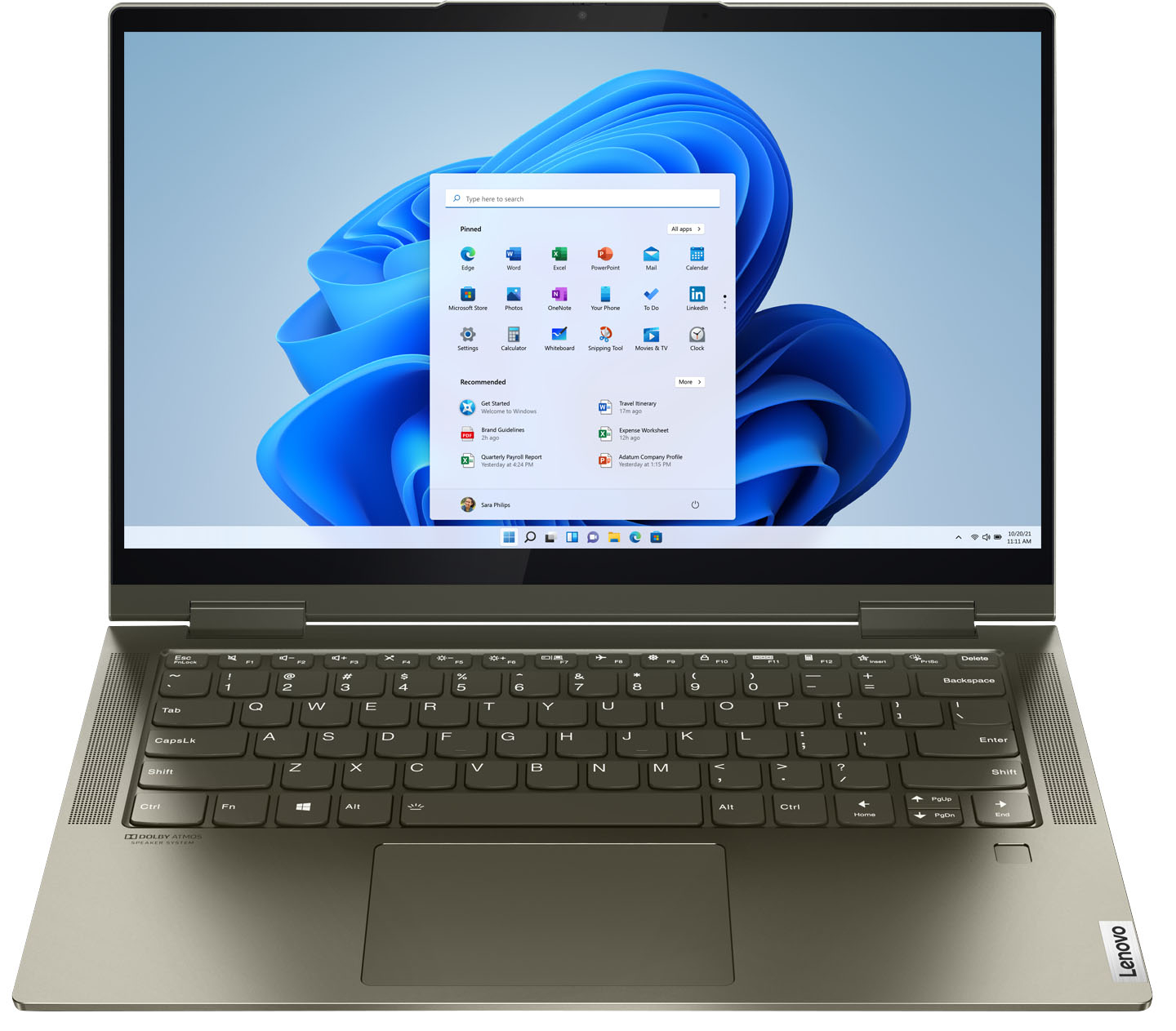



- Model:
- 82BH00DQUS/82BH0006US
- SKU:
- 6426710
Rating by feature
- Battery Life
Rating 4.5 out of 5 stars
- Speed
Rating 4.6 out of 5 stars
- Display
Rating 4.5 out of 5 stars
Customers are saying
Customers are delighted by the Yoga 7i 2-in-1 laptop's fast performance, lightweight design, and long battery life. They appreciate the touch screen's sensitivity and the overall price of the laptop. However, some customers have concerns about the limited number of USB ports, the durability of the hinge, and the warranty coverage.
This summary was generated by AI based on customer reviews.
Close by no cigar
||Posted . Owned for 3 weeks when reviewed.This reviewer received promo considerations or sweepstakes entry for writing a review.I absolutely love my new laptop, but it has speaker issues. It's not good for Zoom meetings because u have to hover directly on top of it, and even then it's a struggle.
No, I would not recommend this to a friendBrand response from Lenovo Product Expert
Posted .We are sorry to hear that you are having issues with the volume control of the built in microphone on your Intel Evo-Certified, Lenovo Yoga 7i 14. first be sure your microphone is off mute by tapping the Hotkey in the F4 position on your keyboard. This toggles the microphone on/off. Here is a link to additional information about adjusting the volume settings for your microphone within Windows 10: https://support.microsoft.com/en-us/windows/fix-microphone-problems-5f230348-106d-bfa4-1db5-336f35576011#WindowsVersion=Windows_10. Now test your microphone volume offline be using the Windows 10 Voice Recorder. Here is a link to instructions for accessing Voice Recorder within Windows 10: https://www.youtube.com/watch?v=I-BCpn-dGUQ. If you can hear the recording you just made normally, your microphone settings on the computer are fine. Now check the audio settings at the Video Conferencing APP side the next time you are on a call. Be sure your audio settings within the APP are off mute and the volume is adjusted up for you to be heard. If the issue continues, we recommend you contact Lenovo Tech Support for additional help at: 877-453-6686.

Yoga hopefully does the job!
||Posted . Owned for 1 month when reviewed.This reviewer received promo considerations or sweepstakes entry for writing a review.Not sure why it goes stuck sometimes but the computer is really nice. The visuals are very vivid and the keyboard is well lit.
I would recommend this to a friendBrand response from Lenovo Product Expert
Posted .We are sorry to hear that you are having issues with the Windows 10 Operating System on your Intel Evo-Certified, Lenovo Yoga 7i-14. Be sure any software you installed is compatible with Windows 10. There is no need to install Microsoft Office software. The software is already part of the operating system, you just need to activate the software with a purchased product key. If you have installed a copy of Microsoft Office, this is conflicting with the existing copy on the system and this will slow your system down. If you have installed a 3rd party anti-virus program, be sure that Windows Defender is turned off and that the trial version of McAfee Anti-Virus software is uninstalled. There can only be one anti-virus program on the system. You may need to restore your system to original factory default settings if any of the programming errors have occurred. You can do that by typing "restore" in the Cortana search window. Just click on the magnifying glass icon at the bottom left of your Windows 10 Desktop. Click on "Reset This PC" Then click on "Get Started" and follow the on screen directions to restore to factory defaults. If the problem persists, we recommend you contact Lenovo Tech Support at: 877-453-6686.
Great Buy!
||Posted . Owned for 3 weeks when reviewed.This reviewer received promo considerations or sweepstakes entry for writing a review.I was a little concerned switching back to Windows after 5 years exclusively using Mac, but this computer is well worth it! I love the tablet mode and the fingerprint locking. Overall, an excellent purchase.
I would recommend this to a friendBrand response from Lenovo Product Expert
Posted .Thank you for choosing the Intel Evo-Certified, Lenovo Yoga 7i 14. We are pleased to hear that the value, features and performance of the Yoga 7i 14 meets your computing needs so well.
Lenovo a great buy
||Posted . Owned for 1 month when reviewed.This reviewer received promo considerations or sweepstakes entry for writing a review.Excellent addition to my arsenal. I bought this when my laptop died and found it in the open box section. $400, what a bargain.
I would recommend this to a friendBought 2
||Posted . Owned for 3 weeks when reviewed.This reviewer received promo considerations or sweepstakes entry for writing a review.Nice little machine. Bright and clear. Purchased 2 for my twin college girls to replace the 3 year old laptops they had. These were on sale, and I'm glad I purchased the..
I would recommend this to a friendBrand response from Lenovo Product Expert
Posted .Hello, thank you for choosing the Lenovo Yoga 7i. We are so happy to hear the performance, features, and sleek modern design of the Lenovo Yoga 7i is meeting your computing needs so well.
Christmas Gift
||Posted . Owned for 1 month when reviewed.This reviewer received promo considerations or sweepstakes entry for writing a review.It's an expensive laptop just the hinges feel a little thin so that I'm scared that'll it'll break after so many times filpping back and forth.
I would recommend this to a friendBrand response from Lenovo Product Expert
Posted .Thank you for choosing the Intel Evo-Certified, Lenovo Yoga 7i 14 Laptop. This model ships with two 360-degree hinges on the screen/keyboard that have been bench tested through 25,000 cycles (equivalent to 8 to 10 years of normal use), without a failure.
Easy purchase
||Posted . Owned for 1 month when reviewed.This reviewer received promo considerations or sweepstakes entry for writing a review.Easy to locate a friendly CSR and had all our questions answered by the CSR regarding the laptop. The item was new in stock and purchasing with my Best Buy card couldn’t get easier! Great shopping experience.
I would recommend this to a friendBrand response from Lenovo Product Expert
Posted .Thank you for choosing the Intel Evo-Certified, Lenovo Yoga 7i 14. We are pleased to hear that the Yoga 7i 14 meets your computing needs so well.
Great computer!!!!
||Posted . Owned for 1 month when reviewed.This reviewer received promo considerations or sweepstakes entry for writing a review.Really great computer. You can never go wrong with a Lenovo. It really is a work horse. Love their yoga series. This is my second computer and I travel with it everywhere. So far it’s holding up perfectly!
I would recommend this to a friendBrand response from Lenovo Product Expert
Posted .Thank you for choosing the Intel Evo-Certified, lenovo Yoga 7i 14. We appreciate your loyalty to the Lenovo Brand and we are pleased to hear that the Yoga 7i 14 meets your computing needs so well.
Customer
||Posted . Owned for 1 month when reviewed.This reviewer received promo considerations or sweepstakes entry for writing a review.I had no problems ordering online and received product 3 days earlier than expected. Curbside pickup was excellent. Only waited about 5 minutes and product was delivered.
I would recommend this to a friendBrand response from Lenovo Product Expert
Posted .Thank you for choosing the Intel Evo-Certified, Lenovo Yoga 7i-14. We are pleased to hear that the Yoga 7i-14 meets your computing needs so well.
Great small computer
||Posted . Owned for 1 month when reviewed.This reviewer received promo considerations or sweepstakes entry for writing a review.This computer is great. I am use to large key boards so I am having trouble with my fingers. It has taken me a little bit to get use to it be I am enjoying the smaller key board now.
I would recommend this to a friendBrand response from Lenovo Product Expert
Posted .Thank you for choosing the Lenovo Yoga 7i 2-in-1 14in. Touch Screen Laptop with Intel Evo Core i5. We are pleased to hear that the specifications and features of the Lenovo Yoga 7i 2-in-1 14in. Laptop with Intel Evo Core i5 meet your computing needs so well.
great gift!
||Posted . Owned for 1 week when reviewed.This reviewer received promo considerations or sweepstakes entry for writing a review.purchased this smaller version as i have the bigger display for work and gave this to my boyfriend so he can use for daily home tasks and personal use only! he loves it!
I would recommend this to a friendBrand response from Lenovo Product Expert
Posted .Thank you for choosing the Lenovo Yoga 7i-14 as a gift. We are pleased to hear that the features and performance of the Yoga 7i-14 meet the user's computing needs so well.
Good
||Posted . Owned for less than 1 week when reviewed.This reviewer received promo considerations or sweepstakes entry for writing a review.So far it’s nice, easy to use. I haven’t used it long but nice so far. I enjoy the fingerprint scan in. The fact you can turn it into a tablet is pretty nice also.
I would recommend this to a friendBrand response from Lenovo Product Expert
Posted .Thank you for choosing the Intel Evo-Certified, Lenovo Yoga 7i 14. We are pleased to hear that the features and performance of the Yoga 7i 14 meets your computing needs so well.
2in1
||Posted . Owned for 3 weeks when reviewed.This reviewer received promo considerations or sweepstakes entry for writing a review.It has really good specs for a laptop, great for work and moderate for gaming the only problem I have is the ventilation system but it is reasonable for how thin it is
I would recommend this to a friendBrand response from Lenovo Product Expert
Posted .Hello, thank you for choosing the Lenovo Yoga 7i. We are so happy to hear the performance, features, and sleek modern design of the Lenovo Yoga 7i is meeting your computing needs so well.
Good stuff far but concerned about the battery.
||Posted . Owned for 3 weeks when reviewed.This reviewer received promo considerations or sweepstakes entry for writing a review.Good so far (just 2 weeks since I bought) but I am worried about the battery. It stops charging after reaching 50 or 60%. Not sure what the problem is.
No, I would not recommend this to a friendBrand response from Lenovo Product Expert
Posted .Thank you for choosing the Intel Evo-Certified, Lenovo Yoga 7i 14. If your computer battery is only charging to 60 Percent capacity, you have the Battery Conservation Mode within the Lenovo Vantage APP turned on. Battery Conservation Mode should only be used if you leave your computer plugged in all the time. Battery Conservation Mode will prolong the overall life of the battery itself by only allowing the battery to charge to 60 Percent capacity when it is plugged in all the time. Turn off Battery Conservation Mode within the Lenovo Vantage APP and your battery will charge to its full 100 Percent capacity. Unplug the charger once the battery is fully charged. If the issue continues, we recommend you contact Lenovo Tech Support for additional help at: 877-453-6686.
almost prefect
||Posted . Owned for 2 weeks when reviewed.This reviewer received promo considerations or sweepstakes entry for writing a review.works great fast setup only problem it won't let me use my printer have to get another printer then my brother printer
I would recommend this to a friendBrand response from Lenovo Product Expert
Posted .Hello, and thank you for choosing the Lenovo Yoga 7i 14" laptop. We are sorry to hear you are having difficulties with your printer. The Lenovo Yoga 7i Windows 10 which should be compatible with your printer. In most instances the driver will download automatically when your plug the printer into a USB port on the laptop. In some instances the driver does not download automatically. We recommend visiting the printer manufactures website, and manually downloading and installing the appropriate driver for your model of printer. This should fix your issue. If after this your issue remains please don't hesitate to reach out to Lenovo Tech Support at 877-453-6686
To Old For This
||Posted . Owned for 1 month when reviewed.This reviewer received promo considerations or sweepstakes entry for writing a review.Had to exchange because the on/off button would not turn the product off, when pressed, nor connect to the wi-fi. replacement product was fine
I would recommend this to a friendI love the Lenovo Yoga
||Posted .This reviewer received promo considerations or sweepstakes entry for writing a review.I love the Lenovo Yoga. I have purchased multiple ones for myself, wife and kids when they went off to college and have had almost no problems with any of them.
I would recommend this to a friendBrand response from Lenovo Product Expert
Posted .Thank you for choosing the Intel Evo-Certified, Lenovo Yoga 7i 14. We appreciate your loyalty to the Yoga Product Family and the Lenovo Brand. We are pleased to hear that this Yoga 7i 14 meets your computing needs so well.
Lenovo computer- laptop
||Posted . Owned for 3 weeks when reviewed.This reviewer received promo considerations or sweepstakes entry for writing a review.Bought it for my wife. She really enjoys it. She had to learn a few details to get going but once she got those down there have been no problems.
I would recommend this to a friendBrand response from Lenovo Product Expert
Posted .Thank you for choosing the Intel Evo-Certified, Lenovo Yoga 7i 14 for your wife. We are pleased to hear that the Yoga 7i 14 meets your wife's computing needs so well.
Laptop
||Posted . Owned for 1 month when reviewed.This reviewer received promo considerations or sweepstakes entry for writing a review.Got this laptop for my daughter , she really like it. But one week later the camera stop working, we did not had any problems with Best Buy the got us a new one.
I would recommend this to a friendGreat laptop so far
||Posted . Owned for 3 weeks when reviewed.This reviewer received promo considerations or sweepstakes entry for writing a review.Very happy with everything so far. Feels sturdy, hope it holds up as good as it feels.
I would recommend this to a friendBrand response from Lenovo Product Expert
Posted .Thank you for choosing the Intel Evo-Certified, Lenovo Yoga 7i-14. We are pleased to hear that the Yoga 7i-14 is working out so well for you.