Customer Ratings & Reviews



- Model:
- 82BH00DQUS/82BH0006US
- SKU:
- 6426710
Rating by feature
- Battery Life
Rating 4.5 out of 5 stars
- Speed
Rating 4.6 out of 5 stars
- Display
Rating 4.5 out of 5 stars
Customers are saying
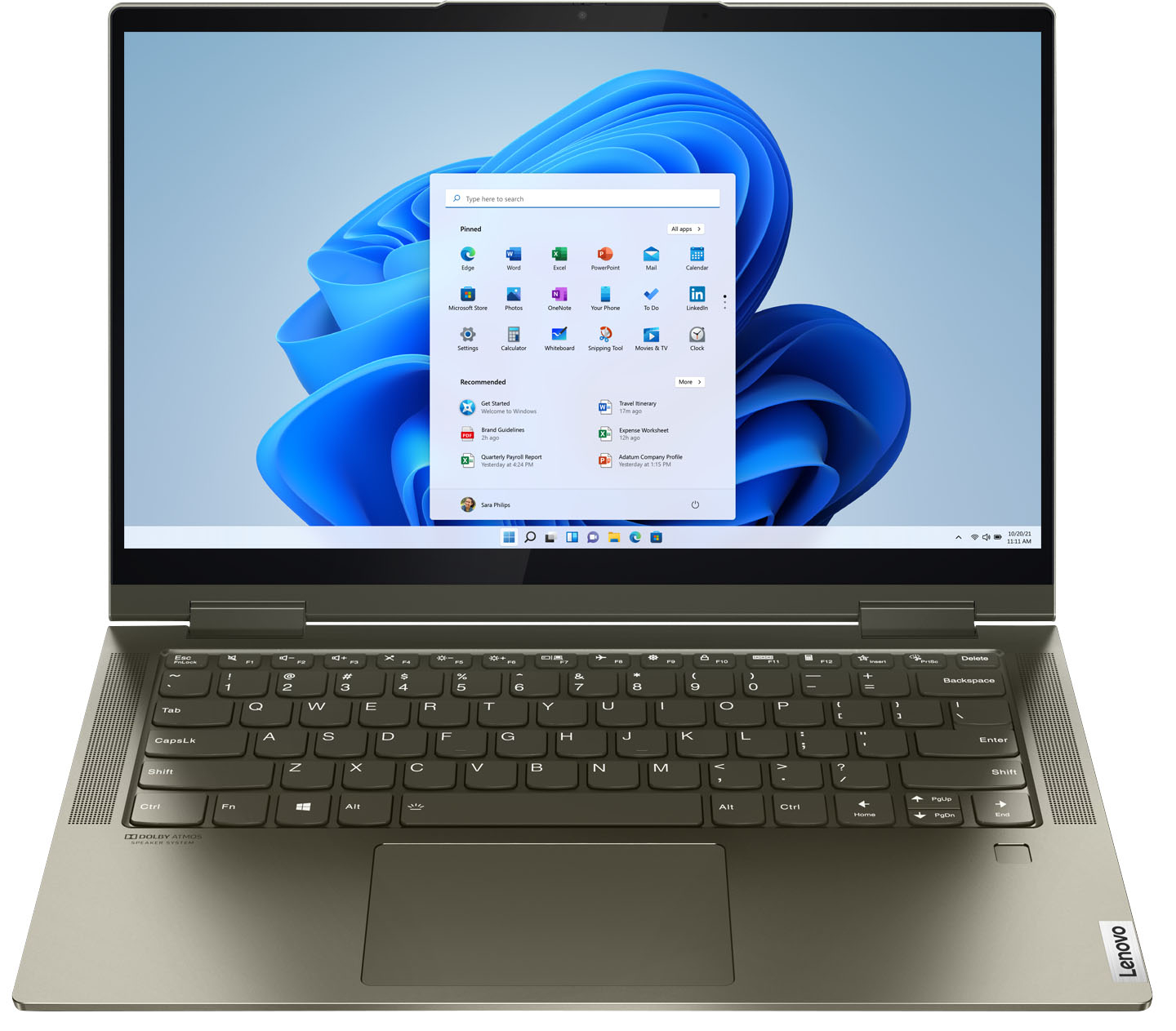
Customers are delighted by the Yoga 7i 2-in-1 laptop's fast performance, lightweight design, and long battery life. They appreciate the touch screen's sensitivity and the overall price of the laptop. However, some customers have concerns about the limited number of USB ports, the durability of the hinge, and the warranty coverage.
This summary was generated by AI based on customer reviews.
laptop repaired, cables, USB3.0 mini dock
||Posted .This reviewer received promo considerations or sweepstakes entry for writing a review.CLERKS WERE curious and HELPFUL IN SOLVING MY PROBLEM.
I would recommend this to a friendLenovo Yoga
||Posted . Owned for 3 weeks when reviewed.This reviewer received promo considerations or sweepstakes entry for writing a review.I love the ease of use and versatility of this laptop!
I would recommend this to a friendBrand response from Lenovo Product Expert
Posted .Hello, thank you for choosing the Lenovo Yoga 7i. We are so happy to hear the performance, features, and sleek modern design of the Lenovo Yoga 7i is meeting your computing needs so well.

Loving my Lenovo
||Posted . Owned for 1 week when reviewed.This reviewer received promo considerations or sweepstakes entry for writing a review.Excellent computer. Specs were exactly what I needed.
I would recommend this to a friendBrand response from Lenovo Product Expert
Posted .Thank you for choosing the Intel Evo-Certified, Lenovo Yoga 7i-14. We are pleased to hear that the Yoga 7i-14 meets your computing needs so well.
Excellent product
||Posted . Owned for 1 month when reviewed.This reviewer received promo considerations or sweepstakes entry for writing a review.Excellent product, no problems at all. Good software.
I would recommend this to a friendBrand response from Lenovo Product Expert
Posted .Thank you for choosing the Intel Evo-Certified, Lenovo Yoga 7i 14. We are pleased to hear that the Yoga 7i 14 is working out so well for you.
Best laptop
||Posted . Owned for 1 month when reviewed.This reviewer received promo considerations or sweepstakes entry for writing a review.Great quality, perfect for what I need, priced great
I would recommend this to a friendBrand response from Lenovo Product Expert
Posted .Thank you for choosing the Intel Evo-Certified, lenovo Yoga 7i 14. We are pleased to hear that the Yoga 7i 14 meets your computing needs so well.
Great
||Posted . Owned for 3 weeks when reviewed.This reviewer received promo considerations or sweepstakes entry for writing a review.Love it, One of the best Laptops I have ever owned.
I would recommend this to a friendBrand response from Lenovo Product Expert
Posted .Thank you for choosing the Intel Evo-Certified, Lenovo Yoga 7i-14. We are pleased to hear that the Yoga 7i-14 is working out so well for you.
Excellent computer
||Posted . Owned for 3 weeks when reviewed.This reviewer received promo considerations or sweepstakes entry for writing a review.It works fast and a good price. Excellent for kids.
I would recommend this to a friendBrand response from Lenovo Product Expert
Posted .Thank you for choosing the Intel Evo-Certified, Lenovo Yoga 7i 14. We are pleased to hear that the value and performance of the Yoga 7i 14 is working out so well.
Very satisfied
||Posted . Owned for 3 weeks when reviewed.This reviewer received promo considerations or sweepstakes entry for writing a review.This was for my daughter and she's very satisfied.
I would recommend this to a friendBrand response from Lenovo Product Expert
Posted .Thank you for choosing the Intel Evo-Certified, lenovo Yoga 7i 14 for your daughter. We are pleased to hear that the Yoga 7i 14 meets the computing needs of your daughter so well.
Love it
||Posted .This reviewer received promo considerations or sweepstakes entry for writing a review.I love it. It’s been great with no problems at all.
I would recommend this to a friendBrand response from Lenovo Product Expert
Posted .Thank you for choosing the Intel Evo-Certified, Lenovo Yoga 7i-14. We are pleased to hear that the Yoga 7i-14 is working out so well for you.
Christmas gift
||Posted . Owned for 2 months when reviewed.This reviewer received promo considerations or sweepstakes entry for writing a review.Got this for our son for Christmas and he loves it.
I would recommend this to a friendBrand response from Lenovo Product Expert
Posted .Hello, thank you for choosing the Lenovo Yoga 7i. We are so happy to hear the performance, features, and sleek modern design of the Lenovo Yoga 7i is meeting your Son's computing needs so well.
Good laptop for the price
||Posted . Owned for 1 month when reviewed.This reviewer received promo considerations or sweepstakes entry for writing a review.Good laptop for the price. This is my second Yoga.
I would recommend this to a friendBrand response from Lenovo Product Expert
Posted .Thank you for choosing the Intel Evo-Certified, Lenovo Yoga 7i 14. We are pleased to hear that the value and performance of the Yoga 7i 14 meets your computing needs so well. We appreciate your loyalty to the Yoga Product Family and the Lenovo Brand.
Lemon??
||Posted . Owned for 1 month when reviewed.This reviewer received promo considerations or sweepstakes entry for writing a review.Honestly, when I first got it, it was wonderful. Then a day or so later I got bombarded with the windows defender scam. I used my total tech to scan my computer for viruses and get rid of any spyware. Weeks later it started being slow after logging in. The buttons I clicked were not working immediately. I started waiting after log in. Then, my touchscreen stopped working. I had to look online and that was a common problem! I am going to give it a while longer then return.
No, I would not recommend this to a friendBrand response from Lenovo Product Expert
Posted .We are sorry to hear that you are having issues with your Intel Evo-Certified, Lenovo Yoga 7i 14, model number 82BH00DQUS. This Yoga 7i 14 ships with a 30-day trial of McAfee Virus Protection Software installed. It will activate automatically with the initial activation of Windows 11 and protect your computer for the 30-day trial period. You do not need to use McAfee VPS. You can uninstall McAfee and use the free Windows Defender VPS that comes with Windows 11 or you can uninstall McAfee and then install your choice of any compatible 3rd party VPS. The key is to uninstall McAfee if you will not be using it, as there can only be one active VPS on the computer at a time. Here is a link to information on uninstalling McAfee from Windows 11: https://service.mcafee.com/?locale=en-us&articleId=TS100162&page=shell&shell=article-view. If you continue to have issues, we recommend you contact Lenovo Premium Care for additional help at: 888-278-9707.
Was great until it the noisy fan slows you down
||Posted . Owned for 2 months when reviewed.This reviewer received promo considerations or sweepstakes entry for writing a review.I'm really starting to hate this laptop. After just under 3 months, it has started to become a loud, slow machine. I use it for everyday web use, no photo or video editing. Basically just running Chrome. When the fan comes on (no, not with a high CPU) it is loud and makes the whole machine slow. I've tried a number of tricks out there and nothing has worked yet. The keys are nice, speakers work well, but I need something that is going to run smoother. I shouldn't have to be thinking about the computer every 2 hours.
No, I would not recommend this to a friendBrand response from Lenovo Product Expert
Posted .We are sorry to hear that you are having issues with your Intel Evo-Certified, Lenovo Yoga 7i 14. Since the issue with the internal fan ramping up RPMs at moderate to low workloads, just happened recently, be sure any software you installed is compatible with Windows. There is no need to install Microsoft Office software. The software is already part of the operating system, you just need to activate the software with a purchased product key. If you have installed a copy of Microsoft Office, this is conflicting with the existing copy on the system and this will slow your system down. If you have installed a 3rd party anti-virus program, be sure that Windows Defender is turned off and that the trial version of McAfee Anti-Virus software is uninstalled. There can only be one anti-virus program on the system. You may need to restore your system to original factory default settings if any of the programming errors have occurred. You can do that by typing "restore" in the Cortana search window. Just click on the magnifying glass icon at the bottom left of your Windows Desktop. Click on "Reset This PC" Then click on "Get Started" and follow the on screen directions to restore to factory defaults. If there is no incompatible software installed, you can use Lenovo Q-Control to manually control fan and system performance: ( Fn + Q ) option to change the fan by undervolting the processor. If the issue continues, we recommend you call Lenovo Premium Care for additional help at: 888-278-9707.
- Cons mentioned:Camera quality
Camera broke within weeks
||Posted . Owned for 2 months when reviewed.This reviewer received promo considerations or sweepstakes entry for writing a review.Terrible. Was very excited with this purchase I made as my mother’s Christmas Gift specially for her to be able to do zoom meetings and enjoy the camera during this pandemic! Not even 1 month in and the camera went black and no one seems to know how to fix it! It’s too late to return. Would not recommended.
No, I would not recommend this to a friendBrand response from Lenovo Product Expert
Posted .We are sorry to hear that you are having issues with the webcam within your Intel Evo-Certified, Lenovo Yoga 7i-14. This model ships with a 720p (HD) webcam with manual Privacy Shutter built in. Be sure the Privacy Shutter is completely open before trying to use the webcam or the webcam will not operate. There is a small slider, directly above the webcam lens. Move the tab to the right to open the Privacy Shutter. There is a red dot over the webcam lens that will disappear when the Privacy Shutter is fully open. This will indicate that the webcam is really to use. You can close the Privacy Shutter when you are done with the webcam for your security, by sliding the tab to the left to close the Privacy Shutter. The Red Dot will appear over the webcam lens when the Privacy Shutter is closed. If the issue continues, we recommend you call Lenovo Tech Support at: 877-453-6686.
Overheating and Screens blackout.
||Posted . Owned for less than 1 week when reviewed.This reviewer received promo considerations or sweepstakes entry for writing a review.I purchased a laptop 2 days ago, but it is getting heated. Also, sometimes the screen blacks out. Moreover, all things are great so far yet. Hope it will remain good for long term.
I would recommend this to a friendBrand response from Lenovo Product Expert
Posted .We are sorry to hear that you are having issues with your Lenovo Intel Evo-Certified, Lenovo Yoga 7i 14, model number 82BH0006US. Be sure any software you installed is compatible with Windows 10. Incompatible software will cause the system to work harder which will generate heat and may be the cause of the screen going dark. There is no need to install Microsoft Office software. The software is already part of the operating system, you just need to activate the software with a purchased product key. If you have installed a copy of Microsoft Office, this is conflicting with the existing copy on the system and this will slow your system down. If you have installed a 3rd party anti-virus program, be sure that Windows Defender is turned off and that the trial version of McAfee Anti-Virus software is uninstalled. There can only be one anti-virus program on the system. You may need to restore your system to original factory default settings if any of the programming errors have occurred. You can do that by typing "restore" in the Cortana search window. Just click on the magnifying glass icon at the bottom left of your Windows 10 Desktop. Click on "Reset This PC" Then click on "Get Started" and follow the on screen directions to restore to factory defaults. If the problem persists, we recommend you contact Lenovo Tech Support at: 877-453-6686.
- Cons mentioned:Usb port
PC purchase
||Posted . Owned for 1 month when reviewed.This reviewer received promo considerations or sweepstakes entry for writing a review.One of the computers is draining the battery very fast since day 1. The USB port is not working. Poor warranty terms from Best Buy.
No, I would not recommend this to a friendBrand response from Lenovo Product Expert
Posted .The Lenovo Intel Evo-Certified, Lenovo Yoga 7i 14 ships with All-Day-Battery-Life, thanks to its 4CELL_71WH_INTERNAL, Lithium Polymer Battery, which within this configuration, has a battery life of up to 13 hours, depending on the work the device is performing. If you are getting substantially less battery life, first, set your screen brightness at less than 100-percent - try 80-percent to start with. Then, be sure Battery conservation Mode is turned off. This power management setting should only be used when the laptop is plugged in all the time. It will prolong overall battery life by only charging the battery to 60-percent of capacity. Here is a link to instructions for turning off Battery Conservation Mode: https://support.lenovo.com/us/en/solutions/ht103159. Also check what programs are running in the background on the computer. Be sure only the programs you want running in the background are. These programs will drain the battery. Here is a link to information about how to find out what programs are running in the background on your Windows 10 computer and how to manage them for better system performance: https://www.windowscentral.com/how-prevent-apps-running-background-windows-10. Then, finally, be sure any software you installed is compatible with Windows 10. Incompatible software will drain the battery at a faster rate. There is no need to install Microsoft Office software. The software is already part of the operating system, you just need to activate the software with a purchased product key. If you have installed a copy of Microsoft Office, this is conflicting with the existing copy on the system and this will slow your system down. If you have installed a 3rd party anti-virus program, be sure that Windows Defender is turned off and that the trial version of McAfee Anti-Virus software is uninstalled. There can only be one anti-virus program on the system. You may need to restore your system to original factory default settings if any of the programming errors have occurred. You can do that by typing "restore" in the Cortana search window. Just click on the magnifying glass icon at the bottom left of your Windows 10 Desktop. Click on "Reset This PC" Then click on "Get Started" and follow the on screen directions to restore to factory defaults. Concerning the issue you are having with your USB port, once you have any incompatible software removed from the computer, restart the computer and try the USB port again. If there is no incompatible software installed but the issues persist, check to be sure you have the latest version of Windows 10 on the computer. Then update all BIOS files and drivers up to that latest version of Windows 10. You can easily accomplish this by scanning the computer with the Lenovo Utility software available on this computer. This system has Lenovo utilities installed to help maintain the health of the device and keep the operating system software up to date. Type "Lenovo Vantage" in the Cortana Search window (if Lenovo Vantage is not installed on your device, you can download the APP and install it now). Select Lenovo Vantage from the list. In the window that opens, click on "Health and Support". In the expanded menu, select "Hardware Scan" In the window that opens, select "Run Quick Tests". This will scan your entire system for errors. Follow any directions that may pop up. If the problem continues after this scan, now click on "System Update". First select Windows update from the menu. Scan your system to be sure you have the latest version of Windows 10. Once that scan is complete, select "Additional Updates". This will scan your device to be sure there are no new BIOS/Driver updates needed. Follow any instructions that may pop up. If the issue still continues after these updates, we recommend you call Lenovo Tech Support at: 877-453-6686 for additional help.
Lenovo repair
||Posted . Owned for more than 2 years when reviewed.This reviewer received promo considerations or sweepstakes entry for writing a review.I had a few problems that occurred during the time I've purchased my laptop but the Geek Squad made sure they repair it in no time
I would recommend this to a friendOkay
||Posted . Owned for 1 month when reviewed.This reviewer received promo considerations or sweepstakes entry for writing a review.It is a good laptop. The only problem is there is no HDMI port. I do not know if I would buy it again, but it does everything I need it to.
No, I would not recommend this to a friendBrand response from Lenovo Product Expert
Posted .Hello, thank you for choosing the Lenovo Yoga 7i. We appreciate your feedback as we are always looking for ways to improve our laptops. If you are in need of an HDMI port we recommend an adapter like the one in the following link https://www.bestbuy.com/site/j5create-usb-type-c-to-hdmi-video-adapter-gray-white/6201446.p?skuId=6201446.
Mixed feelings
||Posted .This reviewer received promo considerations or sweepstakes entry for writing a review.Had a strange issue with the computer not detecting the hard drive. It seems that the built quality is on the cheap side. The fast boot with the open lid is annoying, though is convenient.
No, I would not recommend this to a friendBrand response from Lenovo Product Expert
Posted .We are sorry to hear that you are having issues with your Intel Evo-Certified Lenovo Yoga 7i-14. We recommend you first scan your computer with Lenovo Vantage Utilities to check for software/hardware errors. This system has Lenovo utilities installed to help maintain the health of the device and keep the operating system software up to date. Type "Lenovo Vantage" in the Cortana Search window (if Lenovo Vantage is not installed on your device, you can download the APP and install it now). Select Lenovo Vantage from the list. In the window that opens, click on "Health and Support". In the expanded menu, select "Hardware Scan" In the window that opens, select "Run Quick Tests". This will scan your entire system for errors. Follow any directions that may pop up. If the problem continues after this scan, now click on "System Update". First select Windows update from the menu. Scan your system to be sure you have the latest version of Windows 10. Once that scan is complete, select "Additional Updates". This will scan your device to be sure there are no new BIOS/Driver updates needed. Follow any instructions that may pop up. If the issue still continues after these updates, we recommend you call Lenovo Tech Support at: 877-453-6686 for additional help.
Issues 3 months after purchase
||Posted . Owned for 2 months when reviewed.This reviewer received promo considerations or sweepstakes entry for writing a review.Good until 3 months in and now I’m having issues with the screen strobing/flashing rapidly. I’m taking it to Best Buy to see what to do about it. I’m hoping it’s easily repaired.
No, I would not recommend this to a friendBrand response from Lenovo Product Expert
Posted .We are sorry to hear that you are having issue with the screen image on your Intel Evo-Certified, Lenovo Yoga 7i-14, model number 82BH0006US. It is possible that a recent Windows 10 update may be causing the screen issue you describe. First, check to be sure you have the latest version of Windows 10 on the computer. Then be sure all BIOS files and drivers, including the screen drivers are up to date with that latest version of Windows 10. You can easily accomplish this by scanning the computer with the Lenovo Utility software available on this computer. This system has Lenovo utilities installed to help maintain the health of the device and keep the operating system software up to date. Type "Lenovo Vantage" in the Cortana Search window (if Lenovo Vantage is not installed on your device, you can download the APP and install it now). Select Lenovo Vantage from the list. In the window that opens, click on "Health and Support". In the expanded menu, select "Hardware Scan" In the window that opens, select "Run Quick Tests". This will scan your entire system for errors. Follow any directions that may pop up. If the problem continues after this scan, now click on "System Update". First select Windows update from the menu. Scan your system to be sure you have the latest version of Windows 10. Once that scan is complete, select "Additional Updates". This will scan your device to be sure there are no new BIOS/Driver updates needed. Follow any instructions that may pop up. If the issue with the screen image is such that you can not work with the computer, this system is equipped with OneKey Recovery System. There is a very small pin hole on the bottom right side of the device, right near the top right corner of the cooling vent on the bottom of the device. You will need a pin to push this reset button. Plug the device in. Let the battery charge for about 15 minutes. Push the reset button. The system should boot to a choice screen where you can choose "Restore To Factory Default". Select this. It will delete everything from the hard drive except the original factory install of the operating system. You will need to reinstall all programs and files after the reset. If you don't have copies of the files, try to make one before you restore by selecting "Boot to desktop" and trying to back up your files. If the problem persists after the factory reset, we recommend you contact Lenovo Tech Support at: 877-453-6686.