Customer Ratings & Reviews
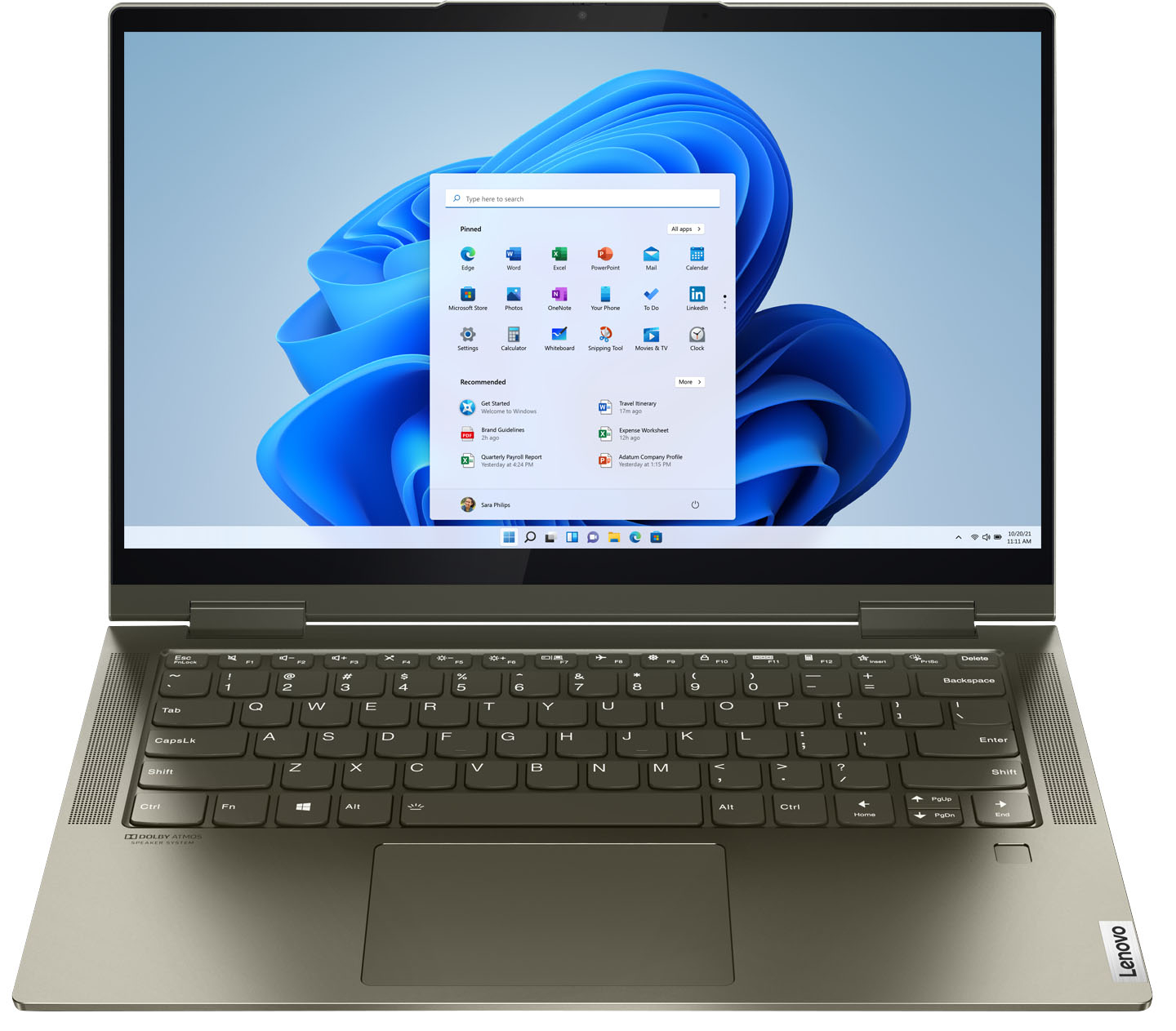



- Model:
- 82BH00DQUS/82BH0006US
- SKU:
- 6426710
Rating by feature
- Battery Life
Rating 4.5 out of 5 stars
- Speed
Rating 4.6 out of 5 stars
- Display
Rating 4.5 out of 5 stars
Customers are saying
Customers are delighted by the Yoga 7i 2-in-1 laptop's fast performance, lightweight design, and long battery life. They appreciate the touch screen's sensitivity and the overall price of the laptop. However, some customers have concerns about the limited number of USB ports, the durability of the hinge, and the warranty coverage.
This summary was generated by AI based on customer reviews.
Not worth it
||Posted . Owned for 1.5 years when reviewed.This reviewer received promo considerations or sweepstakes entry for writing a review.First I had to return to Best Buy because the computer was jammed after a week, just because of a Windows update. They gave me a new one and it worked fine for around 8 months. After that, one of the pieces that allow the screen to flip broke and it broke my entire screen. More recently, the other side of this same piece broke and now the screen and the keyboard are two things apart. Summary: expect to have issues.
No, I would not recommend this to a friendBrand response from Lenovo Product Expert
Posted .This Intel Evo-Certified, Lenovo Yoga 7i 14, model number 82BH00DQUS, ships with two 360-degree hinges on the screen/keyboard area, that allow the screen to be positioned into Laptop Mode or flipped over into Tablet Mode, or any position in between for media consumption. These hinges have been bench tested through 25,000 cycles (8 to 10 years of normal use) without a failure. This Yoga 7i 14 also ships with a 1-year limited manufacturer's warranty, covering OEM hardware issues. If you feel you have an OEM hardware issue, we recommend you contact Lenovo Premium Care for additional help at: 888-278-9707.

Suddenly stopped charging and died (2 months old)
||Posted . Owned for 1 month when reviewed.This reviewer received promo considerations or sweepstakes entry for writing a review.I have never been more disappointed with a computer than with my new Lenovo Yoga 7i. It catastrophically failed me in less than 2 months of light use. The combo charger / fireport stopped working without warning @ 10% battery life. After frantically researching, I quickly saw that this is a common problem with many Lenovo laptops, and the fix is... hopefully to install critical driver updates, but my computer ran out of battery and shut off before I could update. Now the computer won't charge or power up. I have critical files on it, and I bought an expensive computer because I depended on having this computer available to do my work today and every day. Way cheaper computers have always performed way better for me. I just submitted a warranty request and will update my review accordingly.
No, I would not recommend this to a friendBrand response from Lenovo Product Expert
Posted .We are sorry to hear that you are having issues charging your Intel Evo-Certified, Lenovo Yoga 7i-14. There are two Thunderbolt 4.0 ports on the Yoga 7i-14 but only one can be used to charge the computer. The other provides Power-Out to other peripheral devices. The computer charging port is on the left side of the computer and has an electrical plug icon next to the Thunderbolt icon. Only use this port to charge the computer. Plug your AC adapter/charger into the wall, then plug the computer side in. Let the computer charge for about 15-minutes while the computer is turned off. After a 15-minute charge, the computer will boot up and you will be able to use the computer while it continues to charge. If you have additional questions about your Lenovo Yoga 7i-14, we recommend you call Lenovo Tech Support at: 877-453-6686.
unhappy
||Posted . Owned for 2 months when reviewed.This reviewer received promo considerations or sweepstakes entry for writing a review.this computer has given me a lot of trouble. I bought it out of the box and now worry I have a lemon. It cuts off with no warning. What can I do? Peggy
No, I would not recommend this to a friendBrand response from Lenovo Product Expert
Posted .We are sorry to hear that you are having issues with your Lenovo Yoga 7i 14. First, be sure the battery has sufficient charge to run the computer without shutting down. Plug the included AC adapter into a wall outlet, then plug the other end into the dedicated charging port on this computer's left side. There is only one port that can charge the computer. It has an electric plug icon next to it. With the computer powered off, let the computer charge for 15-minutes. Now, with the computer still plugged in and charging, press the power button. The computer should boot up normally and continue charging to full capacity of the battery. Also, be sure any software you installed is compatible with Windows 10. There is no need to install Microsoft Office software. The software is already part of the operating system, you just need to activate the software with a purchased product key. If you have installed a copy of Microsoft Office, this is conflicting with the existing copy on the system and this will slow your system down. If you have installed a 3rd party anti-virus program, be sure that Windows Defender is turned off and that the trial version of McAfee Anti-Virus software is uninstalled. There can only be one anti-virus program on the system. You may need to restore your system to original factory default settings if any of the programming errors have occurred. You can do that by typing "restore" in the Cortana search window. Just click on the magnifying glass icon at the bottom left of your Windows 10 Desktop. Click on "Reset This PC" Then click on "Get Started" and follow the on screen directions to restore to factory defaults. If the problem persists, we recommend you contact Lenovo Tech Support at: 877-453-6686.
Nice Laptop When It Works
||Posted . Owned for 3 months when reviewed.This reviewer received promo considerations or sweepstakes entry for writing a review.Nice size laptop but stopped working after 2 months. Had to send in two weeks ago and still waiting for repair status.
No, I would not recommend this to a friendBrand response from Lenovo Product Expert
Posted .We are sorry to hear that you are having issues with your Intel Evo-Certified, Lenovo Yoga 7i-14. To keep your laptop running at its best, be sure all operating system software is up to date. You can easily accomplish this by scanning the computer with the Lenovo Utility software available on this computer. This system has Lenovo utilities installed to help maintain the health of the device and keep the operating system software up to date. Type "Lenovo Vantage" in the Cortana Search window (if Lenovo Vantage is not installed on your device, you can download the APP and install it now). Select Lenovo Vantage from the list. In the window that opens, click on "Health and Support". In the expanded menu, select "Hardware Scan" In the window that opens, select "Run Quick Tests". This will scan your entire system for errors. Follow any directions that may pop up. If the problem continues after this scan, now click on "System Update". First select Windows update from the menu. Scan your system to be sure you have the latest version of Windows 10. Once that scan is complete, select "Additional Updates". This will scan your device to be sure there are no new BIOS/Driver updates needed. Follow any instructions that may pop up. If the issue still continues after these updates, we recommend you call Lenovo Tech Support at: 877-453-6686 for additional help.
Dissapointed. Mounting Post and Hinges Failed.
||Posted . Owned for 7 months when reviewed.This reviewer received promo considerations or sweepstakes entry for writing a review.I am very dissapointed with this unit. After five months of regular use, I started to notice that the lid will not stand by itself and every time I try to open or close the screen something sounded broken. I think something was wrong with the mounting post. Then the hinges just failed. The unit has not been dropped or hit with anything. It just seems that the materials they used like glue are of poor quality. I now have a laptop almost broken into two parts and read in several posts that this is a common problem with Lenovo 2-in-1 models. Still under warranty, but...........
No, I would not recommend this to a friendBrand response from Lenovo Product Expert
Posted .The Intel Evo-Certified, Lenovo Yoga 7i-14 model number 82BH0006US, ships with 360 degree hinges on the screen, that have been bench tested through 25,000 cycles (8 to 10 years of normal use) without a failure. We recommend you contact Lenovo Tech Support for additional help at: 877-453-6686.
Delores Darden
||Posted .This reviewer received promo considerations or sweepstakes entry for writing a review.The buying process was fine. Although it seemed a little rushed, but not excessively rushed, the salesperson offered good information and I was able to settle on a computer that met my needs. I was given explicit instructions on how to pick up my computer (schedule time, bring receipt etc) and I arrived the scheduled day full of anticipation. I went to the Geek Squad desk (left side) and was told to go around to the right side. OK. Stood in a short line. Was told to go to the checkout counter. OK. Waited 15 min and no word. Asked the cashier and she said that they were having trouble locating my computer. 30 min past. Asked for a chair for my 80 year old husband to sit in. Still no word about my computer. At 48 min, i asked again about the computer and was told they were still looking for my computer. At that point, I decided if it could not be found in the length of time that it had already taken that it would not be found. I cancelled the transaction. The cashier said that she was sorry. There was no offer of any help to look at another computer, discount for the delay, etc. It took away all the good feeling that i had about the purchase. Based on this, I would not recommend Best Buy to anyone.
No, I would not recommend this to a friendmediocre work
||Posted . Owned for 1 week when reviewed.This reviewer received promo considerations or sweepstakes entry for writing a review.Mediocre work. The hinges between screen and keyboard are asymmetric.
No, I would not recommend this to a friendARE YOU WILLING TO RISK IT? LOL
||Posted . Owned for 8 months when reviewed.This reviewer received promo considerations or sweepstakes entry for writing a review.8 months after purchase, the laptop died all of a sudden without any collision or water damage. Bestbuy can't fix it on site, charges $100 for data back up. Had to talk to lenovo customer service (whose English is as bad as you can expect), charged me $15 for shipping. Took 2 weeks to fix, diagnosis is "DEAD MOTHERBOARD". When I finally got it back, it is set on bitlocker protection, meaning that every time you boot your computer, you have to manually enter a FORTY EIGHT digit code. I am sure some people have good experience with this product, the question is, ARE YOU WILLING TO RISK IT? LOL
No, I would not recommend this to a friendBrand response from Lenovo Product Expert
Posted .We are sorry to hear that you are having issues with your Intel Evo Certified, Lenovo Yoga 7i 14 model number 82BH00DQUS. If you choose to turn off Bitlocker: To turn off Bitlocker in Windows Home, go to Start > Settings > Update & Security > Device encryption > select Turn Off.
Lenovo Preowned
||Posted .This reviewer received promo considerations or sweepstakes entry for writing a review.Bought a preowned Lenovo laptop but it keeps shutting down most of the time during use and loss of time for me, intend to return it soon.
No, I would not recommend this to a friend- Cons mentioned:Hinge
Defective product
||Posted . Owned for 8 months when reviewed.This reviewer received promo considerations or sweepstakes entry for writing a review.The left hinge screws and bolts broke off of the top cover after 6 months. I will have to fix it my self even if this is clearly a product defect. Also the microphone has been problematic from the start. I won't purchase a Lenovo again.
No, I would not recommend this to a friendBrand response from Lenovo Product Expert
Posted .This Intel Evo-Certified, Lenovo Yoga 7i 14, model number 82BH00DQUS, ships with two 360-degree hinges on the screen/keyboard area that have been bench tested through 25,000 cycles (8 to 10 years of normal use), without a failure. This Yoga 7i 14 ships with a limited 1-year manufacturer's warranty, covering OEM hardware issues. If you feel you have a OEM hardware issue, we recommend you contact lenovo Premium Care at: 888-278-9707.
Had to take in for service way too soon. Why?
||Posted . Owned for 3 months when reviewed.This reviewer received promo considerations or sweepstakes entry for writing a review.I'm not too impressed by this computer. Purchased it in May...barely used it and in Sept had to take it in to be serviced. Battery does not last long if you are using certain programs (this is what Geek Squad told me). I'm still making payments on it and I'm wondering how well it will hold up. I'm worried I may not get my money's worth from this computer.
No, I would not recommend this to a friendBrand response from Lenovo Product Expert
Posted .We are sorry to hear that you are having issues with the battery life of your Intel Evo-Certified, Lenovo Yoga 7i 14, model number 82BH00DQUS. This Yoga 7i 14 has an Intel Evo-Certified, All-Day-Battery Life, thanks to its Integrated 71Wh, Lithium-Polymer Battery, which within this model configuration has a battery life of up to 12 hours, depending on the work the device is performing. If you are getting substantially less battery life, first, set your screen brightness at less than 100-percent - try 80-percent to start with. Then, be sure Battery Charge Threshold is turned off. This power management setting should only be used when the laptop is plugged in all the time. It will prolong overall battery life by only charging the battery to 60-percent of capacity. You can turn off Battery Charge Threshold within the Lenovo Vantage APP installed on this computer. In Vantage select Battery Settings and turn off Battery Charge Threshold, if turned on. Also check what programs are running in the background on the computer. Be sure only the programs you want running in the background are. These programs will drain the battery. Here is a link to information about how to find out what programs are running in the background on your Windows 11 computer and how to manage them for better system performance: https://websiteforstudents.com/how-to-find-what-is-running-in-windows-11/. Then, finally, be sure any software you installed is compatible with Windows 11. Incompatible software will drain the battery at a faster rate. There is no need to install Microsoft Office software. The software is already part of the operating system, you just need to activate the software with a purchased product key. If you have installed a copy of Microsoft Office, this is conflicting with the existing copy on the system and this will slow your system down. If you have installed a 3rd party anti-virus program, be sure that Windows Defender is turned off and that the trial version of McAfee Anti-Virus software is uninstalled. There can only be one anti-virus program on the system. You may need to restore your system to original factory default settings if any of the programming errors have occurred. You can do that by typing "restore" in the Cortana search window. Just click on the magnifying glass icon at the bottom of your Windows 11 Desktop. Click on "Reset This PC" Then click on "Get Started" and follow the on screen directions to restore to factory defaults. If the problem persists, we recommend you contact Lenovo Premium Care for additional help at: 888-278-9707.
Lenovo - Yoga 71
||Posted .This reviewer received promo considerations or sweepstakes entry for writing a review.The machine is okay but I find that the keyboard is too small. I find that in typing anything on Word or Email the cursor wanders inexplicitly.
No, I would not recommend this to a friendBrand response from Lenovo Product Expert
Posted .We are sorry to hear that you are having issues with the touchpad on the Intel Evo-Certified, Lenovo Yoga 7i-14. With regard to the touchpad, you can make adjustments to the touchpad in your system settings. You can get there by clicking on the magnifying glass at the bottom left of your Windows 10 screen. Type "touchpad" in the search window. Select "Mouse & touchpad settings" from the list of choices. You can make general adjustments to the touchpad there. You can also select "Additional mouse options" for more detailed adjustments to the touchpad sensitivity by increasing the delay of the touchpad.
Screen flicker
||Posted . Owned for less than 1 week when reviewed.This reviewer received promo considerations or sweepstakes entry for writing a review.We returned it because in spite of all the updates and software adjustments, the screen persisted in periodic flickering and blacking out.
I would recommend this to a friendBrand response from Lenovo Product Expert
Posted .We are sorry to hear that you had screen flicker issues with your Intel Evo-Certified, Lenovo Yoga 7i 14 model number 82BH0006US. Be sure any software you installed is compatible with Windows 10. There is no need to install Microsoft Office software. The software is already part of the operating system, you just need to activate the software with a purchased product key. If you have installed a copy of Microsoft Office, this is conflicting with the existing copy on the system and this will slow your system down. If you have installed a 3rd party anti-virus program, be sure that Windows Defender is turned off and that the trial version of McAfee Anti-Virus software is uninstalled. There can only be one anti-virus program on the system. You may need to restore your system to original factory default settings if any of the programming errors have occurred. You can do that by typing "restore" in the Cortana search window. Just click on the magnifying glass icon at the bottom left of your Windows 10 Desktop. Click on "Reset This PC" Then click on "Get Started" and follow the on screen directions to restore to factory defaults. If the problem persists, we recommend you contact Lenovo Tech Support at: 877-453-6686.
Geek Squad warranty is SHADY
||Posted . Owned for 3 weeks when reviewed.This reviewer received promo considerations or sweepstakes entry for writing a review.I like Lonovo. This one had an issue where the screen flashed off and on. The Geek Squad Warranty doesn't tell you they only do software issues in store. They wanted me to be without a work computer for up to 4 weeks. They offered to let me buy an "open box" item but I had to return it in 14 days if this one was back or not. I was told when purchasing the Geek Squad warranty if they cant fix it they replace it. SHADY.
No, I would not recommend this to a friendBrand response from Lenovo Product Expert
Posted .We are sorry to hear that you are having a screen issue with your Intel Evo-Certified, Lenovo Yoga 7i-14, model number 82BH0006US. Try resetting your computer back to original factory settings to clear the screen issue you are having. This system is equipped with OneKey Recovery System. There is a very small pin hole on the bottom right side of the device, right near the top right corner of the cooling vent on the bottom of the device. You will need a pin to push this reset button. Plug the device in. Let the battery charge for about 15 minutes. Push the reset button. The system should boot to a choice screen where you can choose "Restore To Factory Default". Select this. It will delete everything from the hard drive except the original factory install of the operating system. You will need to reinstall all programs and files after the reset. If you don't have copies of the files, try to make one before you restore by selecting "Boot to desktop" and trying to back up your files. If the problem persists after the factory reset, we recommend you contact Lenovo Tech Support at: 877-453-6686.
- Cons mentioned:Hinge
Broken hinge a common issue
||Posted . Owned for 1.5 years when reviewed.This reviewer received promo considerations or sweepstakes entry for writing a review.Less than 2 years old and the left hinge is broken and damaging the screen...a quick Google shows this as a common, reoccurring issue that the manufacturer is non-responsive to...I would advise not purchasing a Lenovo....
No, I would not recommend this to a friend - Cons mentioned:Hinge
Dont get it
||Posted .This reviewer received promo considerations or sweepstakes entry for writing a review.I thought it was great for a while but Lenevo has a horrible problem with the laptop hinges. They break and wont fix them under the warranty. This is a known issue for these laptops and Lenevo refuses to fix them.
No, I would not recommend this to a friendBrand response from Lenovo Product Expert
Posted .This Intel Evo-Certified, Lenovo Yoga 7i 14, model number 82BH00DQUS, ships with two 360-degree hinges on the screen/keyboard area that allow the screen to be positioned into either traditional Laptop Mode or flip the screen 360-degrees into Tablet Mode or any position in between for media consumption. These hinges have been bench tested through 25,000 cycles ( the equivalent of 8 to 10 years of normal use) without a failure.
Outdated
||Posted . Owned for 3 weeks when reviewed.This reviewer received promo considerations or sweepstakes entry for writing a review.Salesman was vipers poorly informed and I’m not pleased with the computer he was pushing. Sorry I purchased it.
No, I would not recommend this to a friendDisappointed
||Posted . Owned for more than 2 years when reviewed.This reviewer received promo considerations or sweepstakes entry for writing a review.Screen broke 2 times in 2 years. Freezes constantly
No, I would not recommend this to a friendHad to return
||Posted . Owned for 3 weeks when reviewed.This reviewer received promo considerations or sweepstakes entry for writing a review.Computer worked for a short time but quit during set up. Had to wait for Lenovo support to call me the next day. After we tried to reboot it the technician said it was bad and told me to return it. Best Buy was very helpful and it was easy to return the computer.
No, I would not recommend this to a friendKnow the Right Size
||Posted . Owned for 3 weeks when reviewed.This reviewer received promo considerations or sweepstakes entry for writing a review.I should have realized it is too small! keys are hard to read for old eyes. Best Buy associates were professional.
No, I would not recommend this to a friend