Customer Ratings & Reviews



- Model:
- 82BH00DQUS/82BH0006US
- SKU:
- 6426710
Rating by feature
- Battery Life
Rating 4.5 out of 5 stars
- Speed
Rating 4.6 out of 5 stars
- Display
Rating 4.5 out of 5 stars
Customers are saying
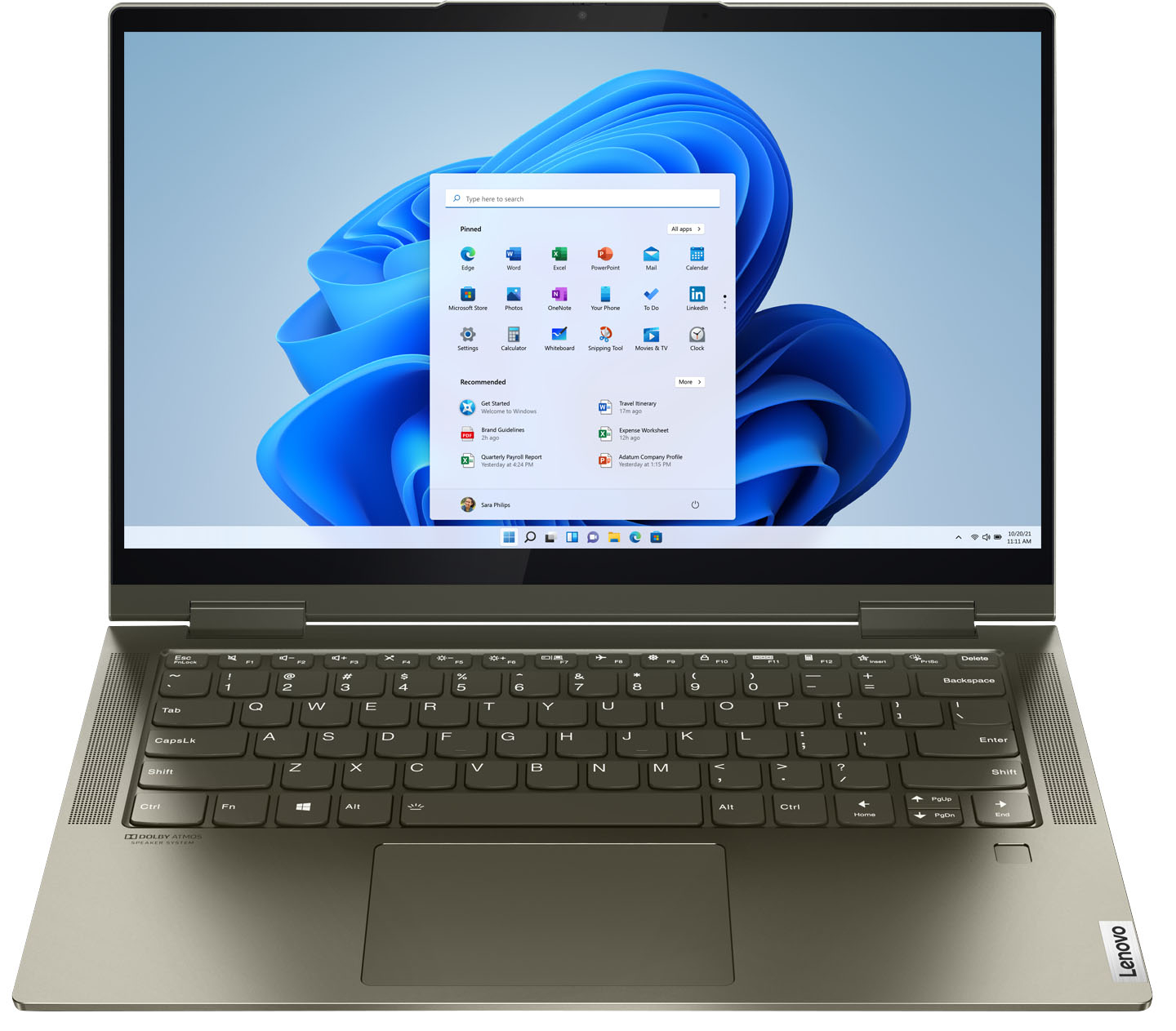
Customers are delighted by the Yoga 7i 2-in-1 laptop's fast performance, lightweight design, and long battery life. They appreciate the touch screen's sensitivity and the overall price of the laptop. However, some customers have concerns about the limited number of USB ports, the durability of the hinge, and the warranty coverage.
This summary was generated by AI based on customer reviews.
Don't waste money on Protection Plan/GeekSquad
||Posted . Owned for 1 year when reviewed.This reviewer received promo considerations or sweepstakes entry for writing a review.Trash just 3 months past the warranty lifted the cover to open and it broke. Purchased the Protection plan and geek squad(still active) and now they want me to pay for the repairs. Not worth it !!!!
No, I would not recommend this to a friendLenovo
||Posted . Owned for 5 months when reviewed.This reviewer received promo considerations or sweepstakes entry for writing a review.Have 4 month's with it and i didnt know lenovos had a tendency of not turning bk on from restmode fully charged and it doesnt turn bk on
No, I would not recommend this to a friendBrand response from Lenovo Product Expert
Posted .We are sorry to hear that you are experiencing issues with your Lenovo Yoga 7i 2-in-1 14in. Touch Screen Laptop with Intel Evo Core i5. This system is equipped with OneKey Recovery System. There is a very small pin hole on the (insert the exact location of the OneKey Recovery hole on this specific model). You will need a pin to push this reset button. Plug the device in. Let the battery charge for about 15 minutes. Push the reset button. The system should boot to a choice screen where you can choose "Restore to Factory Default". Select this. It will delete everything from the hard drive except the original factory install of the operating system. You will need to reinstall all programs and files after the reset. If you don't have copies of the files, try to make one before you restore by selecting "Boot to desktop" and trying to back up your files. If the problem persists after the factory reset, we recommend you contact Lenovo Tech Support at: 877-453-6686.

- Pros mentioned:Speed
Overall great computer for a student
Posted .This reviewer received promo considerations or sweepstakes entry for writing a review.Honestly, I haven't owned a laptop in a good while. Probably about 5 or 6 years. So keep this in mind, I am not a super computer expert, but I have been using this product for a little over two weeks at this point in time. Build: I was incredibly happy to find an affordable laptop with a quality metal build. All of my past computers have been plastic, which is great if you're on an even stricter budget but I was really looking for an affordable metal computer, and I bought this while it was on sale for $599.99. It's an incredible deal for the price even off sale ($900) and pulling it out of the box I almost felt like I robbed best buy, but alas lenovo has just succeeded at thoroughly impressing me. It's not VERY thin, probably about a centimeter thicker than a macbook air, but it is ABSOLUTELY thin ENOUGH. It's not bulky, it's not super heavy, it feels good in the lap. I have yet to hear a fan noise, and i think i read somewhere it does not have a fan (could be wrong) but it stays cool enough to use for hours on end. The keys are not "clicky" but they respond as i would like them to, soft but reassuring press, and unless you have heavy fingers it is hard to audibly hear the keys being pressed. perfect. Display: good, not great. the main thing is taking it off of the mode that changes the darkness compared to the lighting where you are. If you turn that off when you first turn it on, you will not be upset because it is a great deal brighter than you'd first think it is when you see it the first time. The colors are good, they seem accurate to me and without the nighttime lighting on the screen does get very bright. however, i opt to keep the night lighting on schedule for when it starts to get dark out, because it is much easier on the eyes without sacrificing the brightness you'd need at night say, writing a paper. if you're going to watch videos or something though, i'd probably turn the night lighting off for that purpose. Audio: surprisingly really good. from what i remember on past laptops it would always be either a) loud as heck, to the point where it sounds shrill at full volume OR b) so quiet i struggle to hear it without headphones. the speakers are loud, don't sound shrill or rattley, and clear enough to do things like listen to music without feeling like you're sacrificing a noticeable amount of quality. This blew me away, especially. though i still use my galaxy buds from time to time, it is not because the speakers are bad and just because i need privacy. speed: i got the intel i5, i think the 10th gen. I don't know much about processors, but from what I saw this was a good bang for my buck. lots of i5 processor computers run around 1000 and usually only come with 8gb of ram. This computer, while now it runs only 100 under 1k, has 12gb of ram, 512gb SSD and is quick enough for what i use it for. the only time ive experienced any considerable lag was when i was in a place with unstable internet connection, so not the computers fault at all. Overview: I am so glad I got this computer while it was $300 cheaper than it is now, I bought it for school (for psychology, math, english. not classes that'd need a higher end model like videography and such) and I've been using it before school starts for browsing reddit or twitter in the morning, music/netflix/media, creative writing, zoom calls (both class and therapy) and because it's a 2 in one and can be used as a cool tablet/teepee type thing (the pen helps a lot with these, and it is not included but can be purchased for cheap, and even works with other 3rd party manufacturer pens) I am incredibly pleased with my purchase, and feel like with proper care and treatment this computer will last far beyond another computer that would've been in the $600 price range. I am definitely going to stick with lenovo if this quality keeps up in the future.
I would recommend this to a friendBrand response from Lenovo Product Expert
Posted .Hello, thank you for choosing the Lenovo Yoga 7i. We are so happy to hear the performance, features, and sleek modern design of the Lenovo Yoga 7i is meeting your computing needs so well. We appreciate your loyalty to the Lenovo brand!
Worked… until it didn’t.
||Posted . Owned for 3 months when reviewed.This reviewer received promo considerations or sweepstakes entry for writing a review.I’ve owned this laptop for several months and have been beyond careful. There cannot possibly be any physical damage done to it, no viruses or anything, and it just shut down without a working display. Just get a MacBook like I should have.
No, I would not recommend this to a friendBrand response from Lenovo Product Expert
Posted .We are sorry to hear that you are having issues with your Intel Evo-Certified, Lenovo Yoga 7i 14, model number 82BH0006US. First, be sure that the internal battery has a sufficient charge to run the laptop. Be sure you are using the dedicated laptop charging port on the left side of the computer. The dedicated laptop charging port has an electric plug icon next to it. Plug your included AC adapter/charger into a wall socket, then plug the charging cord into the proper charging port on the computer. With the computer completely shut off, let the computer charge for 15-minutes. Now, with the laptop still plugged in and charging, press the power button. The computer will boot up normally to the Windows 10 Desktop screen. If the issue continues, we recommend you contact Lenovo Tech Support at: 877-453-6686.
Hate it
||Posted . Owned for 1 year when reviewed.This reviewer received promo considerations or sweepstakes entry for writing a review.I hate this laptop. It comstantly has hard drive failutes and restarts. The backlight sucks. And when you flip it to a notebook, the keys on the other side are still active and it's incredibly easy to hit the power button
No, I would not recommend this to a friendBrand response from Lenovo Product Expert
Posted .We are sorry to hear that you are having issues with your Intel Evo-Certified, Lenovo Yoga 7i 14. The keyboard and touchpad automatically turn off when the Yoga 7i 14 is in tablet mode. If you are experiencing Windows Operating System restarts, be sure any software you installed is compatible with Windows. There is no need to install Microsoft Office software. The software is already part of the operating system, you just need to activate the software with a purchased product key. If you have installed a copy of Microsoft Office, this is conflicting with the existing copy on the system and this will slow your system down. If you have installed a 3rd party anti-virus program, be sure that Windows Defender is turned off and that the trial version of McAfee Anti-Virus software is uninstalled. There can only be one anti-virus program on the system. You may need to restore your system to original factory default settings if any of the programming errors have occurred. You can do that by typing "restore" in the Cortana search window. Just click on the magnifying glass icon at the bottom left of your Windows Desktop. Click on "Reset This PC" Then click on "Get Started" and follow the on screen directions to restore to factory defaults. If the problem persists, we recommend you contact Lenovo Premium Care for additional help at: 888-278-9707.
Numerical keys then motherboard died at 16 months
||Posted . Owned for 1 year when reviewed.This reviewer received promo considerations or sweepstakes entry for writing a review.Numerical keys stopped working and now motherboard has died after less than 1.5 years of usage. Out of warranty, so unit is trash and warranty expired. AVOID!
No, I would not recommend this to a friendBrand response from Lenovo Product Expert
Posted .We are sorry to hear that you are having issues with your Intel Evo-Certified, lenovo Yoga 7i 14, model number 82BH0006US. Resetting this computer back to original factory settings may correct the issues you are having. This system is equipped with OneKey Recovery System. There is a very small pin hole on the bottom right side of the device, right near the top right corner of the cooling vent on the bottom of the device. You will need a pin to push this reset button. Plug the device in. Let the battery charge for about 15 minutes. Push the reset button. The system should boot to a choice screen where you can choose "Restore To Factory Default". Select this. It will delete everything from the hard drive except the original factory install of the operating system. You will need to reinstall all programs and files after the reset. If you don't have copies of the files, try to make one before you restore by selecting "Boot to desktop" and trying to back up your files. If the issue continues after this reset, we recommend you consider making an appointment with the Geek Squad at your local Best Buy Store to get an estimate for paid repairs of your computer.
Broke after 6 months
||Posted . Owned for 6 months when reviewed.This reviewer received promo considerations or sweepstakes entry for writing a review.It's all over the internet. There is a serious manufacturing problem with the screen hinge.
No, I would not recommend this to a friendBrand response from Lenovo Product Expert
Posted .This Intel Evo-Certified, Lenovo Yoga 7i 14 model number 82BH0006US ships with two, 360-degree hinges on the screen/keyboard, that allow the screen to rotate through a 360-degree arc. These hinges have been bench tested through 25,000 cycles (8 to 10 years of normal use), without a failure. All Lenovo Computers have a limited 1-year manufacturer's warranty, covering hardware OEM issues. If you have a hardware OEM issue, we recommend you contact Lenovo Premium Care at: 888-278-9707.
Terrible product
||Posted . Owned for 1 month when reviewed.This reviewer received promo considerations or sweepstakes entry for writing a review.I haven’t been able to use it since I got it because when I turn it on, all I get is the circle of death. I’m taking it in tomorrow to see if they can figure out what’s wrong with it.
No, I would not recommend this to a friendBrand response from Lenovo Product Expert
Posted .We are sorry to hear that you are having issues with your Intel Evo-Certified, Lenovo Yoga 7i-14. It is possible that resetting the computer back to original factory settings will correct the issue you describe. Since you can not boot the computer, this system is equipped with OneKey Recovery System. There is a very small pin hole on the bottom of the device, right near edge of the cooling vent on the bottom on the device. You will need a pin to push this reset button. Plug the device in. Let the battery charge for about 15 minutes. Push the reset button. The system should boot to a choice screen where you can choose "Restore To Factory Default". Select this. It will delete everything from the hard drive except the original factory install of the operating system. You will need to reinstall all programs and files after the reset. If you don't have copies of the files, try to make one before you restore by selecting "Boot to desktop" and trying to back up your files. Once you have the computer reset, be sure any software you installed is compatible with Windows 10. There is no need to install Microsoft Office software. The software is already part of the operating system, you just need to activate the software with a purchased product key. If you have installed a copy of Microsoft Office, this is conflicting with the existing copy on the system and this will slow your system down. If you have installed a 3rd party anti-virus program, be sure that Windows Defender is turned off and that the trial version of McAfee Anti-Virus software is uninstalled. There can only be one anti-virus program on the system. You may need to restore your system to original factory default settings if any of the programming errors have occurred. You can do that by typing "restore" in the Cortana search window. Just click on the magnifying glass icon at the bottom left of your Windows 10 Desktop. Click on "Reset This PC" Then click on "Get Started" and follow the on screen directions to restore to factory defaults. If the problem persists, we recommend you contact Lenovo Tech Support at: 877-453-6686.
- Pros mentioned:Touch screen
Lenovo Yoga 2-in-1 laptop with pen
Posted .This reviewer received promo considerations or sweepstakes entry for writing a review.The Lenovo Yoga 2-in-1 7i is a very good versatile series which can easily switch from laptop to tablet modes. It is powerful enough for day-to-day and even some graphics & light film ( video) rendering. If you need to do heavy video rendering I would use a 7 ultra or 9 ultra Intel processors along with a mid-range graphics card. A touchscreen and pen is necessary for me and won't buy a machine without it Remember to open and close the display applying pressure on the middle top of the display to not over stress one of the hinges. Most people's yoga's cameras function mine never did. Wish B.B. would have exchanged it.
I would recommend this to a friend Defective laptop
||Posted .This reviewer received promo considerations or sweepstakes entry for writing a review.I thought I was the best deal but the laptop was defective, the Bestbuy people have to verify if it’s fully functional if it’s a open box so that the customer won’t have issues after purchasing.
No, I would not recommend this to a friendBrand response from Lenovo Product Expert
Posted .We are sorry to hear that you are having issues with your Intel Evo-Certified, Lenovo Yoga 7i-14, model number 82BH0006US. We recommend you contact Lenovo Tech Support for help with your issue at: 877-453-6686.
Terrible
||Posted . Owned for 3 weeks when reviewed.This reviewer received promo considerations or sweepstakes entry for writing a review.Randomly shut down after set up. Tried to bring back up and it would still shut down randomly. So disappointed. Returned immediately.
No, I would not recommend this to a friendBrand response from Lenovo Product Expert
Posted .We are sorry to hear that you had issues with your Intel Evo-Certified, Lenovo Yoga 7i-14. Be sure any software you installed is compatible with Windows 10. There is no need to install Microsoft Office software. The software is already part of the operating system, you just need to activate the software with a purchased product key. If you have installed a copy of Microsoft Office, this is conflicting with the existing copy on the system and this will slow your system down. If you have installed a 3rd party anti-virus program, be sure that Windows Defender is turned off and that the trial version of McAfee Anti-Virus software is uninstalled. There can only be one anti-virus program on the system. You may need to restore your system to original factory default settings if any of the programming errors have occurred. You can do that by typing "restore" in the Cortana search window. Just click on the magnifying glass icon at the bottom left of your Windows 10 Desktop. Click on "Reset This PC" Then click on "Get Started" and follow the on screen directions to restore to factory defaults. If the problem persists, we recommend you contact Lenovo Tech Support at: 877-453-6686.
Lenovo... never again
||Posted .This reviewer received promo considerations or sweepstakes entry for writing a review.Good value. But screen flickers out of the box. Not recommended.
No, I would not recommend this to a friendBrand response from Lenovo Product Expert
Posted .We are sorry to hear that you are having screen flicker issues with your Lenovo Yoga 7i-14. First, be sure any software you installed is compatible with Windows 10. There is no need to install Microsoft Office software. The software is already part of the operating system, you just need to activate the software with a purchased product key. If you have installed a copy of Microsoft Office, this is conflicting with the existing copy on the system and this will slow your system down. If you have installed a 3rd party anti-virus program, be sure that Windows Defender is turned off and that the trial version of McAfee Anti-Virus software is uninstalled. There can only be one anti-virus program on the system. You may need to restore your system to original factory default settings if any of the programming errors have occurred. You can do that by typing "restore" in the Cortana search window. Just click on the magnifying glass icon at the bottom left of your Windows 10 Desktop. Click on "Reset This PC" Then click on "Get Started" and follow the on screen directions to restore to factory defaults. If there is no incompatible software installed, a reset of your computer back to original factory settings may fix the issue you describe. Here is a link to more information and instructions for resetting your Windows 10 laptop: https://support.microsoft.com/en-us/windows/recovery-options-in-windows-10-31ce2444-7de3-818c-d626-e3b5a3024da5. If the issue continues, we recommend you call Lenovo Tech Support at: 877-453-6686.
Lasted only 3 months
||Posted . Owned for 3 months when reviewed.This reviewer received promo considerations or sweepstakes entry for writing a review.Bought on 7/29/21 but as of 10/21, it no longer boots properly. It won't even allow me to reset to factory settings. No warranty stores nearby.
No, I would not recommend this to a friendBrand response from Lenovo Product Expert
Posted .We are very sorry to hear that you are experiencing issues with the Lenovo Yoga 7i 2-in-1 Touch Screen Laptop with Intel Evo Platform Certification. This system is equipped with OneKey Recovery System. There is a very small pin hole on the (insert the exact location of the OneKey Recovery hole on this specific model). You will need a pin to push this reset button. Plug the device in. Let the battery charge for about 15 minutes. Push the reset button. The system should boot to a choice screen where you can choose "Restore to Factory Default". Select this. It will delete everything from the hard drive except the original factory install of the operating system. You will need to reinstall all programs and files after the reset. If you don't have copies of the files, try to make one before you restore by selecting "Boot to desktop" and trying to back up your files. If the problem persists after the factory reset, we recommend you contact Lenovo Tech Support at: 877-453-6686.
Uninformed employee
||Posted . Owned for 3 weeks when reviewed.This reviewer received promo considerations or sweepstakes entry for writing a review.Don't listen to person selling you, I was told I had 30 days on a return.. but turned out I had 15.. I should of read the policy.. so my fault
No, I would not recommend this to a friendDead battery within days
||Posted . Owned for 1 month when reviewed.This reviewer received promo considerations or sweepstakes entry for writing a review.Battery has died in week 2 of usage. Now only works on charger power. Purchased from BestBuy but warrant will not apply internationally. Avoid this product.
No, I would not recommend this to a friendBrand response from Lenovo Product Expert
Posted .We are sorry to hear that you are having issues with your Lenovo Yoga 7i 14. It is possible that resetting the computer back to original factory settings will also reset the battery and allow it to charge again. Here is a link to instructions for resetting your Windows 10 laptop: https://support.microsoft.com/en-us/windows/recovery-options-in-windows-10-31ce2444-7de3-818c-d626-e3b5a3024da5
Trash
||Posted .This reviewer received promo considerations or sweepstakes entry for writing a review.Trash so very trash the trash in the trash the trash was a picture in the dictionary this would be it
No, I would not recommend this to a friendCrash Buy
||Posted . Owned for 1 month when reviewed.This reviewer received promo considerations or sweepstakes entry for writing a review.Disgusted laptop not even two moths old I can’t get it out of a deep sleep mode…. Unbelievable
No, I would not recommend this to a friendBrand response from Lenovo Product Expert
Posted .We are sorry to hear that you are having issues with your Intel Evo-Certified, Lenovo Yoga 7i-14 model number 82BH0006US. First be sure the battery has a charge. Plug the computer in using the included AC adapter/charger into the proper charging port on the left side of this computer. There is only one port that can charge this computer. It is located on the left side of the computer and has an electric plug icon next to the Thunderbolt port. This is the only port to use when charging the computer. There is an LED light next to this charging port that, when the charger is plugged in, will light up, indicating power is following to the computer. Plug the computer in and let it charge for 15-mintues. Now push the power button and the computer will boot normally to the Windows 10 desktop. If the computer does not boot and the issue continues, reset the computer back to original factory settings. Since you can not properly boot the computer, this system is equipped with OneKey Recovery System. There is a very small pin hole on the bottom right side of the device, right near the top right corner of the cooling vent on the bottom of the device. You will need a pin to push this reset button. Plug the device in. Let the battery charge for about 15 minutes. Push the reset button. The system should boot to a choice screen where you can choose "Restore To Factory Default". Select this. It will delete everything from the hard drive except the original factory install of the operating system. You will need to reinstall all programs and files after the reset. If you don't have copies of the files, try to make one before you restore by selecting "Boot to desktop" and trying to back up your files. If the problem persists after the factory reset, we recommend you contact Lenovo Tech Support at: 877-453-6686.
Great laptop awful keyboard.
||Posted . Owned for 1 month when reviewed.This reviewer received promo considerations or sweepstakes entry for writing a review.The keyboard doesn't work with the first month of use; I guess they give one from the exhibition instead of one sealed.
No, I would not recommend this to a friendBrand response from Lenovo Product Expert
Posted .We are sorry to hear that you are having issues with the the keyboard of your Intel Evo-Certified, Lenovo Yoga 7i 14, model number 82BH0006US. Since the keyboard has been working for the first month of use, first, be sure any new software you installed is compatible with Windows. There is no need to install Microsoft Office software. The software is already part of the operating system, you just need to activate the software with a purchased product key. If you have installed a copy of Microsoft Office, this is conflicting with the existing copy on the system and this will slow your system down. If you have installed a 3rd party anti-virus program, be sure that Windows Defender is turned off and that the trial version of McAfee Anti-Virus software is uninstalled. There can only be one anti-virus program on the system. You may need to restore your system to original factory default settings if any of the programming errors have occurred. You can do that by typing "restore" in the Cortana search window. Just click on the magnifying glass icon at the bottom left of your Windows Desktop. Click on "Reset This PC" Then click on "Get Started" and follow the on screen directions to restore to factory defaults. If there is no incompatible software installed but the issues persist, check to be sure you have the latest version of Windows on the computer. Then update all BIOS files and drivers up to that latest version of Windows. You can easily accomplish this by scanning the computer with the Lenovo Utility software available on this computer. This system has Lenovo utilities installed to help maintain the health of the device and keep the operating system software up to date. Type "Lenovo Vantage" in the Cortana Search window (if Lenovo Vantage is not installed on your device, you can download the APP and install it now). Select Lenovo Vantage from the list. In the window that opens, click on "Health and Support". In the expanded menu, select "Hardware Scan" In the window that opens, select "Run Quick Tests". This will scan your entire system for errors. Follow any directions that may pop up. If the problem continues after this scan, now click on "System Update". First select Windows update from the menu. Scan your system to be sure you have the latest version of Windows. Once that scan is complete, select "Additional Updates". This will scan your device to be sure there are no new BIOS/Driver updates needed. Follow any instructions that may pop up. If you are still unable to use the keyboard, resetting the computer back to original factory settings may clear the problem. This system is equipped with OneKey Recovery System. There is a very small pin hole on the bottom right side of the device, right near the top right corner of the cooling vent on the bottom of the device. You will need a pin to push this reset button. Plug the device in. Let the battery charge for about 15 minutes. Push the reset button. The system should boot to a choice screen where you can choose "Restore To Factory Default". Select this. It will delete everything from the hard drive except the original factory install of the operating system. You will need to reinstall all programs and files after the reset. If you don't have copies of the files, try to make one before you restore by selecting "Boot to desktop" and trying to back up your files. If the problem persists after the factory reset, we recommend you contact Lenovo Premium Care for additional help at: 888-278-9707.
Hope you have better luck than me.
||Posted .This reviewer received promo considerations or sweepstakes entry for writing a review.Hard drive crashed after a week. Decided to purchase something else.
No, I would not recommend this to a friendNot Working
||Posted . Owned for 7 months when reviewed.This reviewer received promo considerations or sweepstakes entry for writing a review.This Laptop is not good and its not starting when you click on power button.
No, I would not recommend this to a friendBrand response from Lenovo Product Expert
Posted .We are sorry to hear that you are having issues with your Intel Evo-Certified, Lenovo Yoga 7i-14, model number 82BH0006US. Resetting your computer back to original factory settings may correct the issue you are having. This system is equipped with OneKey Recovery System. There is a very small pin hole on the bottom right side of the device, right near the top right corner of the cooling vent on the bottom of the device. You will need a pin to push this reset button. Plug the device in. Let the battery charge for about 15 minutes. Push the reset button. The system should boot to a choice screen where you can choose "Restore To Factory Default". Select this. It will delete everything from the hard drive except the original factory install of the operating system. You will need to reinstall all programs and files after the reset. If you don't have copies of the files, try to make one before you restore by selecting "Boot to desktop" and trying to back up your files. Once you have the computer reset, be sure any software you installed is compatible with Windows 10. There is no need to install Microsoft Office software. The software is already part of the operating system, you just need to activate the software with a purchased product key. If you have installed a copy of Microsoft Office, this is conflicting with the existing copy on the system and this will slow your system down. If you have installed a 3rd party anti-virus program, be sure that Windows Defender is turned off and that the trial version of McAfee Anti-Virus software is uninstalled. There can only be one anti-virus program on the system. You may need to restore your system to original factory default settings if any of the programming errors have occurred. You can do that by typing "restore" in the Cortana search window. Just click on the magnifying glass icon at the bottom left of your Windows 10 Desktop. Click on "Reset This PC" Then click on "Get Started" and follow the on screen directions to restore to factory defaults. If the problem persists, we recommend you contact Lenovo Tech Support at: 877-453-6686.