Customer Ratings & Reviews



- Model:
- 82BH00DQUS/82BH0006US
- SKU:
- 6426710
Rating by feature
- Battery Life
Rating 4.5 out of 5 stars
- Speed
Rating 4.6 out of 5 stars
- Display
Rating 4.5 out of 5 stars
Customers are saying
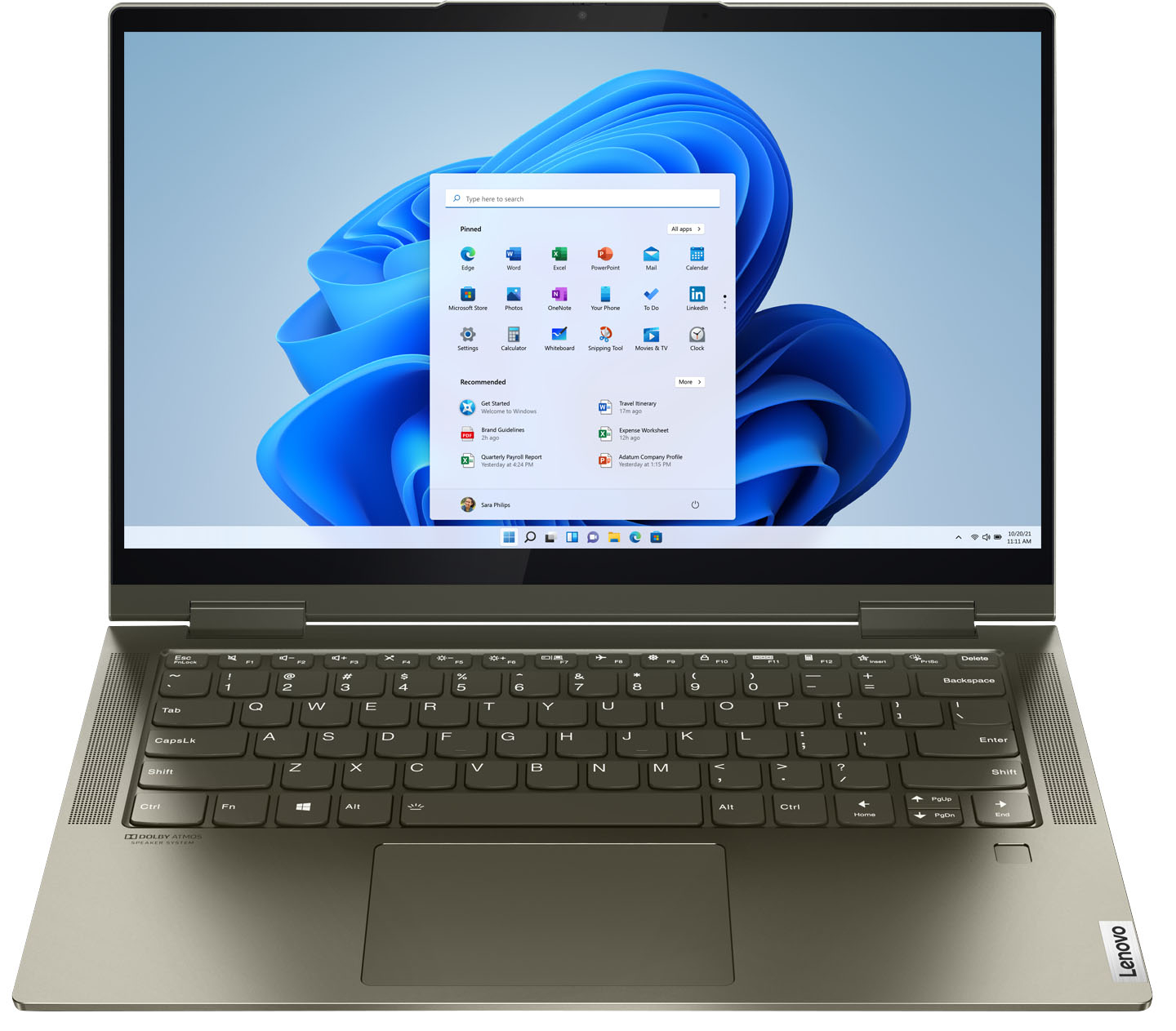
Customers are delighted by the Yoga 7i 2-in-1 laptop's fast performance, lightweight design, and long battery life. They appreciate the touch screen's sensitivity and the overall price of the laptop. However, some customers have concerns about the limited number of USB ports, the durability of the hinge, and the warranty coverage.
This summary was generated by AI based on customer reviews.
- Cons mentioned:Hinge
Hinge.
Posted .This reviewer received promo considerations or sweepstakes entry for writing a review.I am so sad. Like other reviews have stated, i have had this for a year and a half and the lefthand hinge snapped. Scared to even open it now :( this is not cool. This laptop is great but it randomly broke like some old brittled plastic after a year and a half. Would invest in a better model. Need to make more word's for tbis stupid review bc Best Buy is booty cheeks. Enough yet?
No, I would not recommend this to a friend Lenovo Yoga laptop
Posted .This reviewer received promo considerations or sweepstakes entry for writing a review.Responsive, informative & timely curbside service. Only disappointment is failure to get credit on MyBestBuy acct. Also, open-box "excellent" condition, but when opened box, it was missing power adapter!
I would recommend this to a friend- Cons mentioned:Hinge
Hinge broke on me after less than 1 year of use
Posted .This reviewer received promo considerations or sweepstakes entry for writing a review.I purchased this laptop in April 2021 and loved it - it's sleek, fast and perfect for my work from home needs. I would give this a high rating however, less than a year after owning the laptop (and with no damage to it), the hinge connecting it to the screen completely broke while I was closing it normally, which also resulted in a cracked screen. I'm still under warranty and have put in a ticket with Lenovo, but based on other reviews I've seen here, it seems that this is a common issue and Lenovo likely will not cover it. I am severely disappointed because my new laptop is no longer functioning after less than a year, and that is completely unacceptable. I cannot recommend this to anyone.
No, I would not recommend this to a friendBrand response from Lenovo Product Expert
Posted .This Intel Evo-Certified, Lenovo Yoga 7i 14 model number 82BH0006US, ships with two 360-degree hinges installed on the screen/keyboard, that have been bench tested through 25,000 cycles (the equivalent of 8 to 10 years of normal use), without a failure. There is a limited 1-year manufacturer's warranty on this Yoga 7i 14, covering OEM hardware issues. If you have an OEM hinge issue, we recommend you contact Lenovo tech Support at: 877-453-6686.

All good
Posted .This reviewer received promo considerations or sweepstakes entry for writing a review.Literally no complaints so far but I've only been using it for 2 weeks! Only wish I could find a plastic hard cover for it
I would recommend this to a friendWaste of money
Posted .This reviewer received promo considerations or sweepstakes entry for writing a review.This device did not last long. Three years and one month after I purchased this device the motherboard gave out. I spent so much money on this device and I am highly disappointed. This was such a waste of money.
No, I would not recommend this to a friend- Cons mentioned:Hinge
Cracked hinge and screen
Posted .This reviewer received promo considerations or sweepstakes entry for writing a review.Less than 9 months after we purchased (maybe 2 months of daily use from school), the hinge cracked which then caused the screen to crack. Never had this problem with any other laptop and it looks like this is a very common problem with this model of Lenovos. I'm hoping that the warranty will cover this as it is very disappointing that this seems to be a problem for several years with no redesign of the laptop.
No, I would not recommend this to a friendBrand response from Lenovo Product Expert
Posted .The Intel Evo-Certified, Lenovo Yoga 7i 14 model number 82BH00DQUS, ships with 360 degree hinges on the screen that have been bench tested through 25,000 cycles (8 to 10 years of normal use) without a failure. If you have an issue with a Yoga hinge, we recommend you contact Lenovo Tech Support for help with your issue at: 877-453-6686.
It doesn't even deserve one star
Posted .This reviewer received promo considerations or sweepstakes entry for writing a review.The lenovo yoga is the worst laptop I have ever owned the last laptop I Owned was seventeen years older than this one and it worked better in every shape inform This doesn't even have a small graphic card so other than small web browsing it is completely useless
No, I would not recommend this to a friendLove it
Posted .This reviewer received promo considerations or sweepstakes entry for writing a review.I love my new laptop. Had fires from previous Lenovo Thinkpad trsnsfered to Lenovo Yoga. Works great
I would recommend this to a friendNovice computer user.
Posted .This reviewer received promo considerations or sweepstakes entry for writing a review.I am very satisfied with my purchase so far. I don't have great computer skills but I am working on that.
I would recommend this to a friendBrand response from Lenovo Product Expert
Posted .Thank you for choosing the Intel Evo-Certified, Lenovo Yoga 7i 14. Here is a link to a YouTube video that demonstrates some Windows 11 tips and tricks: https://www.youtube.com/watch?v=26dXRnc0EHc&t=29s. We are pleased to hear that the Yoga 7i 14 meets your computing needs so well.
Lenovo - Yoga 7i 2-in-1 14" Touch Screen Laptop
Posted .This reviewer received promo considerations or sweepstakes entry for writing a review.I am very happy with my Lenovo-7i that I purchase from Best Buy, it arrived quickly at a good price.
I would recommend this to a friendBrand response from Lenovo Product Expert
Posted .Thank you for choosing the Intel Evo-Certified, lenovo Yoga 7i 14. We are pleased to hear that the value and performance of the Yoga 7i 14 meets your computing needs so well.
Good work
Posted .This reviewer received promo considerations or sweepstakes entry for writing a review.Buy good products you should get this laptop i like
I would recommend this to a friend- Cons mentioned:Camera quality
Camera goes black
Posted .This reviewer received promo considerations or sweepstakes entry for writing a review.I would not buy a Lenovo brand laptop again. Everything worked well except the camera went black the second time I tried to use it. I have tried all of the Internet and YouTube fixes recommended and the camera is still useless, therefore unable to Zoom or Skype or any other camera option. Spent days trying to get it to work and my only option is plugging in a separate camera. It really shouldn't be that hard. The other option is mailing in my laptop to Lenovo and pay for shipping and repair. Not a good option. Based on my Internet searching there are many people who have had this problem.
No, I would not recommend this to a friendBrand response from Lenovo Product Expert
Posted .We are sorry to hear that you are having issues with the webcam on your Intel Evo-Certified, Lenovo Yoga 7i-14, model number 82BH0006US. This model ships with a 720p (HD) webcam with manual Privacy Shutter built in. Be sure the Privacy Shutter is completely open before trying to use the webcam or the webcam will not operate. There is a small slider, directly above the webcam lens. Move the tab to the right to open the Privacy Shutter. There is a red dot over the webcam lens that will disappear when the Privacy Shutter is fully open. This will indicate that the webcam is really to use. You can close the Privacy Shutter when you are done with the webcam for your security, by sliding the tab to the left to close the Privacy Shutter. The Red Dot will appear over the webcam lens when the Privacy Shutter is closed. If the Privacy Shutter is open - the red dot is not over the webcam lens - try recording a video offline by using the Windows 10 video recorder APP. Here is a link to instructions for using this video recorder: https://www.digitalcitizen.life/how-use-camera-app-windows-10-your-webcam/. If you are able to record and playback the video, your webcam is now operational. If the issue continues and you are not able to record video offline, now check to see if you have the latest version of Windows 10 on the computer. Then update all BIOS files and drivers up to that latest version of Windows 10. You can easily accomplish this by scanning the computer with the Lenovo Utility software available on this computer. This system has Lenovo utilities installed to help maintain the health of the device and keep the operating system software up to date. Type "Lenovo Vantage" in the Cortana Search window (if Lenovo Vantage is not installed on your device, you can download the APP and install it now). Select Lenovo Vantage from the list. In the window that opens, click on "Health and Support". In the expanded menu, select "Hardware Scan" In the window that opens, select "Run Quick Tests". This will scan your entire system for errors. Follow any directions that may pop up. If the problem continues after this scan, now click on "System Update". First select Windows update from the menu. Scan your system to be sure you have the latest version of Windows 10. Once that scan is complete, select "Additional Updates". This will scan your device to be sure there are no new BIOS/Driver updates needed. Follow any instructions that may pop up. If the issue still continues after these updates, we recommend you call Lenovo Tech Support at: 877-453-6686 for additional help.
VR
Posted .This reviewer received promo considerations or sweepstakes entry for writing a review.Good one Good one Good one Good one Good one Good one
No, I would not recommend this to a friendThank goodness for the warranty
Posted .This reviewer received promo considerations or sweepstakes entry for writing a review.Can't really recommend this laptop, I had problems with it right out of the box. Black horizontal bands would appear on the screen, picture would fade in and out, etc. Would often make a loud humming sound. Fortunately the item is still under warranty, so I was able to mail it in for repairs. But this means days/weeks of being without a computer needed for work. Which is why I am back on this website, looking for a cheap laptop to purchase while I wait.
No, I would not recommend this to a friendBrand response from Lenovo Product Expert
Posted .We are sorry to hear that you had issues with your Intel Evo-Certified, Lenovo Yoga 7i 14, model number 82BH00DQUS. Resetting your computer back to original factory settings may fix the issue you are having. Here is a link to instructions for resetting a Windows 11 laptop back to original factory settings: https://www.tomshardware.com/how-to/factory-reset-windows-11-or-10. If you are unable to reset this Yoga 7i 14 using this method due to the screen issues, this system is equipped with OneKey Recovery System. Power off the computer. Plug in the AC adapter/charger with the power to the computer turned off. Let the computer charge. There is a very small pin hole on the bottom right side of the device, right near the top right corner of the cooling vent on the bottom of the device. You will need a pin to push this reset button. Plug the device in. Let the battery charge for about 15 minutes, with the power off. Push the reset button. The system should boot to a choice screen where you can choose "Restore To Factory Default". Select this. It will delete everything from the hard drive except the original factory install of the operating system. You will need to reinstall all programs and files after the reset. If you don't have copies of the files, try to make one before you restore by selecting "Boot to desktop" and trying to back up your files. If the problem persists after the factory reset, we recommend you contact Lenovo Tech Support at: 877-453-6686.
Worst laptop
Posted .This reviewer received promo considerations or sweepstakes entry for writing a review.Very poor product quality is not good , my laptop was broken in a few days
No, I would not recommend this to a friendBeware the limittion on the wi-fi range
Posted .This reviewer received promo considerations or sweepstakes entry for writing a review.I purchased this computer from Best Buy on July 31 2021. After two weeks of installing and customizing the computer I discovered that the WI-FI Network Adapter has a very limited range. I have an older model of Lenovo Yoga which has a much wider range for wi-fi. After discussions with Lenovo and looking at other users' experiences with the w-fi, I concluded we cannot use this computer for travel especially since we cruise a lot. I spoke with Best Buy and the Customer Service representative said there would be no problem returning the computer even though it was beyond the 15 day limit and I had thrown away the original box and receipt. When I tried to return the computer, the manager said they would not accept it. She said It was not in pristine condition with the original box and receipt. I am very disappointed with Lenovo for reducing the wi-fi range and with Best Buy for promising and not following through.
No, I would not recommend this to a friendBrand response from Lenovo Product Expert
Posted .The Intel Evo-Certified, Lenovo Yoga 7i 14 model number 82BH0006US, ships with the wide-range/high speed WiFi-6, 2x2 802.11ax frequency WiFi for maximum range and speed. If you are getting slower than expected WiFi speeds and/or reduced connectivity, check to be sure you have the latest version of Windows 10 on the computer. Then update all BIOS files and drivers up to that latest version of Windows 10. You can easily accomplish this by scanning the computer with the Lenovo Utility software available on this computer. This system has Lenovo utilities installed to help maintain the health of the device and keep the operating system software up to date. Type "Lenovo Vantage" in the Cortana Search window (if Lenovo Vantage is not installed on your device, you can download the APP and install it now). Select Lenovo Vantage from the list. In the window that opens, click on "Health and Support". In the expanded menu, select "Hardware Scan" In the window that opens, select "Run Quick Tests". This will scan your entire system for errors. Follow any directions that may pop up. If the problem continues after this scan, now click on "System Update". First select Windows update from the menu. Scan your system to be sure you have the latest version of Windows 10. Once that scan is complete, select "Additional Updates". This will scan your device to be sure there are no new BIOS/Driver updates needed. Follow any instructions that may pop up. If the issue still continues after these updates, we recommend you call Lenovo Tech Support at: 877-453-6686 for additional help.
Poor Body Quality and Defective Interior
Posted .This reviewer received promo considerations or sweepstakes entry for writing a review.If I could give this laptop zero stars I would. Before this computer I had a lenovo that lasted for six years but obviously their quality has gone seriously down hill since then. This computer has broken not once, not twice, not thrice, but four times. They fix it and then it breaks again. The touchpad just randomly stops working as if it doesn't realize it is supposed to have one. There are also glitches with the bluetooth and other small screen/keyboard settings. In addition to all of this, the body itself is cheap and flimsy. The bottom clicks if you push on one of the corners.
No, I would not recommend this to a friendBrand response from Lenovo Product Expert
Posted .We are sorry to hear that you are having issues with your Intel Evo-Certified, Lenovo Yoga 7i 14. Resetting this computer back to original factory settings may correct the issues you are having with the touchpad, Bluetooth, screen and keyboard issues you mention. Here is a link to instructions for resetting your Windows 11 computer: https://www.windowscentral.com/how-reset-windows-11-pc-factory-settings. Once the computer is reset, now check to be sure you have the latest version of Windows 11 on the computer. Then update all BIOS files and drivers up to that latest version of Windows 11. You can easily accomplish this by scanning the computer with the Lenovo Utility software available on this computer. This system has Lenovo utilities installed to help maintain the health of the device and keep the operating system software up to date. Type "Lenovo Vantage" in the Cortana Search window (if Lenovo Vantage is not installed on your device, you can download the APP and install it now). Select Lenovo Vantage from the list. In the window that opens, click on "Health and Support". In the expanded menu, select "Hardware Scan" In the window that opens, select "Run Quick Tests". This will scan your entire system for errors. Follow any directions that may pop up. If the problem continues after this scan, now click on "System Update". First select Windows update from the menu. Scan your system to be sure you have the latest version of Windows 11. Once that scan is complete, select "Additional Updates". This will scan your device to be sure there are no new BIOS/Driver updates needed. Follow any instructions that may pop up. If the issue continues after these updates, we recommend you call Lenovo Premium Care for additional help at: 888-278-9707.
Keyboard works intermittently. Two months old.
Posted .This reviewer received promo considerations or sweepstakes entry for writing a review.I have had this computer for two months. Its a great computer except that the keyboard stops working intermittently. Lenovo support has been very helpful stepping me though many steps to fix the problem. Yesterday we did a factory reset. Today the problem returned. Looking at the internet there are many postings about Yoga keyboard probems. Clearly it's something that Lenovo has known about but not fixed. I'd like to ask them what is the point of making a great computer knowing there's a good chance the keyboard will fail? My problem is compounded by my being stranded in Latin America, probably unable to get home to the US for awhile. So not likely to be able to take it in for servicing.
No, I would not recommend this to a friendBrand response from Lenovo Product Expert
Posted .We are sorry to hear that you are having issues with your Intel Evo-Certified, Lenovo Yoga 7i 14, model number 82BH00DQUS. Be sure any software you installed is compatible with Windows 10. There is no need to install Microsoft Office software. The software is already part of the operating system, you just need to activate the software with a purchased product key. If you have installed a copy of Microsoft Office, this is conflicting with the existing copy on the system and this will slow your system down. If you have installed a 3rd party anti-virus program, be sure that Windows Defender is turned off and that the trial version of McAfee Anti-Virus software is uninstalled. There can only be one anti-virus program on the system. You may need to restore your system to original factory default settings if any of the programming errors have occurred. You can do that by typing "restore" in the Cortana search window. Just click on the magnifying glass icon at the bottom left of your Windows 10 Desktop. Click on "Reset This PC" Then click on "Get Started" and follow the on screen directions to restore to factory defaults. If the problem persists, we recommend you contact Lenovo Tech Support at: 877-453-6686.
Crap computer
Posted .This reviewer received promo considerations or sweepstakes entry for writing a review.If there was an option for 0 stars that’s what they would get. While trying to set up my email I keep getting an error message. The geek squad told me there was something wrong with the computer I needed to return it. I ordered another one. Again while trying to set up my email account same error message. I was on the phone with Lenovo for a lover two hours. Transferred 11 times. No one could help. They are absolute idiots! Do not buy one of their computers they are garbage and so is the support!
No, I would not recommend this to a friendBrand response from Lenovo Product Expert
Posted .We are sorry to hear that you are having issues with your Intel Evo-Certified, Lenovo Yoga 7i 14 model number 82BH0006US. Here is a link to instructions for setting up internet email accounts within Windows 10: https://www.34sp.com/kb/216/how-to-setup-email-on-windows-10-mail. If you continue to have issues, we recommend you contact lenovo Tech Support for additional help at: 877-453-6686.
Too many glitches
Posted .This reviewer received promo considerations or sweepstakes entry for writing a review.After only a week the computer started: - getting stuck until I restarted it - screen would become dark even on full brightness until I restarted it -my windows would close itself -poor battery life -over heating Definitely not worth it. And it costs almost the same as a MacBook Air.
No, I would not recommend this to a friendBrand response from Lenovo Product Expert
Posted .We are sorry to hear that you had issues with your Intel Evo-Certified, Lenovo Yoga 7i-14. Be sure any software you installed is compatible with Windows 10. The issues you describe could be caused by incompatible software. There is no need to install Microsoft Office software. The software is already part of the operating system, you just need to activate the software with a purchased product key. If you have installed a copy of Microsoft Office, this is conflicting with the existing copy on the system and this will slow your system down. If you have installed a 3rd party anti-virus program, be sure that Windows Defender is turned off and that the trial version of McAfee Anti-Virus software is uninstalled. There can only be one anti-virus program on the system. You may need to restore your system to original factory default settings if any of the programming errors have occurred. You can do that by typing "restore" in the Cortana search window. Just click on the magnifying glass icon at the bottom left of your Windows 10 Desktop. Click on "Reset This PC" Then click on "Get Started" and follow the on screen directions to restore to factory defaults. If the problem persists, we recommend you contact Lenovo Tech Support at: 877-453-6686.