Customer Ratings & Reviews
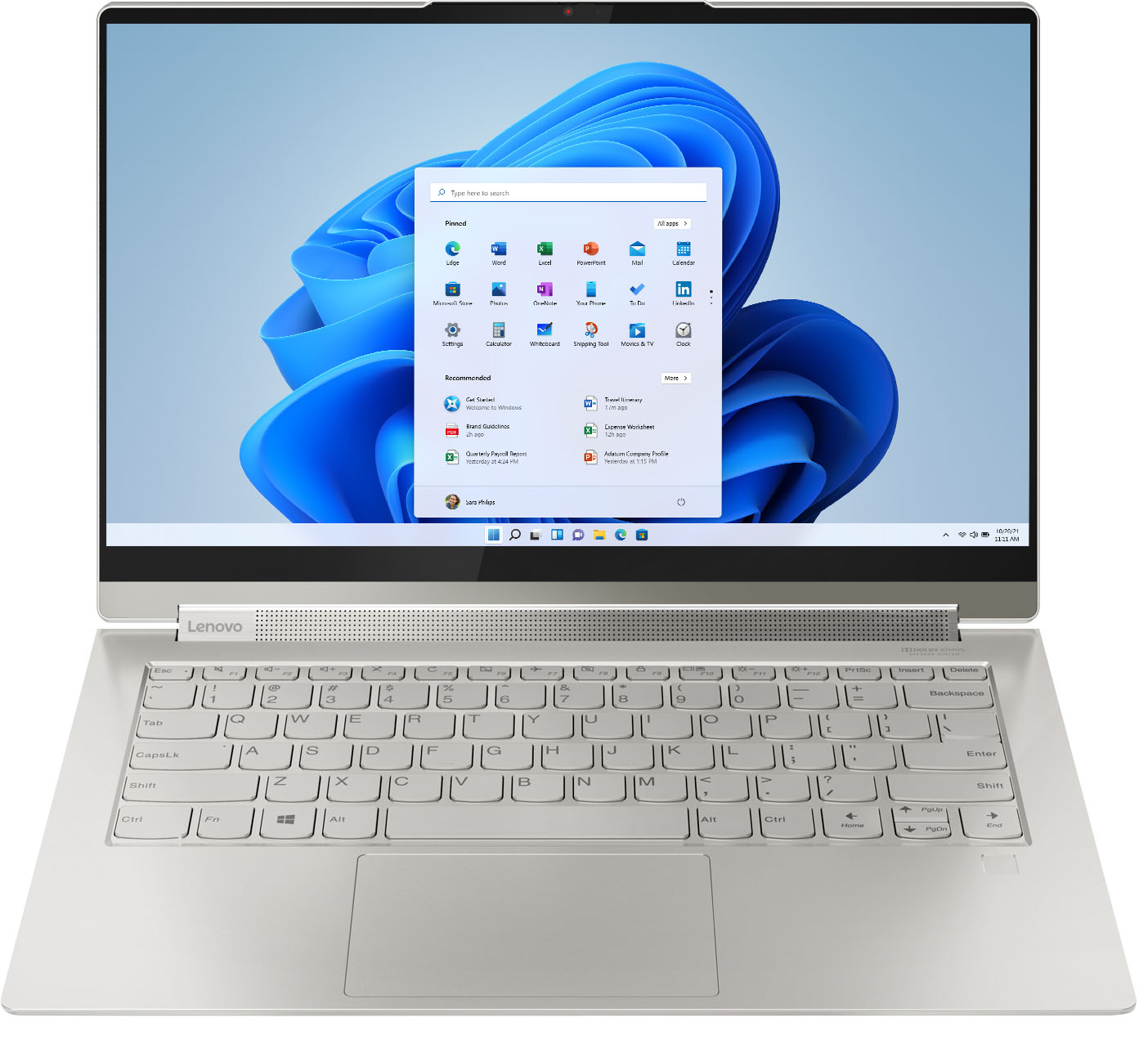



- Model:
- 82BG0090US/82BG000CUS
- SKU:
- 6426709
Rating by feature
- Battery Life
Rating 4.4 out of 5 stars
- Speed
Rating 4.5 out of 5 stars
- Display
Rating 4.6 out of 5 stars
Customers are saying
Customers recognize the Yoga 9i 14 2-in-1 laptop's excellent sound quality, light weight, and impressive battery life as significant strengths. Many appreciate its touchscreen functionality, ease of use, and elegant design. However, some users express concern regarding the limited number of USB ports. A few also mention the price point and occasional overheating issues.
This summary was generated by AI based on customer reviews.
- Pros mentioned:Speed
I like it except for...
||Posted . Owned for 1 month when reviewed.This reviewer received promo considerations or sweepstakes entry for writing a review.This is a fine laptop. Fast. Quiet. Cool running too, even when charging on my lap as I work. But...Like another laptop I had it also loses the touchscreen feature several times an hour. I have to close the program and reopen it and hope it stops. It does not. This is getting old fast and I have a few days left to return it as I am in the ElitePlus category but I don't want to return it I want it to work. The only other problem it has is when watching a movie or even a video and I enlarge the screen the top of the screen splits and wavers with the upper image. I don't know how else to explain this but I know it should not do this. I would still recommend it to friends and family because I am hoping this stupid touchscreen problem can be rectified by firmware and the same with the weirdo screen problem I mentioned. And yes, I have done every update under the sun so far, LOL! Trust me. I know what I'm doin' when I'm reviewin'.
I would recommend this to a friendBrand response from Lenovo Product Expert
Posted .We are sorry to hear that you are having issues with your Intel Evo-Certified, Lenovo Yoga 9i-14, model number 82BG000CUS and the functioning of the touchscreen on the device. First, Be sure any software you installed is compatible with Windows 10. There is no need to install Microsoft Office software. The software is already part of the operating system, you just need to activate the software with a purchased product key. If you have installed a copy of Microsoft Office, this is conflicting with the existing copy on the system and this will slow your system down. If you have installed a 3rd party anti-virus program, be sure that Windows Defender is turned off and that the trial version of McAfee Anti-Virus software is uninstalled. There can only be one anti-virus program on the system. You may need to restore your system to original factory default settings if any of the programming errors have occurred. You can do that by typing "restore" in the Cortana search window. Just click on the magnifying glass icon at the bottom left of your Windows 10 Desktop. Click on "Reset This PC" Then click on "Get Started" and follow the on screen directions to restore to factory defaults. If there is no incompatible software installed on the computer, but the issue with the screen continues, now check to be sure you have the latest version of Windows 10 on the computer. The update all BIOS files and drivers up to this latest version of Windows 10. You can easily accomplish this by scanning the computer with the Lenovo Utility software available on this computer. This system has Lenovo utilities installed to help maintain the health of the device and keep the operating system software up to date. Type "Lenovo Vantage" in the Cortana Search window (if Lenovo Vantage is not installed on your device, you can download the APP and install it now). Select Lenovo Vantage from the list. In the window that opens, click on "Health and Support". In the expanded menu, select "Hardware Scan" In the window that opens, select "Run Quick Tests". This will scan your entire system for errors. Follow any directions that may pop up. If the problem continues after this scan, now click on "System Update". First select Windows update from the menu. Scan your system to be sure you have the latest version of Windows 10. Once that scan is complete, select "Additional Updates". This will scan your device to be sure there are no new BIOS/Driver updates needed. Follow any instructions that may pop up. If the issue still continues after these updates, we recommend you call Lenovo Tech Support at: 877-453-6686 for additional help.

- Pros mentioned:Battery life, Touch screen
Pretty Good with some frustrating problems
||Posted . Owned for 1 month when reviewed.This reviewer received promo considerations or sweepstakes entry for writing a review.Really, I'd give it a 3.7. It's a lovely looking machine, well built, nice form factor, good screen, nice keyboard (although the grey on silver lacks contrast), and I like the convertibility, I'm not sure how fast it is because I haven't taxed it much - I have high hopes for the Xe graphics for photo editing. All that being said, it's definitely not perfect. First and most importantly - It has terrible lag with bluetooth mice and keyboards. I've used two different mice, with external receivers, and both have problems. I've tried reloading drivers, changing settings and plugging the receivers into the computer directly or into a hub but nothing seems to help. I use my laptop with a desk setup, so this makes it very difficult to use at times. If it keeps up, I will have to return or sell the machine. Sound: All the reviews I read raved about the sound from the soundbar. I'm not sure whether those people have vastly different standards, or if my unit is defective, because the sound is god-awful! At initial set-up, it sounds like the speaker is in a giant cardboard box. After some fiddling with the equalizer, it now sounds like it's coming from a smaller cardboard box. My six year old Dell Venue 11 tablet has better sound! Battery Life: Battery l haven't run it all the way down on battery, so I'm not sure how long it will last, but it seems like it would be a long time. That being said, the battery meter is somewhat flaky. Sometimes at 50% it will tell me I have 6 hours, and other times, 2 hours. Usage has been pretty uniform, so not sure what's going on there. Smaller things: I wish there were ports on both sides, and the pen garage was on the side. Also, the power supply is BIG.
No, I would not recommend this to a friend - Pros mentioned:Battery life, Sound quality, Speed
Nice Laptop
||Posted . Owned for 1 week when reviewed.This reviewer received promo considerations or sweepstakes entry for writing a review.This is a very nice machine - sleek and fast, with great battery life. The speakers are decent for a thin laptop. Changing back and forth, to and from tablet mode is easy. I am very happy with this purchase.
I would recommend this to a friendBrand response from Lenovo Product Expert
Posted .Hi there! Thank you for choosing the Lenovo Yoga 9i. We are so happy to hear the amazing performance, features, premium look, and feel of the Yoga 9i is meeting your computing needs so well.
- Pros mentioned:Touch screen
Very good, probably not ideal for digital drawings
||Posted . Owned for 6 months when reviewed.This reviewer received promo considerations or sweepstakes entry for writing a review.A great laptop that packs a bunch and is very slim. I love that the corners are all rounded unlike similar Dell laptops. The touch screen works well as well, however, the lines are quite wobbly/jittery, have to use line smoothing in Photoshop, especially with Fresco.
I would recommend this to a friend - Pros mentioned:Speed
Small, Compact, Fast Laptop
||Posted . Owned for 2 weeks when reviewed.This reviewer received promo considerations or sweepstakes entry for writing a review.It is well designed, compact, and powerfull, fas... I can write many good things about that. I like it. Comes with original pen is pros. so far didn't see a cons. Thanks to Lenovo for this amazing macgine.
I would recommend this to a friendBrand response from Lenovo Product Expert
Posted .Thank you for choosing the Intel Evo-Certified, Lenovo Yoga 9i 14. We are pleased to hear that the features and performance of the Yoga 9i 14 meets your computing needs so well.
Luxury 2 in 1 laptop - great for professionals
||Posted . Owned for 1 week when reviewed.This reviewer received promo considerations or sweepstakes entry for writing a review.I love this laptop. I ordered it as soon as it was available and have used it daily for nearly two weeks now. It's fast, sleek, and very light weight. I appreciate that the screen is 14" instead of the 13.3" in competitors like Dell XPS 13 and HP Spectre 13, which gives extra space to open two windows at once. There are a lot of small luxury features that add up - a lid that can be lifted with one finger while the base of the laptop is stable, a long battery life (when battery saver is enabled), a physical webcam shutter, a rechargeable stylus that is housed within the laptop body, a sturdy hinge so the laptop screen doesn't flop around, and a very fast fingerprint scanner that works pretty well even if your finger is slightly damp. I love using the tablet mode with the various free tablet apps available in the Microsoft store for scribbling on PDFs and sketching. The speaker on this laptop is also phenomenal. I also love the various touchpad shortcuts for daily use, such as controlling music/sound by tapping with 4 fingers or scrolling up/down with four fingers and scrolling between apps with 3 fingers side to side.. although this might just be inherent to Windows. There are only a few things that I don't like about this laptop that are negligible when considering the overall product- -My laptop heats up excessively when it's charging... it gets as hot as a hot cup of tea. Therefore I avoid leaving it charging and only plug it it when necessary. If I use battery saver mode, I can listen to music all day and edit PDF files all day with no charge. The other day, I did just that for 4 hours straight and only used up 50% of the battery. -The battery doesn't last 8 hours with more active use, such as with Zoom meetings. However, I probably didn't use battery saver mode when I last was in a meeting so have not taken a controlled measure in this mode. I suggest just keeping the laptop in battery saver mode all the time. It's still very fast. For the record - I have the FHD screen as I read that UHD would have a shorter battery life. -The stylus battery doesn't last super long.. maybe 30 minutes? On the plus side, it seems to charge very quickly. I wish there was some indicator on the task bar that showed the current battery life for the stylus. Still, it's housed in the laptop body which is unique compared to HP Spectre and Dell XPS 13, which was a major reason I picked this laptop. As I said above, these are all negligible things. I'm glad that I picked this laptop. I had previously considered this laptop, the HP Spectre 13, Dell XPS 13, and Razer Book 13/Razer Blade Stealth 13. The Yoga 9i beat out all of them... and I've already recommended it to my friend after two weeks.
I would recommend this to a friendBrand response from Lenovo Product Expert
Posted .Thank you for choosing the Lenovo Yoga 9i 14. It is normal for the Yoga 9i 14 to feel warm to the touch when charging. The AC adapter/charger may also feel warm to the touch when charging the laptop. The Yoga 9i 14 ships with a 4CELL_60WH_INTERNAL, Lithium Polymer Battery, with a battery life of up to 15 hours, depending on the work the device is performing. If you are getting substantially less battery life, First, set your screen brightness at less than 100-percent - try 80-percent to start with. Then, be sure Battery conservation Mode is turned off. This power management setting should only be used when the laptop is plugged in all the time. It will prolong overall battery life by only charging the battery to 60-percent of capacity. Here is a link to instructions for turning off Battery Conservation Mode: https://support.lenovo.com/us/en/solutions/ht103159. Also check what programs are running in the background on the computer. Be sure only the programs you want running in the background are. These programs will drain the battery. Here is a link to information about how to find out what programs are running in the background on your Windows 10 computer and how to manage them for better system performance: https://www.windowscentral.com/how-prevent-apps-running-background-windows-10. Then, finally, be sure any software you installed is compatible with Windows 10. Incompatible software will drain the battery at a faster rate. There is no need to install Microsoft Office software. The software is already part of the operating system, you just need to activate the software with a purchased product key. If you have installed a copy of Microsoft Office, this is conflicting with the existing copy on the system and this will slow your system down. If you have installed a 3rd party anti-virus program, be sure that Windows Defender is turned off and that the trial version of McAfee Anti-Virus software is uninstalled. There can only be one anti-virus program on the system. You may need to restore your system to original factory default settings if any of the programming errors have occurred. You can do that by typing "restore" in the Cortana search window. Just click on the magnifying glass icon at the bottom left of your Windows 10 Desktop. Click on "Reset This PC" Then click on "Get Started" and follow the on screen directions to restore to factory defaults. If the problem persists, we recommend you contact Lenovo Tech Support at: 877-453-6686.
- Pros mentioned:Battery life
Little Compromises for A Mostly Happy Experience
||Posted . Owned for 1 month when reviewed.This reviewer received promo considerations or sweepstakes entry for writing a review.I have been using this device for a few months now and it is solid multipurpose device. It works well as a standard laptop and tablet device. Some of the tradeoffs to make both happen are a little annoying but not deal breakers for myself as a graduate student who wants to carry one device to run full scale applications such as the typical Microsoft Suite (and some light cad work and data analysis on the go) while also being able to quickly take notes in tablet mode. One of the larger drawbacks is the device does not seem to play nicely with Windows 11. Standards windows exe files can make it very warm and know that some Windows features can be glitchy. Also the stylus has a battery life of less than an hour so be prepared to put it back in the laptop when ever you are not using it. It charges up fairly quickly but its annoying thing when sitting through a two or three hour class. For regular note taking I would recommend buying a third party stylus (it is much to thin for a comfortable writing experience). Prior to this I was using a Microsoft Surface and Samsung Tablet for on the go activities. I find this laptop to be better at computing than the Surface (it was about three years old) but not as good for notetaking as the Tablet. Also the comfort of knowing you can go a full day ( easily goes beyond eight hours of battery) with out charging for most use cases is liberating as a student with no assurance of outlet access at various study locations.
I would recommend this to a friendBrand response from Lenovo Product Expert
Posted .Thank you for choosing the Intel Evo-Certified, lenovo Yoga 9i 14, model number 82BG0090US. This Yoga 9i 14 is engineered to work seamlessly with Windows 11 Operating System. If you are experiencing Operating System issues, we recommend you check to be sure you have the latest version of Windows 11 on the computer. Then update all BIOS files and drivers up to that latest version of Windows 11. You can easily accomplish this by scanning the computer with the Lenovo Utility software available on this computer. This system has Lenovo utilities installed to help maintain the health of the device and keep the operating system software up to date. Type "Lenovo Vantage" in the Cortana Search window (if Lenovo Vantage is not installed on your device, you can download the APP and install it now). Select Lenovo Vantage from the list. In the window that opens, click on "Health and Support". In the expanded menu, select "Hardware Scan" In the window that opens, select "Run Quick Tests". This will scan your entire system for errors. Follow any directions that may pop up. If the problem continues after this scan, now click on "System Update". First select Windows update from the menu. Scan your system to be sure you have the latest version of Windows 11. Once that scan is complete, select "Additional Updates". This will scan your device to be sure there are no new BIOS/Driver updates needed. Follow any instructions that may pop up. Additionally, be sure any software you installed is compatible with Windows 11. There is no need to install Microsoft Office software. The software is already part of the operating system, you just need to activate the software with a purchased product key. If you have installed a copy of Microsoft Office, this is conflicting with the existing copy on the system and this will slow your system down. If you have installed a 3rd party anti-virus program, be sure that Windows Defender is turned off and that the trial version of McAfee Anti-Virus software is uninstalled. There can only be one anti-virus program on the system. Here is a link to instructions for uninstalling McAfee from a Windows computer: https://service.mcafee.com/?articleId=TS101331&page=shell&shell=article-view You may need to restore your system to original factory default settings if any of the programming errors have occurred. You can do that by typing "restore" in the Cortana search window. Just click on the magnifying glass icon at the bottom of your Windows 11 Desktop. Click on "Reset This PC" Then click on "Get Started" and follow the on screen directions to restore to factory defaults. If the problem persists, we recommend you contact Lenovo Premium Care for additional help at: 888-278-9707.
- Pros mentioned:Sound quality, Speed
Perfection
||Posted . Owned for 3 weeks when reviewed.This reviewer received promo considerations or sweepstakes entry for writing a review.Beautiful design, quiet keys, intuitive suggestions as you work, (or play!) lightning fast speed…this laptop is your new best friend. Lenovo does it again. The garaged pen and touch screen are fantastic.
I would recommend this to a friendBrand response from Lenovo Product Expert
Posted .Thank you for choosing the Intel Evo-Certified, Lenovo Yoga 9i 14. We are pleased to hear that the features and performance of the Yoga 9i 14 meets your computing needs so well.
- Pros mentioned:Battery life, Sound quality
Almost perfect
||Posted . Owned for less than 1 week when reviewed.This reviewer received promo considerations or sweepstakes entry for writing a review.The 11th gen intel processors have amazing battery life. Build quality is excellent. Screen has above average brightness and looks fantastic. The sound bar has the best sound quality of any laptop I've ever heard.... By far. The only negative is the keyboard is not as good as the thinkpad line. Travel is shallow and it feels a bit mushy. Other than that, this is a really great laptop.
I would recommend this to a friendBrand response from Lenovo Product Expert
Posted .Thank you for choosing the Lenovo Yoga 91 14 model number 82BG000CUS, has a standard QWERTY keyboard with a 5mm key travel for a comfortable typing experience.
- Pros mentioned:Battery life, Weight
Cool little laptop
||Posted .This reviewer received promo considerations or sweepstakes entry for writing a review.I'm a big Lenovo fan. For the money, this guy is a great bargain. The battery life gets a bump, vs its c940 predecessor. Of course, actual battery life is dependent on screen resolution and brightness, background programs running, and CPU load (downloading/watching videos, Photoshop, etc. vs MS Word, or basic Internet browsing). The picture is vibrant, and the included stylus is just down-right cool. I like the soundbar, vs two small speakers, and the weight is very light. It's a solid laptop that will last you a good long while.
I would recommend this to a friendBrand response from Lenovo Product Expert
Posted .Thank you for choosing the Lenovo Yoga 9i 14. We are pleased to hear that the features and performance of the Yoga 9i 14 meets your computing needs so well.
- Pros mentioned:Speed, Weight
Lenovo Yoga Laptop
||Posted .This reviewer received promo considerations or sweepstakes entry for writing a review.Excellent YOGA laptop: lightweight, sleek, fast, backlit keyboard, Windows 11. Love it; price felt high but was competitive. Love the new pen hidden to use like a tablet.
I would recommend this to a friendBrand response from Lenovo Product Expert
Posted .Thank you for choosing the Intel Evo-Certified, Lenovo Yoga 9i 14. We are pleased to hear that the features and performance of the Yoga 9i 14 meets your computing needs so well.
- Pros mentioned:Sound quality
Lovethislaptop
||Posted . Owned for 1 month when reviewed.This reviewer received promo considerations or sweepstakes entry for writing a review.Love this laptop! Small and powerful. Great built in memory. The soundbar makes a great difference, Dolby, not tinny at all! Love the fold over feature and use as a tablet. I would buy another!
I would recommend this to a friendBrand response from Lenovo Product Expert
Posted .Thank you for choosing the Intel Evo-Certified, Lenovo Yoga 9i 14. We are pleased to hear that the features and performance of the Yoga 9i 14 meets your computing needs so well.
- Pros mentioned:Speed, Touch screenCons mentioned:Heat
very fast
||Posted . Owned for 3 weeks when reviewed.This reviewer received promo considerations or sweepstakes entry for writing a review.extremely fast, portable and touch screen is great! I can run AUTOCAD and SKETCHUP and browse online without any lag. Great for video games as well. overheats during charging if not completely off.
I would recommend this to a friendBrand response from Lenovo Product Expert
Posted .Thank you for choosing the Intel Evo-Certified, Lenovo Yoga 9i 14. We are pleased to hear that the performance of the Yoga 9i 14 meets your computing needs so well. It is normal for the Yoga 9i 14 to feel warm to the touch while charging.
- Pros mentioned:Speed, Touch screen
Lenovo Yoga
||Posted . Owned for 3 weeks when reviewed.This reviewer received promo considerations or sweepstakes entry for writing a review.The Lenovo Yoga is an excellent machine! Extremely easy to use, and love its speed! The touch screen makes for ease during college studies! Another excellent product from Lenovo!
I would recommend this to a friendBrand response from Lenovo Product Expert
Posted .Thank you for choosing the Intel Evo-Certified, Lenovo Yoga 9i 14. We are pleased to hear that the ease of use, features and performance of the Yoga 9i 14 meets your computing needs so well.
- Pros mentioned:Touch screen
Yoga 9i
||Posted . Owned for 11 months when reviewed.This reviewer received promo considerations or sweepstakes entry for writing a review.the display is nice. the keyboard has a nice touch. the touch pad is one of the best I have encountered. It hooks up to the internet flawlessly. I purchase a dongle to add extra usb, and hemi connections. It feels sturdy as well.
I would recommend this to a friend - Pros mentioned:Battery life, Weight
Super Nice
||Posted . Owned for 1 month when reviewed.This reviewer received promo considerations or sweepstakes entry for writing a review.First Lenovo I've ever owned. Very happy with everything about this PC. User experience is great, batter life, easy of use, weight, comfort, reliability, sound, etc.
I would recommend this to a friendBrand response from Lenovo Product Expert
Posted .Thank you for choosing the Intel Evo-Certified, Lenovo Yoga 9i-14. We are pleased to hear that the features and performance of the Yoga 9i-14 meets your computing needs so well.
- Pros mentioned:Battery life, Weight
Great for school!
||Posted . Owned for less than 1 week when reviewed.This reviewer received promo considerations or sweepstakes entry for writing a review.Love the tablet capability! I tried using this and the HP Spectre 360 and I much preferred how lightweight this was and I felt the stylus was more responsive. It’s a smaller stylus, but I have medium sized hands and felt it still is a nice touch. Personally prefer the Wacom bamboo ink to either of the stylus. But this laptop is basically perfect! If it had 1TB of memory, then it would be haha. The battery life is also so much better than the 15 inch version of the yoga 9i.
I would recommend this to a friendBrand response from Lenovo Product Expert
Posted .Hi there! Thank you for choosing the Lenovo Yoga 9i. We are so happy to hear the amazing performance, features, premium look, and feel of the Yoga 9i is meeting your computing needs so well.
Don't Buy Open Box
||Posted . Owned for 1 month when reviewed.This reviewer received promo considerations or sweepstakes entry for writing a review.My Lenovo Yoga was an Open Box purchase. I only recommend to buy an Open Box if you have the skills to fix your own laptop, or it's cheap enough with Open Box that you can get it professionally fixed and it's still not the full cost of a new laptop. The laptop kept freezing on me over and over. Would have to do a manual reboot literally every day I owned the laptop (nearly two months). When I would close my laptop it wouldn't go into sleep mode. So, it would often be dead when I would reopen it at a coffee shop. Had to always make sure I was right next to an outlet, which can be difficult at times. The "enter" key also would stick. Just going to return it since I have the Totaltech warranty. Perhaps if I purchased it new, it wouldn't have been so rough. I like the idea of the Lenovo Yoga, but in practice, this isn't the laptop for me. Going back to the HP Spectre.
No, I would not recommend this to a friend- Pros mentioned:Sound quality, Speed
Great 2 in 1
||Posted .This reviewer received promo considerations or sweepstakes entry for writing a review.First off this computer is great computer work a super clear display, loud speaker, super fast and should be able to handle any tasks. But my only form side was the wifi Range was less than my wifi 5. It fail to receive hood reception throughout the house like my order devices. But overall i love it but couldn't keep it because of weak WiFi.
I would recommend this to a friendBrand response from Lenovo Product Expert
Posted .We are sorry to hear that you had issues with your Intel Evo-Certified, Lenovo Yoga 9i-14. This model ships with the latest Intel 6G, Wide-Range/High Speed 2x2 802.11AX frequency WiFi. If you are having connectivity issues, be sure you have the latest version of Windows 10 on the computer. Then update all BIOS files and drivers up to that latest version of Windows 10. You can easily accomplish this by scanning the computer with the Lenovo Utility software available on this computer. This system has Lenovo utilities installed to help maintain the health of the device and keep the operating system software up to date. Type "Lenovo Vantage" in the Cortana Search window (if Lenovo Vantage is not installed on your device, you can download the APP and install it now). Select Lenovo Vantage from the list. In the window that opens, click on "Health and Support". In the expanded menu, select "Hardware Scan" In the window that opens, select "Run Quick Tests". This will scan your entire system for errors. Follow any directions that may pop up. If the problem continues after this scan, now click on "System Update". First select Windows update from the menu. Scan your system to be sure you have the latest version of Windows 10. Once that scan is complete, select "Additional Updates". This will scan your device to be sure there are no new BIOS/Driver updates needed. Follow any instructions that may pop up. If the issue still continues after these updates, we recommend you call Lenovo Tech Support at: 877-453-6686 for additional help.
- Pros mentioned:Battery life, Speed
About this machine
||Posted . Owned for 1 month when reviewed.This reviewer received promo considerations or sweepstakes entry for writing a review.I found this machine very fast with latest functionality for my doctoral studies. I work this machine more than 10 hours daily, i never found any kind of issue with speed and battery life, i highly recommended this kachine. Meanwhile i love to appreciate the customer care team of best buy , they all are very nice , generous and supporting and they understand me very well , although being a international student i have little language barrier. I would like to thanks them for helping me for the selection of this best machine
I would recommend this to a friendBrand response from Lenovo Product Expert
Posted .Thank you for choosing the Intel Evo-Certified, Lenovo Yoga 9i 14. We are pleased to hear that the performance of the Yoga 9i 14 meets your computing needs so well.