Rating 4.2 out of 5 stars with 692 reviews
4.2- Speed (127)
- Sound Quality (75)
- Weight (74)
- Battery Life (57)
- Touch Screen (47)
- USB Port (10)
- Heat (4)
- Price (4)
Customer Images
The vast majority of our reviews come from verified purchases. Reviews from customers may include My Best Buy members, employees, and Tech Insider Network members (as tagged). Select reviewers may receive discounted products, promotional considerations or entries into drawings for honest, helpful reviews.
- Rated 5 out of 5 stars
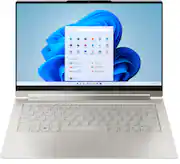
Lenovo Yoga laptop
My best purchase from best buy till date , this Lenovo laptop has all the features , including touch screen display and great battery life , this one was worth the money also the promotion really helped me in paying off the laptop in installments without any interest.
Posted by Vids
- Rated 5 out of 5 stars
Small but powerful
For its small size it is actually quite versatile. I can use it game and work. It’s smaller size and weight let’s me take it anywhere. As well since you can modify how the laptop sits it’s great in multiple situations for projects, work or fun. I also really like that the keyboard lights up which makes it easier for me to type. I also like using it with my new Lenovo all in one as well. In all it is worth it and great product no matter what you use it for
Posted by StephTB
- Rated 4 out of 5 stars
Great Brew Machine
This seems to be an excellent coffee maker that meets the vast majority of my needs. Flexible in what cup size, ability to keep clean with stop drip feature, ease of filling with water, flexibility of types of coffee and tea brews, and storage of accessories. If it will last a long time and if it was able to handle Keurig cups it would be 5 stars.
Posted by RKWalk
- Rated 5 out of 5 stars
Wonderful!
As expected, prefect. 3 years in, smooth interface, great memory. Beautiful battery life. Love it. Would purchase again.
Posted by MsLadyTVK
- Rated 5 out of 5 stars
Very Happy Customer
I like to wait a short while before posting reviews so the "newness" can wear off. After a month of using this Lenovo Yoga 9i, I can say I absolutely love this laptop. The build quality is excellent. The screen feels very sturdy when opening and closing it. I have never had a touchscreen laptop before, and I was a little skeptical about how I would like it. So far so good though. It has the best laptop speakers I have ever experienced. The fingerprint reader is wonderful for signing into Windows. It boots up in literally less that 10 seconds. Paired with a USB-C docking station which I recently purchased (separately), the laptop is even easier to use with my external monitor and keyboard. I would recommend this to any of my friends or family. Also, I got a great discount on it at Best Buy back in June since the new models were coming out soon.
Posted by HappyPurchaser