Customer Ratings & Reviews
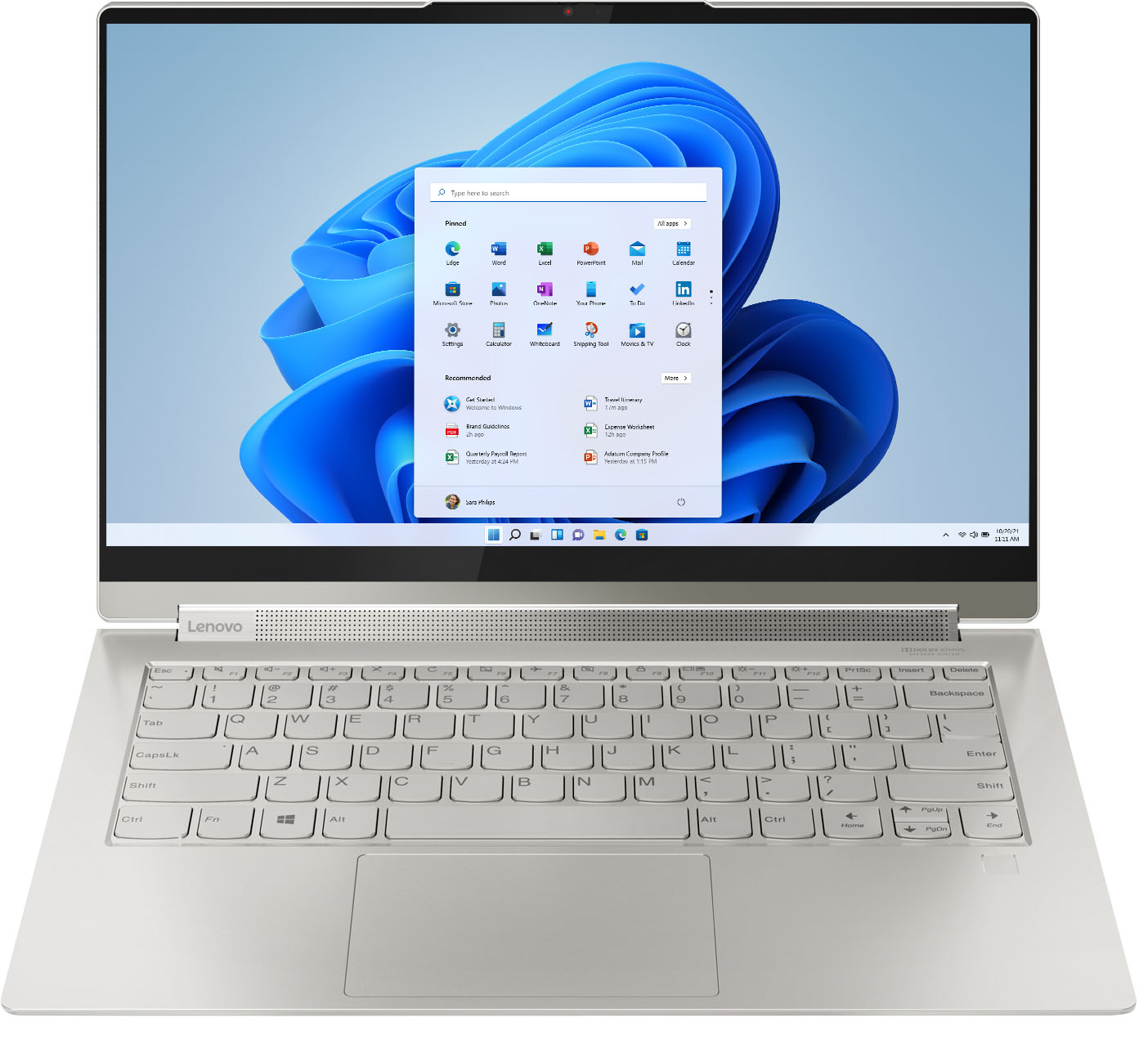



- Model:
- 82BG0090US/82BG000CUS
- SKU:
- 6426709
Rating by feature
- Battery Life
Rating 4.4 out of 5 stars
- Speed
Rating 4.5 out of 5 stars
- Display
Rating 4.6 out of 5 stars
Customers are saying
Customers recognize the Yoga 9i 14 2-in-1 laptop's excellent sound quality, light weight, and impressive battery life as significant strengths. Many appreciate its touchscreen functionality, ease of use, and elegant design. However, some users express concern regarding the limited number of USB ports. A few also mention the price point and occasional overheating issues.
This summary was generated by AI based on customer reviews.
Great laptop
||Posted . Owned for 1 month when reviewed.This reviewer received promo considerations or sweepstakes entry for writing a review.Bought it for my Junior in Highschool, great laptop!
I would recommend this to a friendBrand response from Lenovo Product Expert
Posted .Thank you for choosing the Intel Evo-Certified, Lenovo Yoga 9i 14 for your student. We are pleased to hear that the Yoga 9i 14 is working out so well.

Dont do it
||Posted . Owned for less than 1 week when reviewed.This reviewer received promo considerations or sweepstakes entry for writing a review.I loved the idea of this laptop. Seemed super high quality and worth the money. I was super excited about it... However the 1st day the computer froze 2 times within an hour after it was set up. I had only downloaded chrome and some pictures (like 3). It was completely unresponsive: the touchscreen, keyboard, even control- alt- delete would not work. The only way to fix it was to force it off by holding the power button. I went back to bestbuy and exchanged it for another of the same computer hoping i just got a dud. Nope. not the case. the new computer worked fine the first night throughout the set up. But here i am the 2nd day and it has frozen twice already again. I looked it up and it seems a lot of people with the computer brand new are having this problem. I need this for school and i can't have it freezing the way it is... So I now have to return it AGAIN and get a completely different computer. Save yourself the hassle. Get something else.
No, I would not recommend this to a friendBrand response from Lenovo Product Expert
Posted .We are sorry to hear that you are having issues setting up your Intel Evo-Certified, Lenovo Yoga 9i 14, model number 82BG000CUS. Be sure any software you installed is compatible with Windows 10. There is no need to install Microsoft Office software. The software is already part of the operating system, you just need to activate the software with a purchased product key. If you have installed a copy of Microsoft Office, this is conflicting with the existing copy on the system and this will slow your system down. If you have installed a 3rd party anti-virus program, be sure that Windows Defender is turned off and that the trial version of McAfee Anti-Virus software is uninstalled. There can only be one anti-virus program on the system. You may need to restore your system to original factory default settings if any of the programming errors have occurred. You can do that by typing "restore" in the Cortana search window. Just click on the magnifying glass icon at the bottom left of your Windows 10 Desktop. Click on "Reset This PC" Then click on "Get Started" and follow the on screen directions to restore to factory defaults. If the problem persists, we recommend you contact Lenovo Tech Support at: 877-453-6686.
Fast
||Posted .This reviewer received promo considerations or sweepstakes entry for writing a review.Great speeds use it for day trading. Great battery life too.
I would recommend this to a friendBrand response from Lenovo Product Expert
Posted .Thank you for choosing the Intel Evo-Certified, lenovo Yoga 9i-14. We are pleased to hear that the performance of the Yoga 9i-14 meets your computing needs so well.
Doesnt support chrome!
||Posted . Owned for 1 week when reviewed.This reviewer received promo considerations or sweepstakes entry for writing a review.I like it over all but to anyone planning on purchasing please know it does not support CHROME which was very upsetting to me. Debating on return it.
No, I would not recommend this to a friendBrand response from Lenovo Product Expert
Posted .The Intel Evo-Certified, Lenovo Yoga 9i 14 ships with Windows 10 Home 64-bit Operating System. You can download and install the Chrome Internet Browser to this computer. Here is a link to instructions for installing the Chrome Browser on this Windows 10 computer: https://support.google.com/chrome/answer/95346?hl=en&co=GENIE.Platform%3DDesktop
Good looking laptop keeps freezing up
||Posted . Owned for less than 1 week when reviewed.This reviewer received promo considerations or sweepstakes entry for writing a review.Feels and rides like a Corvette as you leave the ramp but one that suddenly stalls randomly along the freeway!!! Bought this at BestBuy. After initial setup, laptop worked great initially (and has an excellent sound system and premium tech support/care to boot) then suddenly froze up. No key press would generate a response. I followed the instructions from Lenovo Tech support (do not install Microsoft Office, try the System Reset among other things) posted on several other reviewers who had similar issues but no luck. It kept on freezing up randomly. After seeing other reviews from people struggling with this laptop, I suspect there is something wrong with this model. Lenovo needs to take a serious look at this product. Sadly, I had no option but to return this to BestBuy who have been wonderful through out this terrible experience, if it wasn't for their return policy I would have been stuck with this lemon. I will likely not purchase Lenovo products again and certainly do not recommend this model to anyone. Following up on my analogy from the opening line of this review - would you buy a car that suddenly stalls on the freeway no matter how good it looks or sounds in the garage?
No, I would not recommend this to a friendBrand response from Lenovo Product Expert
Posted .We are sorry to hear that you had issue with your Intel Evo Certified, Lenovo Yoga 9i 14. You mention that you did not install a second copy of Microsoft office on your computer, but what about a 3rd. party virus protection software? This Yoga 9im 14 ships with a 30-day trial of McAfee Virus Protection Software installed. It will activate automatically with the initial activation of Windows 10 and protect your computer for the 30-day trial period. You do not need to use McAfee VPS. You can uninstall McAfee and use the free Windows Defender VPS that comes with Windows 10 or you can uninstall McAfee and then install your choice of any compatible 3rd party VPS. The key is to uninstall McAfee if you will not be using it, as there can only be one active VPS on the computer at a time. Here is a link to information on uninstalling McAfee from Windows 10: https://service.mcafee.com/webcenter/portal/oracle/webcenter/page/scopedMD/s55728c97_466d_4ddb_952d_05484ea932c6/Page29.jspx?wc.contextURL=%2Fspaces%2Fcp&articleId=TS101331&_afrLoop=1355161020222084&leftWidth=0%25&showFooter=false&showHeader=false&rightWidth=0%25¢erWidth=100%25#!%40%40%3FshowFooter%3Dfalse%26_afrLoop%3D1355161020222084%26articleId%3DTS101331%26leftWidth%3D0%2525%26showHeader%3Dfalse%26wc.contextURL%3D%252Fspaces%252Fcp%26rightWidth%3D0%2525%26centerWidth%3D100%2525%26_adf.ctrl-state%3Dx25crirbo_9. If the issue continues, we recommend you contact Lenovo Premium Care for additional help at: 888-278-9707.
Laptop
||Posted . Owned for 1 month when reviewed.This reviewer received promo considerations or sweepstakes entry for writing a review.So far so good. It is a good laptop for the price.
I would recommend this to a friendBrand response from Lenovo Product Expert
Posted .thank you for choosing the Intel Evo-Certified, Lenovo Yoga 9i-14. We are pleased to hear that the Yoga 9i-14 is working out so well for you.
Computer
||Posted .This reviewer received promo considerations or sweepstakes entry for writing a review.This was a great computer and very good customer service.
I would recommend this to a friendBrand response from Lenovo Product Expert
Posted .Thank you for choosing the Intel Evo-Certified, Lenovo Yoga 9i-14. We are pleased to hear that the Yoga 9i-14 is working out so well for you.
Excellent computer
||Posted . Owned for 3 weeks when reviewed.This reviewer received promo considerations or sweepstakes entry for writing a review.Excellent computer for good price. Quick delivery!
I would recommend this to a friendBrand response from Lenovo Product Expert
Posted .Thank you for choosing the Intel Evo-Certified, Lenovo Yoga 9i-14. We are pleased to hear that the value and performance of the Yoga 9i-14 meets your computing needs so well.
Just Pretty Good
||Posted . Owned for 3 weeks when reviewed.This reviewer received promo considerations or sweepstakes entry for writing a review.Processor speed not as quick as you'd expect. Good all around, but I'd imagine there are better machines out there for the money.
No, I would not recommend this to a friendBrand response from Lenovo Product Expert
Posted .The Intel Evo-Certified, Lenovo Yoga 9i 14 model number 82BG000CUS is an extremely fast configuration. If you are getting slower than expected performance, be sure any software you installed is compatible with Windows 10. There is no need to install Microsoft Office software. The software is already part of the operating system, you just need to activate the software with a purchased product key. If you have installed a copy of Microsoft Office, this is conflicting with the existing copy on the system and this will slow your system down. If you have installed a 3rd party anti-virus program, be sure that Windows Defender is turned off and that the trial version of McAfee Anti-Virus software is uninstalled. There can only be one anti-virus program on the system. You may need to restore your system to original factory default settings if any of the programming errors have occurred. You can do that by typing "restore" in the Cortana search window. Just click on the magnifying glass icon at the bottom left of your Windows 10 Desktop. Click on "Reset This PC" Then click on "Get Started" and follow the on screen directions to restore to factory defaults. If the problem persists, we recommend you contact Lenovo Tech Support at: 877-453-6686.
Lenovo Yoga 9i 14 2 in 1 14 Touch screen
||Posted . Owned for 1 month when reviewed.This reviewer received promo considerations or sweepstakes entry for writing a review.The best machine i have ever Bought in last 10 years
I would recommend this to a friendBrand response from Lenovo Product Expert
Posted .Thank you for choosing the Intel Evo-Certified, Lenovo Yoga 9i-14. We are pleased to hear that the features and performance of the Yoga 9i-14 meets your computing needs so well.
Great laptop at a great price.
||Posted . Owned for 3 weeks when reviewed.This reviewer received promo considerations or sweepstakes entry for writing a review.Great laptop at a great price! Perfect for remote work.
I would recommend this to a friendBrand response from Lenovo Product Expert
Posted .Thank you for choosing the Intel Evo-Certified, Lenovo Yoga 9i-14. We are pleased to hear that the value and performance of the Yoga 9i-14 meets your computing needs so well.
L
||Posted . Owned for 1 month when reviewed.This reviewer received promo considerations or sweepstakes entry for writing a review.It’s so helpful and convenient for my school work.
I would recommend this to a friend- Pros mentioned:Weight
Perfect
||Posted . Owned for 1 month when reviewed.This reviewer received promo considerations or sweepstakes entry for writing a review.Excellent performance use friendly light weight easy to carry and attractive looks
I would recommend this to a friend Good buy on sale
||Posted . Owned for 3 weeks when reviewed.This reviewer received promo considerations or sweepstakes entry for writing a review.Good computer. Love the finger print unlocking option
I would recommend this to a friendBrand response from Lenovo Product Expert
Posted .Thank you for choosing the Intel Evo-Certified, Lenovo Yoga 9i-14. We are pleased to hear that the features and performance of the Yoga 9i-14 meets your computing needs so well.
A little bitty
||Posted . Owned for 3 weeks when reviewed.This reviewer received promo considerations or sweepstakes entry for writing a review.Love it, just what I needed for my job completed too
I would recommend this to a friendBrand response from Lenovo Product Expert
Posted .Thank you for choosing the Intel Evo-Certified, Lenovo Yoga 9i-14. We are pleased to hear that the Yoga 9i-14 meets your computing needs so well.
Light and fast
||Posted . Owned for 3 weeks when reviewed.This reviewer received promo considerations or sweepstakes entry for writing a review.Fast and light weight computer. Easy and fast setup.
I would recommend this to a friendBrand response from Lenovo Product Expert
Posted .Thank you for choosing the Intel Evo-Certified, Lenovo Yoga 9i-14. We are pleased to hear that the easy setup, features and performance of the Yoga 9i-14 meets your computing needs so well.
lenovo yoga 9i
||Posted . Owned for 10 months when reviewed.This reviewer received promo considerations or sweepstakes entry for writing a review.I have a lenovo Yoga 9i which I purchased not even a year ago and I have had persistent freezing issues where it will completely lock my computer. I attempted to get it fixed three times already and had the motherboard completely replaced to no avail. Best buy was great in their attempts to fix my laptop in house but eventually I had to go to lenovo since it still persistently freezes. lenovo refuses to replace the laptop despite it being less than a year old. I would NOT recommend this product or company, especially if you are a student who cant afford time wise or financially to deal with this company. This is probably the worst expierence I have ever had with a tech company. This review doesn't reflect my expierence with best buy (which was amazing) but does reflect the product and Lenovo
No, I would not recommend this to a friendBrand response from Lenovo Product Expert
Posted .We are sorry to hear that you are having issues with your Intel Evo-Certified, Lenovo Yoga 9i 14, model number 82BG0090US. Since it appears that the issue is not a hardware issue, be sure any software you installed is compatible with Windows 11. There is no need to install Microsoft Office software. The software is already part of the operating system, you just need to activate the software with a purchased product key. If you have installed a copy of Microsoft Office, this is conflicting with the existing copy on the system and this will slow your system down. If you have installed a 3rd party anti-virus program, be sure that Windows Defender is turned off and that the trial version of McAfee Anti-Virus software is uninstalled. There can only be one anti-virus program on the system. Here is a link to instructions for uninstalling McAfee from a Windows computer: https://service.mcafee.com/?articleId=TS101331&page=shell&shell=article-view You may need to restore your system to original factory default settings if any of the programming errors have occurred. You can do that by typing "restore" in the Cortana search window. Just click on the magnifying glass icon at the bottom of your Windows 11 Desktop. Click on "Reset This PC" Then click on "Get Started" and follow the on screen directions to restore to factory defaults. If the problem persists, we recommend you contact Lenovo Premium Care and provide your existing ticket number from previous contact with Lenovo Premium Care, let the Lenovo Customer Support Specialist you speak with know the software troubleshooting steps you have already taken. Call at: 888-278-9707.
Yoga
||Posted .This reviewer received promo considerations or sweepstakes entry for writing a review.It is a good one. I am so happy with this laptop..
I would recommend this to a friendBrand response from Lenovo Product Expert
Posted .Thank you for choosing the Intel Evo-Certified, Lenovo Yoga 9i-14. We are pleased to hear that the Yoga 9i-14 meets your computing needs so well.
Elliptical
||Posted . Owned for 1 month when reviewed.This reviewer received promo considerations or sweepstakes entry for writing a review.Absolutely love my Elliptical machine and boom box.
I would recommend this to a friendLenovo Poor quality
||Posted . Owned for 3 weeks when reviewed.This reviewer received promo considerations or sweepstakes entry for writing a review.2 days after my purchase the screen was flickering. the Laptop had backlight damage. I called up Geek Squad and they said it was a factory error so best buy did not do anything wrong. They were very helpful and refunded the purchase fully and we exchanged for a different computer. I usually had success with Lenovo before this so it was a shame that it didn't work out and i will no longer be shopping with Lenovo.
No, I would not recommend this to a friend