Customer Ratings & Reviews
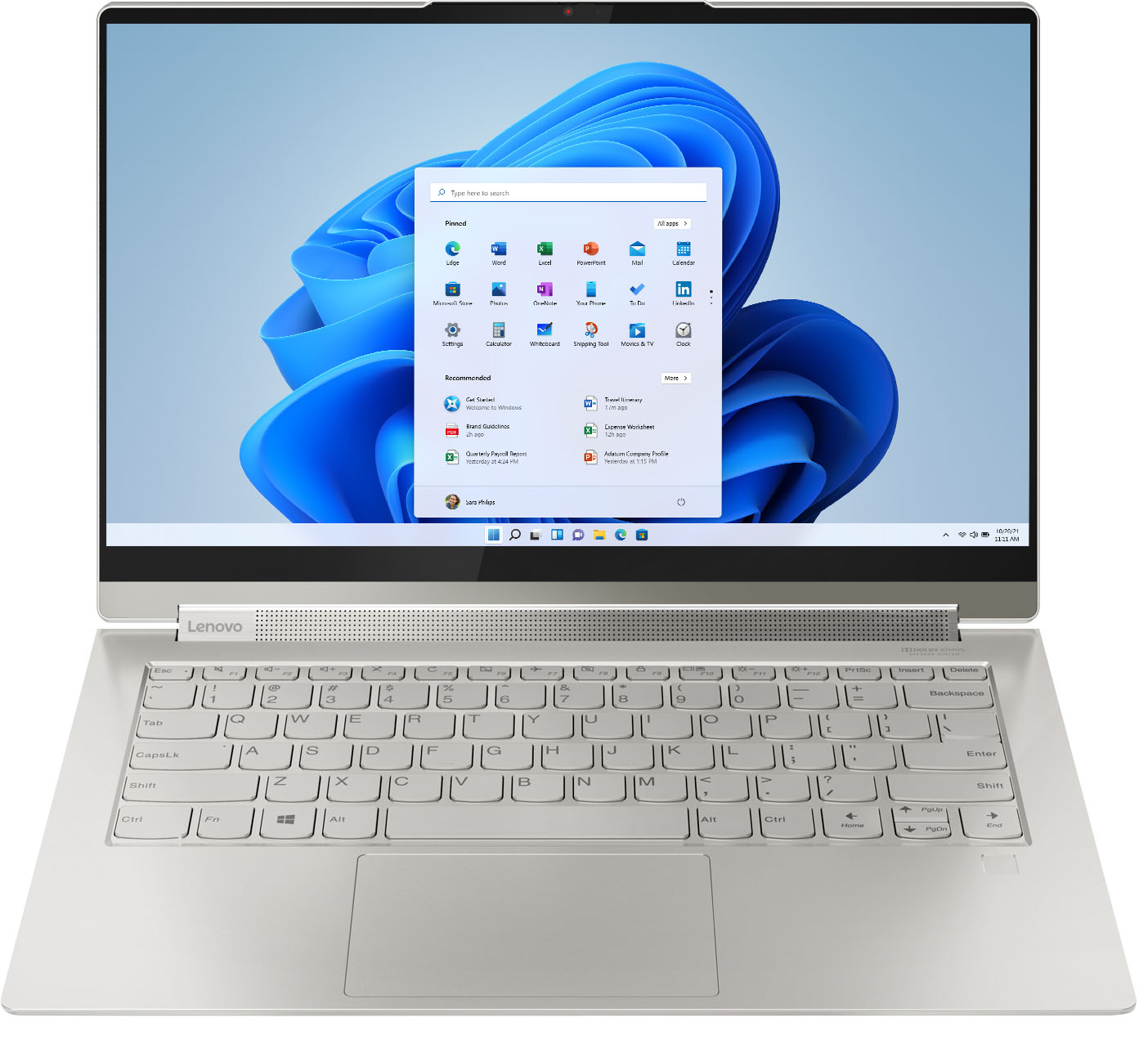



- Model:
- 82BG0090US/82BG000CUS
- SKU:
- 6426709
Rating by feature
- Battery Life
Rating 4.4 out of 5 stars
- Speed
Rating 4.5 out of 5 stars
- Display
Rating 4.6 out of 5 stars
Customers are saying
Customers recognize the Yoga 9i 14 2-in-1 laptop's excellent sound quality, light weight, and impressive battery life as significant strengths. Many appreciate its touchscreen functionality, ease of use, and elegant design. However, some users express concern regarding the limited number of USB ports. A few also mention the price point and occasional overheating issues.
This summary was generated by AI based on customer reviews.
Stay away
||Posted . Owned for 1 week when reviewed.This reviewer received promo considerations or sweepstakes entry for writing a review.Bought two of them and they both had to be returned because of issues. The issue was not being able to be turned on
No, I would not recommend this to a friendBrand response from Lenovo Product Expert
Posted .We are sorry to hear that you are having issues with your Intel Evo-Certified, Lenovo Yoga 9i-14 model number 82BG000CUS. Although these computers receive a charge to the battery at the factory, it is possible the the battery can drain to zero charge during transit. We recommend you plug the computer in, let it charge for approximately 15-minutes, then leaving the computer plugged in, turn the computer on and begin the initial setup and Windows 10 Activation Process. If you continue to have issues booting your computer, we recommend you contact Lenovo Tech Support for additional help at: 877-453-6686.

Do not buy
||Posted . Owned for 5 months when reviewed.This reviewer received promo considerations or sweepstakes entry for writing a review.It bricked out on me after 5 months. It will not power up anymore.
No, I would not recommend this to a friendBrand response from Lenovo Product Expert
Posted .We are sorry to hear that you are having issues with your Intel Evo-Certified, Lenovo Yoga 9i 14, model number 82BG0090US. Resetting your computer back to original factory settings may fix the issue you are having. This system is equipped with OneKey Recovery System. There is a very small pin hole on the bottom right side of the device, right near the top right corner of the cooling vent on the bottom of the device. You will need a pin to push this reset button. Plug the device in. Let the battery charge for about 15 minutes, with the power off. Push the reset button. The system should boot to a choice screen where you can choose "Restore To Factory Default". Select this. It will delete everything from the hard drive except the original factory install of the operating system. You will need to reinstall all programs and files after the reset. If you don't have copies of the files, try to make one before you restore by selecting "Boot to desktop" and trying to back up your files. Once you have the computer restored, Bb sure any software you installed is compatible with the Windows version you have installed. Additionally, there is no need to install Microsoft Office software. The software is already part of the operating system, you just need to activate the software with a purchased product key. If you have installed a copy of Microsoft Office, this is conflicting with the existing copy on the system and this will slow your system down. If you have installed a 3rd party anti-virus program, be sure that Windows Defender is turned off and that the trial version of McAfee Anti-Virus software is uninstalled. There can only be one anti-virus program on the system. Here is a link to instructions for uninstalling McAfee from a Windows computer: https://service.mcafee.com/?articleId=TS101331&page=shell&shell=article-view You may need to restore your system to original factory default settings if any of the programming errors have occurred. You can do that by typing "restore" in the Cortana search window. Just click on the magnifying glass icon at the bottom of your Windows Desktop. Click on "Reset This PC" Then click on "Get Started" and follow the on screen directions to restore to factory defaults. If the problem persists, we recommend you contact Lenovo Premium Care for additional help at: 888-278-9707.
Don't buy this laptop!
||Posted . Owned for 1 year when reviewed.This reviewer received promo considerations or sweepstakes entry for writing a review.Laptop stopped working after 1 year of normal school use.
No, I would not recommend this to a friendBrand response from Lenovo Product Expert
Posted .We are sorry to hear that you are having issues with your Intel Evo-Certified, Lenovo Yoga 9i 14. Resetting your computer back to original factory settings may correct the issue you are having. Power off the computer. This system is equipped with OneKey Recovery System. There is a very small pin hole on the bottom right side of the device, right near the top right corner of the cooling vent on the bottom of the device. You will need a pin to push this reset button. Plug the device in. Let the battery charge for about 15 minutes. Push the reset button. The system should boot to a choice screen where you can choose "Restore To Factory Default". Select this. It will delete everything from the hard drive except the original factory install of the operating system. You will need to reinstall all programs and files after the reset. If you don't have copies of the files, try to make one before you restore by selecting "Boot to desktop" and trying to back up your files. If the problem persists after the factory reset, we recommend you contact Lenovo Premium Care for additional help at: 888-278-9707.
Bad design glitches
||Posted . Owned for 2 months when reviewed.This reviewer received promo considerations or sweepstakes entry for writing a review.This machine is a horrible machine. The unit sticks and freezes up often. No corrections or help available.
No, I would not recommend this to a friendBrand response from Lenovo Product Expert
Posted .The Intel Evo-Certified, Lenovo Yoga 9i 14 model number 82BG0090US, ships with Windows 10 Home 64-bit Operating System and should not freeze. Be sure any software you installed is compatible with Windows 10. There is no need to install Microsoft Office software. The software is already part of the operating system, you just need to activate the software with a purchased product key. If you have installed a copy of Microsoft Office, this is conflicting with the existing copy on the system and this will slow your system down. If you have installed a 3rd party anti-virus program, be sure that Windows Defender is turned off and that the trial version of McAfee Anti-Virus software is uninstalled. There can only be one anti-virus program on the system. You may need to restore your system to original factory default settings if any of the programming errors have occurred. You can do that by typing "restore" in the Cortana search window. Just click on the magnifying glass icon at the bottom left of your Windows 10 Desktop. Click on "Reset This PC" Then click on "Get Started" and follow the on screen directions to restore to factory defaults. If the problem persists, we recommend you contact Lenovo Tech Support at: 877-453-6686.
Same problem two times
||Posted . Owned for 3 weeks when reviewed.This reviewer received promo considerations or sweepstakes entry for writing a review.The computer had connection problems. I returned it did a replacement and has the same problem again!
No, I would not recommend this to a friendBrand response from Lenovo Product Expert
Posted .We are sorry to hear that you are having issues with connecting your Intel Evo-Certified Lenovo Yoga 9i-14. You do not mention what you are trying to connect the Yoga 9i-14 to. If it is a peripheral device like a printer, check with your printer manufacturer for compatibility and pairing instructions for a new Windows 10 computer. If you are trying to connect to the internet, the Yoga 9i-14 model number 82BG000CUS, ships with the latest Intel 6G - Wide Range/High Speed, 2x2 802.11AX frequency WiFi, which is also backward compatible to older b/g/n/ac frequency WiFi. For the best WiFi performance, be sure you have the latest version Windows 10 on the computer. Then update all BIOS files and drivers up to that latest version of Windows 10. You can easily accomplish this by scanning the computer with the Lenovo Utility software available on this computer. This system has Lenovo utilities installed to help maintain the health of the device and keep the operating system software up to date. Type "Lenovo Vantage" in the Cortana Search window (if Lenovo Vantage is not installed on your device, you can download the APP and install it now). Select Lenovo Vantage from the list. In the window that opens, click on "Health and Support". In the expanded menu, select "Hardware Scan" In the window that opens, select "Run Quick Tests". This will scan your entire system for errors. Follow any directions that may pop up. If the problem continues after this scan, now click on "System Update". First select Windows update from the menu. Scan your system to be sure you have the latest version of Windows 10. Once that scan is complete, select "Additional Updates". This will scan your device to be sure there are no new BIOS/Driver updates needed. Follow any instructions that may pop up. If the issue still continues after these updates, we recommend you call Lenovo Tech Support at: 877-453-6686 for additional help.
Froze repeatedly
||Posted .This reviewer received promo considerations or sweepstakes entry for writing a review.Broke within two weeks. Wouldn’t recommend. Wasn’t able to be repaired.
No, I would not recommend this to a friendBrand response from Lenovo Product Expert
Posted .We are sorry to hear that you are having issues with your Intel Evo-Certified, Lenovo Yoga 9i 14 model number 82BG0090US. The Yoga 9i 14 ships with Windows 10 Home 64-bit Operating System and should not freeze. The issue may not be caused by hardware. Be sure any software you installed is compatible with Windows 10. There is no need to install Microsoft Office software. The software is already part of the operating system, you just need to activate the software with a purchased product key. If you have installed a copy of Microsoft Office, this is conflicting with the existing copy on the system and this will slow your system down. If you have installed a 3rd party anti-virus program, be sure that Windows Defender is turned off and that the trial version of McAfee Anti-Virus software is uninstalled. There can only be one anti-virus program on the system. You may need to restore your system to original factory default settings if any of the programming errors have occurred. You can do that by typing "restore" in the Cortana search window. Just click on the magnifying glass icon at the bottom left of your Windows 10 Desktop. Click on "Reset This PC" Then click on "Get Started" and follow the on screen directions to restore to factory defaults. If the problem persists, we recommend you contact Lenovo Tech Support at: 877-453-6686.
bed laptop
||Posted . Owned for 7 months when reviewed.This reviewer received promo considerations or sweepstakes entry for writing a review.it burned the same night after being charged for 2 hours
No, I would not recommend this to a friend- Pros mentioned:Weight
Amazing
Posted .This reviewer received promo considerations or sweepstakes entry for writing a review.I absolutely love my laptop! It's light weight, easy to use, and faster than any i have had or that even what some of my colleagues have.
I would recommend this to a friend - Pros mentioned:Speed
Worth the Investment
Posted .This reviewer received promo considerations or sweepstakes entry for writing a review.I got this laptop in July of 2021. This is the best laptop I've ever used. I had older models of the IdeaPad and took a chance to upgrade to the YOGA after reviewing specs and trying it out, in store. Super fast, plenty of storage, good for multi-tasking and anything visual. The 2-in-1 is such a cool feature.
I would recommend this to a friend - Cons mentioned:Heat
Solid Overall
Posted .This reviewer received promo considerations or sweepstakes entry for writing a review.Great device. Definitely gets really hot, really quick so be sure you have a cooling stand for it. Batter life is lacking a bit, but not terrible by any means.
I would recommend this to a friend - Pros mentioned:Sound quality
Superb device
Posted .This reviewer received promo considerations or sweepstakes entry for writing a review.This is a wonderful laptop. I have a Macbook Pro as well, new this year. This machine is all of that - and the build quality is obvious. It's built like an Apple Pro iPhone. Highly recommended.
I would recommend this to a friend VERY WELL-PLEASED
Posted .This reviewer received promo considerations or sweepstakes entry for writing a review.Wonderful laptop that has served my bedbound spouse faithfully since May 2022. The backlit keyboard is a must. This laptop keeps both of us happy and connected. And it is a GEEK SQUAD certified open box item! I'm shopping for a second one for me now....
I would recommend this to a friendI love this computer
Posted .This reviewer received promo considerations or sweepstakes entry for writing a review.I bought this computer in 2021 and love it. I don't want to change anything but understand I will have to update to Windows 11 soon. I don't want a new computer. Is this computer compatible with windows 11?
I would recommend this to a friendProfessor/CPA
Posted .This reviewer received promo considerations or sweepstakes entry for writing a review.I have used this laptop since I purchased it in 2021 without any issues. I have travelled overseas with it, taught college classes with it and it has performed exceedingly well without any issues. It's an excellent work equipment to own and use.
I would recommend this to a friendLenovo laptop great value
Posted .This reviewer received promo considerations or sweepstakes entry for writing a review.Very good laptop. No problems whatsoever. I would buy again.
I would recommend this to a friend- Pros mentioned:Sound quality
Highly recommend the Lenovo Yoga 9i
Posted .This reviewer received promo considerations or sweepstakes entry for writing a review.I purchased the 14" Lenovo Yoga 9i about a week ago, and am very pleased with my purchase. The keyboard and trackpad are excellent. The display / screen is crisp and clear. As advertised, the speakers are amazing. I turned down the volume on Zoom calls and concerts. One apparent down-side: when using the computer in normal ambient light, the display / screen doesn't seem terribly bright, though it seems fine at night. I wonder whether they dim the screen during daylight hours. In any case, the text is readable.
I would recommend this to a friendBrand response from Lenovo Product Expert
Posted .Thank you for choosing the Lenovo Yoga 9i-14. We are pleased to hear that the features and performance of the Yoga 9i-14 meets your computing needs so well. Regarding your screen not being bring enough in certain lighting conditions, be sure automatic brightness is turned off. Here is a link to more information and steps for turning off auto-brightness within Windows 10: https://www.minitool.com/news/disable-adaptive-brightness-windows-10.html
- Pros mentioned:Weight
Best computer
Posted .This reviewer received promo considerations or sweepstakes entry for writing a review.Awesome computer, fast reliable, easy to use, lightweight.
I would recommend this to a friendBrand response from Lenovo Product Expert
Posted .Thank you for choosing the Intel Evo-Certified, Lenovo Yoga 9i-14. We are pleased to hear that the ease of use and performance of the Yoga 9i-14 meets your computing needs so well.
- Cons mentioned:Usb port
If you need USB ports, don't buy this one.
Posted .This reviewer received promo considerations or sweepstakes entry for writing a review.Speaker is great, but I buy a computer for its functionality. In setting up my new laptop, I loaded my apps, then went to load some older software that I have. I found out the external DVD doesn't talk to the laptop because a USB 3.2 type A only takes data. So I can't load my digital scrapbooking software. Lenovo tech support couldn't help, just said it's not compatible. And really, one USB port? A mouse fills one. What do you do with a flash drive then? Now looking for a different laptop and returning this one.
No, I would not recommend this to a friendBrand response from Lenovo Product Expert
Posted .A USB Type-A port can be 10Gbps USB 3.2 Gen 2, 5Gbps 3.2 Gen 1 or even USB 2.0. ... One thing you need not worry about is a newer USB product not working with an older device. USB 3.2 devices are backwards compatible with all existing USB products. Be sure the file format of the content you are trying to transfer is Windows 10 compatible. Here is a link to more information about USB 3.2 Gen 2 compatibility, also, if you need additional USB ports you may want to consider using a portable USB Hub with the Yoga 9i 14: https://www.cnet.com/how-to/usb-3-2-explained-making-sense-of-current-and-confusing-usb-standard/#:~:text=A%20USB%20Type%2DA%20port,1%20or%20even%20USB%202.0.&text=One%20thing%20you%20need%20not,with%20all%20existing%20USB%20products.
Great pc!
Posted .This reviewer received promo considerations or sweepstakes entry for writing a review.Glad I picked this one. Its powerful got a beautiful display and sleek to carry and I use it all the time. Can surf the web look at email and edit docs all at the same time with no lag problems.
I would recommend this to a friendBrand response from Lenovo Product Expert
Posted .Thank you for choosing the Intel Evo-Certified, Lenovo Yoga 9i 14. We are pleased to hear that the features and performance of the Yoga 9i 14 meets your computing needs so well.
DO NOT BUY YOGA 9s returned 2 within a week
Posted .This reviewer received promo considerations or sweepstakes entry for writing a review.Long story short, steer clear of the yoga 9 models at all costs. I returned TWO separate yoga 9s to best buy in less than 2 weeks from owning the first one that had catastrophic system firmware/bios/windows 10 image errors. For those that don't speak computer language, the issues are not user error but a "manufacturer rushed out a new model without QC process and they are broken with high failure rates". I'm a tech savvy & responsible PC user / millennial that needed a new personal pc to start a new job with a BYOD policy during covid. I downloaded absolutely nothing to the PC besides google chrome browser and citrix for accessing my company's virtual desktop. I never visited sketchy websites or allowed any other files of any kind to be downloaded. Just trust me, these were "squeaky clean, brand new" PCs First PC issues - After less than a week of use I began receiving critical errors from the Lenovo IMController plugin that is basic system device/software features that ship with the PC that lenovo uses as part of their lenovo vantage interface to compliment windows ten basic computer system management such as battery, fan, PC status readouts, wifi, camera and microphone, etc. I began to receive application failure to launch pop ups for a variety of IMcontroller .exe files (e.g. intelligentcoolingmetrics.exe) and the pop ups were constant and unavoidable beginning at system startup. After letting Lenovo tech support remote in and tried uninstalling the Lenovo system files from device manager that were causing issues as well as reinstalling certain drivers, we still could not figure out the issue. In fact, it got worse and now i was getting application failure to launch errors for even CMD.exe. We did a full windows 10 reinstall (factory reset the PC wiping it clean for a fresh start) and still the issues persisted. They gave up and told me to go swap it out 2nd PC issue - within 3 days of use the computer essentially bricked in the most unique way lenovo support had ever seen. I could turn the PC on, get to the log in screen, and even log in like normal. As soon as the desktop background appeared, the only control i had was to move the cursor. Moving the mouse over icons or the desktop tray would so the appropriate pop-up description of what that icon would do, but you could not click anywhere. you could not cntrl alt delete, you could not cntrl + R to run prompt or even get the windows menu with the windows button to find cmd prompt. Seemed like a bios issue. After trying to hard reset the PC and trying all sorts of different bios menu and system recovery start up options, nothing worked as expected and the PC constantly would reboot by skipping back to the normal log in page ignoring the commands for bios screen or system repair all together. Long story short they had absolutely no clue and were offering on site tech support to come with a USB version of windows and lenovo software to override manually and reimage. LOL NO way i said this is the second machine in a week that has been absolutely worthless with catastrophic errors. I asked for them to open a support ticket for a refund and drove immediately to best buy. returned it and bought a dell. Lenovo customer service and tech support is friendly and very responsive if you connect with them over the internet first by scanning the qr code on your PC. the PC itself though, an absolute brick and $1300 paperweight. Steer clear of yoga 9s
No, I would not recommend this to a friendBrand response from Lenovo Product Expert
Posted .We are sorry to hear that you are having issues with your Lenovo Yoga 9i-14, model number 82BG000CUS. Be sure any software you installed is compatible with Windows 10. There is no need to install Microsoft Office software. The software is already part of the operating system, you just need to activate the software with a purchased product key. If you have installed a copy of Microsoft Office, this is conflicting with the existing copy on the system and this will slow your system down. If you have installed a 3rd party anti-virus program, be sure that Windows Defender is turned off and that the trial version of McAfee Anti-Virus software is uninstalled. There can only be one anti-virus program on the system. You may need to restore your system to original factory default settings if any of the programming errors have occurred. You can do that by typing "restore" in the Cortana search window. Just click on the magnifying glass icon at the bottom left of your Windows 10 Desktop. Click on "Reset This PC" Then click on "Get Started" and follow the on screen directions to restore to factory defaults. If you can no longer boot the computer, resetting the computer back to original factory settings may correct the issue. This system is equipped with OneKey Recovery System. There is a very small pin hole on the bottom of the device, right near the top right corner of the cooling vent on the device. You will need a pin to push this reset button. Plug the device in. Let the battery charge for about 15 minutes. Push the reset button. The system should boot to a choice screen where you can choose "Restore To Factory Default". Select this. It will delete everything from the hard drive except the original factory install of the operating system. You will need to reinstall all programs and files after the reset. If you don't have copies of the files, try to make one before you restore by selecting "Boot to desktop" and trying to back up your files. If the problem persists after the factory reset, we recommend you contact Lenovo Tech Support at: 877-453-6686.