Customer Ratings & Reviews
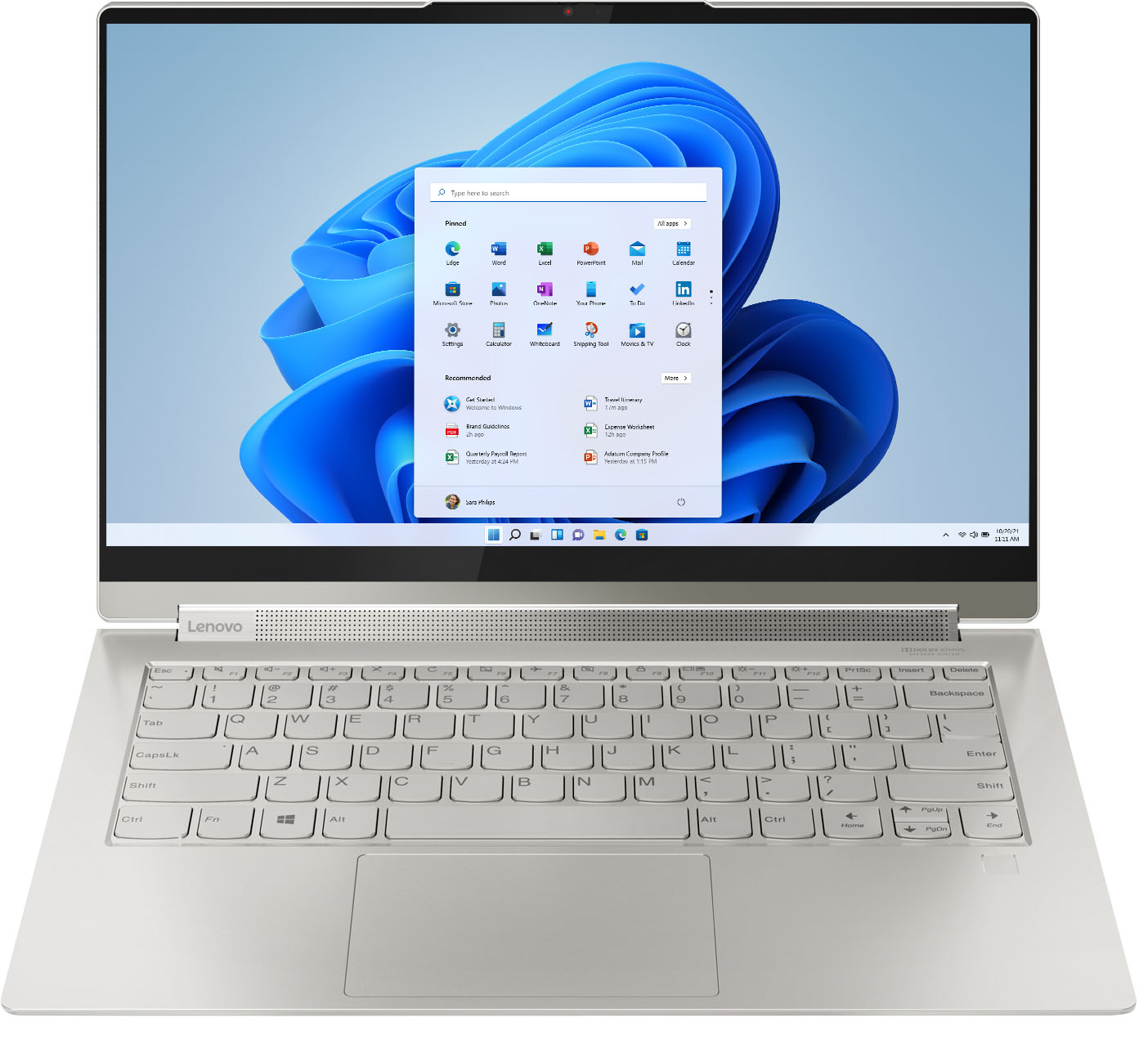



- Model:
- 82BG0090US/82BG000CUS
- SKU:
- 6426709
Rating by feature
- Battery Life
Rating 4.4 out of 5 stars
- Speed
Rating 4.5 out of 5 stars
- Display
Rating 4.6 out of 5 stars
Customers are saying
Customers recognize the Yoga 9i 14 2-in-1 laptop's excellent sound quality, light weight, and impressive battery life as significant strengths. Many appreciate its touchscreen functionality, ease of use, and elegant design. However, some users express concern regarding the limited number of USB ports. A few also mention the price point and occasional overheating issues.
This summary was generated by AI based on customer reviews.
This deserves 0 Stars
Posted .This reviewer received promo considerations or sweepstakes entry for writing a review.I would NOT take these 4 and 5 star reviews at face value if you are considering purchasing this laptop. I made the mistake last fall of only doing a cursory look at reviews and not digging deep enough before I bought this hunk of junk. Turns out the problems I have, many others have too. They are problems Lenovo (and Best Buy) know about, but don't care. Google "class action lawsuit and Lenovo hinges." As for me. I bought this computer last fall when there weren't a lot of choices for immediate availability. I should have just waited for a Brand I trusted to be made available. This was a huge mistake. I realized it the first day it came and it crashed when I set it up. I had to take it back to Best Buy for repair and to reinstall some things. After that, I barely used it over the next 6 months (I have a work computer, work from home, so if I need the internet, I just use that.) But when I did, I noticed immediately, the touch screen isn't great - many times it's not sensitive enough and you have to press super hard to work. Other times it was too sensitive. It would also "snag" in that suddenly the screen would show the Google browser ribbon duplicated across the screen and shaking wildly until I toughed the screen or was able to click again. Beyond that, it got HOT, and I mean HOT. So hot you couldn't touch the keypad hot. Turns out, this is a fairly common problem with this laptop. What good is a laptop when it's too hot to touch? Not to mention the damage it can cause. Speaking of which. Finally, about 6-7 months after purchase, one day it just randomly wouldn't turn on (note: I take great care of it, haven't downloaded/uploaded anything major. I mainly use for browsing and some streaming (prime, etc). This computer is still basically Brand new, but the hardware crashed - I suspect it overheated even though I have a special laptop holder to help it cool down. Either way, it crashed. I wasted my time with support before I took to Best Buy so they could diagnose it for sure. They confirmed the hardware crashed, but since I am still under warranty, I had to mail it in to the service center. Did that and got it back in a few weeks, supposedly fixed. I tested it out and it seemed fine, but now that I'm starting to use it a few weeks later, I'm still having the heat/screen issues and now my touch screen randomly stopped working. Apparently it has something to do with the driver needing to be installed or updated (isn't that what the repair person LITERALLY just did??? So now I'm working through support on this. What a major pain. This computer has been nothing but problems and isn't even that great. Way over-priced. Also, the battery life is TERRIBLE. It's nowhere NEAR what they say it is. I'd say about 5 hours is average. What a rip-off. I would seriously not recommend to anyone. Please do your research before buying. This company has a lot of issues with their laptops, etc. I'm far from the only one. Looks nice on the outside, but that's about the only good thing.
No, I would not recommend this to a friendDO NOT waste your money and time!
Posted .This reviewer received promo considerations or sweepstakes entry for writing a review.TLDR: Terrible product with a ton of issues in the first 2 months and useless support from Lenovo. Do not buy this laptop. Got this computer in September 2021, and in the 2 months that I've had this computer, I've had so many issues with the laptop: - It freezes all the times resulting in having to force restart the laptop. At one point I had to restart the computer 3 times in one hour because it kept freezing. - The computer shows the wrong time, and I have to manually sync the time. - When the laptop goes into hibernation mode, it stops reacting, I can't wake the computer up and have to force restart. - The windows explorer is messed up: when you try to create a folder or delete a file, you don't see the result until you refresh the folder, so it looks like your action was never completed. I have spent an unreasonable amount of hours trying updates and troubleshooting with Lenovo support with no result. At one of the calls with Lenovo support, it was confirmed that this was a hardware issue, not a software one. I am currently studying abroad, and Lenovo told me that they can't help me until I come back to the US, even with "premium care". They did offer for me to buy more international care to get more support - what a joke. I got this laptop specifically for my studies, and if I knew what a mess this would be and how useless Lenovo support would be, I would have never bought it. I used to be a loyal Lenovo customer, but I will NEVER purchase another Lenovo product. I have a Lenovo yoga from 2013 that never had this many problems and doesn't cause so many issues to this day. It is unbelievable that a laptop I got 2 months ago has all these issues.
No, I would not recommend this to a friendBrand response from Lenovo Product Expert
Posted .We are sorry to hear that you are having issues with your Intel Evo-Certified, Lenovo Yoga 9i 14 model number 82BG0090US. Try resetting your computer back to original factory settings to clear the issues you are having. Be sure to backup all files and programs you have installed as this reset will restore the computer to its original factory settings, before any files or programs were added: This system is equipped with OneKey Recovery System. There is a very small pin hole on the left side of the device, right near the headphone jack on the device. You will need a pin to push this reset button. Plug the device in. Let the battery charge for about 15 minutes. Push the reset button. The system should boot to a choice screen where you can choose "Restore To Factory Default". Select this. It will delete everything from the hard drive except the original factory install of the operating system. You will need to reinstall all programs and files after the reset. If you don't have copies of the files, try to make one before you restore by selecting "Boot to desktop" and trying to back up your files. Once this reset is completed, be sure any software you installed is compatible with Windows 10. There is no need to install Microsoft Office software. The software is already part of the operating system, you just need to activate the software with a purchased product key. If you have installed a copy of Microsoft Office, this is conflicting with the existing copy on the system and this will slow your system down. If you have installed a 3rd party anti-virus program, be sure that Windows Defender is turned off and that the trial version of McAfee Anti-Virus software is uninstalled. There can only be one anti-virus program on the system. You may need to restore your system to original factory default settings if any of the programming errors have occurred. You can do that by typing "restore" in the Cortana search window. Just click on the magnifying glass icon at the bottom left of your Windows 10 Desktop. Click on "Reset This PC" Then click on "Get Started" and follow the on screen directions to restore to factory defaults.

Lemon Laptop
Posted .This reviewer received promo considerations or sweepstakes entry for writing a review.I bought my first c940 and within 3 months, it refused to turn on. I spent a lot of time on forums and with tech support before having to return it to the BestBuy where I bought it for repair. Due to COVID delays and manufacturer repair leadtimes being too long to afford, I decided to waive the manufacturer warranty repair for Geek Squad repair. They ended up having to replace the entire motherboard on that machine, but when I received it back, the machine would not log in to windows. I spent 3 hours with the tech that day only for them to take it back and try to run a software fix on it. A week later, the software fix did not work and BestBuy ended up having to completely replace the machine (thank God I bought the protection plan on it). The new machine worked very well until this week (had it for about 8 months). It ran through another windows update, which completed successfully; however, the fingerprint senor did not function. I tried to reset the fingerprint to no avail, and checked to see if there were any more updates or driver updates and ended up initiating an optional windows update. The same exact problem has now repeated itself on a completely identical machine as the first. I take very good care of my machines and as a business owner, I rely on them functioning. I want to love this laptop, it served me well, but now I do not believe that I will be purchasing another Lenovo machine. Lenovo Tech Support was no help and I cannot risk losing valuable time and money due to a downed computer. I really hoped that Lenovo would have had more answers for me and that I could be assured this was just bad luck twice over, but they have not provided any valuable feedback. I value brand loyalty, but this is a massive disappointment. Only takeaway: Buy the Geek Squad protection plan EVERY TIME.
No, I would not recommend this to a friendBrand response from Lenovo Product Expert
Posted .We are sorry to hear that you are having issues with Lenovo Yoga Family Products. First, Be sure any software you installed is compatible with Windows 10. There is no need to install Microsoft Office software. The software is already part of the operating system, you just need to activate the software with a purchased product key. If you have installed a copy of Microsoft Office, this is conflicting with the existing copy on the system and this will slow your system down. If you have installed a 3rd party anti-virus program, be sure that Windows Defender is turned off and that the trial version of McAfee Anti-Virus software is uninstalled. There can only be one anti-virus program on the system. You may need to restore your system to original factory default settings if any of the programming errors have occurred. You can do that by typing "restore" in the Cortana search window. Just click on the magnifying glass icon at the bottom left of your Windows 10 Desktop. Click on "Reset This PC" Then click on "Get Started" and follow the on screen directions to restore to factory defaults. Then, if there is no incompatible software installed, try resetting your computer back to original factory settings. Don not install any other software/files to the computer after the reset, until you test the computer for functionality. Be sure every issue you had is now fixed and the computer is functioning as it should. Install only Windows 10 compatible Software and files. Here is a link to instructions for resetting a Windows 10 computer: https://support.microsoft.com/en-us/windows/recovery-options-in-windows-10-31ce2444-7de3-818c-d626-e3b5a3024da5. If for some reason you can not boot the computer properly to the Windows 10 Desktop Screen for this reset process, the Intel Evo-Certified, Lenovo Yoga 9i-14 is equipped with OneKey Recovery System. There is a very small pin hole on the bottom right side of the device, right near the top right corner of the cooling vent on the bottom of the device. You will need a pin to push this reset button. Plug the device in. Let the battery charge for about 15 minutes. Push the reset button. The system should boot to a choice screen where you can choose "Restore To Factory Default". Select this. It will delete everything from the hard drive except the original factory install of the operating system. You will need to reinstall all programs and files after the reset. If you don't have copies of the files, try to make one before you restore by selecting "Boot to desktop" and trying to back up your files. If the problem persists after the factory reset, we recommend you contact Lenovo Tech Support at: 877-453-6686.
Disappointed
Posted .This reviewer received promo considerations or sweepstakes entry for writing a review.I have only had this laptop for about 2 months and its performance has already declined. I can't play any videos in full screen mode without having to reload the webpage multiple times because the video lags and the some pixels continue to play while others pause while the video is in play. This didn't happen when I first got the laptop, but after about 2 weeks it began and has increased in occurrence. Web pages don't seem to load as fast as my previous Yoga. I thought this upgrade would be an improvement, but it has been disappointing.
No, I would not recommend this to a friendBrand response from Lenovo Product Expert
Posted .We are sorry to hear that the performance of the Intel Evo-Certified, Lenovo Yoga 9i-14 model number 82BG000CUS, does not meets your needs. You mention that the slowness just recently developed. First, Be sure any software you installed is compatible with Windows 10. There is no need to install Microsoft Office software. The software is already part of the operating system, you just need to activate the software with a purchased product key. If you have installed a copy of Microsoft Office, this is conflicting with the existing copy on the system and this will slow your system down. If you have installed a 3rd party anti-virus program, be sure that Windows Defender is turned off and that the trial version of McAfee Anti-Virus software is uninstalled. There can only be one anti-virus program on the system. You may need to restore your system to original factory default settings if any of the programming errors have occurred. You can do that by typing "restore" in the Cortana search window. Just click on the magnifying glass icon at the bottom left of your Windows 10 Desktop. Click on "Reset This PC" Then click on "Get Started" and follow the on screen directions to restore to factory defaults. If there is no incompatible software installed, then check to be sure that you have the latest version of Windows 10 on the computer. Update all BIOS files and drivers up to that latest version of Windows 10. You can easily accomplish this by scanning the computer with the Lenovo Utility software available on this computer. This system has Lenovo utilities installed to help maintain the health of the device and keep the operating system software up to date. Type "Lenovo Vantage" in the Cortana Search window (if Lenovo Vantage is not installed on your device, you can download the APP and install it now). Select Lenovo Vantage from the list. In the window that opens, click on "Health and Support". In the expanded menu, select "Hardware Scan" In the window that opens, select "Run Quick Tests". This will scan your entire system for errors. Follow any directions that may pop up. If the problem continues after this scan, now click on "System Update". First select Windows update from the menu. Scan your system to be sure you have the latest version of Windows 10. Once that scan is complete, select "Additional Updates". This will scan your device to be sure there are no new BIOS/Driver updates needed. Follow any instructions that may pop up. If the issue still continues after these updates, we recommend you call Lenovo Tech Support at: 877-453-6686 for additional help.
Very useful.
Posted .This reviewer received promo considerations or sweepstakes entry for writing a review.I really happy with the lapto. My childrens are using those for homeschooling.
I would recommend this to a friendBrand response from Lenovo Product Expert
Posted .Thank you for choosing the Intel Evo-Certified, Lenovo Yoga 9i-14. We are pleased to hear that the Yoga 9i-14 is working out so well.
Heating Problem
Posted .This reviewer received promo considerations or sweepstakes entry for writing a review.Over good laptop. Only concern it the heating. Man does it get hot. Temperature getting around 70 Celsius! I am not sure if that is normal. May return it.
No, I would not recommend this to a friendBrand response from Lenovo Product Expert
Posted .The maximum operating temperature for the Intel Core i7-1185G7 processor within the Intel Evo-Certified, Lenovo Yoga 9i-14, model number 82BG000CUS, is 100-Degrees Celsius. Be sure any software you installed is compatible with Windows 10. There is no need to install Microsoft Office software. The software is already part of the operating system, you just need to activate the software with a purchased product key. If you have installed a copy of Microsoft Office, this is conflicting with the existing copy on the system and this will slow your system down. If you have installed a 3rd party anti-virus program, be sure that Windows Defender is turned off and that the trial version of McAfee Anti-Virus software is uninstalled. There can only be one anti-virus program on the system. You may need to restore your system to original factory default settings if any of the programming errors have occurred. You can do that by typing "restore" in the Cortana search window. Just click on the magnifying glass icon at the bottom left of your Windows 10 Desktop. Click on "Reset This PC" Then click on "Get Started" and follow the on screen directions to restore to factory defaults. You can check the operating software and the condition of the hardware within your Yoga 9i-14 by scanning the device. You can easily accomplish this by scanning the computer with the Lenovo Utility software available on this computer. This system has Lenovo utilities installed to help maintain the health of the device and keep the operating system software up to date. Type "Lenovo Vantage" in the Cortana Search window (if Lenovo Vantage is not installed on your device, you can download the APP and install it now). Select Lenovo Vantage from the list. In the window that opens, click on "Health and Support". In the expanded menu, select "Hardware Scan" In the window that opens, select "Run Quick Tests". This will scan your entire system for errors. Follow any directions that may pop up. If the problem continues after this scan, now click on "System Update". First select Windows update from the menu. Scan your system to be sure you have the latest version of Windows 10. Once that scan is complete, select "Additional Updates". This will scan your device to be sure there are no new BIOS/Driver updates needed. Follow any instructions that may pop up. If the issue still continues after these updates, we recommend you call Lenovo Tech Support at: 877-453-6686 for additional help. Here is a link to more information about about the Intel Core i7-1185G7 processor: https://www.notebookcheck.net/Intel-Core-i7-1185G7-Processor-Benchmarks-and-Specs.467757.0.html
Great Laptop With A Serious Design Flaw
Posted .This reviewer received promo considerations or sweepstakes entry for writing a review.Add me to the list of people that have experienced motherboard issues. Read through some of the 1-star reviews on here and Google "lenovo yoga 9 freezes" for a 9-page Lenovo Support forum thread about this specific BestBuy model having issues. Ever fix is temporary and even if you swap for a brand new unit it will always happen again. There is a design defect in this specific model (i7 w/ 16gb ram) that Lenovo is refusing to acknowledge. If you have issues please respond to that post and hopefully a class-action lawsuit can result in recall to help all the customer affected as well as those that will be affected as soon as the 1-year warranty runs out
No, I would not recommend this to a friendBrand response from Lenovo Product Expert
Posted .We are sorry to hear that you are having issues with your Intel Evo-Certified, Lenovo Yoga 9i 14. We recommend you contact Lenovo Premium Care for help with your specific issue at: 888-278-9707
Do not buy this computer
Posted .This reviewer received promo considerations or sweepstakes entry for writing a review.Right out of the box, brand new, the Wifi does not work. It will not connect unless you are literally sitting right next to your router. I have spent the past 2 weeks dealing with Lenovo tech support and they just make the issue worse. Before then, it would at least connect to the internet for a minute or two before losing the signal, but after the last tech support session, it won't even connect to the internet at all. Unfortunately, because I was using up the past 2 weeks trying to troubleshoot with Lenovo, I missed the return window by one day, so I can't return this piece of junk. There is also a problem with a screen flicker that I haven't had the energy to try to deal with yet because dealing with trying to fix the Wifi has been a nightmare. Do not buy this computer.
No, I would not recommend this to a friendBrand response from Lenovo Product Expert
Posted .We are sorry to hear that you are having issues with your Intel Evo-Certified, Lenovo Yoga 9i-14 model number 82BG000CUS. You mention both a WiFi connectivity issue as well as a screen flicker issue. Try resetting your computer back to original factory settings. This system is equipped with OneKey Recovery System. There is a very small pin hole on the bottom right side of the device, right near the top right corner of the cooling vent on the bottom of the device. You will need a pin to push this reset button. With the computer turned off, plug the device in. Let the battery charge for about 15 minutes. Push the reset button. The system should boot to a choice screen where you can choose "Restore To Factory Default". Select this. It will delete everything from the hard drive except the original factory install of the operating system. You will need to reinstall all programs and files after the reset. If you don't have copies of the files, try to make one before you restore by selecting "Boot to desktop" and trying to back up your files. If the problem persists after the factory reset, we recommend you contact Lenovo Tech Support at: 877-453-6686.
DO NOT BUY LAPTOP
Posted .This reviewer received promo considerations or sweepstakes entry for writing a review.DO NOT BUY THIS LAPTOP!!! I've had issues with a flickering screen and screen going black since I purchased the unit 10 months ago. I sent unit in for repair to a local repair center and received my laptop back after 2 weeks and the issue was still not resolved. My laptop was not repaired. Contacted Lenovo again and shipped my unit to the repair depot. Now the keyboard doesn't work!!! I've contacted Lenovo customer service on several occasions to no resolve. They wanted me to send my unit in for a 3rd repair. At this point I just want a full refund to purchase a brand I know works well. I was told my claim has been escalated to a manager. It's been 4 days and I haven't heard back. Meanwhile, my warranty is soon to expire. Not a happy customer.
No, I would not recommend this to a friendUgg, what a nightmare
Posted .This reviewer received promo considerations or sweepstakes entry for writing a review.After a few weeks, the display went out completely. Black screen. Lenovo support delayed for a week by telling us to push various buttons and connect to an external monitor, but no results. Put my foot down - they have to fix it, it's under warranty, brand new computer, it should work! Two weeks later still waiting, they are supposed to send a box for shipping back to repair facility. No option to take it in to a facility. Also, originally planned to buy from lenovo.com but they took the money and claimed some kind of "security issue" so they couldn't sell us the computer, but they kept the money for 2 weeks! So that's why buying from Best Buy. But you are better off getting a different device.
No, I would not recommend this to a friendBrand response from Lenovo Product Expert
Posted .We are sorry to hear that you are having issues with your Intel Evo-Certified, Lenovo Yoga 9i 14. Since the issue developed over two weeks, resetting the computer back to its original factory settings may correct the issue. This system is equipped with OneKey Recovery System. There is a very small pin hole on the bottom right side of the device, right near the top right corner of the cooling vent on the bottom of the device. You will need a pin to push this reset button. Plug the device in. Let the battery charge for about 15 minutes. Push the reset button. The system should boot to a choice screen where you can choose "Restore To Factory Default". Select this. It will delete everything from the hard drive except the original factory install of the operating system. You will need to reinstall all programs and files after the reset. If you don't have copies of the files, try to make one before you restore by selecting "Boot to desktop" and trying to back up your files. If the problem persists after the factory reset, we recommend you contact Lenovo Premium Care for additional help at: 888-278-9707
Pricey - Issues in Less than 2 years.
Posted .This reviewer received promo considerations or sweepstakes entry for writing a review.Laptop is 20 months old. Home use mainly pay bills, simple documents. Camera not working, battery is going. For the price - should not be having these issues in laptop that is less than 2 years old.
No, I would not recommend this to a friendBrand response from Lenovo Product Expert
Posted .The Intel Evo Certified, Yoga 9i-14 model number 82BG000CUS, was first available for sale October, 2020.
bad
Posted .This reviewer received promo considerations or sweepstakes entry for writing a review.very bad, the lenovo support sucks, does not care about us
No, I would not recommend this to a friendBrand response from Lenovo Product Expert
Posted .We are sorry to hear that you are having issues with your Intel Evo-Certified, Lenovo Yoga 9i 14. We recommend you contact Lenovo Premium Care at: 888-278-9707.