Customer Ratings & Reviews
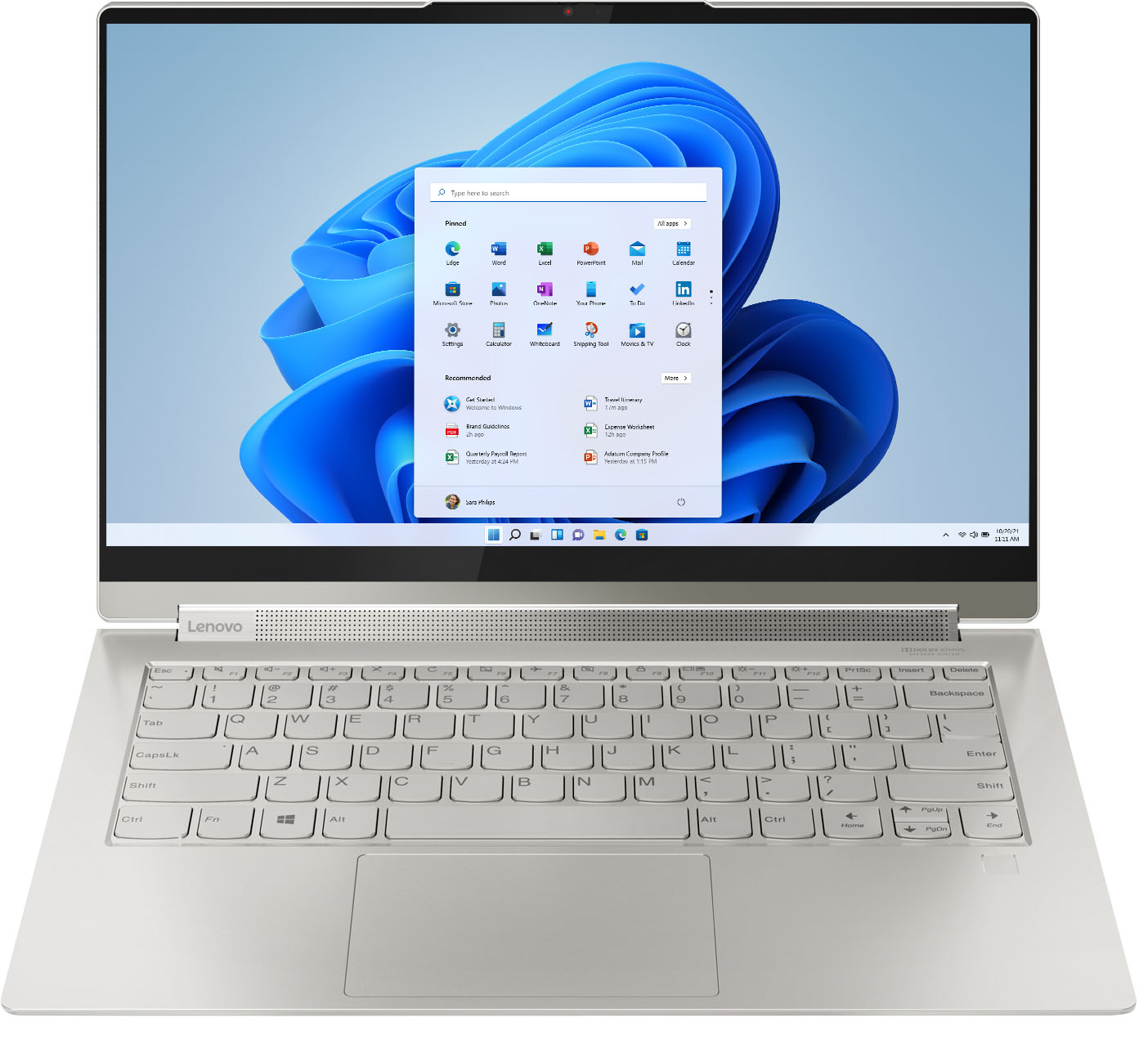



- Model:
- 82BG0090US/82BG000CUS
- SKU:
- 6426709
Rating by feature
- Battery Life
Rating 4.4 out of 5 stars
- Speed
Rating 4.5 out of 5 stars
- Display
Rating 4.6 out of 5 stars
Customers are saying
Customers recognize the Yoga 9i 14 2-in-1 laptop's excellent sound quality, light weight, and impressive battery life as significant strengths. Many appreciate its touchscreen functionality, ease of use, and elegant design. However, some users express concern regarding the limited number of USB ports. A few also mention the price point and occasional overheating issues.
This summary was generated by AI based on customer reviews.
- Pros mentioned:Sound quality, Speed, Touch screen
Great computer
||Posted . Owned for 3 weeks when reviewed.This reviewer received promo considerations or sweepstakes entry for writing a review.Great computer. Sounds great for a laptop. Runs fast and is the perfect size for work and play. Touch scree is adequately responsive as well.
I would recommend this to a friendBrand response from Lenovo Product Expert
Posted .Thank you for choosing the Intel Evo-Certified, Lenovo Yoga 9i-14. We are pleased to hear that the features and performance of the Yoga 9i-14 meets your computing needs so well.

Fast, Portable, and Storage. Oh My!
||Posted . Owned for less than 1 week when reviewed.This reviewer received promo considerations or sweepstakes entry for writing a review.This is my first week of using this laptop. I will update if anything changes. I came from a 2014 Yoga, which was a beast of a computer. I hope that this new one gives me the same life that my old one did. I primarily use my laptop for work and average about 65 hours of laptop related work a week. Speed, storage, and reliability are key features for me in purchasing a laptop. So far, I love this laptop. Aesthetically, it is a very sharp and clean design. It is really pretty to use. The screen is very crisp. Every time I open up the laptop, I can't help but admire how crisp the screen is compared to my old laptop. It is extremely light, even for being 14 inches, so it is very portable. I am not sure if the screen is listed as "smudge resistant," but I have noticed that it is not all finger print-y like my old Yoga was. It stays remarkably clean for how much I touch it. The keyboard is great and easy to type very quickly on. (I have been with Lenovo for about 6 years now, so I cannot speak for users who are just starting out with the Lenovo keyboard). The back lighting is a little wonky, as the spaces between the keys and the computer leave just a little to much space. However, this does not affect the functionality. The track pad is worth writing home about and has come a long way since the 2014 Yoga. It is very responsive and has some cool features that allow the user to access tool quickly. It is very comparable to the Mac's trackpad, which I have always been a big fan of. The fingerprint scanner works instantaneously. The webcam manual cover is a great feature. The webcam is pretty decent and has a wide angle. I notice I am one of the clearest videos when I am on my Zoom calls. Additionally, the pen is a really cool bonus. It works wonderfully with the screen and has similar functionality to writing on paper. On top of some cool features, this laptop is lightening fast. It restarts in 15 seconds flat and immediately responds to prompts. I initially downloaded Microsoft office, WhatsApp, Kindle, my company's VPN access, Zoom, Adobe, and a few other small apps simultaneously, the laptop was done and ready to go within 20 minutes. I noticed no slow down while the downloads were occurring. One of the main reasons I replaced my old Yoga was because it slowed down a little too much, so I am just amazed at how fast this one is. The speaker is decent and can get pretty loud, but it has nothing on something like a JBL Flip 4. But, I really like that the speaker can move to face whatever direction the user is using the computer. No more annoying speaker vibrations coming from the bottom of the laptop. The laptop is very quiet when in use. No fans, buzzing, or other noises that I had to deal with on my 2014 Yoga. The charging cable is a USB-C, which is a HUGE HUGE HUGE upgrade from the monstrosity that was designed for the 2014 Yoga.
I would recommend this to a friend- Pros mentioned:Sound quality, Touch screen, Weight
nice nice
||Posted . Owned for 1 month when reviewed.This reviewer received promo considerations or sweepstakes entry for writing a review.<sigh> the size, weight, screen, pen, all much loved ... lit keys, fine sound quality ... so far.it delivers on promise of function and flexibility
I would recommend this to a friendBrand response from Lenovo Product Expert
Posted .Thank you for choosing the Intel Evo-Certified, Lenovo Yoga 9i-14. We are pleased to hear that the features and performance of the Yoga 9i-14 meets your computing needs so well.
- Pros mentioned:Battery life, Speed, Weight
Great Laptop
||Posted . Owned for 1 month when reviewed.This reviewer received promo considerations or sweepstakes entry for writing a review.Amazing Battery life! Super lightweight and very fast.
I would recommend this to a friendBrand response from Lenovo Product Expert
Posted .Thank you for choosing the Intel Evo-Certified, Lenovo Yoga 9i-14. We are pleased to hear that the features and performance of the Yoga 9i-14 meets your computing needs so well.
- Pros mentioned:Touch screen
Love my Lenovo
||Posted . Owned for 10 months when reviewed.This reviewer received promo considerations or sweepstakes entry for writing a review.I love my Lenovo Yoga. It is light, good graphics, easy to use. I like the touch screen. I have had Lenovo products for my last three laptops. I have never been disappointed.
I would recommend this to a friend - Pros mentioned:Speed, Touch screen
Lenovo rocks!
||Posted . Owned for 1 month when reviewed.This reviewer received promo considerations or sweepstakes entry for writing a review.So clean and quick! Love the touch screen (my first other than an iPad) and the convenience of travel - this size is perfect!
I would recommend this to a friendBrand response from Lenovo Product Expert
Posted .Thank you for choosing the Intel Evo-Certified, Lenovo Yoga 9i 14. We are pleased to hear that the features and performance of the Yoga 9i 14 meets your computing needs so well.
- Pros mentioned:Sound quality, Speed
Good computer with a problem
||Posted . Owned for less than 1 week when reviewed.This reviewer received promo considerations or sweepstakes entry for writing a review.I bought this after my Yoga c740 died. It was faster, has much better specs and the sound is outstanding. Unfortunately there were two big p problems out of the box which I notice others are having as well. First, it would randomly freeze. (After lookin on the net, i found an eay fix to this problem by making a change in the intel software program that is installed on the computer). The other problem that i could not find a fix for was that it would not wake up from sleep mode. The only way to start the computer again required a hard reset. This was a deal breaker for me so I returned it and then purchase the higher spec'd shadow black version of this computer. Overall, i liked the computer aot and would have kept it if not for the sleep issue.
I would recommend this to a friend - Pros mentioned:Sound quality, Speed, Touch screen
The best in its class
||Posted . Owned for 1 week when reviewed.This reviewer received promo considerations or sweepstakes entry for writing a review.Excellent laptop, really fast and the screen look great. I love the touch screen and the fact that the pen is included.
I would recommend this to a friendBrand response from Lenovo Product Expert
Posted .Thank you for choosing the Intel Evo-Certified, Lenovo Yoga 9i-14. We are pleased to hear that the features and performance of the Yoga 9i-14 meets your computing needs so well.
- Pros mentioned:Battery life, Speed
Windows 11 ready
||Posted . Owned for 1 month when reviewed.This reviewer received promo considerations or sweepstakes entry for writing a review.This laptop has the best battery life I've ever experienced. Just upgraded to Windows 11 easily. Super fast running all apps. Had to dig into help file to find key strokes for back-light keyboard on/off. Plenty of storage. The only downside is the monitor doesn't flip around like on my Dell XPS for tablet mode. Also limited ports so I needed a USB-C to HTMI adapter for video out and a USB-Hub for extra peripherals. I'll probably buy a USB-C docking port.
I would recommend this to a friendBrand response from Lenovo Product Expert
Posted .Thank you for choosing the Intel Evo-Certified, Lenovo Yoga 9i 14, model number 82BG000CUS. This Yoga Configuration ships with 360 degree hinges on the screen/keyboard area that allow the Yoga 9i 14 to be used in tablet mode or flip the screen back into traditional laptop mode. Use any position along the 360 degree axis for media consumption. This Model ships with these ports: 1x USB 3.2 Gen 2, 2x USB-C 3.2 Gen 2 / Thunderbolt 4 (support data transfer, Power Delivery 3.0, DisplayPort 1.4 and Always On), 1x Headphone / microphone combo jack (3.5mm). This Yoga 9i 14 supports up to 3 independent displays via native display and 2 external monitors; supports external monitors via Thunderbolt (up to 5120x3200@60Hz).
- Pros mentioned:Sound quality
Decent laptop
||Posted . Owned for less than 1 week when reviewed.This reviewer received promo considerations or sweepstakes entry for writing a review.This device has been really easy to set up and runs smoothly. The keyboard has a nice feel to it with a decent camera and screen. Battery life has not been like advertised and the included pen is set in a difficult location in the back of the laptop. The stylus also could be a bit better.
I would recommend this to a friendBrand response from Lenovo Product Expert
Posted .Hi there! Thank you for choosing the Lenovo Yoga 9i model # 82BG000CUS. This model has an estimated battery life of Up to 15 Hours. If you are getting substantially less battery life, please adjust your screen brightness settings. A setting of 100% brightness will drain your battery much faster than a lower setting. We recommend setting the screen brightness to some value below 100% that is still comfortable for you to view. Next be sure Battery conservation Mode is turned off. This power management setting should only be used when the laptop is plugged in all the time. It will prolong overall battery life by only charging the battery to 60-percent of capacity. Here is a link to instructions for turning off Battery Conservation Mode: https://support.lenovo.com/us/en/solutions/ht103159. Also check what programs are running in the background on the computer. Be sure only the programs you want running in the background are. These programs will drain the battery. Here is a link to information about how to find out what programs are running in the background on your Windows 10 computer and how to manage them for better system performance: https://www.windowscentral.com/how-prevent-apps-running-background-windows-10. Then, finally, be sure any software you installed is compatible with Windows 10. Incompatible software will drain the battery at a faster rate. There is no need to install Microsoft Office software. The software is already part of the operating system, you just need to activate the software with a purchased product key. If you have installed a copy of Microsoft Office, this is conflicting with the existing copy on the system and this will slow your system down. If you have installed a 3rd party anti-virus program, be sure that Windows Defender is turned off and that the trial version of McAfee Anti-Virus software is uninstalled. There can only be one anti-virus program on the system. You may need to restore your system to original factory default settings if any of the programming errors have occurred. You can do that by typing "restore" in the Cortana search window. Just click on the magnifying glass icon at the bottom left of your Windows 10 Desktop. Click on "Reset This PC" Then click on "Get Started" and follow the on screen directions to restore to factory defaults. If the problem persists, we recommend you contact Lenovo Tech Support at: 877-453-6686 .
We appreciate your feedback in regards to the stylus. The included pen is meant to be a handy always there, researchable, base use stylus for things like note taking, signing documents, and browsing. For advanced users or artists we recommend the Bamboo Wacom pen featured here https://www.bestbuy.com/site/wacom-bamboo-ink-smart-stylus-for-windows-ink-2nd-generation-gray/6374981.p?skuId=6374981
- Pros mentioned:Battery life, Weight
Lenovo 9i Laptop
||Posted . Owned for 2 weeks when reviewed.This reviewer received promo considerations or sweepstakes entry for writing a review.Upgraded my previous Lenovo and so far no issues. Battery life and speaker quality is amazing. Love the location of the fans, which are in the hinges. Integrated stylus is also a plus. Wasn't expecting the Webcam cover so another bonus. Lightweight and got a good deal, no complaints.
I would recommend this to a friendBrand response from Lenovo Product Expert
Posted .Thank you for choosing the Intel Evo-Certified, Lenovo Yoga 9i 14. We are pleased to hear that the value, features and performance of the Yoga 9i 14 meets your computing needs so well.
- Pros mentioned:Speed
Exactly As Advertised
||Posted .This reviewer received promo considerations or sweepstakes entry for writing a review.I would recommend and i would repurchase. I am an amateur audio nut, a professional programming and a full time engineer. The laptop specs are right on for almost all the type of rendering I would be looking to do on a laptop. [Audio DAWs, autoCAD, photoshop, Crestron, PyCharm, Visual Studio etc] For a portable unit that is a 2 in 1 it was as fast as I expected, the power supply is not heavy nor is the laptop itself. I was comparing prices vs specs when I stumbled upon this unit. There are other models that have negative feedback but this unit was majority positive across all platforms and outlets. To be fair the one negative is the lack of connectivity on the unit being it only has one(1) USB-A and two(2) usb-C. However this is becoming an industry trend as the push to slim the chassis plus the desire to sell peripherals increases.
I would recommend this to a friend - Pros mentioned:Battery life, Speed
I am now a Lenovo fan
||Posted . Owned for 2 months when reviewed.This reviewer received promo considerations or sweepstakes entry for writing a review.I used to be an HP guy but this laptop has absolutely changed my mind! I use it for music as well as video production and I have got to say, my experience has been far better than I expected. No crashes, no audio dropouts, nothing. Quick and efficient. I have ever had multiple YT videos open while doing my work (which usually fills up the ram in my other laptops) and everything still worked smooth. It also starts up ridiculously fast and the battery lasts several hours.
I would recommend this to a friendBrand response from Lenovo Product Expert
Posted .Thank you for choosing the Intel Evo-Certified, Lenovo Yoga 9i 14. We are pleased to hear that the performance of the Yoga 9i 14 meets your computing needs so well.
- Pros mentioned:Battery life, Sound quality, Speed
Amazing laptop
||Posted . Owned for less than 1 week when reviewed.This reviewer received promo considerations or sweepstakes entry for writing a review.Wow. What a laptop. The sound is amazing! Battery amazing! FAST! The screen in basic but its worth the 1200/
I would recommend this to a friendBrand response from Lenovo Product Expert
Posted .Thank you for choosing the Intel Evo-Certified, lenovo Yoga 9i 14 model number 82BG000CUS. This model ships with a 14 inch (screen size measured diagonally) IPS - FHD (1920x1080) 10-point Multi-touch screen, with a brightness level of 400 nits, has a Glossy finish. This screen provides 100 Percent of the sRGB (72 Percent NTSC) color gamut for excellent color accuracy. This screen is Dolby Vision Certified. We are pleased to hear that the value, features and performance of the Yoga 9i 14 meets your computing needs so well.
- Pros mentioned:Sound quality, Speed
Great & Beautiful
||Posted . Owned for 1 month when reviewed.This reviewer received promo considerations or sweepstakes entry for writing a review.Is a powerful and fast machine, that is functional. The 2-1 feature with its hidden pen compartment is very useful. I bought this laptop for my son and he is just so happy that he has something that is a higher level for his school work and to watch videos on youtube ( the speaker provide clear and crisp sound). I don’t regret getting this little powerhouse.
I would recommend this to a friendBrand response from Lenovo Product Expert
Posted .Thank you for choosing the Intel Evo-Certified, Lenovo Yoga 9i 14 for your son. We are pleased to hear that the features and performance of the Yoga 9i 14 meets the computing needs of your son so well.
- Pros mentioned:Sound quality, Speed
Laptops
||Posted . Owned for less than 1 week when reviewed.This reviewer received promo considerations or sweepstakes entry for writing a review.Fast , great sound..loved it.. I like to play pogo games..It was very fast.. Never had a lonova before... I hope it lasts a long time... Definitely will buy another one if something happens to this one.....
I would recommend this to a friendBrand response from Lenovo Product Expert
Posted .Thank you for choosing the lenovo Yoga 9i-14. We are pleased to hear that the Yoga 9i-14 is working out so well for you.
- Pros mentioned:Sound quality, Speed
Perfect size and speed!
||Posted . Owned for 11 months when reviewed.This reviewer received promo considerations or sweepstakes entry for writing a review.Loving this laptop - its quick, crisp display and just the right size for remote working!
I would recommend this to a friendBrand response from Lenovo Product Expert
Posted .Thank you for choosing the Intel Evo-Certified, Lenovo Yoga 9i 14. We are pleased to hear that the features and performance of the Yoga 9i 14 meets your computing needs so well.
- Pros mentioned:Speed, Weight
Fast and Lightweight
||Posted . Owned for 1 month when reviewed.This reviewer received promo considerations or sweepstakes entry for writing a review.Lightning fast processing speed. Lightweight makes it easy to use. Touchscreen is a nice feature as well. The only issue is it sometimes doesn't recover from sleep mode - I have to force close and restart
No, I would not recommend this to a friendBrand response from Lenovo Product Expert
Posted .We are sorry to hear that you are having issues with your Intel Evo-Certified, lenovo Yoga 9i 14, model number 82BG0090US, waking from Sleep Mode. First, check the configuration of your Yoga 9i 14 for what it is set up to do when you open the lid. Here is a link to instructions for checking/changing what your Windows 11 laptop does when you open/close the lid: https://windowsreport.com/change-lid-close-action-windows-11/#:~:text=Use%20the%20Control%20Panel&text=If%20it's%20on%20Category%2C%20click,on%20the%20left%2Dhand%20side. If your Yoga 9i 14 is configured correctly to go into Sleep Mode/wake from Sleep mode when you close/open the lid, but the laptop will not always respond to this configuration, now check to be sure you have the latest version of Windows 11 on the computer. Then update all BIOS files and drivers up to that latest version of Windows 11. You can easily accomplish this by scanning the computer with the Lenovo Utility software available on this computer. This system has Lenovo utilities installed to help maintain the health of the device and keep the operating system software up to date. Type "Lenovo Vantage" in the Cortana Search window (if Lenovo Vantage is not installed on your device, you can download the APP and install it now). Select Lenovo Vantage from the list. In the window that opens, click on "Health and Support". In the expanded menu, select "Hardware Scan" In the window that opens, select "Run Quick Tests". This will scan your entire system for errors. Follow any directions that may pop up. If the problem continues after this scan, now click on "System Update". First select Windows update from the menu. Scan your system to be sure you have the latest version of Windows 11. Once that scan is complete, select "Additional Updates". This will scan your device to be sure there are no new BIOS/Driver updates needed. Follow any instructions that may pop up. If the issue continues after these updates, we recommend you call Lenovo Premium Care for additional help at: 888-278-9707.
- Pros mentioned:Speed, Weight
Awesome
||Posted . Owned for 3 weeks when reviewed.This reviewer received promo considerations or sweepstakes entry for writing a review.Great laptop. Very fast and so sleek looking. Lightweight and small so very easy to carry around.
I would recommend this to a friendBrand response from Lenovo Product Expert
Posted .Hi there! Thank you for choosing the Lenovo Yoga 9i. We are so happy to hear the amazing performance, features, premium look, and feel of the Yoga 9i is meeting your computing needs so well.
- Pros mentioned:Battery life
Perfect
||Posted . Owned for 1.5 years when reviewed.This reviewer received promo considerations or sweepstakes entry for writing a review.I love this laptop! I use it for work and it has everything I need. It has good battery life.
I would recommend this to a friend