Customer Ratings & Reviews
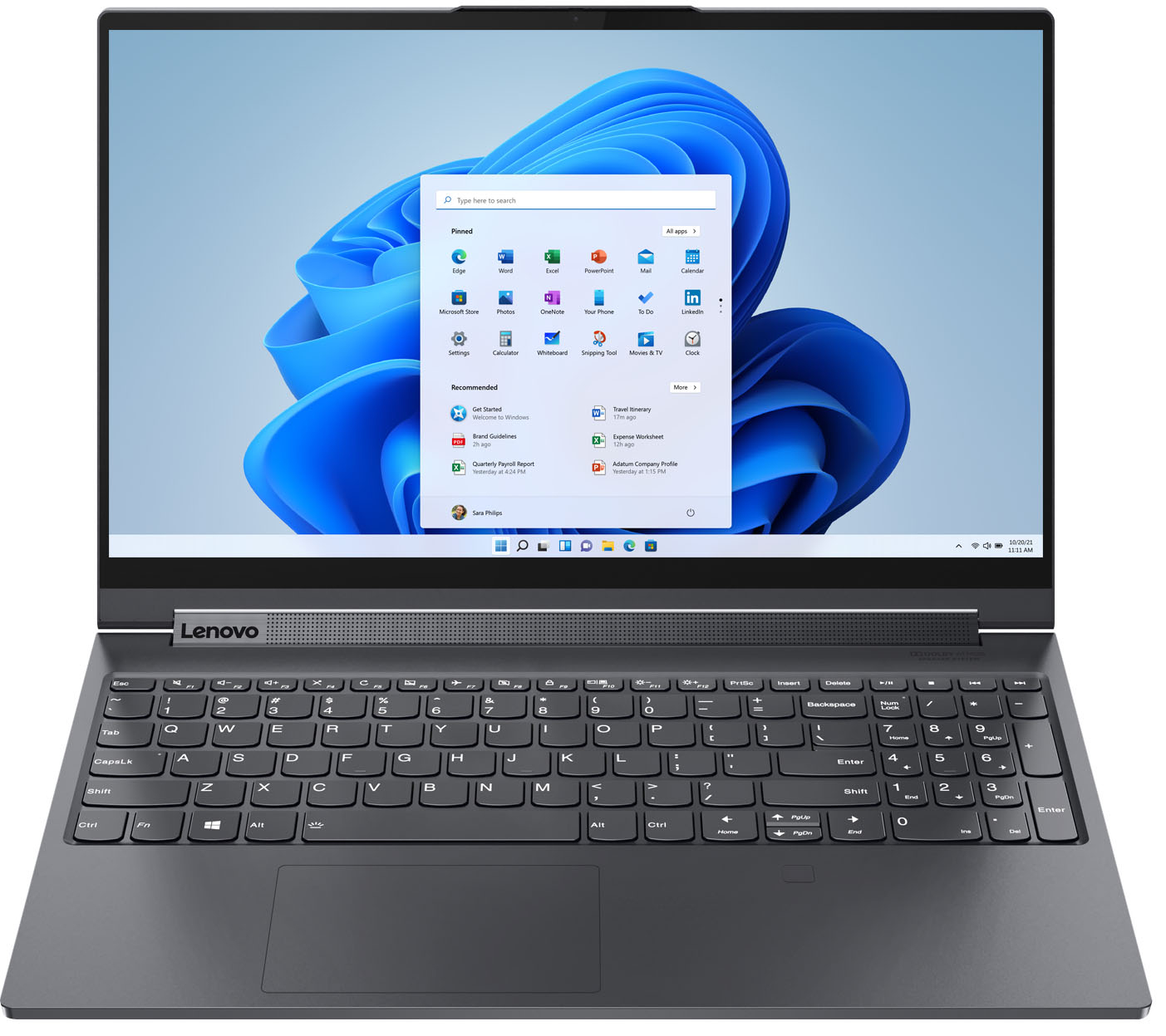


- Model:
- 82DE002XUS/82DE0009US
- SKU:
- 6426711
Rating by feature
- Battery Life
Rating 4.2 out of 5 stars
- Speed
Rating 4.6 out of 5 stars
- Display
Rating 4.6 out of 5 stars
Customers are saying
Customers frequently mention the excellent performance, impressive screen size, and ample SSD storage as major strengths of the Yoga 9i 15" laptop. Many appreciate its ease of use, light weight, and good graphics capabilities. However, some users point to the battery life and fan noise as areas needing improvement, along with a limited number of ports. A few also commented on the price point.
This summary was generated by AI based on customer reviews.
Buyer beware of this laptop!!
||Posted . Owned for 1 year when reviewed.This reviewer received promo considerations or sweepstakes entry for writing a review.Bought this laptop in July 2021 to start my college experience. In Jan 2022, the laptop wouldn’t turn on as the motherboard malfunctioned/fried so Bestbuy sent it in to repair the problem. 6 months later on Aug 2022, the laptop is being repaired once again for the same problem. Not sure why BestBuy wouldn’t junk the laptop and refund me the money to purchase a different more reliable laptop but they say it has to break 3 times before a refund is given. Frustrating all around.
No, I would not recommend this to a friendBrand response from Lenovo Product Expert
Posted .This Lenovo Yoga 9i 15, model number 82DE002XUS, was first available for sale: 2021-10-05.

Failed after 30 days.
||Posted . Owned for 6 months when reviewed.This reviewer received promo considerations or sweepstakes entry for writing a review.So disappointed. I hardly had this laptop for a month before it failed the first time. Lenovo was helpful in getting the system board replaced. That repair lasted about a week. But the laptop was still under warranty and they again repaired it. So first the three months of owning this laptop, I couldn't use it for about 60 days because it was out of action. It has been working well since the initial failures.
No, I would not recommend this to a friendBrand response from Lenovo Product Expert
Posted .We are sorry to hear that you are having issues with your Lenovo Yoga 9i 15 model number 82DE0009US. Since the failure happened twice, in rapid succession, be sure any software you installed is compatible with Windows 10. There is no need to install Microsoft Office software. The software is already part of the operating system, you just need to activate the software with a purchased product key. If you have installed a copy of Microsoft Office, this is conflicting with the existing copy on the system and this will slow your system down. If you have installed a 3rd party anti-virus program, be sure that Windows Defender is turned off and that the trial version of McAfee Anti-Virus software is uninstalled. There can only be one anti-virus program on the system. You may need to restore your system to original factory default settings if any of the programming errors have occurred. You can do that by typing "restore" in the Cortana search window. Just click on the magnifying glass icon at the bottom left of your Windows 10 Desktop. Click on "Reset This PC" Then click on "Get Started" and follow the on screen directions to restore to factory defaults. If the problem persists, we recommend you contact Lenovo Tech Support at: 877-453-6686.
Don't waster your money
||Posted . Owned for 1 month when reviewed.This reviewer received promo considerations or sweepstakes entry for writing a review.Used the computer for 43 days, did a factory reset to return it and computer would not turn on. Best buy made me use my 400 protection plan in order to return it. Don't buy this garbage. Very disappointed with best buy making me waste 400 dollars and Lenovo being garbage.
No, I would not recommend this to a friendDon't Buy the Lenovo
||Posted . Owned for 3 months when reviewed.This reviewer received promo considerations or sweepstakes entry for writing a review.This computer has been a nightmare! It goes to sleep when you close the lid and then is unresponsive when you open back up. No matter what you do, it won't turn on. Lenovo's support has been less than stellar as well. $2000.00 for a laptop that doesn't work a month and a half after I bought it.
No, I would not recommend this to a friendBrand response from Lenovo Product Expert
Posted .We are sorry to hear that you are having issues with your Lenovo Yoga 9i 15 Laptop. Check your current settings configuration for what your Yoga 9i 15 will do when you close the lid of the computer. Here is a link to instructions for doing this: https://gearupwindows.com/how-to-keep-laptop-on-when-the-lid-closed-on-windows-11/. If the issue continues after you have reconfigured your settings, we recommend you contact Lenovo Premium Care for additional help at: 888-278-9707.
Thiefs
||Posted .This reviewer received promo considerations or sweepstakes entry for writing a review.I paid for brand new but you packaged a returned refurbished laptop for me. I was extremely busy in school so I couldn't return it within the returnable period. I got to know it few days after purchase. Herrr it pains me a lot.
No, I would not recommend this to a friendMost expensive piece of garbage
||Posted .This reviewer received promo considerations or sweepstakes entry for writing a review.If I could give negative stars I would. Screen decided not to work after a month and the charger will charge for 10 minutes until you have to unplug and plug back in. Save the money for something better and more reliable
No, I would not recommend this to a friendBrand response from Lenovo Product Expert
Posted .We are sorry to hear that you are having issues with your Lenovo Yoga 9i 15. Resetting this computer back to original factory settings may correct the issue you are having with the screen. This system is equipped with OneKey Recovery System. There is a very small pin hole on the bottom right side of the device, right near the top right corner of the cooling vent on the bottom of the device. You will need a pin to push this reset button. Plug the device in. Let the battery charge for about 15 minutes. Push the reset button. The system should boot to a choice screen where you can choose Restore To Factory Default. Select this. It will delete everything from the hard drive except the original factory install of the operating system. You will need to reinstall all programs and files after the reset. If you don't have copies of the files, try to make one before you restore by selecting Boot to desktop and trying to back up your files. Concerning the issue you mention about charging your Yoga 9i 15, check to see that you have the Battery Conservation Mode turned off within your device power settings. You can access this Battery Conservation Mode within the Lenovo Vantage Software installed on this computer. This Conservation Mode should only be used if you leave your computer plugged in all of the time. It will extend the life of the battery by only charging the battery to 60 percent capacity. If the issues continue after the factory reset, we recommend you contact Lenovo Premium Care for additional help at: 888-278-9707.
This computer was awful
||Posted . Owned for 1 month when reviewed.This reviewer received promo considerations or sweepstakes entry for writing a review.This computer was awful. We kept bringing it into the geek squad to try to see why it only had intermittent power and never was able to figure out why. Just returned it to the store for a different laptop.
No, I would not recommend this to a friendBad screen
||Posted . Owned for 3 weeks when reviewed.This reviewer received promo considerations or sweepstakes entry for writing a review.Have had this product less than a month and the screen is no longer working. Very disatisfied with the quality of this one... And research shows very good ratings. Perhaps we got a lemon.
No, I would not recommend this to a friendBrand response from Lenovo Product Expert
Posted .We are sorry to hear that you are having issues with the screen on your Lenovo Yoga 9i 15. Resetting the Yoga 9i 15 back to original factory settings may correct the issue you are having. This system is equipped with OneKey Recovery System. There is a very small pin hole on the bottom right side of the device, right near the top right corner of the cooling vent on the bottom of the device. You will need a pin to push this reset button. Plug the device in. Let the battery charge for about 15 minutes. Push the reset button. The system should boot to a choice screen where you can choose "Restore To Factory Default". Select this. It will delete everything from the hard drive except the original factory install of the operating system. You will need to reinstall all programs and files after the reset. If you don't have copies of the files, try to make one before you restore by selecting "Boot to desktop" and trying to back up your files. If the problem persists after the factory reset, we recommend you contact Lenovo Premium Care for additional help at: 888-278-9707.
Computer
||Posted . Owned for 3 weeks when reviewed.This reviewer received promo considerations or sweepstakes entry for writing a review.I recently bought a new computer. The associate was helpful and took the time to ask what I was using it for and to explain the different features and why I might enjoy one over the other.
I would recommend this to a friend- Pros mentioned:Screen sizeCons mentioned:Fan noise
All around amazing PC laptop
Posted .This reviewer received promo considerations or sweepstakes entry for writing a review.Bought this laptop due to its large screen, NVIDIA, 2-1 features and the amount of storage. I went to best buy knowing I was going to get a Lenovo and this one was one of the best in the line up. I was between a macbook and this originally but I can just do so much more with a PC. I did look at other PC laptops but nothing really compared to this laptop. It feels expensive and looks expensive. I love the light up key function and how you can change it to be more dim or brighter. I mainly use this computer to game and do college coursework and it is amazing. I play COD BO4, DBD and GTA 5. Coming from console gaming I will honestly never go back and this is not even the highest level of gaming laptops. I love how I can flip the key board out of sight so when I play it is just the screen. The only thing is it can be a bit noisy with the fan. You also can put it on quiet mode, but with the graphics it is running I can't really complain. Sound and video quality is amazing. I have had no issues, highly recommend.
I would recommend this to a friendBrand response from Lenovo Product Expert
Posted .Thank you for choosing the Lenovo Yoga 9i-15. We are pleased to hear that the performance of the Yoga 9i-15 meets your computing needs so well. You can use Lenovo Q-Control to manually control fan and system performance: ( Fn + Q ) option to change the fan by undervolting the processor.
President
||Posted . Owned for 3 weeks when reviewed.This reviewer received promo considerations or sweepstakes entry for writing a review.The mouse was very hard to operate. Your geek squad was not able to complete transfer of my files. I returned it because it was unsatisfactory for the price.
No, I would not recommend this to a friendWish it werent true..BUT..
||Posted . Owned for 1 month when reviewed.This reviewer received promo considerations or sweepstakes entry for writing a review.Constantly crashing. Lagging issues. Battery dead within hour. Screen not turning on. 4 weeks old.
No, I would not recommend this to a friendBrand response from Lenovo Product Expert
Posted .We are sorry to hear that you are having issues with your Lenovo Yoga 9i 15, model number 82DE002XUS. First, be sure any software you installed is compatible with Windows 11. There is no need to install Microsoft Office software. The software is already part of the operating system, you just need to activate the software with a purchased product key. If you have installed a copy of Microsoft Office, this is conflicting with the existing copy on the system and this will slow your system down. If you have installed a 3rd party anti-virus program, be sure that Windows Defender is turned off and that the trial version of McAfee Anti-Virus software is uninstalled. There can only be one anti-virus program on the system. Here is a link to instructions for uninstalling McAfee from a Windows computer: https://service.mcafee.com/?articleId=TS101331&page=shell&shell=article-view You may need to restore your system to original factory default settings if any of the programming errors have occurred. You can do that by typing "restore" in the Cortana search window. Just click on the magnifying glass icon at the bottom of your Windows 11 Desktop. Click on "Reset This PC" Then click on "Get Started" and follow the on screen directions to restore to factory defaults. If you are unable to boot your computer to reset the computer back to original factory settings, this system is equipped with OneKey Recovery System. There is a very small pin hole on the bottom right side of the device, right near the top right corner of the cooling vent on the bottom of the device. You will need a pin to push this reset button. Plug the device in. Let the battery charge for about 15 minutes. Push the reset button. The system should boot to a choice screen where you can choose "Restore To Factory Default". Select this. It will delete everything from the hard drive except the original factory install of the operating system. You will need to reinstall all programs and files after the reset. If you don't have copies of the files, try to make one before you restore by selecting "Boot to desktop" and trying to back up your files. If the problem persists after the factory reset, we recommend you contact Lenovo Tech Support at: 877-453-6686.
Poor display
||Posted . Owned for 1 month when reviewed.This reviewer received promo considerations or sweepstakes entry for writing a review.Laptop with faulty display. Display stopped working after couple of weeks purchase.
No, I would not recommend this to a friendBrand response from Lenovo Product Expert
Posted .We are sorry to hear that you are having issues with your Lenovo Yoga 9i 15, model number 82DE002XUS. Resetting your computer back to original factory settings may correct the screen issue you are having. Power off the computer. Plug in the AC adapter/charger that shipped with your Yoga 9i 15 with the computer powered off. This system is equipped with OneKey Recovery System. There is a very small pin hole on the bottom right side of the device, right near the top right corner of the cooling vent on the bottom of the device. You will need a pin to push this reset button. Plug the device in. Let the battery charge for about 15 minutes, with the power off. Push the reset button. The system should boot to a choice screen where you can choose "Restore To Factory Default". Select this. It will delete everything from the hard drive except the original factory install of the operating system. You will need to reinstall all programs and files after the reset. If you don't have copies of the files, try to make one before you restore by selecting "Boot to desktop" and trying to back up your files. If the problem persists after the factory reset, we recommend you contact Lenovo Tech Support at: 877-453-6686.
Problem
||Posted . Owned for 5 months when reviewed.This reviewer received promo considerations or sweepstakes entry for writing a review.Bought in July has a motherboard problem. Have to call the Lenovo company noe
No, I would not recommend this to a friendNot at all happy
||Posted .This reviewer received promo considerations or sweepstakes entry for writing a review.Overheated and won’t come on. Not even 12-hours after I got it home from the store.
No, I would not recommend this to a friendBrand response from Lenovo Product Expert
Posted .We are sorry to hear that you are having issues with your Lenovo Yoga 9i 15 model number 82DE002XUS. We recommend you contact Lenovo Tech Support for help with your issue at: 877-453-6686.
- Pros mentioned:Speed
Great computer for the price
Posted .This reviewer received promo considerations or sweepstakes entry for writing a review.Great computer with amazing speed and storage. Haven't had any problems with the computer as long as you keep it update it runs just as well as a more expensive computer.
I would recommend this to a friend Disappointing
||Posted . Owned for 2 weeks when reviewed.This reviewer received promo considerations or sweepstakes entry for writing a review.Very disappointing. Extremely loud! It would not complete the latest updates.
No, I would not recommend this to a friendBrand response from Lenovo Product Expert
Posted .We are sorry to hear that you are having issues with a recent Windows 10 update to your Lenovo Yoga 9i-15, model number 82DE0009US. First, be sure there is no installed software conflicting with the needed update. Be sure any software you installed is compatible with Windows 10. Incompatible software can at the same time, can prevent the successful download and install of a Windows 10 update and can cause your computer workload to increase, making the system fan run more often and at higher RPMs. There is no need to install Microsoft Office software. The software is already part of the operating system, you just need to activate the software with a purchased product key. If you have installed a copy of Microsoft Office, this is conflicting with the existing copy on the system and this will slow your system down. If you have installed a 3rd party anti-virus program, be sure that Windows Defender is turned off and that the trial version of McAfee Anti-Virus software is uninstalled. There can only be one anti-virus program on the system. You may need to restore your system to original factory default settings if any of the programming errors have occurred. You can do that by typing "restore" in the Cortana search window. Just click on the magnifying glass icon at the bottom left of your Windows 10 Desktop. Click on "Reset This PC" Then click on "Get Started" and follow the on screen directions to restore to factory defaults. If there is no incompatible software installed, you can rollback an incomplete Windows 10 update. Here is a link to more information: https://www.windowscentral.com/how-uninstall-and-reinstall-updates-windows-10. Be sure you have all critical operating system updates. You can easily accomplish this by scanning the computer with the Lenovo Utility software available on this computer. This system has Lenovo utilities installed to help maintain the health of the device and keep the operating system software up to date. Type "Lenovo Vantage" in the Cortana Search window (if Lenovo Vantage is not installed on your device, you can download the APP and install it now). Select Lenovo Vantage from the list. In the window that opens, click on "Health and Support". In the expanded menu, select "Hardware Scan" In the window that opens, select "Run Quick Tests". This will scan your entire system for errors. Follow any directions that may pop up. If the problem continues after this scan, now click on "System Update". First select Windows update from the menu. Scan your system to be sure you have the latest version of Windows 10. Once that scan is complete, select "Additional Updates". This will scan your device to be sure there are no new BIOS/Driver updates needed. Follow any instructions that may pop up. If the issue still continues after these updates, we recommend you call Lenovo Tech Support at: 877-453-6686 for additional help.
Issues with Sound
||Posted . Owned for 1 month when reviewed.This reviewer received promo considerations or sweepstakes entry for writing a review.Cannot get the sound (mic) to work, even with external headset.
No, I would not recommend this to a friendBrand response from Lenovo Product Expert
Posted .We are sorry to hear that you are having issues with the microphone within your Lenovo Yoga 9i 15 model number 82DE0009US. First, be sure your internal microphone is off mute. Tap the HotKey in the F4 position to toggle the internal microphone on/off. This will also toggle a connected headset on/off as well. Then be sure the volume is up to a hearable level by tapping the HotKey in the F3 position on the keyboard. Test your microphone offline by using the audio recorder within Windows 10. To open Sound Recorder, click on the Start Menu in the lower left hand corner of your screen. In the search bar, type "Sound Recorder." 2. Click "Start Recording" to begin recording sound. Here is a link to instructions for making an audio recording within Windows 10: https://support.microsoft.com/en-us/windows/how-to-use-voice-recorder-6fbb53d5-0539-abda-a9a4-0bcb84a778e7. If you are able to make and playback a audio recording offline, now check the settings of the online APP you are using to be sure you are also off mute within the APP as well as on the computer. If you continue to have issues with your microphone, we recommend you contact Lenovo Tech Support at: 877-453-6686.
Not a good product
||Posted . Owned for 1 month when reviewed.This reviewer received promo considerations or sweepstakes entry for writing a review.Broke within 2 weeks of purchase. Computer would not turn on.
No, I would not recommend this to a friendBrand response from Lenovo Product Expert
Posted .We are sorry to hear that you are having issues with your Lenovo Yoga 9i 15 model number 82DE0009US. Try resetting your computer back to original factory settings. This system is equipped with OneKey Recovery System. There is a very small pin hole on the bottom right side of the device, right near the top right corner of the cooling vent on the bottom of the device. You will need a pin to push this reset button. Plug the device in. Let the battery charge for about 15 minutes. Push the reset button. The system should boot to a choice screen where you can choose "Restore To Factory Default". Select this. It will delete everything from the hard drive except the original factory install of the operating system. You will need to reinstall all programs and files after the reset. If you don't have copies of the files, try to make one before you restore by selecting "Boot to desktop" and trying to back up your files. Once you have the computer reset, be sure any software you installed is compatible with Windows 10. There is no need to install Microsoft Office software. The software is already part of the operating system, you just need to activate the software with a purchased product key. If you have installed a copy of Microsoft Office, this is conflicting with the existing copy on the system and this will slow your system down. If you have installed a 3rd party anti-virus program, be sure that Windows Defender is turned off and that the trial version of McAfee Anti-Virus software is uninstalled. There can only be one anti-virus program on the system. You may need to restore your system to original factory default settings if any of the programming errors have occurred. You can do that by typing "restore" in the Cortana search window. Just click on the magnifying glass icon at the bottom left of your Windows 10 Desktop. Click on "Reset This PC" Then click on "Get Started" and follow the on screen directions to restore to factory defaults. If the problem persists, we recommend you contact Lenovo Tech Support at: 877-453-6686.
- Cons mentioned:Fan noise
Overheating, fan issues, and terrible pencil
Posted .This reviewer received promo considerations or sweepstakes entry for writing a review.I liked the Lenovo Yoga 9i when I first bought it. It's a beautiful looking laptop and you can fold back the screen to use as a tablet. One of the selling points for me was the pen that came with it. It slides into an opening on the side when not in use and I can use it to draw or take notes with my laptop/tablet combo machine. ut then pen is well-designed. It is not long enough to hold comfortably and its odd squarish shape is also uncomfortable unlike the smooth round cylindrical shape of a regular pencil or pen. But the biggest aggravation with this laptop is its tendency to overheat and cause the fans to go into overdrive. I don't think it's designed well to dissipate heat. Open up a couple of browser windows with video and the fans start to make a rattling sound. It gets pretty loud. Search online for Lenovo Yoga fan sound and a bunch of links will show up. So it's not an unknown issue and has been going on for a while with the Yoga series. I have never had a laptop with this issue before. This laptop is on the higher end of the price scale. I don't feel like I got my money's worth with this long-running issue. I highly suggest getting something else. If you want to draw, Apple tablet and Pencil is the best option imho.
No, I would not recommend this to a friend