Rating 4.3 out of 5 stars with 389 reviews
4.3- Speed (74)
- Performance (39)
- Screen Size (30)
- SSD (21)
- Ease of use (16)
- Battery Life (27)
- Fan Noise (12)
- Ports (12)
- Heat (4)
- Price (4)
Customer Images
The vast majority of our reviews come from verified purchases. Reviews from customers may include My Best Buy members, employees, and Tech Insider Network members (as tagged). Select reviewers may receive discounted products, promotional considerations or entries into drawings for honest, helpful reviews.
- Rated 5 out of 5 stars
Great quality awesome sound!
Most everything on this computer is very good. I don't like that it only has one old school shaped USB port. It does have 2 of the newer USB-c connections but none of my old junk use that and I don't like dealing with adapters. I don't like that it doesn't have a SD card slot yet another adapter needed! However I knew these things before I bought it and I made an exception because it seems like the best thing I could find for the money. I think I paid around 1,700 for it. I've had it one year now and it's still working flawlessly. The battery life hasn't changed maybe because I use the battery saver mode which holds it at 60% so it degrades slower than holding it at 100%. I've also disabled fast charge unless I'm short on time which helps improve the lifespan of the battery. The battery life isn't as good as some of the lower powered laptops I was comparing it to but the sound system is so nice and the dedicated graphics card swayed me towards this purchase. The battery last me between 2 and 5 hours depending on what I'm doing. I'm sure it would last a lot longer if I had the screen brightness down and I was just surfing the web but I've never been that easy on it to find out. The touch screen is very responsive, it boots up really fast and goes in and out of hibernation quickly as well. It hasn't crashed ever. The fan is only noticeable if I'm doing processor-intensive type stuff but it doesn't seem very loud. The stylist is really nice to use in the rare times I need it as well as being able to fold the screen all the way around and use it as a tablet so the people across the table can see the screen as well. Folding it around like this is also useful when bringing it in the car and reprogramming the car's systems because it's kind of cramped sitting there behind the steering wheel with a regular shaped laptop. It has a 1 terabyte SSD and really awesome speakers. I can set it across the room and do dishes while a movie plays and I can still hear it well. It's the loudest laptop I have ever had and I always aim for getting the best speakers when I buy. The sound is balanced really well you can even hear the low bass tones in my electronic music. Of course you can't feel the bass but you can hear it unlike the other laptops which are completely absent of Base. The screen is bright. Wi-Fi & Bluetooth range is good. Over all I'm happy with my choice. Over the last decades I've had several laptops that couldn't make it 3 months without showing symptoms of problems. So with this one I'm very happy with its performance and quality.
- Rated 5 out of 5 stars
Pen included!!
I can't say enough about this computer. It is super fast, lots of ram, large hard drive, great graphics, flips into a tablet, HAS A PEN INCLUDED and fits right into the computer so you will never forget it. I have been using this computer for about 8 hours a day 5 days a week, for months and have no complaints. White board is installed and is fantastic when you need to draw or take notes without typing.
Posted by Augustlp
- Rated 5 out of 5 stars
I love my Lenovo Yoga 9i laptop
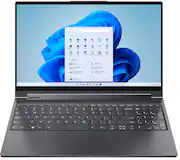
I love my Lenovo - Yoga 9i 15" 2-in-1 Touch-Screen Laptop - Intel Core i7 - 16GB Memory - NVIDIA GeForce GTX 1650 Ti - 1TB SSD. Good video quality, 16Gb ofRAm that makes it run smoothly. And the 1 Terabyte of solid-state-disk is a must have. Also, in tip of that is touchscreen and has a digital pen that lets you draw like when you were a kid. Tholis is an excelent choice.
Posted by AlexOG
- Rated 5 out of 5 stars
Multifunctional Laptop
I was skeptical at first but this laptop has all of the things I need and more for a great price. I didn’t think I’d like the touchscreen and foresaw issues there but it’s a champ! It’s better than any other screen I’ve had on a laptop and doesn’t keep prints which is amazing. There is a neat feature for fingerprint access which has my nerd heart happy. It has the second set of numbers which I’ve noticed a lot of laptops don’t have. The processing speed is amazing. The graphics are great! I was torn between i7 or i9 and torn between storage amounts. This has it all and I paid less than I thought I’d need to for a great laptop. I am glad I went with this one.
Posted by Kmm15
- Rated 5 out of 5 stars
Great machine
This laptop boots up very fast because of the SSD and memory. The i7 processor is very fast. I had a difficult time finding all the features that I wanted in a computer and had almost given up all hope until I found this one. The only thing I don't like is the fonts are way too small with it set in its recommended resolution. I still have some programs that some screens are still too small but I think I can deal with it. It was an open box product and was located about 40 minutes away. So far I am pleased with it.
Posted by Linda