Customer Ratings & Reviews
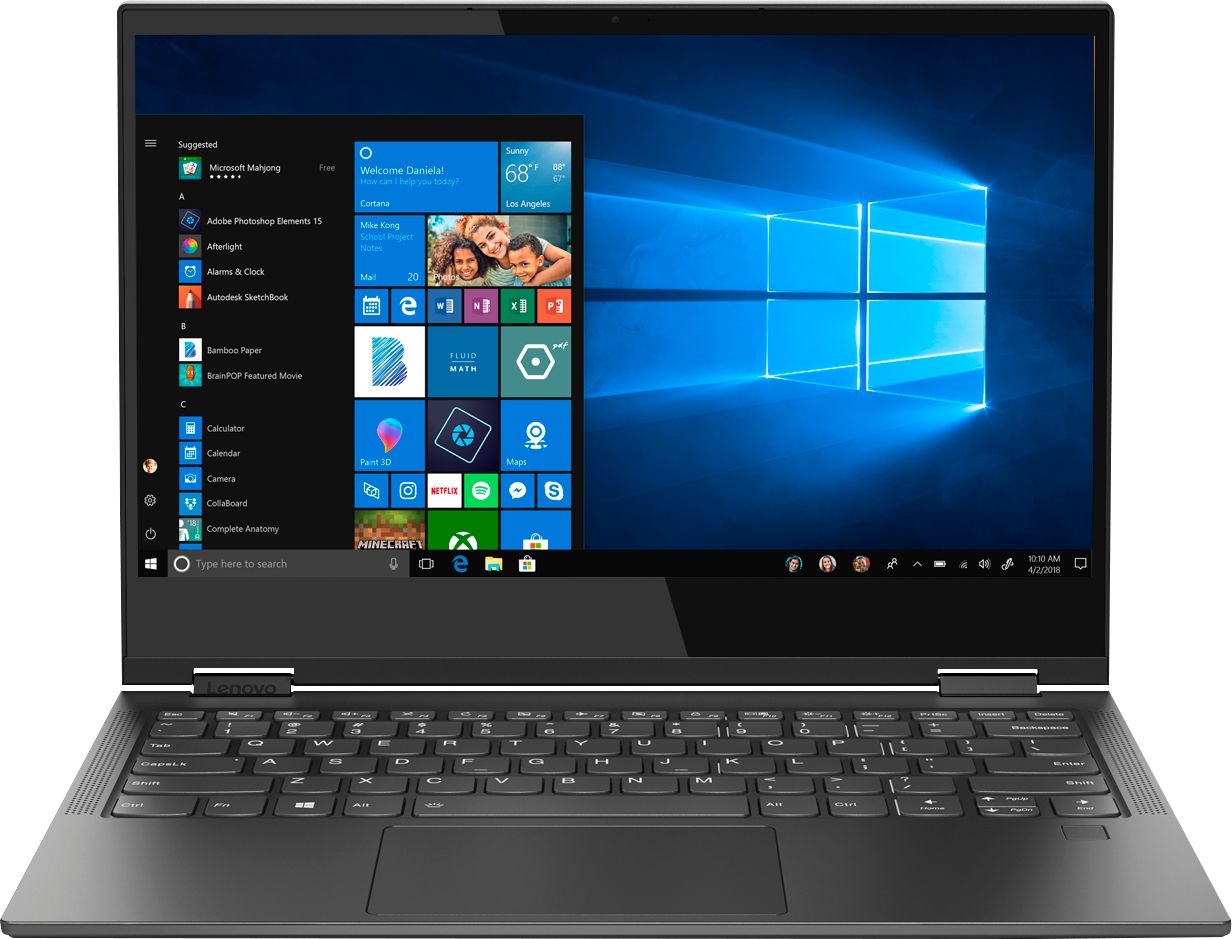
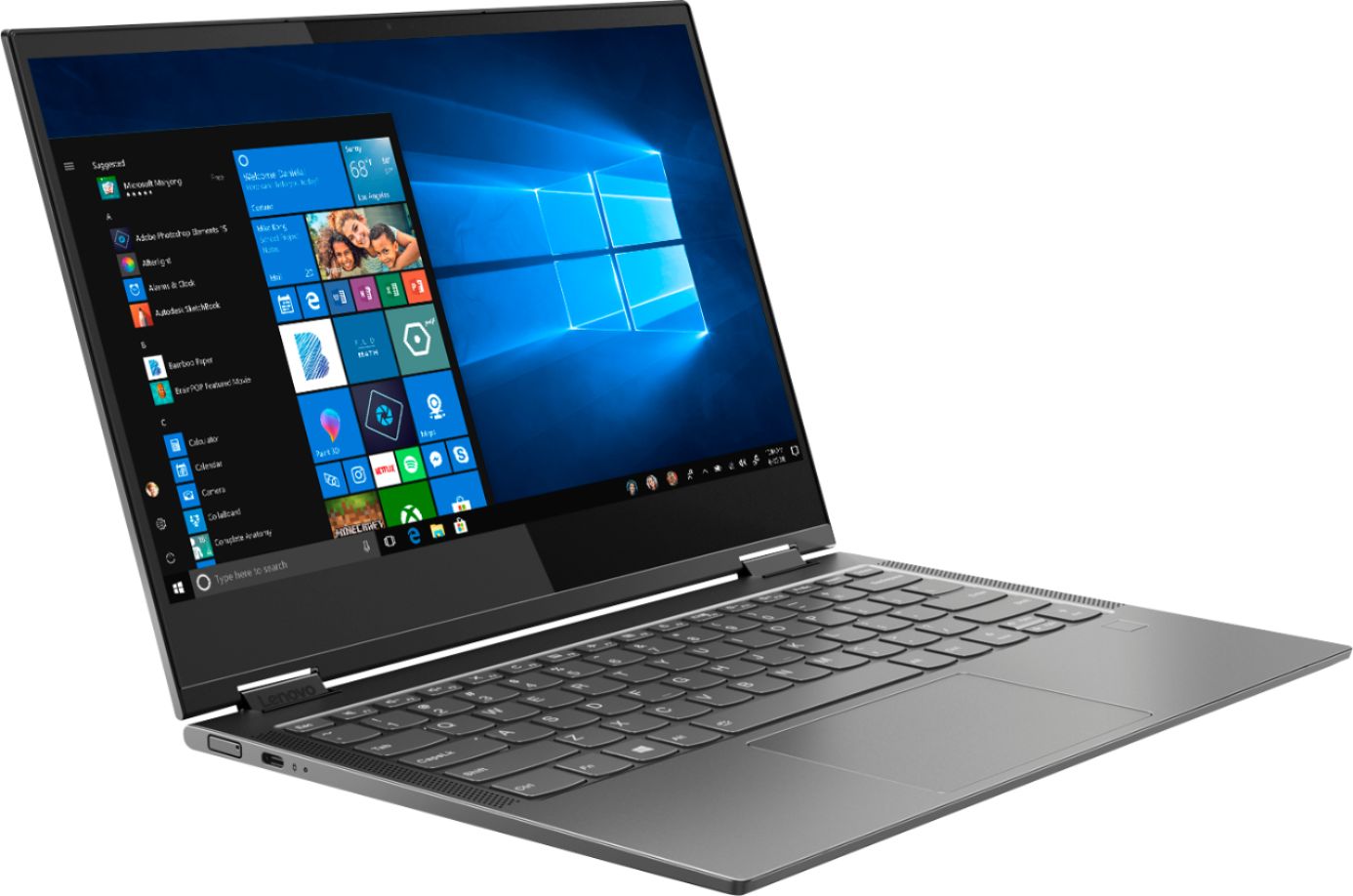
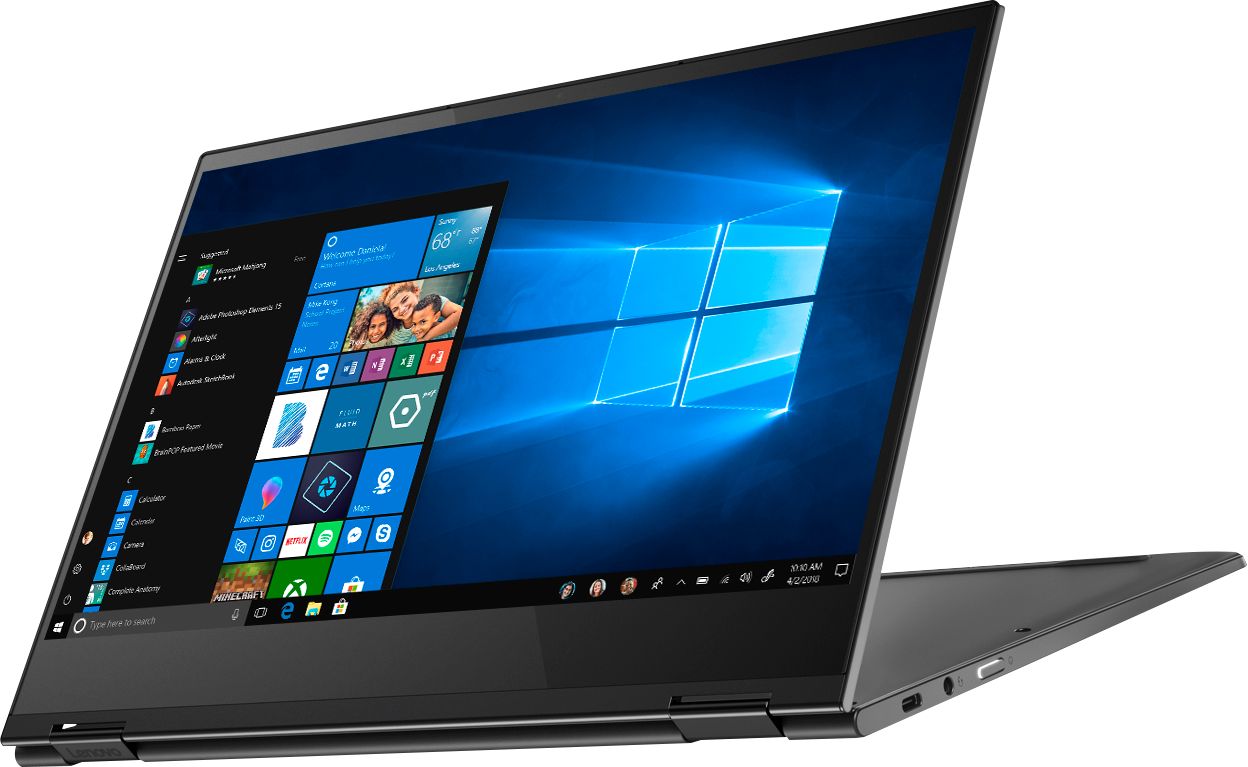
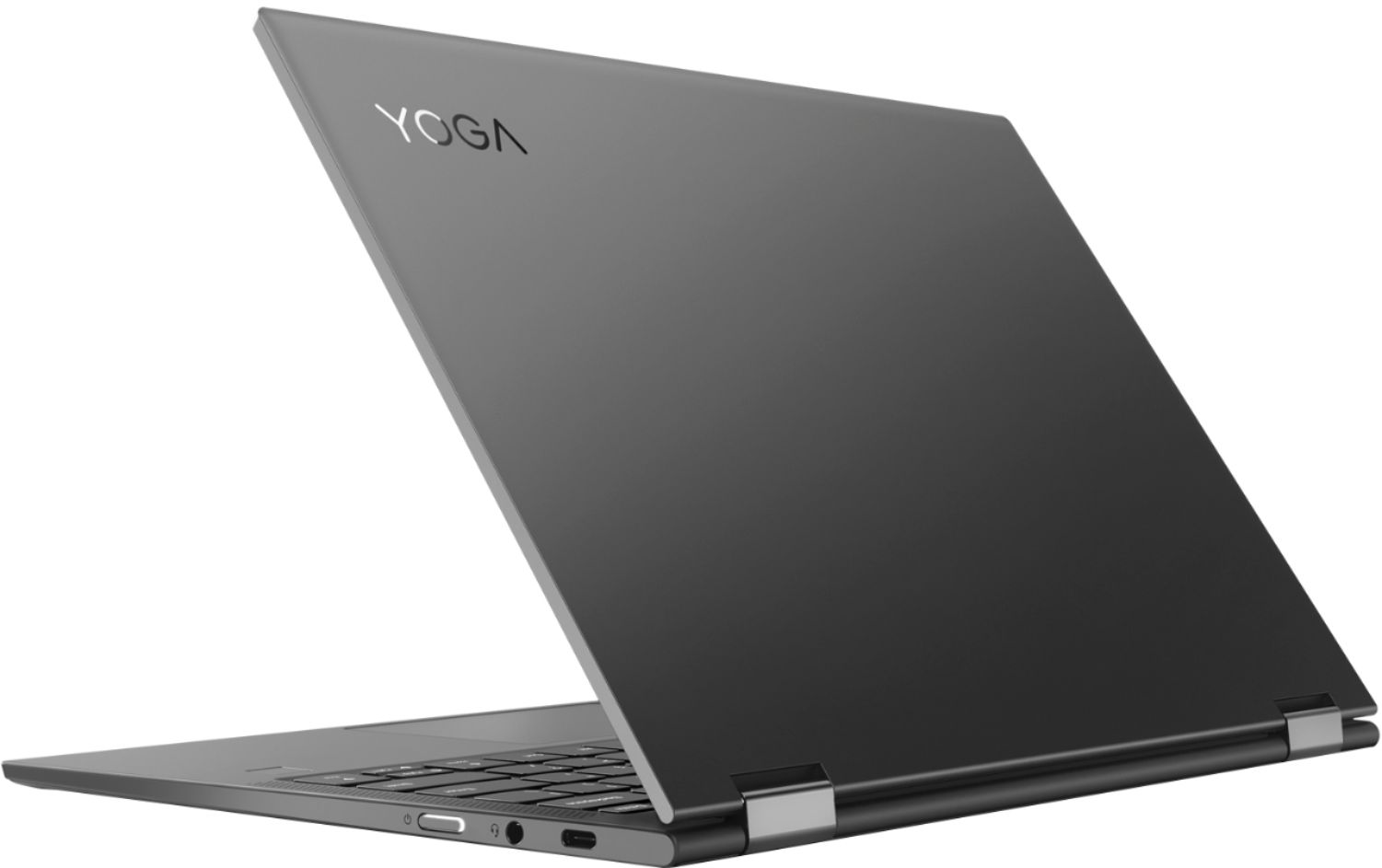






- Model:
- 81JL0018US
- SKU:
- 6323660
Rating by feature
- Value
Rating 4.0 out of 5 stars
- Quality
Rating 4.2 out of 5 stars
- Ease of Use
Rating 4.2 out of 5 stars
Customers are saying
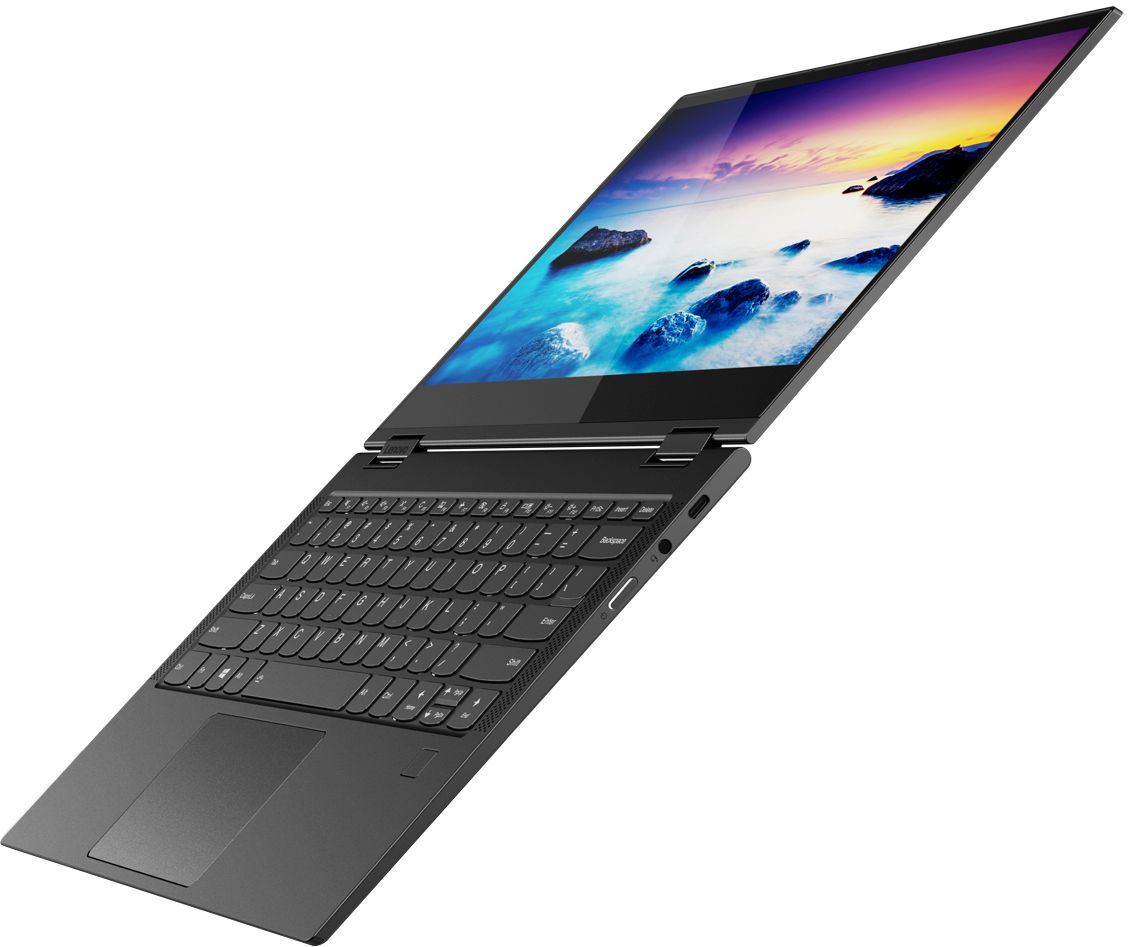
Customers enjoy the Yoga C630 WOS 2-in-1 laptop for its long battery life, portability, and responsive touch screen. They appreciate its lightweight design and user-friendly interface. However, some customers have expressed concerns about the limitations of Windows 10 S mode, the lack of ports, and the slow performance of the processor.
This summary was generated by AI based on customer reviews.
Excellent features!
||Posted .This reviewer received promo considerations or sweepstakes entry for writing a review.Love it! Extremely satisfied with this product!!!!
I would recommend this to a friendgreat laptop
||Posted . Owned for 1 month when reviewed.This reviewer received promo considerations or sweepstakes entry for writing a review.Bought for my granddaughter and she likes it very much
I would recommend this to a friendBrand response from Lenovo Product Expert
Posted .Thank you for choosing the Lenovo Yoga C630 (WOS) system for your grand daughter. The Yoga C630 (WOS) is a great choice for someone looking for an Always Connected, Windows 10s, ARM processor, Ultra mobile computing device. We recommend you check the requirements and compatibility of the software you will need to use on your new computer, before you invest. Be sure your new computer will do the work you want to do, before you invest in any new computer.

Seemed really nice.
||Posted . Owned for 9 months when reviewed.This reviewer received promo considerations or sweepstakes entry for writing a review.It gets hot it has no fan and I am not a fan of that. I am a Lenovo person though.
I would recommend this to a friendVery nice
||Posted .This reviewer received promo considerations or sweepstakes entry for writing a review.I love my laptop , it is fast, and has all the tools I need
I would recommend this to a friendBrand response from Lenovo Product Expert
Posted .Thank you for choosing the Lenovo Yoga C630 (WOS). We are pleased to hear that the features and performance of the Yoga C630 (WOS) meets your computing needs so well. The Yoga C630 (WOS) is a great choice for someone looking for an Always Connected, Windows 10s, ARM processor, Ultra mobile computing device. We recommend you check the requirements and compatibility of the software you will need to use on your new computer, before you invest. Be sure your new computer will do the work you want to do, before you invest in any new computer. For 2018, Lenovo retained its place for a second year as the best laptop vendor:
https://www.laptopmag.com/articles/laptop-brand-ratings
Great Computer
||Posted .This reviewer received promo considerations or sweepstakes entry for writing a review.Really nice computer - my issue was in the buying process
I would recommend this to a friendBrand response from Lenovo Product Expert
Posted .Thank you for choosing the Lenovo Yoga C630 (WOS). The Yoga C630 (WOS) is a great choice for someone looking for an Always Connected, Windows 10s, ARM processor, Ultra mobile computing device. We recommend you check the requirements and compatibility of the software you will need to use on your new computer, before you invest. Be sure your new computer will do the work you want to do, before you invest in any new computer. For 2018, Lenovo retained its place for a second year as the best laptop vendor:
https://www.laptopmag.com/articles/laptop-brand-ratings
- Pros mentioned:Portable, Touch screen

Awesome Mobiltiy and Entertaiment
|Posted .This reviewer received promo considerations or sweepstakes entry for writing a review.I have seen the reviews left and they are very technical, I can only do my review based on my needs and how it met or didn't meet my needs. I am replacing a Surface Pro 4, which I really enjoyed up until the end when it would begin to crash and freeze up as I began using it with more apps open at a time. The Lenovo C630 so far has met every one of my needs and expectations. I wanted to get a smaller, lighter tablet like replacement for my Surface 4 but not lose screen size or the keyboard functionality. The Lenovo C630 is very light, and yet feels sturdy. The startup speed is amazing, it takes about 30 seconds if not less to bootup. The fingerprint security is very quick and efficient. The tablet mode and tent mode actually come in handy when I am streaming and the portability due to the size and weight is great. The screen quality and display are very nice, the color could be a little more vibrant but the definition and non-glare screen is amazing. The feel and travel of the keyboards (keys) makes you feel like you are using a full size laptop. I have run several apps at a time and have had no issues with lag or crashing. I do wish the pen and a USB 3.0 were included in the design but that is a minor issue as most of my video equipment is USB-C already so it is time to make the transition. I surf the web and use the tablet late night and the fanless quiet design is a nice added bonus. I have noticed that it does not heat up when on my lap either I think Lenovo did a great job when designing this C630 Yoga for the on the go user that needs to stay connected with Verizon or the user that needs a very portable high end tablet but is not necessarily looking for a powerhouse laptop. This is my new go to tablet when going on vacation or any extended trips. I definitely recommend this for the media hound that wants a very nice tablet or the business professional that needs to stay connected for email, conferences. It is not for the individual looking to do heavy video editing or wants to make it their at home main laptop as there needs to be more connectivity options and ports. Figure out what type of user you are before purchasing and you will not regret your purchase.
I would recommend this to a friendBrand response from Lenovo Product Expert
Posted .Thank you for choosing the lenovo Yoga C630 (WOS). We are pleased to hear that the always connected, highly mobile features of the Yoga C630 (WOS) meets your mobile computing needs so well. The Yoga C630 ships with Windows 10s operating system. You can change to Windows 10 Home, if you choose to. The processor within the Yoga C630 (WOS) is the ARM architecture Qualcomm SDM850 processor. Be sure any programs you want to install on the Yoga C630 (WOS is compatible with ARM processor architecture.
- Pros mentioned:Battery life
Excellent Battery Life and LTE Connectivity
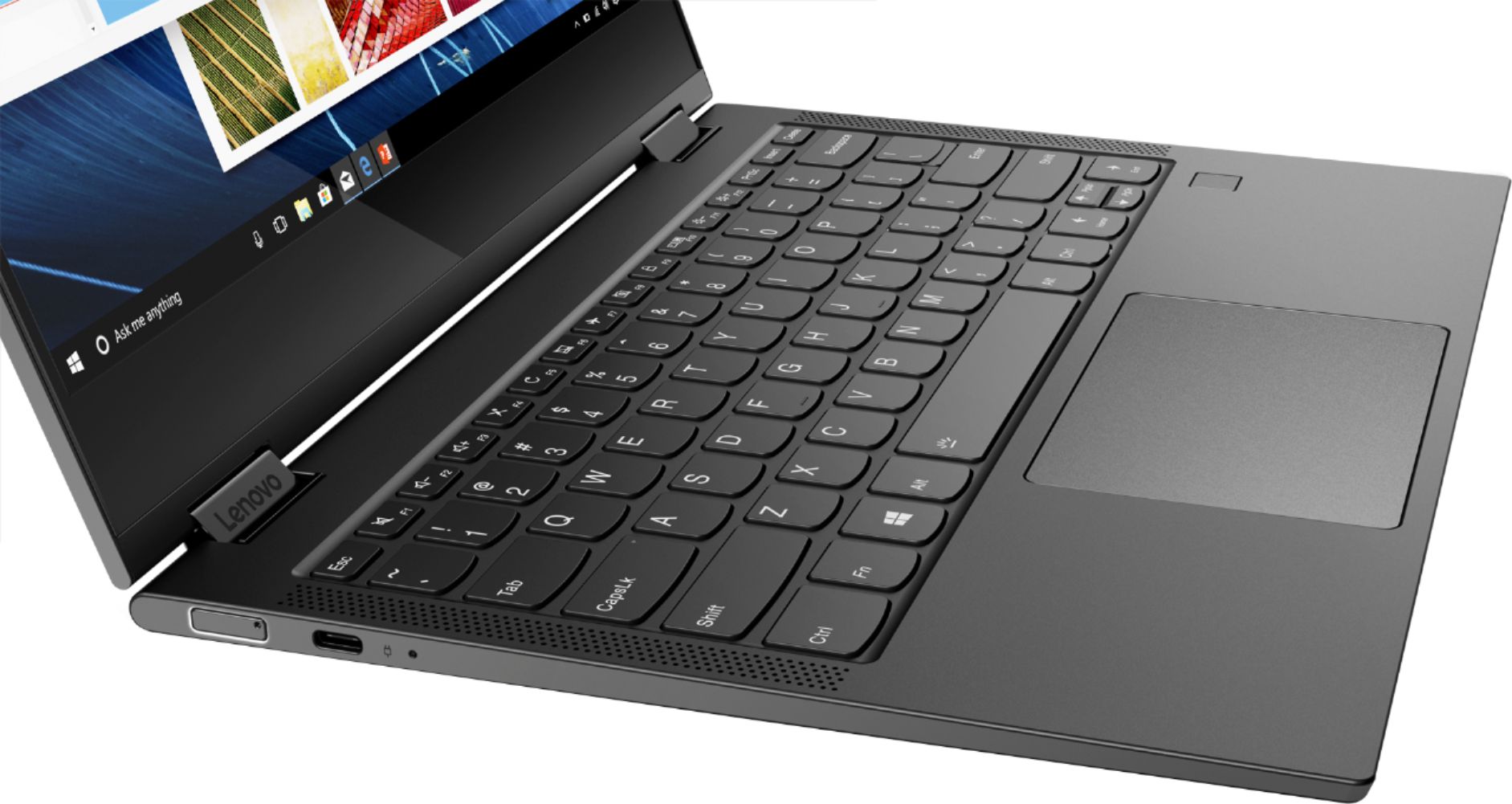
|Posted .This reviewer received promo considerations or sweepstakes entry for writing a review.I travel frequently and require a network connection for work, so this laptop seems ideal for people like me. It features a fanless design, so it’s quiet and generates little heat. Most importantly, it has support for always-on LTE connectivity. Up until receiving this laptop I have been using an 11” iPad Pro (2018) w/ cellular as my “on the go” PC. It’s not ideal, as iOS can be limiting, but it allowed me to quickly access my work servers over VNC or Remote Desktop from anywhere without fumbling with hotspots or public wifi. With this, I have a true desktop OS and a trackpad which makes using remote computers much simpler than on an iPad. The hardware itself is very nice. It is incredibly thin and light at only about 2.7 lbs with thin bezels around the FHD display. However, display’s colors are a little warm out of the box. It features a full-size backlit chiclet-style keyboard with a thin vertical speaker grill on either side. The trackpad is fairly large and works reasonably well. There is a fingerprint sensor that works with Windows Hello, but I really wish Lenovo had included face detection instead. In just a few years (or sooner) fingerprint sensors are going to feel very out of date. On the other hand you can wake the computer when in tablet mode with just your finger. There are two USB-C ports on either side and both support power delivery. This is perfect as I can use my Mac or even iPad charger with this device. There are NO USB-A ports which is a good thing. I’m tired of seeing reviewers dock a device for this. It’s 2018…who needs USB-A anymore? It is outdated, doesn’t support power delivery, can only be inserted one way, and an eyesore on thin devices like this. Kudos to Lenovo for skipping it and embracing USB-C. Windows comes in “S Mode”, which means you can only download apps from the Microsoft Store, like how iOS’ App Store works. Microsoft touts safety and security as the reason. The problem though is the Microsoft Store is not near as robust as Google or Apple when it comes to apps. Therefore, you will inevitably run into something that you need to install that cannot be found in the Store. Luckily, Microsoft does allow you to exit S Mode but it is a permanent action. S Mode is there for good reasoning, and my suggestion is to see how it works for you before you decide to turn it off. The processor, a Snapdragon 850 by Qualcomm, is not what you’d typically find in a laptop. It is an ARM based system-on-a-chip that is more kin to the Snapdragon 845 in the latest flagship Android devices such as the Samsung S9 and Note 9. While Apple and Android devices have run on ARM for years Windows has typically ran on Intel or AMD CPUs that execute x86 instructions. Microsoft had to recompile Windows entirely for it to run efficiently on an ARM architecture. Apps that do not have an ARM version will run in x86-32 emulation mode. The Microsoft Store will tell you whether an application supports ARM natively on that app’s System Requirements page. In general, apps that are running natively on ARM such as Edge or Office will perform very well. However, you might see some performance issues in apps that need to be emulated. And do not assume that your favorite apps are going to be available for ARM just because they are immensely popular. You won’t find apps like Slack, Photoshop, or even Google Chrome and Firefox with ARM support…at least at this moment. The truth is Windows on Snapdragon (or WOS) is still very early in its product lifecycle, so developer support isn’t quite there yet. So why would you even want a Windows machine with a Snapdragon processor then? The same reason you find these in smartphones and tablets: battery life and connectivity. Lenovo claims up to 25 hours of battery life but in my own usage (which has been pretty heavy) I’m seeing closer to around 15. Still pretty phenomenal as that’s more than most laptops. As far as connectivity goes, despite several reviewers saying it only works with Verizon I haven’t had any issues with my AT&T data sim. LTE is displayed in the wireless menu and speed tests confirm I am getting LTE speeds. Wifi performance is excellent as well as I can get my full 225Mbps of speed at home. From what I can tell the switch between wifi and cellular is as instant as advertised. Pros: Works well as tablet or laptop. Premium lightweight build Backlit full-size keyboard Fanless 2 USB-C Ports with USB PD charging No USB-A Ports (Yes this is a Pro!) Excellent Battery Life Mobile Phone Quality LTE Cons Snapdragon CPU is not as powerful as Intel equivalents Performance of emulated applications No included pen/stylus (additional purchase) Windows S Mode Most apps don’t run in native arm yet Fingerprint Security is already dated. This 2-in-1 is a serious contender for any road warrior’s travel bag. It has everything you want: thin, light, excellent battery life, and instant always on connectivity. However, you will need to think about the applications you use. While most lightweight apps work just fine when emulated in x86, if you need to use something heavy like Adobe Photoshop or Chrome daily this is not going to be the laptop for you. If you don’t mind Edge for browsing and use a lot of Microsoft apps anyway this will be perfect. While unfair to Lenovo, most of the downsides of this device are really limited to Windows 10 on ARM in its current state. It needs to gain more traction. More application developers need to support the ARM architecture. I can only hope that it improves as its potential is exciting!
I would recommend this to a friendBrand response from Lenovo Product Expert
Posted .The Lenovo Yoga C630 (WOS) device is designed for the extremely mobile user who needs the always connected feature of the Yoga C630 (WOS) device. This system uses 5g 802.11AC frequency WiFi and has the ability to support LTE broadband connectivity. The Yoga C630 ships with Windows 10s operating system. You can change to Windows 10 Home, if you choose to. The processor within the Yoga C630 (WOS) is the ARM architecture Qualcomm SDM850 processor. Be sure any programs you want to install on the Yoga C630 (WOS) are compatible with ARM processor architecture.
Crappy laptop
||Posted . Owned for 3 months when reviewed.This reviewer received promo considerations or sweepstakes entry for writing a review.This is the worst laptop. HD crashed after 2 months. I didn’t get the Best Buy warranty (I should of). I got the Lenovo warranty and the customer service for Lenovo is the worst. My laptop crashed, I contacted Lenovo and they had me send it out 11/6. Needless to say it takes them 6 days to get it and 9 business days to fix it. I am now without a work laptop going on 3 weeks and they still have done nothing on it. After countless emails and calls I finally get an email asking me if they can rewrite the HD. If at all possible don’t buy this laptop or Lenovo They have the worst customer service and the crappiest laptops.
No, I would not recommend this to a friendBrand response from Lenovo Product Expert
Posted .The Yoga C630 (WOS) is a great choice for someone looking for an Always Connected, Windows 10s, ARM processor, Ultra mobile computing device. We recommend you check the requirements and compatibility of the software you will need to use on your new computer, before you invest. Be sure your new computer will do the work you want to do, before you invest in any new computer.
good deal
||Posted . Owned for 1 month when reviewed.This reviewer received promo considerations or sweepstakes entry for writing a review.Easy to use. no USB B port. I had to by an adapter.
I would recommend this to a friend- Pros mentioned:Light weight, Touch screen
Great for all ages
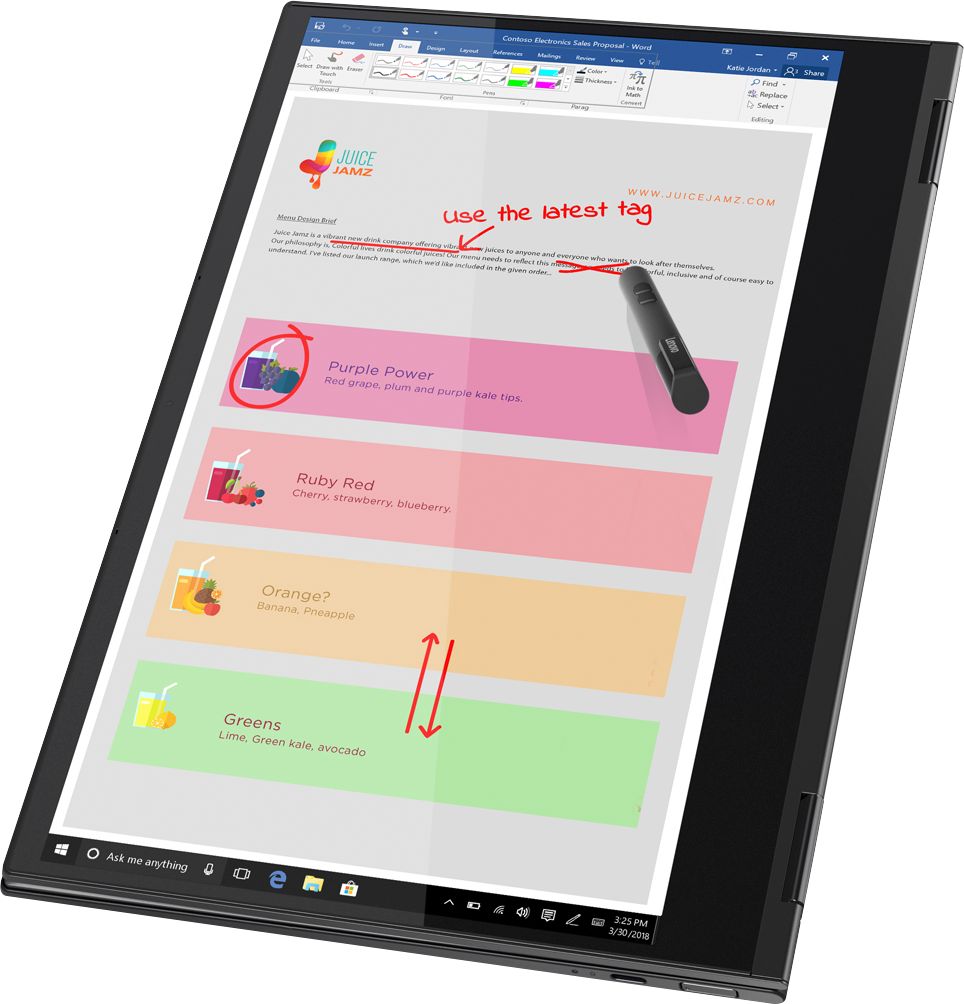
|Posted .This reviewer received promo considerations or sweepstakes entry for writing a review.In the box is a laptop/tablet, a SIM card punch and a USB-C charging cable. The Lenovo, is sleek and stylish, and is about the weight of your average tablet, which is an awesome because you get the best of both worlds in a lightweight device. Also, before purchasing your own, check the model as not all the YOGA models include a pen, such as this one. Slightly disappointing, though if I desire a pen in the future, I’ll just have to get it separately. Continuing onto the rest of the computers features, such as the fingerprint, it is safe to say all ages will have no trouble setting it up. Simply sign in, and the rest is walked through with you. As for the Lenovo Vantage app, is a tutorial to access the digital copy of the User Guide as you do not receive a paper copy. The Lenovo has a SIM card slot, giving one the option to take it to your cellular provider to have service on the computer itself to work wherever, whenever without the hassle of home or public WiFi. When folding the computer in half, it asks to go into “tablet” mode. While in tablet mode, the keyboard is inactive, and the desktop is no longer visible. Instead, there is a panel of apps you can use in tablet mode. If you back out of your web browser and it is not in the panel, do not fret. There is a multitasking button in the lower left-hand corner to access any apps running in the background. Overall, the computer is as sleek on the outside as it is on the inside. It is perfect for on the go work with its powerful processor and play with the many touch screen games available. With its easy set up, this could be an excellent gift for a students of all ages.
I would recommend this to a friendBrand response from Lenovo Product Expert
Posted .Thank you for choosing the Lenovo Yoga C630 (WOS). We are pleased to hear that the features and performance of the Yoga C630 (WOS) meets your computing needs so well. The Yoga C630 (WOS) is a great choice for someone looking for an Always Connected, Windows 10, ARM processor, Ultra mobile computing device. We recommend you check the requirements and compatibility of the software you will need to use on your new computer, before you invest. Be sure your new computer will do the work you want to do, before you invest in any new computer.
- Pros mentioned:Battery life, Touch screen
Mobile Computing Fun
|Posted .This reviewer received promo considerations or sweepstakes entry for writing a review.The C630 is a very interesting animal. It uses a Snapdragon 850 processor, which essentially is an ultra-powerful mobile processor optimized for use in a tablet/laptop. However, due to the fact this is a mobile processor, the C630 runs Windows 10 in S Mode, which means you can basically only run apps from the app store, rather than full "programs" you might normally install. One quick casualty likely to affect a number of users is that you cannot install Chrome in S Mode. This is, essentially, Microsoft's answer to Chromebooks, which operate similarly - but Chromebooks lack the ability to emulate x86 programs. You can disable S Mode, but then the mobile processor has to fight furiously to keep up with x86 programs, which run through an emulator. This will cause the little C630 to slow down significantly and burn through battery much more quickly. However, in S Mode, the C630 is awesome. It is very quick to boot. Even setup was super fast. Pre-loaded programs like MS Office run quickly and smoothly. The particular model I'm using has 8GB of RAM and a 128GB solid-state drive. Build quality is very nice, and the ports are easy to access. The keyboard has back lighting and feels reasonably comfortable for typing. The trackpad is big enough to be useful and works well. The fingerprint scanner is very quick and reliable. In S Mode, Lenovo says the C630 will last more than 22 hours, which sounds too good to be true. I've seen reviews indicating people get 16+ hours from it, and I believe them. However, the battery management screen indicated I had less than 13 hours left at 99% charge. Then again, I also had Google Earth open, along with some browser tabs. Of course, being a Yoga, the C630 is very flexible and can be used in a variety of positions. This can be very useful. While in normal laptop mode, using the touch screen (which is very responsive) results in a bit more screen bounce than I'm used to, but it's not something that will ruin your experience. Sound quality is acceptable for something this size, but you're not buying this system for the sound quality. The C630 is a truly mobile device and has a SIM slot, so you can use mobile data, should you so desire. I'm still trying to make up my mind about Windows 10 S Mode. It doesn't feel as limited as some prior scaled-down versions of Windows. And at least Office 365 runs with it just fine. And MS is supposedly updating it's browser with what sounds like a Chrome copy-cat. So maybe that'd be ok. But I don't really want to switch away from Chrome at this point. At the end of the day, and judging this Lenovo on what it is rather than what else I wish it could do, this is a terrific mobile laptop that I feel confident recommending. As long as you understand the limits of this sort of mobile set-up, it should make you very happy.
I would recommend this to a friendBrand response from Lenovo Product Expert
Posted .Thank you for choosing the Lenovo Yoga C630 (WOS) device. The Yoga C630 ships with Windows 10s operating system. You can change to Windows 10 Home, if you choose to. The processor within the Yoga C630 (WOS) is the ARM architecture Qualcomm SDM850 processor. Be sure any programs you want to install on the Yoga C630 (WOS) are compatible with ARM processor architecture. If you are looking for a highly mobile device with always connected capability, the Lenovo Yoga C630 (WOS) would be a great choice.
- Pros mentioned:Battery life
Sleek, Compact, & Perfect for Everyday Use
|Posted .This reviewer received promo considerations or sweepstakes entry for writing a review.Computer companies seem to be creating more laptops that are focused on portability to which this laptop definitely hangs with the best of them. I mainly use my desktop for usage intensive projects, but for everyday tasks such as surfing the web, email, and watching videos I prefer a laptop and the Yoga C630 has been absolutely perfect for this. Firstly, the build quality is exceptional. Lenovo was able to pare down all the nonessentials to get this amazingly minimal form factor, while still producing a product that does not feel cheap. The case feels very sturdy and the keys/trackpad are both very responsive. I am also a fan of just having the 2 USB-C ports as it gives that minimalistic feel and allows the laptop to be charged from either side for convenience. The fingerprint sensor is also very responsive and is something that not every laptop has included yet, but is definitely a great addition. The actual performance of the laptop has been more than sufficient for everyday tasks that have included everything from surfing the web to word processing. Loading webpages and email have been very responsive. Obviously, this computer was not made for gaming, but for everyday tasks for school or at home it is perfect. Some people are not in favor of Windows 10 S mode, but I have not had any problems at all as everything I use for everyday processes has worked flawlessly so I have not even had a need to upgrade to the full Windows 10. The other two positive aspects I do want to reference are the exceptional battery life and how cool the laptop runs. I can go multiple evenings of a couple hours of use each and not have to charge the laptop for an entire week so I am more than confident that you could run it an entire day without having to recharge it. Then as far as how cool it runs I was also impressed as it did not even get slightly hot while sitting on my lap. Overall, I can`t say enough good things about this laptop as it checks nearly every box I was looking for in a portable laptop I can use for basic computing purposes. I would definitely recommend this to those for school purposes or for those looking for a sleek minimalistic laptop for your general computing needs.
I would recommend this to a friendBrand response from Lenovo Product Expert
Posted .Thank you for choosing the Lenovo Yoga C630 (WOS). The Yoga C630 (WOS) is a great choice for someone looking for an Always Connected, Windows 10, ARM processor, Ultra mobile computing device. We recommend you check the requirements and compatibility of the software you will need to use on your new computer, before you invest. Be sure your new computer will do the work you want to do, before you invest in any new computer.
- Pros mentioned:Battery lifeCons mentioned:Windows 10 s mode
Light weight. Premium product
|Posted .This reviewer received promo considerations or sweepstakes entry for writing a review.Well, I have a lot of Chromebook laptops. They are good for what they are made for. But, from time to time, I still need to run some Windows applications/programs. So, this Yoga from Lenovo is offering a very light weight laptop that is running Snapdragon Processor and equipped with SIM card for 4G internet on the move. I was about to give it a bad review until I got Win10 S mode disabled (switched)... By default, the Win10 shipped with this laptop is set to S mode which means: only applications from Microsoft store can be installed and running. For my usage, Microsoft store is offering pretty much nothing! I need to have Chrome Browser as well. Not only the Edge browser. S mode will not let you use it. I tried to use the MS Office pre-installed. They are running but extremely slow! Like painfully slow... I switched from S mode, installed Chrome Browser and LiberOffice. Honestly I was expecting them to run very slow (As MS Office) but to my surprise... They just run fine... I went ahead and installed all the windows programs I need and they are all running fine. To note here, I installed only the 32 bit programs. By experience, I know ARM processor won't play friendly with 64-bit. So after installing everything. it is working really well. Running everything I need it. Battery life is about 8 hours with WiFi and some heavy applications. The laptop isn't locked to Verizon! I tried an AT&T sim card and just connected fine. Also tried a Google Fi Data only Sim with no issues. It took a while to connect but it worked fine. When SIM installed and GSM mode is on, it feels like the Lenovo Yoga is trying to rely more on GSM than on WiFi. For that, I removed the SIM as I am planning to mainly use it with WiFi. Keyboard is fine, touch pad is very responsive. I like the finger print sensor. More like business class laptop.
I would recommend this to a friendBrand response from Lenovo Product Expert
Posted .Thank you for choosing the Lenovo Yoga C630 (WOS) device. We are pleased to hear that the mobility features and performance of the Yoga C630 (WOS) meets your computing needs so well. The Yoga C630 ships with Windows 10s operating system. You can change to Windows 10 Home, if you choose to. The processor within the Yoga C630 (WOS) is the ARM architecture Qualcomm SDM850 processor. Be sure any programs you want to install on the Yoga C630 (WOS) are compatible with ARM processor architecture.
I wouldn't purchase another
||Posted . Owned for 10 months when reviewed.This reviewer received promo considerations or sweepstakes entry for writing a review.Since purchasing this tablet i already had to take it to the store twice to get it fix. Its easily broken
No, I would not recommend this to a friend- Cons mentioned:Windows 10 s mode
Beautiful product - operating system warning!
|Posted .This reviewer received promo considerations or sweepstakes entry for writing a review.WARNING - this computer comes with Windows 10 S - it will ruin your day by preventing you from installing programs. You can opt out of this mediocre system but don't think you can still add programs that you are used to installing on regular Windows 10 machines! And yes, I opted out of the S mode and found the computer frustrating to use - I wanted to add my own anti-virus program, classic shell to get rid of the awful standard Windows 10 fake start screen, etc. This system will block you from installing. Thankfully, I could install Google Chrome which mitigated some of the frustration with Edge (which is being discontinued anyway). Positive Aspects .... Build quality is superb - nice case, nice backlit keyboard and touchscreen Graphics look nice. Sound is simply average. For the money, I have seen better from HP that don't have this horrible restriction of what you can and cannot install on the computer. I cannot recommend this for anyone who is serious about using a computer - if all you do is to play youtube videos, you'd better get a chromebook - this is such a disappointment - wonderful looking hardware on the outside with tablet convertibility only to be sabotaged by operating system restrictions evidently due to the compromise of having an ARM processor. Do not consider this if you want a serious computer. This is barely a step up from a tablet.
No, I would not recommend this to a friendBrand response from Lenovo Product Expert
Posted .The Lenovo Yoga C630 (WOS) ships with Windows 10s. This is a more secure version of Windows 10 which will allow installation of programs only available a the Microsoft Store. The user can switch to Windows 10 Home operating system at no charge. Additionally, this model ships with an ARM architecture processor, the Qualcomm SDM850 processor. Be sure the programs you install on this device are compatible with the ARM processor architecture.
Hate lenevo
||Posted . Owned for 1 year when reviewed.This reviewer received promo considerations or sweepstakes entry for writing a review.I bought this as a gift and it's windows got corrupted 2 times. Best buy replaced it first time but 2nd time it went out of warranty. Best buy service is good but I don't trust lenevo product anymore.
No, I would not recommend this to a friend- Pros mentioned:Battery life, Light weightCons mentioned:Ports
Not worth the price
Posted .This reviewer received promo considerations or sweepstakes entry for writing a review.Pros: 1. great brightness level- most of the time I don't use above 50% while on my surface pro I used 100% all the time. 2. battery life- even though I bought open box I get a full 7-8 hours before I have to recharge. 3. lightweight- if you have to carry around a laptop all the time, trust me you want something light as this (having great battery life also means not having to carry around your charger) Cons: 1. its not worth paying for $600 or $800 for because it has enough lagging issues to be worth less. 2. audio- audio sounds weird compared to other laptops since the speakers are on either side of the laptop. 3. Ports- only has type c ports which are not the regular usb ports you use for flash drives. I bought an open box version of this laptop around $470 (with taxes) and switched in my surface pro 4 for it which got me $175 off, leaving me to pay $295 out of pocket. In my opinion, thats as much as a person should pay for with this laptop. It's cheaper than other high battery life laptops but if you're paying 800 for a laptop, it shouldnt lag.
No, I would not recommend this to a friend - Pros mentioned:Battery life
Awesome Battery Life & LTE
|Posted .This reviewer received promo considerations or sweepstakes entry for writing a review.I really like the look and feel of this computer. It is quick and has incredible battery life. If your priorities are a computer that can work from any where there is LTE service and last a full work day this is for you, but this comes with a compromise in compatible software and devices. Pros - Great build quality. Solid feel, but not heavy. Sturdy hinge that allows use as a tablet. - The keyboard has a good spacing and is backlit. - Light Weight - Awesome Battery Life (I got over 13hrs surfing the web and streaming music/videos) - Feels very quick performing everyday task. Things to Consider (Lenova should make these points more clear in the documentation) - The non-standard processor can cause compatibility issues. I tried to use this computer with an Epson portable scanner and I just could not get it to recognize it. Your mileage may vary as my other USB accessories that had generic Windows-ARM based drivers available worked fine (an old Brother printer, Logitech mouse, and a flash drive). If you have a specific device you need to use verify it has a compatible driver before you buy this computer. - Windows 10 S Mode is the default operating system and is very limiting. You can only use the Microsoft Store and it doesn't support other web browsers or search providers. It is easy to switch to Windows Home, but some programs might not work even if you switch. - It only has USB C ports and no USB A adapter is included. I recommend purchasing one like this inexpensive one from Insignia: https://www.bestbuy.com/site/insignia-usb-type-c-to-a-adapter-white/8896017.p?skuId=8896017 I would recommend this computer, but you have to make sure it works for your needs.
I would recommend this to a friend - Pros mentioned:Battery life, Portable
Solid Built Lenovo Yoga Touch Screen Laptop
|Posted .This reviewer received promo considerations or sweepstakes entry for writing a review.The Lenovo-Yoga Touch Screen Laptop was very easy to set up out of the box with full charge in thirty minutes. Being that I am a huge Google Chrome fan I switched to Windows 10 and I feel right at home The Qualcomm Snapdragon 850 processor is speedy when opening multiple screens and has performed well for first time usage. The backlit keyboard is sleek and fast smoothing when typing. The battery life goes on and on with 15 plus hours with lead white power button and has led light signal for charging time. The convenience of the Fingerprint login gives quick access for when computer is left idle. The screen size and weight is perfect with the best iron grey color that helps in shielding smudges. The front facing speakers are what is expected for small laptop but don't plan on using for major listening pleasure. Overall the Lenovo-Yoga 2 in 1 Touch Screen Laptop is a great at home or portable on the go laptop with its rugged exterior and flexibility of 4G Lite option.
I would recommend this to a friendBrand response from Lenovo Product Expert
Posted .Thank you for choosing the lenovo Yoga C630 (WOS) device. We are pleased to hear that the Yoga C630 (WOS) is working out so well for you. The Lenovo Yoga C630 (WOS) device is designed for the extremely mobile user who needs the always connected feature of the Yoga C630 (WOS) device. This system uses 5g 802.11AC frequency WiFi and has the ability to support LTE broadband connectivity. The Yoga C630 ships with Windows 10s operating system. You can change to Windows 10 Home, if you choose to. The processor within the Yoga C630 (WOS) is the ARM architecture Qualcomm SDM850 processor. Be sure any programs you want to install on the Yoga C630 (WOS) are compatible with ARM processor architecture.
- Pros mentioned:Battery life
A standard of mobility for Windows 10 computers
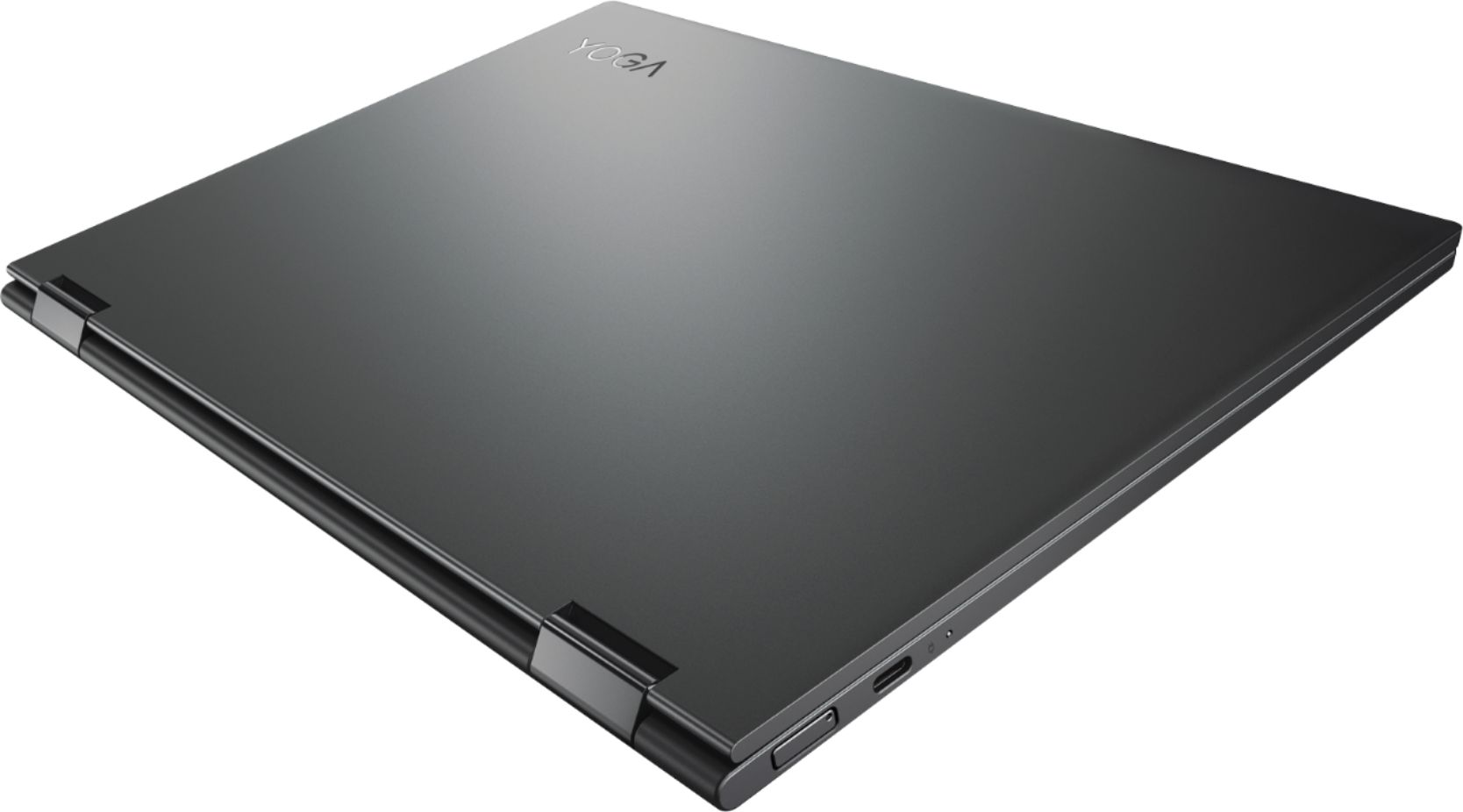
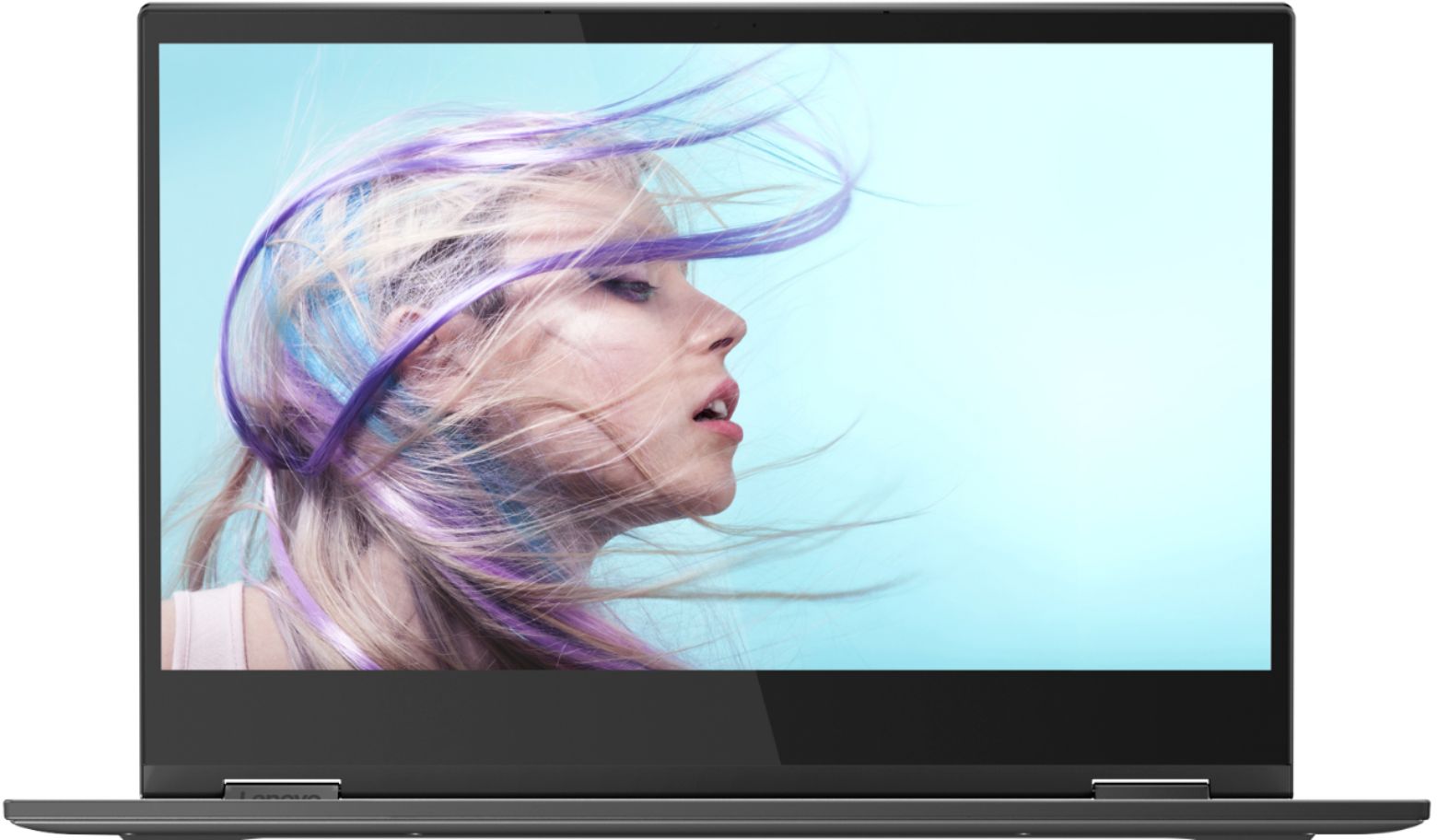
|Posted .This reviewer received promo considerations or sweepstakes entry for writing a review.The Lenovo - Yoga C630 2-in-1 13.3" Touch-Screen Laptop was a surprise for me, when I first saw the thumbnail description. “Lenovo - Yoga C630 2-in-1 13.3" Touch-Screen Laptop - Snapdragon 850 - 8GB Memory - 128GB Solid State Drive - Iron Gray (Verizon) Stay productive with this 13.3-inch Lenovo Yoga laptop. Its Qualcomm Snapdragon 850 chip provides speedy processing power, and the 8GB of RAM lets you multitask smoothly between programs. This Lenovo Yoga laptop has a 128GB solid-state drive for fast boot times, and it provides up to 22 hours of battery life for multiday use while unplugged.” I first thought Chromebook with LONG battery life and mobile broadband, after looking at the complete description at BestBuy.com a short time later, SURPRISE not Chrome OS but 64bit Windows 10 2-in-1 laptop. I have had the Yoga C630 for 7 days now and I think the Yoga C630 Windows Laptop pushed mobility up a notch for the Windows 10 ecosystem, it does for me. With the Yoga C630 13.3 you get a laptop that is among the lightest and thinnest mid-size mobile laptops marketed today with a weight of 2.65 lbs. and only 0.5 inches thick. The exterior is a dark gray mat finish and the laptop feels very solidly built although there is some just detectable flex to the keyboard. The light weight and small footprint are one part of mobility equation. The other facets of the equation are ability to continue to operate and perform while mobile, and available software needed to do the things you want to do The Yoga C630 13.3 has an embedded 4G LTE Mobile Broadband Modem and conventional Wifi AC wireless networking, you don't have to carry a cell phone your laptop is tethered to or a Mobile Hotspot for network connection while mobile. An embedded Mobile Broadband modem is not a totally new concept for a laptop but the other feature that lets the Yoga C630 reach new level of mobility in addition to mobile networking is battery life. Most current mobile laptop computers have claims of max battery life from 8 hours up to 12 hours with a couple that I have seen claiming 14 hours. The Yoga C630 13.3 claims “up to” 22 hours of battery life and I am seeing 18 hours, two days of use (maybe days three) before I decided to recharge the battery. Days of normal use, network connected operation conducted on the LAN, Internet, web browsing, handling email, streaming video,etc.. The reason I thought Chromebook when I saw the initial description of the Yoga C630 13.3 was that it has a Snapdragon 850 processor, ARM instruction set processor. ARM instruction set processors have been fairly common in Chromebooks in the last few years but not Windows 10 although there are some examples of systems that use ARM processors with Windows 10 very recently. The Snapdragon 850 is claimed to be about as powerful as the 8th Gen Pentium core i5 but the instruction sets are different so only apps compiled for an ARM64 native executable have a chance for full performance. There are a fair number of apps on the Microsoft Store that are compiled for ARM processors the Surface RT was an ARM based PC so useful apps are in the Microsoft Store. Windows 10 includes an emulation feature for X86 applications on the ARM processors but that feature is very new and what works and what doesn't isn't well documented yet. I tried an External USB SSD hard drive with the Yoga C630 and had no trouble. When I tried an external DVD drive it would see the disk files and read them but I had to add DVD Player+ (an X86,X64 app) from the Microsoft Store to play a movie from a DVD, I haven't tried a BlueRay disk yet. I don't know how playing a DVD impacts battery life yet but at least now as far as I know it isn't even possible on a Chromebook. The WiFi performance is excellent. The 4G LTE modem has been a problem. Some Verizon users have been experiencing a failure to connect problem I was one of the unlucky owners and have spent three afternoons working with Best Buy, and local Verizon trying to get the laptop to connect via 4G LTE and finally have to wait for a software fix. Lenovo and Verizon are working to have a resolution the problem soon. Right now I only need a small amount data transfer, less than 5% of the time so for the near term I will just turn on the Hot Spot feature of my smart phone and connect via WiFi. The rest of the time its I can connect to the WiFi at the location I am at. The finger print reader is great feature, fast and easy to use. The Touch screen works fine and the display is excellent. The speaker placement is good, on either side of the keyboard. Volume is not lacking and otherwise they are like most speakers on a laptop, if you want concert hall quality sound you will want a pair or good ear buds or earphones or external speakers. There are two areas that deserve careful thought about the value of the Yoga C630 to a perspective buyer, disk storage space and software availability. By todays standards 128GB is either a tight storage budget (it is a little tight for me I think) or if you are Cloud based for the majority your data and computation it maybe ample local disk space. I really wished that the laptop had a microSD memory card port for removable storage. I did get a USB C flash drive that relaxes the storage issue for me a little. The availability of the applications is something I am just starting to explore. For the current time I plan to stay with Windows 10S the Microsoft Store closed application environment if that proves to constraining I'll upgrade to Windows 10 Home and explore how well the ARM processor and Windows 10 handle the existing applications I normally use. I am rating the Lenovo Yoga C630 13.3 inch 2-in-1 laptop as a 5 star system because of its mobility and capabilities to operated for long periods with out physical tethers for power or connectivity and its support from Windows 10. I am recommending the Yoga C630 to my friends and family.
I would recommend this to a friendBrand response from Lenovo Product Expert
Posted .Thank you for choosing the Lenovo Yoga C630 (WOS) device. We are pleased to hear that the unique features and capabilities of the Yoga C630 (WOS) device meets your mobile computing needs so well. The Lenovo Yoga C630 (WOS) device is designed for the extremely mobile user who needs the always connected feature of the Yoga C630 (WOS) device. This system uses 5g 802.11AC frequency WiFi and has the ability to support LTE broadband connectivity. The Yoga C630 ships with Windows 10s operating system. You can change to Windows 10 Home, if you choose to. The processor within the Yoga C630 (WOS) is the ARM architecture Qualcomm SDM850 processor. Be sure any programs you want to install on the Yoga C630 (WOS) are compatible with ARM processor architecture.