Rating 4.1 out of 5 stars with 170 reviews
4.1- Battery life (35)
- Portable (19)
- Light weight (16)
- Touch screen (16)
- Easy to use (7)
- Ports (7)
- Windows 10 s mode (7)
- Processor (5)
- Slow (5)
- Speakers (4)
Customer Images
The vast majority of our reviews come from verified purchases. Reviews from customers may include My Best Buy members, employees, and Tech Insider Network members (as tagged). Select reviewers may receive discounted products, promotional considerations or entries into drawings for honest, helpful reviews.
- Rated 2 out of 5 stars
Not ready for the general public
I am giving a 2 star rating because I love the hardware and concept but the execution is destroyed by software and/or firmware. When working correctly, I was pleasantly surprise initially by the speed with which I could load apps and get things done. I REALLY want this device as a business traveler but I had too many problems and was forced to return it. This concept is just not ready for mass market adoption yet in terms of user experience and reliability. Unfortunately, in the short time I had this device I experienced the Windows blue screen (screen shot attached) and I was constantly disconnected from Wifi. I also frequently had problems with apps that would stop opening without first restarting the machine. Unpredictable behavior abounds. Shortly after setup I noticed a firmware update was available along with the expected assortment of updates for Windows. None of these seemed to improve stability. In summary, I believe software is responsible for killing this Lenovo and not the hardware. The user experience will need to be more stable and predictable before this type of solution will be acceptable to most users. As a frequent traveller for business, I REALLY WANT this machine but I cannot use something that is unstable. Pros * Built quality * Style * Battery life Cons * Software/firmware * Windows S mode is not an option for most users * Trackpad feels flimsy (to me) * Price of $800 is too high for what you get Dear Lenovo, if someone at Lenovo wishes to contact me to discuss the product, I am happy to share/discuss. Maybe I had a defective machine? Possibly but I don't know. Maybe this is instead a beta release experience and we'll have to try it again after a few newer models are released. Either way, the future is something like this WoS solutions and I'm excited to have this blend of battery and LTE. For my first such experience, however, I returned it and will not recommend it.
Posted by DKinVA
- Rated 3 out of 5 stars
A+ Build, Snapdragon/Windows 10S Not for Everyone
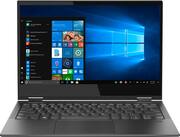
This is a long review, covering hardware and software. This because the Lenovo C630 comes with a Snapdragon 850 processor and runs what Microsoft calls Windows 10 in S mode. It's only fair to give thoughts on both, even though Lenovo isn't responsible for Windows. Hardware The Lenovo C630 looks amazing. The Iron Gray color makes this look premium. Build quality is excellent. There is a little flex on the keyboard when you type, but nothing to complain about. The laptop comes with sound mounted speakers, which is smart as most 13" laptops tend to have speakers that face down. The screen is gloss, HD, and while the display doesn't fill all of the real estate - it looks good. The Lenovo C630 comes with 2 USB C ports. Lenovo has been thoughtful and both the left and right USB C port can be used to charge the laptop. There is also a headphone jack (right side) and SIM tray (left side). There are no USB 2.0 or 3.0 ports. I know the industry is moving to USB C, but 1 standard USB port would have been helpful given we still live in a world of thumb drives, USB mice, etc. The C630 supports Verizon LTE. There is no included SIM card and you need a SIM removal tool to remove the SIM card hold (included or paperclip if you lose it). I'm surprised Lenovo or Microsoft don't bundle this with a SIM card with a limited amount of free data. The LTE modem is Verizon only and not compatible with GSM LTE, you will be limited to HSPA only (slower than LTE) if you try AT&T or T-Mobile. With a SIM card installed, the laptop will switch smoothly between WiFi/LTE making it a good mobile laptop (it has AC WiFI). The touchpad took a little getting used to, there are no visible left and right buttons. Yes, you can left/right click, but it's a large touchpad. The touchscreen rotates all the way back flat, so you can use this as a tablet, tent mode, or laptop. The Lenovo C630 uses a Snapdragon processor (ARM-based) so it's fanless. This means the C630 is silent. Perfectly silent. It doesn't run hot like an Intel or an AMD laptop. First boot, there was a Lenovo firmware update that had to download and install. It updated without issues. There were also all of the standard Windows updates. Lenovo is good as there's no bloatware on the C630. I wish Lenovo included a stylus/pen with the C630. As would love to have tested this with a stylus as a full-on tablet and not just a touchscreen keyboard. The touchscreen works beautifully but would love to compare the system to an iOS/Android tablet for drawing, writing (not typing) notes. The laptop does have a fingerprint reader and you can log in with your fingerprint. Lenovo quote that this can get up to 25 hours battery life and it "runs all day without a charge". In my tests, I could not replicate this. Windows quotes the battery life on a full charge at 7 hours and 34min. Which technically could be called a full workday, but it's a long way from 25 hours. And that's with LTE-cellular turned off. With WiFi off, there was no increase in battery life. See actual screenshot of the battery notification. Software The Lenovo C630 runs what Microsoft calls Windows 10 in S mode. There are few callouts, some unique to this laptop and some unique to Windows 10S. Unique to this laptop, it's a Snapdragon 850 processor. This is an ARM process so if you run a non-ARM app it runs in "X86 compatibility mode". In simple terms, non-ARM designed software is limited. Chrome doesn't run on ARM (yet) so you're limited to running Microsoft Edge unless you permanently exit S mode. Although when I got the C630 Microsoft announced it will be ending edge and switching to Chromium for the browser. So Chrome-like Edge is coming soon, just not yet. In S mode, you have to download apps from the Windows Store. You CAN run Microsoft Office, Skype, One Drive, etc. and they are all responsive, work well and there's no noticeable difference between the Snapdragon and an x86 processor for normal office duties. This is NOT a PC for gaming other than casual games (Solitaire, Candy Crush). Windows boots FAST and boot time feels faster than my Intel and AMD based PCs. The problem with Windows 10 S mode is you can only get software from the Microsoft 10 store (think of it as an app store). The quality of apps in the store is mixed and Microsoft really needs to clean up the store even though they tout all of the apps as "verified" there is a lot of rubbish. This is a complaint about Microsoft, not Lenovo. You will also find that some apps you could normally download free independently are only available as paid on the Windows Store. The excellent Paint.net, for example, is $6.99 on the Windows Store but FREE if you permanently exit S mode and download it separately. Microsoft DOES let you upgrade and exit S mode so you can install anything. But the exit from S mode is permanent and there's no going back. It also has a fairly ominous warning that some apps you download might not work, crash, etc. See screenshot attached. I wish you could switch out and back, kind of like an administrative mode option. As I like the idea of Windows 10 S for when my less technical family members. I am sticking with Windows 10 in S mode for now and that's fine for Microsoft Office but limiting if you need anything not available on the Windows Store (couldn't install the video conferencing app our office uses). Conclusion I really want to be fair to Lenovo who have made a nice looking, well-built PC and they should be recognized for the experiment with Windows on an ARM PC. There are many compromises though that you need to be aware of including no standard USB, Verizon only, Windows 10 in S mode. Exiting S mode gives you more flexibility but not a guarantee that you can run all the apps you want (smoothly or at all). I am going to keep using the Lenovo C630 and it will is a good light office work laptop. For the price, would I go to a full x86 laptop? Yes, if I could get LTE and also be fanless but everything is a trade-off (this is light, quiet and works for work). I would have given this 4 stars if it came with a stylus and a standard USB port and more carrier support as it would be a better choice via a more "proper" PC than most tablets. I also wish Best Buy let you update reviews, as I'd really like to come back in a few months and share more perspective. The Lenovo C630 is not for everyone.I am saying I would recommend this to a friend but it would "depend" on who the friend was. My elderly parents, yes. For basic highschool university, office work. Yes. It will be good for me to use while I study (light, long battery life, Office works well) and the occasional flight. I imagine losing this to my kids when they tell me they need a laptop for high school. The C630 is not a replacement for an Intel or AMD laptop, but a good second laptop.
Posted by teasten
- Rated 2 out of 5 stars
2 stars, here why.
So when I first took this out of the box, it worked great. For about 30 minutes. Then all of a sudden, it got stuck on a blue screen for about 20 minutes stating to restart. The sound stopped working, and the performance is horrible. The laptop is good, and has great battery life. The screen is very nice, and movies look solid when watching. However, performance is horrible. Trying to play even the most basic games, it took several minutes to load. So I just stopped and moved on. This laptop is only good at basic things, which most I can do I my phone or tablet. In fact, my iPad outperformed this laptop in many areas sadly. Even after I upgraded to Windows Home, (which I recommend you do immediately), it still didn’t perform well. It feels sluggish moving between task, and doesn’t feel like it has 8gb of DDR4 RAM. The speakers sound good in the right setting, but are not every loud. When compared to others in the same category, this is not a good purchase. Get a surface pro, you will be much happier. Pros: Size, screen, battery life, speakers Cons: performance I can’t recommend this laptop, but I gave it 2 stars for the pros I found.
Posted by mrjlwilliams
- Rated 4 out of 5 stars
Awesome web/email/streaming laptop!
I consider myself a Power User - meaning I run many applications at one time, deal with graphics in programs like Microsoft Visio, create graphic intensive documents and presentations, etc. I was a bit cautious on the SnapDragon 850 processor knowing how hard I drive the system. Overall - I did notice some performance degradation when using my heavy apps - but it works just fine for the casual user doing web surfing, email correspondence and/or standard Office documents. The Lenovo hardware, I must say - is awesome. It is a sleek, light, well built unit and feels good to use, carry and show off. Speaker volume might be a bit under powered, but I don't use it that much anyway - I'm usually using headphones via bluetooth. This unit has some great features including - backlit keyboard, awesome display, the 2-in-1 tablet feature and support for celluar service - which could be a blessing for those road warriors that usually tether to their phone or share connections via bluetooth (which doesn't work for me on my other devices all of the time)! Battery life is phenomenal. I've included a graphic of some web-surf testing. I've never had a device with such battery length and be a perfect size for the airplane. Overall - very impressed with the hardware and features. I would recommended this for mobile workers that need easy internet connectivity. The other picture is one where I loaded the Passmark Performance Test benchmark utility to give you a feel for the numbers it produced.
Posted by TechMatcher
- Rated 5 out of 5 stars
Love this laptop
We suffer from a horrible internet company Altice, here on long island. Their optimum internet sucks and constantly drops out. We suffered alot during our last online exams when the internet kept getting disconnecting. Since then I'd been on the lookout for a laptop thats 4g lte capable. I was almost ready to buy the microsoft surface for a $1000, since there are so few options out there and came acroos this one on bestbuy, on sale for $599. I am glad I purchased it. It is sleek and beautiful, super light, folds fully, has loooong battery life and excellent colors and sound. Snapdragon 850 isnt as swift as 8th or 9th or 10th gen intel chips but it is more than sufficient for your basic educational and entertainment needs. It goes camping with us now where I can do my homeworks. Will be taking it on our road trips from now on. Every laptop should have 4g like connectivity. Until then, get this one. oh and you can find cases for it on amazon, though they are not specific to this model C630, the case for lenovo yoga 13.3 730 fits it just right. Also, it works with the Lenovo pen too.
Posted by tanoli