Customer Ratings & Reviews
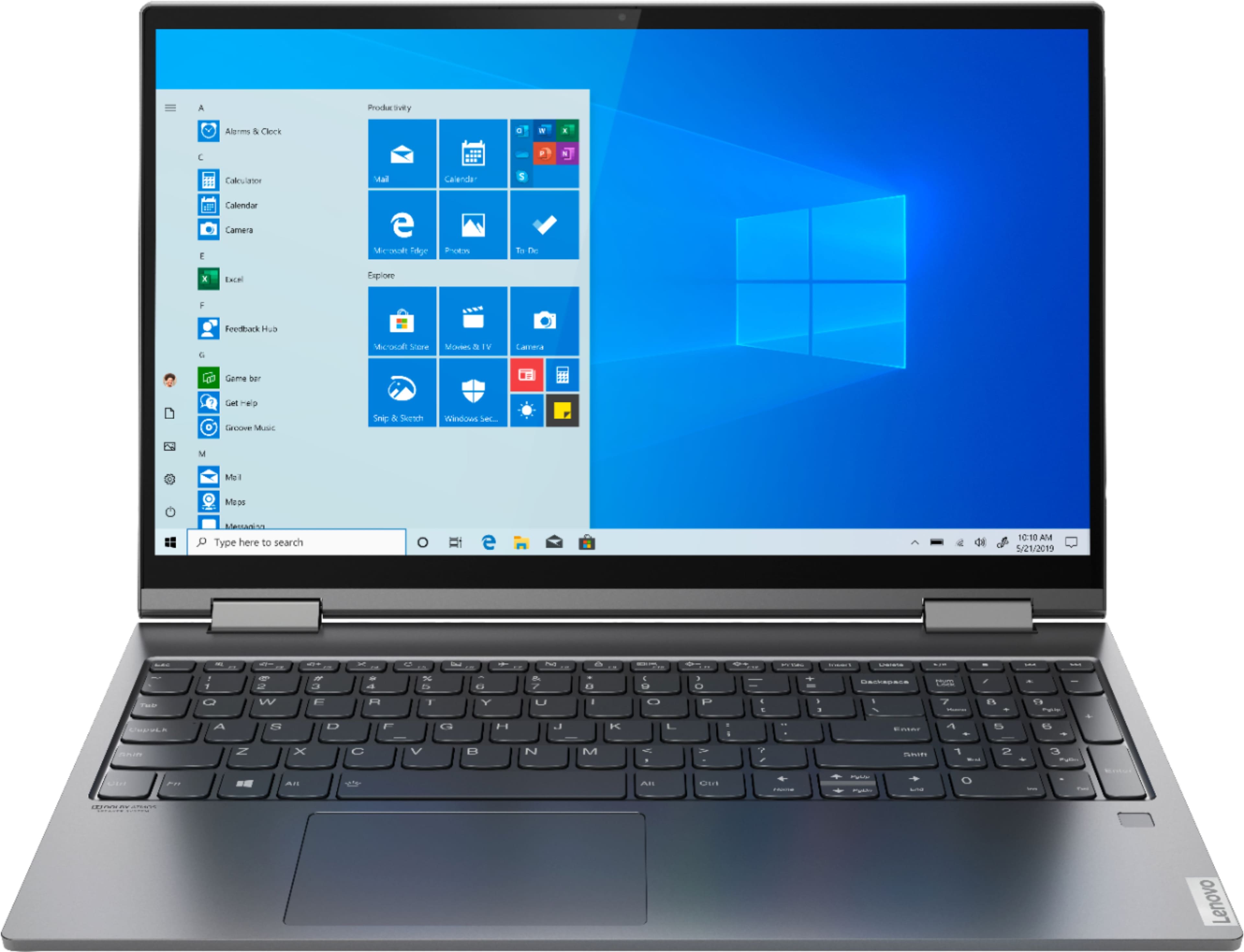
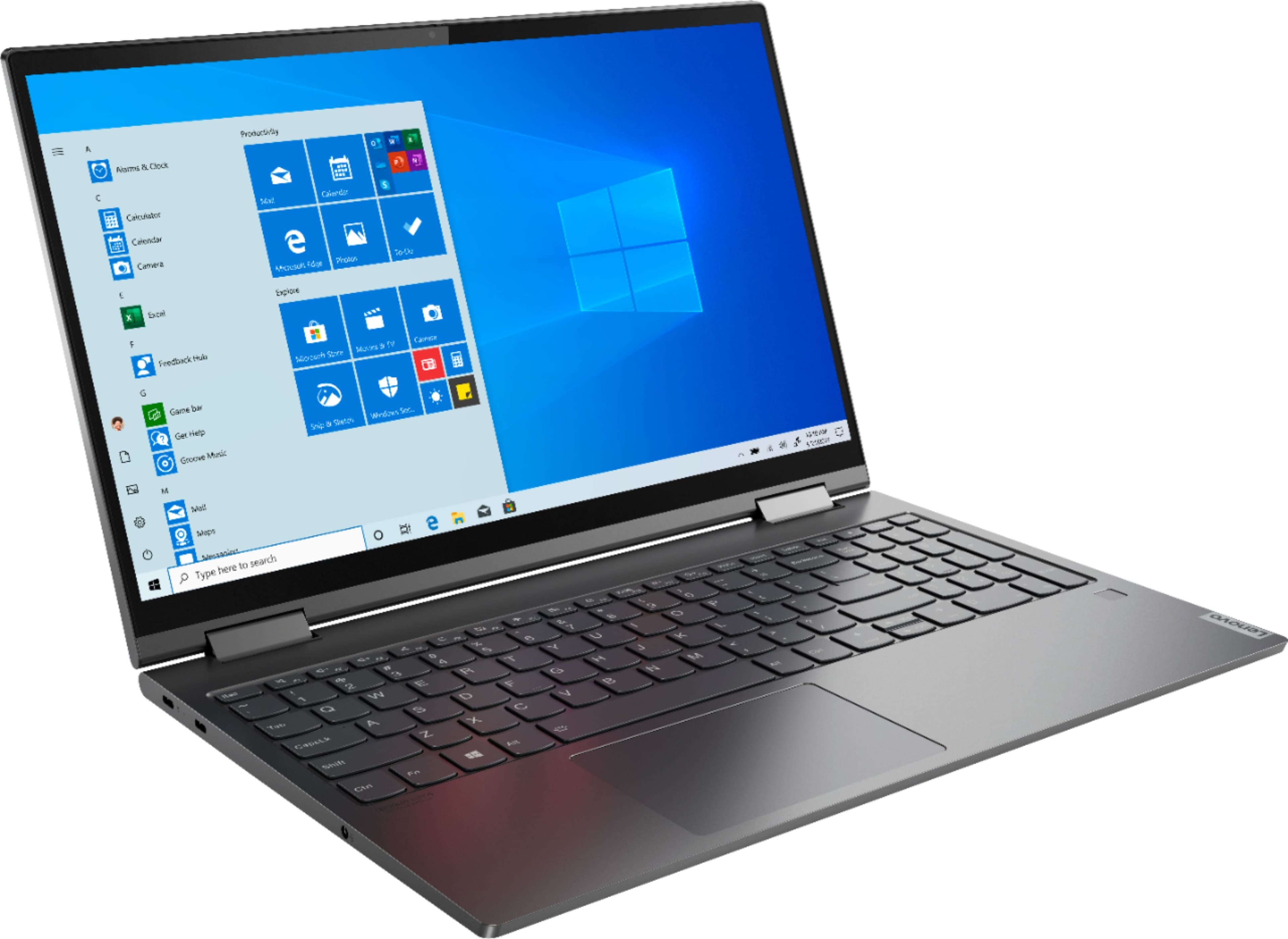




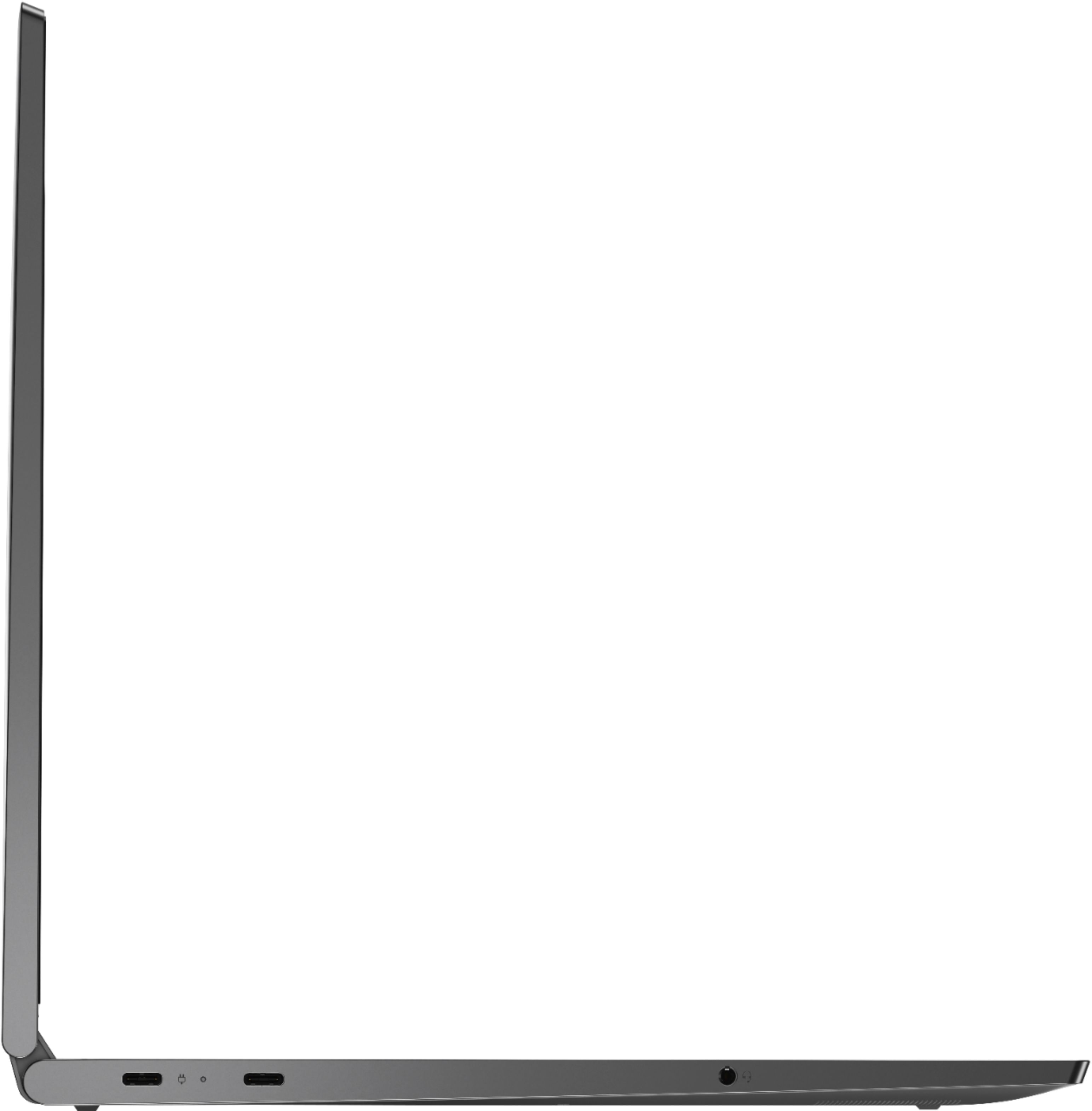
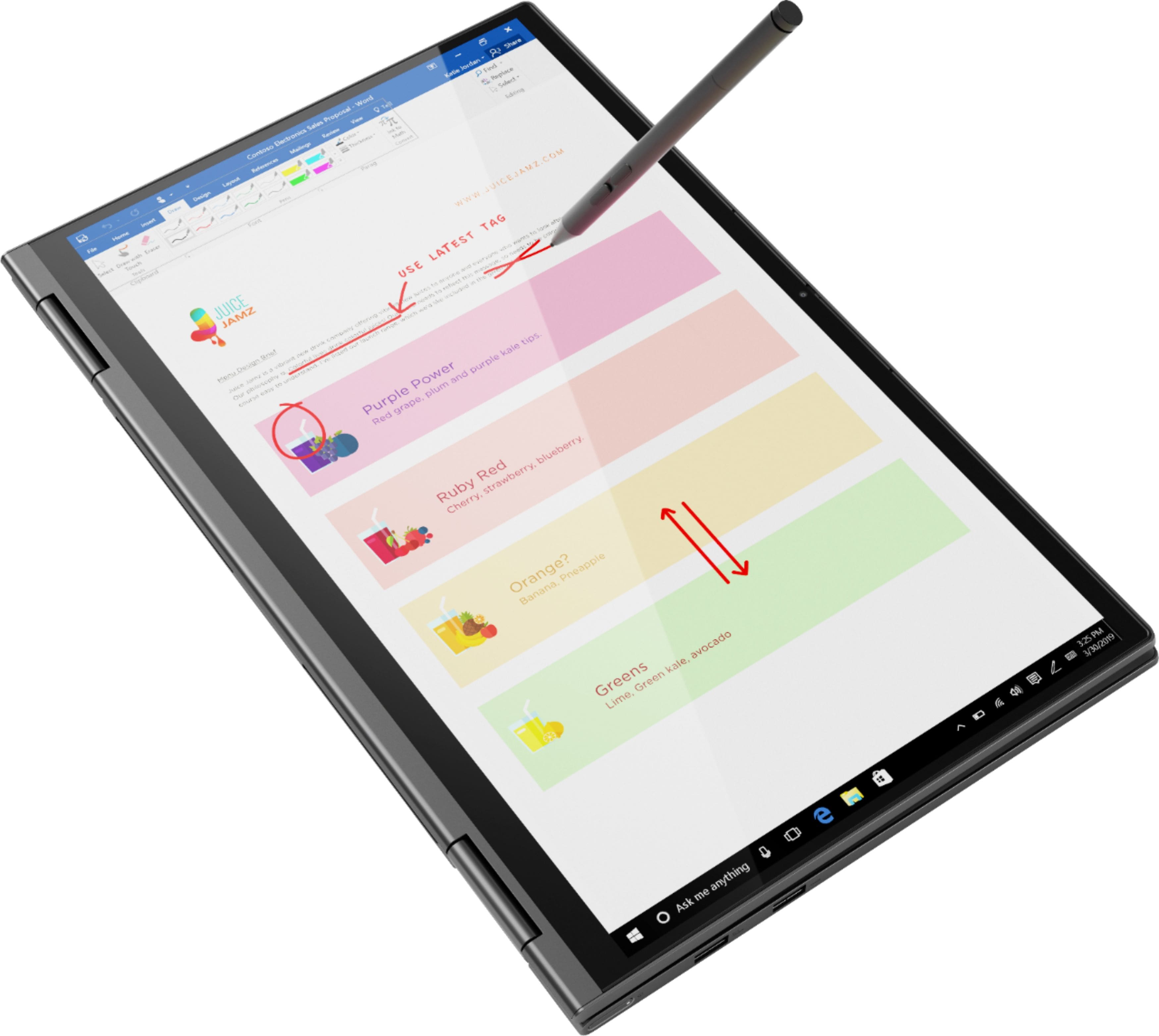




- Model:
- 81TD0003US
- SKU:
- 6367803
Rating by feature
- Battery Life
Rating 4.0 out of 5 stars
- Speed
Rating 4.3 out of 5 stars
- Display
Rating 4.3 out of 5 stars
Customers are saying
Customers regard the Yoga C740's touch screen, ease of use, and performance as significant strengths, with many praising its lightweight design and decent battery life. Positive feedback also highlights the value for the price and the sleek design. However, some users noted the lack of an HDMI port and reported issues with fan noise and heat generation under certain conditions. The available RAM was generally well-received.
This summary was generated by AI based on customer reviews.
Good
||Posted . Owned for 1 month when reviewed.This reviewer received promo considerations or sweepstakes entry for writing a review.I like it . Very good computer . I I would like to tell my friend about it , so thank you for selling this kind of computer.
I would recommend this to a friendBrand response from Lenovo Product Expert
Posted .Hey there! Thanks for choosing the Lenovo Yoga C740 Laptop. We are pleased to hear the value, performance, and features of the C740 Laptop are meeting your computing needs so well!

Great
||Posted . Owned for 1 month when reviewed.This reviewer received promo considerations or sweepstakes entry for writing a review.I've had a few laptops and this was better than the other ones by far. I looked at several computer laptops and this was the best.
I would recommend this to a friendBrand response from Lenovo Product Expert
Posted .Once again, thank you for choosing the Lenovo Yoga C740-15. You can keep your computer running at its best by keeping the Windows 10 Operating System and all supporting BIOS files and drivers up to date. You can easily accomplish this by scanning the computer with the Lenovo Utility software available on this computer. This system has Lenovo utilities installed to help maintain the health of the device and keep the operating system software up to date. Type "Lenovo Vantage" in the Cortana Search window (if Lenovo Vantage is not installed on your device, you can download the APP and install it now). Select Lenovo Vantage from the list. In the window that opens, click on "Health and Support". In the expanded menu, select "Hardware Scan" In the window that opens, select "Run Quick Tests". This will scan your entire system for errors. Follow any directions that may pop up. If the problem continues after this scan, now click on "System Update". First select Windows update from the menu. Scan your system to be sure you have the latest version of Windows 10. Once that scan is complete, select "Additional Updates". This will scan your device to be sure there are no new BIOS/Driver updates needed. Follow any instructions that may pop up. If you ever need additional help with your Lenovo computer, we recommend you call Lenovo Tech Support at: 877-453-6686 for additional help.
Great purchase!!
||Posted . Owned for 1 month when reviewed.This reviewer received promo considerations or sweepstakes entry for writing a review.Loving the Lenovo laptop!! User friendly, does what I need for my real estate business!! So glad I purchased it! Tracey Taulbee
I would recommend this to a friendBrand response from Lenovo Product Expert
Posted .Thank you for choosing the Lenovo Yoga C740-15. Combining heavyweight performance with lightweight portability, the Yoga C740’s 10th Gen Intel Core i5 processor enables longer battery life, high-speed connectivity, and ultra-responsive multi-tasking performance in a sleek package. Packing a one-two punch of stunning audio and visual experience, the Yoga C740 is the perfect companion for streaming your favorite videos or playing games. With a 15.6-inch FHD display. To match the tantalizing visuals, the Yoga C740’s Dolby Atmos speaker system creates an audio experience in which sound flows above and around you. Yoga is committed to protecting your privacy. Log in with your fingerprint or slide the Yoga C740’s TrueBlock Privacy Shutter closed for true peace of mind when you’re not using your webcam.
Great on the go laptoo
||Posted . Owned for 4 months when reviewed.This reviewer received promo considerations or sweepstakes entry for writing a review.Have been super happy with this. Also bought the pen which is great and has its one holster to hold on to side of laptop.
I would recommend this to a friendGood overall quality with minor bug
||Posted . Owned for 1 month when reviewed.This reviewer received promo considerations or sweepstakes entry for writing a review.Good quality laptop. Mute button the keyboard doesnt work. Unable to resolve the issue so far. appear to be driver related.
I would recommend this to a friendBrand response from Lenovo Product Expert
Posted .We are sorry to hear that you are having issues with the audio mute HotKey on your Lenovo Yoga C740-15. First, be sure you have the latest version of Windows 10 on the computer, then update all of the BIOS files and drivers, including those that control audio and the HotKeys on your computer, up to that latest version of Windows 10. You can easily accomplish this by scanning the computer with the Lenovo Utility software available on this computer. This system has Lenovo utilities installed to help maintain the health of the device and keep the operating system software up to date. Type "Lenovo Vantage" in the Cortana Search window (if Lenovo Vantage is not installed on your device, you can download the APP and install it now). Select Lenovo Vantage from the list. In the window that opens, click on "Health and Support". In the expanded menu, select "Hardware Scan" In the window that opens, select "Run Quick Tests". This will scan your entire system for errors. Follow any directions that may pop up. If the problem continues after this scan, now click on "System Update". First select Windows update from the menu. Scan your system to be sure you have the latest version of Windows 10. Once that scan is complete, select "Additional Updates". This will scan your device to be sure there are no new BIOS/Driver updates needed. Follow any instructions that may pop up. If the issue still continues after these updates, we recommend you call Lenovo Tech Support at: 877-453-6686 for additional help.
Lenovo Lap top
||Posted . Owned for 1 month when reviewed.This reviewer received promo considerations or sweepstakes entry for writing a review.Great computer to use & fairly priced! I like how thin it’s but the screen large enough to Use got work when needed.
I would recommend this to a friendBrand response from Lenovo Product Expert
Posted .Hello, thank you for choosing the Lenovo Yoga C740. We are so happy to hear the performance, features, and sleek modern design of the Lenovo Yoga C740 is meeting your computing needs so well
So far so good
||Posted . Owned for 3 weeks when reviewed.This reviewer received promo considerations or sweepstakes entry for writing a review.I’ve only used this computer for my college zoom calls and it seems good. Only complaint is the battery dies fast.
I would recommend this to a friendBrand response from Lenovo Product Expert
Posted .The Lenovo Yoga C740-15 model number 81TD0003US, ships with a 3CELL_60.3WH_INTERNAL, Lithium Polymer Battery, with a battery life of up to 15 hours, depending on the work the device is performing. If you are getting substantially less battery life, be sure Battery conservation Mode is turned off. This power management setting should only be used when the laptop is plugged in all the time. It will prolong overall battery life by only charging the battery to 60-percent of capacity. Here is a link to instructions for turning off Battery Conservation Mode: https://support.lenovo.com/us/en/solutions/ht103159. Also check what programs are running in the background on the computer. Be sure only the programs you want running in the background are. These programs will drain the battery. Here is a link to information about how to find out what programs are running in the background on your Windows 10 computer and how to manage them for better system performance: https://www.windowscentral.com/how-prevent-apps-running-background-windows-10. Then, finally, be sure any software you installed is compatible with Windows 10. Incompatible software will drain the battery at a faster rate. There is no need to install Microsoft Office software. The software is already part of the operating system, you just need to activate the software with a purchased product key. If you have installed a copy of Microsoft Office, this is conflicting with the existing copy on the system and this will slow your system down. If you have installed a 3rd party anti-virus program, be sure that Windows Defender is turned off and that the trial version of McAfee Anti-Virus software is uninstalled. There can only be one anti-virus program on the system. You may need to restore your system to original factory default settings if any of the programming errors have occurred. You can do that by typing "restore" in the Cortana search window. Just click on the magnifying glass icon at the bottom left of your Windows 10 Desktop. Click on "Reset This PC" Then click on "Get Started" and follow the on screen directions to restore to factory defaults. If the problem persists, we recommend you contact Lenovo Tech Support at: 877-453-6686.
Just an excellent product
||Posted . Owned for 3 weeks when reviewed.This reviewer received promo considerations or sweepstakes entry for writing a review.Have not had the chance to use all of the features that is capable of handling, but will be using the many features very soon
I would recommend this to a friendBrand response from Lenovo Product Expert
Posted .Once again, thank you for choosing the Lenovo Yoga C740-15. You can keep your computer running at its best by keeping the Windows 10 Operating System and all supporting BIOS files and drivers up to date. You can easily accomplish this by scanning the computer with the Lenovo Utility software available on this computer. Just type "Lenovo Vantage" in the Cortana Search window (if Lenovo Vantage is not installed on your device, you can download the APP and install it now). Select Lenovo Vantage from the list. In the window that opens, click on "Health and Support". In the expanded menu, select "Hardware Scan" In the window that opens, select "Run Quick Tests". This will scan your entire system for errors. Follow any directions that may pop up. If the problem continues after this scan, now click on "System Update". First select Windows update from the menu. Scan your system to be sure you have the latest version of Windows 10. Once that scan is complete, select "Additional Updates". This will scan your device to be sure there are no new BIOS/Driver updates needed. Follow any instructions that may pop up. If you ever need additional help with your Lenovo computer, we recommend you call Lenovo Tech Support at: 877-453-6686 for additional help.
Overall saturation
||Posted . Owned for 1 month when reviewed.This reviewer received promo considerations or sweepstakes entry for writing a review.At times it seems to be a little laggy when running multiple software items that aren't very resource intensive.
I would recommend this to a friendBrand response from Lenovo Product Expert
Posted .Hello we are sorry to hear you are experiencing this issue with your Lenovo Yoga C740. Here is a link to information about how to find out what programs are running in the background on your Windows 10 computer and how to manage them for better system performance: https://www.windowscentral.com/how-prevent-apps-running-background-windows-10. It is possible installing software and device driver updates will fix this issue. You can easily accomplish this by scanning the computer with the Lenovo Utility software available on this computer. This system has Lenovo utilities installed to help maintain the health of the device and keep the operating system software up to date. Type "Lenovo Vantage" in the Cortana Search window (if Lenovo Vantage is not installed on your device, you can download the APP and install it now). Select Lenovo Vantage from the list. In the window that opens, click on "Health and Support". In the expanded menu, select "Hardware Scan” In the window that opens, select "Run Quick Tests". This will scan your entire system for errors. Follow any directions that may pop up. If the problem continues after this scan, now click on "System Update". First select Windows update from the menu. Scan your system to be sure you have the latest version of Windows 10. Once that scan is complete, select "Additional Updates". This will scan your device to be sure there are no new BIOS/Driver updates needed. Follow any instructions that may pop up. If the issue continues after these updates, we recommend you call Lenovo Tech Support at: 877-453-6686 for additional help.
So much potential wasted
||Posted . Owned for 1 week when reviewed.This reviewer received promo considerations or sweepstakes entry for writing a review.The laptop would be a 5 stars easily, but the simple fact that ever since I got it, it has has a power on that issue severely decreased the rating. I've held the power button everywhere from 1-8 seconds just trying to power on the device. Using it is very nice, and just from the time I had with it I could tell that it would be able to handle moderate video editing. Then today while I was downloading steam my laptop turned off. I simply thought it just went to sleep, but no. Tapping/holding the power button did not work and the charger also did not work (also the charging indicator was not lighting as well). I accepted the fact I have bad luck with electronic items, but this is just unacceptable. The laptop did not even last 2 weeks! The actual functionality of the laptop is good. The screen is a fingerprint magnet so I decided to get a stylus for when I use the touch screen. The back lit keyboard having two brightness levels is neat. And I just found out that the laptop can fold backwards. But all of this is worthless when the device cannot power on and did not last 2 weeks.
No, I would not recommend this to a friendBrand response from Lenovo Product Expert
Posted .We are sorry to hear that you are having issues with your Lenovo Yoga C740-15. We recommend you call Lenovo Tech Support for help with your specific issue at: 877-453-6686.
Great laptop.
||Posted . Owned for 3 weeks when reviewed.This reviewer received promo considerations or sweepstakes entry for writing a review.Great price. Easy setup and retrieval of old files. A little heavier than I expected but glad it is sturdy. I would recommend.
I would recommend this to a friendBrand response from Lenovo Product Expert
Posted .Once again, thank you for choosing the Lenovo Yoga C740-15. This full size configuration weighs just 4.18 lbs. You can keep your computer running at its best by keeping the Windows 10 Operating System and all supporting BIOS files and drivers up to date. You can easily accomplish this by scanning the computer with the Lenovo Utility software available on this computer. This system has Lenovo utilities installed to help maintain the health of the device and keep the operating system software up to date. Type "Lenovo Vantage" in the Cortana Search window (if Lenovo Vantage is not installed on your device, you can download the APP and install it now). Select Lenovo Vantage from the list. In the window that opens, click on "Health and Support". In the expanded menu, select "Hardware Scan" In the window that opens, select "Run Quick Tests". This will scan your entire system for errors. Follow any directions that may pop up. If the problem continues after this scan, now click on "System Update". First select Windows update from the menu. Scan your system to be sure you have the latest version of Windows 10. Once that scan is complete, select "Additional Updates". This will scan your device to be sure there are no new BIOS/Driver updates needed. Follow any instructions that may pop up. If you ever need additional help with your Lenovo computer, we recommend you call Lenovo Tech Support at: 877-453-6686 for additional help.
Very nice product for the price
||Posted . Owned for 3 weeks when reviewed.This reviewer received promo considerations or sweepstakes entry for writing a review.We bought this for my daughter for college and it is very nice. I like the camera close and the bio log on feature.
I would recommend this to a friendBrand response from Lenovo Product Expert
Posted .Thank you for choosing the Lenovo Yoga C740-15 for your daughter. Combining heavyweight performance with lightweight portability, the Yoga C740’s 10th Gen Intel Core i5 processor enables longer battery life, high-speed connectivity, and ultra-responsive multi-tasking performance in a sleek package. Packing a one-two punch of stunning audio and visual experience, the Yoga C740 is the perfect companion for streaming your favorite videos or playing games. With a 15.6-inch FHD display. To match the tantalizing visuals, the Yoga C740’s Dolby Atmos speaker system creates an audio experience in which sound flows above and around you. Yoga is committed to protecting your privacy. Log in with your fingerprint or slide the Yoga C740’s TrueBlock Privacy Shutter closed for true peace of mind when you’re not using your webcam.
Lenovo laptop
||Posted . Owned for 7 months when reviewed.This reviewer received promo considerations or sweepstakes entry for writing a review.So far so good. Does everything my daughter needs it to do with her music. She is a wiz at using the keyboard.
I would recommend this to a friendBrand response from Lenovo Product Expert
Posted .Thank you for choosing the Lenovo Yoga C740-15 for your daughter. We are pleased to hear that the Yoga C740-15 meets your daughter's computing needs so well.
Good laptop but poor camera
||Posted . Owned for 3 weeks when reviewed.This reviewer received promo considerations or sweepstakes entry for writing a review.When I first got it, the camera didn’t work. I had to fiddle with it and got it to work but the quality is poor.
I would recommend this to a friendBrand response from Lenovo Product Expert
Posted .The Lenovo Yoga C740-15, model number 81TD0003US, ships with a 720p (HD) webcam with manual Privacy Shutter built in. Be sure to open the manual Privacy Shutter before you try to use the webcam. There will be a red dot over the lens of the webcam when the Privacy Shutter is closed. There is a small tab directly above the webcam lens, slide this tab to the right to open the Privacy Shutter and the red dot over the webcam lens will disappear. Be sure you have opened the Privacy all the way or the webcam will not perform properly. If the issue continues, check to be sure you have the latest version of Windows 10 on the computer, then update all of the BIOS file and drivers, including the webcam drivers, up to that latest version of Windows 10. You can easily accomplish this by scanning the computer with the Lenovo Utility software available on this computer. This system has Lenovo utilities installed to help maintain the health of the device and keep the operating system software up to date. Type "Lenovo Vantage" in the Cortana Search window (if Lenovo Vantage is not installed on your device, you can download the APP and install it now). Select Lenovo Vantage from the list. In the window that opens, click on "Health and Support". In the expanded menu, select "Hardware Scan" In the window that opens, select "Run Quick Tests". This will scan your entire system for errors. Follow any directions that may pop up. If the problem continues after this scan, now click on "System Update". First select Windows update from the menu. Scan your system to be sure you have the latest version of Windows 10. Once that scan is complete, select "Additional Updates". This will scan your device to be sure there are no new BIOS/Driver updates needed. Follow any instructions that may pop up. If the issue still continues after these updates, we recommend you call Lenovo Tech Support at: 877-453-6686 for additional help.
Great computer, great speed.
||Posted .This reviewer received promo considerations or sweepstakes entry for writing a review.This computer does everything I need it to do. It is simple but yet efficient enough to process everything I need to do with it.
I would recommend this to a friendBrand response from Lenovo Product Expert
Posted .Thank you for choosing the Lenovo Yoga C740-15. We are pleased to hear that the performance of the Yoga C740-15 meets your computing needs so well. Combining heavyweight performance with lightweight portability, the Yoga C740’s 10th Gen Intel Core i5 processor enables longer battery life, high-speed connectivity, and ultra-responsive multi-tasking performance in a sleek package. Packing a one-two punch of stunning audio and visual experience, the Yoga C740 is the perfect companion for streaming your favorite videos or playing games. With a 15.6-inch FHD display. To match the tantalizing visuals, the Yoga C740’s Dolby Atmos speaker system creates an audio experience in which sound flows above and around you. Yoga is committed to protecting your privacy. Log in with your fingerprint or slide the Yoga C740’s TrueBlock Privacy Shutter closed for true peace of mind when you’re not using your webcam.
Sleek style and great picture
||Posted . Owned for 1 month when reviewed.This reviewer received promo considerations or sweepstakes entry for writing a review.Heavier than I thought it would be which makes it hard to use as a tablet- one of the main things I was looking for
I would recommend this to a friendBrand response from Lenovo Product Expert
Posted .The Lenovo Yoga C740-15 provides a full size 15.6-Inch (screen size measured diagonally) screen, but still only weighs 4.18 lbs.
Easy to Use
||Posted . Owned for 1 month when reviewed.This reviewer received promo considerations or sweepstakes entry for writing a review.Computer is easy to use and has a super fast start up that I really like. I also like all the privacy protection that it offers.
I would recommend this to a friendBrand response from Lenovo Product Expert
Posted .Thank you for choosing the Lenovo Yoga C740-15. We are pleased to hear that the ease of use and performance of the Yoga C740-15 meets your computing needs so well. Combining heavyweight performance with lightweight portability, the Yoga C740’s 10th Gen Intel Core i5 processor enables longer battery life, high-speed connectivity, and ultra-responsive multi-tasking performance in a sleek package. Packing a one-two punch of stunning audio and visual experience, the Yoga C740 is the perfect companion for streaming your favorite videos or playing games. With a 15.6-inch FHD display. To match the tantalizing visuals, the Yoga C740’s Dolby Atmos speaker system creates an audio experience in which sound flows above and around you. Yoga is committed to protecting your privacy. Log in with your fingerprint or slide the Yoga C740’s TrueBlock Privacy Shutter closed for true peace of mind when you’re not using your webcam.
Lenovo is a good buy.
||Posted . Owned for 1 month when reviewed.This reviewer received promo considerations or sweepstakes entry for writing a review.After my Lenovo ThinkPad lasted more 7 years I was sold on the brand. I am looking for this purchase to do as well.
I would recommend this to a friendGREAT TECH SUPPORT!!!!!
||Posted . Owned for 3 weeks when reviewed.This reviewer received promo considerations or sweepstakes entry for writing a review.Geek Squad is the best!!! They totally fixed my old computer and transferred all data to the new one You are THE BEST!!!
I would recommend this to a friendGood laptop
||Posted . Owned for 4 months when reviewed.This reviewer received promo considerations or sweepstakes entry for writing a review.Wife loves it. The screen could be a little brighter for me but it's a solid laptop and I got a great price on it.
I would recommend this to a friend