Customer Ratings & Reviews








- Model:
- 81TD0003US
- SKU:
- 6367803
Rating by feature
- Battery Life
Rating 4.0 out of 5 stars
- Speed
Rating 4.3 out of 5 stars
- Display
Rating 4.3 out of 5 stars
Customers are saying
Customers regard the Yoga C740's touch screen, ease of use, and performance as significant strengths, with many praising its lightweight design and decent battery life. Positive feedback also highlights the value for the price and the sleek design. However, some users noted the lack of an HDMI port and reported issues with fan noise and heat generation under certain conditions. The available RAM was generally well-received.
This summary was generated by AI based on customer reviews.
Worst Support. Very poor battery life
Posted .This reviewer received promo considerations or sweepstakes entry for writing a review.Laptop was mostly as advertised. But power usage combined with the battery size give it only 4 hours of useful time which is inadequate and unexpected and unadvertised. By far the worst feature is the manufacture L's poor support. They provide support in name only that seems designed just to annoy their customers. We called about the battery problem. Got transferred through THREE different groups. No one tried to debug it or tell us that there is nothing they could do. In the end the call got dropped after 3 transfers and 30 minutes. So we went online and generated a 'ticket' We returned the computer by mail and lost its use for TWO WEEKS. It came back to us with EXACTLY the same problem. 4 hour battery life. Another issue - the camera has a small hidden lever to close the lens. NOT ONE BIT OF DOCUMENTATION MENTIONS THIS! We spent days trying to figure out the faulty camera. Support people also never mentioned this. You can't see it easily and the computer gives you no message that it is close. Very bad design feature. Finally we figured it out. But again, support was zero help. There is NO Support. Forget trying to contact them. EVER.
No, I would not recommend this to a friendBrand response from Lenovo Product Expert
Posted .The Lenovo Yoga C740-15 model number 81TD0003US, ships with a 3CELL_60.3WH_INTERNAL, Lithium Polymer Battery, with a battery life of up to 15 hours, depending on the work the device is performing. If you are only getting 4 hours of battery life, be sure Battery Conservation Mode is turned off. This power management setting is to be used when the laptop is plugged in for long periods of time. It will prolong battery life by only charging the battery to 60-percent capacity. Here is a link to instructions for turning off Battery Conservation Mode:
https://support.lenovo.com/us/en/solutions/ht103159. Additionally, if Battery Conservation Mode is not turned on and you are still getting 4 hours of battery life, be sure any software you installed is compatible with Windows 10. There is no need to install Microsoft Office software. The software is already part of the operating system, you just need to activate the software with a purchased product key. If you have installed a copy of Microsoft Office, this is conflicting with the existing copy on the system and this will slow your system down. If you have installed a 3rd party anti-virus program, be sure that Windows Defender is turned off and that the trial version of McAfee Anti-Virus software is uninstalled. There can only be one anti-virus program on the system. You may need to restore your system to original factory default settings if any of the programming errors have occurred. You can do that by typing "restore" in the Cortana search window. Just click on the magnifying glass icon at the bottom left of your Windows 10 Desktop. Click on "Reset This PC" Then click on "Get Started" and follow the on screen directions to restore to factory defaults. We are sorry about the confusion around the Lenovo webcam manual Privacy Shutter. We now place a sticker calling out this feature on Lenovo Models that have the Manual Privacy Shutter feature. You can always ask questions about your new computer here online at the product's web page. There is also a live chat feature here you can use to get more help. You can also call Lenovo Tech Support at: 877-453-6686.
Motherboard Failure after 2 months
Posted .This reviewer received promo considerations or sweepstakes entry for writing a review.Motherboard has a 30% failure rate per Lenovo tech support. Once it fails, Lenovo will give you the run around, have you talk to multiple tech support people, then eventually issue a repair ticket but the shipping label will take days to be emailed to you. Once Lenovo receives the laptop, the laptop will sit at the repair depot with nothing done as the replacement parts are not in stock and Lenovo will not be getting anymore, per lenovo tech support. Lenovo will not replace the laptop, even though they can't fix it, they will only offer an extended warranty which does no good if you don't have the laptop. Its been over 1 month and no end in sight. Good luck trying to talk to the case manager, Lenovo will not put you in touch except by automated email.
No, I would not recommend this to a friendVideo camera
Posted .This reviewer received promo considerations or sweepstakes entry for writing a review.Make sure you buy the extended warranty I owned mine for for less than a year and then the first time I used the camera for school it didn’t work. Best Buy wasn’t accepting customers due to covid so my 1st year factory warranty expired. I was also informed it would take 6-8 weeks to repair, which is a little unreasonable given i’m in school and bought a new laptop to be reliable and it could not even do that. They did not provide a temporary one either so I had to buy another one to get through the next 6-8. It will most likely take all my extended warranty to fix as well.
No, I would not recommend this to a friendBrand response from Lenovo Product Expert
Posted .We are sorry to hear that you are having issues with your webcam on the Lenovo Yoga C740-15, model number 81TD0003US. This model ships with a manual Privacy Shutter over the webcam. Be sure the Privacy Shutter is open before you attempt to use the webcam. There is a small tab directly over the webcam lens than needs to be moved to the right to open the Privacy Shutter. Here is a link to a product tour YouTube video that calls out the Privacy Shutter and the slider that opens it: https://www.youtube.com/watch?v=i7gquhzeAhQ. If the issue continues, we recommend you call Lenovo Tech Support at: 877-453-6686.
Laptop won’t turn on.
Posted .This reviewer received promo considerations or sweepstakes entry for writing a review.I recently bought this laptop and it was working perfectly at first however the keys began to stick. Whenever I typed something it would take forever for the words to appear on the screen which I ignored. I usually just restart it and everything would be fine. Suddenly now the laptop won’t turn on. I’ve had it charging for a while and even then there seems to be no form of power in the laptop which sucks because I’ve only had it for a month and the stores are closed and I’m left without a laptop to complete my online courses.
No, I would not recommend this to a friendBrand response from Lenovo Product Expert
Posted .We are sorry to hear that you are having issues with your Lenovo Yoga C740-15. It is possible that resetting the computer back to original factory settings may fix the problems you are having. Since you can no longer boot the computer, this system is equipped with OneKey Recovery System. There is a very small pin hole on the bottom, right side of the device, right near the top right side of the cooling vent on the bottom of the device. You will need a pin to push this reset button. Plug the device in. Let the battery charge for about 15 minutes. Push the reset button. The system should boot to a choice screen where you can choose "Restore To Factory Default". Select this. It will delete everything from the hard drive except the original factory install of the operating system. You will need to reinstall all programs and files after the reset. If you don't have copies of the files, try to make one before you restore by selecting "Boot to desktop" and trying to back up your files. Once you have the computer reset to original settings, be sure any software you installed is compatible with Windows 10. There is no need to install Microsoft Office software. The software is already part of the operating system, you just need to activate the software with a purchased product key. If you have installed a copy of Microsoft Office, this is conflicting with the existing copy on the system and this will slow your system down. If you have installed a 3rd party anti-virus program, be sure that Windows Defender is turned off and that the trial version of McAfee Anti-Virus software is uninstalled. There can only be one anti-virus program on the system. You may need to restore your system to original factory default settings if any of the programming errors have occurred. You can do that by typing "restore" in the Cortana search window. Just click on the magnifying glass icon at the bottom left of your Windows 10 Desktop. Click on "Reset This PC" Then click on "Get Started" and follow the on screen directions to restore to factory defaults. If the problem persists, we recommend you contact Lenovo Tech Support at: 877-453-6686.
Too many issues....
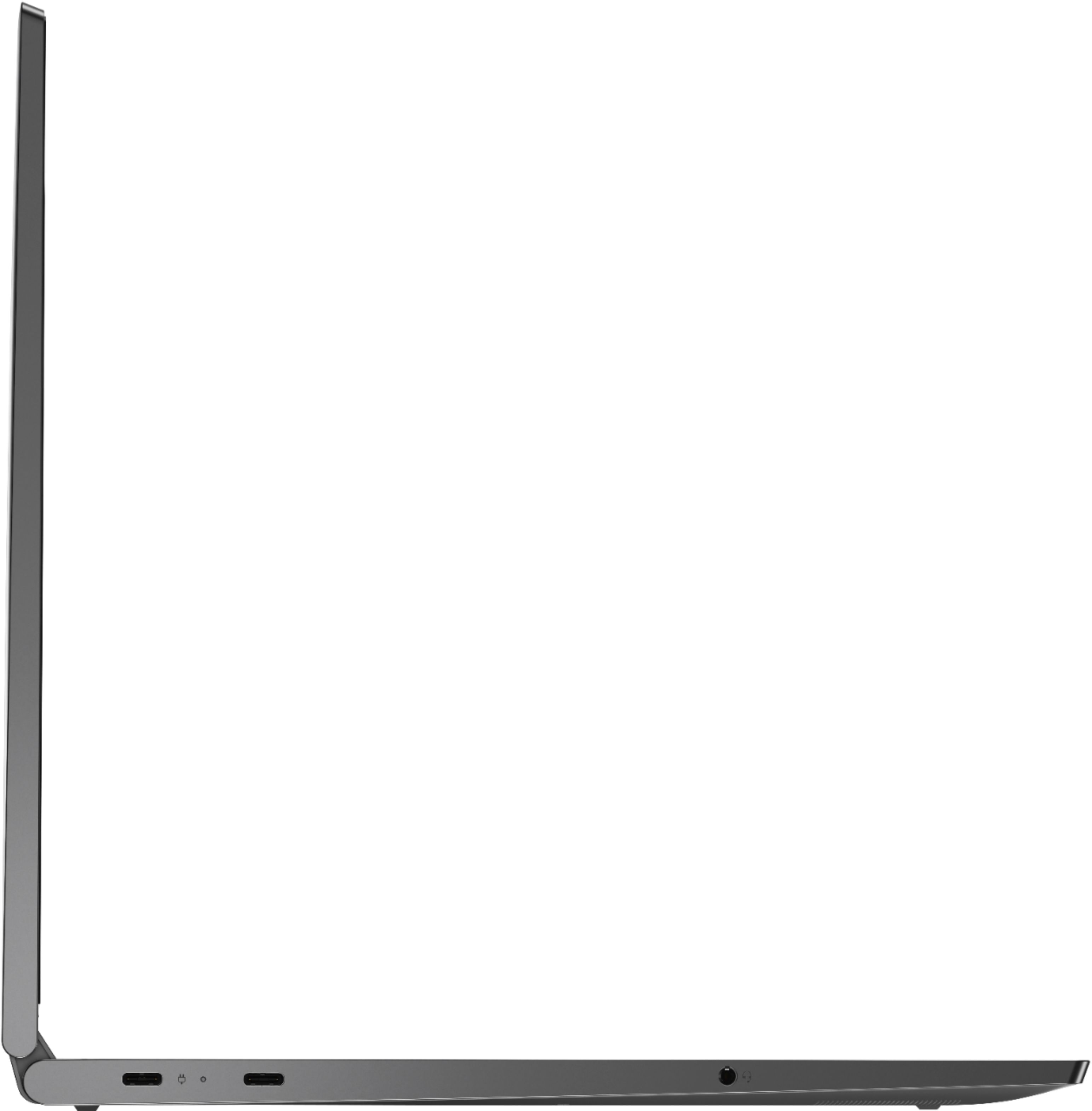
Posted .This reviewer received promo considerations or sweepstakes entry for writing a review.Too many problems with this computer. Purchased this computer on April 2020, it is November 2020 and it is on its way to Lenovo for repair a second time. First time, one of the two USB-C ports stopped working, repair was completed and the computer was returned. As of a week ago, the computer randomly shuts off with no warning, after a few tries of pushing the power button, it turns back on. The screen sometimes glitches and goes black. To many issues for a 7 month old computer.
No, I would not recommend this to a friendBrand response from Lenovo Product Expert
Posted .Hello, we are sorry to hear you are experiencing issues with your Lenovo Yoga C740 15" laptop model # 81TD0003US. We understand how frustrating this can be. We value your feedback and appreciate your patience while we work to resolve this issue for you as fast as possible. Can you please ensure you are running the latest system/BIOS/and device driver updates? You can easily accomplish this by scanning the computer with the Lenovo Utility software available on this computer. This system has Lenovo utilities installed to help maintain the health of the device and keep the operating system software up to date. Type "Lenovo Vantage" in the Cortana Search window (if Lenovo Vantage is not installed on your device, you can download the APP and install it now). Select Lenovo Vantage from the list. In the window that opens, click on "Health and Support". In the expanded menu, select "Hardware Scan” In the window that opens, select "Run Quick Tests". This will scan your entire system for errors. Follow any directions that may pop up. If the problem continues after this scan, now click on "System Update". First select Windows update from the menu. Scan your system to be sure you have the latest version of Windows 10. Once that scan is complete, select "Additional Updates". This will scan your device to be sure there are no new BIOS/Driver updates needed. Follow any instructions that may pop up. If the issue continues after these updates, we recommend you call Lenovo Tech Support at: 877-453-6686 for additional help.
Did not last
Posted .This reviewer received promo considerations or sweepstakes entry for writing a review.This laptop is not 3 yrs old. It is making a loud squealing noise. I have no idea what is wrong
No, I would not recommend this to a friendCan’t teach or zoom! Laptop won’t charge!
Posted .This reviewer received promo considerations or sweepstakes entry for writing a review.I bought the Lenovo Yoga c740 at the end of Feb. 2020. My Toshiba of 13 years stopped working. I am a teacher and I needed a new laptop to get my lessons prepared for my classes.Now, I can’t teach my virtual lessons and zoom with my students because my computer won’t charge! I tried trouble shooting everything I can google. No luck!
No, I would not recommend this to a friendBrand response from Lenovo Product Expert
Posted .We are sorry to hear that you are having issues charging your Lenovo Yoga C740-15. We recommend you call Lenovo Tech Support for help with your specific issue at: 877-453-6686.