Customer Ratings & Reviews






- Model:
- 81TD0005US
- SKU:
- 6367802
Rating by feature
- Battery Life
Rating 4.1 out of 5 stars
- Speed
Rating 4.3 out of 5 stars
- Display
Rating 4.5 out of 5 stars
Customers are saying
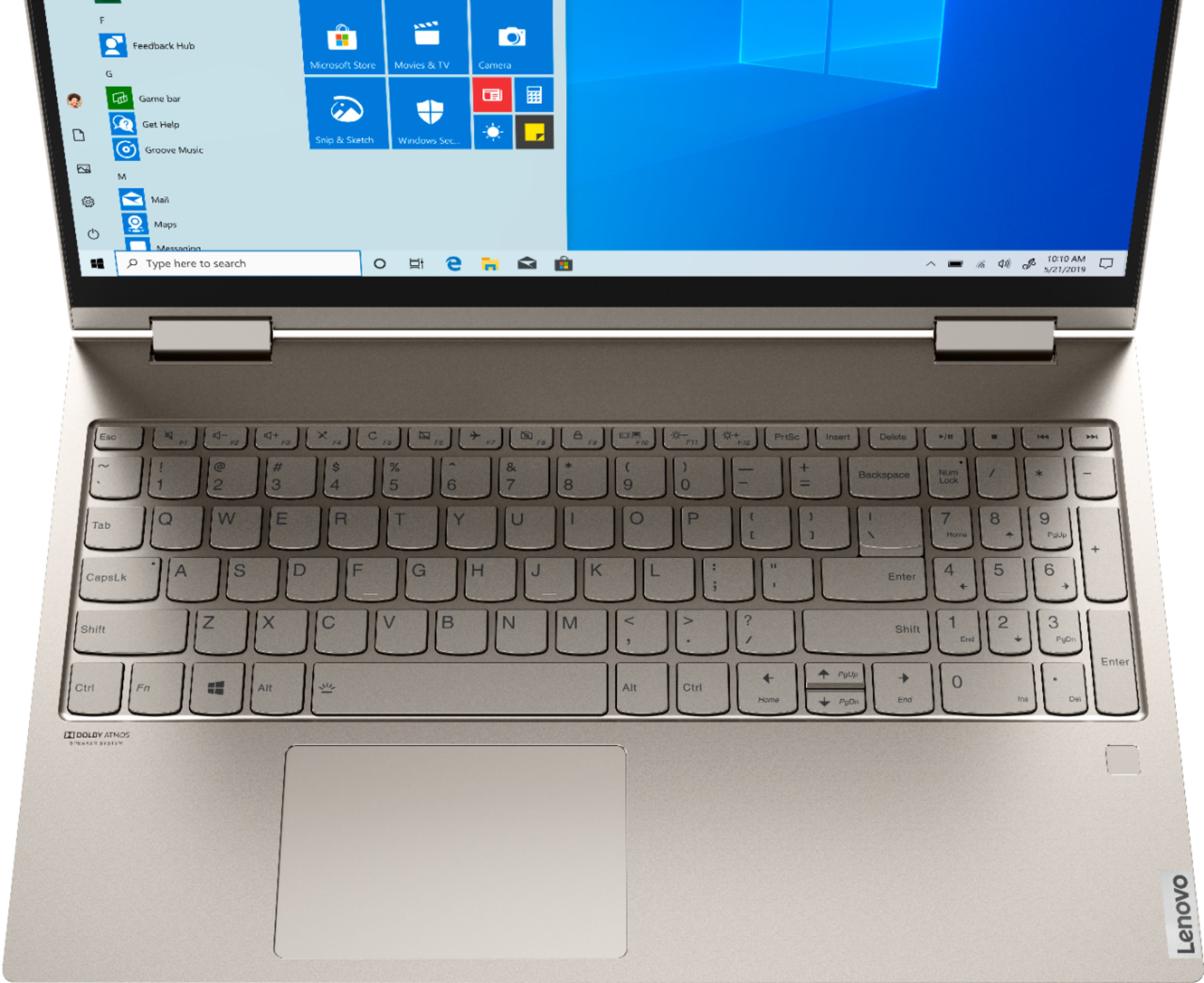
Customers often highlight the responsive touch screen, ease of use, and lightweight design as significant advantages. Positive feedback also frequently mentions strong performance and good battery life. However, some users reported issues with the device overheating and occasional excessive fan noise. A few customers also commented on the price point being higher than expected.
This summary was generated by AI based on customer reviews.
- Pros mentioned:Touch screen
All around great laptop
||Posted . Owned for 5 months when reviewed.This reviewer received promo considerations or sweepstakes entry for writing a review.I’m very pleased with this laptop. Nice large touch screen with backlight keyboard. Battery life is average nothing spectacular but overall this has been a great purchase. My brother even purchased one as well.
I would recommend this to a friend - Pros mentioned:Weight
Great small business use!
||Posted . Owned for 1 year when reviewed.This reviewer received promo considerations or sweepstakes entry for writing a review.I love this thing! I'm a realtor and insurance agent. It is very efficient. I love that it weighs next to nothing. I would get another one but this one does not need replacing 2 years later.
I would recommend this to a friend - Pros mentioned:Weight
Just right
||Posted . Owned for 3 weeks when reviewed.This reviewer received promo considerations or sweepstakes entry for writing a review.just the right size laptop. Has plenty of memory and a really good processor. the weight was very important since my wife has RA and it sits on her lap nicely with no pain. Thinking about getting another one for me.
I would recommend this to a friendBrand response from Lenovo Product Expert
Posted .Hello, thank you for choosing the Lenovo Yoga C740. We are so happy to hear the performance, features, and sleek modern design of the Lenovo Yoga C740 is meeting your wife's computing needs so well.

- Pros mentioned:Speed
Best Computer EVER
||Posted . Owned for 2 months when reviewed.This reviewer received promo considerations or sweepstakes entry for writing a review.I love this computer. I was tired of going through HP laptops every year. The seemed to be making them cheaper. I have zero complaints about this Cadillac of computers!
I would recommend this to a friend Great use for grad student
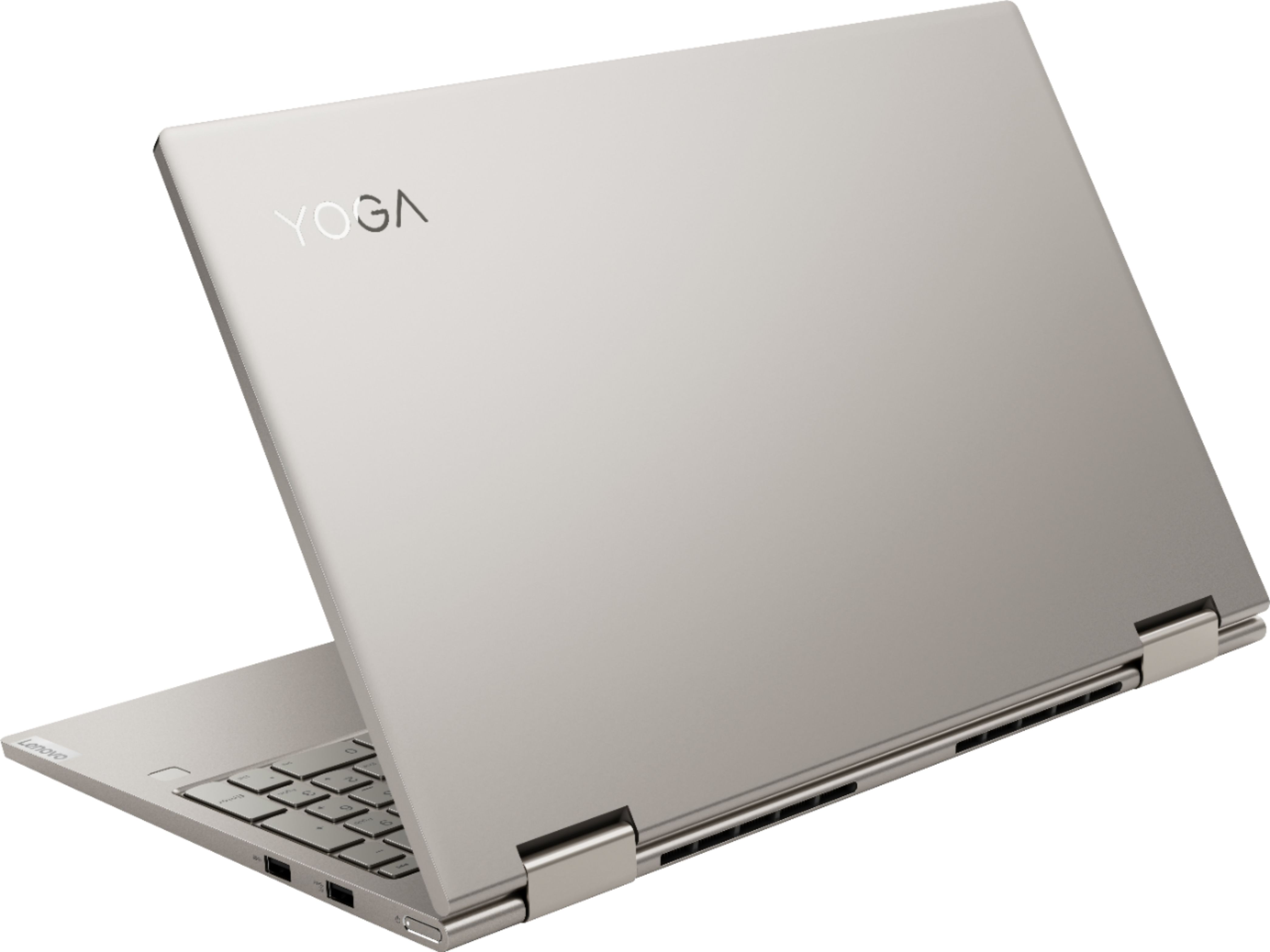
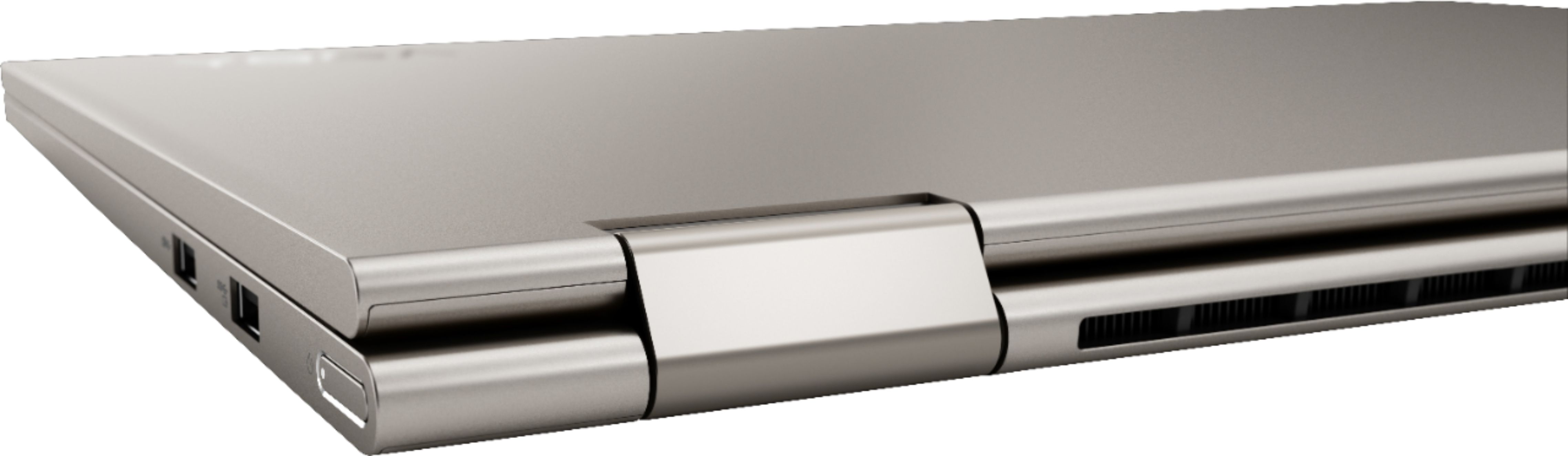
||Posted . Owned for 3 months when reviewed.This reviewer received promo considerations or sweepstakes entry for writing a review.Positive: 1. Loads fast 2. Thin and light 3. Includes keyboard light (optional to turn it on or off) 4. Rarely heats up 5. Battery charges fast 6. 15.6" screen 7. Seems durable 8. Good picture quality Negative: 1. Sometimes when I'm charging it while using it, it heats up and when the fan turns on it gets a little loud (for a couple of minutes). 2. Sometimes the finger biometric setting turns off and I have to reset it again so that it will function properly. 3. I wish there were more than two type-A USB connection
I would recommend this to a friendBrand response from Lenovo Product Expert
Posted .Thank you for choosing the Lenovo Yoga C740-15. Regarding your negative points: 1. You can use Lenovo Q-Control to manually control fan performance: ( Fn + Q ) option to change the fan. 2. Here's a tip for making your fingerprint reader work every time: Try lightly sliding your finger over the fingerprint reader. No need to press hard on the reader, in fact pressing hard on the fingerprint reader will distort your fingerprint and cause read errors. 3. If you need more standard USB Type a ports for your Yoga C740-15, you may want to consider using a portable USB Hub like this one: https://www.bestbuy.com/site/insignia-4-port-usb-3-0-hub-black/4333600.p?skuId=4333600
Wonderful Laptop
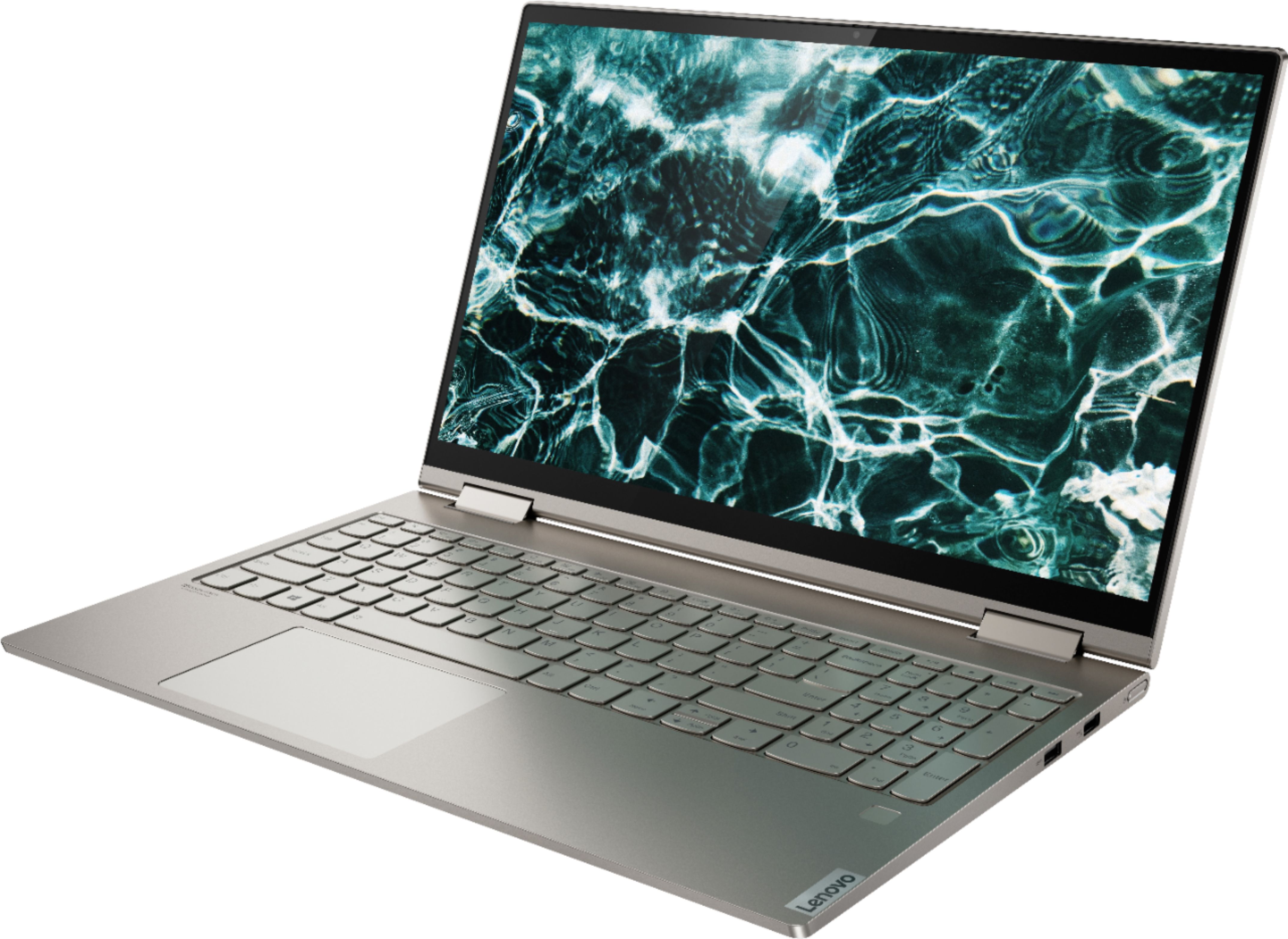
||Posted . Owned for 2 weeks when reviewed.This reviewer received promo considerations or sweepstakes entry for writing a review.I purchased this laptop to replace an aging SurfacePro 4. I absolutely love the battery life. I easily get 8+ hours of use. Screen is very bright.. though still tough to see outside on a sunny day. Screen doesn't have the resolution of the SP4... but it is full HD and displays my photos in fine fashion. Nice full size keyboard, backlit and number pad on the right. Price is very competitive for the included feature set. I also appreciate the larger (15.6") display. Much easier to use map programs with the larger display. Fingerprint reader works very well. I am very pleased with this purchase.
I would recommend this to a friendBrand response from Lenovo Product Expert
Posted .Thank you for choosing the Lenovo Yoga C740-15. We are pleased to hear that the features and performance of the Yoga C740-15 meets your computing needs so well.
- Pros mentioned:Touch screen
This product is great for any user!
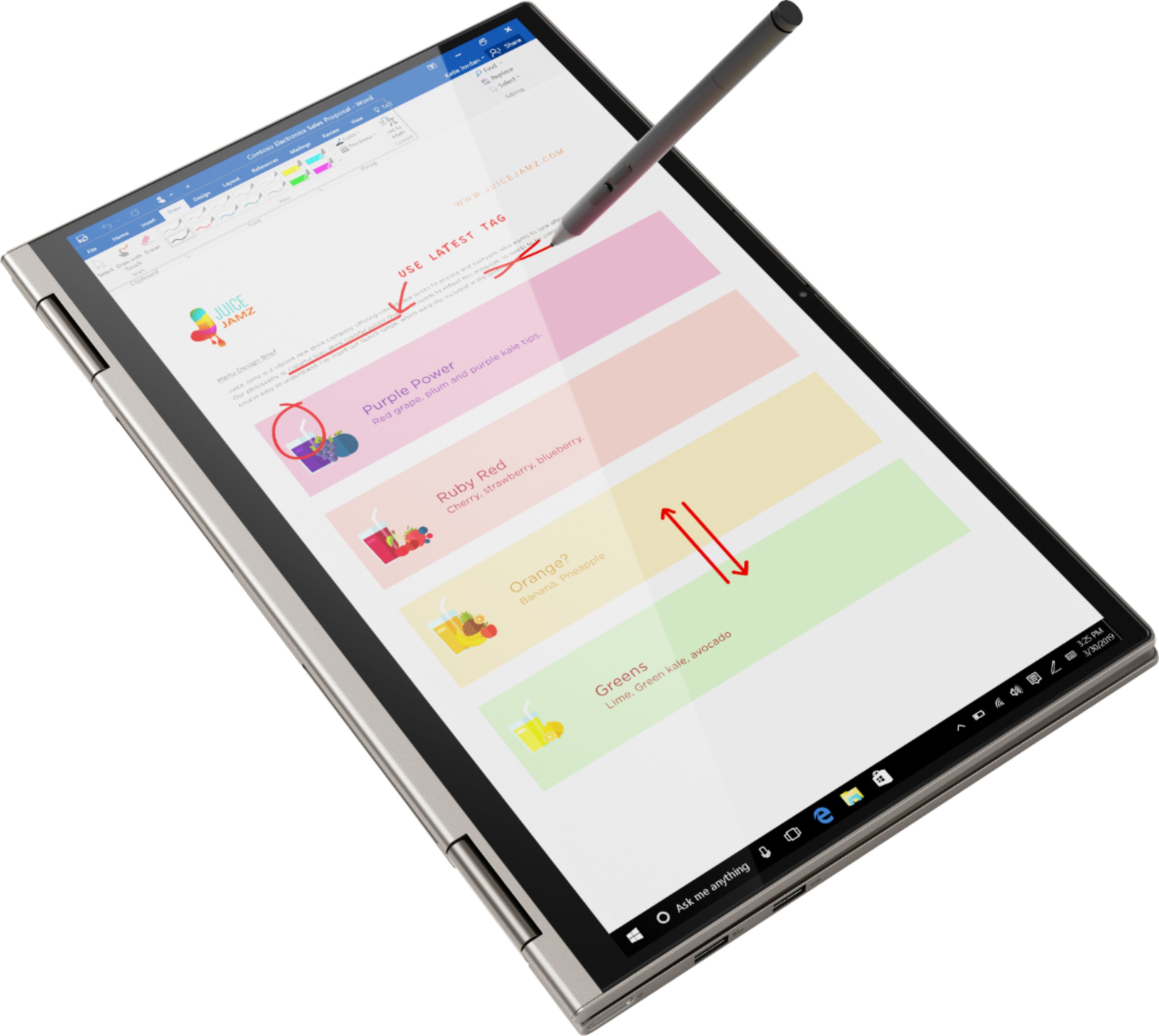
||Posted .This reviewer received promo considerations or sweepstakes entry for writing a review.I love this computer. It is high quality. The dual use of touch screen and mouse pad is exceptional. There is an abundance of features; voice control, drawing features, etc.
I would recommend this to a friendBrand response from Lenovo Product Expert
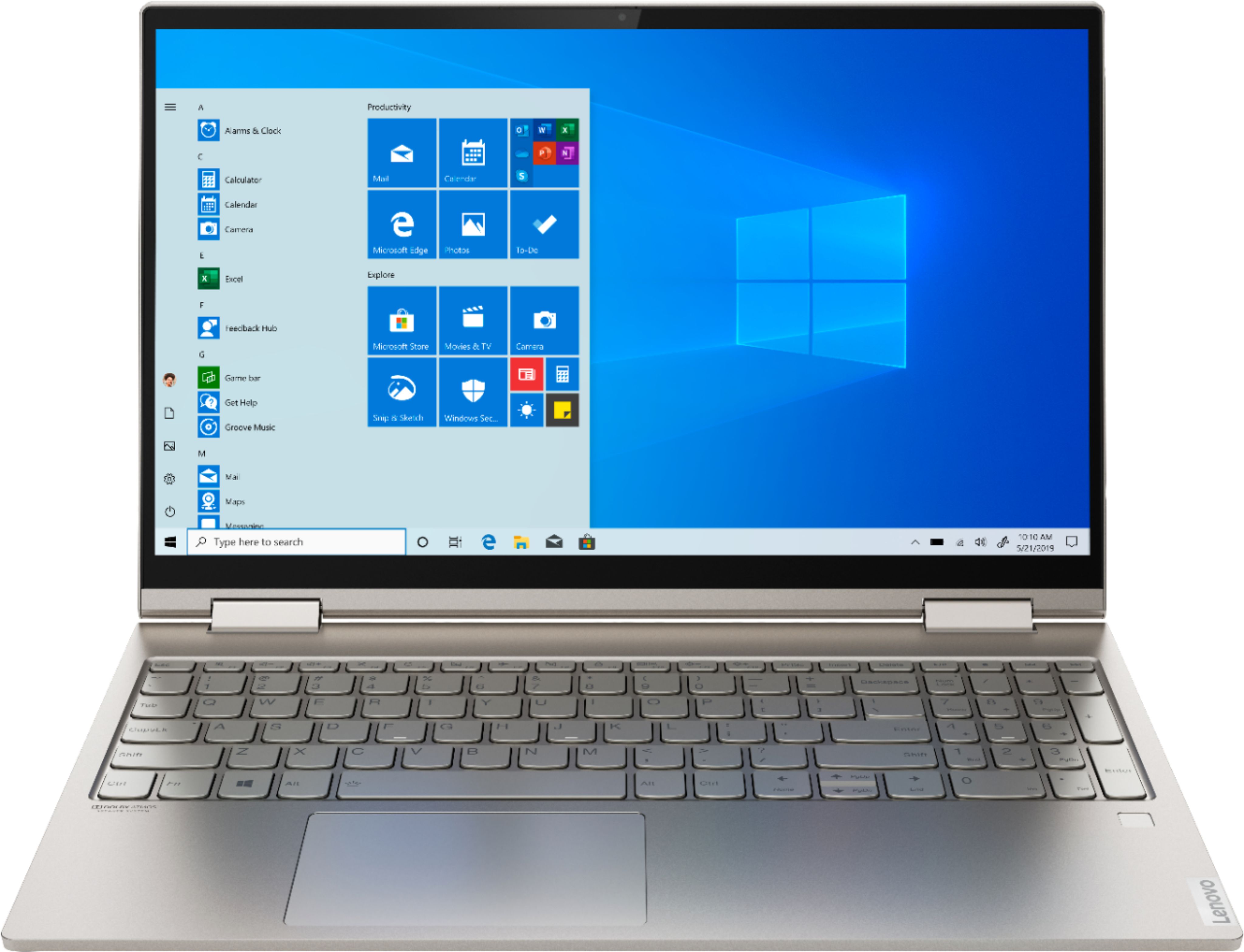
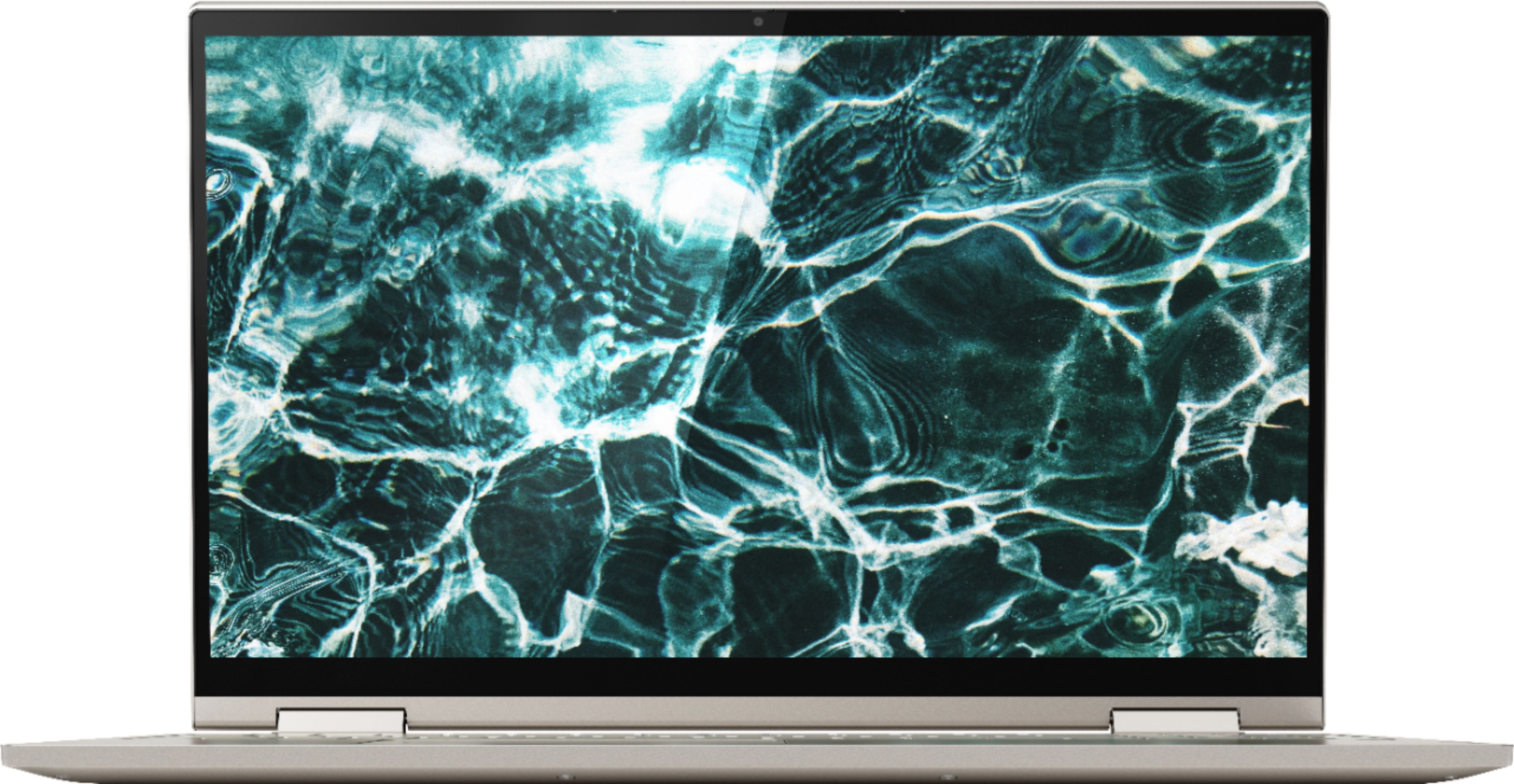
Posted .Thank you for choosing the Lenovo Yoga C740-15. We are pleased to hear that the features and performance of the Yoga C740-15 meets your computing needs so well. The Yoga C940-15 is compatible with a compatible active/digital pen, which is sold separately. Combining heavyweight performance with lightweight portability, the Yoga C740’s 10th Gen Intel Core i7 processor enables longer battery life, high-speed connectivity, and ultra-responsive multi-tasking performance in a sleek package. Packing a one-two punch of stunning audio and visual experience, the Yoga C740 is the perfect companion for streaming your favorite videos or playing games. With a 15.6-inch FHD HDR wide-angle display with 500 nits brightness, this laptop delivers millions of colors to your screen. To match the tantalizing visuals, the Yoga C740’s Dolby Atmos speaker system creates an audio experience in which sound flows above and around you. Yoga is committed to protecting your privacy. Log in with your fingerprint or slide the Yoga C740’s TrueBlock Privacy Shutter closed for true peace of mind when you’re not using your webcam.
- Pros mentioned:Speed
Good computer for general family use
||Posted . Owned for 2 months when reviewed.This reviewer received promo considerations or sweepstakes entry for writing a review.With the shutdown and work from home, we were forced to buy a computer to make sure we had enough devices for the family. This computer has strong components for general family applications from virtual meetings to photo and video.
I would recommend this to a friendBrand response from Lenovo Product Expert
Posted .Once again, thank you for choosing the Lenovo Yoga C740-15 for your family. This computer can continue running at its best by keeping the Windows 10 Operating System and all supporting BIOS files and drivers up to date. You can easily accomplish this by scanning the computer with the Lenovo Utility software available on this computer. Just type "Lenovo Vantage" in the Cortana Search window (if Lenovo Vantage is not installed on your device, you can download the APP and install it now). Select Lenovo Vantage from the list. In the window that opens, click on "Health and Support". In the expanded menu, select "Hardware Scan" In the window that opens, select "Run Quick Tests". This will scan your entire system for errors. Follow any directions that may pop up. If the problem continues after this scan, now click on "System Update". First select Windows update from the menu. Scan your system to be sure you have the latest version of Windows 10. Once that scan is complete, select "Additional Updates". This will scan your device to be sure there are no new BIOS/Driver updates needed. Follow any instructions that may pop up. If you ever need additional help with your Lenovo computer, we recommend you call Lenovo Tech Support at: 877-453-6686 for additional help.
- Pros mentioned:Weight
lenovo yoga laptop
||Posted . Owned for 6 months when reviewed.This reviewer received promo considerations or sweepstakes entry for writing a review.never though I would but any other brand that was not a Samsung or HP but I got this one. Good price, keyboard, backlight and number key pad. All the things I look for in a laptop. Not to heavy and just a good laptop all around.
I would recommend this to a friendBrand response from Lenovo Product Expert
Posted .Thank you for choosing the Lenovo Yoga C740-15. We are pleased to hear that the value, features and performance of the Yoga C740-15 meets your computing needs so well. Combining heavyweight performance with lightweight portability, the Yoga C740’s 10th Gen Intel Core i7 processor enables longer battery life, high-speed connectivity, and ultra-responsive multi-tasking performance in a sleek package. Packing a one-two punch of stunning audio and visual experience, the Yoga C740 is the perfect companion for streaming your favorite videos or playing games. With a 15.6-inch FHD HDR wide-angle display with 500 nits brightness, this laptop delivers millions of colors to your screen. To match the tantalizing visuals, the Yoga C740’s Dolby Atmos speaker system creates an audio experience in which sound flows above and around you. Yoga is committed to protecting your privacy. Log in with your fingerprint or slide the Yoga C740’s TrueBlock Privacy Shutter closed for true peace of mind when you’re not using your webcam.
- Cons mentioned:Heat
Great PC for former Mac Users!
||Posted . Owned for 1 month when reviewed.This reviewer received promo considerations or sweepstakes entry for writing a review.Great PC for a former Mac user! The only downside is it gets very hot while charging so I make sure to not use it on materials that don't let the fan work or plug it in with the fan exposed. Otherwise it is a great investment.
I would recommend this to a friendBrand response from Lenovo Product Expert
Posted .Thank you for choosing the Lenovo Yoga C740-15. It is normal for the Yoga C740-15 to feel warm to the touch while charging. Combining heavyweight performance with lightweight portability, the Yoga C740’s 10th Gen Intel Core i7 processor enables longer battery life, high-speed connectivity, and ultra-responsive multi-tasking performance in a sleek package. Packing a one-two punch of stunning audio and visual experience, the Yoga C740 is the perfect companion for streaming your favorite videos or playing games. With a 15.6-inch FHD HDR wide-angle display with 500 nits brightness, this laptop delivers millions of colors to your screen. To match the tantalizing visuals, the Yoga C740’s Dolby Atmos speaker system creates an audio experience in which sound flows above and around you. Yoga is committed to protecting your privacy. Log in with your fingerprint or slide the Yoga C740’s TrueBlock Privacy Shutter closed for true peace of mind when you’re not using your webcam.
- Pros mentioned:Ease of use
Lenovo laptop
||Posted . Owned for 1 month when reviewed.This reviewer received promo considerations or sweepstakes entry for writing a review.I bought this Lenovo laptop for my son, he's loving it, very easy to use and the brand is excellent. He recommends it to anyone seeking to purchase a Lenovo laptop. Excellent quality for your money guaranteed.
I would recommend this to a friend Excellent Laptop
||Posted .This reviewer received promo considerations or sweepstakes entry for writing a review.So, I had planned on buying a new home computer later this year. My 12-year old desktop was nearing it's end of life. Unfortunately, it suddenly died and I was in a bind. Luckily, I had done a lot of research (Consumer Reports, CNet, etc.). I determined that the Lenovo would be the best choice. I've now had the laptop for ~1 month and I have been very happy. I basically use it for spreadsheets, web browsing and minor other tasks. It has performed very well. I really like the built-in cover for the camera. The only that I would have improved is having an Ethernet port and a VGA/HDMI port. I was able to get an all-in-one hub that had everything I needed. So I basically only have to disconnect one USB-C cable and my laptop is complete free of wires.
I would recommend this to a friendBrand response from Lenovo Product Expert
Posted .Thank you for choosing the Lenovo Yoga C740-15. We are pleased to hear that the Yoga C740-15 meets your computing needs so well. Combining heavyweight performance with lightweight portability, the Yoga C740’s 10th Gen Intel Core i7 processor enables longer battery life, high-speed connectivity, and ultra-responsive multi-tasking performance in a sleek package. Packing a one-two punch of stunning audio and visual experience, the Yoga C740 is the perfect companion for streaming your favorite videos or playing games. With a 15.6-inch FHD HDR wide-angle display with 500 nits brightness, this laptop delivers millions of colors to your screen. To match the tantalizing visuals, the Yoga C740’s Dolby Atmos speaker system creates an audio experience in which sound flows above and around you. Yoga is committed to protecting your privacy. Log in with your fingerprint or slide the Yoga C740’s TrueBlock Privacy Shutter closed for true peace of mind when you’re not using your webcam.
- Pros mentioned:Speed
Good choice for school work
||Posted .This reviewer received promo considerations or sweepstakes entry for writing a review.Bought to replace c940, which has severe overheating issues. This machine is great for students. My twins use it for all their needs including Zoom. It supports video backgrounds. It’s fast and relatively quiet.
I would recommend this to a friendBrand response from Lenovo Product Expert
Posted .Hey there! Thanks for choosing the Lenovo Yoga C740 Laptop. We are pleased to hear the value, performance, and features of the C740 Laptop are meeting your computing needs so well!
- Pros mentioned:Touch screen
Laptop is great
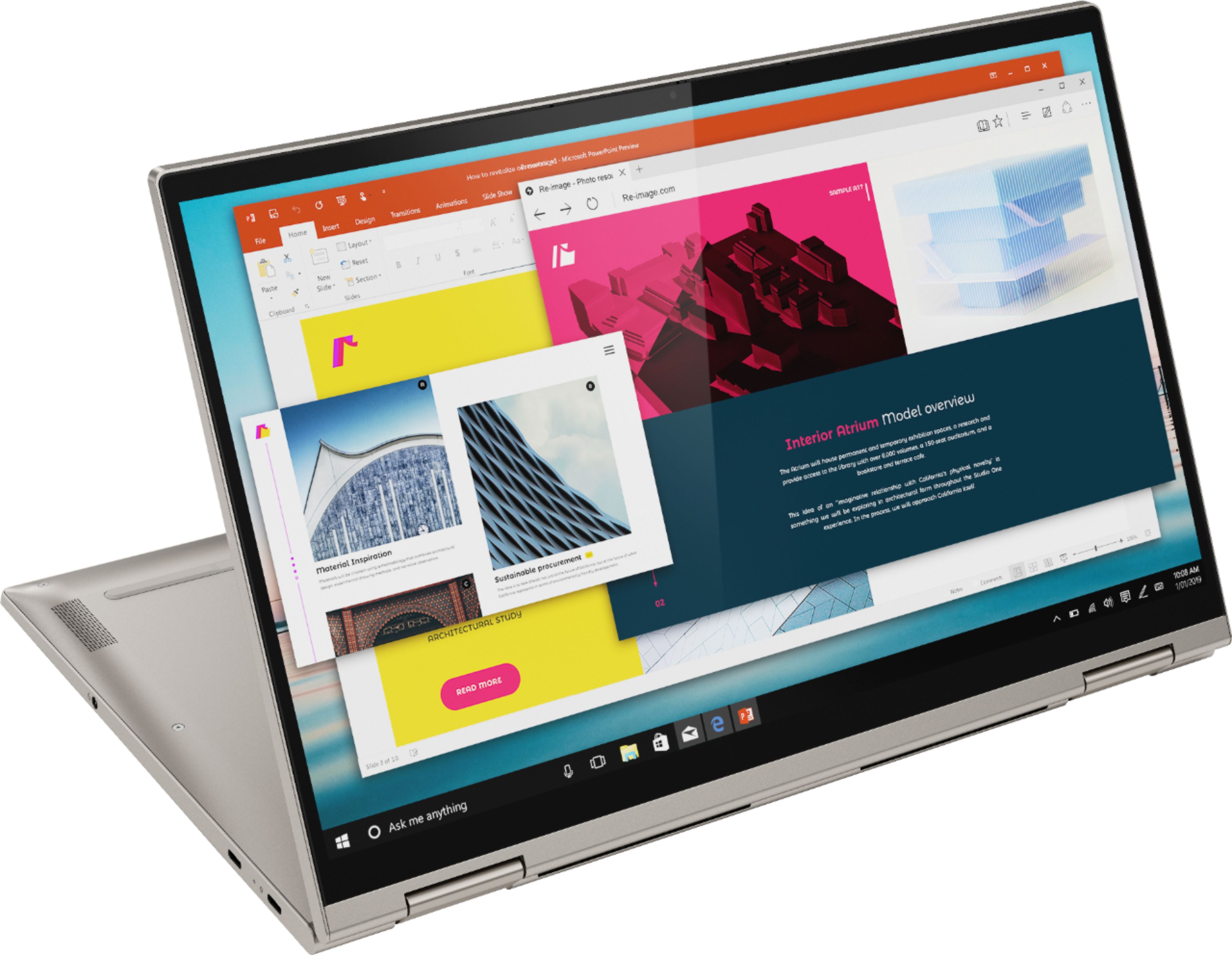
||Posted . Owned for 3 weeks when reviewed.This reviewer received promo considerations or sweepstakes entry for writing a review.I love this laptop. It's easy to use and I love the touch screen. Haven't tried it as a tablet yet but I'm sure its just as good. I bought this so I could work from home during this pandemic and it's working just fine.
I would recommend this to a friendBrand response from Lenovo Product Expert
Posted .Once again, thank you for choosing the Lenovo Yoga C740-15. You can keep your computer running at its best by keeping the Windows 10 Operating System and all supporting BIOS files and drivers up to date. You can easily accomplish this by scanning the computer with the Lenovo Utility software available on this computer. This system has Lenovo utilities installed to help maintain the health of the device and keep the operating system software up to date. Type "Lenovo Vantage" in the Cortana Search window (if Lenovo Vantage is not installed on your device, you can download the APP and install it now). Select Lenovo Vantage from the list. In the window that opens, click on "Health and Support". In the expanded menu, select "Hardware Scan" In the window that opens, select "Run Quick Tests". This will scan your entire system for errors. Follow any directions that may pop up. If the problem continues after this scan, now click on "System Update". First select Windows update from the menu. Scan your system to be sure you have the latest version of Windows 10. Once that scan is complete, select "Additional Updates". This will scan your device to be sure there are no new BIOS/Driver updates needed. Follow any instructions that may pop up. If you ever need additional help with your Lenovo computer, we recommend you call Lenovo Tech Support at: 877-453-6686 for additional help.
- Pros mentioned:Speed, Weight
Good working laptop computer.
||Posted . Owned for 3 weeks when reviewed.This reviewer received promo considerations or sweepstakes entry for writing a review.Excellent processing speed. Light weight and very functional. Only problem was the wireless network adapter didn't stay engaged and caused my internet connections to drop off.
I would recommend this to a friendBrand response from Lenovo Product Expert
Posted .The Lenovo Yoga C740-15 ships with the 5G, 2x2 802.11AC frequency WiFi capability. If you have issues with connectivity, be sure you have the latest version of Windows 10 Operating System, then update all of the BIOS files and drivers up to that latest version of Windows 10. You can easily accomplish this by scanning the computer with the Lenovo Utility software installed on the computer. This system has Lenovo utilities installed to help maintain the health of the device and keep the operating system software up to date. Type "Lenovo Vantage" in the Cortana Search window (if Lenovo Vantage is not installed on your device, you can download the APP and install it now). Select Lenovo Vantage from the list. In the window that opens, click on "Health and Support". In the expanded menu, select "Hardware Scan" In the window that opens, select "Run Quick Tests". This will scan your entire system for errors. Follow any directions that may pop up. If the problem continues after this scan, now click on "System Update". First select Windows update from the menu. Scan your system to be sure you have the latest version of Windows 10. Once that scan is complete, select "Additional Updates". This will scan your device to be sure there are no new BIOS/Driver updates needed. Follow any instructions that may pop up. If the issue still continues after these updates, we recommend you call Lenovo Tech Support at: 877-453-6686 for additional help.
- Pros mentioned:Speed
Overall great laptop
||Posted . Owned for 3 weeks when reviewed.This reviewer received promo considerations or sweepstakes entry for writing a review.I’m enjoying the overall quality of this laptop! From camera quality to processing it works great! We actually own two of these types of laptops and we haven’t had any issues with either! Would definitely recommend.
I would recommend this to a friendBrand response from Lenovo Product Expert
Posted .Once again, thank you for choosing the Lenovo Yoga C740-15. You can keep your computer running at its best by keeping the Windows 10 Operating System and all supporting BIOS files and drivers up to date. You can easily accomplish this by scanning the computer with the Lenovo Utility software available on this computer. This system has Lenovo utilities installed to help maintain the health of the device and keep the operating system software up to date. Type "Lenovo Vantage" in the Cortana Search window (if Lenovo Vantage is not installed on your device, you can download the APP and install it now). Select Lenovo Vantage from the list. In the window that opens, click on "Health and Support". In the expanded menu, select "Hardware Scan" In the window that opens, select "Run Quick Tests". This will scan your entire system for errors. Follow any directions that may pop up. If the problem continues after this scan, now click on "System Update". First select Windows update from the menu. Scan your system to be sure you have the latest version of Windows 10. Once that scan is complete, select "Additional Updates". This will scan your device to be sure there are no new BIOS/Driver updates needed. Follow any instructions that may pop up. If you ever need additional help with your Lenovo computer, we recommend you call Lenovo Tech Support at: 877-453-6686 for additional help.
- Pros mentioned:Touch screen
LOVE!!!
||Posted . Owned for 3 weeks when reviewed.This reviewer received promo considerations or sweepstakes entry for writing a review.I absolutely love this laptop. It’s fast, screen quality is fantastic, and I never have any fan or heating issues. Battery also isn’t bad, I recommend keeping the backlit keyboard off or it will drain much faster.
I would recommend this to a friendBrand response from Lenovo Product Expert
Posted .The Lenovo Yoga C740-15, model number 81TD0005US, ships with a 3CELL_60.3WH_INTERNAL, Lithium Polymer Battery, with a battery life of up to 15 hours, depending on the work the device is performing. Using the keyboard backlight will not significantly drain the battery. If you are getting less than anticipated battery life, be sure Battery Conservation Mode is turned off. This Power Management Setting is used when the laptop is plugged in all the time. It will charge the battery to only 60-percent, to prolong overall battery life. Here is a link to instructions for turning off Battery Conservation Mode:
https://support.lenovo.com/us/en/solutions/ht103159. If Battery Conservation Mode is not turned on, be sure any software you installed is compatible with Windows 10. There is no need to install Microsoft Office software. The software is already part of the operating system, you just need to activate the software with a purchased product key. If you have installed a copy of Microsoft Office, this is conflicting with the existing copy on the system and this will slow your system down. If you have installed a 3rd party anti-virus program, be sure that Windows Defender is turned off and that the trial version of McAfee Anti-Virus software is uninstalled. There can only be one anti-virus program on the system. You may need to restore your system to original factory default settings if any of the programming errors have occurred. You can do that by typing "restore" in the Cortana search window. Just click on the magnifying glass icon at the bottom left of your Windows 10 Desktop. Click on "Reset This PC" Then click on "Get Started" and follow the on screen directions to restore to factory defaults. If the problem persists, we recommend you contact Lenovo Tech Support at: 877-453-6686.
Great value
||Posted . Owned for 1 month when reviewed.This reviewer received promo considerations or sweepstakes entry for writing a review.Has a nice sharp picture, great for streaming. The battery life is great I can watch a movie and the battery life barely goes down. Only drawback is the keys are close in color to the housing which makes it hard to read.
I would recommend this to a friendBrand response from Lenovo Product Expert
Posted .Once again, thank you for choosing the Lenovo Yoga C740-15. You can keep your computer running at its best by keeping the Windows 10 Operating System and all supporting BIOS files and drivers up to date. You can easily accomplish this by scanning the computer with the Lenovo Utility software available on this computer. This system has Lenovo utilities installed to help maintain the health of the device and keep the operating system software up to date. Type "Lenovo Vantage" in the Cortana Search window (if Lenovo Vantage is not installed on your device, you can download the APP and install it now). Select Lenovo Vantage from the list. In the window that opens, click on "Health and Support". In the expanded menu, select "Hardware Scan" In the window that opens, select "Run Quick Tests". This will scan your entire system for errors. Follow any directions that may pop up. If the problem continues after this scan, now click on "System Update". First select Windows update from the menu. Scan your system to be sure you have the latest version of Windows 10. Once that scan is complete, select "Additional Updates". This will scan your device to be sure there are no new BIOS/Driver updates needed. Follow any instructions that may pop up. If you ever need additional help with your Lenovo computer, we recommend you call Lenovo Tech Support at: 877-453-6686 for additional help.
- Pros mentioned:Speed
A great buy for the money.
||Posted . Owned for 1 month when reviewed.This reviewer received promo considerations or sweepstakes entry for writing a review.I bought this computer for my son. He is attending college. He is in his first year and uses this computer every day. He uses it all day with no problems . He loves it for how fast it works for his classes.
I would recommend this to a friendBrand response from Lenovo Product Expert
Posted .Thank you for choosing the Lenovo Yoga C740-15 for your son. We are pleased to hear that the performance of the Yoga C740-15 meets your son's computing needs so well. Combining heavyweight performance with lightweight portability, the Yoga C740’s 10th Gen Intel Core i7 processor enables longer battery life, high-speed connectivity, and ultra-responsive multi-tasking performance in a sleek package. Packing a one-two punch of stunning audio and visual experience, the Yoga C740 is the perfect companion for streaming your favorite videos or playing games. With a 15.6-inch FHD HDR wide-angle display with 500 nits brightness, this laptop delivers millions of colors to your screen. To match the tantalizing visuals, the Yoga C740’s Dolby Atmos speaker system creates an audio experience in which sound flows above and around you. Yoga is committed to protecting your privacy. Log in with your fingerprint or slide the Yoga C740’s TrueBlock Privacy Shutter closed for true peace of mind when you’re not using your webcam.
Nice laptop
||Posted . Owned for 1 month when reviewed.This reviewer received promo considerations or sweepstakes entry for writing a review.Overall, this is a very nice, sleek, light mid sized laptop. The processor is fast, and the screen is great. One reason that I purchased it, is that the keyboard has the number pad off to the right. I use that a lot for my work. Unfortunately, the "num lock" button works differently in different programs. If I am in excel or word it needs to be on, but anything online like email or internet, num lock off is on. It is a little frustrating. The other issue is that it is supposed to have a built in camera and that doesn't seem to work. I have tried everything from sliding it open to making sure the settings of every program has all of the permissions. Other than that, I love it. The keyboard is really nice and it's light enough to carry around.
I would recommend this to a friendBrand response from Lenovo Product Expert
Posted .We hope you have resolved the issue with the webcam on your Lenovo Yoga C740-15 successfully. This model ships with a 720p (HD) webcam with manual Privacy Shutter built in. Be sure the Privacy Shutter is completely open before trying to use the webcam or the webcam will not operate. There is a small slider, directly above the webcam lens. Move the tab to the right to open the Privacy Shutter. There is a red dot over the webcam lens that will disappear when the Privacy Shutter is fully open. This will indicate that the webcam is really to use. You can close the Privacy Shutter when you are done with the webcam for your security, by sliding the tab to the left to close the Privacy Shutter. The Red Dot will appear over the webcam lens when the Privacy Shutter is closed. If the issue continues, we recommend you call Lenovo Tech Support at: 877-453-6686.