Customer Ratings & Reviews
- Model:
- WRT1900ACS
- |
- SKU:
- 4580500
Customer reviews
Rating 4.5 out of 5 stars with 749 reviews
(749 customer reviews)to a friend
Customers are saying
Customers enjoy the AC1900 Dual-Band Wi-Fi Router's ease of use, range, and performance, citing positive experiences with setup and strong signal strength. Many appreciate its reliable connectivity and coverage, along with features like the guest network. However, some customers find the router expensive and large, while others have noted issues with the user interface and parental controls. A few users experienced buffering problems, though others reported improved streaming capabilities.
This summary was generated by AI based on customer reviews.
Rated 5 out of 5 stars
Excellent Router with Great WiFi Coverage
||Posted .This reviewer received promo considerations or sweepstakes entry for writing a review.This router was rated well, but we have a large ranch, and I was afraid we would still not get good whole house WiFi. But this router covers my entire house with 4-5 bars almost anywhere in the house. Glad I picked this one and would definitely highly recommend.
I would recommend this to a friendRated 5 out of 5 stars
Works like a charm
||Posted .This reviewer received promo considerations or sweepstakes entry for writing a review.I have a two story, 2500 sq ft house. Circumstances had me put this wireless router in the upstairs bedroom closet, at the far corner of the house. But I get plenty of signal in the downstairs bedroom at the other corner of the house. Setup was a breeze.
I would recommend this to a friendRated 5 out of 5 stars
Great Router
||Posted .This reviewer received promo considerations or sweepstakes entry for writing a review.Recently bought a town house and my old regular netgear router was not giving me signal throughout the house, also bought the Apple Router thinking it would help but no. I bought this Linksys and it works great all over the house. Highly recommend it.
I would recommend this to a friendRated 5 out of 5 stars
The best!
||Posted .This reviewer received promo considerations or sweepstakes entry for writing a review.this router really lives up to the reputation of the wry54g! One of the features I love the most is the Built-in VPN server. Required a but if effort, but now I can keep a computer at work as if it were in my home network. (My ISP is Comcast cable.)
I would recommend this to a friendRated 5 out of 5 stars
Nice Router
||Posted .This reviewer received promo considerations or sweepstakes entry for writing a review.My son said that it was more power than what was needed, but said that the new router was "definitely worth it"! With all the devices in the house and the streaming that we do, as a family, it is able to handle the internet traffic!
I would recommend this to a friendRated 5 out of 5 stars
Killer Router
||Posted .This reviewer received promo considerations or sweepstakes entry for writing a review.I picked up the WRT1900ACS Wireless router to replace an older Linksys and I'm glad I did. This thing rocks! I run it after an ARRIS - SURFboard 6183 modem. 12 wireless devices hooked up last night, no problem! best router I ever had
I would recommend this to a friendRated 5 out of 5 stars
Significant Improvement
||Posted .This reviewer received promo considerations or sweepstakes entry for writing a review.Had an old router from 2005. Requiresd regular hard restarts. Since installing this router, my connection has been consistent for more than a month. The connection has been faster, too. So happy with the router's performance.
I would recommend this to a friendRated 4 out of 5 stars
Easy setup, not the best range
||Posted .This reviewer received promo considerations or sweepstakes entry for writing a review.I was hoping this would out perform my 4 year old router, which it did, but sadly still wasn't enough to reach the far room in my house. Setup was easy, and I'm currently using the USB drive mount for file sharing which is nice.
I would recommend this to a friendBrand response from Linksys Staff
Posted .Hi, Alindsay55661,
Thanks for expressing your insights. Your Linksys high-performance router is expected to deliver excellent Wi-Fi coverage to your home. Allow us to sort this out. How far is that room that you've mentioned from your Linksys router? To achieve maximum performance, it is recommended to relocate the router in a central part of the house to ensure excellent wireless range. Likewise, proper positioning of the antennas would also impact the range. For now, let's try changing the channels for both frequency bands. Try channels 1, 6, 9 and 11 for the 2.4 GHz Wi-Fi network, and channels 36, 40, 44 and 48 for the 5 GHz. Should you need a hand, reach out to us at [email protected] so we can assist you accordingly. Please include your contact information, the Title and the Link to this review for reference.
We'd be more than happy to help you out.
Regards,
Jay
Linksys Support
Rated 5 out of 5 stars
Works well.
||Posted .This reviewer received promo considerations or sweepstakes entry for writing a review.This is a good router. I have a 3 story home and I don't have any signal issues. Handles multiple people accessing the internet at the same time very well. Makes a good cheaper alternative to and Apple wireless router.
I would recommend this to a friendRated 5 out of 5 stars
Great router
||Posted .This reviewer received promo considerations or sweepstakes entry for writing a review.I had a decent router before upgrading to this one. The biggest improvement of this one over my previous one was in the range of the wi-fi. This one is a vast improvement over my previous router in that regard.
I would recommend this to a friend- Pros mentioned:Range, SpeedCons mentioned:Size
Rated 5 out of 5 stars
Impressive! Fast setup and even faster speeds!
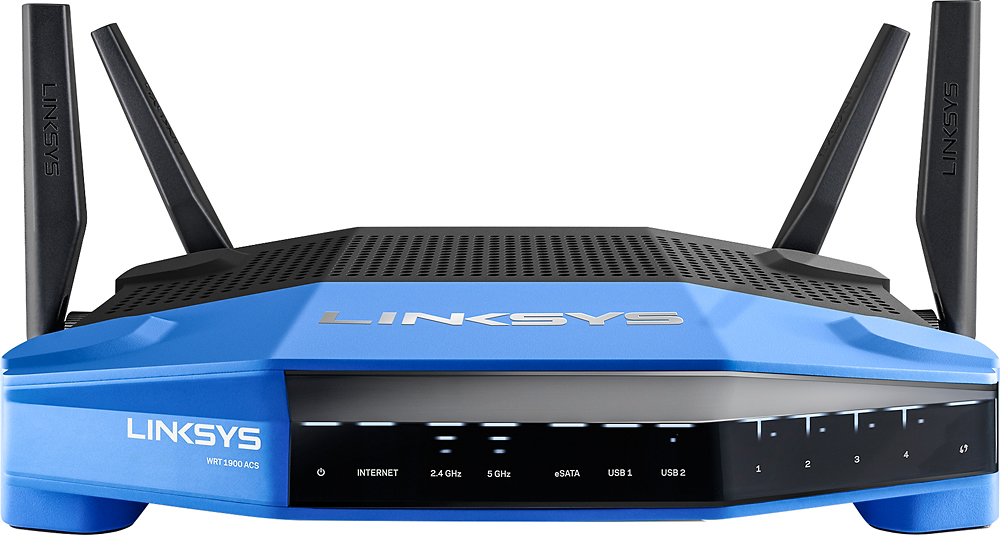
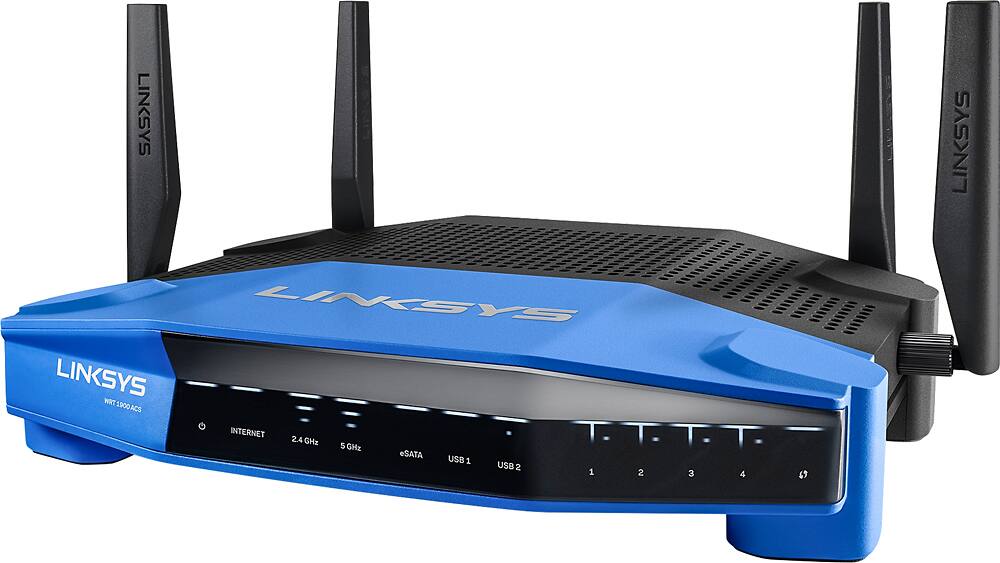
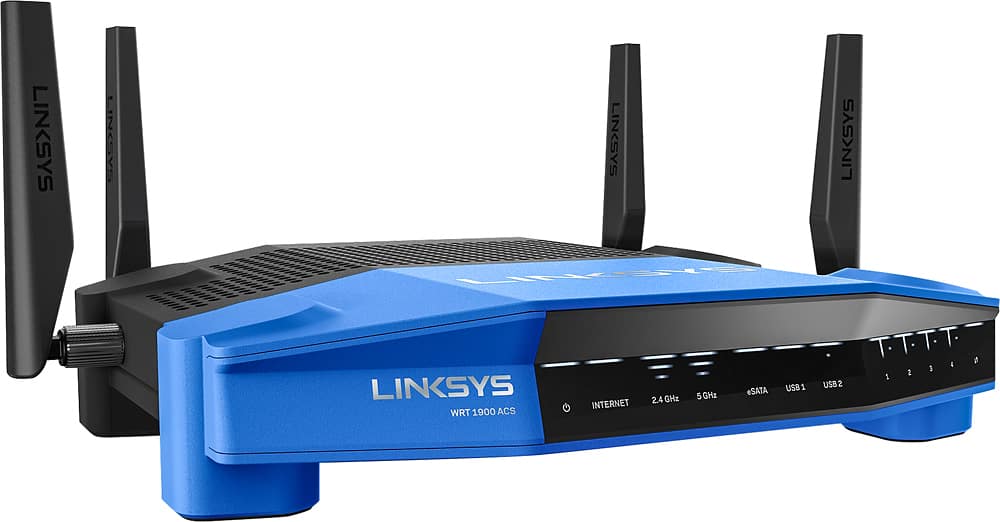
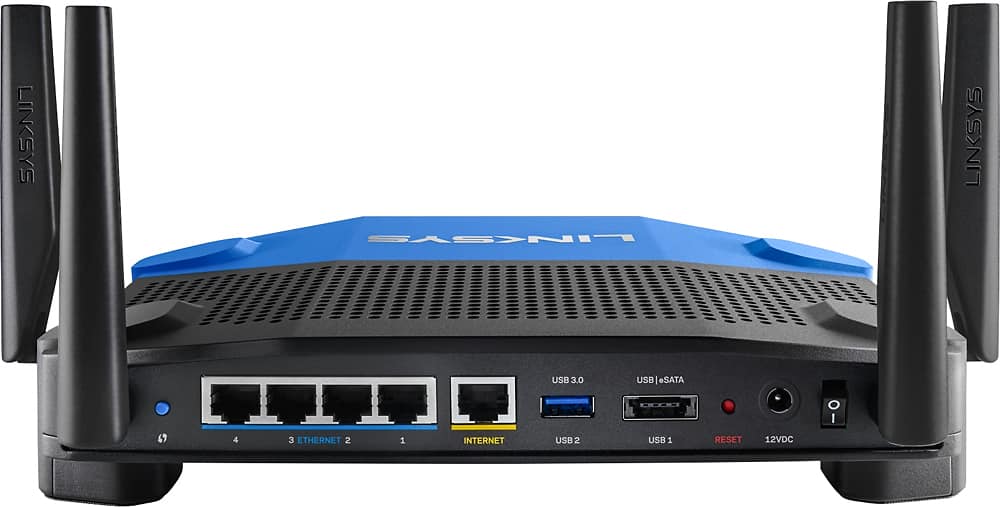
Posted .This reviewer received promo considerations or sweepstakes entry for writing a review.I received this product for free as part of Belkin's Friends + Family Program It’s been a few years since I’ve had a Linksys router and was looking forward to seeing how they have evolved and improved. I was not disappointed! This is not a small router, but it makes up for taking up so much real estate on your shelf/desk by having quite a few advantages over your last router. There is a wall mount option using the mounting holes on the bottom of the feet. I’d love to see a vertical mount for this unit, but it would require quite a re-design. Unboxing and installation are simple. The packaging has some very useful technical information on the box that would answer any question you’d likely have if you hadn’t done research before coming into to the store. Everything in the box is laid out well and is very secure and protected. Once you screw in the four antennas, plug in the cable and the power you are ready to go! Setup for this router was the fastest I have ever experienced! After using a dozen or so routers in my home over the years I am still impressed! It may be the dual core 1.6GHz CPU powering this Linksys router, but that’s not where the speed ends. There is a speedtest app built into the router’s screens and it immediately showed an increase over my previous router. I did run separate Speedtest.net on their site and it was consistent. Linksys has updated their router web interface since the last time I had one and I really like it! Very clean and easy to use. The primary screen is informative and leads you to the various settings screens to customize this router to your environment. Doing a restart of server after making a change is incredibly fast and doesn’t become annoying if you need to make multiple changes to customize it to your home’s needs. Transfer speeds were very quick as well. With four 10/100/1000 ports on the back that tied into my network I was able to transfer large files (movies, pictures, etc.) in minimal time from computer to computer, or to my NAS drive. There is also a very nice option that allows me to turn off the front activity lights right from the router’s browser screens. My router sits near my desk so those blinking lights can be a distraction sometimes. The other thing I like about the activity lights, is that they are not too bright. They are more subtle than most, yet provide good information concerning what type of LAN connection for each of the 4 ports. There are two USB ports on the back: One is eSata and the other is USB3. I setup the router to act as a media server using either port and my streaming media device in my home theater smoothly streamed anything I watched. The External Storage management screen is easy to setup for folder access, FTP, or Media Server. I used the folder access to transfer some media files to the router and then activated the DLNA server. If you have IP cameras, media servers, etc. that you’d like to access externally, the port forwarding option was very easy to configure. Some options had moved around since my last venture into the Linksys router world, but I got the hang of it very quickly. One of my devices had changed its IP address, so I utilized the DHCP client table to locate the device, login and switch it to a static IP. The network map is really pretty and useful, but the devices table displays everything in a way that is more useful to us geeks. Wireless range far surpassed my expectations! With my previous router I could walk to my front sidewalk (router is located in the center of my home) and still have almost full strength! I even walked a house away and started down the street before I lost signal. This router should easily cover a large home without the need for a repeater. The Smart Wi-Fi app is pretty good for gathering information about the router from your phone, but doesn’t offer many configuration options. There is room for improvement, but overall it’s pretty useful. The WPS button on the back is tiny and not super easy to use, but I don’t use it very often since I have my SSID/password on my refrigerator for guests to use my the guest WiFI network. That too was easy to configure and use. After a few weeks of heavy use I haven’t noticed the unit getting more than a little warm. It’s been performing extremely well and I’m very happy with its available options and performance.
I would recommend this to a friend - Cons mentioned:Parental controls
Rated 2 out of 5 stars
constantly Requires ReBooting
||Posted .This reviewer received promo considerations or sweepstakes entry for writing a review.Bought this router as it is LynkSys and so has in my opinion better parental controls and remote interface than the Netgear NightHawk 1700 I own. However having used it for 30 days it has proved to be a nightmare. It often locks up and just stops moving data around on the WiFi network and the parental controls just do not work. Both of these problems seem to be resolved by rebooting the router. I've gone back to the Netgear router and will be returning this one for a refund.
No, I would not recommend this to a friendBrand response from Linksys Staff
Posted .Hi, Dave,
The router's wireless performance and its Parental Control feature should be stable once it's set up. Our Escalation Engineers would like to check the wireless settings and the firmware of the product to ensure its proper functionality.
Before you consider returning it, please email us your contact information at LinksysCares@linksys.com so that they can contact you as soon as possible and help you achieve the product's maximum potential. Indicate the link to this review for our reference.
Regards,
Kristine
Linksys Support
Rated 5 out of 5 stars
Increased Internet stability
||Posted .This reviewer received promo considerations or sweepstakes entry for writing a review.To be fair though I was getting rid of the crappie rental for my own setup, and since I have gotten this router my Internet has been faster and more stable then it ever was with the rental boxes.
I would recommend this to a friendRated 2 out of 5 stars
Overpriced for mediocrity
||Posted .This reviewer received promo considerations or sweepstakes entry for writing a review.I purchased this router to compare to a recently purchased (from BB) Linksys EA9500 TOTL model. After reading several reviews across the web, I was convinced this model would be a strong performer. One thing this model has that the EA9500 doesn't is the Wireless Schedule control panel tab. Linksys social media respondents are quick to deflect this omission with their usual canned, robotic replies to online reviewers. In any event, this router demonstrated poor connectivity across differently selected channels in my home, with frequent dropped connections. Strength & distance was what I would consider sub-par compared to other brands in the same class. Another huge problem I see with the new UI and setup of Linksys routers is the apparent forcing the customer to do a Smart Connect. You can maneuver to a manual setup but it's somewhat buried and not intuitive. This router has that same setup issue and it can get stuck in a no connection loop that will prompt a call to the less than stellar customer support channels. And if you have ever contacted the Linksys support crew since the Belkin acquisition, you'll know that they now offer (and push hard) for their customer paid-for and expensive remote assistance - even for a brand new purchase. Ugh. That is a huge turn off in my mind. Cannot recommend something I wouldn't keep myself. I returned it.
No, I would not recommend this to a friendBrand response from Linksys Staff
Posted .Hi, YourMainDude,
It is important to us that we provide quality products and services to our customers. What you've experienced with the unit is not what we expected for you to have and we're here to help you out.
The Linksys WRT1900ACS is designed to deliver superior wired and wireless performance. It can be configured either manually or through the Smart Setup. We understand that the device has been returned and we respect your decision. We just hoped we can still assist you as we can tweak some settings of the router to maximize it performance. Hopefully, you'll give our products another chance and we're looking forward to the possibility of assisting you in the future.
Regards,
Linksys Support
Rated 5 out of 5 stars
Great so far
||Posted .This reviewer received promo considerations or sweepstakes entry for writing a review.I just installed the router.I found out I needed an ac band for the smart tv and I had an n. I have not had to soft start the tv so I think this was the problem. It hooked up easily.
I would recommend this to a friendRated 5 out of 5 stars
Gets the job done
||Posted .This reviewer received promo considerations or sweepstakes entry for writing a review.Works good for streaming movies and videos. Only a few devices can access Hughest bandwidth at a time, which is a little frustrating.
I would recommend this to a friendRated 4 out of 5 stars
Solid signal
||Posted .This reviewer received promo considerations or sweepstakes entry for writing a review.This unit has a nice amount of options for customizing your home network. Only complaint is I wish the range on it was slightly better.
I would recommend this to a friendBrand response from Linksys Staff
Posted .Hi, movieguy,
Tweaking the channels for both frequency bands is a big help in improving your Wi-Fi range. Try channels 1, 6, 9 and 11 for the 2.4 GHz, and channels 36, 40, 44 and 48 for the 5 GHz, to whatever works best with your current network environment. Should you need a hand, get in touch with us so we can walk you through the process of optimizing your wireless settings.
Please send us an email at [email protected] along with your contact information, the review title and the link to this post for reference.
We'd be more than happy to lend a hand.
Regards,
Jay
Linksys Support
- Pros mentioned:Performance, Range, SpeedCons mentioned:Price, User interface
Rated 4 out of 5 stars
Decent overall, but could be improved
Posted .This reviewer received promo considerations or sweepstakes entry for writing a review.I received a free router from Linksys but I'm writing my honest opinion of this router. I was previously using an ASUS RT-AC66U and was relatively happy with that router. This router was touted as a full featured, flashable router. I did not flash the router, just because the time involved in flashing the router, though I have flashed other Linksys routers previously. Overall I am happy with the performance of the router. The speed and connectivity is pretty good. The range is better than my ASUS with the house. My router is currently configured upstairs in the corner of my bonus room. But when I'm downstairs, I usually have problems connecting to the router. The 1900ACS has 4 antennae so you get a bit more coverage. Though I think that Linksys has to work on some minor issues within the control pages. Unless you memorized all the different logos, there is no text labels on the router's admin page, so when you dig in to any of the settings you have to go back in order to see the original page to see what each sub page is titled. My memory isn't that good, so it was pretty annoying having to switch back and forth. If there was a text menu similar to dd-wart, then it would be a little easier to navigate. Another issue I had was trying to find where the settings for port forwarding were. It was buried in the security menu which took some time to find. Setting up wifi was a snap and connected very easily. I just wish they worked on the menu some more. Overall I would say that this is an average router, but for $230, I'd expect more a lot from this router.
I would recommend this to a friend Rated 5 out of 5 stars
Best router I ever purchased
||Posted .This reviewer received promo considerations or sweepstakes entry for writing a review.My high-end gateway/router combo kept having to be reset for dropping the wireless signal. I finally decided to separate the functions, and this unit never fails!
I would recommend this to a friendRated 5 out of 5 stars
Looks & works great
||Posted .This reviewer received promo considerations or sweepstakes entry for writing a review.Once installed (used Geek Squad) the router works great, looks good and we can now get internet access in the backyard, the driveway and every corner of the house.
I would recommend this to a friend