Rating 4.5 out of 5 stars with 749 reviews
4.5- Ease of use (174)
- Speed (156)
- Range (146)
- Performance (100)
- Signal Strength (52)
- Price (17)
- Size (15)
- Buffering (8)
- User Interface (6)
- Parental Controls (4)
Customer Images
The vast majority of our reviews come from verified purchases. Reviews from customers may include My Best Buy members, employees, and Tech Insider Network members (as tagged). Select reviewers may receive discounted products, promotional considerations or entries into drawings for honest, helpful reviews.
- Rated 4 out of 5 stars
Excellent router !
I've had this router for about a month & performance has pretty much matched the excellent reviews online. My previous router was an Airport Extreme and the set up was just as easy. One plus, my upload speed has doubled with the Linksys unit. My only negative is the 5G speed at distance is very similar to the Extreme, I was hoping for a faster, stronger signal. But all in all, I'm very happy with it.
Posted by Cav53
- Rated 5 out of 5 stars
Linksys Dual Band Gigabit Router
Excellent router for my network! Wifi coverage with the 4 antennas is great, and setup was very simple. The mobile app lets you check on your network remotely and adjust settings as needed.
Posted by Bill
- Rated 4 out of 5 stars
Nice product!
Love all the features and options on the app but have found 5g crashes now and then and it just won't work until you unplug the router still appears to work with 2g, not sure what causes it but definitely the unit. Waiting for an update to fix that. Still better than others I've tried.
Posted by BrianD
- Rated 5 out of 5 stars
Best WAP for home or office!
I have a small office (20+ employees) at our Colorado location that have had consistent issues with a local service provider's wireless router. This one has such a good range and is so dependable, I have purchased another for our San Diego office and plan to get a few more for other locations. Great dependable product!
Posted by TedspendstoomuchatBB
- Rated 5 out of 5 stars
Good WiFi Range + features = one awesome router
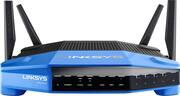
I received this router free from Linksys for evaluation and could not wait to get it up and running. I have always been a linksys router user. I started with wrt54g, then E4200 and now WRT1900ACS. I have tried others for a week or two but always ended up returning and buying Linksys routers. IMO linksys router management interface has always been the best and easy to navigate and setup. This router is also capable of the new Smart Wifi which allows you to just go to www.linksyssmartwifi to access your router using a email/password combination. Linksys has made it so easy that you don't need to be a geek like me to use this powerful router. You can also download the app from your mobile device app store and manage your router from there. I spend much time these days on my iPad or IPhone (as many do) and not having to use the small browser screen on our iDevice or looking for your laptop is awesome. The app also allows you to add more features using free/purchased tools which adds to your laptops security/performance/management. The router setup was easy as ever, connected to the wireless using the password on the router and it walked me thru a quick setup. No more need to use a CD or connect thru a cable (though the manual recommends it). The router supports the same basic features and also advanced features and settings that I am used. I like the new Network Map feature which tells me which devices are connected and internet bandwidth usage by device. I was able to set up priority by device and application, which meant set my office laptop as a higher priority followed by my XBox. The router also supports VLANs which is something I want to leverage in near future to segment my office, guest and personal networks. I already do that on my switch for LAN, but my Wifi was lagging that feature. The range on this router is amazing. I have both my routers currently on and the previous router will barely give me any signal if I was in my car outside my apartment. Which meant I had to turn off wifi on my phone to access internet. This routers covers a much wider range and I was able to easily access my home wifi sitting in my car. The signal strength is stronger with both my laptops and desktop reporting a 300Mbps connection which I believe is the limitation of my laptop. Prior to this I only used to get 200Mbps connections using the E4200 which was considered strong for its time. The signal also seems to be steady with no fluctuations and I have not had any dropped connections anywhere in my house on any device. The 4 antennas also support beamforming which I believe is the reason for my improved experience. The download and upload speeds also seem to have improved over WiFi compared to my old router. I switched between both routers and tested it a few times with consistent results (pics attached) The WRT routers are created with support for open source router software in mind. I had tried to use ddwrt on my E4200 with no success, luckily did not brick it. From the looks of it the OpenWRT installation seems straight forward and stable. Will give it a try in near future if I need features which the stock router software cannot support or just for testing. For now I am very happy with the standard software for my needs. The only issue I had was the size. While I have seen it on shop floors, I did not realize how big it is until I had to move thing around to make space for this. I can understand the reasons for the big package, due it's powerful dual core processor and the cooling requirement and performance, but in a world where gadgets and devices are going smaller and powerful, these routers are going the other way. Now this will not be a issue with many others but I live in a apartment which is too crammed. I do think the cooling works because its running cooler than my well maintained old router. I will definitely recommend this router to anyone. The basic users will enjoy the additional range and signal strength and stability, but its the advanced users, who will really appreciate all the features this router has to offer.
Posted by rajkm