Customer Ratings & Reviews
- Model:
- WRT1900ACS
- SKU:
- 4580500
to a friend
Customers are saying
Customers enjoy the AC1900 Dual-Band Wi-Fi Router's ease of use, range, and performance, citing positive experiences with setup and strong signal strength. Many appreciate its reliable connectivity and coverage, along with features like the guest network. However, some customers find the router expensive and large, while others have noted issues with the user interface and parental controls. A few users experienced buffering problems, though others reported improved streaming capabilities.
This summary was generated by AI based on customer reviews.
Great wireless router
||Posted .This reviewer received promo considerations or sweepstakes entry for writing a review.Great distance and works better than Linksys1900ac
I would recommend this to a friendsimply great
||Posted .This reviewer received promo considerations or sweepstakes entry for writing a review.after trying netgear and motorola ... this is it....
I would recommend this to a friendGreat product
||Posted .This reviewer received promo considerations or sweepstakes entry for writing a review.great router it seems to be working well so far...
I would recommend this to a friendGreat router
||Posted .This reviewer received promo considerations or sweepstakes entry for writing a review.Powerful range, way better than my previous router
I would recommend this to a friendGood but not great
||Posted .This reviewer received promo considerations or sweepstakes entry for writing a review.Fine product but signal strength a bit underwhelming.
I would recommend this to a friendBrand response from Linksys Staff
Posted .Hi, ReinventED,
We wanted you to experience a maximum performance using the WRT1900ACS router. To achieve an excellent wireless coverage, try tweaking the channels to whatever works best with your existing network environment. For the 2.4 GHz wireless network, try channels 1, 6, 9 and 11 and channels 36, 40, 44 and 48 for the 5 GHz. Should you need a hand in optimizing your router's settings, get in touch with us at [email protected], anytime. Don't forget to include your contact details and the link to this review.
We'd be more than happy to assist you.
Regards,
Jay
Linksys Support
Works good
||Posted .This reviewer received promo considerations or sweepstakes entry for writing a review.The medical office is running good with the equipment.
I would recommend this to a friendGreat product
||Posted .This reviewer received promo considerations or sweepstakes entry for writing a review.Doesn't over heat like older model great distance.
I would recommend this to a friendWorks great, but short life.
||Posted .This reviewer received promo considerations or sweepstakes entry for writing a review.Easy set up, great features like assigning priority to specific devices. But it lasted less than 18months. The wi-fi part still works but not direct connection via cable, and I tested the cable. Pretty big investment for such a short life.
No, I would not recommend this to a friendOK router
||Posted .This reviewer received promo considerations or sweepstakes entry for writing a review.Better looking & robust. With 4 antennas range coverage could have been better, it was not as expected. My previous router was EA6500. Didn't find much difference other than slight improvements.
I would recommend this to a friendBrand response from Linksys Staff
Posted .Hi RouterUser,
The placement of your wireless device is the key to having a good signal from your router. Here are some tips to improve the wireless signal:
• It is recommended to temporarily move the computer within 10 feet from the router if possible.
• Change the wireless channel of your router.
• Adjust the antennas of your router. Follow the steps on this link: http://www.linksys.com/us/support-article?articleNum=138847
Let us know how it goes at [email protected] with your contact details and the link to this review for reference.
Regards,
Rechel
Linksys Support
- Pros mentioned:Ease of use
A GREAT BUY BUT CUSTOMER SERVICE FAILED
Posted .This reviewer received promo considerations or sweepstakes entry for writing a review.I received this product for free as part of Belkin's Friends + Family Program: Over the last few weeks I have spent quite a bit of time with this new Linksys WRT 1900 ACS Router and I can honestly say that this is one of the better high end routers that I have used. Not only for build quality but for options AND ease of use too. I own the Netgear NightHawk and the Asus AC3100 and they have some of the same options. There was, in fact one huge difference- in order to use those other options, they needed to be setup by the user and setting those options were nowhere near as simple as they are on this Linksys router. This router has many options, such as: guest network, media prioritization, and parental controls already enabled by default. Not only that but they are easy to locate and manipulate through the “Smart WI-Fi” app itself and either enable or disable those features. So first I would like to talk about the out-of-box setup: Unpacking this router was, indeed a pleasure. Finding that there was such a small amount of documentation DID worry me at first but after taking just under 15 minutes of my time I was up and running. There is nothing worse when you get a new device and find a 50-page book that you need to read through before you even plug it in. Linksys had exactly what was needed and made setup as simple and painless as possible. That goes just the same for the Smart Wi-Fi App: A quick visit to the google play store to download and maybe 1-2 minutes to enter my info was all that was needed. After that I had full, fingertip control of my new router from my Android phone. PERFORMANCE- One thing I have noticed right away was the solid connection. Many times, with other dual band routers I have noticed a network disconnection between the 5ghz and the 2.4ghz but the Linksys router has stayed on my original band selection so far. Even while streaming the connection has gone uninterrupted, with no issues. With dual-band networks this type of thing has gone unnoticed. Due to this router’s smooth performance and being set to function as one network from either the 2.4 or 5GHz band, allowing a smooth transition like that to be worry free and welcomed. Even when running 2 different networks, either private or just for specific reasons this is definitely something that you would want to go smoothly. After my time with this router those things went very well. The guest network has also worked great. After having my little sister over for the weekend, just as any older brother I wanted to have some fun at her expense while also testing out some of the “Guest-Network” features. I was very happy to only have spent less than 5 minutes blocking here Facebook connection. That worked very well. Online gaming has functioned just as well. I don't feel that most cable companies push out the best quality HD/UHD (4K) video to its full potential so here at my home we stream every single piece of media that we either view or listen to. So mostly, because of the high compression and storage space that is needed to stream Blu-Ray video I save that type of streaming for special movies and video. Normally I may run into an issue here or there when doing so on my Asus- RT-AC3100 router which has the ability to push video out @3100 Mbps on the 5Ghz band. A little over 18 months ago I upgraded from the Netgear NightHawk (which was in some aspects also an "open source router, provided you knew how to install the DD-WRT OS but however it was not advertised openly as this new Netgear router is) to my current Asus router and after dealing with the many issues from that Netgear NightHawk and Netgear's HORRIBLE customer service I swore never to purchase another Netgear product again. I had pretty much sworn myself to Asus products only! I was pretty excited to get my hands on this thing and just flat out abuse it. So I went ahead and moved my NAS from my Asus router and connected it to this Linksys and have been streaming all of my video in FULL HD and all movies in FULL BLU-RAY. Now this Linksys is actually only pushing out just under 600Mbps BUT writing @ over 70Mbps and reading @ over 100Mbps and that is ON THE (2.4GHz) BAND and it has not missed a single beat!!! That is impressive to say the least. Coming from me already having a pretty nasty taste in my mouth does say quite a bit for this device. Over the last few weeks I have tested some of the other features that this device has to offer including and not limited to the data encryption and beaming technology. I, Myself am not in need of such advanced features in my home network but the fact that they are there and do work gives this device an even broader scope of consumer uses. As it stands right now I have put my Asus router back in its box and on the shelf. I am VERY happy with this device. I think, compared to other similar devices currently available at its current price-point that this IS INDEED AN EXCELLENT BUY. Aside from all of those nice features and build quality of this device I wanted to push this experience a bit further this time. I am sure that many of you have been in this type of situation so I thought it would be important to include my experience with the Linksys Tech Support Service: I was happy to see this info on the Linksys support website: “Complimentary Assisted Technical Support Phone support is free within the first 90 days of purchase.” Here is where I had my one and only MAJOR ISSUE-So if you go to Wikipedia and type in LYNKSYS- here is the first thing that you will see “Linksys is an American company selling data networking hardware products mainly to home users and small businesses.” For myself, I know that there is nothing that could make me angrier than to spend hundreds of dollars of my hard earned money for a product only to call their “Tech Support” hotline, which in Linksys’s case basically say that you would have to actually pay even more money for that support after the initial 90 days of purchase are up to find that I was calling somewhere in India and I could barely understand what the girl was saying. Needless to say that call lasted all of 30 seconds. SO… As long as you won’t need tech-support for this device, and I am happy to say that setup and functionality are so easy on this device that you will not… If I had the choice to purchase one or the other, either for myself or to recommend to a friend or family member I would feel very comfortable pointing them in the direction of the Linksys WRT1900ACS Router.
I would recommend this to a friend - Pros mentioned:Ease of use
Died less than one year after purchase
||Posted .This reviewer received promo considerations or sweepstakes entry for writing a review.My Linksys Wi-Fi router died less than a year after purchase. Set up was easy and worked just fine up until it's demise 8 months after purchase.
No, I would not recommend this to a friendBrand response from Linksys Staff
Posted .Hi Heybrah,
We'd like to learn more about your experience and double check if the router is still responding. Please email us the details at [email protected] with the steps you’ve done, contact info, and the link to this review.
We hope to hear from you soon.
Rechel
Linksys Support
- Pros mentioned:Ease of use
Fast and Powerful Router....Worth the High Price!
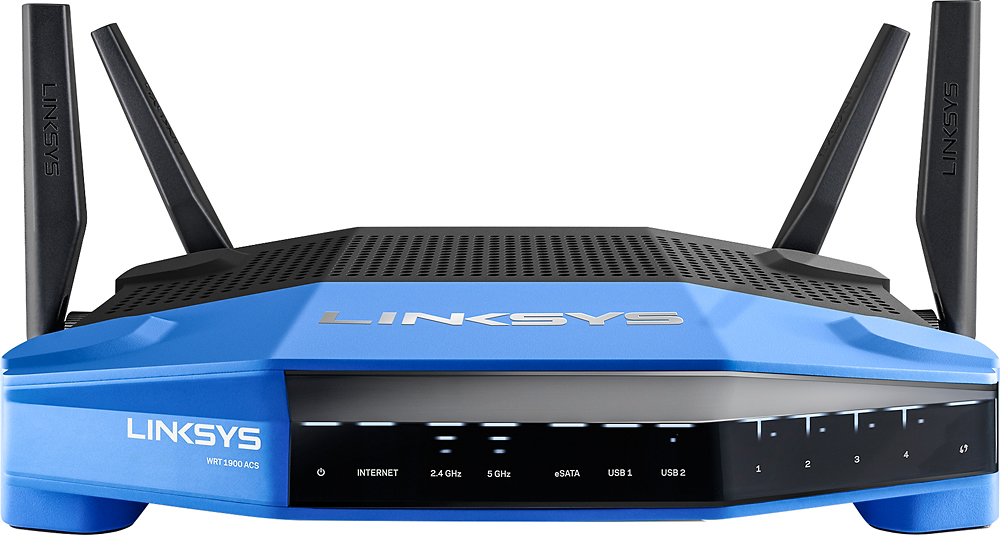
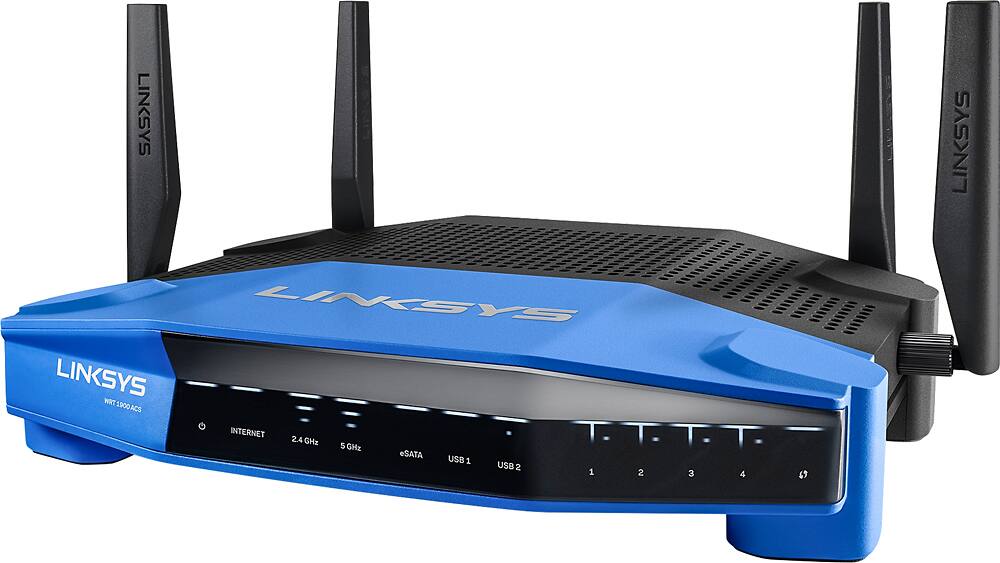
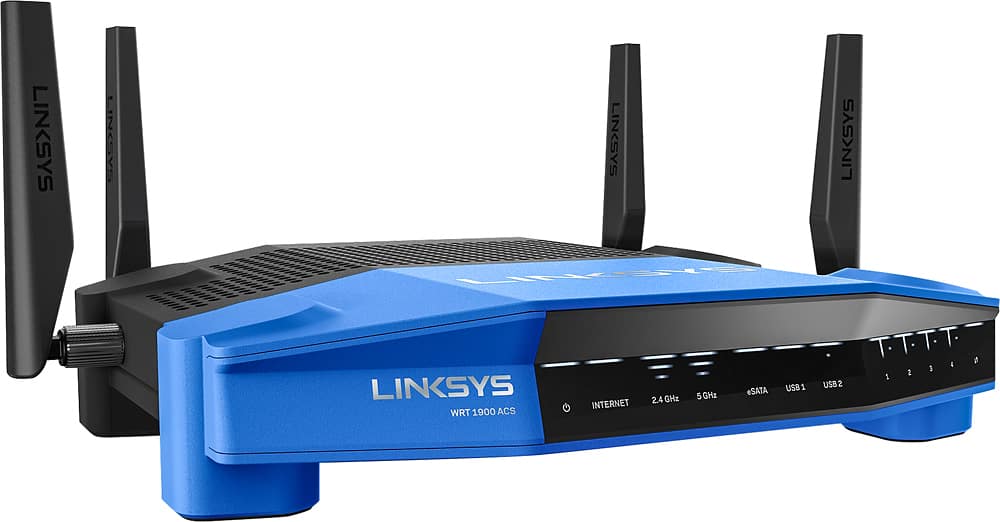
Posted .This reviewer received promo considerations or sweepstakes entry for writing a review.Disclaimer: I received this product for free as part of Belkin's Friends + Family Program You will first notice how large this router is. And how industrial and durable the outside seems to be. It has a kind of military look to it. The router has a very large base and 4 external antennas. It will take up a bit of space since it cannot be put upright. You can mount on the wall if preferred. Plugging it in and turning it on was as expected. It was faster to boot up then my comparable Netgear router. Using the guided setup was beyond easy. Even those that are not tech savvy will have no problem setting this up as its super simple. I ran through the guided setup and everything went relatively smooth. Within the process is all the necessary topics like changing the router password and turning on and setting up wi-fi security. For advanced users who don't like using guided setup, there's an option to skip and manually set up everything. I usually manually setup my routers, and found that choice a pleasant addition. I wanted to ascertain how the guided setup worked therefore I went through that first. Again, for the everyday user, that will work out fine for them. Its really just plug and play with a couple of other steps to rename the 2.4 GHz and 5 GHz networks and set passwords. Performance wise this router did great!. Was it better than my Netgear? i'd say it was about equal honestly. where it did surpass compared to Netgear was the WiFi range on each 2.4 and 5 GHz bands. I had a far better connection outside my home with this router than with my Netgear. however it was not that big of a difference since i do not expect my WiFi to be transmitted down the road. Also, as with my other router, I had to manually change the channels to find one that wasn't already saturated by other devices to insure my connection remained strong and stable. The web interface is laid out well and simple to navigate. This router has all the similar options other brands of routers have that are within the same class (guest network, media prioritization, parental controls etc). And most of those options are enabled by default. so set up appeared to be easier and pain-free compared to my Netgear router. there's an app you'll be able to install on your smart phone that enables settings to be modified and monitored. However, my issue with the app was that not everything can be done from the app itself and you'd have to use the online interface for some. I prefer that an app have identical functionality as the internet interface does or there's no point to me installing it on my phone. I would simply log into the online interface via my smart phone instead. keep in mind if you are going to use your phone browser to log into the router, make certain it's on desktop mode otherwise you cannot log into the router. It was a simple to use interface, I simply did not like it. The interface does not provide customizing the Wi-Fi network, either. for instance, on the 5GHz band, you change its setting to auto, N-only, A-only, or A/N, however you cannot make it work in AC-only mode. you cannot choose a frequency higher than 40MHz, either. i would like the ability to customise the Wi-Fi networks to my preferences; like, making the 5GHz work solely with AC clients to get the best speed. The Network Map currently features a lot of customizations -- you'll be able to view connected devices by connection types (wireless or wired) or device types (computers, mobile devices, printers, and unknown). you'll be able to quickly add or edit a connected client to a IP reservation/blocking pool, give it a name, or view additional info regarding the client. In all, the Map could be a nice feature for anybody to visually manage their home network. The second helpful feature is the Media Prioritization, that allows you to drag and drop connected clients between the High priority and low priority lists. (The former will have priority access to the net.) there's additionally a handy internet Speed check and a straightforward Parental control feature that allows you to block any connected clients' access to the web or just to certain websites. you will be able to also schedule the time when the block is in effect. you will be able to change the name of its guest networks (two of them, one for each band) to what you prefer. The router's USB ports connect to external storage devices of any capacity. The router supports UPnP and DNLA streaming standards, therefore content stored on the connected drive can be played back by network media streamers. Overall, this is a very good router and i would recommend it to anyone who can afford it and desires a quality, high performance router. is this better than my comparable Netgear? Excluding the price difference overall, i'd say it's slightly better. However, is that slight difference worth the extra cost of this router? that would be something for you to determine for yourself. for me personally, i'd say it's definitely worth the extra cost because soon i will be able to use third-party firmware and eliminate the interface issues I did not like.
I would recommend this to a friendBrand response from Linksys Staff
Posted .Hi,
We appreciate your taking the time in writing your detailed review about the Linksys - Wireless-AC Dual-Band Gigabit Router. Your comments on the product’s interface and app are duly noted. Rest assured that these will be relayed to the Development team for future product improvement. Moreover, we’re happy to learn about the positive things you reflected on the product. Should you need any assistance, please send us an email at [email protected] together with your contact details and the link to this post.
Regards,
Linksys Support
http://www.linksys.com
Had some issues
||Posted .This reviewer received promo considerations or sweepstakes entry for writing a review.I seemed to have a number of issues right from the get go. I seemed to have issues with the router having bad connections to my laptops. There were a few times when the connection would drop for about 30 seconds and then pick back up slowly at first and then normally. After talking with Linksys tech support on multiple occasions, having me flash the firmware, having me restart the device, etc. I finally gave up after a month and returned it (purchased a Nighthawk and have had no issues sense).
No, I would not recommend this to a friendBrand response from Linksys Staff
Posted .Hi, Karl,
We understand that you've gone through several steps with our Support team about your challenges with the router. Although you've returned it, we'd appreciate if you can email us the reference number or your phone number at [email protected] so we can have our Escalation Engineers look into the case details.
Regards,
Irish
Linksys Support
- Pros mentioned:Ease of use, Speed
Excellent router for beginners and experts!
Posted .This reviewer received promo considerations or sweepstakes entry for writing a review.I received this product for free as part of Belkin's Friends + Family Program Having used many different wireless routers in my time, I am extremely pleased with this Linksys Dual-Band Smart Wi-Fi Gigabit Router. I am normally tied to my Apple Time Capsule, but this router really shows me another great product out there. I am so impressed with how much coverage the Linksys Dual-Band Smart Wi-Fi Gigabit Router has in my condo even through multiple walls with other electronics in the way. I also love the USB 3.0 port. I use it to connect an external hard drive to so I can run my time machine backups flawlessly. It is fast and easy to use. I had no issues setting up the router, and it has worked without question since I’ve started using it.
I would recommend this to a friend - Cons mentioned:Size, User interface
Great Hardware, OK Software, Ultimately Worthwhile
Posted .This reviewer received promo considerations or sweepstakes entry for writing a review.Disclaimer: I received this product for free as part of Belkin's Friends + Family Program, although this doesn't affect the objectivity or truthfulness of my review. In my review, I will be comparing this unit to a current NETGEAR AC router that I own, purchased in the mid-$200 range. Overall, this router has a pretty impressive feature set.. some bugs are present in the software, but those are minor in comparison to the NETGEAR unit that I had (and they can be resolved later on). Hopefully, the open-source community makes some progress toward using the wireless chipset to its full capacity, after which this router will be a fully-functional OpenWRT box. Pros: - This router is built like a tank. It reminded me of some of the military-grade networking gear that I used to see in the field (minus all the metal). The plastic looks to be very robust and can withstand a lot of abuse. - If you have trouble with bright lights at night, all of them but the power light can be turned completely off. - External antennas have standard RP-SMA antenna connectors, which is a plus if you are using some custom hardware. In addition, RP-SMA (consumer-grade) antenna hardware is generally cheaper than RP-TNC, which is what Linksys was using in the past, and can be had on eBay or Amazon fairly inexpensively. - The unit (although it requires a 12V 4A power adapter) does not run nearly as hot as my NETGEAR did. This is ideal if you are trying to put the router into a network cabinet with little venting. - User Interface features are a lot smoother and cleaner than the unit from NETGEAR. One of the best features, in my opinion, is being able to manage the router remotely through the iPhone app or a web-based account. So, just in case you let someone stay at your house while you are away, you can easily troubleshoot network issues. This requires registering for a Linksys account - a step that is not optional if you use the setup wizard ("mandatory" registration for an account may be considered a drawback by some). - The iPhone app is convenient, albeit a little bit hard to use due to the confusing UI and menu structure. - Wireless coverage: I live in a 2,100 sq. ft. house (newer construction, circa 2006) and the previous NETGEAR AC router could barely reach into the bedrooms. Signal was virtually nonexistent outside the house (especially in the 5GHz band). With the Linksys, I am able to get a reliable 5GHz signal at my next door neighbor's house, which is a pleasant surprise. - The wireless performance doesn't seem to suffer as much over long distances and through obstacles, which makes this router tenfold more useful than its NETGEAR counterpart. - I used to have a Synology NAS for my movie collection, but as this router supports media streaming and boasts USB 3.0, I hardly use my Synology any more. Cons: - Since the unit is so ruggedly built, its footprint is quite large (clearance of at least 11" x 10" x 3" is required in whatever space you will be putting this into). I would have preferred the unit to be thicker, versus covering more surface area, but I understand the basis of their design decision. The external antennas are positioned on the sides and back of the unit, which adds to the clearance required for mounting - another consideration for space-conscious individuals. - Just like most other routers on the market, the feature set is somewhat limited (no VPN support, etc). - It seems that some things (such as renaming 5GHz and 2.4GHz networks to something other than the default _BAND) are impossible to do through the web interface, but possible through the app. - Since the router uses a closed-source chipset, so far OpenWRT support is limited and DD-WRT support is nonexistent. I am sure that this will change in the future, so it shouldn't be a detractor from purchasing this unit (or if you have other plans for it, such as running Asterisk). Its hardware is pretty impressive for those purposes.
I would recommend this to a friendBrand response from Linksys Staff
Posted .Hi, Akhan,
Thanks for sharing your insights, and we truly value the time that you've spent on this product review. We're glad to hear your positive thoughts as well as your interests in purchasing this product. We'll take note of this and share it with our support team . Should you need further assistance in the future, reach out to us via email at [email protected] along with your contact details and the link to this post for reference.
Regards,
Linksys Support
www.linksys.com/us/support
Fast Router a little unstable yet.
||Posted .This reviewer received promo considerations or sweepstakes entry for writing a review.Very fast router but Firmware is a little unstable yet. Needs a reboot often. Not a big fan of the USB ports being on the side just for cabling reasons.
No, I would not recommend this to a friendBrand response from Linksys Staff
Posted .Hi, rlintelman,
We appreciate your sharing with us your feedback for the Linksys WRT1900ACS. Rebooting the router often is kind of absurd and this we would like to address. Allow us get more details about your experience with the unit so we can properly sort this out. Have you updated the router's firmware? If you haven't, we suggest that you do and then reset the unit before you reconfigure the settings. Firmware is available here: http://www.linksys.com/us/support-article?articleNum=165487
Email us at [email protected] should you need further assistance. We'd be glad to resolve this challenge with you.
Regards,
Linksys Support
Returned equipment back to the store
||Posted .This reviewer received promo considerations or sweepstakes entry for writing a review.After purchasing the wireless router and spending enormous amounts of hours getting it to work properly, I decided to return the product back. The router rebutted by itself multiple time forcing me to start all over by configuring the equipment every time. Finally, I decided that my time was much more valuable and returned the equipment back to the store.
No, I would not recommend this to a friendBrand response from Linksys Staff
Posted .Hi, EnUser,
The time you've spent in writing this review is greatly appreciated. Experiencing frequent reboots is an unusual behavior for our routers. To resolve this challenge, we could have tried resetting the router back to its default settings then manually reflash the unit's firmware. Once done, perform another reset. If you decide to purchase a Linksys router in the future, we'll gladly welcome you back as a customer and help you answer any questions that you may have. Feel free to email us at [email protected]. Don't forget to include your contact details and the link to this review for our reference.
Regards,
Linksys Support
- Pros mentioned:Ease of use, Performance
Easy to Setup, Good Speed and Nice Features
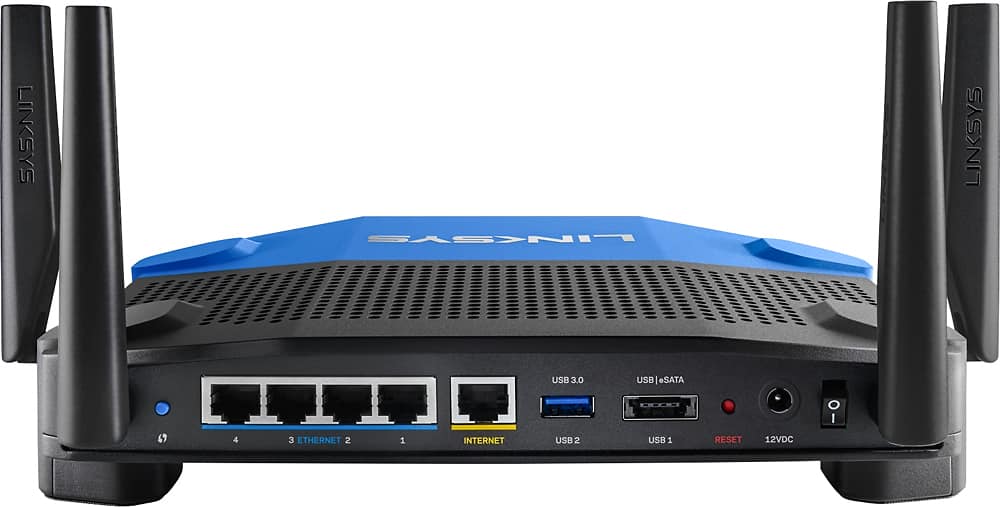
Posted .This reviewer received promo considerations or sweepstakes entry for writing a review.I received this product for free as part of Belkin's Friends + Family Program the WRT1900ACS is a nice router. It has some really nice features, was very easy to setup and has some good features that come with it, overall I think it is a good wireless router. What I liked: 1) This router is super easy to setup, super easy! The quick guide is to the point and will get you setup and running fast for your basic wireless needs. 2) the Router is fast. it is not the fastest router in its priced range but is fast enough you can use it for gaming, streaming devices with no problem 3) APP for your mobile device allowing you to check connected devices, Check the performance and tweak your network to how you like it is really simple. It does have some room for improvement but it is easy to use and has all the basic features you could ask for. 4) Appears to be very durable. The Antenna are very easy to attach and seem sturdy. So if you have to put it in your Kitchen, kids room or anywhere where someone might place stuff on it, bump it or knock it around It should put up with the abuse. 2) USB Ports, one being USB 3 and the other 2.0 that dual purposes as and eSata port. Making it convenient for network storage allowing for higher data rates than standard USB. What I didn't like about the router 1) the App even though basic and easy to use feels unpolished and lacking in some advanced features. And the available apps to enhance it are limited to must netproofer. 2) Your account for the App is an email address and not a username. This is a little confusing when logging into the app and it is asking for username and not email address. 3) Advanced setup is not as convenient on this router and what I mean by that is it is kinda hidden. Especially from the App side it is not even available for the most part. Packaging of the device is very nice and I would not expect that anyone should get a damaged unit because of packaging. It is easy to open and get the components out. Like I said setting up the router was really easy compared to others I have setup, and I have setup a few. It is way easier than the Netgear Nighthawk I setup. i think the ease of setup is its strongest selling point over all the devices around the same pricepoint. It has the standard features that all wireless routers should have, 5 gibabit Ethernet pots one being for your Provider the other 4 for connected devices, and at least one USB (2) but the added feature of dual purpose usb port that also is an eSata is really nice. Once setup the device has worked flawlessly for almost a month without any restarts needed. I have several medial streaming devices connected to it and have not seen performance issues. There are also several mobile devices connected as well and no complaints from the family about it. In summary this is one of the easiest to setup wireless routers that I have ever used. It's overall focus appears to be really on ease of use. This takes a hit when it comes to more savvy users probably lacking in features for them but for someone who want to be able to setup their wireless fast and have it just work without playing a lot with it this router is great. The Interfaces via web and mobile are very simple and easy to navigate, however like I said the more techie users will find it is missing a few features.
I would recommend this to a friend Expensive and doesn't have the distance i'd like
||Posted .This reviewer received promo considerations or sweepstakes entry for writing a review.Expensive and doesn't have the distance i'd like. 2 story house and i still barley got signal. My old netgear didnt have this issue.
No, I would not recommend this to a friendBrand response from Linksys Staff
Posted .Hi, Onevarg,
Tweaking the wireless channels for both frequency bands, and properly positioning of the Antennas would help in boosting the Wi-Fi coverage depending on your current network environment. Allow us to tap one of our Escalation Engineers to improve your overall Wi-Fi experience. Please email us your contact details and the link to this review at [email protected] and we'll get this taken care of.
Regards,
Jay
Linksys Support
- Pros mentioned:Performance, Speed
Great Product - easy setup and features galore
Posted .This reviewer received promo considerations or sweepstakes entry for writing a review.I received a free sample from Linksys in exchange for my honest feedback. I have worked in IT, Networking, and IT Security for the past 27+ years. This product is one of the best I have ever seen from Linksys. The setup was a breeze with the ability to use express setup or a more advanced setup depending on your preference. I had my product up and running within 15 minutes of pulling it out of the box - and I spent extra time looking at almost every feature. If you have lots of devices - wired or wireless, you're a gamer or video/music streamer, security conscious, or just care about great products, you are going to love the features available to you. There are features to provide priority and preference for specific devices and services. There are features to only allow devices you approve of to connect to your system. There is the availability of a full guest network to separate your devices from those that come to visit. And probably most important, is the speed and performance. I have three teenage kids that believe they should be streaming a movie or music on their mobile device while playing online competitive games. With all three active and intense, we experienced no performance degradation or issue. All the while, my wife and I were able to read our email and browse the Internet without a single pause. This a great product from Linksys - you won't be disappointed.
I would recommend this to a friend