Customer Ratings & Reviews
- Model:
- WRT1900ACS
- SKU:
- 4580500
to a friend
Customers are saying
Customers enjoy the AC1900 Dual-Band Wi-Fi Router's ease of use, range, and performance, citing positive experiences with setup and strong signal strength. Many appreciate its reliable connectivity and coverage, along with features like the guest network. However, some customers find the router expensive and large, while others have noted issues with the user interface and parental controls. A few users experienced buffering problems, though others reported improved streaming capabilities.
This summary was generated by AI based on customer reviews.
- Pros mentioned:SpeedCons mentioned:User interface
Great high end router
Posted .This reviewer received promo considerations or sweepstakes entry for writing a review.I received this product for free as part of Belkin's Friends + Family Program Upon receiving this router I was impressed by the build quality. Over the years I have grown accustom to the cheap plastic feeling of routers, but this one has an excellent and sturdy industrial feel to it! After an easy process of attaching the antennas I was off to install the router in my basement. I had mixed feelings with the initial configuration. It was easy to connect to my existing home network, but if you use a mobile device to attempt to access the router it wants you to install an app. I attempted to use the app, but the system said the router was not compatible with the app....very confusing. I ended up putting my mobile browser into desktop mode and I was able to continue the setup process. While I do like the idea of a mobile app to configure the router, I do not like the idea of needing to have an online account tied to the router. This router interface is very different than the previous Linksys products I used. On one hand the layout was refreshing and new, but at the same time they almost made it too complicated to find things. Some options I expected to be lumped together were in fact on different tabs or pages. The nice thing about this router though is the ability to load open source firmware. I almost always run a flavor of DD-WRT on my routers and the ability to easily do this is great. Wireless coverage of the device is MUCH better than my many previous routers. I purposely placed this router in a poor spot in my house and I receive a higher signal than from my existing router in the optimal position. Coverage across my house is great and speeds are extremely fast. No complaints with the wireless at all. The most confusing and disappointing features are some of the settings managed by the router automatically, even when I have them set manually. One example was when I was trying to integrate the router on my network on a Class C network, but in a different subnet. Even though I clearly had different subnets defined, the router decided to change the LAN side IP addressing. All in all this router is living up to its price tag and original roots reputation.
I would recommend this to a friend Trouble shooting a few issues
||Posted .This reviewer received promo considerations or sweepstakes entry for writing a review.Overall I really like Lynksys products but currently troubleshooting an issue were the WiFi reboots and we loose our connection for a few minutes. Currently happens a few times a day. When it is working we are pleased with the coverage throughout our house with no dead spots.
No, I would not recommend this to a friendBrand response from Linksys Staff
Posted .Hi, Jeff,
It is important for us to hear your experience with our products. We'd like to help you straighten out this challenge. Does this happen on both 2.4GHz and 5GHz band? If you haven't tried adjusting the wireless channel of the router, you may try it and observe if there'll be an improvement with its performance. If the same thing happens, test also if you have a stable wired connection.
Feel free to update us with the results via email at [email protected] and indicate your full name, phone number, location, and the link to this post.
Regards,
Linksys Support
www.linksys.com
Noisy
||Posted .This reviewer received promo considerations or sweepstakes entry for writing a review.It seems to work fine but is noisy. It's in the living room you can hear it
I would recommend this to a friendBrand response from Linksys Staff
Posted .Hi, Arizona,
It's not normal for the router to produce a noise. To isolate this challenge, we suggest that you try to plug the unit into a different outlet. If the same thing happens, please email us your contact details at LinksysCares@linksys.com so we can have it checked with our Escalation Engineers. Indicate the link to this review for our reference.
Regards,
Kristine
Linksys Support
- Pros mentioned:Performance, Range
Sleek, High Performance Device
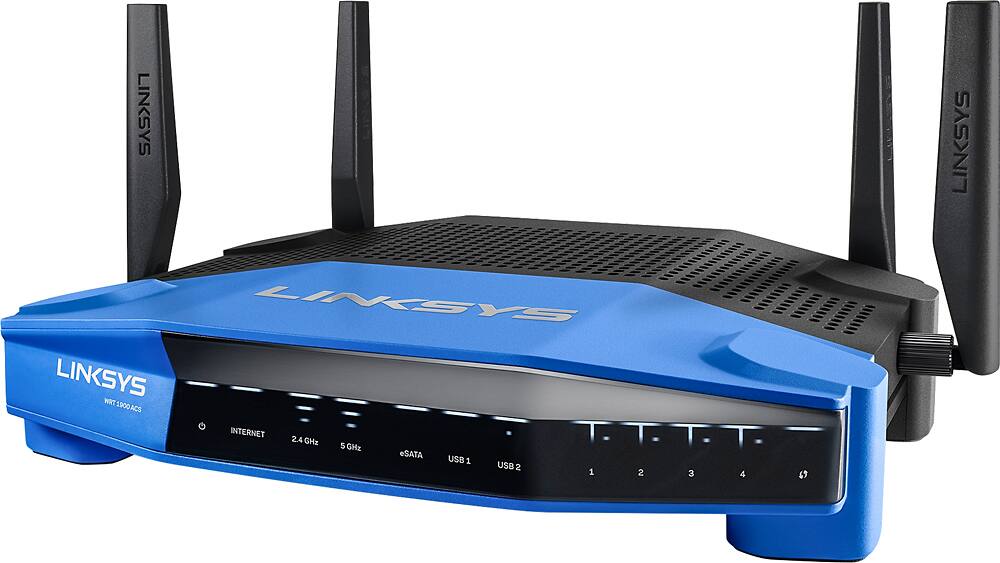
Posted .This reviewer received promo considerations or sweepstakes entry for writing a review.I received this product for free as part of Belkin's Friends + Family Program. Even though I received this product for free, the following review is unbiased and true. Coming from a NETGEAR Nighthawk, this was an improvement right off the bat. The design was more rigid, more sturdy, and just felt better built. The antennas wouldn't slide off and the feet of the router kept it straight and steady. The front of the router looks stylish and very modern with the simple lights and display. The classic white Linksys logo on the blue background adds to the comforting feeling that the router is from a company that I trust. Performance wise - I have absolutely no complaints. Compared to my previous router, this one has quite a bit more range on both 2.4 and 5 GhZ bands. I can now go outside and still be connected to FaceTime without any interruptions, clearer than ever. In a time where media and data usage is growing, a router like this can handle exceptionally well tiered amounts of streaming (audio/video), video calls, and of course internet browsing. I tested the router with a family of 4, but also had guests one night totaling to 22 people. I told each of them to spend the night on wifi and heard no complaints. This goes to show the performance of the router and its capability in handling many people on the network. The router has some nifty features under its settings - parental features and software to track usage on the network. It's easy to use and the UI has been well developed. Great job here Linksys. Overall, I highly recommend this router for any user - family or business. It has the capability to handle a great deal of users and overall is a solid, sustainable device for high performance.
I would recommend this to a friend - Pros mentioned:Speed
Excellent Router
Posted .This reviewer received promo considerations or sweepstakes entry for writing a review.Great router so far. Purchased for 801.11ac to go with my 4K tv and, since I came from a 4 year old n-speed D-Link, really made a difference. Setup was easy but I chose to do it manually rather than their cloud setup. Maybe just me but I don't like to funnel my network administration data out into the world but, if you need remote management, it may be your preference. The network map part of the interface is excellent. From there you can see pretty much all you need to to manage the important stuff. One of the things you can do from the map is permanently assign IP addresses which is handy. Only thing I would mention is you need to configure at least one fixed IP address before it opens up all of them for easy management. (left click on the icon for the device to edit it). Setting device priority is a simple drag-and-drop operation as well. Naturally I set my 4K tv and my VOIP (MagicJack) PC as high priority. The ACS version of this router nixed the cooling fan that the AC model had. They did add generous venting on the top and the router runs warm but not hot. Will have to watch this in the summer though. If needed you can easily lay a fan on top of the unit (blowing up not down) if your network install site warrants it. All in all, very happy. This router matched with a 50/50 up and down fiber network will make UHD viewing a snap and still leave horsepower (dual processor router and high RAM in the ACS version) and bandwidth for my three grandsons when they visit. BTW, I am Sooooo happy Linksys got away from Cisco. I was not happy with the router designs that were born during that dark time and this one not only looks like a Linksys... it performs like one.
I would recommend this to a friend Don't like it.
||Posted .This reviewer received promo considerations or sweepstakes entry for writing a review.Only bought this as recommended by salesperson, annoy happy with it. The one prior to this worked with no problem for a year before it died and was easy to use, this one is difficult to set up and access without a computer degree and I shouldn't have to pay extra just because of that.
No, I would not recommend this to a friendBrand response from Linksys Staff
Posted .Hi, JR12,
Setting up the router should be easy because of its CD-less setup. Please reach out to us at [email protected] so that our Escalation Engineers can guide you through the installation process. Indicate your contact information and the link to this review for our reference.
Regards,
Kristine
Linksys Support
- Pros mentioned:Performance, Signal strength
Outstanding Router - Recommended
Posted .This reviewer received promo considerations or sweepstakes entry for writing a review.Extremely easy to setup and software interface was very readable, easy to understand and use. The router is quiet (no fan) and has a very good reach. So far I have not been able to overwhelm it with devices which is what happened to my older N router. So this was an upgrade and to future proof myself for a couple of years. This router received very good reviews from C-Net and PC Magazine gave great reviews to the WRT1900 AC series.
I would recommend this to a friend Spotty Wifi, and wonky configs
||Posted .This reviewer received promo considerations or sweepstakes entry for writing a review.The configuration panels for this Router look very robust, but most of time do not update quickly or respond to my updates. The network schema that is shown in the configs is useless, and shows incorrect info that is impossible to update at times. I ended up purchasing a TP-Link instead.
No, I would not recommend this to a friendBrand response from Linksys Staff
Posted .Hi, Beparadigm,
An updated firmware should help improve the overall performance of the router. Also, if you are pertaining to the Network Map option on the web-based setup page, it would also help fix the issues that you have.
If you still have the product, our Escalation Engineers are eager to closely work with you and assist you in getting the router to work as expected. Please email us at [email protected] with your contact details and the link to this review. Let's get this fixed as soon as possible.
Regards,
Kristine
Linksys Support
- Pros mentioned:Ease of use, Speed
This is done right
Posted .This reviewer received promo considerations or sweepstakes entry for writing a review.I received this product for free as part of Belkin's Friends + Family Program Since this was as stated above free, no doubt you would think I would be jumping up and down with high praise for this router since it was given to me. Let me tell you I would 100% go out and buy this router. It is simply put GOOD. From the moment I took it out of the box I looked at it and thought woah I could take this hiking with me. Its rugged looks and curves do it well. Let me back up a tiny bit. When I first took it out of the box I actually thought OMG my wife is going to have a cow when she sees this big rugged blue thing with 4 antennas sticking out. Not the case I had it all set-up before she came home. The only thing she noticed was the horrible tower Modem/Router from Comcast was gone! Brownie points scored there. Setting up this router was easy, I am not into changing settings inside the router as some more advanced people are and it was very simple. Highly recommend plugging into a PC or Notebook to do it. Once I had it plugged in whammo set up was done. Installed the app and hey presto we are running, NAH we are screaming through the world wide web. Comparing this to my Comcast router, it destroys it on media sharing from PC to Roku to other devices I have. There is a very little noticeable drop in speeds anywhere in my home. (1300 SQ ft Bi-Level) One feature I did like was in the firmware there is a network map, at this, you can name the devices that you have, it even helps you somewhat when you mouse over them. NO Complaints to speak of, it really works well.
I would recommend this to a friend - Pros mentioned:Speed
Good router with Open Source support.
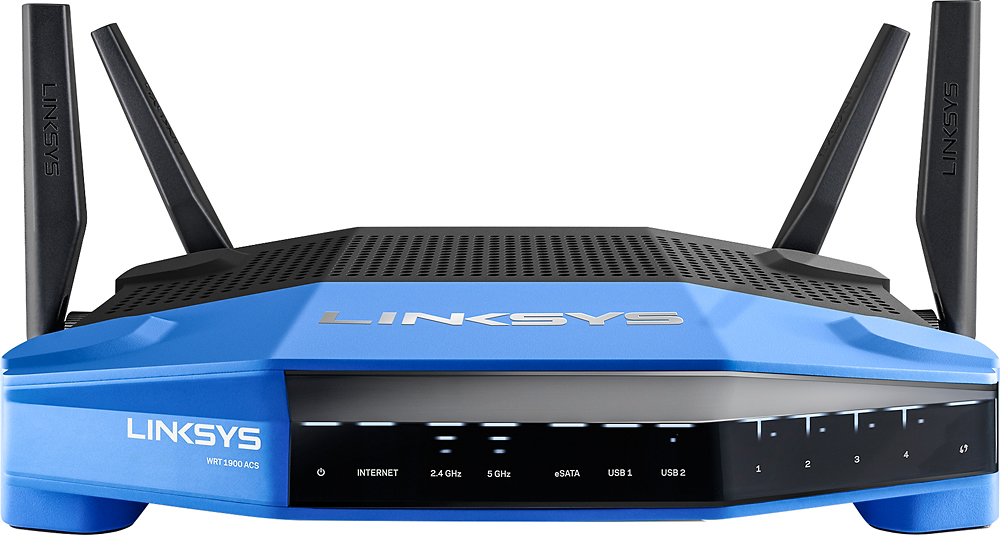
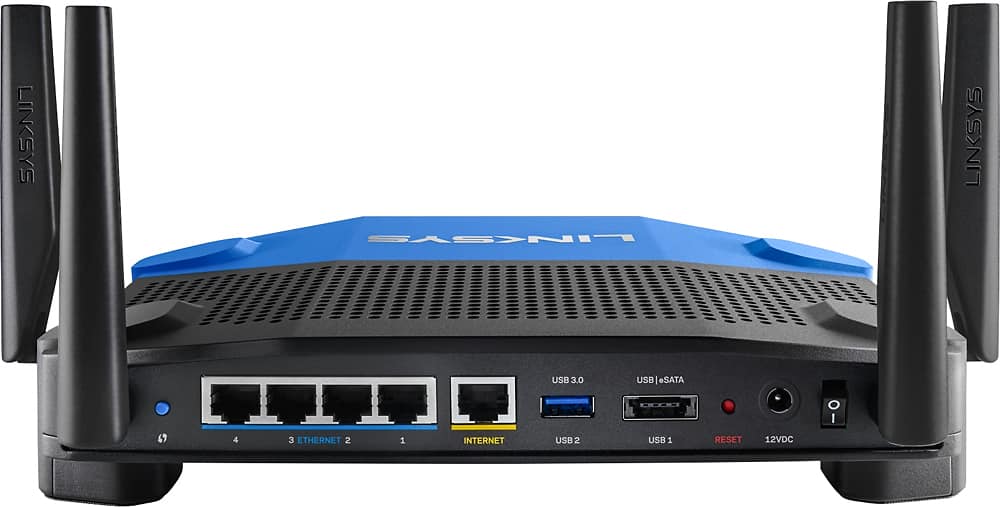
Posted .This reviewer received promo considerations or sweepstakes entry for writing a review.Disclaimer: I received this product for free as part of Belkin's Friends + Family Program The WRT1900ACS is the newest performance oriented wireless router offered by Linksys. With a higher clocked CPU (Marvell 88F6820-A0 C160 @1.6 GHz (Armada 385) and double the RAM (512MB) then its predecessor, the WRT1900AC. Linksys has brought performance enthusiasts a wireless router with many powerful features such as simultaneous dual band (2.4 and 5 Ghz), 4 High-performance antennas, Beamforming technology, 4 Gigabit Ethernet ports, an Esata/USB2.0 port, USB 3 port, and open-source firmware support. I was given the opportunity to test drive this bad boy and my first impression was that this little guy was the big brother of the venerable WRT54G which is still one of the most used and hacked routers in the market. The first thing you notice about the WRT1900ACS is that Linksys stuck with the Blue Black color theme which a lot of enthusiasts will recognize. The other thing you notice is the semi-aggressive, modern industrial design of the router which exudes performance. Speaking of performance, I tested the WRT1900ACS in my unique multi-level house which I have to say is very challenging when trying to cover the entirety of the house with a decent WIFI signal. I was really hoping that the claims made by the advertisement about the better performance at longer range would solve the dead spots around my house. Unfortunately, the WRT1900ACS WIFI disappointed me. Now, it wasn’t all that bad though, like I mentioned, my house is a challenge, while the WRT1900ACS did not meet my expectations, however, it did a great job at providing Wi-Fi coverage and speed to my 1st and 2nd floor. When connected to the 5GHz band, in the 1st floor I am able to get an average of 170-180 Mbps download and a steady 12 Mbps upload (tested via speedtest.net). While testing on the 2nd floor, I’m able to get an average of 50-90 Mbps down and 12 Mbps Up on the 5 GHz band. This is actually very good since the signal and performance is steady and reliable with no drops. One of the most surprising performance gains I experienced and which I am very excited about is the wired performance. Since I put together my wired network, I have always been plagued with slow transfer rates when sending large files over the Gigabit LAN to my Network Attached Storage server. After the WIFI performance left me with more to desire, I tried my luck with the wired connection and it simply blew me away. Whereas I normally received inconsistent transfer rates of 2-30 MB/sec, when I transferred a large movie file over to the file server I was blown away when I saw that the speed was hitting 70+ MB/sec and it wasn’t just the first few second of the start of the transfer, this was the constant speed that it was going at! To say the I was not floored would be an understatement since these numbers more than doubled my previous network setup. I have a suspicion that the upgraded CPU and RAM contributed greatly to this miracle because now the data is not bottle necked. Although the Linksys WRT1900ACS offers many great features that you can all read about at their website, I mentioned that one particular feature, the Open Source firmware support, was one of the best features made available to performance enthusiast. While most companies shy away from third party firmware upgrades, Linksys has made it a feature that they wholeheartedly support. By being able to update the WRT1900ACS with open source firmware, you are not locked into using the original set of features made available by Linksys, you instead now have the ability to explore and test the limits of the router. In the old days of the WRT54G, you were able to test various parameters from changing the transmit power to setting up a HotSpot. With the WRT1900ACS, you can now do the same and much more by just changing the firmware, which you can find by googling DDWRT or OPENWRT. Since the WRT1900ACS is new as of this writing, firmwares are still being tested and perfected but you are encouraged to test them anyways since you can’t really harm your router like before. Linksys has built in safeguards that prevent the “bricking” of your router due to a bad update. To simply go back to the original firmware after a bad update, all you have to do is reboot the router three times and it will pull the original firmware from the secondary firmware memory partition and your router will be fresh and operable again. Instructions for actual procedure can be found here: http://www.dd-wrt.com/phpBB2/viewtopic.php?t=287813 In short, the Linksys WRT1900ACS is a good performer tailored for performance enthusiasts who demand top of the line hardware and top performance. Although the WRT1900ACS didn’t quite meet my demands with WIFI performance, in which I can’t really blame I since my house is very demanding, it made it up with wired performance which blew me away. Given how well the WRT1900ACS performance with all the features one could want, I would really recommend this to anyone who wants the best there is to offer. By the way, by no means was my review influenced by Linksys, there are those who have given this router low ratings, but those are probably from older firmwares. I tested the WRT1900ACS with f/w ver 1.0.0.169041 as of this writing.
I would recommend this to a friendBrand response from Linksys Staff
Posted .Hi Poohbee,
Your feedback is greatly appreciated. We appreciate your time in posting this informative honest product review. We understand the challenge since you have a big house. it would be best to add access point to improve the signal. We'll make sure to take note of your review so that our engineering team can find a better solution for this in the future. You may send us an email at [email protected] with the case number given by the Support team or your contact details. Kindly also include the link to this review.
Sincerely,
Linksys Support
http://www.linksys.com
Only 5GHz worked
||Posted .This reviewer received promo considerations or sweepstakes entry for writing a review.2.4 GHz did not work. Tried a number of solutions and tried DD-WRT firmware. Spoke with Linksys support and still could not get 2.4 signal to work. 5 GHz worked without issue. I ended up returning item for Netgear R7000.
No, I would not recommend this to a friendBrand response from Linksys Staff
Posted .Hi, GI831,
Both wireless networks are expected to work with this router. We could have the unit checked further by our Escalation Engineers and help you get the 2.4 GHz to function properly. Moreover, allow us to trace the history of your case so we can review what happened with our Technical Support team as we'd like to improve our services.
Please email us your case number or contact information at LinksysCares@linksys.com. You can also use the same email address to contact us if you need help with your other Linksys products.
Regards,
Kristine
Linksys Support
- Pros mentioned:Ease of use, Range, Speed
WRT1900ACS - A Leap Forward For Linksys
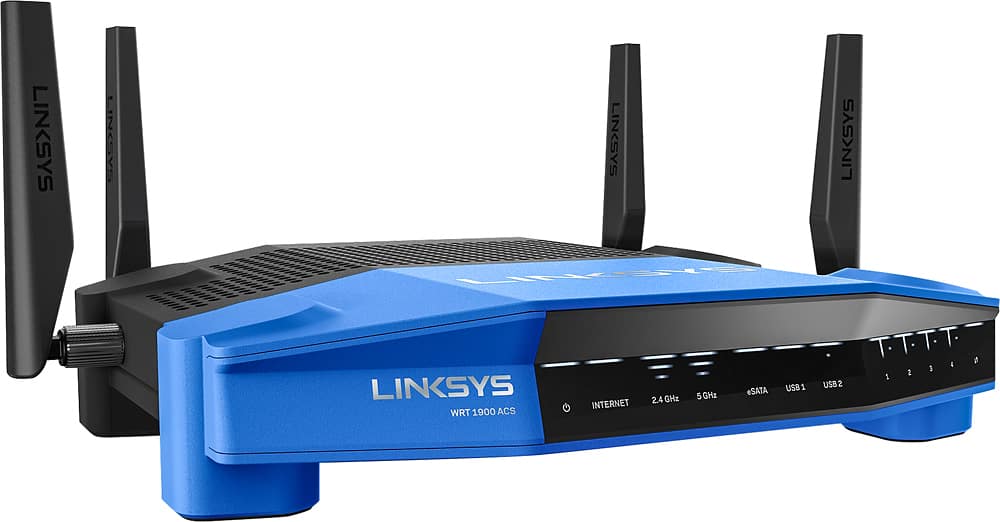
Posted .This reviewer received promo considerations or sweepstakes entry for writing a review.I received a Linksys WRT1900ACS dual-band Wi-Fi router from Linksys in return for an honest, unbiased, review of their product. This was the quickest and easiest setup of a router that I have ever experienced. From the opening of the box to a working signal was accomplished in under 25 minutes. This included climbing to where I have the router and external drives setting on a special shelf high in the vaulted ceiling on the second floor of the house; hooking up two 4TB external drives; and actually being able to see and use them as they were intended, which was a big problem I was having with my old router and one external drive. I was concerned about an initial message I received about how the external drive issues are still being worked, after plugging in one of the 4TB drives used for all my media files. What I discovered was with a simple restructuring of the 4TB drive framework everything worked smoothly and all media files were usable by my PCs, Macs, and IOS devices, something I have been trying to work out for some time with my other router. I have over 20 wired and wireless devices and everything is working in every corner of the house and in my back and front yards. I am on almost three acres with secure gates at the entrances, and have been able to get a usable signal no matter where I am on my property, a very big improvement over my old router, where there were multiple places in my house, and very little of the property, that I could receive a signal. Speed has improved greatly on both the 2.4GHz and 5GHz lines. The 2.4GHz has increased from a routine six to 10Mbps to a very solid (most of the time – see issues later) 65Mbps. The 5GHz has increased from 20Mbps to 105Mbps. My ISP provides 100Mbps download. For the old and new routers I did have to do some selective channel changing to realize the noted speeds, as the AUTO setting doesn’t resolve any saturation of specific channels. The Network Map is a great feature. With it’s editing capability, I now have my entire system mapped to wired/wireless, frequency, and what each item on my network really is. There are also numerous individual settings, filters, and the ability to report bandwidth by device. The Media Prioritization works nicely to allow me to give priority to my three devices, applications or games that need the critical bandwidth. Minor, but helpful features include the new front panel configuration so I know, when I reach behind the unit, what cable is plugged into which port. Also, the new Smart Wi-Fi app is much better than anything Linksys had in the past and has worked flawlessly. The unit also runs cool with no heat issues at all. I haven’t had the chance to work with the VPN or OpenWRT capabilities, but will in the near future. I am having two issues that I am still trying to figure out (which is why it has taken me some time to post this review). First, intermittently the speeds will drop to three to five Mbps on both the 2.4GHz and 5 GHz lines. If I do a direct connect to the cable modem I still see 100Mbps. It can last five minutes or a few hours and rebooting or other changes don’t seem to make a difference. All of a sudden it is working at the high speeds again. This never happened with my old router. Second, I am routinely experiencing two other issues intermittently - a router shutdown and intermittent reboots. Neither is consistent enough to establish a pattern, but both are very annoying. When the router shuts down I have to disconnect power and reconnect power for it to come up again. When it reboots, I just have to wait until it goes through the reboot process. I have the router on a UPS and have tried it straight into the wall, on a power strip only, a smaller UPS power strip and the bigger UPS. I have also tried a dedicated UPS as well as a number of items plugged into the UPS. There was no change to the intermittent shutdowns or reboots. I have even tried relocating the router to another area in the house, on a different circuit, with no change in symptoms. While it is working without the intermittent slow downs, reboots, and shutdowns, it is the best router I have ever used. When the issues pop up, they are annoying, but I know soon it will be working properly again. Bottom line is that this is the best router, by far, that I have ever used, and I would recommend it to everyone. The few problems I am experiencing are far out-weighed by the strengths, abilities and features of the WRT1900ACS. The increases in speed and coverage alone are worth the purchase price.
I would recommend this to a friend - Pros mentioned:Signal strength, Speed
One Powerful Router and well worth the money!
Posted .This reviewer received promo considerations or sweepstakes entry for writing a review.Disclaimer ***I received this product free as part of Belkin's Friends + Family Program *** When I first received this Linksys router to test, I was not expecting to be very pleased with the product! I have owned several Linksys routers in the past, which did not all the features I was looking for in router. I can now say I am completely satisfied with Linksys router! They have really come a long ways in their hardware and software designs! I pushed this router to its limits and can say I very impressed by Linksys! Linksys created the WRT1900ACS router for both the average and more advanced users in mind! I do not think I have ever setup a router as quickly or as easily as I did with this router! In addition, I have to mention that the Linksys router is fully open source ready for those who like to tinker as I do! Although, I do not think you will ever need to mess with the software, considering the signal strengths and the speeds will blow you away! Therefore, if you want a router that you will not have to have to replace for a while, this is definitely the one for you!
I would recommend this to a friend Not what I expected...
||Posted .This reviewer received promo considerations or sweepstakes entry for writing a review.This product was recommended to me by several IT people who really know their stuff. I was told it was "THE" model for my situation which is a large house, not huge, with lots of walls...it's a long ranch style home. Since we've had it professionally installed, we have not had much better luck with signal strength than we did without it. The basic purpose of this router, in our case, was to take the signal from the modem and boost it so that the signal reached all the rooms in the house at equal strength. Well, that has miserably failed. Basically, we have a $229 paperweight!
No, I would not recommend this to a friendBrand response from Linksys Staff
Posted .Hi Nzski69,
We value the time you've invested in sharing your experience with us. Wireless networks are susceptible to physical obstructions that may lead to low or poor signal connection. We suggest that you relocate the router somewhere high or in an elevated area to get around the obstruction. Adjusting the router’s wireless channel is also a good move to avoid possible interference in your network. Use the Wi-Fi analyzer app to find a less crowded channel for your wireless router.
If the connection will not improve, please send us an email at [email protected] with your contact details, location, and the link to this review for reference.
Regards,
Linksys Support
www.linksys.com
OK Router but it does have it's faults.
||Posted .This reviewer received promo considerations or sweepstakes entry for writing a review.The router's wireless speed drops significantly after 24-48 hours and has to be rebooted to maximize the download speed. Not a media prioritization issue. The software update seems to be at fault.
No, I would not recommend this to a friendBrand response from Linksys Staff
Posted .Hi, Joseph. Thank you for sharing this feedback with us. Unless there is a problem with the internet source, the wireless internet speed should be constant. Let's try to update the firmware of the router to try and fix this. After the update, please reset and reconfigure the router so that we can check the performance in its default settings. Here's the link on how to update the firmware: (http://www.linksys.com/ph/support-article?articleNum=140365). Let us know how it goes by sending us an email at [email protected]. Please include your contact details and the link to this review in the email for reference. We hope to hear from you the soonest.
- Pros mentioned:Ease of use, Performance, Range
Great router
Posted .This reviewer received promo considerations or sweepstakes entry for writing a review.I purposefully waited to write a review on this router because I wanted to give it some time to understand it and test it out. This is something one cannot complete within one week of obtaining it. I received this router from Linksys to test it out back in April. Yes, I got it free. Sure, one you upgrade a router, you will see improved performance out of the box. Hence the reason for waiting 6 months to write this review. My previous router was also a Linksys router so I am familiar with the setup and the navigation of the interface. Linksys did make a couple improvements to the setup to make it a little easier for the initial setup. You can always make changes after the initial setup. It took me less than 10 minutes to setup this router. My current configuration is running 16 wireless devices where 7 of those devices are streaming video simultaneously. I also have an 8-port switch (that is full of my A/V equipment: PS4/Xbox/stereo etc.) connected to the router along with the other ports of the router being full. As one can picture, this router has quite a bit of bandwidth running through it. For my wireless community, there is literally no buffering that take place compared to my previous router (EA6900). The range of the router is awesome. I was able to elimiate the extenders I have in my house, I had 2 setup so that the kids can get covereage in their rooms. Needless to say, I am a happy camper with this router. Linksys did a great job in their specs on this router.
I would recommend this to a friend - Cons mentioned:Size
Not Good For Verizon FIOS Customers
Posted .This reviewer received promo considerations or sweepstakes entry for writing a review.I received this product for free as part of Belkin's Friends + Family Program. However, I will be giving my honest opinions in this review (please refer to my rating of 3). If you are a VERIZON FIOS CUSTOMER you will want to be sure to read this review. This might not be the router for you. Verizon's modem/router combination does not like to play well with other routers. I have the Actiontec MI424WR and I never could get it and the Linksys to work together the way they should work. The lack of documentation to help with my unique situation only made things worse. After spending hours of research online, I tried different ways to set up the routers (LAN to LAN, LAN to WAN, bridge, cascading, etc.), but there is at least some functionality I ended up losing, depending upon how I have the configuration. It was a very frustrating experience that the average home user will likely not want to go through, so unless you are a computer networking guru, you should think carefully about buying this router. If I had purchased this in a store, I would have returned it, but only because it cannot work properly with Verizon's equipment. PROS • 1.6 GHz dual core processor can handle multiple users and lots ot data • Total of 4 networks: 2 regular and 2 guest - all with separate passwords • Guest networks can be turned on and off • Parental control for those who need it • Can decide what devices you want to give priority to • Great Network map - nice to be able to see devices that are connected to the network. • Nice having both 2.4 GHz and 5GHz, so good coverage. While I could only access 2.4GHz due to Verizon's device, I had no connection or media streaming issues • You can conduct speed tests within the online app • You can even add external storage to the router via USB and access videos, music, etc. from there (I never could get it to work with my set up which was diappointing). ISSUES/CONS • Extremely difficult to set up with Verizon FIOS Actiontec modem/router and impossible to have all functions of the Actiontec or Linksys working when using this set up. Verizon's devices are notorious for not playing well with others. I never could get it to see all my devices on my home network. • Lack of adequate instructions if you are setting up through another router. • Guest network is enabled by default. • Router is very large, so takes up a lot of desk space. • There is an option to hang the router from a wall, but no ability to stand it upright which it should have. Unfortunately, the antenna are in the way on both sides of the unit and, of course, the front and back need to be unobstructed, so with the current design I am not sure how they could work this out. But hanging it from a wall limits your ability to see the front light indicators. I would only recommend this router if you are not a Verizon FIOS customer.
I would recommend this to a friendBrand response from Linksys Staff
Posted .Hi,
We appreciate the time that you've spent on this review. We undestand how you feel that the product didn't meet your expecations, and we feel sad to hear the challenge you went through during the setup process with your Verizon FIOS Actiontec modem. We'll take note of your feedback and relay this to our support team. Should you need assistance in the future, don't hesitate to email us at [email protected] along with your contact details and the link to this post for reference. We would be more than happy to help.
Regards,
Linksys Support
http://www.linksys.com
This Router should perform better!
||Posted .This reviewer received promo considerations or sweepstakes entry for writing a review.I've been helped by Linksys Support four times. This router restarts, disconnects and works erratically at times. I'm surprised Linksys does not know how to fix this.
No, I would not recommend this to a friendBrand response from Linksys Staff
Posted .Hi, Barry. We appreciate your time for sharing this feedback. This should definitely not happen. What we can do is have our 2nd level support team check your device this time so that they can provide you with the resolution. Just send us your case number (if provided one) at [email protected] and we'll escalate your case. Please include the link to this review in the email for reference. We hope to hear from you soon.
- Pros mentioned:Performance, Range
Cool Looking and WOW fastest router ever.
Posted .This reviewer received promo considerations or sweepstakes entry for writing a review.When I opened the box on this router, WOW, I was totally impressed. It is much cooler in person than in the pictures. I got the antennas installed and I was very excited to get this thing going. I then noticed that it had a power switch. I have never owned a router with a power switch, very interesting. I followed the Quick Start Guide and setup went perfectly. When I turned it on, I was really impressed with the lights. It really looks cool on top of my desk. Looking cool was just the cosmetics, how does it perform. Well, I went all around my house checking the speeds using my cell phone. I was totally blown away. I have never had a router that would reach my garage on the far side of the house and give me any performance at all. This router gives me about 75% of the same throughput in my garage as when I am sitting right next to it. In fact, it even connects in my driveway and my backyard with decent performance. I have never been able to get a connection this great with any router ever. The interface for configuring the router is really nice too. There are so many features on this router, I know I will never use all of them. It is very easy to use for even the casual user, but it has features, that only really advanced networking people would use. I love the Network Map, it will show all of your devices that are connected, and it tells you how each device is connected. You can also click on internet usage and it will show you the current bandwidth that your devices are using. Lots of features Like Parental Controls, Media Prioritization, and other advanced things. This router even has usb2.0 and usb3.0 ports for adding a USB hard drive, which gives you network storage capabilities. I configured a hard drive using interface and it was very easy to understand. I am very impressed on how fast the usb3.0 storage is. It seems to me like it is as fast as if I had it connected usb3.0 to my PC directly. I have done a couple of backups to the storage and it is great. I also loaded the Smart WI-FI app on my phone. You have a lot of the normal features of the interface, right on your phone. Using the app on your phone, you can see who is connected to your router, and do a lot of the same things that you can do in interface. You can even reboot your router through the app. Overall, I have not complaints with this router. It is advertised as on of the best and fastest routers on the market, and I totally believe it stands up to being the best. I did receive a free sample from Linksys in exchange for my honest feedback, but this did not affect my review.
I would recommend this to a friend - Pros mentioned:Range
Strong hardware, buggy firmware
Posted .This reviewer received promo considerations or sweepstakes entry for writing a review.Range, speed.. this router has it. Administration and setup is a breeze. However, if you subject it to streaming traffic it will crash and reboot on a regular basis. At the time of writing of this review there are two firmware releases- the initial one (dont remember the version) and Ver.1.0.0.169041. The first release is fairly stable, but the router will reboot occasionally under load- about once every 24 hours. The second release (Ver.1.0.0.169041) is worse - it will crash often the 5ghz range and disable it completely (any attempt to connect will result in "wrong password". I have tried factory reset, restore, automatic update, manual update, downgrading firmware, upgrading it again... to no avail. I do networking for living and it is clear to me that there is a serious firmware deficiency in the product. I am waiting on DD-WRT to release a stable firmware and I will reflash in hopes for improving uptime. From the forums it appears that Linksys is aware of the issue and has not addressed it up to this point. So as it stands, I cannot recommend this router due to its crashing and inability to stay up for more than a day.
No, I would not recommend this to a friendBrand response from Linksys Staff
Posted .Hi Fireice,
Your feedback is of great value to us and definitely not the experience we want you to have with our support as well as using our product. We will have this thoroughly investigated by our 2nd Level team. Please send us an email at [email protected] with your contact details, location, and the link to this review for reference.
We hope to hear from you soon.
Regards,
Linksys Support
www.linksys.com