Customer Ratings & Reviews
- Model:
- WRT1900ACS
- SKU:
- 4580500
to a friend
Customers are saying
Customers enjoy the AC1900 Dual-Band Wi-Fi Router's ease of use, range, and performance, citing positive experiences with setup and strong signal strength. Many appreciate its reliable connectivity and coverage, along with features like the guest network. However, some customers find the router expensive and large, while others have noted issues with the user interface and parental controls. A few users experienced buffering problems, though others reported improved streaming capabilities.
This summary was generated by AI based on customer reviews.
- Pros mentioned:Speed
Fast Router, Easy setup, One SSID
Posted .This reviewer received promo considerations or sweepstakes entry for writing a review.Got this product to see if the new Netgear Nighthawk R7000 I purchased to replace a failing Netgear R6300 AC router was the blame for connectivity issues. The Nighthawk's setup was straight forward. Issues arose when the 5GHz band would drop throughout the day but the router still showed an Internet connection via the wired connection. When it worked, pages would load quick on both wired and wireless. Images wouldn't load correctly and a DNS error would display on both wired and wireless connections. I've checked with my ISP and there were no issues or known ongoing maintenance in the area. I switched to Google's public DNS servers and still had the same issues. Yes I checked all wiring and for the latest firmware updates but still had connection issues, especially no IPv6 connections. I purchased this Lynksys WRT1900ACS to see if the issues were on my end or with the ISP. The setup wizard downloaded any new firmware updates and I was online, no issues. Everything worked and even got the IPv6 connectivity as well. I used all default settings on both routers but the Linksys router has come out on top. A few tweaks to fit my network requirements (DMZ and unique SSID) went smoothly. I even switched back to my ISP's DNS settings with no issues for the last 96 hours. Having the router manage both 2.4GHz and 5GHz connections with one SSID is a big plus, no more choosing which band to connect to. Solid Linksys router, just needs Time Machine support to utilize the external storage feature, hence the 4 star rating. I returned the Nighthawk after ensuring everything has been working.
I would recommend this to a friend No luck
||Posted .This reviewer received promo considerations or sweepstakes entry for writing a review.I read 10+ reviews about the how good the signal is. I couldn't get 1 bar (I got two with att free router). I moved the unit to the middle of my house and reran new lines, no better. Either I got a bad unit or I don't know how to turn it on. I understand channels and all the basic stuff. Heck I understand port forwarding and mtu but I for the life of me can't get a decent signal. About to call it quits and Sell on eBay.
No, I would not recommend this to a friendBrand response from Linksys Staff
Posted .Hi Bcolb,
The physical obstructions and wireless interferences on your network could be the reason why you’re getting low or poor signal from the router. We suggest that you tweak the external antennas on the router. Here’s how it’s done: http://www.linksys.com/my/support-article?articleNum=138847
Let us know how it turns out at [email protected] with your contact details and the link to this review.
Regards,
Rechel
Linksys Support
- Pros mentioned:Ease of use
Setup, Config - Easy; Signal, Throughput - Ok
Posted .This reviewer received promo considerations or sweepstakes entry for writing a review.Disclaimer: I received this product for free as part of Belkin's Friends + Family Program. I replaced my existing AC1900 router with this one and ran it through its paces over the course of a few weeks. What I describe in the following sections is my unbiased review of the router as it pertains to my environment at home. Setup was relatively simple. Within a matter of 30 minutes or so, I had the router configured and connected to the internet. The quick start guide, the clearly, labeled ports on the back of the router, the included cables, and the user interface all made for a seamless setup. Even the firmware upgrade went quickly and smoothly. I was impressed with the ability to easily give static IPs to devices connected using the web interface. Other routers, I’ve had to manually enter in the MAC address to do this. This feature was definitely welcomed. In the area of performance, this is where the router failed to meet my expectations. Out of the box, I expected this router to perform better than it did. I do want to preface this by saying that I placed this router in the exact same spot (in the middle of my house in a closed cabinet) as the router I replaced it with and used the default configuration. Over the course of the few weeks I used the router, I did notice that the signal strength and throughput were significantly slower and weaker than the previous router I was using. I noticed some delays in bringing up content on my phone and tablet and others experienced similar issues in different parts of the house. I rely on a good, solid data connection because I work from home at times. I place calls through the computer and also do a lot of presenting. There were numerous times that the call quality was impacted. I also expected a strong signal in my backyard where I tend to sit and peruse the web at my leisure. I noticed speed and some latency issues here as well. The one positive aspect is that the router remained stable during the full time I had with it. My previous router would requires occasional restarts. Over an extended period of time you can see how these occasional restarts can be bothersome. Can my performance issues be improved? Of course they probably could, but that would mean having to place my router outside of the cabinet, adjust the antennas, find the best wireless channel, use apps, and other configuration changes to get the most optimal signal strength and throughput out of the router. As you can see, to the average consumer this can be a tedious and arduous tasks and is problem the main reason why routers are returned. It would be nice if this was just an automatic feature of the router that did this fine tuning for you. In my circumstances, the router just didn’t meet my expectations for improved performance. An extra antenna, faster processor, performance antennas, and beamforming technology didn’t improve things for me the way I would have liked. It just might for you. Other features included a mobile app which was nice to have the power to control the router right at your fingertips. It came in handy for me quickly setting up guest access and seeing other router details when I needed it. Another additional feature was that it was open source ready. This is a great feature to have, but if there isn’t any production open source package to apply to it, then it’s really not a feature I can utilize right now. Hopefully new open source firmware packages will be coming on the horizon so that the router can be customized and optimized more than you can out-of-the-box. In conclusion, detailed information on the packaging of the product would have convinced me to purchase the router. The router was easy to set up, configure, and connect to the Internet. I saw issues with signal strength and data throughput given the location where I installed my router. This varies greatly given different environments and can be made better with an optimal location in the house with few obstructions and fine tuning configuration parameters in the router administration console. Overall stability was good and no reboots were needed throughout the review period. If you have an open, unobstructed area in the middle of your house, then I would recommend this product. Give it consideration otherwise if you think this router will be behind cabinet doors. With the right amount of fine tuning, I think most will be impressed with its feature set.
I would recommend this to a friendBrand response from Linksys Staff
Posted .Hi, p26963,
Thanks for sharing your insights, and we would like to make sure that the router is working on its maximum performance. Should you need assistance, please reach out to us via email at [email protected] along with your contact details and the link to this post for reference.
Regards,
Linksys Support
http://www.linksys.com
- Pros mentioned:Range, Speed
Best router I've ever owned, great range ...
Posted .This reviewer received promo considerations or sweepstakes entry for writing a review.I received this router about a month ago and I must say that this is the best Wi-Fi router I have ever owned. The router arrived in excellent shape and packaged well. The quick start guide was well organized and useful (suggestion: follow the guide). This router was replacing our old Cisco router, this new Linksys was far easier to configure. I had the network and all my devices (7) up and running in less than 45 minutes. The two things I like most about this router is that it has great range, we can go anywhere in our house (including the garage) and find strong signal strength. The other thing we like is that it's fast. Every device on our network indicates improved performance. The PC near our kitchen can finally run Quicken from our NAS with less wait time than ever. Finally, Smart Wi-Fi app for the smartphone is very useful. We live in a townhome community so there are many networks overlapping therefore security is pretty critical. The Smart Wi-Fi app allows you to update security on the fly and remotely. My favorite feature is the ability to turn on and turn off Guest Access from the couch when visitors request access. I received a free sample from Linksys in exchange for this honest feedback All in All, this is a great router perfect for just about anyone.
I would recommend this to a friend Inconsistent
||Posted .This reviewer received promo considerations or sweepstakes entry for writing a review.Purchased this to replace my older home routers. Simply the worst router I have ever owned. Drops signal, reboots, very inconsistent and problematic. No change of settings would fix the issues. Do not recommend this router at all.
No, I would not recommend this to a friendBrand response from Linksys Staff
Posted .Hi, Bbecmf,
Random reboots and signal drops are both unacceptable behavior of your Linksys router. Let's get this working. There are a couple of steps that we need to perform to address this setback. We need to reflash the firmware and reconfigure the settings of your device to whatever matches with your current network environment.
Please reach out to us so we can tap our escalation engineers for a resolution. Send us an email at [email protected] along with your contact information, the review title and the link to this post for reference.
We'd be happy to assist you.
Regards,
Linksys Support
- Pros mentioned:Performance
Easy to configure with excellent performance
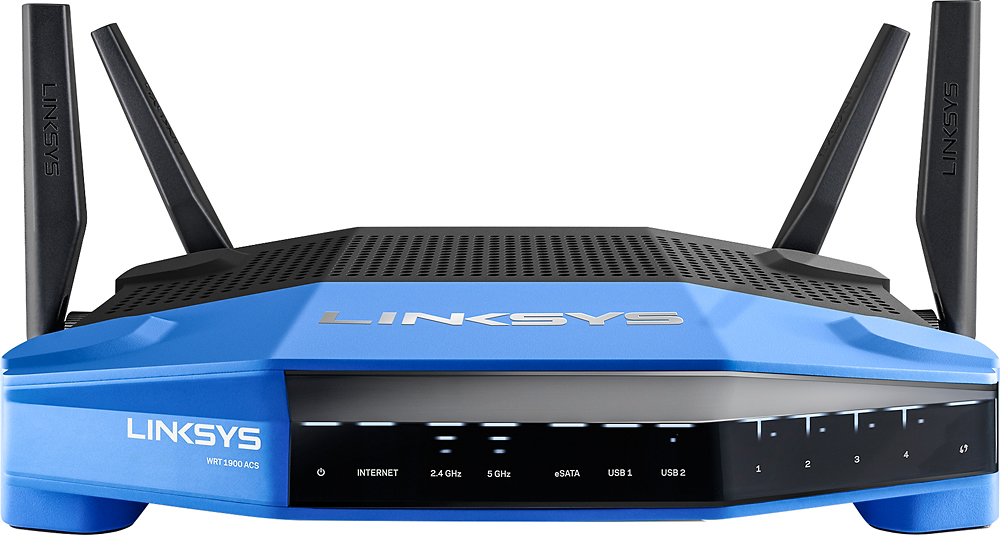
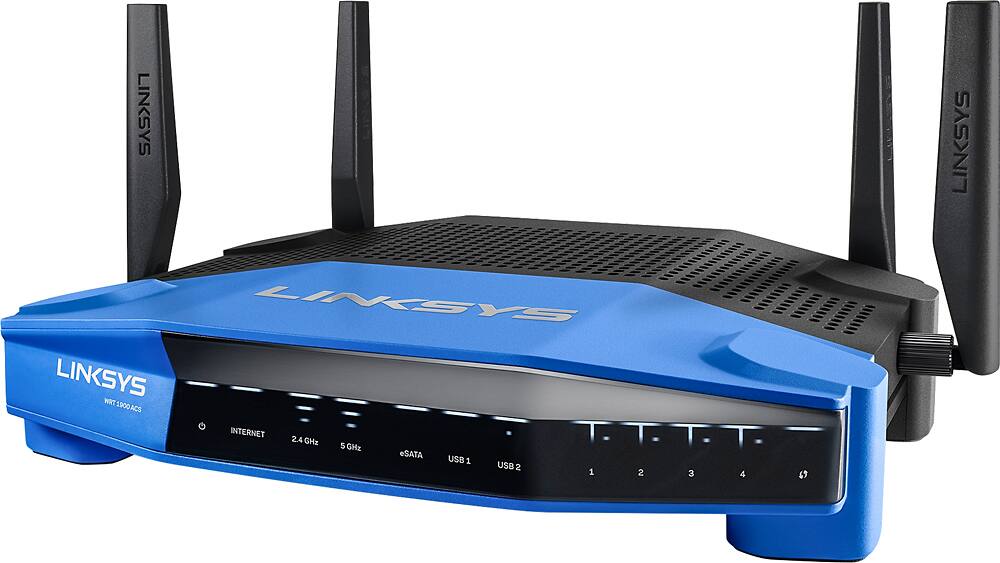
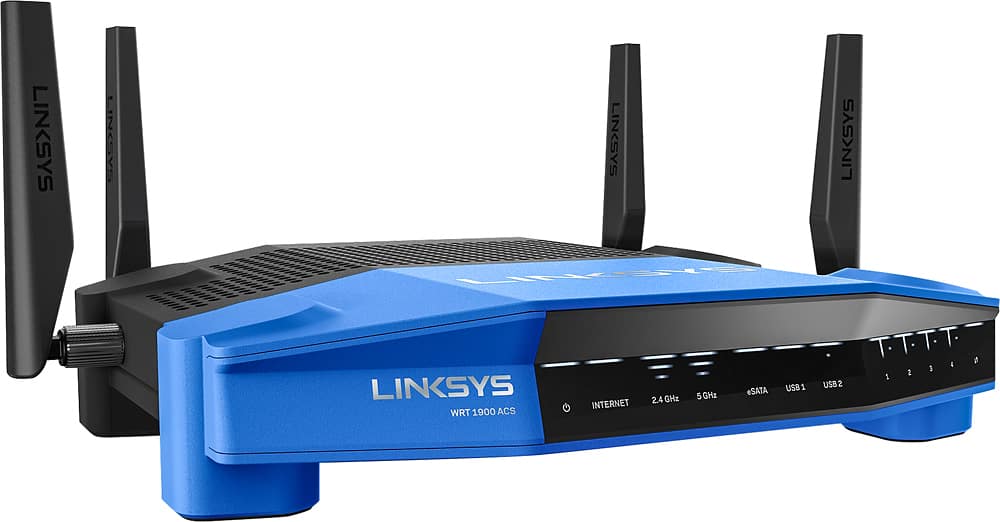
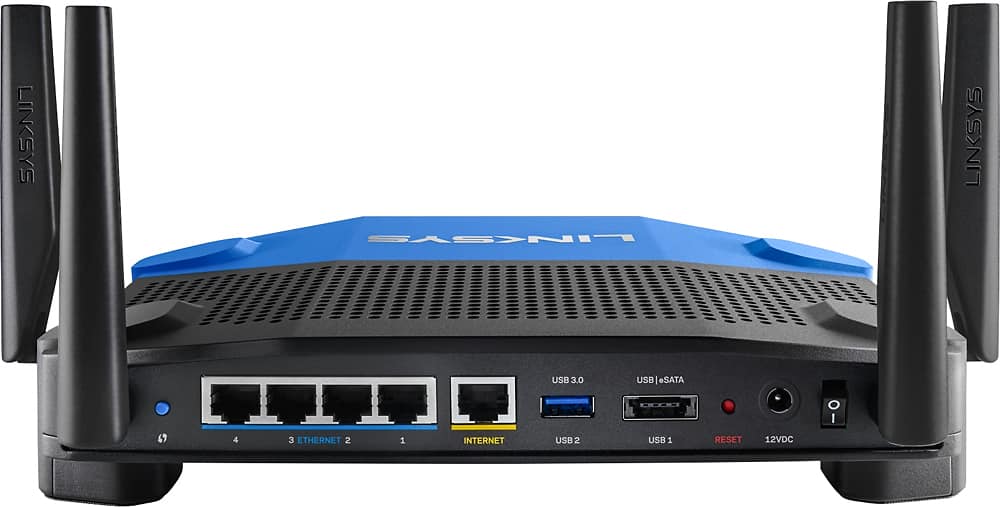
Posted .This reviewer received promo considerations or sweepstakes entry for writing a review.I received this product for free as part of Belkin's Friends + Family Program. I use the router with Comcast service, and configuration couldn’t be any easier. When I opened the box, it was clear someone at Linksys spent some time on making a great first impression. After flipping open the foam padded lid you see the router; nothing to unwrap or unpack. Under the router is a quick start guide and CD, along with 4 antennas. Lifting those out of the way, you have access to another compartment with the power adapter and a thin (but wide) Ethernet cable. The antennas screw on very securely. With other routers I’ve had, the antennas seem too fall over when someone walks by. The router itself is compact (as far as AC1900 routers go), with 1 USB 3.0 port, and a shared USB 2.0/eSATA port. All of the ports and controls are on the back of the unit, and the lights are up front. It would be nice if one of the USB ports was on the side, but if it were really an issue I could keep an extension cable nearby. The Wi-Fi protected setup button is on the back right, it would make sense to put somewhere more easily accessible. The power switch is on the back left, so it’s easy to reach behind and flip it off if you needed to reboot it for any reason. That said, during my first few weeks with the device, I haven’t found the need to. The power cable is a bit shorter than those from other brands I’ve used, so you might need an extension cord if you install it high up. I use one anyway because of limited clearance behind the hutch it’s on (no room for a wall wart). The ports are well marked and separated. The router has 4 Ethernet ports (1 Gbps) and a WAN port. The setup was easy. To make my life easier I always copy over the settings from my previous router when I upgrade. This router was no different. Once it was powered up I went to 192.168.1.1 and used the default password of admin to access the settings. Having never used a Linksys product before, I was impressed with the quickness of the interface. You do have to wait for the unit to reboot after each major change (DHCP scope, SSID, things like that); it’s not possible to enter all of your configuration settings at once and then reboot. After entering my old SSID and password, all of my wireless devices regained connectivity. I have around 24 wireless devices, so it’s nice to not have to update each one with new network information. The router has Ookla’s speed test built in, which is a nice touch. You might want to disable an ad-blocker if you run into any issues with it. It runs pretty cool temperature wise, with impressive performance from the processor. Any cons? The only one I’ve found is range. I have it on one end of a 3,750 sq. ft. house, and at the farthest points on the other side of the house my mobile devices have trouble getting a signal. It’s not much worse than any other router I’ve used, but it’s also not an upgrade over those models. The performance when I’m within wireless range, or connected via Ethernet cable and streaming high-def video all over the house, is excellent. With over 45 connected devices, I haven't been disappointed.
I would recommend this to a friend - Pros mentioned:Ease of useCons mentioned:Size
Best Router I ever Used!
Posted .This reviewer received promo considerations or sweepstakes entry for writing a review.I received this product for free as part of Belkin's Friends + Family Program. That said, I honestly think this is the best router I ever used. Installation was easy, and all my devices connected easily. The dual band capability helps me be able to use my faster speeds while not lagging devices. The range of wifi exceeded my expectations as well. The Android app, Smart WiFi makes remote control of my network easy and more secure. On the down side, I wish there was an option to stand the router vertically, as it is big and needs a lot of space on my desk. After using this I would not buy any other brand of router again.
I would recommend this to a friend - Pros mentioned:Ease of use
Totally Worth it
Posted .This reviewer received promo considerations or sweepstakes entry for writing a review.I replaced my Linksys EA6500 AC router as it was dropping my 5 Ghz band frequently and the range was not as far as I was hoping. The WRT1900ACS has blown away the EA6500. My download speed has increased and also the range. My farthest room had double the download speed from what I was getting from the EA6500. The set up was a breeze as usually with Linksys. I typed in the 192.168.1.1 on my PC and started to customized the new router. It was very straight forward for novice and decent for tech savvy users. What I really appreciate is that when I signed on the Linksys App and used my sign on and password for my old EA6500 router, the App automatically figured that I upgrade to the WRT1900ACS. Setting up priorities and adding external storage was a snap. WPS button is on the left fairly close to the antenna when you are looking at the back of the unit. The WRT1900ACS is quick and it did not run hot as did my EA6500. Currently I have 15 devices hooked up to it. 5 are wireless and the rest are hardwired or powerline hardwired. This is a must buy!
I would recommend this to a friend - Pros mentioned:Ease of use, Range, Speed
Almost great except it slows to a crawl under load
Posted .This reviewer received promo considerations or sweepstakes entry for writing a review.This router is everything good. Great range, easy to setup, clear menu for managing the 50 or so functions. It is fast, with speeds of 56 down and 28 up on Central NJ Optimum Cable. But, unfortunately if you run large data downloads it actually stalls and goes into what seems to be a protective mode so speed drops from 56 to 2, until you do a power boot(shut off on back) clear the buffers and then it performs great until the next time. I replaced a Linksys 3200e with this and that never gave me any issues. After spending 4 hours with Linksys Support, who are great in helping on-line, we have reached the conclusion that it has to go back tomorrow. Going to try another since this is a great router. One good thing I have become an expert is networking trying to get this to work . Turning off/on the router when it slows down is not an option. For Linksys this is case 0577062512 and 05785592. Will review the next one here.
No, I would not recommend this to a friendBrand response from Linksys Staff
Posted .Hi Mike08812,
Thank you for the time you've spent in sharing this product review. We appreciate the good points you've seen on the unit and with your positive support experience with our Support team.We're sorry to hear about the challenge you've had with the product. If you had the same setback with the replacement router, you may email us at [email protected] so we can further isolate this. Please include your full name, phone number, location, and the link to this review.
Hope to hear from you the soonest.
Regards,
Linksys Support
http://www.linksys.com/us/support
Works
||Posted .This reviewer received promo considerations or sweepstakes entry for writing a review.I cant complain my internet doesnt go out anymore.
I would recommend this to a friendBrand response from Linksys Staff
Posted .Hi, Brandon,
We truly value your feedback, and we're glad that you brought this to our attention. Losing of internet connection is clearly not what we expected from your Linksys WRT1900ACS router. Allow us to get this taken care of. Have you tried checking if you do have active and stable internet connection from your ISP's modem? If everything is good from your ISP, then we need to proceed in reconfiguring your Linksys device. We recommend to reset the unit and have it reinstalled. If you're still not getting any connection behind the router, reach out to us so we can further assist you. Email us your contact details at [email protected] including the link to this review for reference. We would be more than willing to lend a hand.
We look forward to assist you.
Regards,
Linksys Support
www.linksys.com
- Cons mentioned:User interface
Great router with excellent coverage
Posted .This reviewer received promo considerations or sweepstakes entry for writing a review.I received this product for free as part of Belkin's Friends + Family Program I replaced a Netgear R-7000 router with this one. The R-7000 works very well, it has good WiFi coverage and speeds. The WRT-1900ACS, however, has great WiFi coverage sn speeds. I have the router in the far corner of my home, in the opposite corner I have spotty coverage with the R-7000, but good coverage with WRT. I also really like the return of the WRT routers, I have a WRT-54G in my house that still works, they are very reliable routers. The price of the router is a little high, but for the price there is no equal. Can you buy a cheaper router, sure. Will you be happy with it, maybe. Will you be buying a replacement sooner, probably. When it comes to reliability, there are only two names out there, Linksys is on the top of that list. I have been working with networking devices since the token-ring BNC days and terminator caps. Ever since I started buying routers, linksys has been on the top. This is a router that I plan to keep for a long time. I will tell you this, there is one thing I am not a huge fan of on this router. The router interface is a little too flashy for me, but I can live with that. You can do everything that you need to do, and then some. The app is very handy, I can check on my home network from anywhere with it, I can see who or what is connected and I can set up my guest network from it. That is a great addition to the router. If you can afford it, you will not be sorry.
I would recommend this to a friend Not so good.
||Posted .This reviewer received promo considerations or sweepstakes entry for writing a review.Not a very good router. Wireless performance is not very good. Stability is poor. Not happy with the purchase at all, sits around not even used since my old router performs better.
No, I would not recommend this to a friendBrand response from Linksys Staff
Posted .Hi, Brandon,
We understand where you're coming from and we would like to improve your overall Wi-Fi experience with your WRT1900ACS router. To achieve stability and good performance, we need to update your router's firmware and optimize the settings. Reach out to us at [email protected] so we can get you over to one of our Escalation Engineers to walk you through the process. Indicate your contact information and the link to this review.
Regards,
Jay
Linksys Support
- Pros mentioned:Range, Speed
Excellent Range And Speed
Posted .This reviewer received promo considerations or sweepstakes entry for writing a review.I received this product, the Linksys WRT 1900ACS Dual-Band Wireless Router as a sample from Linksys in exchange for my honest feedback.. It has been up and running my network now for 2 weeks solid. At first glance after unpacking the router I was immediately thinking out loud, wow this is a serious router. It looks great even with the blue and it is definitely a bit heavy. Now when I say heavy I'm comparing it to my previous Linksys EA6200 which is half the weight. Just looking through the vent holes you can see this was built with quality and performance in mind. After powering up and connecting this device to my modem to take control of my network I noticed the indicator lights had more of a modern appearance allowing you to easily grasp what they were indicating. After connecting to the router via my desktop I was immediately taken the the linksyssmartwifi page which requires you to setup your router prior to getting onto the internet. Now for some that might be a pain because I know a lot of people just want Plug N Play. If you're looking at this wireless router then more than likely you are not that type of person. Non the less it is Extremely easy to do and can take a couple of minutes to 10 minutes depending on what you want to change and control through the settings. After setting your network up you'll be able to see a global scheme of devices on your network and you can manage them through that map. This new linksyssmartwifi really simplifies things and looks nothing like the older linksys setup pages. You have control at your fingertips that allows you to prioritize up to 3 devices or 3 services that you want the router to focus itself on. Now your probably thinking well if I use that then I'm sacrificing all other devices on my network and their speed will greatly suffer. Not at all I've set mine up for Xbox Live, iTunes, and my Apple TV. I ran all 3 and Streamed an Amazon Prime movie via my iPad Pro at the same time with no issues or loss of Quality. I'm giving that credit to the 1.6GHz Dual-Core processor that the WRT 1900ACS features. With that said I have only ran on the 5GHz N channel. Now the great thing about the services being prioritized is that no matter what device or IP address the router focuses on the services ports and packets moving through them. You can add services to the list as long as you know the ports it uses. But there is only room for 3 to prioritize. There are parental controls however I haven't a need for them. But you can set a time schedule to allow or block your children from using the internet. You can also block age restricted sites and or any site. After the 1st week I realized I had no way to test the newer AC band so I purchased the WUSB6300. After installing my USB Wireless Network adapter, the WUSB6300 onto my desktop and running on the AC band my speed almost doubled. I was consistantly running at 450Mbs using the Linksys AE3000 USB Wireless Network adapter. However, now with the WUSB6300 USB Wireless Network adapter, I'm running 867Mbs. The WRT 1900ACS comes with 4 antennas and I was excited about that in the sense that you can see the antennas so you know it actually has some. It's not like a hidden antenna that you're not even sure if it really has one since you can't see it. Well it has 4. One on each side and 2 in the back. With that said my initial thought was I'm going to get great range and overall coverage with this wireless router. The coverage and range is awesome! I do have a good amount of walls that the signal has to go through and everywhere I had previous spotty signal issues has vanished. I now have consistent signal strength and speed where I once lacked in my home. When you're in your home you probably roam around with you cell phone listening to music or streaming videos and hit certain pocket areas where your phone buffers or even switches off to your cell network because of the lack of wifi signal. I can't say this will be alleviated for everyone however for me and my situation it actually was. There's always range extenders if you really need. Now back to the linksyssmartwifi. You can download the app from the app stores for your particular operating system. You can monitor your Network without actually being on it. Meaning you can be at work and log in to your app or by going to linksyssmartwifi.com, as long as your browser is supported, and monitor usage and make all the changes you need from the office or wherever. So with that said I have been impressed with the WRT 1900ACS dual-band wireless router. It's fast, reliable and has great range. Managing your home network has become easy and pretty effortless. Devices wont suffer when in demand with this WRT 1900ACS 1.6GHz Dual Core Processor Wireless Router.
I would recommend this to a friend Looks nice, But Constantly Drops Signal
||Posted .This reviewer received promo considerations or sweepstakes entry for writing a review.Do not buy this router. Drops signal every day and requires a reboot every time. Linksys tried to make it look like the legendary Wrt54G but that's about all it has in common.
No, I would not recommend this to a friendBrand response from Linksys Staff
Posted .Hi. We appreciate your time for sharing this feedback. It's unfortunate that you're having these problems. What we can do is have our 2nd level support team check your device to help you resolve the intermittent connection and rebooting. Just send us your contact details at [email protected]. Please include the link to this review in the email for reference. We hope to hear from you soon.
Not What We Expected
||Posted .This reviewer received promo considerations or sweepstakes entry for writing a review.We bought it, tried it out and had to return it. It wasn't giving us the speeds the router was advertising. Also, it is also no longer Cisco, instead it is by Belkin.
No, I would not recommend this to a friendBrand response from Linksys Staff
Posted .Hi, NatNat,
We regret to hear that you've already returned the unit. We could have optimized the settings of the WRT1900ACS router to achieve your desired speed based on your ISP's subscription. Should you have other Linksys device that you need assistance with, don't hesitate to email us at [email protected], anytime. Our Escalation Engineers are always ready to serve you.
Regards,
Jay
Linksys Support
Returned as not needed
||Posted .This reviewer received promo considerations or sweepstakes entry for writing a review.During in home Geek Squad install, determined that router fine both next to router and next to computer. Problems clearly with old computer.
No, I would not recommend this to a friend- Pros mentioned:Range, Speed
Great Router
Posted .This reviewer received promo considerations or sweepstakes entry for writing a review.I received a free sample from Linksys for my honest feedback, Easy setup, connecting my network was a breeze, speed and range are great, Usb features are also great
I would recommend this to a friend - Pros mentioned:Range, SpeedCons mentioned:Buffering
Awesome Product!
Posted .This reviewer received promo considerations or sweepstakes entry for writing a review.I received a free sample from Linksys in exchange for my honest feedback. I'm glad I did! This router is so fast and the distance is so good that I was able to remove both of my repeaters from my 2 story 2600 square foot house and that's with it up stairs at one end of the house. My new TV has AC protocol. I've noticed no buffering while watching videos online. My Web enabled blue ray player in the bedroom, across the house, has also stopped buffering during shows. The app is excellent as well. Not only can I make changes to the router on the fly but I can monitor my kids from anywhere.
I would recommend this to a friend - Pros mentioned:Performance, Speed
Linksys WRT 1900ACS is Best Router Ever
Posted .This reviewer received promo considerations or sweepstakes entry for writing a review.I received a free sample Linksys WRT 1900ACS Dual band Gigabit Wi-Fi router from Linksys in exchange for your honest feedback. I've always been a Linksys customer. I buy their products from retail stores like Best Buy and the Linksys online store. Love the design and the reliability of the products like their routers, range extenders and wireless adapters. I recently received a Linksys Friends and Family email inviting me to review one of their products. I agreed, and next thing I know, I have the Linksys WRT1900ACS Dual-Band WI-FI Router. Hands down, the best router I ever had. It is a router clearly done right by Belkin International for many reasons: 1) Ease of setup: out of the box, the instruction are clear and straight forward. However, I was not able to connect to the internet during my first setup. This was documented properly in the quick start guide. I followed the instructions by resetting the router using the reset red button on the back and was able to connect with no problems. 2) Blazing speed: If you buy this router, there will be no need for an Ethernet direct connect any more. The speed is amazingly fast. 3) Unparalleled performance and reliability: Since I set this router up about three weeks ago, it has been working flawlessly. We have four laptops, three IPads, three cell phones, two printers and a surround sound amplifier connected to it. They all work flawlessly. This router is a work horse. I am sure it can handle many more users and devices. I have not set up the guest access and security yet. I will when we have visitors. Few additional features worth mentioning, love the front display, you can tell what's on consistently. The on/off button on the back is a very useful feature. However, I turned off the router when we had to go away on the weekend. When returned and turned the router back on, the 5GHz band had disappeared. I chatted with technical support using the 2.4GHz band and they suggested to change the networks names and passwords from the default names and passwords. Once done, all access and features have been working like a charm. I have not setup the Smart WI-FI to monitor and control my networks from anywhere. This is an awesome feature but don't have a need for it yet. I'm looking for a wireless security video system. I'm sure the Smart WI-FI feature will be put to good use with the wireless security cameras. :) Happy surfing on the "Best Router Ever"..
I would recommend this to a friend - Pros mentioned:Performance, Range
Great for Home and/or Small Office
Posted .This reviewer received promo considerations or sweepstakes entry for writing a review.I received this product for free as part of Belkin's Friends + Family Program. This router delivers solid performance & necessary range for areas with potential weak spots & lots of devices. If you are a media streamer this is the router for you.
I would recommend this to a friend