Customer Ratings & Reviews
- Model:
- WRT1900ACS
- SKU:
- 4580500
to a friend
Customers are saying
Customers enjoy the AC1900 Dual-Band Wi-Fi Router's ease of use, range, and performance, citing positive experiences with setup and strong signal strength. Many appreciate its reliable connectivity and coverage, along with features like the guest network. However, some customers find the router expensive and large, while others have noted issues with the user interface and parental controls. A few users experienced buffering problems, though others reported improved streaming capabilities.
This summary was generated by AI based on customer reviews.
- Pros mentioned:Performance
Excellent High Powered Retail Router
Posted .This reviewer received promo considerations or sweepstakes entry for writing a review.I use Verizon Fios and I have their Quantum Gateway G1100 Router in order to use all of the functionality of their DVR/TV. I mainly got this router so I could set up a VPN through the router which is not possible on the Verizon Gateway. My Desktop operates Windows 10 for those wondering if this router works with version 10. First, I picked this router up on June 20 so It's only been a couple of days that I've used it. I will edit this review if anything changes. The Router is huge and substantial! It looks great and feels solid, but just be aware that it takes up space. There is an option to wall mount, but I simply placed it on my desktop next to the Verizon Router. For my configuration I decided the best option was to connect the WRT to the Gateway via a LAN to WAN connection. The initial configuration requires you to link the router to the Linksys UI, which can be a bit buggy as it tends to randomly lose connection. However, once you're in the UI the router will receive an automatic firmware update to June 2. As my goal was to place VPN software on the router, once the router was stable with the new firmware, I upgrade/flashed the Linksys firmware to the latest dd-wrt firmware. The router has remained on/active for 3 days with several devices (3 i-Pads, 3 i-Phones, MAC Laptop, Desktop, Xbox One and Xbox 360) connected. Unlike my previous older NETGEAR WNDR 3700v3 with dd-wrt firmware, the Linksys easily handles the intense security of the VPN software. For example, Verizon Fios 50/50 is typically 58/60 +/- a couple mega bits with the Verizon router without VPN. With the NETGEAR with VPN I was getting around 10/10. The older NETGEAR with 8 MB flash memory and 64 MB ram really struggled. With the Linksys with VPN I'm getting around 50/53. So far I'm really happy with the routers performance in terms of power to handle very complex security and multiple devices connected at the same time. Wireless signal strength has been very good - much better then my older NETGEAR. I would say it's on the same level as the Verizon Gateway Router. I live in a single family home with 3 levels and so far no dropped or weak connections. If you're looking for a high speed powerful router then look no further.
I would recommend this to a friend - Pros mentioned:Performance, Speed
California State Champ in 3rd party wireless tests
Posted .This reviewer received promo considerations or sweepstakes entry for writing a review.I could not believe it, with the WRT Linksys 1900acs, on a 75/75 fios broadband , I tested as the # 1 wireless connection for speed, and overall performance, in the State of California! This was out of a 2 week period of 439 tests. Tested 9/30/16 on nPerf. nPerf tests download/upload speed, latency, ping, browsing, and video streaming . The unit took me about 15 minutes to install on a Windows 10 laptop. The only unusual circumstance, was I had to reset my network, and reboot. But this took only a few minutes. Windows 10 actually diagnosed this, and walked me through a simple network reset. Note: Make sure you get the 1900acs not the older 1900ac.
I would recommend this to a friend - Pros mentioned:Ease of use
Easy Setup, fast throughput, features I need.
Posted .This reviewer received promo considerations or sweepstakes entry for writing a review.Easy to set up. All the advanced features I wanted. The OpenVPN capability works very well though I had to find a compatible OpenVPN client by researching a bit. The OpenVPN community only has Windows and Linux versions being maintained today. I found Tunnelblick VPN client to work like a charm with my MBP. One thing I was a bit surprised about was that selecting to register the router with my DynDNS service account, the routers login page became available on the internet at my URL. This is probably because I do not have a web server running. But my assumption was that registering was going to simply replace my dyndns agent needs that run from my PC, not make the router login page available on the internet. I do have over a dozen wired and wifi connected devices on the network. 1xLinux PC, 1xWindows PC - wired, 2x Apple TV's, 2x iPads, 2xiPhones - wifi. 2 x Apple Airports, two additional wired switches for various other wired IoT devices. I originally had set this up as a wifi AP in the middle upstairs bedroom. This gave me the best overall wifi house coverage as expected (~2000 sq. ft) and I could still connect with good speeds from my front and back yards, about 25 and 50 feet away from center. Overall my experience has been very good. Making changes in configuration setting were straight forward and if a reboot was needed, the router comes back online very quickly as compared to any router I have had used thus far. This I am sure has a lot to do with the dual core 1.6GHZ CPU and perhaps optimized code running on the device.
I would recommend this to a friend - Pros mentioned:Ease of use
Excellent Dual Band WiFi Router
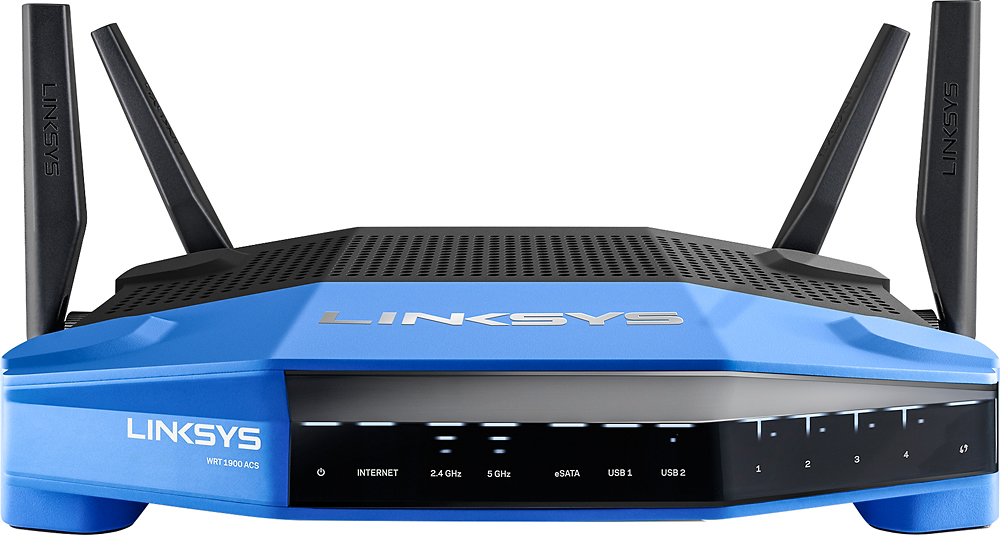
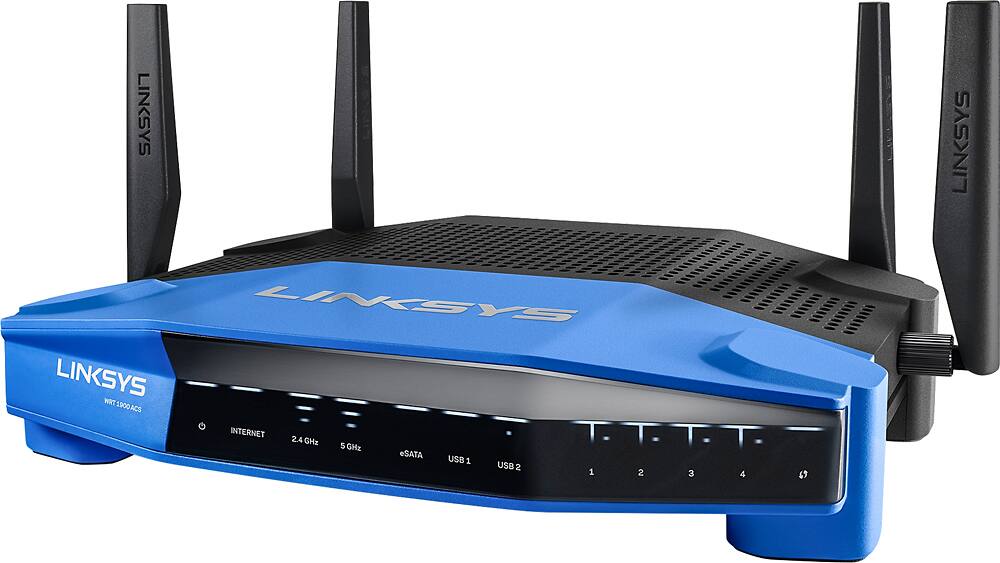
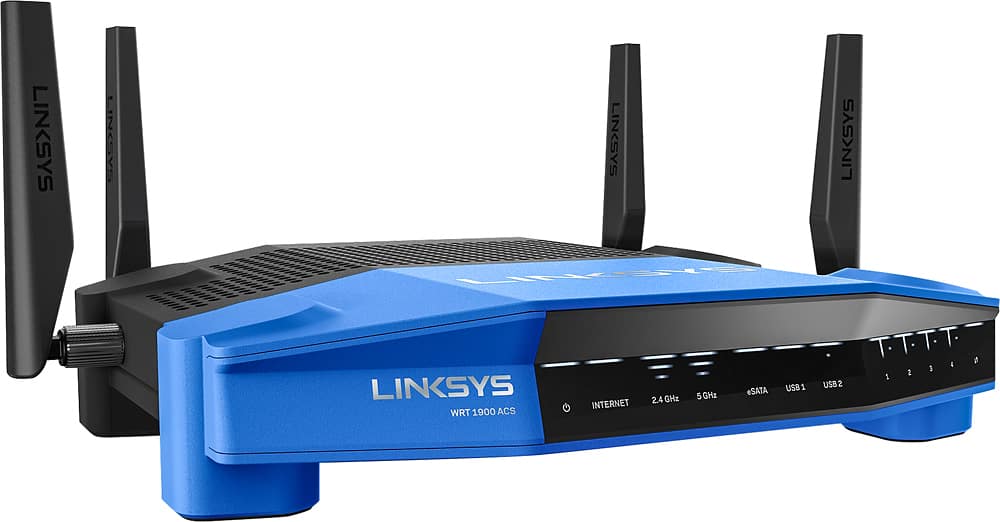
Posted .This reviewer received promo considerations or sweepstakes entry for writing a review.I've been using the new Linksys WRT1900ACS Dual Band Router for a bit over a month and have been very pleased with it. Setup was easy and it has been very reliable with much better coverage that previous routers. I especially like being able to see what devices are using my network and the ability to enable and disable guest access remotely using the Smart Wifi app. The front panel display lets me know how much WiFi activity is going on in each band. My router was provided to me by Linksys to evaluate.
I would recommend this to a friend Great router for any type of user
Posted .This reviewer received promo considerations or sweepstakes entry for writing a review.I received this router free from Linksys for a honest review of this product. All opinions are of my own. This router was very easy to set up, right out of the box. After quick assembly of attaching the antenna and applying power, the router was ready to provide my wifi home needs. Following the setup guide and promoted steps of the online setup from my computer, I found the programming to be easy for anyone. Once setup was complete, the task of adding my wireless devices was very simple and easy. I had no issues with the majority of my devices working instantly. One device (Nest Cam) required a restart of the router and entering account information to connect to the new router. Otherwise, no I did not encounter further issues. This router has worked great during my time of use. My wifi home coverage has increased, my devices work perfectly with the router now, and has allowed myself and guests to connect without issues. The guest feature is also a wonderful feature. Prevent access to you main network and turn on/off guest connection as needed, and also control the number of users on your guest wifi. Now, there is no need to create a new password for your main connection. I also downloaded the Smart Wi-Fi app from Linksys to access the router from home or away. The app has also provide a great user experience with this router. I have used this app to monitor devices, restart the router if needed, and have remotely controlled the router while away from home for guests. The app allows the user to turn on/off your guest features from anywhere. Overall this is a great router if you are looking for an upgrade or replacing. It is my opinion any user will have a great user experience, setup, and satisfaction. I would recommend the purchase of this router. Again, Linksys provided this router at no cost for a honest review. I received no other benefits and all opinions are of my own.
I would recommend this to a friend- Pros mentioned:Ease of use, Speed
Great Router with more connections
Posted .This reviewer received promo considerations or sweepstakes entry for writing a review.Belkin sent free sample to evaluate. It was an easy installation following instructions and connected immediately to the internet using automatic connect option. Linksys Smart Wi-Fi software made changing the configuration to match my network easy after replacing an existing Cascading router. Wireless Banks 2.4 GHz connects at 300.0 Mbs and 5.0 GHz connects at 867.0 Mbs as I don't have a faster wireless adapters for the 600 or 1300 Mbs. 1 G Ethernet is Great.
I would recommend this to a friend - Pros mentioned:Range
Great router
Posted .This reviewer received promo considerations or sweepstakes entry for writing a review.Bought this router to replace my old Netgear router (which had died - 2nd one in 2 years) and couldn't be happier. Superior range and can handle many different devices. Wholeheartedly recommend!
I would recommend this to a friend - Pros mentioned:Ease of use, Speed
Great upgrade for your home WiFi
Posted .This reviewer received promo considerations or sweepstakes entry for writing a review.I received this router free in exchange for an honest review. I was able to set up this router easily thru smart setup wizard. I used default configurations and have experienced great results so far. I was able to easily get all my devices hooked up and am getting better speeds than ever. The Smart WiFI tools allow remote network monitoring and troubleshooting(though I've not needed that yet).
I would recommend this to a friend - Pros mentioned:Range
Excellent speed and range, but constant reboots!
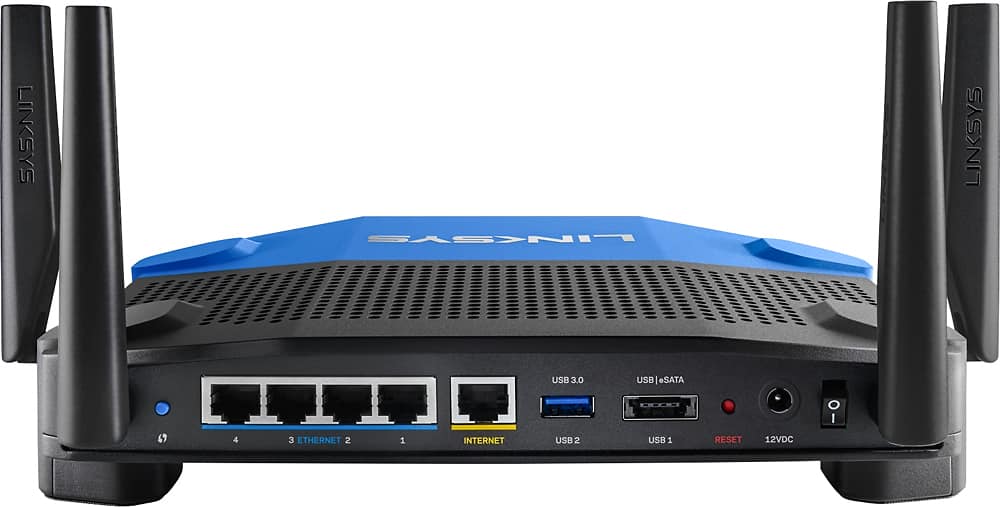
Posted .This reviewer received promo considerations or sweepstakes entry for writing a review.The WRT1900ACS performs excellently, that is when it is performing. Range on the 2.4GHz and 5GHz band are great and the speed of the data throughput is amazing. Unfortunately, it has started rebooting multiple times a day. The rebooting is particularly obvious when you are streaming heavily from a USB connected drive via wireless. I love the transfer speed of the LAN to USB 3.0 interface which can sustain around 110 MB/sec (Mega Bytes per second, not Bits). It's obviously taking full advantage of the USB 3.0 when you are connected via the gigabit LAN. I also have another drive connected via eSATA and read and writes to that device are excellent as well. WAN input is also excellent and allows me easy access to approximately 160 Mbps down and 163 Mbps up through Verizon FiOS. Unfortunately, it doesn't matter how well it performs if it won't stop intermittently rebooting. For those interested in purchasing this router, do a Google search of its' predecessor, the WRT1900AC #without the S#. I've discovered that Linksys has known about the random reboots under certain conditions for some time now and haven't made much progress in fixing it. I'd like to think that maybe I simply got a bad apple, but after researching the issue, I've decided to switch routers. Unfortunately, no other router out there matches the USB 3.0 and eSATA performance of the WRT1900ACS.
No, I would not recommend this to a friendBrand response from Linksys Staff
Posted .Hi BillD,
Your inputs about the Linksys WRT1900AC wireless router are important to us and they are truly valued. We respect your decision. Rest assured we are always listening to our customers' sentiments and working hard in resolving the trouble they've encountered.
Should you decide to own a Linksys device again, we want you to know that we're always here to be of assistance. You can send us an email at LinksysCares@linksys.com.
Regards,
Linksys Support
www.linksys.com/us/support
- Pros mentioned:Ease of use, Range
Ver good router
Posted .This reviewer received promo considerations or sweepstakes entry for writing a review.I had purchased a Roku tv for the bedroom. When I tried to set it up, I realized that I did not have a wifi signal on that end of the house. I read reviews and decided to buy the Linksys WRT1900ACS. It was very easy to set up and now I have a strong signal all over the house. The Roku tv works great now. I am very satisfied with it.
I would recommend this to a friend - Pros mentioned:Speed
This is one of the best routers I've encountered
Posted .This reviewer received promo considerations or sweepstakes entry for writing a review.Although this router was given to me for free, the following is my honest and independent opinion. I wasn't paid to write this review. In the last few years, many routers had passed my hands and the WRT1900ACS is one of the best. The router itself is packaged securely in its box but it is easy to remove it. The setup process was quick and worked without a hitch. I was able to use it, along my broadband modem, in less than 10 minutes. Defining port rules is very intuitive and the overview screen provides all the necessary information. As a wired router I was able to pull around 928Mbps between my computer and my QNAP NAS. The wireless capabilities are very impressive - speed is great and the coverage is excellent. The WIFI signal reaches points that my previous router wasn't able to cover and it is strong and stable. I've been using this router about two weeks so I can't assess its long term reliability but considering Linksys track record I don't expect any issue at this department. I also loaded the router with DD-WRT alternative firmware. This firmware adds many features and information. Users that feel adventures will gain a lot from it.
I would recommend this to a friend - Pros mentioned:SpeedCons mentioned:Size
Inconsistent!
Posted .This reviewer received promo considerations or sweepstakes entry for writing a review.When I first saw this product online, I figured that, based on its size and number of antennas, it must be top of the line and one of the best routers on the market today. The bottom line - I got a Linksys E2500 on sale for $59.99 that seems to perform overall better than the Linksys WRT1900ACS which is priced between $189.99 and $249.99. Speaking of size, the router does take up a lot of space, both horizontally in surface area and depth (it's bulky), and vertically (with the antennas). I want to start off by saying the setup of this unit was the most complicated and time consuming process I've ever dealt with on a router. With my E2500, it was much simpler and much quicker. With the WRT, the Linksys Smart Wi-Fi page even timed out at the end of the setup. This would be the start of my problems with this router, since I was doing this setup on a laptop, wirelessly. Another thing I did not like is that during setup, I was NOT given the option of having a separate "guest" wireless access; it was automatically setup. The first thing I noticed after setup were all the bright white lights and the flickering wireless icons. Very annoying, especially at night. My E2500 has no lights. It's also very space conservative, and for its compact size, seems to have about the same range, at least in my 2,439 square foot, two-story home and outside on the patio. For the record, I use the following devices wirelessly: a Dell laptop, a Nook, a Dell AIO desktop, a Samsung smart phone, a Roku, a Canon printer, and a cordless phone using magicJack (VOIP). Not all at the same time and usually not more than 2 or 3 devices at a time. I also split my router between the two available frequencies. For what I'd consider the most critical part of my review. Speed. Upon initial setup and restart of my modem, router, and connected devices, I went online and did a speed test using the Linksys tool and using speedtest.net. I got <1 MBPS using both the Linksys tool and speedtest.net. I would consistently get between 12-17 MBPS wirelessly with my old router, so I considered <1 MBPS to be horrible. I'm on the Comcast 25 MBPS plan. That of course is the speed expectation for wired internet. Comcast tells me that wirelessly I should anticipate approximately 19-22 MBPS. That being said, I just tested my wireless speed again and I'm getting 29.16 download speed tonight. Problem is - it's not consistent. One thing I'm having real problems with are pages timing out and VERY SLOW INTERNET at times. I was not experiencing this much with my E2500, which seemed for the most part to be a lot more of a workhorse, although typical speed was never about around 17 MBPS. As the title of my post implies, I'm really noticing inconsistencies with this router. Sometimes it works great and much faster than my old modem. Other times, it's not even comparable (much worse). Of all my complaints, I would most like to see a little more consistency and ability for this router to maintain fast speeds. My recommendation - buy a lower end Linksys - you'll be fine. You might even be better off than with a high end one.
No, I would not recommend this to a friendBrand response from Linksys Staff
Posted .Hi Atarisastoria,
Your detailed feedback on our product is appreciated. Is it connected to the 2.4 GHz or 5 GHz? We suggest that you tweak the wireless channel on your router to avoid possible interference in your network. Use the Wi-Fi analyzer app. It helps you find a less crowded channel for your wireless router. You can also manually update or reflash its firmware. Don’t forget to restore it to factory default settings afterwards.
Let us know how it goes at [email protected] with your contact details, location, and the link to this review for reference.
Regards,
Linksys Support
www.linksys.com
- Pros mentioned:Ease of use, Range
Great router
Posted .This reviewer received promo considerations or sweepstakes entry for writing a review.I received this router free from linksys as part of their friends and family program and so far it's been a great improvement from my old linksys router. It doubles the range and fills the dead spots my old router had. It's very simple to setup and user friendly.
I would recommend this to a friend - Pros mentioned:Speed
Noticed the speed update immediately
Posted .This reviewer received promo considerations or sweepstakes entry for writing a review.I have been planning to upgrade my wireless router for some time now. I was also a customer for linksys for long time. When they sent an email if I can write a review for a free upgrade, it was no brainier. Once I got the product, opened the box, unplugged my old Linksys AC1750 and connected to the upgraded WRT1900ACS. I noticed the speed update almost immediately. I also checked with the speedtest site and was receiving the same speed my internet provider is giving me. The installation was a breeze with the linksys site and overall very happy with the upgrade.
I would recommend this to a friend - Pros mentioned:Ease of use
This router was very easy to set up.
Posted .This reviewer received promo considerations or sweepstakes entry for writing a review.This router was very easy to set up. I always set aside a lot of time whenever I am setting up new electronic components or systems because they never install or work as you would hoped and usually take much more time to work with then you planned. This router was the exception. It took me about 30 minutes total to replace my old router with this new router and even get all my wireless devices reset to the new router. I am very pleased with this router and for once I think the product actually not only meets my expectations but exceeds it.
I would recommend this to a friend - Pros mentioned:Ease of use
This is a great router - very simple set up.
Posted .This reviewer received promo considerations or sweepstakes entry for writing a review.Although I received a free sample from Linksys, in exchange for my honest feedback, I didn't give this rating because of that. This was the easiest router that I have ever set up. It took no time at all. The range is good. My house layout is not good, from where my modem is. My modem is upstairs, all the way to one side of the house, but it does cover the entire 2 story house, and outside on my back porch, also. The signal does get weaker towards the outside edges, but still works fine. This is the best range I have experienced with any of my other routers. So far, the signal has been very reliable - I have not yet had to reset the router. I really like that the lights on the router are not too bright, like some others that I've had. I am very happy with this router!
I would recommend this to a friend - Pros mentioned:Ease of use
Lots of cool features!
Posted .This reviewer received promo considerations or sweepstakes entry for writing a review.I've been using this router for a couple weeks now and I must say I'm impressed so far. The initial setup of the router is very easy and what I like most is the smart wifi app/account (that you can access from anywhere) and make changes to the settings such as parental controls, the network map which shows what devices are connected, speed testing, guest access, media prioritization, security and soo much more. This router is packed with a lot of great features to assist you with maximizing your network and internet use. I received this product in exchange for my honest review.
I would recommend this to a friend Easy set-up; good coverage
Posted .This reviewer received promo considerations or sweepstakes entry for writing a review.Our router is probably the last thing we want to waste time thinking about. For years we've used a Linksys E1000 (now discontinued) which was Wireless N only. When we bought Windows 10 machines, though, we were plagued by dropped connections. This was especially annoying since I work from home. Since my machine had a wireless card utilizing the AC format (my wife's uses N), it made sense to replace the router in hopes it would resolve the problem. This router was a snap to set up. The dropped connections are a thing of the past. We're very pleased.
I would recommend this to a friend- Pros mentioned:Ease of use, Signal strength
Easy to set up and use
Posted .This reviewer received promo considerations or sweepstakes entry for writing a review.Read reviews of routers and decided on this one. Internet price was matched by BB at the store. Easy to set up and use. Have not lost any signals. Streaming video has worked fine with no dropouts.
I would recommend this to a friend - Pros mentioned:Ease of use, Speed
Fantastic
Posted .This reviewer received promo considerations or sweepstakes entry for writing a review.great speed easy setup able to control from anywhere and control the guest separate from my network I did receive this product free from linksys to review and test will recommend to everyone
I would recommend this to a friend