Customer Ratings & Reviews


- Model:
- MR8300
- SKU:
- 6309260
Rating by feature
- Setup
Rating 4.6 out of 5 stars
- Range
Rating 4.6 out of 5 stars
- Signal Strength
Rating 4.6 out of 5 stars
Customers are saying
Customers highly value the AC2200 Tri-Band Mesh WiFi 5 Router's ease of use, range, and performance, with many praising its simple setup and strong signal. Positive feedback also highlights the router's extensive coverage and ability to support multiple devices without significant issues. While some users reported occasional connection drops, the majority experienced improved streaming and gaming performance after installation. The positive aspects significantly outweigh the reported drawbacks.
This summary was generated by AI based on customer reviews.
- Pros mentioned:Range
Difficult to set up had to return
||Posted . Owned for 7 months when reviewed.This reviewer received promo considerations or sweepstakes entry for writing a review.I bought this because my Apple router was so old and I wanted something to replace it and still have control of my Wi-Fi in my house… the setup was terrible and several calls to geek squad and to linksys. I finally returned it and my old Apple Time capsule was back and running perfect in 5 minutes. Since then I have upgraded to an Eeos 6 mesh router which now reaches to the very back of my property. I miss my Apple just because, but the Linksys was the worst right out of the box.
No, I would not recommend this to a friendBrand response from Linksys Staff
Posted .Hi, Drkjedi502,
Please know that we’re always here at LinksysCares@linksys.com should you to give another shot to Linksys products. Our Escalation Engineers are always ready to lend you a hand if needed.
Regards,
Rosalyn
Linksys Support
Price
||Posted .This reviewer received promo considerations or sweepstakes entry for writing a review.Returned the purchase since I found the next model up for approximately the same price on line. Store would not price match since the upgrade was not sold directly by Amazon, but a vendor on Amazon
I would recommend this to a friendRouter
||Posted . Owned for 1 month when reviewed.This reviewer received promo considerations or sweepstakes entry for writing a review.The first one I bought did not work properly. Internet kept restarting. Spent months doing everything we could think of. Then we replaced with the same thing and works like a charm now. It was very frustrating.
I would recommend this to a friend- Pros mentioned:Coverage, Speed

Easy set-up, strong performance
|Posted .This reviewer received promo considerations or sweepstakes entry for writing a review.Linksys has long been my favorite brand of routers. I've had terrific performance with several other models and my experience was no different with the MR8300. I tested it paired with an AC1300 range extender. Pros: - Excellent coverage. With the help of the extender I had strong signal in all areas of my 2300 square foot home. - Fast speeds. I didn't experience any issues streaming HD media content. This model is rated to handle up to 2.2 Gbps - Small form factor. It doesn't take up too much space like some other larger models. - Price. This router has terrific performance for the price it's going for. - You have the ability to add additional extenders if needed for larger home sizes. Cons: None Overall, this is a terrific offering from Linksys and should be considered by anyone looking for an affordable system that also has strong performance.
I would recommend this to a friend Good for wireless but
||Posted . Owned for less than 1 week when reviewed.This reviewer received promo considerations or sweepstakes entry for writing a review.Good for wireless but I’m not quite sure how to hook up my external hard drive on the USB port in the back like I do my airport extreme simple and easy hook up for my Mac use a Mac but doesn’t do the same when I use Linksys
I would recommend this to a friend- Pros mentioned:Performance, Speed
High Performance router
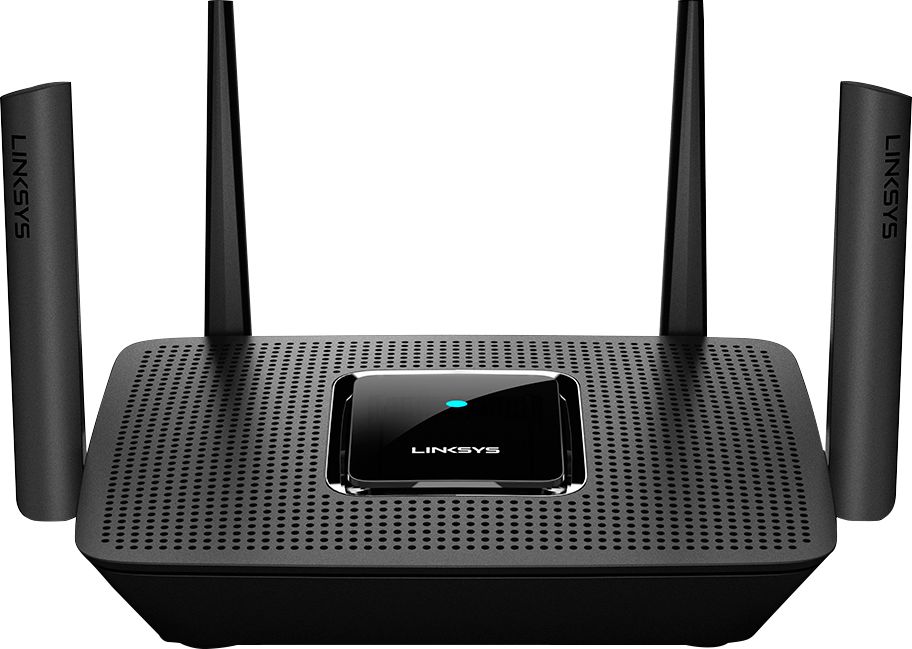
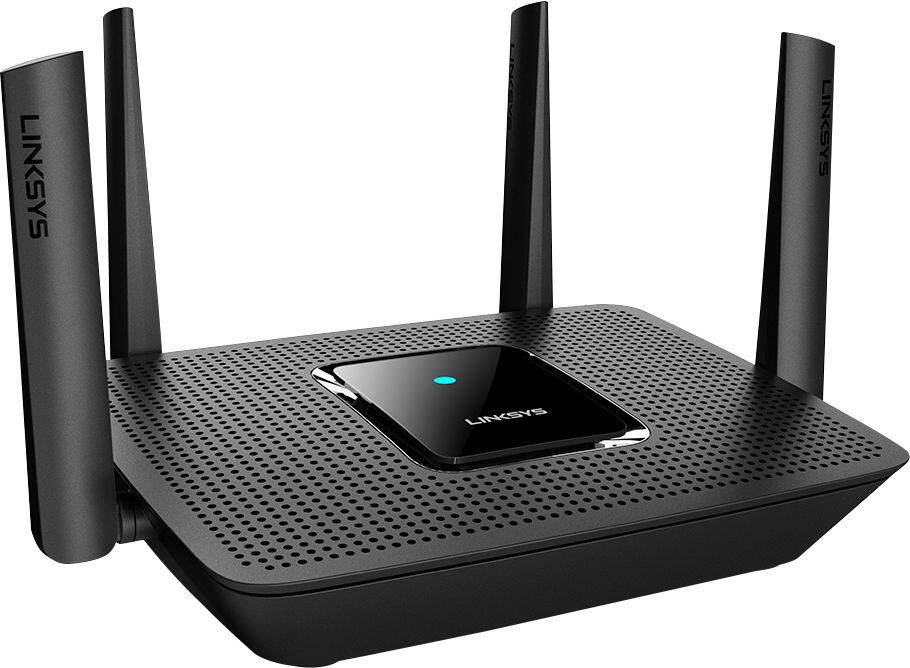
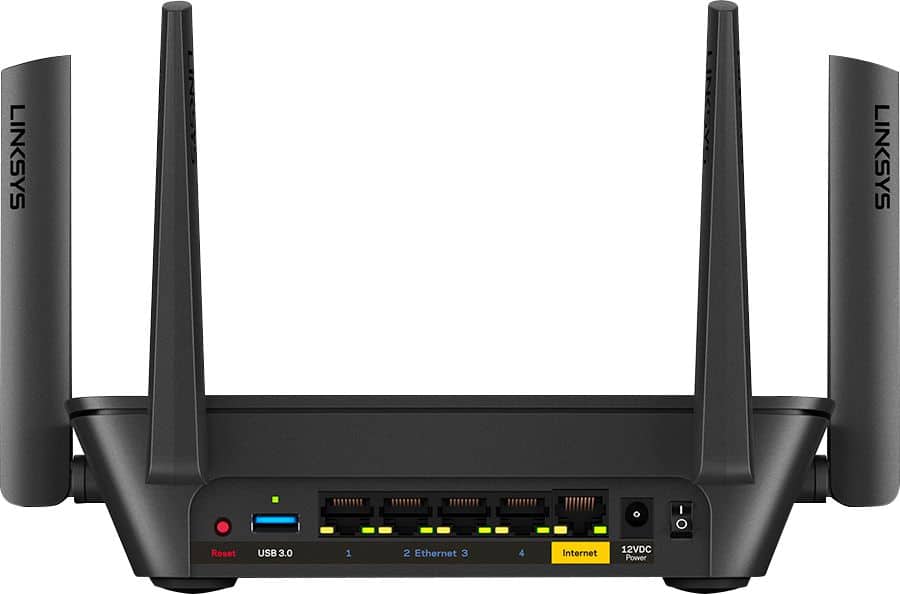
|Posted .This reviewer received promo considerations or sweepstakes entry for writing a review.It has 4 antennas with 4 Ethernet ports (gigabits ports) and 1 WAN port on the back along with a single USB 3.0 port. It falls in the high end on the router spectrum and can be easily expanded by adding Wi-Fi expanders/Volpo nodes. This is built for households who demand performance. Its rated for combined speeds (on all ports) up to 2.2 Gbps. It has a bigger footprint than my older one and looks like a align router (cool look!) from outer space. It’s a triband router that hosts a 2.4GHz signals and two separate 5 GHz signals. Always choose 5 GHz channel for 4k streaming. A Tri-band router speeds things up, by preventing various devices from interfering with each other. Make sure you are using the right modem that can support these speeds. I have a ARRIS surfboard Dual-Band AC2350 router. Had this router for 3 months and so far I didn't experience any drop outs or internet issues with the new router with 22 devices connected to it. It’s a MIMO router i.e. multi-input and multi-output, essential a multi user router. Setup- The set-up process was a little longer than the normal routers I had in the past, but this came with advance features and capabilities compared to simple routers I had in the past. Just followed the instructions and set-up was fairly simple Multi devices and Wi-Fi Range- It has a pretty good range and was able to cover most of my 3 floor home running 22 devices connected to the network. These devices include google home, Philips hub, Samsung hub, Wi-Fi speakers, 5 smart TV's, Wi-Fi audio receivers, X-box, tablets, phones, etc. I have the router on the main floor and added 2 Wi-Fi ranger extender (velop nodes) to provide 4k streaming in my basement and 2nd floor. I was able to cover 3500 sq. ft home with no dead spots with the main unit on the first floor. Add Velop mesh Wi-Fi nodes to extend the coverage in your home. Performance and capability - It is definitely built for people who are looking for performance in streaming 4k content on several devices simultaneously. I clocked about 60 mbps (download speeds) running 4 devices simultaneously on 3 different floors, which is really impressive and that is what you need to stream 4k content. App Features: Setting up the app was fairly simple and easy to use. I like feature that It lets you limit the internet usage. Most cable providers have a usage limit (200 GB is the usual limit) that we tend to forget and you get throttled for going beyond your monthly limit. Easy to manage your home WiFi from anywhere using your phone or tablet. It also offers parental controls and you can prioritize your devices that need the most speed (i.e. 4k streaming on a certain TV, or gaming, etc.). Takeaways: Am impressed with its performance and being a tech junky I feel this a good investment for someone looking for high performance router. Expensive but future-proof with expansion capability. So I expect this to last at least 6-8 years without becoming technology obsolete. Didn't have issues with 22 connected devices across 3 floors covering 3500 Sq Ft. There is room for improvement on the app UI for advanced users, such as connection status on who is trying to connect, their MAC address, etc. MAC filtering is limited to 25 devices. I like the band steering feature that gives you higher WiFi performance for true gaming experience. You can easily use up the 4 ethernet ports with your smart devices/hubs connected to these ports, would be good if it had additional ports for the price you pay for the device.
I would recommend this to a friend The app and support are terrible
||Posted . Owned for 2 weeks when reviewed.This reviewer received promo considerations or sweepstakes entry for writing a review.Shortly after setting up the router the app would no longer open. Reset password was not allowed even though the router was set up with my email. I was asked to verify the product but expected email never came. Repeated everything several times nothing worked. Could not contact support. After long waits for chat I was disconnected. Others who reviewed this product also mentioned the bad app. I thought to myself how bad could it be. The answer for me was far worse than I imagined possible. The app and app support is much worse than the many free apps I use. It’s really hard to believe how bad it is. I recommend a different brand.
No, I would not recommend this to a friendBrand response from Linksys Staff
Posted .Hi,
This is not the support experience we want to hear from our customers. Know that you can also check your spam, bulk, and junk folders just in case the email went through those mentioned folders. We’d like to have our Escalation Engineers to further check on this. Please send us an email at [email protected] with your contact information, the case number, and the link to this post for our reference.
We hope to hear from you soon.
Regards,
Gregory
Linksys Support
Maybe I got a bad unit?
||Posted . Owned for 3 weeks when reviewed.This reviewer received promo considerations or sweepstakes entry for writing a review.This thing is absolute garbage. Here's the facts: - Doesn't support USB port out of the box. - Needs a firmware update that can't be done automatically (takes about 3 hours on support to get someone to give you the link) - It's a quad core and overheats all the time - Crashes and turns off the internet every twenty minutes for a minute or so. - The app randomly let's you log in or not. - The web interface, again, two hours on support to get someone to tell you how to connect to it, no it's not in a manual - Doesn't come with a manual
No, I would not recommend this to a friendBrand response from Linksys Staff
Posted .Hello, Nemam11,
The Linksys MR8300 supports USB 3.0 port for external hard drive. You can also try to manually update its firmware version, and it should come with a manual if the unit is purchased as new. You may try power cycling the Linksys MR8300 or try running the channel finder for further isolation. Allow us to have you assisted further by our Esscalation Engineers by sharing with us over email your case number or phone number and assist you with the link of this review, for our reference.
Regards,
Elyza
Linksys Support
- Pros mentioned:Coverage
Solid Router at a good price point
|Posted .This reviewer received promo considerations or sweepstakes entry for writing a review.The MR8300 is the latest addition to my AC6600 Linksys Mesh router system in my home and outer buildings. Liked the first Linksys Mesh system at home so much I installed one in my business. Have had an excellent experience with the Linksys Mesh router and the new MR8300 addition fits in nicely with my home Wi-Fi. There are now five nodes running on my home system and the coverage is superb. Also added their Mesh Wi-Fi System Plug-In Node which is a nice addition which can simply be plugged into and outlet, great space saver. Compared to my original AC6600 what I like about the new MR8300 are the addition of more ethernet ports, now there are four ports rather than just one. With tower unit I had to add a switch to the main router, that is no longer necessary with the addition of the extra ports. Also believe the large external antennas will reach out even father with stronger signal, not positive as I have not tested yet. But I do know that there is an excellent signal at the opposite side of my home without the other nodes on-line. My wish list is that the documentation was more detailed and expanded, being a techie type I like in-depth information. Also wish that the system could be accessed directly from a PC rather than relying only on the APP. Bottom-line, the Linksys Mesh system has been the highest rated since its introduction and continues to build upon that model with quality engineering and brilliant results. It is clear Linksys is committed to their MESH system and you can look forward to more goodies in the future. This is about my third year with the Linksys Mesh system handling very heavy wi-fi usage home and a business as well with no issues or failures. If you want home wide coverage with peace of mind give the MR8300 a strong look.
I would recommend this to a friend It’s ok
||Posted . Owned for 1 month when reviewed.This reviewer received promo considerations or sweepstakes entry for writing a review.It’s an ok router, it sometimes doesn’t load things over wireless and you have to refresh or restart. I don’t like that you can’t change from mixed to individual.
No, I would not recommend this to a friendBrand response from Linksys Staff
Posted .Hi, MatthewP,
We'd like to learn more details about the challenges that you have with the Linksys MR8300, and sort things out. With the link to this review and your contact details, please send an email at LinksysCares@linksys.com. Our Escalation Engineers would love to lend a hand forward.
Regards,
Carl
Linksys Support
worked great till I got metal roof
||Posted . Owned for 1 month when reviewed.This reviewer received promo considerations or sweepstakes entry for writing a review.Had to ordered an extender to see if this would speed up the buffering and able to use my phone and or iPad outside. But the wifi either slows down or does not work when Im outside.
I would recommend this to a friendBrand response from Linksys Staff
Posted .Hi, ahh59,
Several factors may have caused the limited range such as physical obstructions, wireless interference since you’re using metal and others. Making sure that the router runs on the latest firmware will greatly help to improve its overall performance as well as utilizing the channel finder. Furthermore, we’d like to have our Escalation Engineers assist you instead. Just send us an email at [email protected] along with your contact information and a link to this post as our reference.
Regards,
Rosalyn
Linksys Support
- Pros mentioned:Ease of use
Kept self rebooting randomly
||Posted .This reviewer received promo considerations or sweepstakes entry for writing a review.Easy to setup, large range coverage, but unstable. From the start, it kept rebooting randomly during the day. Searched Linksys support website for this specific problem and it seems to be a common issue with this model. Most of time Linksys support sends a replacement unit and since mine was under the 14-day window I returned it to Best Buy.
No, I would not recommend this to a friendBrand response from Linksys Staff
Posted .Hi, Samz,
This is certainly not the expected behavior of the router and we could’ve had our Escalation Engineers investigate this challenge with you. Moreover, we respect your decision.
Feel free to tap us anytime at [email protected] should you decide to use a Linksys product again. We’d be glad to give you a hand.
Regards,
Rosalyn
Linksys Support
Surprisingly unreliable
||Posted . Owned for 2 weeks when reviewed.This reviewer received promo considerations or sweepstakes entry for writing a review.This router was great for iPad or laptops, but was a very spotty wifi connection for iPhone and a Samsung S9. I returned it and went with an Orbi. Much better overall option
I would recommend this to a friendBrand response from Linksys Staff
Posted .Hi Kaptau,
The Linksys MR8300 Mesh WiFi Router is expected to provide a stable and fast Wi-Fi coverage as ling as the current firmware is up to date. There could be some settings that we need to adjust on the unit to address the setback. We could have tapped our Escalation Engineers to work with you on a fix and figure out what's causing this to happen. Should you have any Linksys products in the future and need a helping hand, please don't hesitate to get in touch with us at [email protected]. We're eager to help.
Regards,
Carl
Linksys Support
- Pros mentioned:Performance, Speed
Finally...full speed
|Posted .This reviewer received promo considerations or sweepstakes entry for writing a review.Before this router, I had the Velop Tri-band tower mesh system with a few nodes throughout the house. While it was great, I wanted to add a few more hardwired ports to my main devices, so I gave this router a shot. Not only did I unlock faster internet speeds, I inadvertently fixed an issue I overlooked in my initial set-up. I gave myself 15 minutes to install the router and have it up and running. It was almost seamless, but there is one issue that the average person may have problems with. This router is advertised to be compatible with the entire Velop mesh system. Since I already had other nodes installed, I simply went to the app and clicked, "add new device." For whatever reason, the app would not recognize the new router. I tried several workarounds with no luck. What I ended up doing was logging out of my account and setting up the router as a fresh install. After installation completed, I logged back in to my account, and was able to link the router to my existing settings. This is not explained in the manual, and I could see it causing massive headaches. So, on the issue I corrected. Once I finished installing, I had to reconnect all the nodes. This is tedious as they should already be set from my previous install. Upon reinstalling, I noticed the nodes are limited in bandwidth. I missed this first time around and it explains why my living room performance was occasionally lagging. The fix was to put the triband router this unit replaced, in the living room and set it as a node. Now, speeds are maxing out! According to the speed tests, this router is maximizing my internet signal and I have experienced excellent performance with no hiccups. This is a great router, and being that it is compatible with the other Velop products, makes an even better head of my home's mesh wifi. I am a gamer, Netflix/Hulu user, so speed is everything. Definitely recommend this product.
I would recommend this to a friend It's just ok
||Posted . Owned for 2 weeks when reviewed.This reviewer received promo considerations or sweepstakes entry for writing a review.Returned and bought a lower end and getting the same quality. Issues may honestly be my provider and not the device
No, I would not recommend this to a friendBrand response from Linksys Staff
Posted .Hi, Dubb,
The Linksys MR8300 Mesh WiFi Router delivers WiFi speed up to 400 (2.4GHz) + 867 (for each 5 GHz) Mbps, and WiFi coverage of up to 2,000 sq ft.
If you need assistance with other Linksys devices, feel free to reach out to us at [email protected] with the link to this review for our reference, and we'll assist you further.
Regards,
Jan
Linksys Support
Could be better
||Posted . Owned for 3 weeks when reviewed.This reviewer received promo considerations or sweepstakes entry for writing a review.I don’t know if I’m the only one that’s having the issue, but several times a day it drops the internet connection, not the wireless, but the WAN. It reconnects without any interaction, usually within a minute. It’s just aggregating when your in the middle of something or streaming. This was not a problem with my previous router, so it can’t be blamed on anything other than this router. Hopefully it’s a known issue & they’ll put out a firmware update to fix it. If that happens, I’d give 5 stars.
No, I would not recommend this to a friendBrand response from Linksys Staff
Posted .Hi, Derek,
This is quite unusual. Have you tried using a different Ethernet cable to connect the router to the modem? Please give it a try and let us know how it goes at [email protected] so our Escalation Engineers can assist you further. Don’t forget to include your contact information and a link to this post as our reference.
Regards,
Rosalyn
Linksys Support
- Pros mentioned:Range, Speed
Great Speed, iffy app
|Posted .This reviewer received promo considerations or sweepstakes entry for writing a review.Overall its a great upgrade from a basic AC router that I had before. a few 2.4Ghz only devices I have instantly saw an increase in signal, and my 5Ghz devices can all seem to connect from 650-867mbps. Our 150mbps down/15mbps up with comcast isn't bottlenecked at all over 5ghz, was able to speedtest over 170mbps on my phone. Will do further network speed testing with iperf, but thats more for overall First impressions were hurt a bit with the setup app. It kept "losing connection" even though my devices were still online, but I had to force close the app and re-login a few times. I have a normal sized 2 bedroom apartment, and it easily covers it, with some slowdown at the far corner from the router, but still maintains a steady connection. (speedtests 50-70mbps over 5ghz, with 2 walls and a room in between).
I would recommend this to a friend It's fine.
||Posted . Owned for 3 weeks when reviewed.This reviewer received promo considerations or sweepstakes entry for writing a review.It is fine, just not what I needed. I was looking for a powerful range extender, trying to use this in bridge mode. Was not easy and did not achieve my goal.
No, I would not recommend this to a friendBrand response from Linksys Staff
Posted .Hi,
Setting up the Linksys MR8300 router in Bridge mode should allow you to extend your existing wireless network. However, if you need assistance with other Linksys devices, feel free to reach out to us at [email protected] with the link to this review for our reference.
Regards,
Jan
Linksys Support
Less than impressed
||Posted . Owned for 1 month when reviewed.This reviewer received promo considerations or sweepstakes entry for writing a review.One would think that I would have four bars sitting right next to this router, but I only have 2. Should have stuck with Netgear.
No, I would not recommend this to a friendBrand response from Linksys Staff
Posted .Hi, Rapalm,
We’d like to know more about your feedback. Can you share more details at LinksysCares@linksys.com so we can have a better view of the challenge? Our Escalation Engineers would be happy to lend you a hand. Just include a link to this review as our reference when you reach out.
Regards,
Rosalyn
Linksys Support
Not so good.
||Posted . Owned for 1 month when reviewed.This reviewer received promo considerations or sweepstakes entry for writing a review.Didn't cover my 2400 sq ft u shaped house. Poor coverage 12 ft from the unit. Poor coverage downstairs 15 ft from the unit.
No, I would not recommend this to a friendBrand response from Linksys Staff
Posted .Hi TheDad,
We appreciate your sharing your feedback on this router. Please know that the house structure/materials used, and other wireless devices may cause interference which can affect the performance of the router. We suggest placing the router in an open area and changing the wireless channel for isolation.
If the issue persist, let us know so that our 2nd Level Support team can assist you. You can email us at LinksysCares@linksys.com with the relevant details and the link to this review for our reference.
Regards,
Kyla
Linksys Support