Customer Ratings & Reviews


- Model:
- MR8300
- SKU:
- 6309260
Rating by feature
- Setup
Rating 4.6 out of 5 stars
- Range
Rating 4.6 out of 5 stars
- Signal Strength
Rating 4.6 out of 5 stars
Customers are saying
Customers highly value the AC2200 Tri-Band Mesh WiFi 5 Router's ease of use, range, and performance, with many praising its simple setup and strong signal. Positive feedback also highlights the router's extensive coverage and ability to support multiple devices without significant issues. While some users reported occasional connection drops, the majority experienced improved streaming and gaming performance after installation. The positive aspects significantly outweigh the reported drawbacks.
This summary was generated by AI based on customer reviews.
Quit working
||Posted . Owned for 1 year when reviewed.This reviewer received promo considerations or sweepstakes entry for writing a review.This product quit working in less than a year of use :(
No, I would not recommend this to a friendBrand response from Linksys Staff
Posted .Hi AlanT,
This is totally unexpected since our devices are designed for long-term use. Should you give us another chance, our Escalation Engineers would be more than glad to provide assistance. Just email us at LinksysCares@linksys.com along with your contact details and the link to this review as our reference.
Regards,
Chu
Linksys Support
router
||Posted . Owned for 3 weeks when reviewed.This reviewer received promo considerations or sweepstakes entry for writing a review.to download the linksys app is next to impossible. im going to have to call for support
I would recommend this to a friendBrand response from Linksys Staff
Posted .Hi, Dave,
This seems to be odd. The Linksys App is available to both compatible Android and iOS devices. As long as you have an active internet connection/mobile data and active Google Play Store or App Store accounts, you can download the App anytime and anywhere. Aside from these, take note of the basic OS requirement as well: Android 4.0.3 and iOS 14.1 or greater.
You are always welcome to email LinksysCares@linksys.com with other concerns and inquiries.
Regards,
Mara
Linksys Support
- Pros mentioned:Ease of use, Range

A Fast and Easy Setup Linksys Router
|Posted .This reviewer received promo considerations or sweepstakes entry for writing a review.The Linksys MR8300 Max Stream AC2200 is an impressive router. It is very easy to set up and increases the speed of your entertainment wifi. I have a Modem and Router combo and the Linksys router was still simple to setup. I wanted to know if the Linksys MR8300 Max Stream AC2200 would increase my network speed. I ran several tests through a website that measures your speed on my network. I did three samples and here are the speeds that the website came up with: 26 Mbps, 19 Mbps and 20 Mbps. Once I put the Linksys router with the network I tested the speed. I will share those speeds at the end of the review. First I installed the Linksys app on my smart phone. Then I followed the simple instructions on the setup sheet included with the Linksys router. I went through a couple of steps where the light in the middle of the router would change color and flash. They were reminders of what was going on in the setup. I opened the Linksys app when the Linksys router was ready for that next step. The instructions were straightforward and easy to follow. Once you install a name and password for the Linksys router, the Linksys app takes over. I answered a few questions and it setup nicely on my network. I put the Linksys router upstairs in an open space where the signals could be used best. I also received a node to help expand the range of the Linksys router signal. I placed and plugged in the node downstairs in an open area as well. After plugging the node I set it up by following the directions on the Linksys app. It took a little longer to install the node but it finished rather quickly overall. Now, I wanted to see if this Linksys MR8300 Max Stream AC2200 Tri-band wifi router made a difference in my speed on the network. I tested the speed on the same website (same as before) and here are the speeds on three different trials: 44 Mbps, 31 Mbps and 35 Mbps! My speed literally doubled when compared to the first test. I was very happy to see that. This Linksys MR8300 Max Stream AC2200 Tri-band wifi router also has a small/medium footprint and movable antennas that allow it to be put virtually anywhere. Along with the node, it provides great coverage. This combined with ease of setup and faster speeds make this Linksys router one you will want to get your hands on!
I would recommend this to a friend - Pros mentioned:Ease of use, Performance
Good device, easy setup
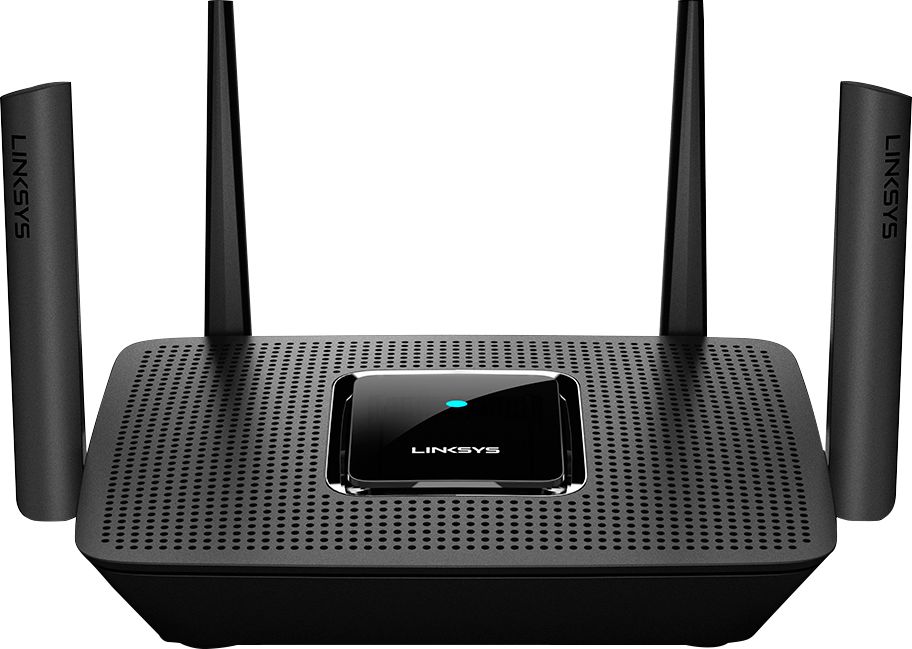
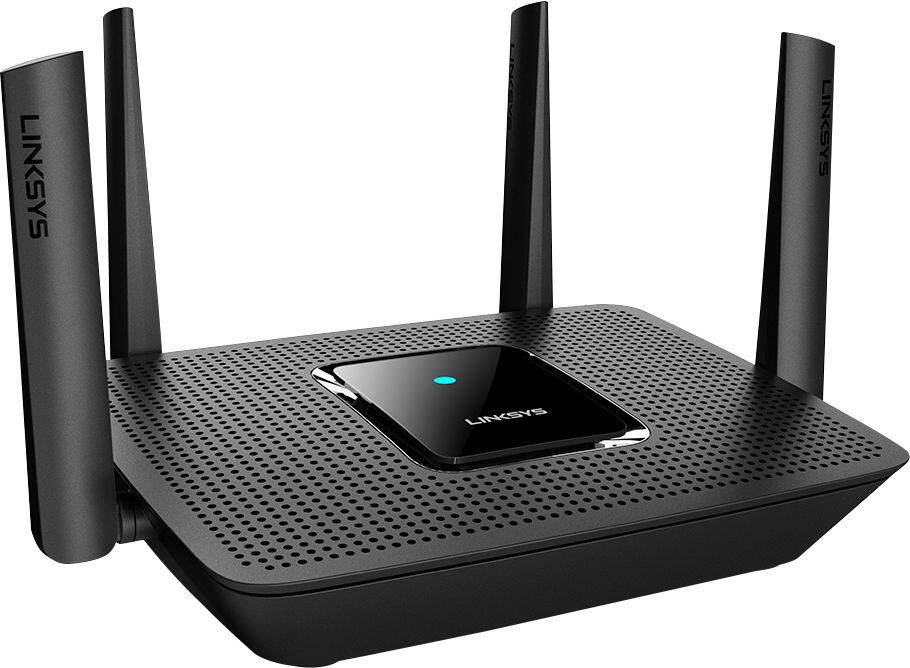
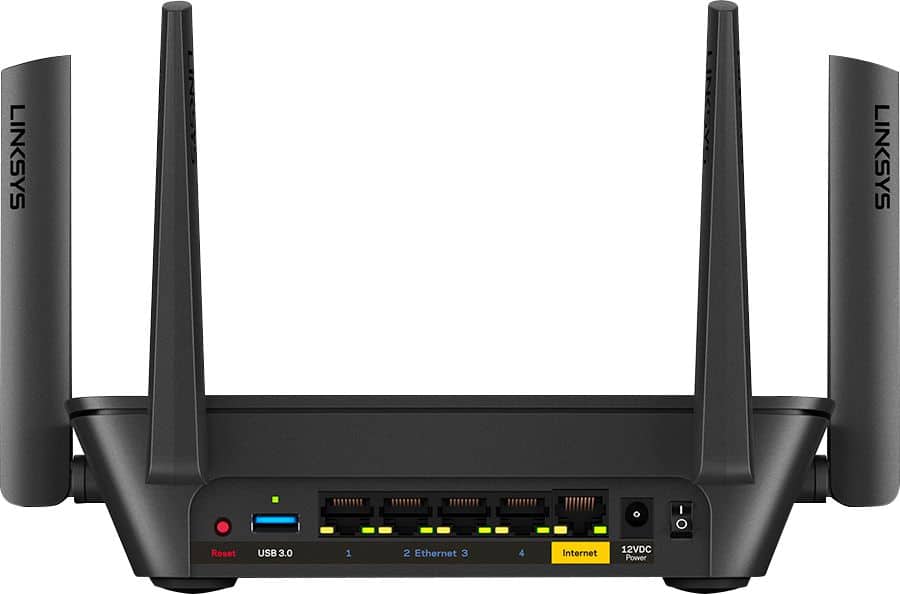
|Posted .This reviewer received promo considerations or sweepstakes entry for writing a review.Setup: Setup was super easy, download the Linksys app and just follow instruction on the screen. If you have more than one node you can keep adding the up – one after another. Setup was completed fast and with no issues at all. Performance: Mesh is really great system for your devices, as long that you place them in right positions. I am getting same speed from any room in my house and devices on outside are performing much better as well (two ring bell’s). I currently have Comcast plan 150/10 but I am getting 180mb on download and 12mb on upload. Devices connected to gigabit ports are performing a lot better (4k tv and 4K video surveillance system). My Netflix is not losing picture quality anymore and this is a BIG thing for me. Device prioritization is very helpful to keep important devices at top of the speed. Design & connectivity: Very simple design with 4 folding antenna’s, 4 gigabit ports, USB port, internet port, power switch, reset button and 2 mounting screws. Tri-band AC will deliver full speed to your wireless devices. Interface: Linksys mobile app will give you good and clean interface with controls to your whole network system. If accessed by computer browser (by local IP) you will get full details with additional controls and options such as DNS, parental controls, control of each nodes, DMZ zones. I would say that browser access will give you approximately 15% to 20% more options than mobile app. Pros: Easy setup Great performance Mountable 4 gigabit ports AC wireless Unlimited numbers of nodes could be added Device prioritization Cons: None
I would recommend this to a friend Another letdown extender and router
||Posted . Owned for 1 year when reviewed.This reviewer received promo considerations or sweepstakes entry for writing a review.Not good, didn’t extend and cover my house like it was claimed it would
No, I would not recommend this to a friendBrand response from Linksys Staff
Posted .Hi,
We totally hear you as the Linksys MR8300 should have stable connection once set up properly. Let’s make sure that the router is running on the latest firmware version. Try to reboot your main Network as well along with the router for isolation. Please update us at LinksysCares@linksys.com so our Escalation Engineers can further assist you. Include your contact information and the link to this post for our reference.
Regards,
Rhea
Linksys Support
Great range
||Posted . Owned for less than 1 week when reviewed.This reviewer received promo considerations or sweepstakes entry for writing a review.It’s triple and but by default it setup the 2.5 g instead of 5 g right away
No, I would not recommend this to a friendBrand response from Linksys Staff
Posted .Hi, Techboyyyyyy,
During the setup process, the App will only ask for one WiFi name and password as the device is a mesh router which means that it’ll have the same credentials for the 2.4GHz and 5GHz network. Feel free to get in touch with us at [email protected] should you need further assistance. We’d be glad to give you a hand.
Regards,
Rosalyn
Linksys Support
- Pros mentioned:Coverage, Speed
A nice piece of equipment to manage your wifi
|Posted .This reviewer received promo considerations or sweepstakes entry for writing a review.If you are living in a multilevel house or in a house with areas where your internet access is very erratic or unreliable, I think that you should consider to look for this linksys because is clearly an option to strongly consider. First, this is a new router generation that connected to your modem (still needed piece of equipment!) will be able to extend the wifi coverage in the entire house at the same time, but at the same time you can manage the usage of your broadband by user or device. This is super important, if you are part of a family with a big number of devices connected at the same time and where you want a secure a certain speed for some of the more demanding needs (like your 4K streaming). Your kids could be doing multiplayer gaming, you spouse working with some file transfers, video chat, email, and web surfing family sharing it at the same time. Is made by linksys that in the last years has been always for me a reliable piece of equipment in my house. With four multi directional antennas theoretically helps (I’ve read a lot about the advance of those and the not always unanimous opinion in the web) the Router creates a far-reaching network but in addition to that, if you need a longer than usual network, you can pair it with Velop system nodes to definitively reaching each corner of your property. And this is going to be the future in the houses where the wifi access needs are going to growth in next years. I personally think that the only less positive part of the experience is the setup process. It took me more than 15 min to do it and I am still not sure why should be done with an app. But once you are used to it you can use the app to do basic maintenance and management of your network. I understand that more experienced users could do speed test all over the house but in my case, with a less scientific profile I can confirm that I noticed that in the living room the fact that I secured a minimum speed benefits my TV streaming and in the kids’ room the gaming is also a more reliable experience than before. Clearly has been welcomed by the entire family.
I would recommend this to a friend New Router
||Posted .This reviewer received promo considerations or sweepstakes entry for writing a review.Wish this worked outside the home - meaning I wish it could be programmed when I wasn't home.
No, I would not recommend this to a friendBrand response from Linksys Staff
Posted .Hi, Biker,
You can control the Linksys MR8300 remotely on your iOS or Android device using the Linksys app. Should you need assistance, you may reach out to us at LinksysCares@linksys.com and share more details with the link to this review for our reference.
Regards,
Jan
Linksys Support
Misleading reviews, avoid hassle and issues
||Posted .This reviewer received promo considerations or sweepstakes entry for writing a review.Avoid this router. I purchased it 5 months ago spending extra than my budget since I saw it was originally priced at $200. From out of the box the router was confusing and difficult to setup. I also saw a lot of hiccups in my wireless traffic while working from home even with 200 mb/s download speeds from my ISP. The icebreaker happened when I knew a power shut down was occurring in my apartment complex so I turned off the switch and when I came home the router refused to connect again to my desktop which was hard wired. Customer service walked me through basic steps I could’ve done alone such as resetting and power cycling, but they chalked it up to a defect which they claimed 8% chance in every router they sell. I’ve been a linksys customer for life but I will never buy their junk routers again. I returned it to Best Buy and got a Netgear and it worked right out of the box.
No, I would not recommend this to a friendRandom frequency selection
||Posted . Owned for 1 month when reviewed.This reviewer received promo considerations or sweepstakes entry for writing a review.Better off getting a classic setup router from Amazon than Linksys gimmick. Why do I need an online account, it's just unnecessary. Opting out gives issues when setting up. Moreover, it drops signals at times and if you have devices using 2.4 you can only set it to automatic, which apparently picks 2.4 for devices that can communicate in 5. Going back to my old router.
No, I would not recommend this to a friendBrand response from Linksys Staff
Posted .Hello eddw,
You may take advantage of creating a cloud account for your Linksys MR8300 as the Linksys App will then allows you to configure your router’s settings locally or remotely over the internet. Our Second Level Support Team got curious about the concern you're having with is. Share with us the details of what happened by sending us an email at [email protected] with your contact info and the link of this review, for our reference.
Regards,
Elyza
Linksys Support
Decent router
||Posted . Owned for 11 months when reviewed.This reviewer received promo considerations or sweepstakes entry for writing a review.I expected a little more range from this but still a good router. Not sure about with the money though
No, I would not recommend this to a friendBrand response from Linksys Staff
Posted .Hi, Matt,
Utilizing the channel finder as well as keeping the router updated will greatly help to improve the overall performance of the device. Should you need more assistance on how to optimize the router, feel free to reach us at [email protected] so our Escalation Engineers can lend you a hand.
Regards,
Rosalyn
Linksys Support
Make Easier to setup
||Posted . Owned for less than 1 week when reviewed.This reviewer received promo considerations or sweepstakes entry for writing a review.Its a little difficult to set up. Needs to be easier setting up for novice people like me.
I would recommend this to a friend- Pros mentioned:Ease of use, Speed
Fast and Stable
|Posted .This reviewer received promo considerations or sweepstakes entry for writing a review.Fast and Stable This router is fast (716Mhz Quad-core) and I have had no connection issues. Set up was pretty straight forward. Follow the quick startup guide. This router uses a smartphone app for set-up and management. Hint - you can still get to it using a browser. Simply enter the 192.168.1.1 into your browser and left click on the wireless icon to get you set up the first time. During the setup I had the app telling me to wait for a Purple light if I remember correctly and I had a flashing blue (Sorry I am trying to remember back a couple weeks) Anyway, I finally just went to the next step without the color change and it worked - Just wanted to provide a heads up. I did connect my Velop (Mesh) nodes at the same time, it does take a little while, but all worked well. I recently turned off all the Mesh nodes to provide a fair review of just the unit. I have over 200 Mbps service and when tested upstairs (Ranch style home – 2200 sq. ft) and got pretty good signal throughout. When I went downstairs, same strength. (Not to mention, my router is in a closet in the living area.) When I did a speed test through the Linksys App I got 200 Mbps, but when I tested through the Wi-Fi on my laptop I got about 60 Mbps. I then turned on a Velop node and it went up to 160 Mbps. Either way, streaming was perfect either way. So, I would say if you have a 2 story and want to reach the basement, or you are in a heavier congested area, perhaps the mesh system would be great. I will put my node in the garage to get better connection outside. I really love having the 4 Gigabit LAN ports for extra ethernet connections. I was able to remove 5 port switch from my system as I no longer need it. I would like to see a little better parental control at the router level. All you can do is really turn on and off a connection. I have on average 14 devices connected at one time with no issues to date. Overall, I am happy with this router.
I would recommend this to a friend Worked great for a while.
||Posted . Owned for 2 weeks when reviewed.This reviewer received promo considerations or sweepstakes entry for writing a review.Worked great for a week, then had to get it replaced. So far the second one is working fine.
I would recommend this to a friendOkay Router
||Posted . Owned for 1 month when reviewed.This reviewer received promo considerations or sweepstakes entry for writing a review.This routers range is not nearly what it suggests. Works slightly better than my old $49 one.
No, I would not recommend this to a friendBrand response from Linksys Staff
Posted .Hi, RCumpton,
The Linksys MR8300 Mesh Router offers a coverage of up to 2,000 sq ft. You can try to use the channel finder on the Linksys app and make sure that the firmware is updated to optimize the device.
For further assistance, please reach out to us at [email protected] with the link to this review for our reference.
Regards,
Jan
Linksys Support
Constant bottlenecking my internet speed!
||Posted . Owned for 2 weeks when reviewed.This reviewer received promo considerations or sweepstakes entry for writing a review.I've had this device for just over 2 weeks now, and unfortunately I am incredibly disappointed with the product. My internet membership with Cox is for 500Mbps, I got a 3.1 DOCSIS modem that could easily deliver the speed, which always has so far. For the router, I was ready to overpay as long as I got consistent, accurate and strong signal, however, this product has been bottlenecking my internet speed ever since I got it. The speed varies time to time, sometimes it is 200Mbps right in front of the modem, sometimes it is 5Mbps... I've even had a 1 hour talk with LinkSys Customer Support, at first it looked like we found a solution, but it only lasted 15 minutes... I will be returning this product today or tomorrow and getting a different brand. This might be the perfect product for %90 of the users, but unfortunately not for me. I don't want to spend 2-3 hours of my day trying to fix the internet every week or so.
No, I would not recommend this to a friendBrand response from Linksys Staff
Posted .Hi, sbell,
The MR8300 Mesh Router should be able to deliver combined speeds of up to 2.2 Gbps (N400 + AC867 + AC867). But allow us to investigate your support experience and, we'll have our Escalation Engineers assist you further.
You can share your case number or phone number at [email protected] with the link to this review for our reference.
Regards,
Jan
Linksys Support
Gig
||Posted . Owned for 1 year when reviewed.This reviewer received promo considerations or sweepstakes entry for writing a review.Was good for a few devices but with 5 people the transfer rate was just too slow.
No, I would not recommend this to a friendBrand response from Linksys Staff
Posted .Hi, KeMi,
The Linksys MR8300 Mesh WiFi Router supports multiple devices and features Advanced Beamforming+ Technology. You can try to change the wireless channel and update the firmware of the router to see if that made any difference.
For further assistance, please share more details at [email protected] with the link to this review for our reference.
Regards,
Jan
Linksys Support
Router good, but ON TRAC was a fail.
||Posted . Owned for 3 months when reviewed.This reviewer received promo considerations or sweepstakes entry for writing a review.Router is pretty good, but had to cancel initial order and remake to pick up at store directly. Be warned.... ON TRAC delivery services did not deliver this product at all, rec'd the confirmation on delivery but no item, not even a delivery person on my Ring cam.
I would recommend this to a friendNearly great and a great value
|Posted .This reviewer received promo considerations or sweepstakes entry for writing a review.Linksys Velop is one of the best Mesh WIFI systems, but it’s been expensive and not as customizable as their standard dual and tri-band modems. The MR8300 changes that. It looks just like the EA8300, but it’s an AC2200 tri-band Velop Mesh router. Add one or two of their plug-in dual band nodes, and you can have a solid Mesh WIFI system at a reasonable price. It will work with any Velop dual or tri-band modems depending on your needs. Keep in mind that having all tri-band units will up Mesh performance and price. As a standalone unit, it’s a very good tri-band router priced in line with non-mesh units. As with all current Linksys modems, they want you to sign up for a Linksys account and use the mobile app for setup. If you want to expand with additional nodes, the app is pretty much a necessity. Setup for me was automated and trouble-free. New to me is that the mesh system is designed to use one SSID name and password for all bands. There are three bands or channels when using one unit, but more and more channels are used as you add nodes. Velop is designed to take care of assigning and seamlessly transitioning your devices to the best signal. The app leads you through adding nodes and informs you if the location is good or may suggest trying a different spot. One advantage the traditionally packaged MR8300 has over other Velop units is four ethernet ports. I have it in my home office area and have a desktop computer, printer and network storage drive all using wired connections. No reason to use WIFI bandwidth when not necessary. It has a USB 3 port, but unfortunately, it’s not activated. Maybe in a future firmware update, is the reply from support. My results have been good so far. I replaced a Linksys WRT1900ACS modem which is a powerhouse in its own right, and the MR8300 with one added node has increased my bandwidth. It’s not quite as customizable as the WRT but has all the controls I need. You have to search the UI to find some features, but parental controls, prioritizing, port forward and such are there. If you need or want a Mesh system at a reasonable price and don’t need all the units to look like vases, this is a solid choice. If the USB port had been usable, I would have given 5 stars.
I would recommend this to a friendNot Happy with its Performance
||Posted . Owned for 1 week when reviewed.This reviewer received promo considerations or sweepstakes entry for writing a review.When I first installed the router, it was working perfectly but now it keeps dropping my internet connection especially when I am working from home. Not happy with its performance. The Linksys support team are phenomenal in their assistance in fixing the problem but it after a while it will return in dropping the connection. I am returning the device and look at another router that I hope will work.
No, I would not recommend this to a friendBrand response from Linksys Staff
Posted .Hi, Peaches1963,
We appreciate your writing us a review. Please email us at [email protected] with your contact details, the case number, and the link to this post so we can have our Escalation Engineers further provide a diagnosis on your case.
Regards,
Gregory
Linksys Support