Customer Ratings & Reviews
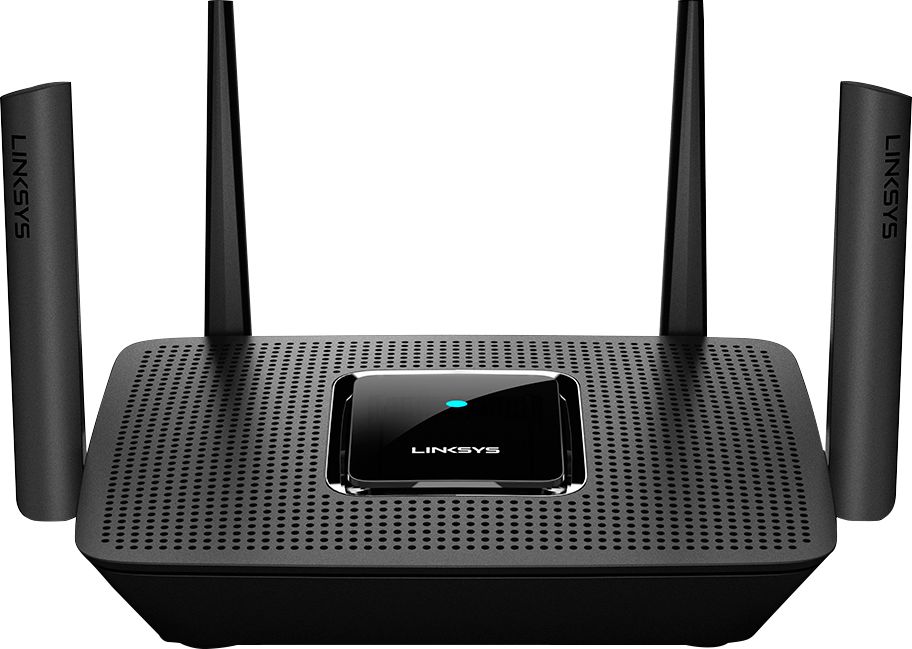
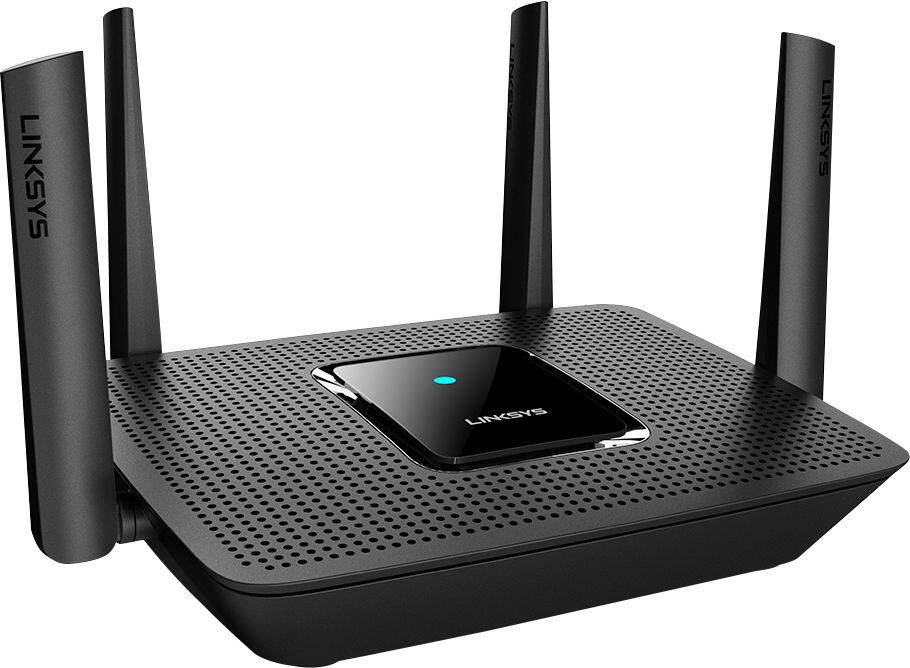
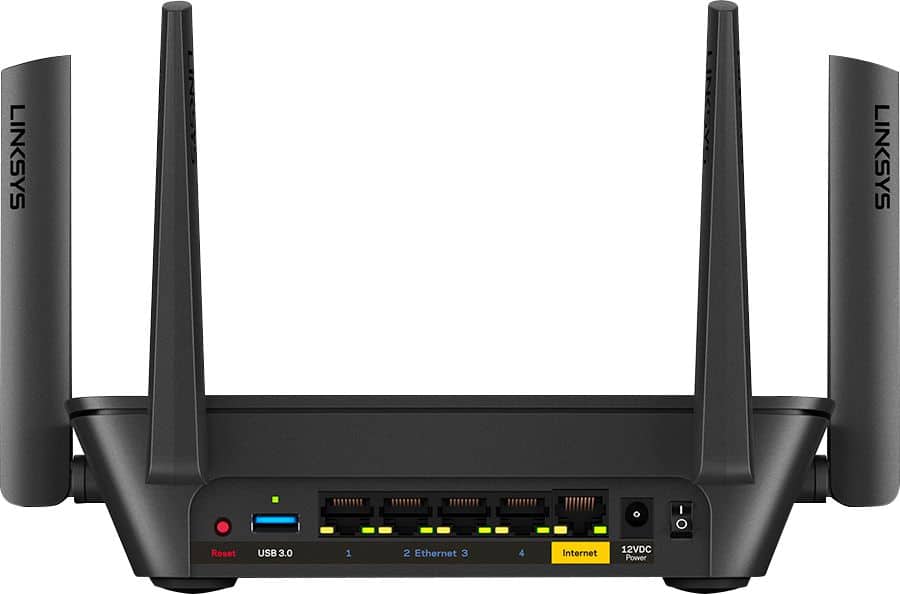


- Model:
- MR8300
- SKU:
- 6309260
Rating by feature
- Setup
Rating 4.6 out of 5 stars
- Range
Rating 4.6 out of 5 stars
- Signal Strength
Rating 4.6 out of 5 stars
Customers are saying
Customers highly value the AC2200 Tri-Band Mesh WiFi 5 Router's ease of use, range, and performance, with many praising its simple setup and strong signal. Positive feedback also highlights the router's extensive coverage and ability to support multiple devices without significant issues. While some users reported occasional connection drops, the majority experienced improved streaming and gaming performance after installation. The positive aspects significantly outweigh the reported drawbacks.
This summary was generated by AI based on customer reviews.
My 10yo Airport Extreme is Better
||Posted . Owned for less than 1 week when reviewed.This reviewer received promo considerations or sweepstakes entry for writing a review.1) Ran through the setup. It couldn’t find the internet. I work in IT and yes it was all plugged in correctly. Called tech support. He ran me through the same infinite setup loop as the app. Finally gave up. 2) I refuse to set up an account with Linksys to use the admin page on my own router. There is no legitimate reason for that. I ended up plugging my ancient Airport Extreme back it (which didn’t have any problem finding the internet).
No, I would not recommend this to a friendBrand response from Linksys Staff
Posted .Hi,
Thank you for bringing this matter to our attention. We want to have our 2nd Level Team investigate what happened. Please email LinksysCares@linksys.com with the support case number. We would love to know more so that we can deliver a better experience next time.
Regards,
Mara
Linksys Support
Fair Router
||Posted . Owned for 3 weeks when reviewed.This reviewer received promo considerations or sweepstakes entry for writing a review.Setup was very easy. For a linksys router it falls on performance. I'm sure this would be good for someone in a small house
No, I would not recommend this to a friendSmart WiFi bites.
||Posted . Owned for 3 weeks when reviewed.This reviewer received promo considerations or sweepstakes entry for writing a review.I will never buy another Linksys only because the Smart WiFi management system and apps are useless. I've lost control twice and had to do a factory reset. Useless.
No, I would not recommend this to a friendUSB port is not active - beware
||Posted . Owned for less than 1 week when reviewed.This reviewer received promo considerations or sweepstakes entry for writing a review.Beware, USB port in this model is NOT ACTIVE, so it is just there without any function. I called customer service from Linksys and they confirmed this and just said is the for “future expansion”. For me this is a important feature, so I returned and exchange for another model. It was with a nice offer though so I missed it.
I would recommend this to a friendBrand response from Linksys Staff
Posted .Hi,
The USB port on the Linksys MR8300 Mesh WiFi Router should work with the latest firmware update, and it supports NTFS, HFS+, APFS (read-only), FAT32, and Samba format.
If you have questions or other concerns with Linksys device, you can reach out to us at [email protected] with the link to this review for our reference.
Regards,
Jan
Linksys Support
Dead inside of a week
||Posted . Owned for 1 week when reviewed.This reviewer received promo considerations or sweepstakes entry for writing a review.I woke up this morning to find the router totally dead. No lights, no nothing. The power adapter is the failure point, but I'm returning it anyway. I refuse to deal with Linksys support when it's still returnable. Initially it worked well. I didn't like the fact that the router would not allow me to view the login page of my modem and there is no workaround solution from Linksys support. Doesn't matter now. I'll be choosing a better product for the replacement.
No, I would not recommend this to a friendBrand response from Linksys Staff
Posted .Hi, milfordcivic,
We would like to investigate on your case by sharing with us your case number/phone number so we can pull up your record. Send it through email at LinksysCares@linksys.com with the link of this review, for our reference.
Regards,
Elyza
Linksys Support
Mighty have fallen
||Posted . Owned for 1 year when reviewed.This reviewer received promo considerations or sweepstakes entry for writing a review.This one didn't last as long as I thought it would. Started out great, amazing even. But after a few months it began having issues, simple troubleshooting fixed them. Then more time and more issues and it eventually was down to pushing 10 of my 100Mb speed when it actually would operate. No amount of customer service helped fix it either.
No, I would not recommend this to a friendBrand response from Linksys Staff
Posted .Hi, Derek,
Have you checked if there’s an available firmware? We can have our Escalation Engineers assist you further around this and investigate. Just email us at LinksysCares@linksys.com along with your contact information, other relevant details, and a link to this review as our reference.
Regards,
Rosalyn
Linksys Support
Not worth the money
||Posted . Owned for 10 months when reviewed.This reviewer received promo considerations or sweepstakes entry for writing a review.Had the product for only 8 months and now i can not access our wifi network because the password is not recognized. something about the firmware being outdated.
No, I would not recommend this to a friend- Pros mentioned:Ease of use, Range

great whole home wifi Router
|Posted .This reviewer received promo considerations or sweepstakes entry for writing a review.This review Is easy. Especially if you are upgrading a router and not moving its location 1 Download the app on android or ios 2 Plug in the router and performed setup. They made the process so easy now I felt like that's it? 3 Install the Linksys Velop™ Mesh Wi-Fi node. That took longer but from start to finish less than 20 mins. 4 Setting up your network no longer requires you to have a background in Computer networking to get going. Its a simple as using the app to assign the wifi network and an ssid and passcode from the app and that's it. The router does all the heavy lifting for you No real cons for the router and node. Awesome coverage in my home and anyone needing additional coverage just needs to purchase more nodes for expanded coverage throughout the home. You can label each node to its location in the home which helps in potential diag if something does go wrong. the gain and coverage for me allows connections out side my home in my yard without worrying about dropping out. 0.5 ACRE LOT.
I would recommend this to a friend Terrible
||Posted .This reviewer received promo considerations or sweepstakes entry for writing a review.We had a terrible time getting it activated and connected to our network. We have had to reconnect it, and it wouldn’t connect like it should have.
No, I would not recommend this to a friendBrand response from Linksys Staff
Posted .Hi there,
We appreciate your writing us a review, and this is not the experience we want you to feel. Setting up the Linksys MR8300 Mesh WiFi Router should have been easier due to its application. We'd like to have our Escalation Engineers further check on the setback. Please email us at LinksysCares@linksys.com with your contact details and the link to this post.
Regards,
Gregory
Linksys Support
Stay Away!
||Posted . Owned for less than 1 week when reviewed.This reviewer received promo considerations or sweepstakes entry for writing a review.Upsetting to have spent the money on this and to read the reviews about how great it is. Complete opposite. This was the last time I purchased a Linksys product. Always have an issue with them. The internet would be find for some devices in the home and slow as heck for others. For the price, it was not worth it. Took it back and got something of better quality.
No, I would not recommend this to a friendBrand response from Linksys Staff
Posted .Hi, Zach,
You may try running the channel finder feature of the Linksys MR8300 if the issue only happens over wireless network. Make sure to update its firmware version too. Allow us to have you assisted by our Escalation Engineers by sharing this through email at LinksysCares@linksys.com with your contact info and the link of this review, for our reference.
Regards,
Elyza
Linksys Support
Very impressed
|Posted .This reviewer received promo considerations or sweepstakes entry for writing a review.Ok to start of I'm not in the know when it comes to bandwidth and alot of the modem terms and lingo. I think that is what I love most about this router. It decides what should receive 5 GHz versus 2.5 GHz unlike some other modems. It let's you choose 3 things that you want full bandwidth at all times. And everything is done thru app. It is so simple to set up works amazing and looks really cool. I've had hubs, router/modem styles and by far this was the easiest and best experience setting up and working great that I've personally had.
I would recommend this to a friendSharp looking but lacks
||Posted . Owned for 2 months when reviewed.This reviewer received promo considerations or sweepstakes entry for writing a review.the advertised range struggles to maintain a good strong signal also have to deal with erratic speeds from time to time I have to either Scan for better channels to connect or actually restart this router the app is awkward and does not have many other options or advanced settings you will see if you buy this I got it when on sale for 99 dollars next time I will get me a TP Link router instead
No, I would not recommend this to a friendBrand response from Linksys Staff
Posted .Hi,
We appreciate your feedback, and we'd like to improve your experience with the product. Let's make sure that the router's firmware is updated. Nonetheless, our Escalation Engineers would love to hear more about the setback. Please email us at LinksysCares@linksys.com with your contact details and the link to this review.
Regards,
JC
Linksys Support
- Pros mentioned:Ease of use
Another Great router from Linksys
|Posted .This reviewer received promo considerations or sweepstakes entry for writing a review.In my network I have a multitude of devices within a 3000 square ft area that need consistent stable connectivity. A few examples include WiFi cameras, smart TVs, smart lights, smart garage, computers, media server, gaming systems, WiFi speakers and phones. For the last couple weeks, I was testing the new Linksys Max Stream MR8300 to see if it would fit my needs and it did. Just like other Linksys routers I have owned in the past it was easy to set up, has a great app and great signal. Once my network was set up, 24 devices were instantaneously connected and stayed connected with excellent bandwidth for the entire time I was testing it. The only issue I had was that It only covered about 2000 sf of my home. With that being said, thank goodness it supports mesh WiFi so I was easily able to add a few extenders and cover the whole house. If you are in the market for a great router that is easy to use and is extendable, this router will not disappoint.
I would recommend this to a friend - Pros mentioned:PerformanceCons mentioned:Connection
The little router that could
|Posted .This reviewer received promo considerations or sweepstakes entry for writing a review.Having used a Linksys router before, I had certain expectations and I wasn't disappointed. Right out of the box, the MR8300 is more than capable of handling the device load. I currently have 12 devices connected and they're all connecting to the MR8300 with no issues. Which brings me to my nitpick. An AC1300 node was also included with the MR8300. It connected easily and shows no issues. That being said, there is no way to force devices to connect to the node instead of the router. I contacted Linksys customer support in case I missed a step. Unfortunately, it's all automatically done based on the devices and strength/weakness of connectivity. On occasion, the wireless printer would connect to the node instead of the router. Overall, no disappointments with the MR8300 and the AC1300.
I would recommend this to a friend - Pros mentioned:Performance
Great Range
|Posted .This reviewer received promo considerations or sweepstakes entry for writing a review.Really good range for what I use it for, and works a lot better then the router that I paid $300 for. I wish I could take the $300 one back, because now I don't even use it, I just strictly use Linksys. It took me a little while to review this router, because my home was being renovated with nowhere to install it, but now after I had a place to install it and use it, I really like it, and would recommend this to anyone. I don't understand why some reviewers don't get a good signal like I do, but I guess it's just depends on how your home was built and material that was used. I have two computers, a TV, and my cell phone also connects from time to time. When everything is running at once, there isn't a slow down of any kind. I guess we all have different opinions, that is probably why a person needs to purchase, and try it at their home to see what kind of signal you get, but for me, it runs everything great!
I would recommend this to a friend - Pros mentioned:Ease of use, Range, Speed
Amazing Difference
|Posted .This reviewer received promo considerations or sweepstakes entry for writing a review.So I have ATT fiber which is super fast however the range was horrible so I got this and now my range and speed went from 10 ft to 50 ft and 75 mbps to 125 mbps. App makes it so easy to control. Can’t go wrong with this.
I would recommend this to a friend - Pros mentioned:Speed
Simple router if you have simple needs
|Posted .This reviewer received promo considerations or sweepstakes entry for writing a review.This is a decent set of hardware. It provides a good coverage map at a decent signal strength that can cover a 2200 sq. ft. space without issue. It can be expanded with Velop nodes and extenders if needed. In my testing the extra nodes weren't needed. So why three stars for this a few reasons, the setup and firmware/settings. Setup: Linksys is driving towards an App setup experience. I get why, because 1. for a large number of people they are comfortable using apps to setup the device and reduces there overhead. 2. For devices that support it they can see their Linksys Shield service that allows for website blocking for concerned parents. I am not a fan of the app experience for a few reasons. Now once you start the basic app install you can bypass it and use a website. But getting there wasn't obvious right away so I went though the app experience on my Phone. I do wish they would at least release a MacOS/Windows Store app too, its all done in the same IDE, just change a check box. My app experience on Android was not smooth. I had the application stop and when I reopened halfway through it told me it couldn't connect, even though it was connected. I had to uninstall the app and reinstall it to get it to start the process over again. Once that did I was able to get it to connect and work. It was nice to see that they allowed the installation to occur without requiring signing up for a Linksys Cloud account. Since the router wasn't connected to the Internet at the time (I was having ISP issues) it allowed me to set it up offline. That was nice since I am not a fan of having my networking equipment cloud connected due to either the service ending or hackers. That alone is kept the router from getting two stars. Once it was setup, I found I could get to the Linksys UI via my computer and web browser and it had the same options as the app. The UI has always been Linksys's weak part. It doesn't give you any real options, beyond very basic setups. If you just need a wireless router to connect to the internet. Then great. However if you wanted to do something as simple as set this router into bridge mode there was no obvious option. Forget attempting to redirect all port 53 traffic to your own internal DNS server. While those two are more advanced the very basic change the channel and power level of router are missing and I find that criminal. Tuning the channel, channel width and power level I find are critical to keep the signal as close to my house and not being stepped on by the people around me. While the router appears to do a signal scan, I do like to tune that based on my experience. If this makes no sense to you don't worry. What I do worry about is Linksys support on firmware. I checked a few over there other router boxes and don't see a lot of updates to the firmware and makes me wonder about long term support. Nor could I find any statement from Linksys on how long they provide active support and security fixes for the router. Testing: First let me say my experience will differ because it depends on the material of your walls, the location of the wireless router and the number of wireless signals around your, where your Microwave is and is it on etc. I can only say that it will cover my house and well. The speed of the router is adequate to handle the few devices I moved over for testing. Copying files from a single source to two different computers moved at speed I'd expect over wireless and was adequate. I could stream a 4K Movie with no stuttering while I ran a large game download on another computer. Now this is just two machines, but the ability for it to handle both without stuttering one or another is good. It does allow for some simple device prioritization. Up to 3 machines can be given priority and make sure they have signal. I didn't test it as it seemed to handle a large download and streaming at once as I expected. The TDLR of this router is: If you have simple Wi-Fi requirements and want something simple to cover your house with the ability to add mesh nodes then this is router to look at. If you have more complex needs and requirements give a pass and look elsewhere.
No, I would not recommend this to a friendBrand response from Linksys Staff
Posted .Hi OmieOne,
Thank you for sharing this review. Despite the challenges you experienced during the setup of the device, we are glad to hear that the device is working as expected.
Rest assured that we will forward your fedback to our engineers. If you need further assistance or have more comments, feel free to email us at [email protected].
Have a good day!
Regards,
Thaddeus
Linksys Support
Security questionable
||Posted . Owned for 3 weeks when reviewed.This reviewer received promo considerations or sweepstakes entry for writing a review.I returned this router because it will not allow you to turn off remote management. That is a security hole.
No, I would not recommend this to a friendBrand response from Linksys Staff
Posted .Hello Amh1,
We hear you and we'll make sure to take note of your feedback. Should you have queries, please don't hesitate to tap us at [email protected] along with your phone number and the link to this review. We'll lend you a hand from there.
Regards,
Princes
Linksys Support
Does not allow you to manually set bands
||Posted . Owned for 2 months when reviewed.This reviewer received promo considerations or sweepstakes entry for writing a review.Does not allow me to set up 2g and 5 g seperately, manually. Only allows me to set device priority, so while im paying for 400mbps, im only recieving ~120. This is not acceptable. There is no option in the app to set manually, and you cannot access router via IP.
No, I would not recommend this to a friendBrand response from Linksys Staff
Posted .Hi, daross,
If you experience slow internet connection on Wi-Fi behind your Linksys MR8300, then you can try running the channel finder for isolation. Our Escalation Engineers would like to aid you more on the challenges that you're dealing with our device by sending us an email at [email protected] with your contact info and the link of this review for reference.
Regards,
Elyza
Linksys Support
Router
||Posted . Owned for 2 months when reviewed.This reviewer received promo considerations or sweepstakes entry for writing a review.Its ok. I don't have a huge house and it still loses signal or not enough to avoid streaming issues.
No, I would not recommend this to a friendBrand response from Linksys Staff
Posted .Hi Lenovo,
We can stabilize the connection from the unit by making sure that it runs the latest firmware, and the connection behind the main router is stable. Our Escalation Engineers would love to help you out and learn what's causing this to happen. Please send us an email at LinksysCares@linksys.com with your contact details and the link to this review for our easy reference.
We'll wait for your updates.
Regards,
Carl
Linksys Support