Customer Ratings & Reviews


- Model:
- MR8300
- SKU:
- 6309260
Rating by feature
- Setup
Rating 4.6 out of 5 stars
- Range
Rating 4.6 out of 5 stars
- Signal Strength
Rating 4.6 out of 5 stars
Customers are saying
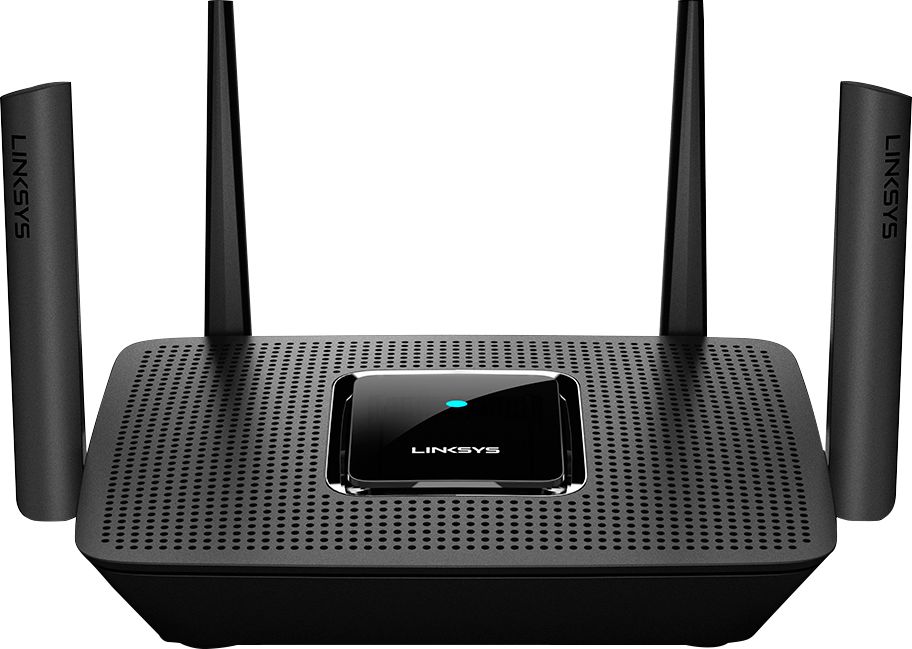
Customers highly value the AC2200 Tri-Band Mesh WiFi 5 Router's ease of use, range, and performance, with many praising its simple setup and strong signal. Positive feedback also highlights the router's extensive coverage and ability to support multiple devices without significant issues. While some users reported occasional connection drops, the majority experienced improved streaming and gaming performance after installation. The positive aspects significantly outweigh the reported drawbacks.
This summary was generated by AI based on customer reviews.
disappointed
||Posted .This reviewer received promo considerations or sweepstakes entry for writing a review.bought this router to replace a linksys router that claimed to be able to deliver speeds over 100mbps, best i ever got was 50. speeds from this one are ok but i have spent and wasted to much time trying to set up remote access. still dont have it. this is the last linksys product that will be in my home. i wouldnt recommend.
No, I would not recommend this to a friendSlow speeds for the price.
||Posted . Owned for 3 weeks when reviewed.This reviewer received promo considerations or sweepstakes entry for writing a review.You’d think that for the prize you’d get better speeds than a $50 router. With this router I got 200mbps, with the $50 one I had I was getting 350mbps. Decided to return it and get a new version of the router I already had, now I get 450mbps. Also the set up for this router was not the best, you have to download an app to set up and you have no advanced controls.
No, I would not recommend this to a friendBrand response from Linksys Staff
Posted .Hi Johnny,
We're sad to hear that you were unsatisfied with your purchase, but we fully respect your decision. If you still have the Linksys MR8300 or need help with any Linksys device, just email us at LinksysCares@linksys.com along with your contact details. Our Escalation Engineers would love to assist from there.
Regards,
Chu
Linksys Support
Router
||Posted .This reviewer received promo considerations or sweepstakes entry for writing a review.I’m sure this is a good product but I was told it would make my computer run faster to stream and it didn’t.
No, I would not recommend this to a friendBrand response from Linksys Staff
Posted .Hi, Barb,
We might need to adjust some settings to fully optimize the router's features. Keeping the firmware up to date will also help. Please get in touch with us at [email protected] so our Escalation Engineers can assist you. Indicate your contact details and a link to this review for reference.
Regards,
Rosalyn
Linksys Support
Sucks
||Posted . Owned for 1 week when reviewed.This reviewer received promo considerations or sweepstakes entry for writing a review.Kept cutting my speed down by over 100 megs on wired connections and 150 on WiFi where netgear no issue
No, I would not recommend this to a friendBrand response from Linksys Staff
Posted .Hi, Dennisthemenace,
We might need to check if the router is already running on the latest firmware. If it already is, please get in touch with us at [email protected] so our Escalation Engineers can help you isolate and troubleshoot the device. Don't forget to include your contact information and a link to this review as our reference when you reach out.
Regards,
Rosalyn
Linksys Support
- Pros mentioned:Coverage

Don't mesh around
|Posted .This reviewer received promo considerations or sweepstakes entry for writing a review.Our home is older construction (1985) with lots of DIY remodel and additions that had been done over the years by people who shouldn’t call themselves DIY-ers. As such, despite it being a relatively small home (1900sf), it was a struggle to get a Wi-Fi signal from one end of the house to another, and there was absolutely nothing in the garage. If we left the driveway, we were in an instant dead zone. As such, I wanted to try a mesh network to see if I couldn’t get signal by adding nodes in or near the dead spots, so I picked up the Linksys MR8300 system and an additional node. I immediately got a good feeling about the potential results as soon as I opened the package. Linksys did away with the ridiculous need to tape every possible opening, so the box easily opened upward, displaying only 3 pieces of equipment: the router, the Ethernet cable, and the power cord. Of course, there was the instruction manual, federally mandated crap on paper, and a nice word from Linksys about being there to help 24/7. Set up went relatively easily. With there only being 3 items, it was self-explanatory about how things hooked up. I chose to go from my provider’s modem/router to this router as I wasn’t sure how this would interact with my provider. I did have one complaint, however, and that was how the prongs on the power supply were situated. Instead of allowing the input to be “up and down”, it covers an empty, and therefore usable, outlet on the surge protector based on the alignment. I would have appreciated a more conventional setup. Once it’s plugged in, turned on, and ready to start, the app does most of the work for you. It will allow you to complete setup from your phone, with or without Bluetooth, and there are only a few steps. A second complaint arose here, and that was when I was asked to enter the router password. The password is on the bottom of the unit, but you’re not given any reason to look for it or make note of it until you’ve completed all the hook-up steps. The only other thing that made me scratch my head was when I was asked for a name and password, but I realized it was to name the router and provide an easy-to-remember password for when I attach devices. From there, I installed the node. Setup went just as easily; it took more time to get powered on and adapted to the network than anything. Again, the cellphone does most of the work, but when it says “this may take a few minutes”, be prepared for more than a few minutes. The progress bar had been on full for quite some time before it prompted me for the next step. I was able to dispose of the packaging and write this review before it was ready to go. As a matter of fact, setting up the node took much longer than anything else. I ended up closing the app and restarting the process. It was nice that the app recognized I had shut down in the middle of the setup, and it picked up where I left off, which was very quick the second time around. Once the node was installed, I needed to download updates. Firmware was downloaded and installed, and, again, it took much longer than I felt was necessary since I had to close the app and restart once more. Overall, the presentation is very nice, and I got a good sense of quality and coverage during the setup. There were a few things that could be done differently to make it smoother, but and I would think Linksys would make note. I’m not sure if the app was to blame for the issues with the node, or if it was part of the process, such as my phone timing out before being done, but that was my biggest hang up with the whole thing. I had only 1 bar in the deepest, darkest corner of the garage, but even a simple text only took a few seconds to send, which by itself is a huge improvement from before. More importantly, I have a full signal on the patio by the pool, which is something I didn’t, so I’m confident the coverage is doing its thing. I’m already ready to get more nodes, which is something I don’t do very often – get the accessories without having gone through a vigorous vetting process, but, as I’ve said, I have a good feeling about this one.
I would recommend this to a friendBrand response from Linksys Staff
Posted .Hi DakotaDan,
We appreciate your taking the time to share your product review. No worries, we'll relay your experience with our Engineering team so they can check if there could be other factors why the setup process didn't run smoothly for you.
For queries or further assistance, our Escalation Engineers are just an email away at [email protected].
Best regards,
Jan
Linksys Support
Not good
||Posted .This reviewer received promo considerations or sweepstakes entry for writing a review.Bought it to have a more powerful signal but it has lower speed than the normal att modem
No, I would not recommend this to a friendBrand response from Linksys Staff
Posted .Hello, Luismh01,
To optimize the best performance of the Linksys MR8300, please make sure to update the firmware to latest version. You may also try to power cycle your network devices and update us over email at [email protected] on how it goes so we can have our Escalation Engineers assist you further. Please include your contact info and the link of this review upon sending, for our reference.
Regards,
Elyza
Linksys Support
not happy
||Posted . Owned for 1 month when reviewed.This reviewer received promo considerations or sweepstakes entry for writing a review.It doesn't keep consistent signal and seems to only manage up to 3 devices. I will not be recommending this product to anyone
No, I would not recommend this to a friend- Pros mentioned:Speed
Fast, extra ports and easy to set up
|Posted .This reviewer received promo considerations or sweepstakes entry for writing a review.Love this WiFi router. Packaging is nice and simple, Linksys supplies the needed power cable and a Ethernet patch cable. You also get basic start up instructions but you will be using a app to finish the install. Had it up in running quicker than you could make a bag of popcorn. Having the 4 extra Ethernet ports is fantastic, my house is mostly wireless but I do have a wired house as well and the ports were all needed. Speeds are fantastic for streaming or gaming. I added a Velop plug in node as well and had zero issues installing on the other side of the house.The app works great as well, quick and simple with zero glitches so far. I'm overly pleased and my new set up is here to stay.
I would recommend this to a friend What Happened, Linksys? You used to be cool!
||Posted . Owned for 7 months when reviewed.This reviewer received promo considerations or sweepstakes entry for writing a review.Expensive Product that has proven unreliable. Bought it about six months ago and it randomly failed. Called support and spent about an hour - most of it wasted on trying things I'd already done - only to be told that it was broken and they'd have someone give me a call to arrange replacement. It's been a week and I've heard nothing from anyone.
No, I would not recommend this to a friendBrand response from Linksys Staff
Posted .Hi, seraphlegal,
Your support experience is equally important to us. Allow us to check the progress of your case instead. Just email us your reference number at LinksysCares@linksys.com along with a link to this review and we’ll take it from there.
Regards,
Rosalyn
Linksys Support
Keep looking
||Posted . Owned for 11 months when reviewed.This reviewer received promo considerations or sweepstakes entry for writing a review.Too bulky and slow for the commitment the manufacturer claims to make. Not as easy to setup as net gear.
No, I would not recommend this to a friendBrand response from Linksys Staff
Posted .Hi, John,
We’d like to know more about your feedback so we can have our Escalation Engineers assist you. Just email us more details at LinksysCares@linksys.com with the relevant details, your contact information, and a link to this review as our reference.
Regards,
Rosalyn
Linksys Support
This is the worst setup ever. Doesn’t work.
||Posted .This reviewer received promo considerations or sweepstakes entry for writing a review.I’m returning this. I went through all of the set-up steps exactly, I was unable to connect it. I couldn’t log in to the router’s set-up network even - it kept telling me I entered an incorrect password. I checked it a dozen times, tried repeatedly. This thing is terrible.
No, I would not recommend this to a friendBrand response from Linksys Staff
Posted .Hi, Jason,
We'd like to check this out and determine where we hit a snag on the process. Allow us to have our Escalation Engineers lend you a hand on the setup and walk you on setting it up. Please send us an email at [email protected] along with your contact details and a link to this review for reference.
Regards,
Carl
Linksys Support
Perfect Router For Gaming and/or A Smart Home
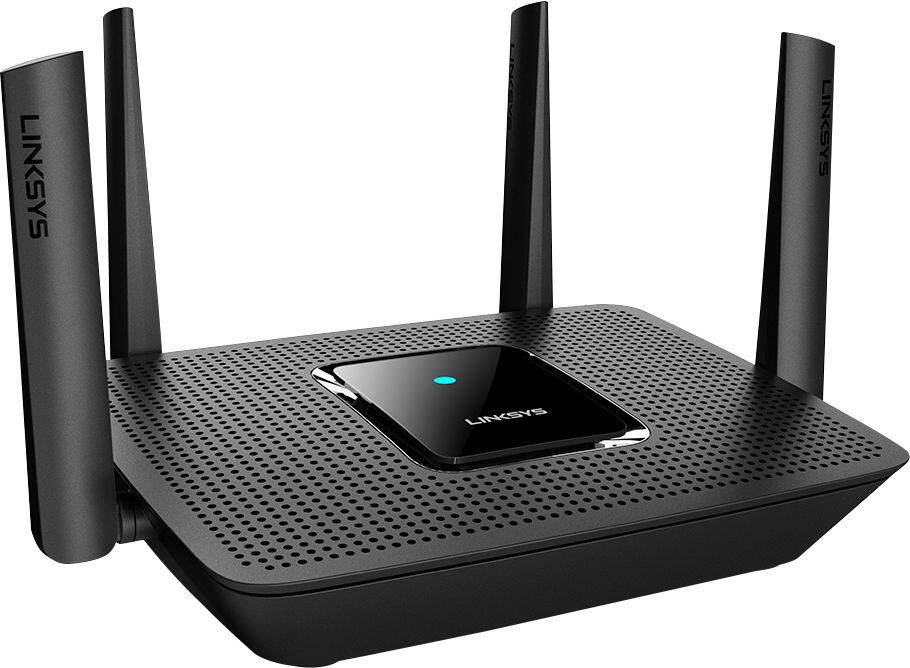
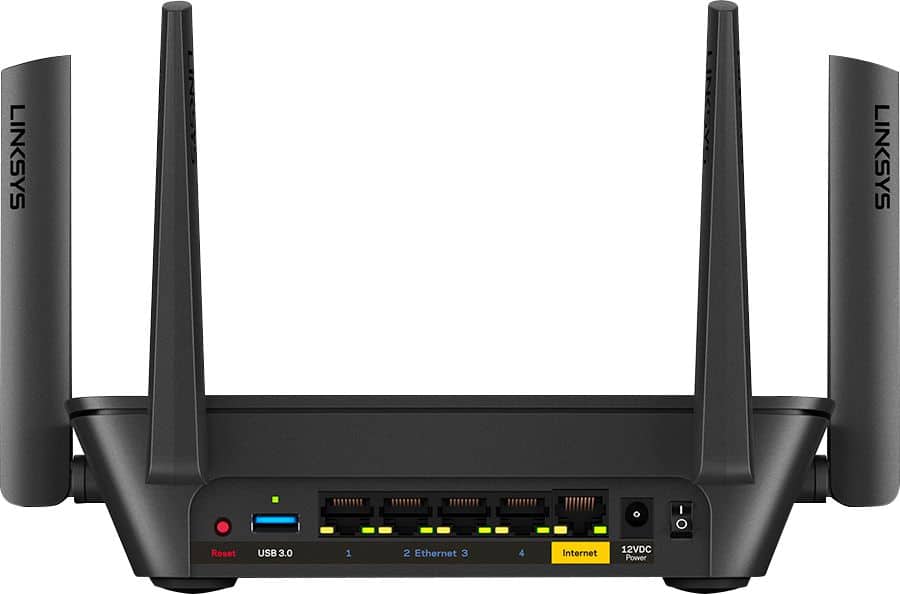
|Posted .This reviewer received promo considerations or sweepstakes entry for writing a review.Description – Built-in Mesh WiFi technology lets you easily add nodes to get better coverage throughout the house (even outside to the garage or patio). This has four moveable antennas to get better coverage. This router has a USB 3.0 port which states on the box that it is “for future use”. I am not sure what you can use this for at this time, but perhaps something they have in mind for the future. Features - This router is wall mountable, which is a nice feature as it will not take up space on a desk, shelf, etc. However, what I believe is the best feature of the Linksys Max Stream Tri-Band Mesh WiFi Router is that it has 4 Ethernet ports instead of just the 2 that all the Velop nodes have . This is perfect for a “smart home”, especially when you have so many devices requiring hubs that need to be connected to the WiFi and they can all be in one spot directly connected to the main router if you desire. Since I already use the Velop Mesh system that only have 2 Ethernet port and I have to spread my hubs throughout the house the 4 Ethernet ports are definitely a plus. Setup – I have never seen a setup as easy as with the Linksys Velop WiFi app. The app does it all, including basically telling you where to place your Velop nodes and how far apart you can place them. It is a no brainer. It also has a channel finder and you just click on the finder and it finds a channel that is a best fit for your home and all your hooked up devices. Upon adding more devices, I always click that button so it will find the right channel including the newest device I have. The last time I ran it, I noted that I have 30 devices connected to my WiFi. You can also prioritize 3 devices and the app lets your router know which devices you chose will have the better WiFi connection above all others. I have my 3 streaming TVs as priority, since I don’t want any interruptions during shows and it makes it seem as if they are straight from cable instead of streaming off the internet. Recommendation – I highly recommend this router along with the Velop Mesh system. With this one system I seem to have a never-ending limit as to how many devices I can have connected which is excellent for a smart home.
I would recommend this to a friendReal-world data solo & in mesh--nearly flawless!
|Posted .This reviewer received promo considerations or sweepstakes entry for writing a review.PROs: - If you're surfing with anything less than AC2200 already, the MR8300 can deliver a seat-of-your pants speed boost you can see and feel without breaking the bank - Not quite as large as some of Linksys's faster offerings (man, that AC5400 unit is simply MASSIVE!), this router sports a reasonably small footprint that takes up probably about as much room as you've already got on the shelf for your existing router - Finally, a companion app that's more than just a website wrapper--this one actually has some great wizards and illustrated guides to help get you started and configured without needing a PC or even admin login credentials copied from a tiny sticker on the bottom of the unit - In a brilliant bit of usability/usefulness, the app (and therefore the router) can run a routine to examine RF spectrum congestion around both the router and mesh nodes to automatically change the 2.4Ghz and 5Ghz channel assignments for optimal performance and speed--I've wanted something like this in a router for ages! - Network map/audit feature has some great customization options to make network monitoring easy (well, easier than just looking at a huge list of MAC addresses and obscure device names/codes)--you can edit the names of wireless and wired clients and the interface even has a built-in library of helpful icons to characterize your devices including product-accurate icons for many Amazon, Google, and other smart devices - Normally I resent companion apps that demand yet another e-mail and login account be created just to use it, but in this case, the Linksys app is actually pretty useful without being too intimidating and you can easily check on your network or make changes even when you're not at home - Blends seamlessly with Linksys Velop nodes (that's sort of the idea!) for virtually unattended configuration and optimization to extend and enhance the quality of your WiFi network around your entire house - 4 onboard gigabit ethernet ports allows for some serious speed at/near the router - Provides enough features an enthusiast/advanced user might want (parental controls, guest networks, device prioritization, various and sundry firewall, DMZ, and port forwarding adjustments, etc.) but does so in a plug-and-play enough fashion that even a beginner could set up a reasonably secure and functional network with minimal trips to Google for answers/explanations CONs: - Out of the box, this router is designed to reduce owner (and user) overhead and administration--which is going to be fine for many users--but as someone who has his reasons for things like maintaining separate SSIDs for 2.4Ghz and 5Ghz networks, I was frustrated that the companion app not only won't allow me to administer each band separately, I can't even select one band over the other in the app, nor could I initially set up separate SSIDs without logging into the router itself - Speaking of the companion app, it's thorough, user-friendly, and offers some deep customization options and detailed information when you want to drill down for it--why the same level of detail and control is not available in the browser interface when you log directly into the router is beyond me; parity between the app and actually logging into the router would be nice (unless I've missed some magic "advanced user sauce" sprinkled somewhere in the web interface--you can't even update the firmware without going through the app) - For all its advanced capability, at least as of this writing, the USB 3.0 port is only there for "future use"...though powered, it cannot be configured/administered for things like network-attached storage or sharing a USB printer (I would imagine some Linksys firmware update or community custom firmware will eventually take care of that shortcoming) - Okay, it hasn't happened often during the past few weeks of ownership, but at least for me, I noticed a few 5Ghz clients would sometimes lose connectivity to the router momentarily (even in the middle of using the app); not lose connectivity to the Internet mind you, but to the router itself...the problem seemed to subside after I used the channel optimizer ("Channel Finder" under the app's Advanced Wi-Fi Settings Menu) and adjusted orientation of a few of the antennas but it happened often enough during my early use that I chalked it up to more than just random interference Summary review: We have a reasonably large 3 story house with close to 4500 sq feet to cover. I have a burgeoning smart home network with a host of smart bulbs, smart plugs, smart monitors & cameras, smart speakers, smart TVs, media streamers, and an appetite for online entertainment in chunks both big and small. Thanks to a few generations of hand-me-downs and a full house of students/professionals, everyone also has their own iPhone, iPad or tablet, separate PC, as well as gaming consoles, laptops and handhelds thrown in for good measure...many of which are online, co-op gaming, or streaming Netflix or Amazon at the same time. A quick audit of my router's client list yielded data on more than 60 separate wireless clients with an average of 35-40 online at any given time. We live in a reasonably dense suburban neighborhood and while our lots aren't zero-footprint, I can easily pull up a dozen or more SSIDs from the nearby houses at any given time. Suffice it to say, we have a lot of RF traffic in and around our house carrying a lot of ones and zeroes back and forth to a lot of different devices, many of which are carving out reasonably large chunks of our bandwidth at one time or another. Speaking of which, I pay for 200 mbps class cable service and until now had been serving up that pipe using the venerable RT-AC68U AC1900 router with a 1.2 Gbps Powerline adapter feeding a separate Wireless N router to cover a small portion of the basement. The cable modem and 68U are fortunately in just about the center of the house so a single router has been enough to cover most of our home for most of our needs. I've been reasonably happy with my network performance, often hitting 160-170 mbps WiFi on the ground floor near the router. I give you this background simply to help you appreciate the marked improvement in performance (not to mention network streamlining/simplification) I observed moving up to the MR8300, and again to a simple Velop mesh network using a single AC1300 node. For what they are worth, the following readings were all conducted within roughly 2 hours of each other (so the possibility of changing network conditions must obviously be taken into consideration) on a Friday afternoon starting at about 2:00 pm using the fastest of 3 sequential trials on the 5Ghz network--all tests hit the same local server via the Speedtest app: Prior to installation (baseline): - Main floor, same room as router: 175 mbps down/28.5 up - Main floor, 1 room away: 164 mbps down/28.7 up - Main floor, 3 rooms away: 138 mbps down/28.4 up - Top floor bedroom: 159 mbp down/28.7 up - Basement rec room (directly below 1st floor router): 169 mbps down/28.6 up - Back of unfinished basement: 71.6 mbps down/5.71 up - Basement bathroom: no service Post installation (MR8300 only): - Main floor, same room as router: 276 mbps down/28.2 up - Main floor, 1 room away: 194 mbps down/28.6 up - Main floor, 3 rooms away: 143 mbps down/28.4 up - Top floor bedroom: 211 mbp down/28.9 up - Basement rec room (directly below 1st floor router): 213 mbps down/28.8 up - Back of unfinished basement: 88.5 mbps down/21.5 up - Basement bathroom: no service Although the router alone didn't seem to reach any further around corners or hallways than my previous router did (note the basement bathroom was still absent a 5Ghz signal), every other reading I took in every location was faster on the MR8300, some quite substantially so (even a 100+ mbps gain). For the first time ever, I was clocking [theoretical] download speeds that surpassed the limits I am supposedly paying for--way cool! In practice, of course, I'm not going to notice much difference streaming a Netflix movie when I was already pulling down over 100 mbps, but it's nice to know there's some headroom available should I decide to spring for a faster class of service down the road. But what made me a believer in the mesh concept were these numbers I obtained after adding one Velop node in the basement at the foot of the stairs: Post-post installation (MR8300 plus 1 Velop mesh node): - Basement rec room (directly below 1st floor router): 240 mbps down/29.1 up - Back of unfinished basement: 107 mbps down/21.8 up - Basement bathroom: 74.3 mbps down/28.9 up Not only were all my basement speeds faster (and yes, the app does let you see which AP your clients are connected to), but that pesky black hole in the basement bathroom was filled with 5Ghz-fueled Internet goodness--now our guests will never emerge from there! At last I can throw out that old N router and powerline adapter as the MR8300's mesh network neatly covers my entire house, even on 5Ghz channels with only a few tiny annoyances for my troubles. Bottom line, unless you're already surfing with a faster router (in which case, why are you even here?), the MR8300 was (at least for me) a plug-and-playish experience that will undoubtedly deliver you faster Internet speeds whether you choose to spring for one of the accompanying Velop mesh nodes or not. But if you've got a challenging bit of real estate you need to blanket with some speedy WiFi a la this newfangled mesh network stuff that's all the rage, this router makes one heck of a great place to start--DEFINITELY RECOMMENDED!
I would recommend this to a friendWorthless Router!
||Posted .This reviewer received promo considerations or sweepstakes entry for writing a review.This Router is worthless. No instructions to install it. You are told to down load app to your phone to install. The app is massive and worthless it can't find the router. The customer service site is worthless, you can not find any real help. The help line is worthless, you can not talk to anyone. A waste of time and money.
No, I would not recommend this to a friendBrand response from Linksys Staff
Posted .Hi,
We truly understand where you're coming from and we sincerely apologize that you have to go through this. Our Second Level Team wants to take a closer look at this. Please email LinksysCares@linksys.com with your contact details, other relevant details, and the link to your post for reference.
Regards,
Mara
Linksys Support
My existing 6 year old router out performed this o
||Posted . Owned for 1 month when reviewed.This reviewer received promo considerations or sweepstakes entry for writing a review.returned it after discoverying my old router was out performing it.
No, I would not recommend this to a friendBrand response from Linksys Staff
Posted .Hi Cdawg,
Before you return the Linksys MR8300, allow us to have our Escalation Engineers assist you with further troubleshooting to get the router working as expected.
Just send us your contact details at [email protected] so that we can escalate your case. Don't forget to include the link to this post as a reference.
We hope to hear from you soon.
Regards,
Thaddeus
Linksys Support
- Pros mentioned:Coverage, Range
Good Idea, Needs Improvement
|Posted .This reviewer received promo considerations or sweepstakes entry for writing a review.The Linksys MR8300 is a tri-band mesh router. Part of the AC2200 family, it has the looks of their powerful tri-band router with ability to be the primary unit in a mesh network formed by Linksys velop nodes. On paper, this looks great. You're getting all the benefits of their normal router plus the expandability of mesh networking in one package. In practice, the compromises that are made with this model end up making it a disappointment. The MR8300 is a router with a 10 gigabit WAN port (from your cable or DSL modem), 4 other LAN ports, and tri-band wifi via one 2.4Ghz channel and two 5Ghz channels. One of the 5Ghz channels is the dedicated backbone for the mesh expansion units. This ensures that normal interhome traffic doesn't need to compete with mesh networking for the same airtime. This gives you effectively 100% throughput on a single 5Ghz or 2.4Ghz channel as your device, say smart TV streaming a movie isn't sharing the same airwaves with mesh networking traffic. The router also has a USB port (like it's AC2200 bretheren) and the same power switch and LED lighting configuration. Setup requires using the Linksys app. As a reminder, to use it with Velop units, the MR8300 must be the primary unit. Configuration is pretty straightforward though you don't have the full suite of configuration options typically available with a wifi router. Furthermore, the USB port is not usable. One cannot connect a printer or hard drive to the network using this router. This is a major disappointment because adding network storage is pretty critical to sharing media at home, making backups of laptop computers, and acting as a DVR. Networking performance is excellent, as you'd expect from a Linksys router. It provided similar coverage to my existing AC2100 unit. In fact, the coverage is so good that the primary use of Velop units at my house would be to expand wifi coverage outdooors. As I consider the use case for the MR8300, I just don't really get it. One can already use the regular Velop units with just a cable modem or an existing wifi router. There's no real benefit to using this to replace an existing router. If the Velop units are already providing coverage to your home, this won't add much to that. If you need to expand coverage there is a slight benefit as you have a mesh device that can be placed with your cable modem and move the Velop units futher afield. Given that one can't use the USB port for additional network functionality, this is not a practical wifi router replacement for me. I'd still need a router to which I could attach USB devices. I think with that tweak, this could graduate to being a compelling option in the home market, but right now, it doesn't really give you much over a smaller, sleeker Velop unit other than a bit more range and some LAN ports.
No, I would not recommend this to a friend router
||Posted . Owned for 1 month when reviewed.This reviewer received promo considerations or sweepstakes entry for writing a review.having difficulty setting up unit. It's still not set up and the tutorial wasn't much help
No, I would not recommend this to a friendBrand response from Linksys Staff
Posted .Hello, EvgJ,
Make sure that you have the latest OS version and a Linksys App. We'd like to have our Escalation Engineers further assist you. Please email us at LinksysCares@linksys.com with your contact details and the link to this post for our reference.
Regards,
Gregory
Linksys Support
Not so good
||Posted . Owned for 1 month when reviewed.This reviewer received promo considerations or sweepstakes entry for writing a review.This just didn’t seem to work right out of the box. I returned and did an upgrade to the 3000.
No, I would not recommend this to a friendBrand response from Linksys Staff
Posted .Hi, Coneman,
We could have our Escalation Engineers check on your Linksys MR8300. Thus, we understand that you already return the unit and if in case you have future concern with any of our products, please feel free to email us at LinksysCares@linksys.com with your contact info and the link of this review, for our reference. We'll be glad to help you.
Regards,
Elyza
Linksys Support
Doesn’t broadcast full internet speed
||Posted .This reviewer received promo considerations or sweepstakes entry for writing a review.I bought this router because I thought it would be a great alternative to the one I pay for through my cable provider. Returned this after only a day of usage since it would only broadcast about half of my internet bandwidth throughout my small apartment. Very disappointed!
No, I would not recommend this to a friendBrand response from Linksys Staff
Posted .Hi, KylePosh,
The Linksys MR8300 Mesh Router should be able to deliver up to 400 (2.4 GHz) + 867 (for each 5 GHz) Mbps WiFi speed. We could have tried to use the channel finder to optimize the network and made sure to update the firmware.
If you need assistance with other Linksys devices, feel free to reach out to us at [email protected] with the link to this review for our reference.
Regards,
Jan
Linksys Support
Can't Hide SSID
||Posted .This reviewer received promo considerations or sweepstakes entry for writing a review.I purchased this for a non-profit sports club to use and I am highly disappointed. First I can not find an option to hide the SSID which is usually a pretty standard option on routers. The other issue I have is been getting it to work with a DSL modem and pppoe. It will work fine for a day then it forgets the login information. I have updated the firmware and still have issues.
No, I would not recommend this to a friendBrand response from Linksys Staff
Posted .Hello apbr,
We understand that you're going through challenges with the Linksys MR8300. Allow us to have our Escalation Engineers lend you a hand. Shoot us an email at [email protected] along with your phone number and the link to this review for our reference; let's take it from there.
Regards,
Princes
Linksys Support