Customer Ratings & Reviews
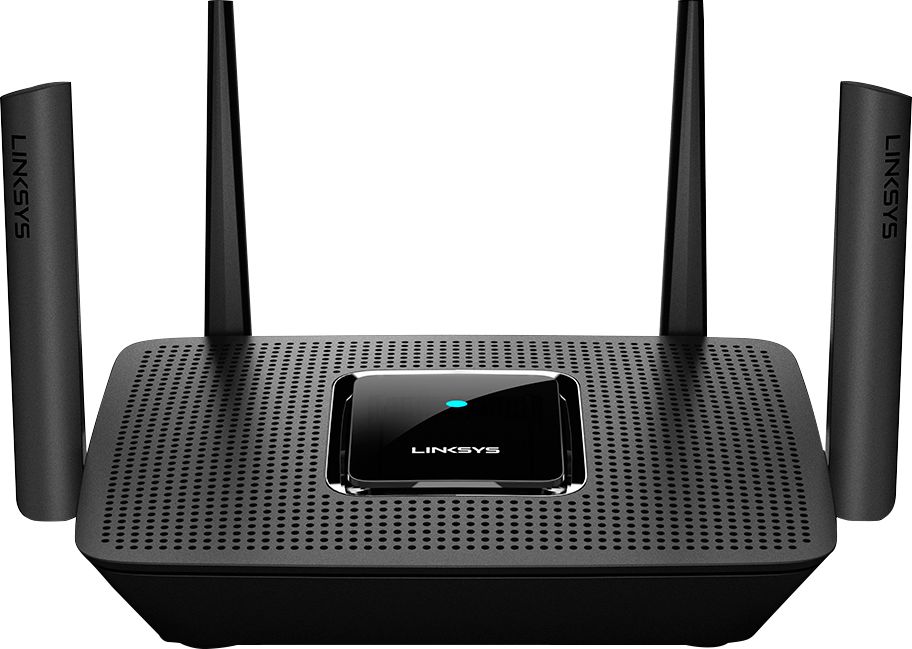
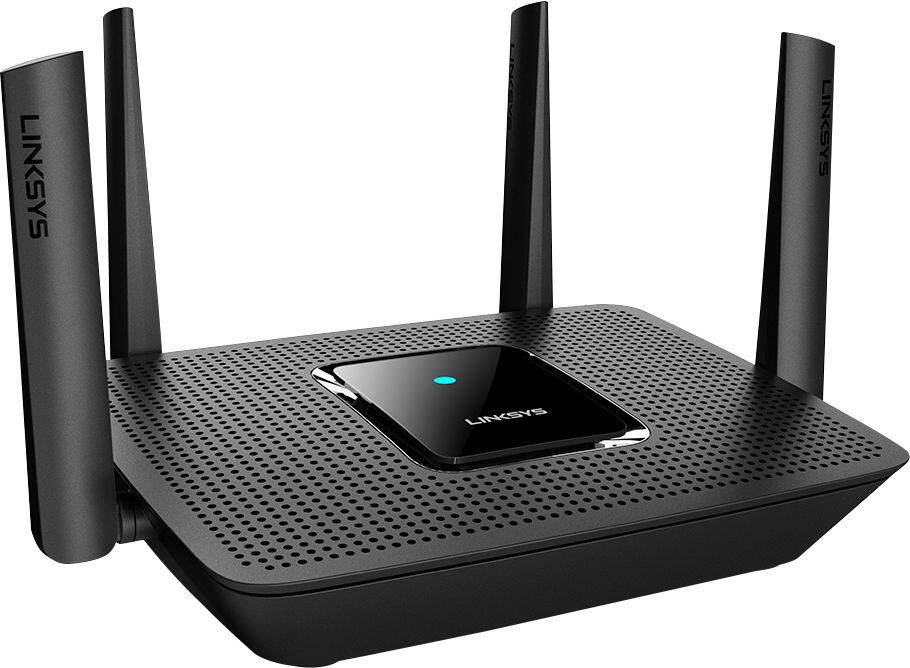


- Model:
- MR8300
- SKU:
- 6309260
Rating by feature
- Setup
Rating 4.6 out of 5 stars
- Range
Rating 4.6 out of 5 stars
- Signal Strength
Rating 4.6 out of 5 stars
Customers are saying
Customers highly value the AC2200 Tri-Band Mesh WiFi 5 Router's ease of use, range, and performance, with many praising its simple setup and strong signal. Positive feedback also highlights the router's extensive coverage and ability to support multiple devices without significant issues. While some users reported occasional connection drops, the majority experienced improved streaming and gaming performance after installation. The positive aspects significantly outweigh the reported drawbacks.
This summary was generated by AI based on customer reviews.
- Pros mentioned:Performance

What a
|Posted .This reviewer received promo considerations or sweepstakes entry for writing a review.The Linksys - MR8300 Max Stream™ AC2200 Tri-Band Mesh Wi-Fi Router is designed to be the cornerstone of your in-home network. The MR8300 Max Stream router provides gigabit throughput for the internal wireless network and supports gigabit bandwidth connections to an ISP. I have a gigabit connection from my ISP, and using the Linksys - MR8300 Max Stream router I get exceptional throughput throughout my home. While the ISP rarely delivers 1Gbps, I can consistently achieve internet download speeds of 850Mbps and approximately 60Mbps upload. This is a significant improvement over my previous router where the bandwidth downstream was 430Mbps (while within 30ft of the router) and upstream was about 30Mbps. The old router has gigabit interfaces, and supports high throughput. However, it seems there is a bottleneck in processing packets on that older device, that the MR8300 solves wonderfully. I have multiple devices on my network and I never experience a decrease in performance on the network. Several people stream HD content, online game, conference call and other bandwidth consuming operations and we never experience a problem. File transfer across the internal network (over Wifi) is also superb. I have seen speeds close to 2Gbps. I have not been able to reach 2.2Gbps yet, but the increased speed is better than my older router. I would highly recommend the Linksys - MR8300 Max Stream™ AC2200 Tri-Band Mesh Wi-Fi Router. It will certainly satisfy your in-home wireless networking needs.
I would recommend this to a friend - Pros mentioned:Speed
Easy setup
Posted .This reviewer received promo considerations or sweepstakes entry for writing a review.The setup was quick and simple. The only problem I had was having Comcast reset my old modem. There’s a great app that allows you to name your WiFi, set a password, give up to 3 devices priority, setup parental controls, speed check, all the things you would expect. The setup feature allows setup for adding nodes to expand your WiFi if you have a larger home. I didn’t need these with this router, I get a great signal throughout my house (1600sq/ft). I have better coverage than I had with the NETGEAR ac2300 nighthawk. I’ve Now replaced 2 NETGEAR routers (in 2 yrs) due to the 5G failure. Hopefully the Linksys will be much more dependable (I’ll update my review if things go south) . My speed has increased, I have Comcast Blast and my speeds are 179/12Mbps. Overall I’m extremely happy with this product. I have much more confidence in this product after setup than I did with the NETGEAR product.
I would recommend this to a friend Better WiFi mesh network ideas
||Posted .This reviewer received promo considerations or sweepstakes entry for writing a review.I bought this and was advised to use the nodes with. Apparently, you use one or the other but not both. Eero works much better then either of these.
No, I would not recommend this to a friendBrand response from Linksys Staff
Posted .Hello TechDave,
The Linksys MR8300 can only be set up as a primary node in a Mesh Wi-Fi system but, you can add Velop nodes to the existing Mesh system to expand coverage in any area of your home.
For further questions or assistance, please send us an email at [email protected] with your contact details and the link to this review for our reference.
Regards,
Jan
Linksys Support
Nice addition to nodes
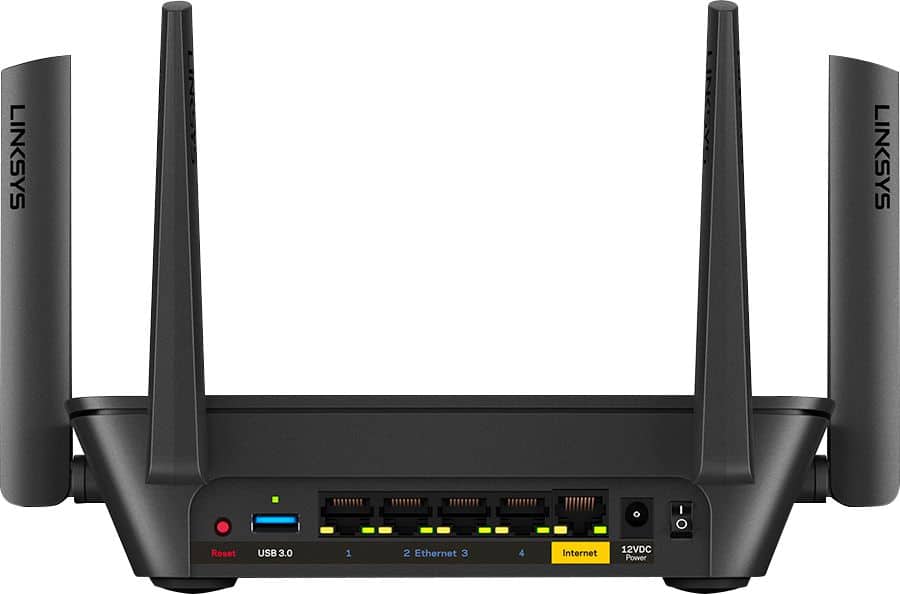
|Posted .This reviewer received promo considerations or sweepstakes entry for writing a review.I originally bought this to connect in a detached garage & rec room which has terrible WiFi, we already have 3 of the Linksys nodes & WiFi was still poor in the rec room. Unfortunately I was unable to connect the router there. I decided to connect it in the house instead, I was able to connect the router to one of the nodes through the Ethernet port & surprisingly it connected right away & I could bypass the modem completely. I already had the Linksys app so through that I was able to add the AC2200 easily by selecting the add new device option. It also connected with the 2 other nodes I had right away. This is a lighter, smaller router than some so that’s a great feature. It has a 3.0 USB port & 4 Ethernet ports . The Ethernet cable is very short so if you have to go a distance you may want to buy a longer one. This came with a wall plug in node which is great, I tried connecting that in the garage but kept getting the message that it was too far away, I’m going to try other locations & see if I can connect. I’m noticing a stronger signal in the rec room & my Nest smoke alarm is finally showing a connection. I am not a tech savvy person so for someone like me this setup was pretty easy. I’m giving it four stars because time will tell if WiFi has improved where we need it the most.
I would recommend this to a friendBlinking Blue light
||Posted .This reviewer received promo considerations or sweepstakes entry for writing a review.Unable to setup. Blinking blue light won't stop in order to set it up. I'm very disappointed.
No, I would not recommend this to a friendBrand response from Linksys Staff
Posted .Hi Darryl,
This is an unusual behavior for the Linksys router. Allow us to have our Escalation Engineers to get in touch with you for further troubleshooting to get this working as expected.
Just send us your contact details at [email protected] so that we can escalate your case. Don't forget to include the link to this post as a reference.
We hope to hear from you soon.
Regards,
Thaddeus
Linksys Support
I returned it.
||Posted . Owned for 1.5 years when reviewed.This reviewer received promo considerations or sweepstakes entry for writing a review.I generally still like Linksys, but some of their routers just don't provide increase in speed or connectivity. This one did not and I returned it.
No, I would not recommend this to a friendBrand response from Linksys Staff
Posted .Hi, RichardF,
Your feedback is of great value. However, having such challenges with our Velop System is far from expected. We could have tapped our Escalation Engineers to check the unit and provide further diagnosis before returning it. Should you have any Linksys products in the future and need a helping hand, please don't hesitate to get in touch with us at LinksysCares@linksys.com. We're eager to help.
Regards,
Carl
Linksys Support
Wifi
||Posted .This reviewer received promo considerations or sweepstakes entry for writing a review.Very difficult to setup. I haven't been able to get it working. I'll probably return it. I'm very disappointed
No, I would not recommend this to a friendBrand response from Linksys Staff
Posted .Hi, Wifi,
The Linksys MR8300 can be setup using your phone (via Linksys App) or computer (via Web) UI. Thus, we can have our Escalation Engineers assist you with the installation process by sending us an email at LinksysCares@linksys.com. Send along with your contact info, the Linksys MR8300 info, and the link of this review, for our reference.
Regards,
Elyza
Linksys Support
It was excellent while working
||Posted .This reviewer received promo considerations or sweepstakes entry for writing a review.It was excellent while working! Only the Ethernet ports are working. The wireless is gone. Now I have to return it to the manufacturer.
No, I would not recommend this to a friendBrand response from Linksys Staff
Posted .Hi, MarcoD.
We totally here you. For isolation, let’s make sure that the Linksys MR8300 is running on the latest firmware version. We can also try to reboot your network starting with your main modem along with the Linksys router. Email your contact details and the link to this post at LinksysCares@linksys.com. Our Escalation Engineers will assist you from there.
Regards,
Rhea
Linksys Support
Expensive Paperweight
||Posted . Owned for 2 months when reviewed.This reviewer received promo considerations or sweepstakes entry for writing a review.BEWARE!! Setup is only through an app, makes it hard to troubleshoot. And today it failed after less than 3 months owning, no longer returnable Buy something else
No, I would not recommend this to a friendBrand response from Linksys Staff
Posted .Hi, Sysadmin.
There are two ways to set up your MR8300. You can use the 'Simple Setup in the Web Interface' or with the 'Linksys App'. Also, our devices are designed for long-term use. Should you give us another chance, our Escalation Engineers would be more than glad to provide assistance. Just email us at LinksysCares@linksys.com along with your contact details and the link to this review as our reference
Regards,
Chu
Linksys Support
Solid Mesh Router
|Posted .This reviewer received promo considerations or sweepstakes entry for writing a review.I have a 3400sqft, 2 level house with a detached garage. The base router does a good job of covering it, although devices at the far ends remain on 2.4ghz. Using a plug in Velop node I did reach the garage, but signal strength is still low at the far end. Setup is fairly easy using the app, but it does take a little longer than expected to add a node and enable the guest network. It has parental controls by device, but it is a little inconvenient that devices can’t be grouped. I expected the router to be full featured, because it looks more like a gaming router than a white hockey puck. Most advanced features are there if not a little disjointed. It is missing the ability to setup individual 2.4ghz and 5ghz networks (useful for a few devices in a weak 5ghz area that waste time toggling). It does offer a channel optimization option to select the channel with the least interference. I also wish that the add on nodes were a little more affordable. There a few minor issues, but this router has a variety of ports and mesh capability (this is a major a advantage over many mesh systems that only have a port or two on the main node).
I would recommend this to a friend- Pros mentioned:Speed
Did not work at first. Now it runs amazingly
|Posted .This reviewer received promo considerations or sweepstakes entry for writing a review.I am using a Router from my cable company and paying for it's use. I subscribed to a really fast internet service but our router seems to require reset every now and then which is very frustrating. Then came the Linksys Max Stream which has been such a delight to have in our house. At first I had some difficulty setting it up which requires you to download the Linksys app. When that time came for you to set up the router via the Linksys, you are directed to a "searching" mode. This took a long time, eventually after about 5 minutes I had to stop and assess if my cable connections were correct. I tried again and the same results: "searching". I ended up pressing the "RESET" button on the router itself, re-did my steps and FINALLY got a result. It also asks if you wanted to connect your router to any other Linsksys device(s) you own. I connected it to my Velop Tri-band mesh which extends your connection throughout your household. I have had this router on for about 2 weeks now and I still am receiving really excellent speeds for my house. I am really pleased with Linsksys and now I can return the one I have been borrowing for years.
I would recommend this to a friend - Pros mentioned:Ease of use, Range, Speed
Excellent buy
Posted .This reviewer received promo considerations or sweepstakes entry for writing a review.Excellent router for the price. Super easy to setup and use, you connect your smartphone with bluetooth and use the app you download to set everything up and you can fully manage the router with the app as well. Great speed and range, handles 15 devices and can be set to prioritize up to 3 devices. Well worth the money for the 5 to 7 people accessing my network with smart TVs, consoles, handhelds and smartphones plus notebooks and chromebooks. Well worth the price and I would definitely recommend it for anyone looking for something to handle a high traffic household or dorm with a high speed connection. PROS: Ease of use Connectivity (15 devices) Range Speed CONS: None so far, excellent purchase!
I would recommend this to a friend Works sometimes
||Posted . Owned for 1 month when reviewed.This reviewer received promo considerations or sweepstakes entry for writing a review.Regularly reboots randomly and drops the network. Terrible logging and troubleshooting tools. I'm unable to locate logging showing why the network goes down.
No, I would not recommend this to a friendBrand response from Linksys Staff
Posted .Hi, Tedly,
Updating the firmware of the Linksys MR8300 and running the channel finder feature may help us isolate the connection issue you're having with it. Also, if you're having issue accessing your Linksys account through the app, then make sure to properly type in your email address and the password as well as updating the app to the latest version. Allow us to have this checked with our Escalation Engineers by sharing this through email at LinksysCares@linksys.com for further investigation. Send along with your contact info and the link of this review, for our reference.
Regards,
Elyza
Linksys Support
- Pros mentioned:Ease of use, Performance
Linksys
Posted .This reviewer received promo considerations or sweepstakes entry for writing a review.Definitely recommend this one. It is easy to set and works perfectly.
I would recommend this to a friend - Pros mentioned:Speed
Great setup, mobile app needs work
|Posted .This reviewer received promo considerations or sweepstakes entry for writing a review.The Max-Stream MR8300 tri-band router with the addition of a Velop node (AC2200) gives you the ability to utilize mesh networking by placing what are essentially WiFi repeaters throughout your house, this is especially useful in large homes. You can also add other AC2200 repeaters for additional coverage. Given that this is a Triband router with MU-MIMO (Multi-User Multiple-Input Multiple-Output) it essentially opens up dedicated multiple channels to your devices. This is essential for streaming multimedia Including HD & 4K content. As for the router itself it has the standard gigabit ports (4) plus one for connecting your modem. It also has a USB 3.0 port which makes it easy to create a mini network attached storage. I did not utilize this feature, but have on other Linksys routers in the past. The only real downside is you need to utilize the Linksys mobile app to setup and configure the router. I much prefer to use a browser based interface for configuration purposes. Pros: - Speed and performance - MU-MIMO technology - One AC2200 Velop mesh repeater included - 5 Gigibit (1 WAN) for fast wired connections Cons - Linksys mobile configuration utility
I would recommend this to a friend - Pros mentioned:Coverage, Ease of use
Highly Recommended- flawless service
Posted .This reviewer received promo considerations or sweepstakes entry for writing a review.I spent some time researching the best router for our home and was kinda soured on my current router due to a firmware update that killed my Ethernet port- so was happy to find the AC2200. Installation was easy and quick. The app to control the router is easy and is intuitive to use. Once installed the difference in signal strength and coverage was noticeable and covered the house completely. I like the option of being able to add the Velop nodes to expand the coverage if needed in the future. Overall, very satisfied with the product and purchase and would recommend this router for its ease of use, security, and coverage area.
I would recommend this to a friend Unhappy
||Posted . Owned for 2 months when reviewed.This reviewer received promo considerations or sweepstakes entry for writing a review.Do not get signal enough outsiders, my lynksys WiFi extender does not work either outside. Very unhappy with this product.
No, I would not recommend this to a friendBrand response from Linksys Staff
Posted .Hi, Douglas,
There are several factors that we may need to consider such as the location of the router and extenders, physical obstructions, and the area of the property. Let’s have our Escalation Engineers assist you at LinksysCares@linksys.com. Just include your contact information and a link to this review as a reference.
Regards,
Rosalyn
Linksys Support
- Pros mentioned:Performance
Fast and Easy
Posted .This reviewer received promo considerations or sweepstakes entry for writing a review.Fast and easy setup, works great. Once you get the app setup it just works.
I would recommend this to a friend Goes off-line a lot
||Posted . Owned for 1 month when reviewed.This reviewer received promo considerations or sweepstakes entry for writing a review.This Router conts to go off-line over and over. Its too late to return it so I'm stuck with it. I would not recommend this router to anyone.
No, I would not recommend this to a friendBrand response from Linksys Staff
Posted .Hi, TonyNJ,
Is there a stable connection directly from the modem? Making sure that the router is running on the latest firmware will greatly help with its stability. Please get in touch with us at [email protected] so our Escalation Engineers can check the settings of the device and give you recommendations to improve your WiFi experience. Don’t forget to include your contact information and a link to this review as our reference when you reach out.
Regards,
Rosalyn
Linksys Support
Terrible and unreliable
||Posted . Owned for 7 months when reviewed.This reviewer received promo considerations or sweepstakes entry for writing a review.Purchased this about 6 months ago and it already gave out. Constantly have to restart it to get it to work and I am lucky if it turns on.
No, I would not recommend this to a friendBrand response from Linksys Staff
Posted .Hi, Fguzman883,
We appreciate your writing us a review. Please email us at [email protected] with your contact details and the link to this post so we can have our Escalation Engineers to check on your device.
Best Regards,
Gregory
Linksys Support