Customer Ratings & Reviews

- Model:
- MX2002
- SKU:
- 6509905
Rating by feature
- Setup
Rating 4.5 out of 5 stars
- Range
Rating 4.7 out of 5 stars
- Signal Strength
Rating 4.7 out of 5 stars
Customers are saying
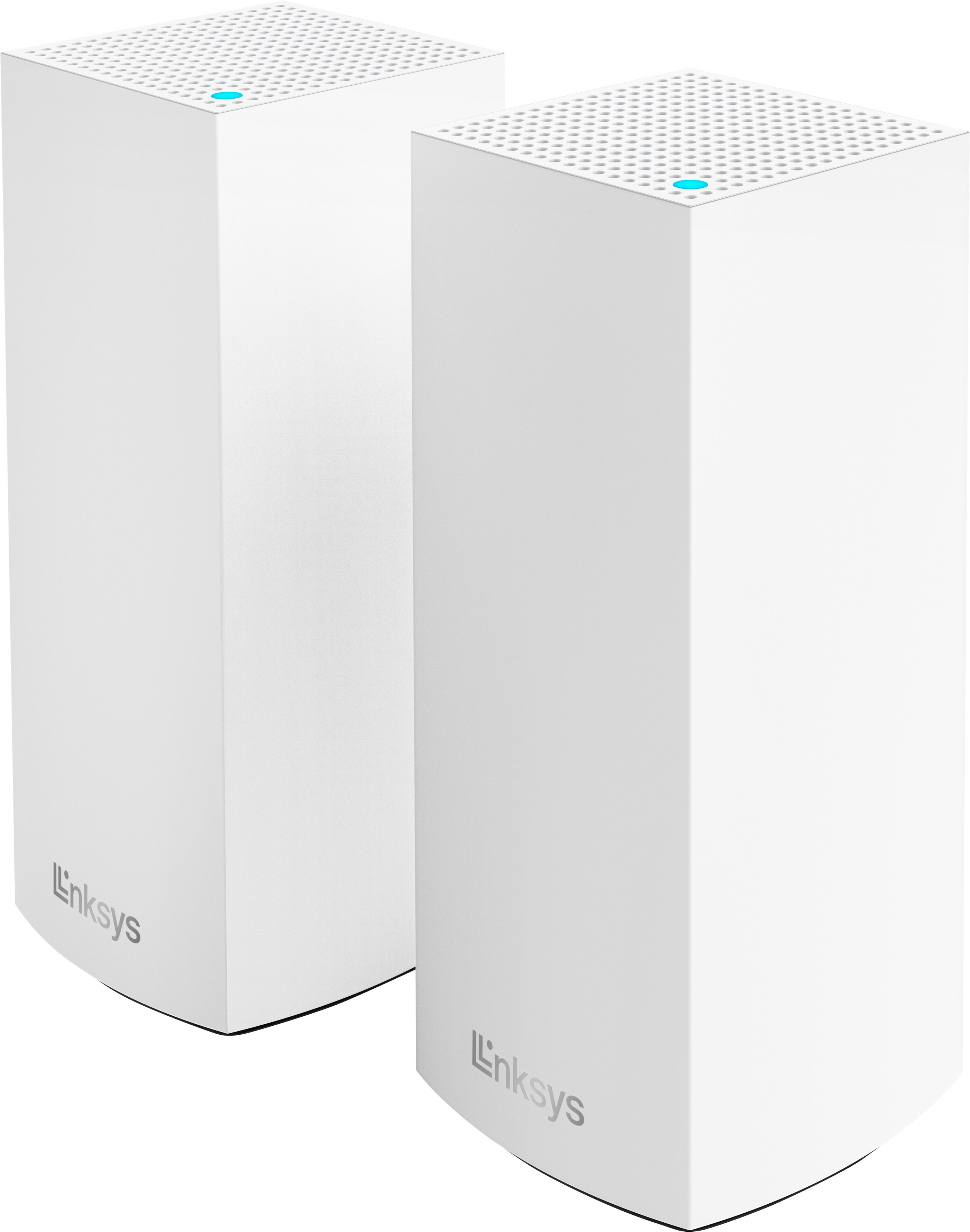
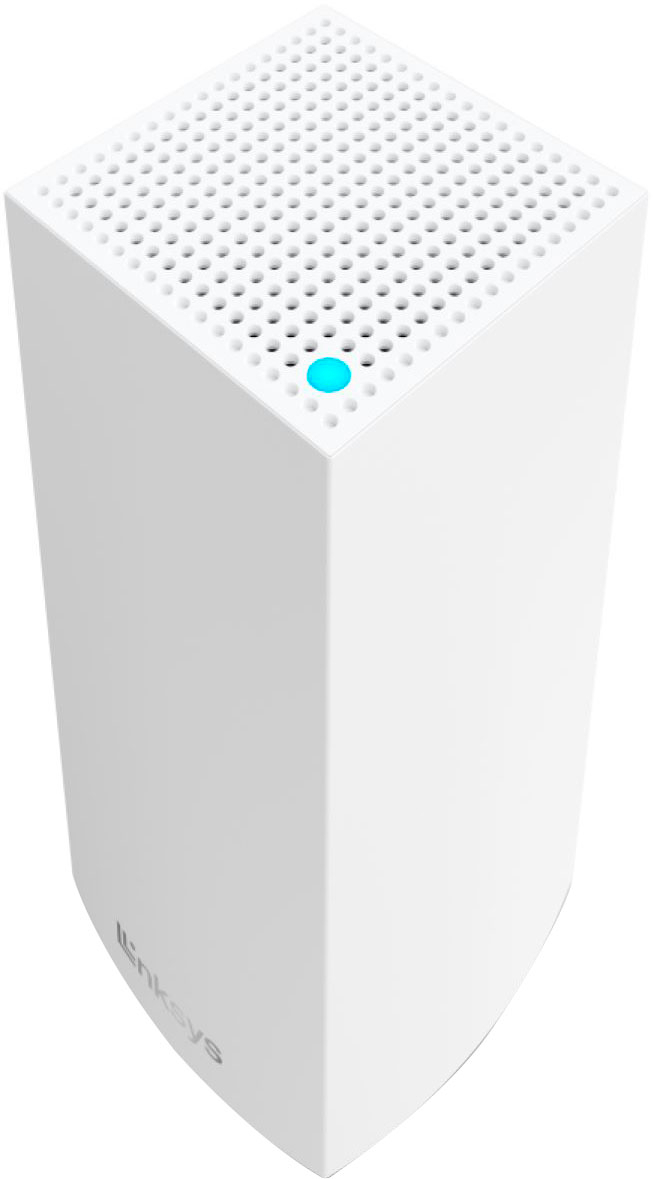
Customers commend the Atlas 6 WiFi 6 Router for its ease of use, extensive coverage and range, and smooth setup process. Many appreciate the strong signal strength and reliable performance, along with the added benefit of multiple LAN ports. While some users noted occasional lag, the overwhelmingly positive feedback points to a high-quality mesh WiFi system.
This summary was generated by AI based on customer reviews.
Router
||Posted . Owned for 3 weeks when reviewed.This reviewer received promo considerations or sweepstakes entry for writing a review.Not the best system but all is good techs were prompt snd nice
No, I would not recommend this to a friendInt_sys
||Posted . Owned for 3 weeks when reviewed.This reviewer received promo considerations or sweepstakes entry for writing a review.Great product works really well. Thank you Again great product
I would recommend this to a friendGreat buy.
||Posted . Owned for 2 weeks when reviewed.This reviewer received promo considerations or sweepstakes entry for writing a review.It's great faster than one from cable company only problem was at first getting it to connect with cable.
I would recommend this to a friend- Pros mentioned:Ease of use
Not sure
||Posted . Owned for 3 months when reviewed.This reviewer received promo considerations or sweepstakes entry for writing a review.Mix feeling on this router. Easy setup but not the fastest
No, I would not recommend this to a friend The Worse Linksys Product Thus Far!
||Posted .This reviewer received promo considerations or sweepstakes entry for writing a review.This is by far the worst Linksys product I have ever owned. I have exclusively used Linksys (beside trying other brands from time to time) for +20 years. I love Linksys routers. These are terrible, but allow me to explain. If you use their app, keep all signals on 1 band, it'll seem ok to the average user. However if you split your frequencies or need to move a Node move than 15 feet away, their performance drops significantly. Using just a EA2000, I was able to get better speed, strength and less packet loss throughout my house. For example, at -10 feet, the child node was at excellent. At 12-15 feet it was registering -60 to -68, and switching to 2.4 to connect. I wanted to place the second node about 20ish feet away, second floor (router on first) and I was getting -75, which was unable to do simple tasks. In fact past about 15 feet, my devices were just connecting directly to the parent router. Secondly, on LAN, the parent router was providing about speeds between 250-350, which is good. I immediately moved back to the EA2000 and was getting 450-500 on the same LAN connection. In conclusion, if you need WiFi through a big house and are willing to buy 3-5 of these things, or need a LAN connection 10-15 feet away, and don't want to do a lot of special networking, I suppose. If you're in a under 2500 square foot house, NEVER buy these.
No, I would not recommend this to a friendBrand response from Linksys Staff
Posted .Hi dbest,
Thank you for taking the time to share your feedback. This is totally unexpected, as the Velop Atlas 6 is designed to deliver faster connection and wider coverage. The range can also vary with the number and placement of nodes in the system and depending on wireless obstructions, operating environments, and building material. Feel free to drop us an email at LinksysCares@linksys.com with your contact details and the link to this review. Our Escalation Engineers would be more than glad to help improve your system's overall performance.
Regards,
Chu
Linksys Support
Linksys mesh wireless router
||Posted . Owned for 1 week when reviewed.This reviewer received promo considerations or sweepstakes entry for writing a review.Item works great but was a bit more difficult to set up initially than was lead to believe. Even going from an older model linksys to this. Probably go with Netgear or tp link next time.
I would recommend this to a friendBrand response from Linksys Staff
Posted .Hi RyanR,
We continuously aim to provide a setup process that is secure, smooth, and straightforward for our devices. During the setup, ensure all nodes are in the same room as the modem or internet source, and make sure your mobile device is not connected to an existing Wi-Fi network. Should you require assistance, our Escalation Engineers are ready and eager to guide you through the device setup. Just email us at LinksysCares@Linksys.com, providing your contact information and a link to this post for our reference.
Regards,
Chu
Linksys Support
Wifi
||Posted . Owned for 3 weeks when reviewed.This reviewer received promo considerations or sweepstakes entry for writing a review.The first thing that comes out when I see the video of him
I would recommend this to a friendDeficient Range
||Posted . Owned for 3 weeks when reviewed.This reviewer received promo considerations or sweepstakes entry for writing a review.Although the stated range is 4000 sq. ft, coverage, I have found that for my house of 3150 sq ft, the product barely covers. I would not purchase this product again.
No, I would not recommend this to a friendBrand response from Linksys Staff
Posted .Hi, IranS,
The actual range that the router covers will depend on your network environment. Factors such as physical obstructions and wireless interference, will greatly affect and may reduce the coverage. To improve, we recommend placing the router as high off the ground as possible and keep it away from obstructions like large metal objects and electrical equipment. Keeping it running on the latest firmware might also help.
Feel free to tap us at LinksysCares@linksys.com if there’s anything else that we can help you with. Just include a link to this review as our reference when you reach out.
Regards,
Rosalyn
Linksys Support
- Pros mentioned:Coverage, Ease of use, Speed

Excellent Mesh Router with LAN ports
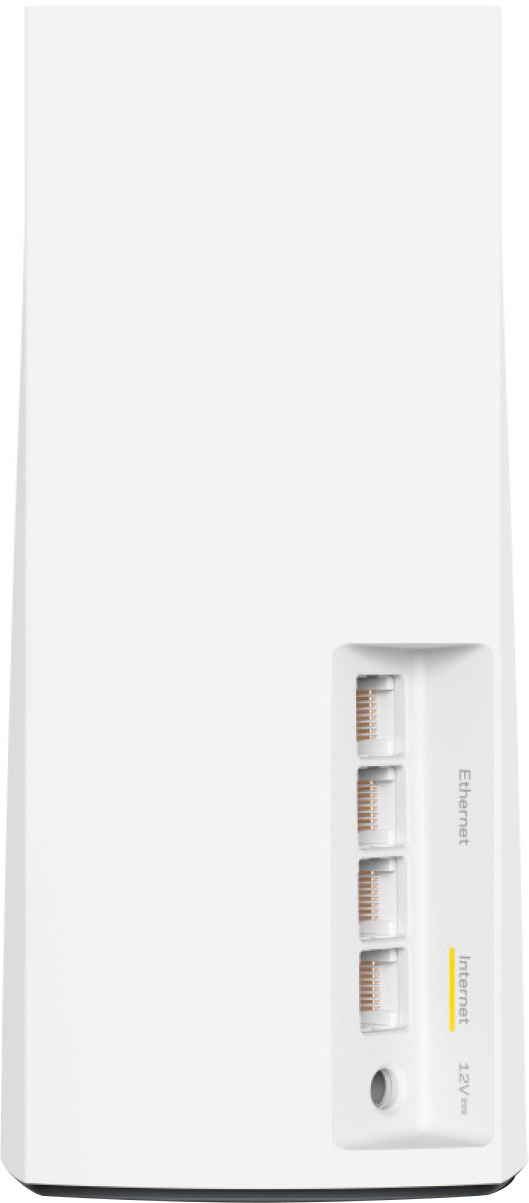
|Posted .This reviewer received promo considerations or sweepstakes entry for writing a review.Summary ------------ This review is for a 2pk Linksys atlas router and I have a 2 story 2900 sqft house and the router works very well in all corners of the house and get outstanding signal quality in all my rooms. I have 20+ devices out of which 4 are TVs connected to fire tv stick/fire tv and absolutely flawless video streaming. On top of that my son uses Xbox regularly for online gaming on of the Tvs and this router has proved to be a great addition to my internet. Overall I highly recommend Linksys router. Pros ----- 1. WIFI 6 router and 4x the normal speed. 2. Each node can be a router in itself 3. Each node has 3 LAN ports which is great for wired connections. 4. Expandable by adding more nodes. 5. Quick easy setup with the Linksys app. Cons ------ 1. Merged 2.5/5GHZ channel. Details --------- Setup is a breeze with the Linksys App. You just need to setup the WIFI ID and password. The app will also let the devices get automatic updates. The app also includes a speed test feature for testing the speed. I was able to get consistently good speed in both the levels and all corners. Any of the nodes can be used as a parent. Basically each of them covers about 2000 sqft and with 2x the nodes, the coverage basically doubles to 4000sqft I love the fact that you do not need to download and upgrade firmware by yourself and the device automatically updates the firmware. The LAN port is a great addition. For some of the devices like my raspberry pi which does not have WIFI connectivity, works great with the available LAN port. I also have a old desktop which only connects to 2.4ghz and I could connect the desktop to the LAN port for higher speed. If you are in the market for a mesh router, I think this is it!!
I would recommend this to a friend Inpossible to set up,
||Posted . Owned for 1 week when reviewed.This reviewer received promo considerations or sweepstakes entry for writing a review.I was not a fan of the time it took to install then to disconnect and have to repeat continuously.
No, I would not recommend this to a friendBrand response from Linksys Staff
Posted .Hi Ariel,
Our unwavering commitment is to provide secure, smooth, and straightforward setup experience for our devices. If you're open to discussing your experience further or require assistance with any Linksys device. Feel free to email us at LinksysCares@linksys.com. Kindly include your contact information and make reference to this post. Our Escalation Engineers are fully prepared to provide the help you need.
Regards,
Chu
Linksys Support
Seriously thinking about returning them
||Posted .This reviewer received promo considerations or sweepstakes entry for writing a review.I was in a hurry and these seemed like the best option on the shelf. So far, I don't like them. Even if I get them working the way I want them to, they're no better than 3 stars for making me give them an email address and setup an account. I don't care about their stupid privacy pledge or whatever it was that I clicked through. Just let me visit 192.168.1.1, login and configure your stupid product the way I want to configure it. Instead, the web interface tells me to download the app. I understand making it easy for end users but they need to leave things open so that advanced users don't have to jump through a bunch of hoops to get them working and users of all skill levels, should have the option of not setting up a linksys account because, even if they keep their privacy pledge, companies get hacked all the time. Cisco(who owns the Linksys brand), got hacked just last year.
No, I would not recommend this to a friendBrand response from Linksys Staff
Posted .Hi Anon,
We understand your preference to set up your Linksys device without linking it to your email address. You can still locally configure your Linksys Mesh router without a Linksys cloud account. Refer to this link for guidance: https://www.linksys.com/support-article?articleNum=226218
However, if you also wish to remotely configure your network settings from anywhere, we recommend creating an account. Feel free to reach out to us at LinksysCares@linksys.com if you need assistance with any Linksys device or have questions, concerns, or comments you'd like us to address.
Regards,
Chu
Linksys Support
Links mesh Wifi
||Posted . Owned for 3 weeks when reviewed.This reviewer received promo considerations or sweepstakes entry for writing a review.This set of Mesh Wifi is okay, but not that great. It improves my WiFi a little but not what I expected out of it
No, I would not recommend this to a friendBrand response from Linksys Staff
Posted .Hi CoolUser,
It's important that we're fully addressing your concerns. If you're open to providing additional details about the specific issues you encountered or the expectations that were not met, and if there are ways we can improve your experience, just reach out to us at LinksysCares@linksys.com. Kindly share your contact details and include a link to this review for our reference. Our Escalation Engineers are ready to help and resolve any challenges you may be facing.
Regards,
Chu
Linksys Support
- Pros mentioned:Coverage, Setup, Speed
Atlas 3 Mesh to the rescue
|Posted .This reviewer received promo considerations or sweepstakes entry for writing a review.I made a 2nd network Off my internet to connect my low usage IOT devices to 1. Setup via the app was ok. It took a bit longer than normal due to the method I was using. Once the main hub was set up I added each node to each room I wanted them in. 2. So each Hub can be the main node which has 3 Ethernet ports for hard wiring a device in that room or location. 3. A bit of a warning to set each node up as directed. If you don't you will be in my situation. I plugged them all in at once. That caused the extended length of time for install. Once I unplugged each node and performed the set up at each node installation went really quick. 4. One good thing is you don't need to move your modem to get the mesh system to work well. they create a nice strong whole home coverage that has zero dead spots. Ran speed test at all corners of the house strong low ping and rock solid speed. 5. for once you don't need a master in networking to make this work. I can take the average person 1 hour to set this up as a new whole home network. They allow you to even set up and change the network broadcast ssid from the app during setup. Once setup has been rock solid and zero issue's. My google devices no longer struggle to stay connected since they have their own network now. This such a amazing way to move low usage IOT devices to have a solid connection
I would recommend this to a friend WAY better part 2
||Posted . Owned for 1 month when reviewed.This reviewer received promo considerations or sweepstakes entry for writing a review.WAY better than the in house option cable co was to provide.
I would recommend this to a friendlinksys
||Posted .This reviewer received promo considerations or sweepstakes entry for writing a review.the products are works great would remmenders these again
I would recommend this to a friendmaybe if i upgrade
||Posted . Owned for 3 months when reviewed.This reviewer received promo considerations or sweepstakes entry for writing a review.was told it would work with my system. it didnt. im sure if i upgraded it would.always like linksys.
I would recommend this to a friendBrand response from Linksys Staff
Posted .Hi, Lizc,
If your current system is an intelligent mesh, it should be compatible. In the meantime, please attempt to reset the new nodes and re-add them to the network. If this doesn't help, please reach out to us at LinksysCares@linksys.com. We will conduct a thorough investigation and assist you in the setup process. Be sure to include your contact information, network specifics, and a link to this review for reference.
Regards,
Rosalyn
Linksys Support
- Pros mentioned:Coverage
I tried and failed
||Posted . Owned for 2 weeks when reviewed.This reviewer received promo considerations or sweepstakes entry for writing a review.Could not get it installed. Had tech help and a long call to Linksys. Returned the unit and bought Netgear. I really wanted this unit because of its ability to expand its WiFi area around the house.
No, I would not recommend this to a friendBrand response from Linksys Staff
Posted .Hi,
Our commitment is to offer a straightforward setup experience for our devices through the Linksys app. It is advised to position all nodes in the same room as the modem or internet source and use the latest version of the Linksys app for optimal results during the setup process. If you have any questions or require assistance with any Linksys product, please feel free to contact us at LinksysCares@linksys.com. We hope you consider Linksys in the future for your networking needs.
Regards,
Chu
Linksys Support
light on range
||Posted . Owned for 1 month when reviewed.This reviewer received promo considerations or sweepstakes entry for writing a review.The range was less than expected. Advertised at 2000 sq. ft. per. My experience is perhaps 1200 sq. ft. per.
No, I would not recommend this to a friendBrand response from Linksys Staff
Posted .Hi RogerW,
Thank you for taking the time to share your feedback. The Wi-Fi range can vary with the number and placement of the node in the network. It also depends on wireless obstructions, operating environments, and building materials. Removing any obstructions that can affect the wireless signal from each node can definitely help. Feel free to let us know if you need assistance with any Linksys device by sending us an email at LinksysCares@linksys.com. Our Product Experts are more than happy to assist from there.
Regards,
Chu
Linksys Support
Poor firewall configuration
||Posted . Owned for 1 week when reviewed.This reviewer received promo considerations or sweepstakes entry for writing a review.If you need finer-grained control of your IPv4 firewall, avoid this one until Linksys adds that capability. You can only turn the firewall on and off… you cannot block specific ports inbound or outbound. It also does not have the capability to integrate with OpenVPN. Linksys is a Cisco subsidiary. You would think they would have better configuration capabilities.
No, I would not recommend this to a friendBrand response from Linksys Staff
Posted .Hi, ITJoe,
There are features that are not made available for our routers, but they were tested to provide adequate protection to your network. If you need help in the future, feel free to tap us anytime at LinksysCares@linksys.com. We can discuss conveniently from there.
Regards,
Rosalyn
Linksys Support
Same as Google hardware
||Posted . Owned for 3 weeks when reviewed.This reviewer received promo considerations or sweepstakes entry for writing a review.Signal strength/range is not as strong as we'd hoped - it's the same as Google hardware.
I would recommend this to a friendBrand response from Linksys Staff
Posted .Hi, JeffS.
We understand how you're feeling towards this experience. Let’s make sure that we have a stable connection coming from the main network. We can also try to reboot the main router along with the range extender, and make sure it's running on the latest firmware version. Email us at LinksysCares@linksys.com so our Escalation Engineers can further assist you. Include your contact information and the link to this post for our reference.
Regards,
Rhea
Linksys Support