Customer Ratings & Reviews

- Model:
- MX2002
- SKU:
- 6509905
Rating by feature
- Setup
Rating 4.5 out of 5 stars
- Range
Rating 4.7 out of 5 stars
- Signal Strength
Rating 4.7 out of 5 stars
Customers are saying
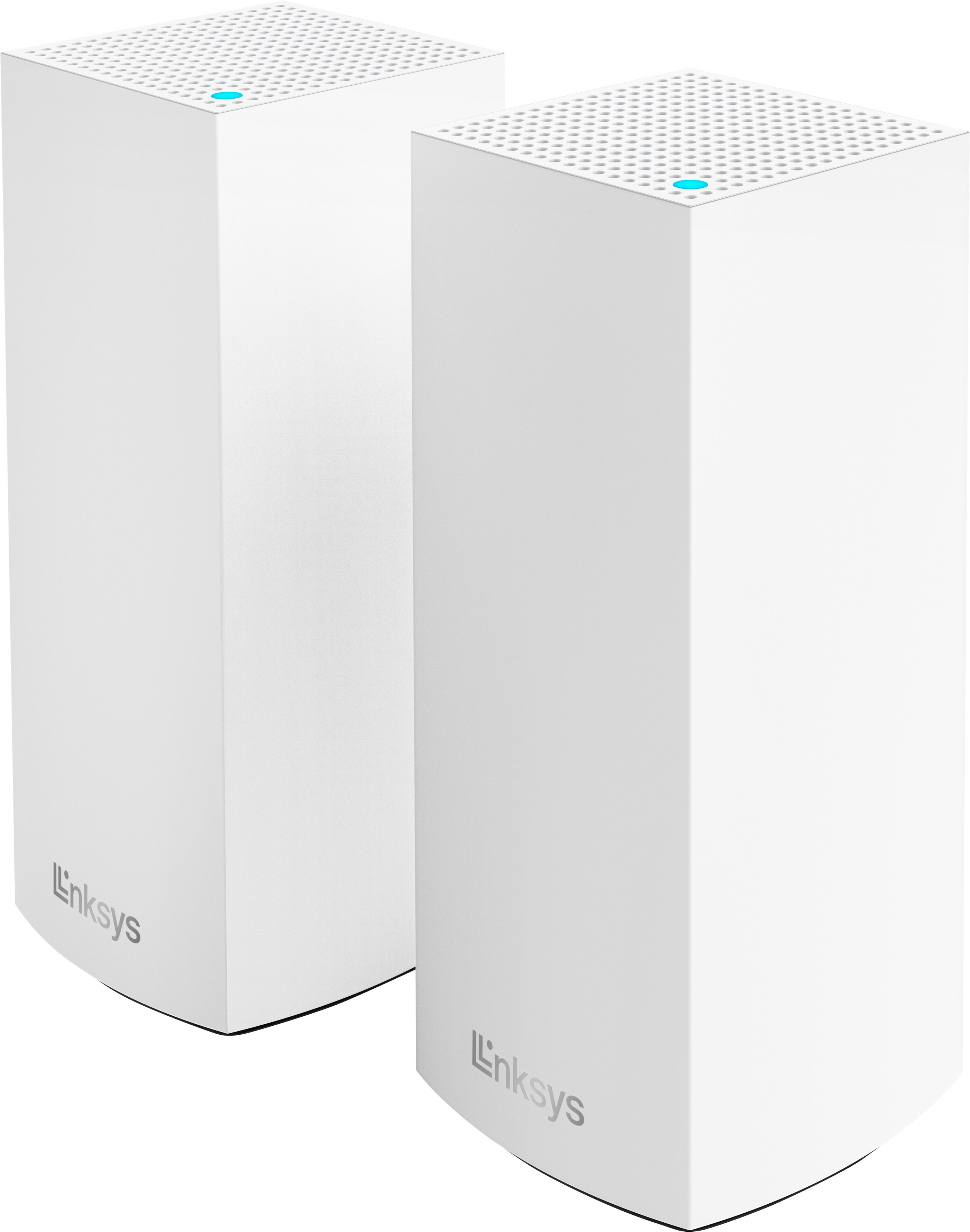
Customers commend the Atlas 6 WiFi 6 Router for its ease of use, extensive coverage and range, and smooth setup process. Many appreciate the strong signal strength and reliable performance, along with the added benefit of multiple LAN ports. While some users noted occasional lag, the overwhelmingly positive feedback points to a high-quality mesh WiFi system.
This summary was generated by AI based on customer reviews.
Booster
||Posted . Owned for 1 month when reviewed.This reviewer received promo considerations or sweepstakes entry for writing a review.It was a bit cumbersome getting it hooked up to wifi
I would recommend this to a friendBrand response from Linksys Staff
Posted .Hi, JanM,
If you still need help with your new router, feel free to contact us at LinksysCares@linksys.com. Our team is ready to address any questions or concerns you may have. Please include a link to this review as our reference, along with your contact information.
Regards,
Rosalyn
Linksys Support
Hot Garbage
||Posted .This reviewer received promo considerations or sweepstakes entry for writing a review.Complete and utter crap. I wanted to add a couple of nodes to my existing mesh network. Currently, I have two of the Linksys Velop MX10 modules (AX5300). Before buying these Atlas 6 nodes, I read up on compatibility, thinking that would be my only issue. How wrong I was. I added two of the three Atlas 6 nodes to my network and began adding Wi-Fi devices that were in the vicinity; removing them from the Velop first. Immediately, there was a drop-off in load time for new pages as well as video quality. So I moved the Atlas into the same room as a Velop node and tried three different devices on each module. It wasn’t even close. The Velop was noticeably faster. Needless to say these are on their way back to Best Buy and two additional Velop nodes will soon take their place.
No, I would not recommend this to a friendBrand response from Linksys Staff
Posted .Hi,
We totally hear you as the Velop mesh network should have stable connection once set up properly. Let’s make sure that it’s running on the latest firmware versions. Please email your contact details and the link to this post at LinksysCares@linksys.com. Our Escalation Engineers will assist you from there.
Regards,
Rhea
Linksys Support
Coverage sub par.
||Posted . Owned for 3 weeks when reviewed.This reviewer received promo considerations or sweepstakes entry for writing a review.This product didn’t provide nearly the coverage it advertised. My home is only 1700 square feet, considerably under what this device is rated for.
No, I would not recommend this to a friendBrand response from Linksys Staff
Posted .Hi,
While the router is designed to cover up to 4000 square feet, the actual coverage varies depending on your network environment. Nevertheless, there are methods to enhance its performance, including ensuring it's optimally positioned and running the latest firmware.
Should you require further advice on optimizing your router, please don't hesitate to reach out to us at LinksysCares@linksys.com. Just include a link to this review as our reference.
Regards,
Rosalyn
Linksys Support
- Pros mentioned:Setup

Another solid product by Linksys
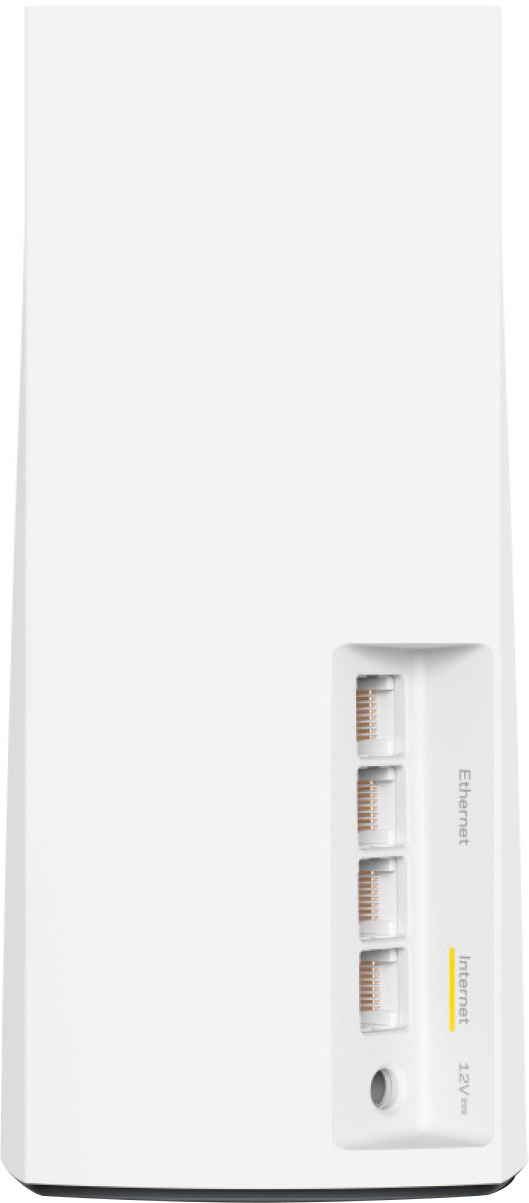
|Posted .This reviewer received promo considerations or sweepstakes entry for writing a review.I've had multiple Linksys routers over the years and this newest Mesh system lives up to the expectations that I've come to expect from Linksys products. Previously, I had a Linksys tri-band system located in the family room of my 2-bedroom house, but would often have signal degradation issues in the corners of my home or upstairs in my bedroom or in-home office. I've always liked the management tools that Linksys provides as it makes setup and configuration of the network easy, plus gives greater control of other features like parental controls and guest access. Setup of this system was relatively painless. Linksys recommends you to configure the new system using their mobile app (available for both iPhone and Android). Since I already had a Linksys system in place, I fired up the app and selected to configure a new system. From there, it was simply a matter of following the prompts. The only issue that I had was when it would scan for one of the Atlas nodes, it would fail to find it on the first try. This happened for all three nodes, but all three were found on the second try. Perhaps I didn't wait long enough for the Node to come online before scanning, but I was simply following the on-screen prompts. In total, I had the new system up and running in probably 15 minutes. By using the same SSID (network name) and password, all of my wireless devices re-connected to the network without manual intervention. Fortunately for me, my house has ethernet cable throughout, so I was able to position the two slave nodes so that they could be plugged directly into the LAN. This ensures that they should always remain connected and have the strongest signal possible. What I really like about this system over other Mesh systems that I've seen, is the additional 3 ethernet ports on each node. This allowed me to position one of the slaves in my upstairs bonus room, plugged directly in my LAN, and also plug in my security camera base station and Raspberry pi that runs my HomeAssistant home automation integration. This is a nice feature if you are looking to have as many devices wired as possible like I do. Signal strength throughout my house and even outside in the front and back yards is greatly improved. Previously, I would only be able to get about 15% of my usual download speed on my front porch and now I can get about 90-95% as what I do inside the house. Overall, I'm very happy with this system and glad that I've been a longtime Linksys customer.
I would recommend this to a friend - Pros mentioned:Coverage, Setup, Speed
Excellent WiFi 6 mesh system!
|Posted .This reviewer received promo considerations or sweepstakes entry for writing a review.The Linksys Atlas 6 WiFi system is an excellent mesh WiFi system that does a great job of creating a single Wifi network for a very large area while providing great speeds to many devices due to its use of the new WiFi 6 technology. I was previously using the Linksys Velop Tri-Band WiFi 5 system which I really liked and never had any problems with but decided it was time to step up to the new WiFi 6 technology. Even though this new Atlas 6 system is only a dual-band system, it is still actually a full upgrade for me because my home has ethernet wiring which means I am able to use the wired backhaul feature and the dedicated third band wasn’t really helping me with my previous system. Now, I have the benefits of WiFi 6 without the unnecessary extra wireless band for backhaul. My home is a 3-story townhome which is why a 3-pack like this Atlas 6 system is perfect for me. Due to the way my home is designed, my modem must be placed in the closet on the third floor which is also where all of the ethernet wiring for the whole home ends up. This is obviously not an ideal place to have to put a single wireless router since the signal would have a hard time reaching all the way to the first floor on its own but the Atlas 6 mesh system solves this problem by allowing me to place a hardwired node on each floor giving me great coverage for my entire home. Setup of the system was very easy and straightforward. Initially, the first node I was setting up as the main router was reporting that it wasn’t receiving an internet signal from my modem but the app walked me through resetting my modem and even explained that this can be common and that sometimes it takes a few resets of certain modems before the signal is finally sent through to the new router. Sure enough, by simply following the step-by-step instructions, I had all 3 nodes up and running in no time and I have not had any sort of issues with them since. Given the great experience I had with the older Linksys mesh WiFi system, I have no reason to believe that this Linksys Atlas 6 WiFi system will be any different and as result, I highly recommend it!
I would recommend this to a friend Hi
||Posted . Owned for 3 weeks when reviewed.This reviewer received promo considerations or sweepstakes entry for writing a review.one of the two child nodes stopped workingwithin a week. The Geek squad came back and couldn't restart it. Ordered a new set for replacement for me.
No, I would not recommend this to a friendPoor Linksys Atlas 6
||Posted . Owned for 1 month when reviewed.This reviewer received promo considerations or sweepstakes entry for writing a review.Made a mistake getting this one even though the online ratings were good. It lasted about 6 days and then died on us. We went back to our old system until we could purchase something different.
No, I would not recommend this to a friendBrand response from Linksys Staff
Posted .Hi,
Thank you for bringing this to our attention. We’re sorry to hear your experience was less than 5-stars. Should you give us a chance, our Escalation Engineers are eager to turn this around. Just send us an email at LinksysCares@linksys.com along with your contact details, the serial number of your Linksys device, and the link to this review for reference.
Regards,
Chu
Linksys Support
- Pros mentioned:Coverage, Speed
Linksys Mesh Does it Again
|Posted .This reviewer received promo considerations or sweepstakes entry for writing a review.I replaced my previous Linksys gen 1 mesh system with the Linksys Atlas mesh, as my house is full of gamers in all parts of the house. It was seamless to replace the old system, with a very similar setup. The Atlas system gives even faster speeds than previous offerings from Linksys, we see this as when someone in the house was streaming a movie, and more than two others were playing Fortnite, we would get a reduced network speed notification. Thus far, after upgrading, we see no degradation in speed when the network is being used by the whole house. The other big update over the gen 1 Linksys Mesh system is that there are three ethernet outputs, versus one on gen 1. The biggest difference I can see coverage wise, is the backyard, which, of course, doesn't have any outdoor mesh nodes. The entire backyard is now covered, allowing me to use a projector in the back yard for outdoor movie nights for the kids. The last elopement I love about this set of Linksys hardware is that it comes with a 3-year warranty, ensuring you will have fast wi-fi with the peace of mind that it is protected.
I would recommend this to a friend Nogo
||Posted . Owned for 3 weeks when reviewed.This reviewer received promo considerations or sweepstakes entry for writing a review.Bad doesn't work i want to return items but it been 26 day since I purchased
No, I would not recommend this to a friendBrand response from Linksys Staff
Posted .Hi, CharlesO,
A proper configuration will surely help to maximize the router. Please reach out to us at LinksysCares@linksys.com, so we can help you check and walk you through optimizing the unit. Just include the relevant details, your contact information, and a link to this review as a reference.
Regards,
Rosalyn
Linksys Support
Will not connect.
||Posted . Owned for 3 weeks when reviewed.This reviewer received promo considerations or sweepstakes entry for writing a review.The device wouldn't connect to the App or via internet.
No, I would not recommend this to a friendBrand response from Linksys Staff
Posted .Hello Aaaa,
Thank you for taking the time to share your experience. We’re constantly striving to provide a secure, seamless, and simple setup process for our devices. Anyhow, our Escalation Engineers would be more than glad to help and address your concerns the soonest. Just email us at LinksysCares@linksys.com with your contact details and a link to this review for our reference.
Meanwhile, here are some actions you can take that may help solve the issue:
•While setting up the nodes, make sure to gather all the nodes in the same room as the modem or internet source.
•Make sure that your mobile device isn’t connected to an existing WiFi.
Regards,
Chu
Linksys Support
- Pros mentioned:Range, SetupCons mentioned:Lag
Great Upgrade For Any Home
|Posted .This reviewer received promo considerations or sweepstakes entry for writing a review.I am very happy with these routers. The setup is the easiest I ever experienced, once you download the app everything is a breeze. One thing to note is that you have to setup each node so that it is in the range of one of the other nodes. If you never did this before, it will take some time to figure out the best spot for each one. Luckily, this is not my first rodeo. Once each node is setup creating the WiFi network was pretty simple. These routers are strictly dedicated to my smart home items. It took me longer to connect all of my smart home items than it took to setup the routers. Once everything was connected I noticed the difference right away. Everything was much more responsive and there was no lag. Everything worked so well right out of the box, that I didn't not look into any additional settings. When I have some free time, I will definitely look into what additional features are available and what I tweak for even better performance. I am very satisfied with this product. 5 Stars!!!
I would recommend this to a friend - Pros mentioned:Ease of use
Spreads Wi-Fi capacity throughout my home
|Posted .This reviewer received promo considerations or sweepstakes entry for writing a review.The Linksys Atlas 6 (3-pack) – White is simple to set up. First, I downloaded the Linksys app on my phone from Google Play. Everything operates through the Linksys app. I just followed the instructions after selecting “Set up a new product.” Watching for the changing colors of the light determines if the Wi-Fi connection is connected with no problem or if there are problems that must be addressed to get the Linksys Atlas 6 (3-pack) – White to work properly. Within 15 minutes, the Linksys Atlas 6 (3-pack) – White was up and running and working very well. My apartment is in a pre-war building with thick cement walls that have always impeded the strength and distance of any router that I used. The Linksys Atlas 6 (3-pack) – White lost no Wi-Fi strength on any of my devices, even when I went the furthest distance in my apartment from any of the nodes. It has increased the connectivity amongst all of my Wi-Fi devices. I have no disappointment from using the Linksys Atlas 6 (3-pack) – White.
I would recommend this to a friend Do not buy this product.
||Posted . Owned for 8 months when reviewed.This reviewer received promo considerations or sweepstakes entry for writing a review.I do not recommend this product. Linksys customer/technical support and warranty is horrible. They will have you running in circles and waste hours of your life spent on the phone.
No, I would not recommend this to a friendBrand response from Linksys Staff
Posted .Hi,
We value your support experience and would appreciate hearing about your recent contact with our team for investigation. It'll surely help to improve our support and service. Please email us your case number at LinksysCares@linksys.com, along with a link to this review for our reference.
Looking forward to hearing from you.
Regards,
Rosalyn
Linksys Support
- Pros mentioned:Coverage, Ease of use
Good speed and Coverage
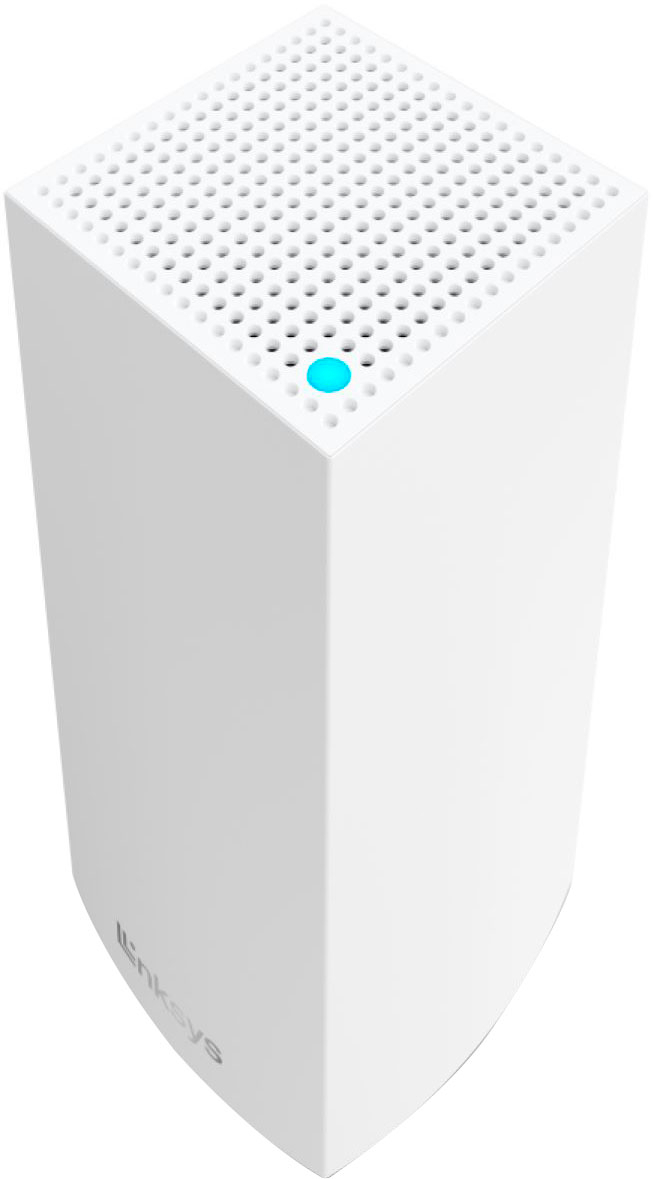
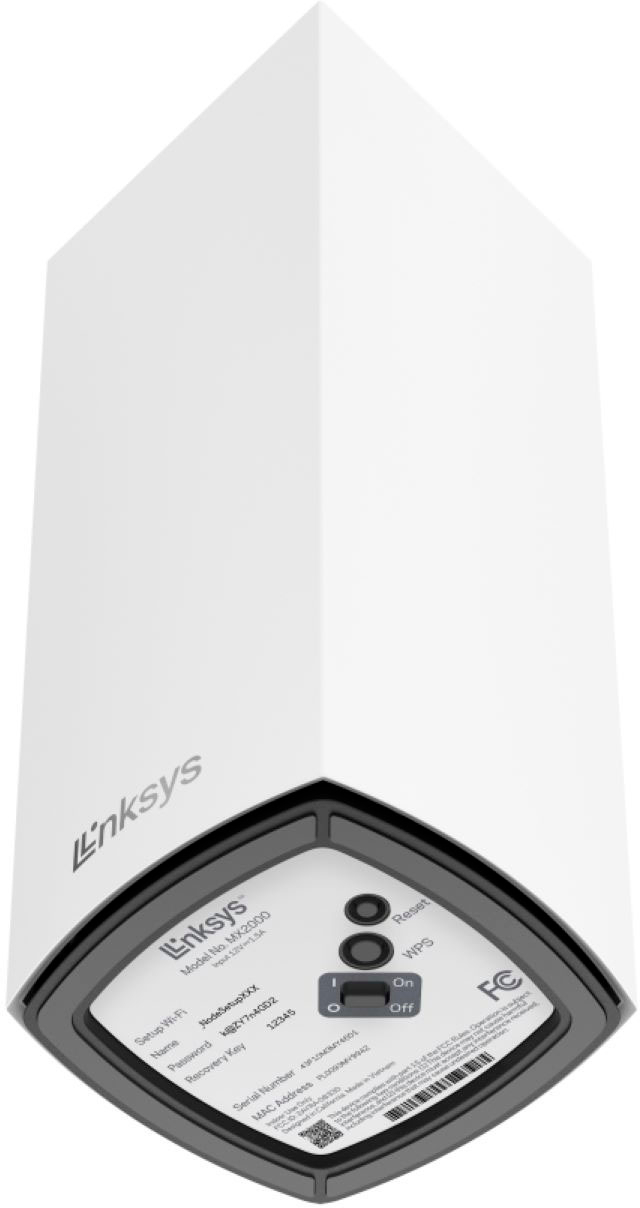
|Posted .This reviewer received promo considerations or sweepstakes entry for writing a review.I tend to have a lot of issues with WiFi coverage in my house. The cable line for the modem comes into my basement office and there is a lot of ductwork between the basement and the rest of the house, so the signal degrades to the rest of the house. For that reason I've been using mesh networking for the past few years with mixed success. There are a couple things that set the Linksys Atlas apart from some of the other WiFi routers I've used. First is the ease of setup. I like the way the Linksys mobile app sets up the network. It finds a new node once it's powered on and just goes about setting it up with minimal input. in fact, a couple years ago during COVID lockdown my in-laws needed a new router and assistance with setting it up. They ordered a Linksys and I was able to set it up for them while standing outside with the base on the other side of a window. The same goes with this system with ease of setup. The other thing I like is that either unit can be the base or the satellite and both have multiple LAN jacks. This way I can hardwire something upstairs near the base if it's picky about wireless network conditions, like my smart TV. It will occasionally drop a wireless connection for some reason, so I have it hardwired to the satellite. The satellite can be either hardwired to the base or set up wirelessly. This works well, but in my situation with the ductwork between them I opted to run an ethernet cable through the floor in one corner to the satellite. This results in amazing speeds upstairs from the network and in the basement from the base. Throughput is excellent. I'm getting 500-600kbps on my phone which is a WiFi 6 enabled device. Note that to see speeds like this you will need something built in the past 2-3 years that supports WiFi 6, otherwise you'll see still-respectable speeds lower than this. Coverage throughout the house is very good. I have the base in the basement and the satellite in the middle of the first floor. This provides coverage throughout the entire house, including the second floor above, including my son's room with his smart TV and gaming PC on the far end of the house. Again, this is where WiFI 6 really shines. They run warm but don't get overly hot. Be sure to leave plenty of room around the top where the vent holes are. I like the fact that these have power switches. I like to cycle power on my router once in a while and this makes it easier. Also, there is a reset BUTTON on the bottom, not the usual recessed hole that requires finding a paper clip or SIM tool to press if you need to reset these! The units are tall but fairly unassuming. They look attractive on a bookshelf or entertainment center without calling a lot of attention to themselves. Included in the box are the units, power supplies and a very short ethernet cable to connect to your cable modem. I would not hesitate to recommend these for ease of setup and performance for a large number of data-hungry devices.
I would recommend this to a friend Would not connect
||Posted . Owned for 2 months when reviewed.This reviewer received promo considerations or sweepstakes entry for writing a review.Returned product, would not connect to the internet
No, I would not recommend this to a friend- Pros mentioned:Ease of use, Range
Simple and easy mesh setup
|Posted .This reviewer received promo considerations or sweepstakes entry for writing a review.I got the Linksys Atlas 6 (3-pack) because I wanted to beef up the Wi-Fi reception in my house and around my property. Our preexisting Wi-Fi router that came from the cable provider is decent. But we have dead zones in our home or if too many devices are connected slower connections in the back part of our house. My goal was to sure up those spots and extend our Wi-Fi signal outside. I want to barbeque with our smart TV and Wi-Fi connect sound bar on. Then I also want to be able to listen to music while I mow the property without having to carry my phone while doing so and just wearing my earbuds. To accomplish this goal, I employed the help of the Linksys Atlas 6 mesh router system. Out of the box the units are sleek and look great. Set up was quick and easy using the Linksys app. I was honestly amazed at how simple it was to set up. I set aside two hours to get everything set up, the nodes placed and plugged into a wall outlet, and connected to the main node next to the internet modem. I plugged in the first one let the app do its thing and watched tv. Several minutes later, I set up the next node. Now this one and the next one for whatever reason took a bit longer. The total setup time was about twenty-five minutes. However, the total time that took me directly interacting with the product or Wi-Fi was about 6 minutes because I already knew exactly where I wanted each one and with the wall outlet, I was going to plug them into. From there I ran several bandwidth tests and tried to stress the mesh system out. My first observation was how the mesh network works like an older building’s T-1 system. My impression is that the Linksys Atlas takes the bulk of the bandwidth available and evenly distributes it to the connected devices. This may not be true at all, but it is my perception of what is happening. If I am not running everything all at once an individual device with max out the speed test showing the top limits of my upload speeds and download speeds. After I connect multiple devices to the network, they all test a touch slower. That said, their results are all about even and we are able to get the maximum use out of each. Either way, I accomplished my goal in quite an anticlimactic fashion, setup was just too simple. Every corner of my house has an excellent connection no matter how many devices are running simultaneously. Also, without the worry of connectivity issues due to outside forces acting upon the internal signal.
I would recommend this to a friend - Pros mentioned:Coverage
Amazing router
|Posted .This reviewer received promo considerations or sweepstakes entry for writing a review.I have been using the same (very good) Linksys router for close to 7 years at this point and have been hesitant to change as I had zero issues with it. However, as hesitant as I was to upgrade and I even more happy that I did. This router system has seem less, fast, broad coverage that doesn't miss a beat. There are some minor areas for improvement but overall I am very happy. Pros: Design - although the sleek tower design is starting to become the industry standard for new mesh systems, upgrading from a "spider" style router with multiple antennas was a visually pleasing upgrade. Coverage and speed: After some quirks in setup (more below) the coverage between my two nodes has been quick and seem less across my house (2000 sq ft). Cons: Setup - ok this one is going to be very specific but it was still pretty frustrating. Something about the fact that I made an upgrade from a Linksys router made the app very finiky to set up. I ended up having to talk to tech support to guide me through some things that were not spelled out in the manual. I am sure it was operator error, but a section in the setup instructions to dictate an upgrade Lack of Ethernet ports: Again, another specific thing, but there are only 3 ethernet outputs per node. While this likely be fine for most people. I found it to be unfortunate as I needed more and then had to buy extra hardware to accommodate. Ultimately, this is an amazing router setup and I would recommend it for most users.
I would recommend this to a friend is ok
||Posted . Owned for 3 weeks when reviewed.This reviewer received promo considerations or sweepstakes entry for writing a review.mesh solution is not that great. the device gets attached to one unit doesn't see
No, I would not recommend this to a friend- Pros mentioned:Range, Setup
Another great Linksys product
|Posted .This reviewer received promo considerations or sweepstakes entry for writing a review.This is an upgrade/update for my other Linksys Velop that I was using for about 2 years. I have used Linksys products for many years and I don’t have anything negative to say about them – other than the setup instructions should be in print as well as available thru the link. Setup for me has always been pretty easy after the 1st one you set up using the Linksys app – you just “set up a new product” and follow the instructions. The set up for this product took about 15 minutes and most of the time it was just waiting for the purple lights to turn blue! The Linksys Atlas nodes are smaller and lighter than the ones they replaced in my home, but just the same great product. This one will cover ~4000 sq ft and have dual band of 2.4 and 5.0 GHz. Setup informs you of your progress with each node and allows you to assign a room for them. You can also add additional nodes if you need but this coverage is great and we have great coverage over 2600 sq ft. We have smart tv’s, 3 computers (2 work at home people), 2 ipads, 3 phones, playstation, doorbell, and 2 thermostats connected and have no issues! There are parent controls you can set as well that allow you to block specific websites and schedule breaks for each device logged in. Many other great features within the app.
I would recommend this to a friend - Pros mentioned:Range, Speed
So fast and easy to set-up
|Posted .This reviewer received promo considerations or sweepstakes entry for writing a review.What a great addition to the Linksys main router This was so easy to set-up. It took me less than 15 minutes to add it onto our home internet. I will say.. we already have a Linksys router attached to our modem so adding this was very easy. You can set it up as additional or as a router itself based on what I read. It definitely enhances our internet so we get it all around our house. We have a lot of dead spots that cause slow connection in certain areas of our home and this has boosted those areas. I can now go outside with my laptop and have no connection issues or slow speeds. This is great! Using the Linksys app makes it super easy to check what the internet connections look like and to connect other routers. You can use it to update and check your internet speeds and restart it if you are having connection issues. Linksys has definitely improved our internet home connection especially with all the devices we have connected to it. Before we got a router, the internet connection just off the modem from your internet service provider was not good enough, this makes it so much faster and better. I will sometimes get off my cell service and connect to my wifi at home because its better. I would definitely recommend Linksys router to boost up your home internet.
I would recommend this to a friend