Customer Ratings & Reviews
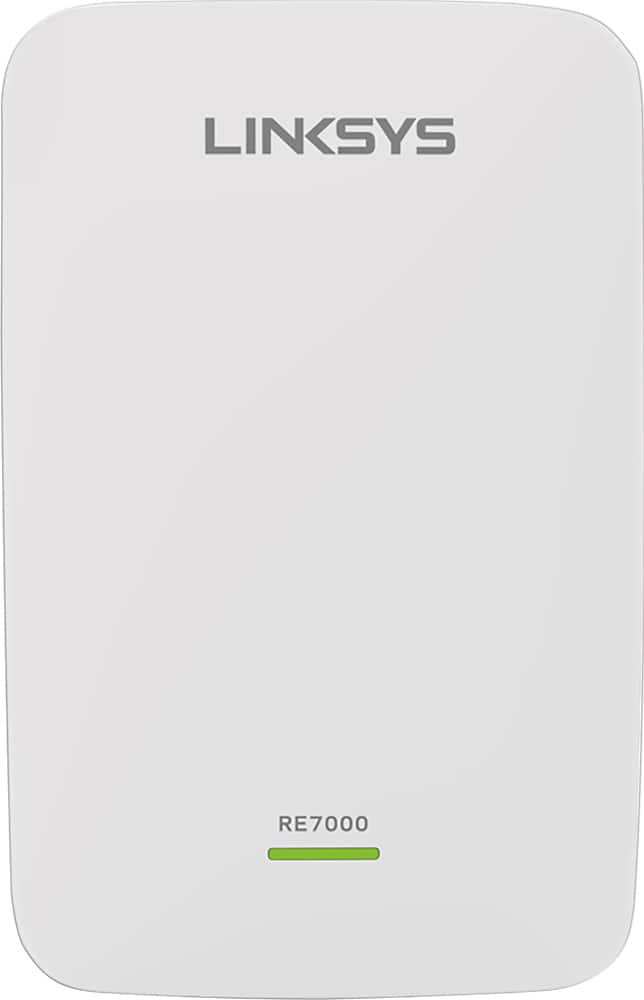
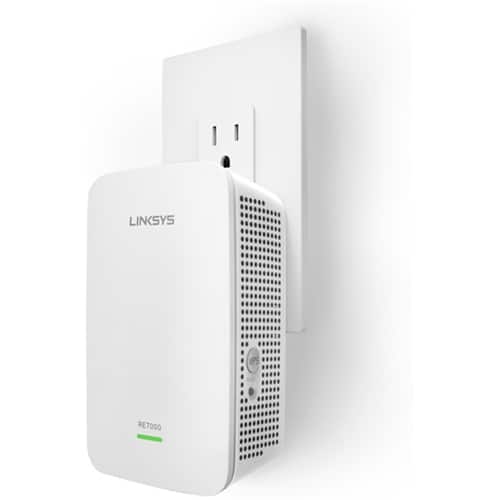

- Model:
- RE7000
- SKU:
- 5172000
Rating by feature
- Value
Rating 4.0 out of 5 stars
- Quality
Rating 4.2 out of 5 stars
- Ease of Use
Rating 4.1 out of 5 stars
Customers are saying
Customers recognize the MAX-STREAM™ AC1900 Dual Band Repeater with MU-MIMO as being easy to use and having a wide range with a strong signal. Positive feedback frequently highlights the product's ease of setup and good performance, leading to great coverage. However, some customers experienced connection issues, and others found the price to be somewhat high. A few also noted the product's size and potential compatibility concerns.
This summary was generated by AI based on customer reviews.
Doesn't seem to make a differance
||Posted .This reviewer received promo considerations or sweepstakes entry for writing a review.Product doesn't seem to help with WiFi in house or other rooms.
No, I would not recommend this to a friendBrand response from Linksys Staff
Posted .Hi Ozzie,
The extender’s performance could have been affected by its configuration and location in your home. Use the Spot Finder feature of the RE7000. It automatically calculates the best place for the extender based on the signal behavior and capability of your router. If the connection will not improve, please get in touch with us at LinksysCares@linksys.com with your contact details and the link to this review.
Regards,
Rechel
Linksys Support
Disappointed
||Posted . Owned for 3 weeks when reviewed.This reviewer received promo considerations or sweepstakes entry for writing a review.I returned this product because it did not improve my reception. This could be because I am not tech savey. We live in a small home and I just wanted to improve my reception on slow computer and television interruptions.
No, I would not recommend this to a friendBrand response from Linksys Staff
Posted .Hi, Lizbeth,
The Linksys RE7000 WiFi Extender can provide a coverage of up to 2500 sq ft. You can try to update the extenders firmware or relocate the extender away from devices that can cause interference.
Allow us to assist you further, please reach out to us at LinksysCares@linksys.com, and share more details with the link to this review for our reference.
Regards,
Jan
Linksys Support
Eh
||Posted .This reviewer received promo considerations or sweepstakes entry for writing a review.Doesn't really help my wifi in my house. I would not recomend.
No, I would not recommend this to a friendBrand response from Linksys Staff
Posted .Hi, Chuck,
The placement of your RE7000 and the type of router that you are using are just a few of the factors that could affect the range extender's performance. We can utilize the Spot Finder feature of the unit to ensure that it's in the right spot.
Please email us your contact information at LinksysCares@linksys.com so we can get you over to our Escalation Engineers. They'll check your network environment and help you get the product to work at its best. Indicate the link to this review for our reference.
Regards,
Kristine
Linksys Support
- Pros mentioned:Range, Setup

Great way to increase your Wifi coverage area
|Posted .This reviewer received promo considerations or sweepstakes entry for writing a review.Set up on this range extender is truly a breeze, just take it out of the simple yet protective packaging and follow the quick start directions. Plug it in near your current router, hit the WPS button on your router and then on the range extender, it's as simple as that...once you have a steady green light you are good on 2GHZ, repeat the same operation for the 5GHZ band, wait for the green then you are all set. Then the really cool part, Linksys has Spot Finder Technology, just launch this in your mobile devices browser (in my case I used an iPad) and it will let you know where the optimal place is to plug the range extender in. Mine was in a plug in my living room, I utilized the same names as my original network the the suffix EXT to delineate the range extender, checked my speed via Speedtest.net and was very pleased with the results, did not lose much but so note it's not as fast as your original network which is normal for range extenders that I have used. Overall a great way to augment your current Wifi Router to increase range in an easy straightforward way.
I would recommend this to a friend not what it should be
||Posted .This reviewer received promo considerations or sweepstakes entry for writing a review.needed an extender for wifi to reach second floor did not help
No, I would not recommend this to a friendBrand response from Linksys Staff
Posted .Hi, purplebird,
How far is your extender from your main router? For an optimal wireless range, it is recommended that the extender is getting at least 50% of your router's WiFi signal and is located midway between your router and the area without Wi-Fi. The Spot Finder page should help you find the best location.
Please reach out to us so we can sort this out for you. Send us an email at LinksysCares@linksys.com along with your contact details, the review title and the link to this post for reference.
We'd be more than happy to get this fixed.
Regards,
Jay
Linksys Support
NOT WORTh
||Posted .This reviewer received promo considerations or sweepstakes entry for writing a review.Purchased the item and tried it. Reviewed its functions and my equipment still works the same. No extra nothing . It is just not worth the time or money. I did not get to return the item as I had other obligations and did't meet the time to do so.
No, I would not recommend this to a friendBrand response from Linksys Staff
Posted .Hi, Grace,
We'd appreciate if you'll get in touch with us at LinksysCares@linksys.com so we can have our Escalation Engineers check if there's anything else that we can do to make your experience with the device better. Include your contact information and a link to this review for reference.
Regards,
Rosalyn
Linksys Support
poor results
||Posted .This reviewer received promo considerations or sweepstakes entry for writing a review.never could get the extender to broadcast enough signal
No, I would not recommend this to a friendBrand response from Linksys Staff
Posted .Hi, Doct,
There are steps that could help improve the coverage of the range extender. To assist you accordingly, allow us to get you over to our Escalation Engineers. Please email us at LinksysCares@linksys.com with your phone number and the link to this post for our reference.
Regards,
Irish
Linksys Support
Didn’t do anything to extend range
||Posted . Owned for 1 month when reviewed.This reviewer received promo considerations or sweepstakes entry for writing a review.I ended up returning this item. It made virtually no difference in extending my Wi-Fi range. I ended up spending a little more money and got a new modem/router combo which helped improve my range much better.
No, I would not recommend this to a friendBrand response from Linksys Staff
Posted .Hi, Baresi2007,
The Linksys RE7000 Range Extender can extend your existing wireless coverage up to 2,500 sq. ft. We could have tried to relocate the extender and updated its firmware to see if that will improve the performance.
If you need assistance with other Linksys devices, feel free to reach to us at LinksysCares@linksys.com with the link to this review for our reference.
Regards,
Jan
Linksys Support
No Boost at all ;(
||Posted .This reviewer received promo considerations or sweepstakes entry for writing a review.I tested wi-fi signals with and without this device and the results produced NO INCREASE IN WI-FI SIGNAL STRENGTH. Usually Linksys exceeds my expectations, since I've been using their wireless routers for years, unfortunately this one is a BUST.
No, I would not recommend this to a friendBrand response from Linksys Staff
Posted .Hi, CoBill,
The RE7000 is designed to extend your Wi-Fi to hard-to-reach locations in your home, however, it will not increase or add your WiFi signal strength as the WiFi signal only depends on its main source. It just simply adds coverage to your WiFi network. Don't hesitate to tap us anytime at LinksysCares@linksys.com should you need assistance or clarifications. Our Escalation Engineers are always ready to give you a hand.
Regards,
Rosalyn
Linksys Support
not a good product
||Posted . Owned for 5 months when reviewed.This reviewer received promo considerations or sweepstakes entry for writing a review.Item kept dropping the signal. Even went to far as to replace the main router it was connecting to thinking that may have been the cause. If you are looking to specifically extend 5Ghz band I would stay away from this item.
No, I would not recommend this to a friend- Pros mentioned:Range
easy to use wifi extender
|Posted .This reviewer received promo considerations or sweepstakes entry for writing a review.seems routers just don't have a good range on them. blocked by walls, etc. if I go into my room with my older Ipad, I get 2 bars. I placed this extender halfway to my room and I now get full bars. I can also now go out to my car and get a couple bars as well, were before I could not connect to my router. I have a Linksys router that is new and so pairing was very easy and the extender automatically uses my routers settings for the pw and name. the trick is to make sure you are placing the extender within range of your router. if you cant get a signal from your router in your bedroom for instance, then the extender also wont. I recommend if you have a deadzone in a spot you would use a device with wifi at. It also has a Ethernet port so if you had a long enough Ethernet cord, you can plug it in from your router. this way if you want to place it out of the range of your router you could do that as well. it does what it is supposed to and especially great if you own a Linksys router.
I would recommend this to a friend - Pros mentioned:Ease of use, Signal strength
LINKSYS RE7000 Max-Stream AC1900+ Mu-Mimo W-Fi Ran
Posted .This reviewer received promo considerations or sweepstakes entry for writing a review.I received a free sample from linksys for my feedback on product. Pros: * I set this router up twice, just to test the WPS and manual setup procedure. Both went very easily as I expected. I’m not a fan of WPS for security reasons, not that I have anything I’m concerned about keeping super secure, but it sure makes setup faster if you’re not comfortable with manual setup. I liked all the options available. * Being slightly larger than my electrical outlet, it prevents you from using a power block in the second plug, but that is easily resolved with an extension cord. I put my extender on the end of a 6-foot cord and placed it on top of my entertainment center’s top shelf, hidden and out of the way, hopefully for a better signal than up against the wall down by the floor. Then when using the ”Spot Finder Technology” which is supposed to show me where to place my range extender for optimal performance, I discovered I was correct in my placement, receiving a stronger signal that was just right! It’s a nice feature, but is also available to anyone with a smart phone and a free Wi-Fi signal strength app. Nonetheless I’m glad Linksys is thinking about stuff like this for their customers. * It’s an AC1900 extender, for extending your router’s AC1900 Wi-Fi signal. AC1900 feels so much faster than older technologies (N300), although I find it has less capability in penetrating walls sometimes and loses signal strength. I’ll never look back though. * The extender worked fine with both my Netgear AC-1200 wireless router and Linksys EA6900 AC 1900 router. I did not notice any dropped signals when connected, and speeds felt unhindered when tested using the extender vs being connected directly to my main router. There was some slight slowdown when I ran the speed test but nothing I could “feel”, nor could I definitely correlate it to problems with the extender. This strength of the extender’s signal was outstanding, so much so that I’m using it now in access point mode as my main connection house wide. This may be because of its location over the location of my main router but I like having two strong signal points to choose from now, one upstairs and one downstairs. * There is a Gigabit port built into this extender. Nice. Cons: * I did not really find any cons with this router other than in order to benefit from its seamless roaming feature, you must have a Linksys Max Stream router. I really would like to have tested this feature as it sounds like an incredible convenience and I wanted to see how “seamless” the transition really is. Other Thoughts: * Of the five range extenders I’ve used, this Linksys RE7000 range extender has impressed me the most, mainly due to the fact that it is AC1900 capable and also the many great features Linksys has included with it. Ultimately, it expanded my home Wi-Fi network as advertised with a simple setup procedure that included bonus features I did not expect to get. This signal measures very strong with no drops or noticeable slowdowns. It’s pretty much everything one could expect in a Wi-Fi range extender.
I would recommend this to a friend - Pros mentioned:Ease of use, Range
Easy as 1-2-3
|Posted .This reviewer received promo considerations or sweepstakes entry for writing a review.Using the Linksys MaxStream RE7000-AC1900 really is as simple as one two three. Push the WPS button on your router, push the WPS button on the extender and wait for the light to turn green. If you have dual band, repeat the process to link the 5 GHz band if your router supports it. Unplug the extender and move it to where you need a little extra signal and you’re set. The initial setup configures a duplicate of your router SSID with an ext on the end and the same password. You have the option to use this one or you can log into the extender and change the SSID to match your existing setup. I chose to keep the ext to differentiate. If you are pairing this with one of the new Linksys MaxStream routers, you have the ability to use their “seamless roaming” which allows the signal to pass from router to extender and additional extenders if your location is especially large. If you are looking for something to boost your wifi signal, it doesn’t get any easier or better than this.
I would recommend this to a friend No thanks
||Posted .This reviewer received promo considerations or sweepstakes entry for writing a review.Not worth the money constantly switching networks.
No, I would not recommend this to a friendBrand response from Linksys Staff
Posted .Hi Jsim,
The RE7000 supports Seamless Roaming that automatically switch your device to the strongest Wi-Fi signal. Why won't we have you assisted by our Escalation Engineers to get the range extender working properly? Please reach out to us at LinksysCares@linksys.com with your contact details and the link to this review.
Regards,
Rechel
Linksys Support
Did not extend range.
||Posted . Owned for 1 month when reviewed.This reviewer received promo considerations or sweepstakes entry for writing a review.Bought this to extend wifi range. Unfortunately, it wouldn't connect with my router/modem that was less than 10 feet away. Returned within 2 weeks of purchase due to changing outlets to see if it would ever connect.
No, I would not recommend this to a friendBrand response from Linksys Staff
Posted .Hi herdfan,
It is odd that the range extender will not connect to your existing network. We could have had our Second Level Technicians contact you to assist in configuring the range extender to your network.
If you have questions regarding a Linksys device, feel free to email us at LinksysCares@linksys.com.
Have a good day!
Regards,
Thaddeus
Linksys Support
Not Able to Connect
||Posted . Owned for 3 weeks when reviewed.This reviewer received promo considerations or sweepstakes entry for writing a review.I was unable to conncet to my ASUS router. I tried both methods in the directions ...niether worked. I then asked at Best Buy and he gave me another idea. Still didn't connecet.
No, I would not recommend this to a friendBrand response from Linksys Staff
Posted .Hi, Joseph,
Before setting up the Linksys RE7000, please make sure to check if your Wi-Fi connection from the router works fine, and we must prepare your router's WiFi settings including the Wi-Fi name (SSID) and password / security key. For isolation, try to reset the Linksys RE7000 before setting it up with your router, and try setting it up closer to the router. If you have a hidden SSID, click Manually Enter Network Name and Password. Otherwise, wait until it detects your Wi-Fi and select it. Allow us to have you assisted by our Escalation Engineers by sending us an email at LinksysCares@linksys.com with your contact info and the link of this review, for our reference.
Regards,
Elyza
Linksys Support
- Pros mentioned:Performance
As Seamless as it Gets
Posted .This reviewer received promo considerations or sweepstakes entry for writing a review.I use the AC1900 RE as a wired access point to ensure my entire house is covered, and it has done that very well for the two months I've had it. I've been stress testing it and tinkering with it to ensure that it's doing what it's supposed to do. Playing 4k video while switching between the AP and the router has been a non issue; not a single time has it buffered. I live in a big house with five other guys; there is always atleast 13 devices connected and soaking up the wifi, but I haven't had any issue with this, as an AP, and the router handling every device. The linksys user interface is easy to work with and navigate making it a simple task to setup the AC1900 RE as either a Range Extender or Access Point. Overall, this is a great buy for someone who lives in a large, old home with thick brick walls and lead in some of the old layers of paint. Or just a area where you need more coverage!
I would recommend this to a friend Hope you have better luck!!!
||Posted . Owned for 1 month when reviewed.This reviewer received promo considerations or sweepstakes entry for writing a review.Unit sucked wind! Connected but didn't extend the range worth squat. I would not recommend! Keep your money and put it towards a better router, you will be money ahead.
No, I would not recommend this to a friendBrand response from Linksys Staff
Posted .Hi,
It could be that the extender is not on a proper and optimal location. For best use, it should be placed between the router and the area where you want to extend the connection, but it should get at least 3 WiFi bars from the router. Allow us to have our Escalation Engineers look into your network environment instead and provide you recommendations to fully maximize the device. Just send us an email at LinksysCares@linksys.com with your contact information, other relevant details, and a link to this review as our reference.
Regards,
Rosalyn
Linksys Support
- Pros mentioned:Ease of use, Range
Added range to our network, VERY easy setup
|Posted .This reviewer received promo considerations or sweepstakes entry for writing a review.As soon as I opened the box, I noticed two things: First, the sleek, self contained unit that relatively unobtrusive when plugged into a wall outlet. Second, the Linksys Quick Start guide, which made setup a breeze. There are two ways to set this up, and the guide helps determine which is right for you before leading you through the step-by-step instructions. I set mine up using WPS, so the whole process required plugging the device in and pressing two buttons, two times each. That's really all. After that, a new Wi-Fi network appeared in my list, with the same name as my current network (but with "Ext" added), and same password. As advertised, the AC1900+ extended my network. I can now get a strong signal in parts of our home that previously had a poor connection. There's also a helpful web interface with tools to help best position the range extender, and to allow more sophisticated users to tweak settings.
I would recommend this to a friend Burn your money
||Posted .This reviewer received promo considerations or sweepstakes entry for writing a review.Unplugged it. Would disconnect and show no internet connection. Probably needs a native router to work properly. Have Verizon internet and the router they provided. Very frustrating.
No, I would not recommend this to a friend